UW UW TechConnec TechConnect Conference Conference Key points to - - PowerPoint PPT Presentation

uw uw techconnec techconnect conference conference
SMART_READER_LITE
LIVE PREVIEW

UW UW TechConnec TechConnect Conference Conference Key points to - - PowerPoint PPT Presentation

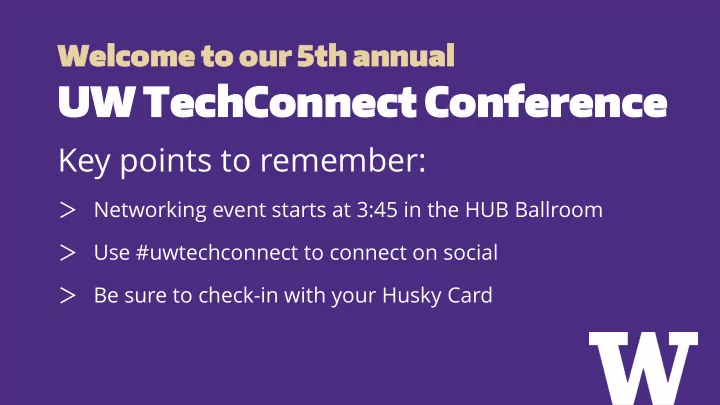
Wel Welcome come to ou to our 5 r 5th th annua annual UW UW TechConnec TechConnect Conference Conference Key points to remember: Networking event starts at 3:45 in the HUB Ballroom Use #uwtechconnect to connect on social Be


slide-1
SLIDE 1

Wel Welcome come to ou to our 5 r 5th th annua annual

UW UW TechConnec TechConnect Conference Conference

Key points to remember:

> Networking event starts at 3:45 in the HUB Ballroom > Use #uwtechconnect to connect on social > Be sure to check-in with your Husky Card

slide-2
SLIDE 2

Accessibilit Accessibility & y & Inclusion Inclusion:

“Ignite-Style” Presentations

Moderator: Pete Graff

slide-3
SLIDE 3

Bringing und Bringing underserved erserved edge edge cases into focus: cases into focus: Who are Who are you overl you overlooking & why?

  • oking & why?

Lauren Manes, User Experience Designer Cassy Beekman, Director of Enterprise Document Management

slide-4
SLIDE 4

> Diversity at UW > Thinking differently to support edge cases

– Learning to notice opportunities to support underserved groups – Applying accessible and user-centered design processes – Potential pitfalls

> Diversity and inclusion in the workplace

– Why – How

Ov Overview erview

slide-5
SLIDE 5

Cont Context: ext: Defin Definitio itions ns

> Diversity

Having a wide range of different viewpoints, backgrounds, and demographics represented in any given group.

> Inclusion

A process by which underrepresented and/or minority viewpoints are actively solicited by the majority, and individuals are given room and safety to share their experiences and viewpoints and have them incorporated in decision-making.

slide-6
SLIDE 6

Cont Context: ext: Div Diversity ersity at UW at UW

Students

Winter 2018 enrollment UW Student Data

Faculty

Fall 2016 - Seattle only? OVP Academic Personnel

General population of Washington

2016, census.gov

Non- Caucasian 59.8% (Bothell) 56.8% (Tacoma) 55.7% (Seattle) 29% 30.5% Female 54.4% (Tacoma) 53.1% (Seattle) 48.8% (Bothell) 42% 50%

slide-7
SLIDE 7

Cont Context: ext: Div Diversity ersity at UW at UW

18-24 yo in WA

0.72% trans

2013

UW Tacoma students 10% homeless

2017-2018 enrollment, all three campuses

Record number of underrepresented students Over 3000 community college transfer students 30% of first-years are first-generation degree earners Greater % of first-generation students and low-income students 14% international students

slide-8
SLIDE 8

Cont Context: ext: Div Diversity ersity at UW at UW

Age? Veteran status? LGBTQ? Economic status (current or past)? Reduced mobility? Reduced manual dexterity? Reduced sensory (visual, auditory) processing? Cognitive impairments? Mental health issues? Neuroatypicality? Currently experiencing, or from a background

  • f food insecurity or housing insecurity?

Language of origin? Currently caretaking a family member? Long-distance commuter? Body size? Able to access sufficient health care? Legal residency in jeopardy? Currently a parent? A single parent? In recovery from addiction? Working one or more jobs while attending school?

What happens when two or more of these identities intersect?

slide-9
SLIDE 9

Think d Think differently ifferently to to supp support

  • rt edge cas

edge cases es

> Cultivate your own empathy

– Consume media from groups that aren't your own identity: films, novels, nonfiction, poetry, journalism, talks, music, restaurants, visual art, technology. – Stay curious and humble.

slide-10
SLIDE 10

Think d Think differently ifferently to to supp support

  • rt edge cas

edge cases es

By the numbers

This feature is only crucial to 0.7% of our users, so it can wait for a future release. It's ok if that task is not as easy as it could be -- it only happens quarterly, so it's not like it's costing users minutes every day.

Using other criteria

Allowing students to specify a preferred name that's different from their legal name is crucial to protecting trans students' safety and mental health. Seeing an incorrect name can cause real emotional distress, and revealing the wrong name to

  • thers could out students without their consent and could

even compromise their physical safety. The task in question is student registration for classes, and if they don't get the classes they need because the interface doesn't work or the back end crashes, it can delay their graduation and end up costing them money and time.

slide-11
SLIDE 11

Think d Think differently ifferently to to supp support

  • rt edge cas

edge cases es

Cost to users if they need to recover from system error or user error: − Time − Financial − Emotional − Social − Impact on other dependent, downstream user tasks − Other? Risk to users if not implemented: − Physical − Emotional − Social − Financial Users that deviate from "average"

  • r "standard" on any relevant

metric − Look for outliers and consider the unique impacts on them

slide-12
SLIDE 12

Acce Accessible ssible design design pro proces cess s

> Be an advocate > You are not your users > Prioritize accessibility and edge case support > User feedback and testing early and often, in context > Accessibility / edge case improvements lead to a better product

slide-13
SLIDE 13

User User-centered centered design design pro proces cess s

> Conduct research about your chosen group

– Data is still relevant – Literature review – User research

> Iterative design and testing

slide-14
SLIDE 14

> Anecdotes ≠ data; an individual experience is not universal.

− Avoid stereotyping, caricaturing, and making unfounded assumptions

> Educate yourself on the basics.

− Any given individual with one or more minority identities that you do not share is not responsible for educating you about the difficulties of their experience.

> Make and hold space for people with disadvantaged identities to represent themselves. > Look to the intersections again. How do identities compound and amplify barriers?

What What to to watch ou watch out fo t for

slide-15
SLIDE 15
slide-16
SLIDE 16

Let what you learn from cultivating your curiosity, humility, and empathy guide you to ask better questions to support your edge case users.

slide-17
SLIDE 17

> Draw on existing UW resources: the Office of Minority Affairs and Diversity has a Staff Diversity Specialist and a Staff Diversity Hiring Toolkit. Check out these pages before beginning your recruitment: http://www.washington.edu/diversity/staffdiv > Avoid bias in the position description (e.g. Textio) > Assemble a diverse interview committee > Ask about candidates’ experience promoting diversity and inclusion in the workplace or through volunteer activities > Make your interview as accessible and inclusive as possible > Be careful when evaluating “fit” > Ensure that your position advertising, onboarding, and ongoing workplace culture are in alignment with your values of creating a diverse and inclusive workplace

Buil Building ding te teams ams to to su support pport al all l us users ers

slide-18
SLIDE 18

> Better products New York Times, “Why Having a Diverse Team Will Make Your Products Better” https://open.nytimes.com/why-having-a-diverse-team-will-make-your-products-better-c73e7518f677 > Smarter business decisions Harvard Business Review, “Why Diverse Teams Are Smarter” https://hbr.org/2016/11/why-diverse-teams-are-smarter

> Increased revenue

McKinsey, “Why diversity matters” (2015) and “Delivering through diversity” (2018) https://www.mckinsey.com/business-functions/organization/our-insights/why-diversity-matters https://www.mckinsey.com/business-functions/organization/our-insights/delivering-through-diversity Journal of Economics & Management Strategy, “Diversity, Social Goods Provision, and Performance in the Firm” https://economics.mit.edu/files/8851

> Happier employees… when inclusion & trust exist

Journal of Applied Social Psychology (via Deloitte), “The role of diversity and inclusion practices in promoting trust and employee engagement” https://www2.deloitte.com/au/en/pages/human-capital/articles/role-diversity-practices-inclusion-trust- employee-engagement.html

Resear Research ch su suppor pport t fo for b r buil uilding ding incl inclus usive ive teams teams
slide-19
SLIDE 19

Fu Furt rther her re resou source rces s an and sour d sources ces

Sources

Honor Native Land: A Guide and Call to Acknowledgement Quick Stats of Student Enrollment FACT SHEET 2016 - Office of the Vice Provost for Academic Personnel US Census Bureau: Quick Facts, Washington How many adults identify as transgender in the United States? University of Washington fall 2017 entering class sets record for diversity, resident students UW Tacoma homelessness a serious issue

Lauren Manes lmanes@uw.edu Cassy Beekman cbeekman@uw.edu

Further reading

UW's UX Design Guides Universal Design: Process, Principles, and Applications (UW DO-IT) UW Students Struggle with Housing and Food Costs Educause: A Conversation about Diversity, Equity, and Inclusion and Top IT Issues Center for Talent Innovation: Innovation, Diversity, and Market Growth NY Times: What Google Learned From Its Quest to Build the Perfect Team Detrimental Effects of "Best in Show" Hiring Processes in Tech NY Times: How Design for One Turns Into Design for All UW Tech Policy Lab - Diverse Voices Design Thinking: Empathy Maps

slide-20
SLIDE 20

Thank You Thank You

slide-21
SLIDE 21

Accessibilit Accessibility y in in Procureme Procurement nt

Terrill Thompson, UW-IT Accessible Technology Services Ray Hsu, Procurement Services Karen Crow, Environmental Health & Safety Santiago Cortez, Academic Human Resources

slide-22
SLIDE 22

> We're increasingly dependent on third-party software, services, and web applications > If there are barriers for some groups of users, we have little or no ability to fix them > If there are barriers, the university is assuming substantial legal risk, not the vendor

Why Acc Why Access essibility ibility in Pro in Procurement? curement?

slide-23
SLIDE 23

> We must ensure the products and services we're procuring from third parties are accessible to all users.

Therefore…

slide-24
SLIDE 24

Ho How Do We Do w Do We Do That? That?

slide-25
SLIDE 25

> Solicit accessibility information.

– Be specific about accepted documentation:

> Accessibility report from an independent accessibility expert/consultant > A completed UW IT Accessibility Checklist > A VPAT (must be VPAT 2.0, based on WCAG 2.0 not Section 508 standards)

Step Step 1 of 3 1 of 3

slide-26
SLIDE 26

> Validate accessibility information received.

– Vendor statements are a starting point for accessibility conversations. – Ask "What have you done to ensure your product/service is accessible to users with disabilities?" – Ask follow-up questions – Ask vendors to demonstrate how to perform key functions without a mouse – Develop the capacity in-house to conduct accessibility evaluations / collaborate

Step Step 2 of 3 2 of 3

slide-27
SLIDE 27

> Include accessibility assurances in contracts.

– Include a roadmap, with specific measurable goals and timelines – Implementation – Maintenance of accessibility

Step Step 3 of 3 3 of 3

slide-28
SLIDE 28

Acce Accessibility ssibility in in Cont Contract Negotiatio ract Negotiations ns

slide-29
SLIDE 29

> It takes a village > It is an iterative process – small meaningful steps > By collaborating with the UW Accessibility Technology Team, Procurement Services now has a policy to address accessibility in 7.2.15 > We are seeing positive changes from a few anecdote examples > Carrot vs. the stick

The Procurement Perspective The Procurement Perspective

slide-30
SLIDE 30

> Karen Crow Outreach & Health Education Analyst Project Manager for Website Redesign Project Environmental Health & Safety Department Contact: karenlc@uw.edu

Karen's Perspective Karen's Perspective

slide-31
SLIDE 31

> If it takes a village, who is your village? > ATS, Procurement, AGO, CISO > How soon should you start the conversation? > AP initiated the accessibility review and provided a list

  • f accessibility blockers during the first two weeks of

the contract/review process (four months) > Accessibility was always on the table during negotiations

Sant Santiago's iago's Pers Perspective pective

slide-32
SLIDE 32

> Policy #188 – Accessiblity: Accessibility | OCIO > UNIVERSITY OF WASHINGTON IT ACCESSIBILITY GUIDELINES: UW IT Accessibility Guidelines > Revised Code of Washington > Title 39 > Chapter 39.26 > Section 39.26.180: https://app.leg.wa.gov/rcw/default.aspx?cite=39.26.180

Sant Santiago's iago's Pers Perspective pective - Leverage Leverage

slide-33
SLIDE 33

> (1d) Incorporation of performance measures and measurable benchmarks in contracts; > (3) To the extent practicable, agencies should enter into performance-based

  • contracts. Performance-based contracts identify expected deliverables and

performance measures or outcomes. Performance-based contracts also use appropriate techniques, which may include but are not limited to, either consequences or incentives or both to ensure that agreed upon value to the state is received. Payment for goods and services under performance- based contracts should be contingent on the contractor achieving performance outcomes.

Sant Santiago's iago's Pers Perspective pective - Cont Contract ract Man Management agement

slide-34
SLIDE 34

uw.edu/accessibility/procurement

slide-35
SLIDE 35

Thank You Thank You

slide-36
SLIDE 36

Promoting Promoting Acces Accessibility sibility Effor Efforts and ts and PDF PDF Reme Remediation diation Options Options

Gaby de Jongh, IT Accessibility Specialist Ashley Magdall, Web Support Specialist Ana Thompson, Learning & Access Designer

slide-37
SLIDE 37

> the UW’s vision to “...educate a diverse student body and its values of diversity, excellence, collaboration, innovation and respect” > the UW’s obligations under Section 504 of the Rehabilitation Act of 1973 > Americans with Disability Act of 1990 together with its 2008 Amendments > Washington State Policy #188 – issued by the CIO > UW Executive Order 31 – Nondiscrimination and Affirmative Action > UW Administrative Policy Statement 2.3 – Information Technology, Telecommunications and Networking Projects and Acquisitions

Why does Why does it matter? it matter?

slide-38
SLIDE 38

> Adobe Acrobat Pro

– PDF editing software

> Directories (on the uwb.edu site)

– Example: “uwb.edu/it”, “uwb.edu/advancement”

> Remediation

– Conversion of a digital document into a resource that is accessible to individuals with disabilities

> Universal Design for Learning (UDL)

– Educational framework based on neuroscience that guides the development of learning environments that can accommodate individual learning differences

Key Terms Key Terms

slide-39
SLIDE 39

> AutoBatch for Adobe Acrobat Pro

– Automated remediation process – Triggers “Autotag Document” feature in Acrobat Pro

> Overwrites old files > Status of each document is documented

The Tacoma Metho The Tacoma Method

slide-40
SLIDE 40

Immediate work

> Focus on uwb.edu website electronic documents > Generated large report with all PDF location’s > Organized PDFs by website “directory” & primary web contact > Emailed reports to the primary contact, they coordinate / delegate – Deadline given with regular email reminders containing suggestions and resources for help

Bo Bothell | thell | PDF PDF Pilot Pilot

slide-41
SLIDE 41

> Report pulled: 2,943 PDFs

– Approximate: Some said not all PDFs on their site were included in the report

> Useful PDFs pulled: 2,277

– Removed links to external PDFs not in our control – Removed broken or duplicate PDFs

> PDFs I submitted for remediation: 122

– Pilot engagement was voluntary, but widely appreciated!

> Time was primary constraint, lack of supervisor support secondary >

About 17 “directories” under uwb.edu were updated

– Out of about 140+ directories

Bo Bothell | thell | PDF PDF Pilot Pilot by the by the nu numbers mbers

slide-42
SLIDE 42

Buy-in

> Informed participants

– Accessibility isn’t optional – Pilot was a free but a limited time opportunity

> Offered a framework on how to sort info and consultation meetings > Participants only needed to verify which PDFs were still relevant

– Campus-wide problem of too much content, lack of maintenance

Available options

> Vendor: $9.23/page with Vastec (free for pilot) > Campus trainers: Ana (Bothell) & Gaby (Seattle) > Self-teaching & remediation: available resources on uw.edu/accessibility

Bo Bothell | thell | Bu Buy-in & in & op

  • ptio

tions ns

slide-43
SLIDE 43

> HTML (web pages) is most accessible format

– Avoid PDFs! – Move info from docs → web pages – Range of accessibility by platform: > HTML → MS Office docs → PDFs → PDF Forms

> Research what your colleagues do, utilize skills and share the load

– Developers pulled PDF report for me, I sorted/organized

> Avoid mass submissions

– Complicated/time consuming to organize and redistribute

> Change workflow to avoid knee-jerk reaction of adding PDFs to site –

Changing workflows are faster than training on and doing PDF remediation

If unavoidable: train 2-3 team members and/or budget for vendor remediation

Bo Bothell | thell | Pilot Pilot Takea Takeaways ways

slide-44
SLIDE 44

UDAL Initiative

> UDAL = Universal Design for Active Learning

– Established in March 2016

> Comprises principles, research and best practices of Universal Design for Learning (UDL) with added emphasis on student engagement and physical spaces > UDAL Core Team formed June 2016

– IT, DLI, Advancement, DRS representation

Bo Bothell | thell | Lo Long t ng term action p erm action plan lan (1 o (1 of f 2) 2)

slide-45
SLIDE 45

> Accessibility Plan

– Formed November 2017 – Currently finalizing plan proposal

> Training & Remediation

– Training sessions with IT Liaisons, Commuter Services, CBLR, Student Affairs, Academic Affairs – “Free” Adobe Acrobat Pro licenses for IT Liaisons – Limited remediation services

Bo Bothell | thell | Lo Long t ng term action p erm action plan lan (2 (2 of

  • f 2)

2)

slide-46
SLIDE 46

> Successes

– Identify your advocates – Understand the workflow – Partner with Disability Resources for Students (DRS)

> Lessons

– Focus on low hanging fruit – Be aware of your approach – Have resources in place

Su Succe ccessful ssful Prac Practices/Lessons tices/Lessons Learned Learned

slide-47
SLIDE 47

UW Document Accessibility Website UW Bothell Accessibility Website

Resou Resources rces

slide-48
SLIDE 48

Than Thank Yo k You

slide-49
SLIDE 49

Q & A

Moderator: Pete Graff