Utah State University constructed a model teaching space for - - PDF document

utah state university constructed a model teaching space
SMART_READER_LITE
LIVE PREVIEW

Utah State University constructed a model teaching space for - - PDF document

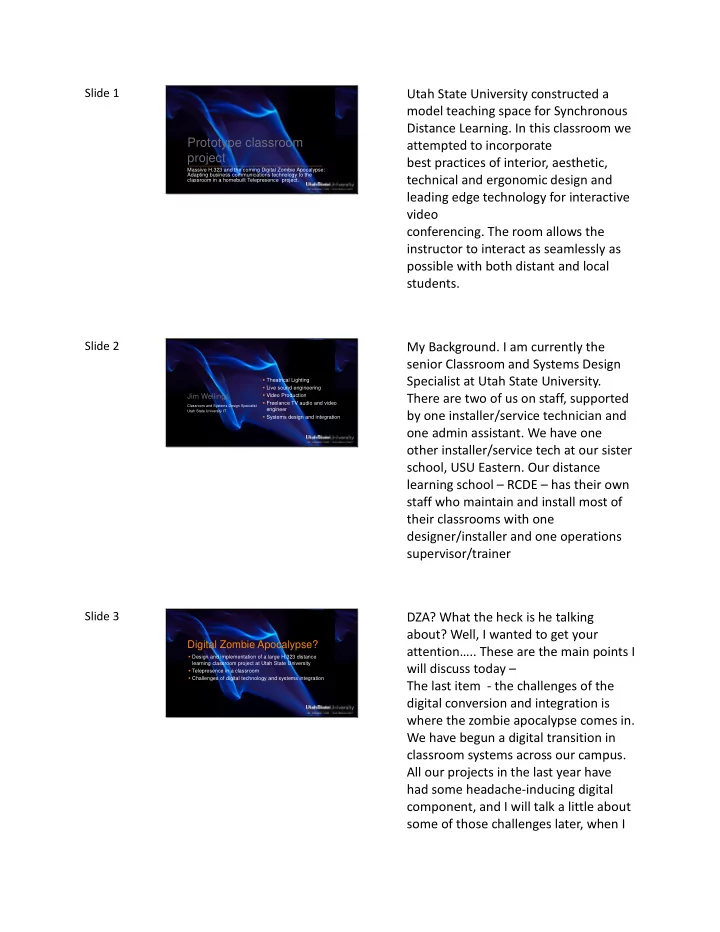
Slide 1 Utah State University constructed a model teaching space for Synchronous Distance Learning. In this classroom we Prototype classroom attempted to incorporate project best practices of interior, aesthetic, Massive H.323 and the coming


slide-1
SLIDE 1

Slide 1 Prototype classroom project

Massive H.323 and the coming Digital Zombie Apocalypse: Adapting business communications technology to the classroom in a homebuilt Telepresence project.

Utah State University constructed a model teaching space for Synchronous Distance Learning. In this classroom we attempted to incorporate best practices of interior, aesthetic, technical and ergonomic design and leading edge technology for interactive video

  • conferencing. The room allows the

instructor to interact as seamlessly as possible with both distant and local students.

Slide 2

Jim Wellings

  • Theatrical Lighting
  • Live sound engineering
  • Video Production
  • Freelance TV audio and video

engineer

  • Systems design and integration

Classroom and Systems Design Specialist Utah State University IT

My Background. I am currently the senior Classroom and Systems Design Specialist at Utah State University. There are two of us on staff, supported by one installer/service technician and

  • ne admin assistant. We have one
  • ther installer/service tech at our sister

school, USU Eastern. Our distance learning school – RCDE – has their own staff who maintain and install most of their classrooms with one designer/installer and one operations supervisor/trainer

Slide 3

Digital Zombie Apocalypse?

  • Design and implementation of a large H.323 distance

learning classroom project at Utah State University

  • Telepresence in a classroom
  • Challenges of digital technology and systems integration

DZA? What the heck is he talking about? Well, I wanted to get your attention….. These are the main points I will discuss today – The last item - the challenges of the digital conversion and integration is where the zombie apocalypse comes in. We have begun a digital transition in classroom systems across our campus. All our projects in the last year have had some headache-inducing digital component, and I will talk a little about some of those challenges later, when I

slide-2
SLIDE 2

discuss the recent upgrade in our project room

Slide 4

Digital Zombie Apocalypse?

It‟s Here….

Don’t let it eat your brains….

Slide 5

USU Distance Learning Program

History

The history of USU’s distance learning program

slide-3
SLIDE 3

Slide 6

USU Distance Learning Program

  • Converted from digital satellite in

2007

  • Installed 156 H.323 receive

classrooms and 20 teaching classrooms

  • Migrated all legacy classes Fall

2007

History

USU’s distance learning program has been around since the 90’s using various technologies for synchronous

  • learning. Our largest content delivery

system was digital satellite between 1997 and 2007 In the summer of 2007 we converted the entire system from satellite to H.323, building 156 sites in just a few months – most during summer break. Entire classload migrated by fall semester.

Slide 7

USU Distance Learning Program

  • Utah Education Network:
  • 10 gig network backbone
  • 480 bridge ports- 12 40-port

MCU‟s

  • 120 HD ports
  • 360 SD ports
  • 712 registered end points
  • 198 registered software-based SIP

clients

Current System: Supported by the Utah Education Network

Current system. USU is a stakeholder in UEN, our state sponsored ISP, along with other Utah higher ed and secondary ed institutions. All Utah High Schools and universities have H.323 sites on the UEN network, along with some state government agencies

Slide 8

USU Distance Learning Program

  • Utah Education Network stats in

March 2011:

  • 1668 higher ed classes
  • 5905 events connected

Current System: Supported by the Utah Education Network

In march of this year – usage stats

slide-4
SLIDE 4

Slide 9

USU Distance Learning Program

  • Of 712 registered endpoints, 408

are USU sites.

  • 375 sections/343 courses
  • Degrees available via IVC:
  • 1 EHD (Doctor of Education)
  • 10 Masters
  • 15 Bachelors

USU Regional Campuses and Distance Education

Regional Campuses and Distance Education is the USU entity that administers the distance learning program

Slide 10

Room Design

Standard Receive Room Design

A little about the ‘standard’ H.323 classroom design.

Slide 11

Room Design

  • Receive room - no instructor desk
  • Largely Tandberg (Cisco)

MXP990

  • H.239 presentation support for

laptops

  • Most codecs with internal 4-port

MCU

  • Widescreen display

Standard Receive Room Design

Rooms are separated into two main categories – Receive rooms and Teaching rooms. H.239 is a dual-stream sub protocol supported by H.323. It allows a separate motion video stream along with a secondary high resolution

  • stream. Polycom calls this ‘People plus

content’ Tandberg – Duo Video, Lifesize- Dual Stream All of our classrooms support H.239

slide-5
SLIDE 5

Slide 12

Room Design

Standard Receive Room Design

The most common receive site

Slide 13

Room Design

  • Tandberg (Cisco) 3000 MXP,

C60, C40

  • Projector/Screen
  • Document Camera
  • PC with pen tablet Smartboard
  • DVD/VCR
  • Two cameras
  • Crestron control system

Standard Teaching Classroom Design

Standard Teaching classroom. All the features of the receive room plus….

Slide 14

Room Design

Standard Teaching Classroom Design

Instructor monitor located on console to view distant sites

slide-6
SLIDE 6

Slide 15

Room Design

Standard Teaching Classroom Design

Camera on back wall

Slide 16

Room Design

Standard Teaching Classroom Design

Another one. Ceiling mounted monitor.

Slide 17

Room Design

Engineering Project Triangle

As we talk about constructing systems, we need to refer to the engineering project triangle. A Venn diagram with project characteristics

slide-7
SLIDE 7

Slide 18

Room Design

  • Pick any Two

Pick any two….

Slide 19

Room Design

Common teaching room characteristics

  • Designed for reliability
  • Fast and easy construction
  • Features and design common

across most rooms

  • Minimal attention paid to

aesthetics and production values

USU installed rooms typically are designed for reliability, with common components and design across multiple installations, to meet a minimum quality and performance standard, at a reasonable cost. What aesthetics? Not in the budget.

Slide 20

Prototype Classroom Project

Goals

For our prototype classroom project, we wanted to push beyond the usual and demonstrate what was possible. We needed to correct the common problems with our designs and address requirements, issues with current designs, and the wish lists of faculty, largely in the department of Special Education since they would be the primary users.

slide-8
SLIDE 8

Slide 21

Prototype Classroom Project

  • High Expectations
  • Previous negative experience
  • Replace and improve upon their

experimental homebuilt system (Guerrilla telepresence)

Goals

Special education had past experience with our satellite system, which they

  • hated. One way video, audio delay…..

and with the standard H.323 classroom which they hated only a little less. Low resolution video and blurry faces, or slow switching and poor interaction. SPED expectations were built upon a homebuilt test project which expanded a point to point technology to support a point to multipoint model

Slide 22

Prototype Classroom Project

Goals

It looked something like this: They had a stack of 9 video monitors driven by 9 pc’s with a Sorenson conferencing capture/display card in each. The instructor was captured by a single camera, distributed to the 9 pc’s, The 9 sites were viewed on individual monitors for a higher resolution and better experience than the standard bridged H.323 event.

Slide 23

With system designs, things tend to default to the lowest common denominator, and are usually done on the cheap, mostly by necessity. We needed to ‘kick it up a notch’. This project would not be cheap, although

  • ne of the goals would be to prove that

quality could be improved affordably.

slide-9
SLIDE 9

Slide 24

Prototype Classroom Project

  • State of the art* technology
  • Best Practices Model:
  • Facility should be a model of best

practices of Interior, aesthetic, technical and ergonomic design

  • Current practices evaluated and

discarded if necessary

  • Eye contact and viewing angles as

natural as possible

  • No physical barriers
  • Freedom of movement
  • Affordable*

Goals

*As close to state of the art as is ever

  • possible. Our associates at UEN began

using the term ‘bleeding edge’ when referring to this project…. Uh Oh. Bleeding edge of course is a slice above even cutting edge, pun intended. *Affordable. Another asterisk. Everything is relative, and fortunately we had three financial partners

Slide 25

Prototype Classroom Project

  • High resolution video
  • Space flexible
  • Telepresence features*
  • Incorporate digital signal paths

where possible

Functional Requirements

The Functional Requirements. The room must incorporate these features * What really is telepresence? More in a moment.

Slide 26

Prototype Classroom Project

  • Full screen views of three sites

simultaneously

  • Split views (continous presence

views) of 6 to 8 sites simultaneously

  • High data rate calling

Functional Requirements

More Functional Requirements. The room must incorporate these features

slide-10
SLIDE 10

Slide 27

Telepresence

What is (was) Telepresence

I say ‘was’ because the bar has been lowered.

Slide 28

Telepresence

  • Designed for business
  • Simulate meeting space around a

conference table

  • Distant participants viewed in

high resolution on a large display, appearing natural and virtually present in the meeting space

  • Localized audio

What is (was) Telepresence

Designed for business communications. All H.323 systems were business products, telepresence even more so.

Slide 29

Telepresence

  • A single codec or multiple

codecs provide HD continuous presence for up to three other sites

  • High bandwidth
  • Room environment – lighting,

camera angles, display sizes, even color schemes carefully controlled.

What is (was) Telepresence

slide-11
SLIDE 11

Slide 30

Telepresence

What is (was) Telepresence

Lifesize implementation- 3 remote site views, three cameras, one display for presentation

Slide 31

Telepresence

What is (was) Telepresence

Tandberg (cisco now) telepresence. The furniture and environment are part of the package. Expensive! This is why we didn’t buy a package, instead electing to build our

  • wn.

Slide 32

Telepresence

What is it now

  • Lifesize Passport

“Telepresence in the Palm of Your Hand”

What is telepresence now? According to Lifesize, an HD codec and camera. Thanks for lowering the bar now that we built our room, guys! I kid Lifesize – and the Lifesize folks told me that they were not the first to redefine telepresence… But I will say that they all are good products and we use both Lifesize and Polycom in our network.

slide-12
SLIDE 12

Slide 33

Prototype Classroom Project

Design

Now we have lots of expectations and examples, we’ll look at the design

Slide 34

Prototype Classroom Project

Emma Eccles Jones Education Building 101,902 sq ft Constructed 1989

Education building

Slide 35

Prototype Classroom Project

Education Building

4 floors – impressive and pretty atrium… but apparently when it was built – classrooms could be plain and monocolored.

slide-13
SLIDE 13

Slide 36

Prototype Classroom Project

Pre-Remodel

Very utilitarian rooms, all featureless pale grey. View from entrance

Slide 37

Prototype Classroom Project

Pre-Remodel

Opposite view

Slide 38

Prototype Classroom Project

Pre-Remodel

Panorama. Part of the aesthetic improvements required some interior decorating. For the project team I solicited the help of a theatre design professor at USU. The room is roughly 20 feet deep by 30 feet wide.

slide-14
SLIDE 14

Slide 39

Prototype Classroom Project

Concept Sketch

Concept sketch by the theatre set designer

Slide 40

Prototype Classroom Project

Design materials

Design materials showing colors and textures

Slide 41

Prototype Classroom Project

  • Large displays
  • Matrix routing
  • Multiple cameras
  • Camera switching and presets
  • Multichannel sound
  • Lighting

Equipment and Technical Design

To accomplish telepresence, the equipment design would include these items

slide-15
SLIDE 15

Slide 42

Prototype Classroom Project

  • Aesthetics
  • Hidden Technology
  • Wireless
  • Scaling for presentation sources
  • HD video

Equipment and Technical Design

More features of the technical design.

Slide 43

Prototype Classroom Project

  • Bluray player
  • Document Camera
  • Pc with smart board
  • Wireless laptop interface
  • Wired backup

Equipment and Technical Design Presentation Sources

Presentation sources Doc cam is hidden- not an ugly tabletop. Wireless classroom is the goal

Slide 44

Prototype Classroom Project

Plan

Plan view

slide-16
SLIDE 16

Slide 45

Prototype Classroom Project

Displays and Cameras

We decided to provide 4 high resolution displays for the instructor – this would be the maximum supportable by the new tandberg C90, which was a non-disclosure pre-release product when we designed the room.

Slide 46

Prototype Classroom Project

Displays and Cameras

Displays and cameras at eye level for a standing person. The cameras are located as close as possible to the monitors so the instructor could maintain apparent eye contact with the students

Slide 47

Prototype Classroom Project

Displays and Cameras

Front large-format flatscreen with Smart overlay. Many reasons this is not a projector. Image brightness, contrast, much preferable setup for a smart board, large enough for the space. Can become part of the interior design

slide-17
SLIDE 17

Slide 48

Prototype Classroom Project

Pre-Remodel

Lets look at the pre-remodel view again – because the contrast is interesting. You have all seen or used a classroom like this.

Slide 49

Contrast! Looking at the room….

Slide 50

The chair behind the table was not part

  • f the original set design. Nearly all the

instructors we consulted while designing the room preferred to stand. The chair appeared a month or two

  • later. Also not part of the design was

the overhead projector someone borrowed and rolled into the room in the middle of the semester… Not really clear how they intended to use it… we made that disappear in a hurry….

slide-18
SLIDE 18

Slide 51

View from near the entrance

Slide 52

Two rows of student seating in this configuration, the room is wide and shallow, about 20 feet deep and 30 wide, ensuring that the displays and cameras are close to the instructor. The rear wall of the original room had a built out section, we extended that to the right to provide a mounting surface

  • n one plane for the monitors, and as
  • f the recent upgrade, use it now to

hide equipment. You can see LED’s on the right, that is where the rack is located.

Slide 53

Looking toward the entrance

slide-19
SLIDE 19

Slide 54

Control area. This desk incorporated 2 equipment racks, when we upgraded the equipment was relocated.

Slide 55

Brightlines recessed lighting, providing natural angles and warm color temperature without blinding the instructor

Slide 56

Accent color provided by LED fixtures

slide-20
SLIDE 20

Slide 57

Ceiling mounted shotgun mics for the students

Slide 58

Sony HD cameras

Slide 59

Front flatscreen and smart overlay – note student camera to the right of the

  • display. The design drawing shows two,

we cut it back to one to save money and because the C90 supports 4 camera inputs natively

slide-21
SLIDE 21

Slide 60

Multichannel sound – center front channel

Slide 61

There are stereo front and rear channel speakers, and a center rear as well. The room will support 6.0 surround. I couldn’t justify the subwoofer, but even without that, bluray movies are interesting on 5 screens…. There is a good reason for multichannel

  • sound. If the instructor views the sites
  • n the rear monitors, the audio should

localize and come from the same apparent direction. Too often (always) a single pair of speakers in the front of the room are the source for all audio. The instructor views the students on the opposite side of the room from where their voices are heard

slide-22
SLIDE 22

Slide 62

The paper on the table is under the hidden document camera

Slide 63

The doc cam is an HD camera with zoom, and the quality is impressive. Because the room supports HD video, duo video is not necessary to provide a high resolution stream – the main video path is actually higher resolution than the standard duo video from our other rooms. All the rooms in our network will display 720p video, so all can benefit by the quality.

Slide 64

Wireless Crestron touchpanel.

slide-23
SLIDE 23

Slide 65

For access grid or web conferencing, a workstation with multiple display

  • utputs and multiple capture cards

uses all four rear wall displays. Chairs can be turned around to face four screens and three cameras, and the audio routing changes.

Slide 66

Prototype Classroom Project

Operation

Operation Our network is automated. Scheduled classes are dialed automatically from a central management application

Slide 67

Prototype Classroom Project

  • Intervention essential for a

positive user experience

  • Manual conference setups
  • Manual configurations
  • Manual dialing

Operator Intervention

For this project, almost as important as the technology is operator intervention. Other intervention functions were performed by a tier two support person, from the central helpdesk. He would have several items to configure for each event

slide-24
SLIDE 24

Slide 68

Prototype Classroom Project

Operator Intervention

We have one facilitator who operates the cameras and switching, and assists the instructor

Slide 69

Prototype Classroom Project

  • C90 codec capable of up to 3

fullscreen remote HD video images

  • Multiple conferences dialed to the

same codec provided additional configurable views.

  • 8 sites could be visible

simultaneously at standard quality

Event Control Intervention

We tried some crazy stuff. Give us something, we will figure out a way to try and break it. By intervening, we could build two conferences on an external bridge and connect both to the C90 codec. This would allow up to 8 sites to be visible as quad splits on two side by side

  • monitors. This is obviously difficult and

requires a lot of manual intervention in a statewide system designed to automatically launch and connect events.

Slide 70

Classroom Project Upgrade

Room upgrade Winter 2010

We planned and installed an upgrade to the room to improve performance, lessen manual intervention, and continue the process of keeping the edge bleeding…

slide-25
SLIDE 25

Slide 71

Classroom Project Upgrade

  • Digital conversion
  • Performance improvements
  • Mostly „under the hood‟

Room upgrade Winter 2010

Over the December break, we performed a major equipment upgrade. Most of the upgrade was transparent to the users – it was a technology

  • upgrade. Video transport and switching

were converted to digital. Additional codecs were installed and control was improved to enhance performance and allow automation

Slide 72

Classroom Project Upgrade

  • Massive H.323
  • Addition of two C60 codecs for

total of 3 Tandberg (Cisco) codecs

  • Totals:
  • 9 internal MCU ports
  • 8 display outputs
  • 4 common cameras
  • Common presentation inputs

Room upgrade Winter 2010

Codecs were added. The massive part….

Slide 73

Equipment rack. All the support equipment is now mounted in a recessed rack. It was previously located in the facilitator desk. On the right – something you don’t

  • ften see in one place – Three tandberg

C-series codecs.

slide-26
SLIDE 26

Slide 74

Classroom Project Upgrade

Programming and Performance

One, two or three sites are visible in continuous presence in high resolution

  • n each of three monitors. Finally

performance to match the original guerrilla conferencing system we saw earlier, now at high quality. With all three codecs used, we can have 9 active HD calls simultaneously, plus presentation content

Slide 75

Classroom Project Upgrade

Programming and Performance

Class setups can be controlled on externally bridged events from an ipad

  • interface. This is a task formerly

performed by the Tier 2 person, granular access control and more training allows the classroom support staff and facilitator to do the setups now. The facilitator can also operate the crestron control from the ipad.

Slide 76

Digital Conversion

  • Why Digital?
  • Quality
  • HDCP compliance
  • High-bandwidth Digital Copy

Protection

  • Analog Sunset

Zombies?

HDCP – copy protection scheme – two way communication between device and display - to eliminate the possibility

  • f intercepting digital data midstream

between the source and the display allowing illegal copying. It uses a key exchange between the source and the display before any video and audio is displayed. Analog sunset – the zombie apocalypse. The elimination of HD analog video. For example - any Bluray player announced after January 1st of this year will only

  • utput HD via an HDMI connector. The

Image Constraint Token encoded on all new Bluray discs will tell bluray players

slide-27
SLIDE 27

to downconvert any analog output to 540p. In 2013 all analog outputs will be removed from bluray players completely. Why?

Slide 77

Digital Conversion

  • HDCP Management (High-

bandwidth Digital Copy Protection)

  • Resolution
  • Aspect Ratio

Issues

HDCP is how digital rights management is applied to content sources and

  • displays. It doesn’t work on analog

video. HDCP must be passed reliably between source devices and displays, and through all intervening equipment for the content to be allowed to display. No warning, no symptoms – if you don’t get it right, just no video. Different resolution and aspect ratio from every random instructor laptop can be an issue. Every laptop can be

  • different. With analog, it was possible

to scale or change the video with an external processor, with a digital connection the laptop video will pass through unchanged. Some settings can prevent a monitor from displaying video. Aspect ratio: (next slide)

slide-28
SLIDE 28

Slide 78

Digital Conversion

Problems

A chart of display resolutions and aspect ratio. 16x9 is the aspect ratio of choice for new flatscreen displays. I am using a laptop with a 16x10 aspect ratio – these are still very common. Older pc’s and laptops will have 4:3 or 5:4 The ipad? 4:3. Someone please slap Steve Jobs.

Slide 79

The Next Upgrade

Future Plans

Part of the original plan was to continue to improve and upgrade. Here is my wishlist for future improvements

Slide 80

The Next Upgrade

  • Full automation, via scheduling

system and Crestron programming improvements

  • Invisible technology
  • Hidden displays, cameras, mics
  • Improved wireless display

capability

  • Automated camera tracking and

switching

  • Increased resolution
  • Seamless displays

Future Plans

Less intervention, less facilitator training needed, less macro programming for each event Completely invisible cameras/ displays – perhaps behind tinted panels. Use recessed or wallboard panel speakers Codecs and cameras support 1080p. We need a systemwide site upgrade to take advantage of this. We are currently installing Cseries HD codecs in new construction statewide, but this is an expensive and slow process

slide-29
SLIDE 29

Slide 81

Lessons Learned

Our list for future designs

A good learning experience. Our ‘don’t EVER do THAT again’ list. To paraphrase - You learn from anything that doesn’t kill you…

Slide 82

Lessons Learned

  • Lighting is the most important

element that is usually ignored

  • Manage the heat load
  • Simplicity of control is no

substitute for a trained operator

  • Remote camera positioning and

seating arrangements important

Our list for future designs

Lighting ignored or sabotaged by architects! Heat load! Blank spaces and cooling usually an issue. Architects don’t like to cut holes. Initially there were cooling issues and the facilitators were propping the doors open in the middle

  • f winter…..

Simple is good. Training is better Remote site seating and camera shots largely responsible for the instructor’s user experience

Slide 83

Lessons Learned

Our list for future designs

Seating and camera shots. A good

  • example. Telepresence relies on all sites

being equal, unfortunately some are more equal than others. The video performance is only as good as the poorest remote classroom, or that facilitator eating the pizza and not paying attention.

slide-30
SLIDE 30

Slide 84

Lessons Learned

  • Pay attention to sight lines,

viewing and camera angles

  • Localize the audio
  • Try to create eye contact by

placing the camera as close as possible to the display

  • Place cameras at a natural angle
  • Teach the camera operator about

camera shots and operation

Our list for future designs

Rule of thirds. Camera positioning – we knew this. It takes an involved and expensive project to demonstrate that. The remote site camera shots are adjusted to provide the desired result. When this is done properly, it works: I knew the classroom arrangement worked when when I saw an instructor ask for a show of hands from his remote students

Slide 85

Questions

Slide 86 Prototype classroom project

Massive H.323 and the coming Digital Zombie Apocalypse: Adapting business communications technology to the classroom in a homebuilt Telepresence project.