Using Technology to Engage Families Wednesday, May 16, 2018 1:15 pm - - PowerPoint PPT Presentation

using technology to engage families
SMART_READER_LITE
LIVE PREVIEW

Using Technology to Engage Families Wednesday, May 16, 2018 1:15 pm - - PowerPoint PPT Presentation

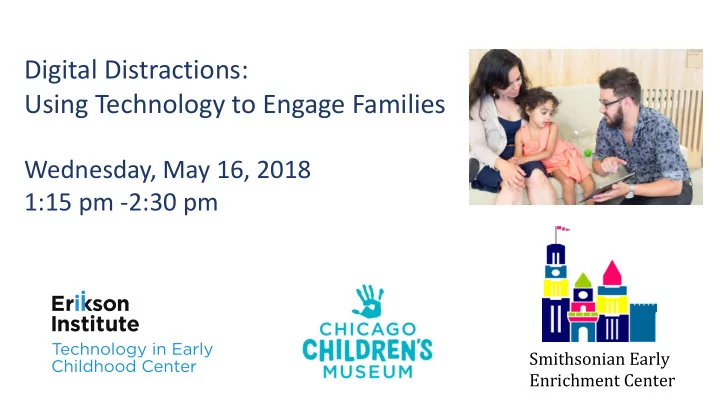
Digital Distractions: Using Technology to Engage Families Wednesday, May 16, 2018 1:15 pm -2:30 pm Smithsonian Early Enrichment Center Tamara Kaldor Associate Director TEC Center at Erikson Institute Alexandra Pafilis Director of Early

slide-1
SLIDE 1

Digital Distractions: Using Technology to Engage Families

Wednesday, May 16, 2018 1:15 pm -2:30 pm

Smithsonian Early Enrichment Center

slide-2
SLIDE 2

Tamara Kaldor

Associate Director TEC Center at Erikson Institute

Alexandra Pafilis

Director of Early Learning Initiatives Chicago Children’s Museum

Meghan Farrell

Informal Learning Research Intern TEC Center at Erikson Institute

Maureen Leary

Director of Kindergarten and Toddler Programs Smithsonian Early Enrichment Center

slide-3
SLIDE 3

Silence your phones. Put away your devices. Be present with presence.

slide-4
SLIDE 4

A Provocation

mentor Who mentors the mentors?

  • Are adults or is it the children that can’t stop

connecting via tech?

  • Every child needs a media mentor
  • Every parent/family needs a media mentor
  • Every educator needs to be a media mentor
  • Who mentors the mentors?
slide-5
SLIDE 5

A new 21st century role: The media mentor

  • Where are your families at the museum and when they

leave the museum?

  • What about families who never come to the museum?
  • What should family engagement look like in 2018 and

beyond?

  • What is the role of tech and what isn’t the role of tech?
slide-6
SLIDE 6

What parents want from a media mentor

  • 1. A role model and tour guide with a roadmap to navigate the

digital age

  • 2. A trusted source
  • 3. Resources and recommendations
  • 4. To gain tech skills and digital media literacy
  • 5. Opportunities for parent play time
  • 6. Affirmation and empowering tips for promoting a healthy

media diet and positive family media ecology at home

  • 7. A gentle nudge about how their own digital behaviors impact

children

slide-7
SLIDE 7
slide-8
SLIDE 8
slide-9
SLIDE 9
slide-10
SLIDE 10

Technology Position Paper

slide-11
SLIDE 11

History of CCM Position Papers

In 2009 CCM embarked on an institution-wide initiative to identify and examine important perennial issues that staff and management had faced for over three decades. The goal was to establish “positions” on these issues in order to have consistent viewpoints and strategies for interpreting CCM’s mission—and to continue to develop new papers as relevant.

slide-12
SLIDE 12

Usage of Position Papers

  • Annual Planning
  • Experience Development
  • Daily Practice/Operations
  • New employee/board member orientation
  • Shared with partners, funders, stakeholders
  • Shared nationally (ACM, peer institutions)
slide-13
SLIDE 13

Position Paper Topics

  • Access & Inclusion
  • Arts
  • Corporate Engagement
  • Diversity
  • Play
  • Learning
  • Role of the Adult
  • Science
  • Technology
slide-14
SLIDE 14

Technology Position Paper Purpose

  • To establish a clear position on the use of technology in our

museum space

  • To address technology (specifically digital technology and

interactive media) as it intersects with the direct visitor experience

  • The position does not seek to make broad recommendations

regarding the use of technology in children’s lives beyond our walls.

slide-15
SLIDE 15

Key Technology Position Elements

CCM’s primary visitor experience goal is to give children

  • pportunities to interact with the physical world.

We believe this is a key differentiator of the CCM experience in a world that is becoming increasingly reliant on digital experiences for both children and adults. We will continue to prioritize this as the essential characteristic of

  • ur visitor experience.
slide-16
SLIDE 16

Key Technology Position Elements

CCM focuses on helping children make face-to-face interpersonal connections and engage in social interactions to build relationships in our space. T echnology, if used, should support, not interrupt, this goal.

slide-17
SLIDE 17

Key Technology Position Elements

CCM’s educators understand the importance of growing and maintaining their own digital literacy. Staff must remain up-to-date with new research findings related to technology and children. This will ensure that they are able to think critically when selecting technology and media for young children as the museum moves forward.

slide-18
SLIDE 18

Key Technology Position Elements

CCM will consider opportunities for incorporating appropriate technology into its space on a case-by-case basis and through a thoughtful, intentional and collaborative process. Decision-making shall be guided by an approved set of defined criteria (included in paper).

slide-19
SLIDE 19

Criteria to use when considering any particular technology

Technology may be appropriate for use in our visitor experience when it:

  • 1. Supports our play and learning values and goals, and is the best possible

way to reach those goals.

  • 2. Is not at odds with any of CCM’s other positions.
  • 3. Provides access to an experience that our audience would likely not encounter

elsewhere; and/or provides connections to prior experiences.

  • 4. Creates connections between people rather than interrupting connections
  • r isolating an individual. Creates an opportunity for joint attention and

language-rich interactions.

  • 5. Is active, hands-on and empowering: grounded in the fundamentals of what

is developmentally appropriate for our 0-10 age group; is a real tool that enables creativity, exploration, learning and play.

slide-20
SLIDE 20

Criteria to use when considering any particular technology

  • 6. Enriches, enhances, or supports an experience, but is not the whole of an
  • experience. In other words, if the technology breaks down, there is still an

experience available.

  • 7. Helps visitors connect further and more deeply with the place-based experiences
  • f CCM. Examples:

–– Technology that supports reflection, documentation, and conversation about the museum experience. –– Technology that makes the museum an inclusive experience, such as providing a tool that supports the experience for people with varying abilities and learning styles.

  • 8. Is able to be accessed quickly and easily, and has multiple entry points to

make it as accessible as possible.

  • 9. Is durable, long-living, functional, affordable, and practical. The appropriate

infrastructure and resources are available to ensure the tech experience will ultimately be successful and sustainable.

  • 10. Respects visitors’ safety, security, and privacy, and is in accordance with all

laws governing technology usage. (COPPA, etc.)

slide-21
SLIDE 21

Key Research Sources

American Academy of Pediatrics Campaign for a Commercial Free Childhood Erikson Institute – Center for Technology in Early Childhood Fred Rogers Center NAEYC, National Association for the Education of Young Children University of Chicago Medicine/Thirty Million Words Zero to Three

slide-22
SLIDE 22

Digital Distraction and Caregiver Engagement

slide-23
SLIDE 23

Digital Distraction

Research shows parents are "addicted" to their mobile

  • devices. A 2016 study conducted by Common Sense

Media found that:

  • 48% of parents feel compelled to immediately

respond to texts and other notifications

  • 69% of parents reported checking their mobile devices

hourly

  • 41% of teens feel their parents are digitally distracted

and inattentive when they’re together

slide-24
SLIDE 24

Observation of Digital Distraction Across Exhibits

slide-25
SLIDE 25
slide-26
SLIDE 26

Observation of Digital Distraction with Screen-Free Zone Sign on Door

slide-27
SLIDE 27

Observation of Digital Distraction with Screen-Free Zone Signs in Room

slide-28
SLIDE 28
slide-29
SLIDE 29

NEXT STEPS

  • Consider exhibit spaces (use of furniture and

placement; open versus closed space)

  • Trainings for floor staff on modeling behavior,

how to intervene when digital distraction is

  • bserved
  • Use of photo/video to extend experience at

home

  • Handout given at admissions with mindful

media tips, how to engage in play

slide-30
SLIDE 30

Using Technology to Engage Students and Families

Projects with the Smithsonian Learning Lab

slide-31
SLIDE 31

Smithsonian Early Enrichment Center

slide-32
SLIDE 32

What is the Smithsonian Learning Lab?

  • More than 3 million digital records
  • 27,000 registered users
  • 18,00 Collections (3,700 published)
  • Dynamic user tools
slide-33
SLIDE 33
slide-34
SLIDE 34

Early Learning with the Smithsonian Learning Lab

Project goal - to engage families with the Learning Lab so that caregivers and children could use the platform collaboratively, promoting development of language and thinking skills.

slide-35
SLIDE 35

Worked with underserved families from Ward 7 in Washington, DC, who participated in Smithsonian-sponsored activities at school and in various museums. Built collections that corresponded to themes of the events.

slide-36
SLIDE 36

Project Findings

  • Parents can use Learning Lab at home with their

children with minimal training

  • Parents and children reported enjoyment of the platform

as well as the content

  • Parents successfully used the Lab and the educational

activity on tablets, laptop computers, cellphone, and smartboard; in other words, there were no technological barriers to use

slide-37
SLIDE 37
  • Parents reported that they had deeper and more focused

conversations than usual with their child using the Lab and activity than was usual (this builds thinking and vocabulary skills)

  • Some parents reported that they were surprised about

what their child already knew, and felt that they learned something new about their child

  • Parent expressed interest in the Smithsonian developing

more activities similar to the one used in the research

slide-38
SLIDE 38

Communication Collection

slide-39
SLIDE 39
slide-40
SLIDE 40
slide-41
SLIDE 41
slide-42
SLIDE 42
slide-43
SLIDE 43
slide-44
SLIDE 44
slide-45
SLIDE 45
slide-46
SLIDE 46

Movement Collection

slide-47
SLIDE 47
slide-48
SLIDE 48
slide-49
SLIDE 49

Lesson on Joan Miró

slide-50
SLIDE 50
slide-51
SLIDE 51

Questions? Reflections? THANKS!

slide-52
SLIDE 52

Tamara Kaldor

TEC Center at Erikson Institute Tkaldor@erikson.edu

Alexandra Pafilis

Chicago Children’s Museum AlexP@chicagochildrensmuseum.org

Meghan Farrell

Informal Learning Research Intern mfarre2@gmail.com

Maureen Leary

Smithsonian Early Enrichment Center LearyM@si.edu