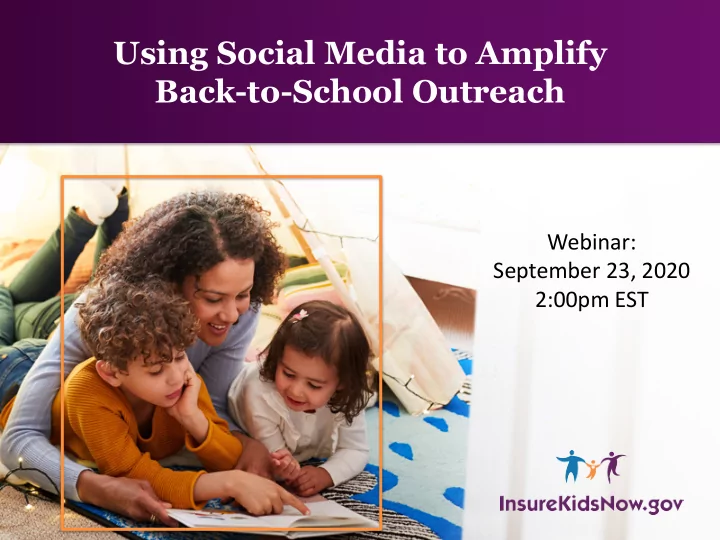
Using Social Media to Amplify Back-to-School Outreach Webinar: - - PowerPoint PPT Presentation

using social media to amplify back to school outreach
SMART_READER_LITE
LIVE PREVIEW

Using Social Media to Amplify Back-to-School Outreach Webinar: - - PowerPoint PPT Presentation

Using Social Media to Amplify Back-to-School Outreach Webinar: September 23, 2020 2:00pm EST 1 Agenda Welcome Campaign Updates Current Priorities Latest Resources Social Media Outreach Questions 2 Campaign


slide-1
SLIDE 1

1

Using Social Media to Amplify Back-to-School Outreach

Webinar: September 23, 2020 2:00pm EST

slide-2
SLIDE 2

Agenda

  • Welcome
  • Campaign Updates
  • Current Priorities
  • Latest Resources
  • Social Media Outreach
  • Questions

2

slide-3
SLIDE 3

3

Campaign Updates

slide-4
SLIDE 4

Current Priorities

Back-to-School Children with health coverage are better prepared to learn Immunization/Flu & Routine Care Getting the seasonal flu vaccine can help families stay healthy, protect others, and stop the spread Peace of Mind Reminder that Medicaid and CHIP provide access to essential medical care without jeopardizing financial security

4

slide-5
SLIDE 5

Current Priorities

Back-to-School Children with health coverage are better prepared to learn

5

slide-6
SLIDE 6

Current Priorities

Immunization/Flu & Routine Care Getting the seasonal flu vaccine can help families stay healthy, protect others, and stop the spread

6

slide-7
SLIDE 7

Current Priorities

Peace of Mind Reminder that Medicaid and CHIP provide access to essential medical care without jeopardizing financial security

7

slide-8
SLIDE 8

Campaign Resources

Customizable social media content and ready- to-use graphics for Twitter and Facebook Downloadable on website in Outreach Tool Library Available in English and Spanish

8

slide-9
SLIDE 9

New Resource Spotlight

Social Media Toolkit Overview and tips on how to reach key audiences on social media

  • Best practices for each platform
  • Facebook, Twitter,

and Instagram

  • Sample posts
  • Customization
  • Evaluation and measurement
  • Important dates

9

slide-10
SLIDE 10

10

Social Media Outreach

slide-11
SLIDE 11

Why Social Media?

Meet your audience where they already are.

  • 72% of U.S. adults are on social media1
  • Social media allows users to quickly

receive and share information

  • 80% of U.S. Internet users have

searched for health information online2

  • Nearly 70% of U.S. health care
  • rganizations use social media to

increase visibility, communicate with communities, and provide resources and education3

1. Pew Research Center 2. National Institutes of Health

11

3. National Institutes of Health

slide-12
SLIDE 12

Platforms & Their Purpose

12

slide-13
SLIDE 13

Facebook

Who will you reach?

  • Parents
  • 3 out of 4 use Facebook1
  • 81% mothers; 66% fathers1

Best Practices

  • Post photos
  • Include context to links or photos
  • Invite engagement
  • Avoid hashtags

Best for: Longer form content, events

1. Pew Research Center

13

slide-14
SLIDE 14

Twitter

Who will you reach?

  • Young Adults
  • 3 out of 4 users are between

the ages of 18-291

  • Health care professionals,

community organizations, associations, and media Best Practices

  • Post pictures
  • Use relevant hashtags
  • Simplify links
  • Retweet others

Best for: Short messages, additional resources

1. Business of Apps

14

slide-15
SLIDE 15

Instagram

Who will you reach?

  • Young adults1
  • 67% of US adults 18-29
  • 47% of US adults 30-49

Best Practices

  • Show,

don’t tell

  • Keep

captions short

  • Use r

elevant hashtags

  • Include l

inks in a ccount bio

Best for: Visual content

1. Sprout Social

15

slide-16
SLIDE 16

Anatomy of a Social Post

Message One main message that aligns with the

  • rganization’s goals

Call to Action A short statement encouraging the desired action User Handles Engage with other users and/or pages Hashtags Find other related content around specific topic Link Direct users to resources or more information Image or Video Relevant image that aligns with the message of the post 16

slide-17
SLIDE 17

Best Practices For Social Posts

Have a positive tone Use a consistent voice Shares messages that align with your mission Use visual content to complement message Have a clear call to action Provide links to additional information

  • r resources

17

slide-18
SLIDE 18

Hashtags

On Twitter and Instagram, hashtags can accompany the post and let users find other related content around a topic:

  • #Enroll365
  • #Medicaid
  • #CHIP
  • #EnrollKidsNow

18

slide-19
SLIDE 19

User Handles

Other users and pages can be added to posts so that their profiles receive notifications, making them more likely to

  • engage. For example:
  • @IKNgov
  • @HealthCareGov
  • @CuidadoDeSalud

19

slide-20
SLIDE 20

Images and Videos

  • When posting photos on

social media, consider your target audience

  • Users are more likely to

engage with photos they can relate to

  • Ensure alignment between

visuals and post copy

20

slide-21
SLIDE 21

Social Media Practices

Edit Posts:

  • Live posts can be edited on

Facebook or Instagram

  • Edited posts are marked with a

note Stay Informed:

  • See what’s trending in your

community

  • Build lists of similar organizations

21

slide-22
SLIDE 22

Social Media Tips

Social Media does not have to be daunting Plan ahead Schedule posts Monitor and respond Look at data Use template resources Be consistent Know what’s going on

22

slide-23
SLIDE 23

How do people see your content?

Users that follow your account on Twitter, Facebook, or Instagram will see your posts in their feed.

@IKNgov Post

Shares Post

Follower A Follower B Follower C Follower 1 Follower 2 Follower 2 Follower 1

23

slide-24
SLIDE 24

Best Practices for Community Engagement

Establish a protocol Respond to direct messages Engage with public comments Tag other

  • rganizations

Stay informed

24

slide-25
SLIDE 25

Evaluation and Measurement

To know whether your outreach is working, routinely assess:

  • Engagements, likes, comments, shares, views
  • Number of Followers

25

slide-26
SLIDE 26

Recap

Social media can be an effective way to reach parents with eligible children. Meet your audience where they are Tailor your content Enforce best practices Engage with followers Evaluate impact

26

slide-27
SLIDE 27

Leverage Dates Throughout the Year

September

  • Baby Safety Awareness Month
  • National Suicide Prevention Week
  • National Preparedness Month

October

  • National Health Education Week
  • Children’s Health Month
  • National Primary Care Week

November

  • World Diabetes Day (11/14)
  • National Rural Health Day (11/19)
  • Thanksgiving
  • National Diabetes Month

December

  • National Influenza Vaccination

Week

  • New Year’s Eve (12/31)

January

  • New Year’s Day (1/1)

February

  • National Children’s Dental Health

Month

  • American Heart Month
  • Give Kids a Smile Day (2/2)

March

  • National Doctor’s Day (3/30)
  • Save Your Vision Month
  • National Nutrition Month

April

  • World Health Day (4/7)
  • National Public Health Week
  • Every Kid Healthy Week
  • National Infant Immunization Week
  • National Minority Health Month

May

  • Mother’s Day
  • National Asthma and Allergy

Awareness Month

  • Safety & Health Week
  • Children’s Mental Health

Awareness Week

June

  • National Safety Month
  • Father’s Day

July

  • National Youth Sports Week
  • Independence Day (7/4)

August

  • National Immunization Awareness

Month

  • Children’s Eye Health & Safety

Month 27

slide-28
SLIDE 28

Additional Resources

  • Available in the Outreach Tool

Library on InsureKidsNow.gov

  • Resources include:
  • Sample social media and

graphics

  • Customizable print materials
  • Print-ready posters, palm

cards, mailers and tear sheets

  • Initiative toolkits

28

slide-29
SLIDE 29

Reminder: Material Customization

  • Free of charge
  • Up to 5 resources per month
  • Available in 13 different languages
  • Customization and delivery of print-

ready files typically within 2 weeks

  • Email request to:

MultimediaServices@cms.hhs.gov

  • Guidelines

for submitting requests available

  • n

InsureKidsNow.gov

Logos

29

slide-30
SLIDE 30

30

Questions?

slide-31
SLIDE 31

Keep in Touch

Interested in learning more about the Campaign and its resources?

  • Email us: ConnectingKids@cms.hhs.gov
  • Follow us on Twitter: @IKNgov
  • eNewsletter sign up: “Campaign Notes”

31

slide-32
SLIDE 32

32