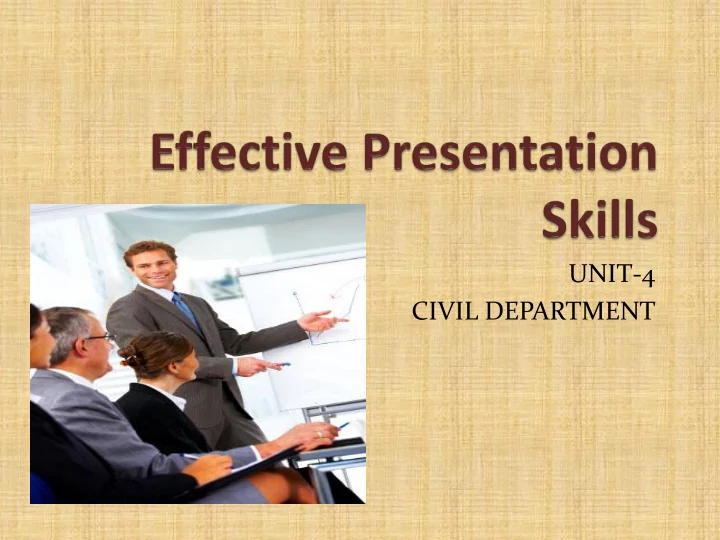
UNIT-4 CIVIL DEPARTMENT Presentation Presentation is a method - - PowerPoint PPT Presentation

unit 4
SMART_READER_LITE
LIVE PREVIEW

UNIT-4 CIVIL DEPARTMENT Presentation Presentation is a method - - PowerPoint PPT Presentation

UNIT-4 CIVIL DEPARTMENT Presentation Presentation is a method of effective communication, either oral or written, which is given to achieve a specific business/ organizational goals . Syllabus Defining purpose,


slide-1
SLIDE 1

UNIT-4 CIVIL DEPARTMENT

slide-2
SLIDE 2

Presentation

“Presentation

is a method

  • f

effective communication, either oral or written, which is given to achieve a specific business/

  • rganizational goals”.
slide-3
SLIDE 3

Syllabus

Defining

purpose, analysis audience, and locate,

  • rganizing contents, preparing outline of presentations.

Visual aids, nuances of delivery, body language and effective presentation

slide-4
SLIDE 4

Defining purpose

When one chooses to make business presentation, one has to determine the purpose and plan the presentation. Planning is very important step in presentation.

  • Most formal presentation have following purposes:
  • Presenting facts and information.
  • Reporting status/ providing updates of a project
  • Explaining procedure
  • Scheduling a business activity/ task/ process
  • Examine result and analysis future task.
  • Negotiating
  • Target achievement/ Training
  • Assigning tasks
  • Testing processes for suggestion and reviews
  • Inspiring the listeners
  • Organizing business activities
  • Negativity management
slide-5
SLIDE 5

Audience Analysis

 Audience is very important for any kind of communication

successful presenters analysis the audience very carefully. You have to analysis the audience to evaluate your audience to know their interests/ requirements/ ability. By knowing your audience, you can achieve the following purposes.

  • You can verify their knowledge/ information
  • You can choose the better method of presentation
  • You can choose appropriate language/ approach.
slide-6
SLIDE 6

Audience Analysis

 Audience Analysis will include knowing the audience, grouping

them, and recognizing their needs and requirements.

 Knowing the audience:  Analysis: Who are they? What are their expectations of the

presentation.

 Understanding: What is their level of knowledge? How familiar are

they with the subject?

 What is their background, experience, etc?  Interest: Why do they want to attend your presentation?  Education: What is the educational background of the person?  Needs: What are their needs/ demands?  Customization: What specific requirement do you need to fulfill?

slide-7
SLIDE 7

 Grouping your Audience:  Mainly there are 3 types of audience groups

Novice/ fresher Intermediate/ Semi-literate Expert/ Experienced

 Moreover, grouping of audience can be done on the

basis of the following parameters:

Age Gender Profession Geographical location Organizational relations Attitude, personality.

slide-8
SLIDE 8

Audience

slide-9
SLIDE 9

Preparing Outline of the presentation:

The outline of Presentation is helpful in planning the

presentation.

The presentation should be prepared in following format Title: Purpose:

Introduction of the Topic Structure of the presentation

 Main point/ Sub point/ discussion questions/ summing up  Second main point/ Sub point/ discussion/ Summary  Third main point/ Sub points/ discussion/ objections/ justification  Conclusion

Summary of whole presentation. Recommending future action.

slide-10
SLIDE 10

Visual Aids

 Visual aids are the essence of most remarkable presentations. A presenter has a

variety of presentation aids available at his disposal. Some of the important visual aids that presenter use frequently.

  • CHALK BOARD

 Chalkboards are the most traditional visual aids frequently used in the

presentation.

 Chalkboards are inexpensive and enable the audience to make notes during the

  • presentation. The presenter can write down his plan on the chalk board

effectively.

 Tips for using chalk boards effectively

 Improve your handwriting.  Write legibly and slowly  Do not talk to audience with your back to them.  Clean the chalkboard carefully.  Project yourself at a specific corner so that you do not cover the content on

the chalkboard.

slide-11
SLIDE 11

CHALK BOARD

slide-12
SLIDE 12

 FLIP CHARTS:  A flip chart can be defined as a pad of large sheet of

paper fixed to a stand, containing useful information for the audience. Flip charts can be prepared in

  • advance. They can be used again and again. Flip chart

enables the presenter to follow the exact outline of the presentation.

 Tips for using Flip Charts.

 Preferable use two pads.  Carry many markers with you  Use different colors and font size for effects  Don’t write on both side of pages.

slide-13
SLIDE 13

FLIP CHARTS:

slide-14
SLIDE 14

 OVERHEAD TRANSPARENCIES:  Overhead projectors are used for screening contents

during presentation, Transparencies are used for presenting ideas with the help of overhead projector. The projector has a heavy glass scene on which the film is placed. The image will be bright and enlarged.

Tips for using overhead projectors:

 Use standard font size  Make larger print  Protect the transparencies for better handling  Don’t write on transparencies  Face the audience do not fix your eye on transparencies

slide-15
SLIDE 15

OVERHEAD TRANSPARENCIES:

slide-16
SLIDE 16

 POWER POINT PRESENTATIONS:  PowerPoint presentation tool is widely used visual aid

during presentations. According to

  • ne

survey conducted by Microsoft every day 3 million presentations are prepared on power point slides. Power point tools are easy to prepare, economical and

  • transportable. You can use same ppt. again and again.

 These tools require computers, screens, projectors.

slide-17
SLIDE 17

PROJECTORS

slide-18
SLIDE 18

 Tips for using PowerPoint presentations:

  • Learn

the technique

  • f

preparing presentation using PowerPoint manual

  • Use acceptable fonts
  • Do not use too many animations/ movements
  • Avoid using comic sound effects
  • Do not write all the contents on slides
  • There should not be more than 6 words in each line and there

should not be more than 6 points on each slide (6 x 6 rule)

  • Avoid using unnecessary slides, sounds, movies.
  • Edit and proof read your document before presentation.
  • Examine the presentation hall to use color/ to suit the room,

background, etc.

slide-19
SLIDE 19

Nuances of Delivery

 There are four modes of delivery which can be used for

making effective presentation

 EXTEMPORANEOUS ( INFORMAL/ SPONTANEOUS)

 Extemporaneous presentation is by far the most

popular and effective method when carefully prepared. When speaking spontaneously you should prepare notes before hand and rehearse your presentation.

 You presentation will look quite spontaneous to the

audience as after thorough preparation, you are speaking while thinking.

slide-20
SLIDE 20

Advantages/ disadvantages

  • f this type of presentation

 Advantages:-  You can present the theme in the best possible

structured way.

 Through preparation on your part makes you feel

secure.

 The supporting material helps you to present your

points clearly and also add weight to your presentation

 Your delievery sounds natural and spontaneous to the

audience as it allows you to establish a rapport with the audience through eye contact.

slide-21
SLIDE 21

 Dis-advantages:  If preparation is inadequate, you can get lost and find

yourself uncomfortable.

 If you rely too much on note cards and start reading

  • ut from them instead of just consulting them for

reference, then your speech will lose its spontaneity.

slide-22
SLIDE 22

MANUSCRIPT PRESENTATION

 In manuscript presentation, material is written out

and you are supposed to read it aloud. You are not supposed to memorize the speech and then recollect

  • it. It’s there in front of you to read. But you should be

wise enough not to attempt to read a speech until you have become a proficient reader.

 For effective use of this method, you should have gone

through the presentation several times till you become absolutely familiar with the text.

slide-23
SLIDE 23

Advantages/ disadvantages

  • f this type of presentation

 Advantages:  It is a permanent record of whatever you have to say  There is no chance to tamper with facts and figures.  The material is organized systematically. Keeping in

mind step by step development of mail points.

 Language can be polished because you can write and

rewrite your material.

slide-24
SLIDE 24

 Dis-advantages:  Since you are reading from the manuscript, you get

less time for making proper eye contact, which is essential to feel the pulse of the audience.

 Since you are reading to the audience, you cannot talk

to them

 In the absence of effective reading skills you fumble

  • ver words, lose your pace, and it can lead to loss of

audience attention.

slide-25
SLIDE 25

Impromptu (unprepared/ improvised)

 This type of presentation is done without any prior

  • preparation. This type of presentations are often made

at parties, dinner table, at any award functions.

slide-26
SLIDE 26

Advantages/ disadvantages

  • f this type of presentation

 Advantages  You sound very natural because you do not get enough

time to make any elaborate preparation.

 You get a chance to express your thoughts irrespective

  • f what other think or say about the topic.

 You are spontaneous as you say what you feel.

slide-27
SLIDE 27

 Disadvantages:  The presentation lacks organization of ideas because

  • f the shortage of time.

 There is no supplementary material ( no data, no

figures)

 Chances of fumbling are very high.  There is frequent use of vocalized pauses.  The presentation may tern out to be a failure if you

have inadequate proficiency in the language of use.

slide-28
SLIDE 28

Memorization

 This method of presentation is most difficult for most

  • f us. Usually you memorize only the main parts or key

words

 This type of presentation stands somewhere between

extemporaneous and manuscript.

 Speech is written beforehand, then committed to

memory, and finally delivered from memory.

slide-29
SLIDE 29

Advantages/ disadvantages

  • f this type of presentation

 Advantages:-  It is very easy for such speakers to maintain eye contact

with the audience throughout the presentation

 The speaker can easily move and make use of

appropriate non-verbal communication to add extra value to the speech.

 It is possible to finish the speech in allotted time.

slide-30
SLIDE 30

 Disadvantages:  Memorization requires too much of time.  There are chances of making dull and monotonous

presentation because you go exactly by whatever you have memorized.

 Even your memory skills can fail if you have not rehearsed

adequately

 No flexibility or adaptation is possible during the speech.  The speaker gets frustrated if he forgets a word, sentence,

  • r a whole paragraph.

 Among the 4 methods of presentation , extemporaneous is

the best method because

  • f it’s flexible nature and it’s

effectiveness.

slide-31
SLIDE 31

Body language and effective presentation

 When a speaker presents

himself, we see him before we start hearing him. Immediately, we begin developing impressions of his ability and attitudes based on the non-verbal signals he sends. This is why body language is so important in

  • ral

communication

slide-32
SLIDE 32

General body language used in presentation

 PERSONAL

APPEARANCE:

Personal appearance plays an important role in presentation. As people see you before they hear you. You should expect appearance to be a part of the message you communicate. Plan your appearance in such a way that it communicates effectively to

  • thers.

Even before the speaker utters his first word.

 Appearance communicates how

we feel about ourselves and how we want to be viewed.

slide-33
SLIDE 33

 POSTURE: Posture generally refers to

the way we hold ourselves when we stand, sit, or walk.

 The way you sit , stand or walk revels

lot about you.

 Slumped posture:- Low sprits  Erect posture: High spirits, energy,

and confidence.

 Lean

forward:

  • pen,

honest, and interested.

 Lean

backward : Defensive

  • r

disinterested

 Crossed

arms: defensive and not ready to listen

 Uncrossed

arms: Willingness to listen.

slide-34
SLIDE 34

 GESTURE:  Gesture is the movement made by

hands, arms, shoulders, head and

  • torso. Gestures can add impact to

your speech. A well timed gesture not only drives a point but also enhances the impact and add greater value to what is being said. Similarly an ungainly gesture can disturb the effectiveness

  • f

the message.

slide-35
SLIDE 35

 FACIAL EXPRESSION:  Along with posture and gesture,

facial expression also play an important role in your presentation.

 The face is most expressive part

  • f the body. A smile stands for

friendliness, a frown stands for discontent, raised eyebrow for

  • disbelief. You can use them in

variety of ways to complement your communication.

slide-36
SLIDE 36

 EYE

CONTACT: The eyes are considered to be windows of the

  • soul. You look in the eye of the

speaker to find out truthfulness of his speech, his intelligence, attitudes and feelings. Eye contact is a direct and powerful form of non-verbal communication.

 Looking directly at listener build

  • rapport. Prolonging eye contact

tell audience to pay attention.

 Eye contact is specially important

when you start the presentation.

slide-37
SLIDE 37

 PROXEMICS: The use of proper space/ distance is very

much important for the success of your presentation. The distance between the presenter and the audience is very important factor in presentation.

slide-38
SLIDE 38

 PARA LINGUISTICS:  Para linguistics feature are non verbal clues that help

you to give urgency to you voice. Your voice is your trademark it is that part of yourself that adds human touch to your words. Therefore ,in order to increase effectiveness to your presentation you should pay attention various aspects of your voice like quality, volume, rate, pitch, articulation, pronunciation and pauses.

slide-39
SLIDE 39

 CHRONEMICS:  Chronemics is the study of how

human being communicate through their use of time.

 In professional world, time is

valuable commodity. When you are late for an appointment, people react negatively, if you arrive early people consider you as eager or aggressive. So always be on time.

 As

a good speaker, your awareness of time schedule is

  • essential. Good timing is crucial

and can be achieved by proper rehearsal.

slide-40
SLIDE 40

Important Questions

 What are the main steps for presentation strategies?

(07)

 What is presentation? Explain different purposes for

making presentation. (07)

 Discuss

impact

  • f

body language in making presentation effective. (07)

 Narrate

types

  • f

Visual Aids generally used in presentation along with some tips pertaining to the use of Visual Aids. (07)

slide-41
SLIDE 41

 Explain any two of the following, modes of delivery

used for presentation. (07)

  • I. Manuscript
  • II. Extemporaneous
  • III. Impromptu
  • IV. Memorization

 Define the purpose of presentation. Explain types of

visual aids used in presentation.(07)