UMBC A B M A L T F O U M B C I M Y O R T 1 (April - - PowerPoint PPT Presentation

umbc
SMART_READER_LITE
LIVE PREVIEW

UMBC A B M A L T F O U M B C I M Y O R T 1 (April - - PowerPoint PPT Presentation

Systems Design and Programming Basic I/O I CMPE 310 Basic I/O Instructions We discussed IN, OUT, INS and OUTS as instructions for the transfer of data to and from an I/O device. IN and OUT transfer data between an I/O device and the


slide-1
SLIDE 1

Systems Design and Programming Basic I/O I CMPE 310 1 (April 1, 2002)

UMBC

U M B C U N I V E R S I T Y O F M A R Y L A N D B A L T I M O R E C O U N T Y 1 9 6 6

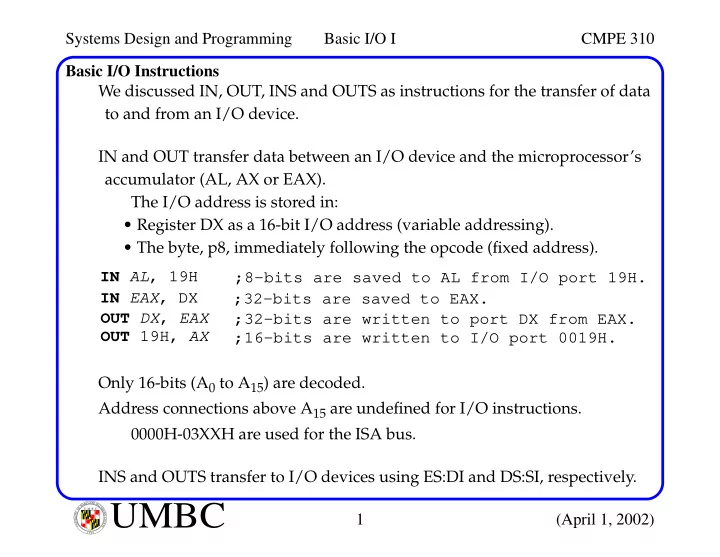
Basic I/O Instructions We discussed IN, OUT, INS and OUTS as instructions for the transfer of data to and from an I/O device. IN and OUT transfer data between an I/O device and the microprocessor’s accumulator (AL, AX or EAX). The I/O address is stored in:

  • Register DX as a 16-bit I/O address (variable addressing).
  • The byte, p8, immediately following the opcode (fixed address).

Only 16-bits (A0 to A15) are decoded. Address connections above A15 are undefined for I/O instructions. 0000H-03XXH are used for the ISA bus. INS and OUTS transfer to I/O devices using ES:DI and DS:SI, respectively. IN AL, 19H ;8-bits are saved to AL from I/O port 19H. IN EAX, DX ;32-bits are saved to EAX. OUT DX, EAX ;32-bits are written to port DX from EAX. OUT 19H, AX ;16-bits are written to I/O port 0019H.

slide-2
SLIDE 2

Systems Design and Programming Basic I/O I CMPE 310 2 (April 1, 2002)

UMBC

U M B C U N I V E R S I T Y O F M A R Y L A N D B A L T I M O R E C O U N T Y 1 9 6 6

Isolated versus Memory-Mapped I/O Isolated and Memory-Mapped I/O: In the Isolated scheme, IN, OUT, INS and OUTS are required. In the Memory-mapped scheme, any instruction that references memory can be used. 8-bit port addresses used to access system board device, e.g. timer and key- board. 16-bit port addresses used to access serial and parallel ports, harddrives, etc. 00000 FFFFF Memory 1M X 8 0000 FFFF 64K X 8 I/O I/O 64K X 8 Separate spaces Overlapped Hardware using M/IO and W/R needed to develop signals IORC and IOWC. Requires IN, OUT, INS and OUTS IORC and IOWC not required. Any data transfer instruction. A portion of the memory space is used for I/O devices. spaces Disadvantage: Advantage: Disadvantage:

slide-3
SLIDE 3

Systems Design and Programming Basic I/O I CMPE 310 3 (April 1, 2002)

UMBC

U M B C U N I V E R S I T Y O F M A R Y L A N D B A L T I M O R E C O U N T Y 1 9 6 6

I/O Map

0000

I/O Expansion Area DMA controller Interrupt controller Timer 8255(PPI) COM 2 Hard disk LPT 1 CGI adapter Floppy disk COM 1

FFFF 0010 0020 0040 0024 0060 0044 02F8 0064 0320 0300 0378 0330 03D0 0380 03F0 03E0 03F8

Fixed I/O areas

0400

Fixed Port I/O instuctions Variable Port I/O instuctions Computer system and ISA Bus PCI Bus, user apps and main-board functions

slide-4
SLIDE 4

Systems Design and Programming Basic I/O I CMPE 310 4 (April 1, 2002)

UMBC

U M B C U N I V E R S I T Y O F M A R Y L A N D B A L T I M O R E C O U N T Y 1 9 6 6

Basic I/O Interface The basic input device (to the microprocessor) is a set of tri-state buffers. The basic output device (from the microprocessor) is a set of latches. Basic Input Interface:

VCC

Data Bus SEL 1A1 1A2 1A3 1A4 2A1 2A2 2A3 2A4 1Y1 1Y2 1Y3 1Y4 2Y1 2Y2 2Y3 2Y4 1G 2G 74ALS244

10KΩ

When tri-states are enabled, Toggle switches are data source. 8-bit input port microprocessor can read state of toggle switches into AL (using IN instruction). I/O port address decoded to SEL

slide-5
SLIDE 5

Systems Design and Programming Basic I/O I CMPE 310 5 (April 1, 2002)

UMBC

U M B C U N I V E R S I T Y O F M A R Y L A N D B A L T I M O R E C O U N T Y 1 9 6 6

Basic I/O Interface Basic Output Interface: In this case, the data from the OUT instruction is latched using SEL. SEL Data Bus

VCC 330Ω

D0 D1 D2 D3 D4 D5 D6 D7 Q0 Q1 Q2 Q3 Q4 Q5 Q6 Q7 OC CLK U1 D flip-flops hold Light-emitting diodes emit 74ALS374 data from microprocessor when Q output is set to logic 0.

slide-6
SLIDE 6

Systems Design and Programming Basic I/O I CMPE 310 6 (April 1, 2002)

UMBC

U M B C U N I V E R S I T Y O F M A R Y L A N D B A L T I M O R E C O U N T Y 1 9 6 6

Handshaking I/O devices are typically slower than the microprocessor. Handshaking is used to synchronize I/O with the microprocessor. A device indicates that it is ready for a command or data (through some I/O pin or port). The processor issues a command to the device, and the device indicates it is busy (not ready). The I/O device finishes its task and indicates a ready condition, and the cycle continues. There are two basic mechanisms for the processor to service a device. Polling: Processor initiated. Device indicates it is ready by setting some sta- tus bit and the processor periodically checks it. Interrupts: Device initiated. The act of setting a status bit causes an inter- rupt, and the processor calls an ISR to service the device.

slide-7
SLIDE 7

Systems Design and Programming Basic I/O I CMPE 310 7 (April 1, 2002)

UMBC

U M B C U N I V E R S I T Y O F M A R Y L A N D B A L T I M O R E C O U N T Y 1 9 6 6

Handshaking A printer connected to the parallel port requires handshaking. The parallel port specification is shown below: The processor writes ASCII data out to the Datax pins of the printer and toggles the Data Strobe pin to latch it in. The printer raises the Busy pin. When the Busy pin goes low, the sequence repeats.

13 12 11 10 9 8 7 6 25 24 23 22 21 20 19 18 5 4 3 2 1 17 16 15 14

DB25

DB25 CENT36 Function DB25 CENT36 Function 1 1 Data Strobe 12 12 Paper out 2 2 Data0 13 13 Select 3 3 Data1 14 14 Afd 4 4 Data2 15 32 Error 5 5 Data3 16

  • RESET

6 6 Data4 17 31 Select in 7 7 Data5 18-25 19-30 GND 8 8 Data6

  • 17

Frame GND 9 9 Data7

  • 16

GND 10 10 Ack

  • 33

GND 11 11 Busy 19 20 21 22 23 24 25 26 27 28 29 30 31 32 33 34 35 36 1 2 3 4 5 6 7 8 9 10 11 12 13 14 15 16 17 18

CENT36

slide-8
SLIDE 8

Systems Design and Programming Basic I/O I CMPE 310 8 (April 1, 2002)

UMBC

U M B C U N I V E R S I T Y O F M A R Y L A N D B A L T I M O R E C O U N T Y 1 9 6 6

Interfacing Circuitry The terminal characteristics of the processor must be matched to those of the I/O devices. Input Devices: They are either: TTL (0.0V-0.8V low and 2.0-5.0V high) or compatible. Switch-based; usually either open or connected. These must be conditioned before they can be used properly. For example, to make a simple (single-pole, single-throw) toggle switch TTL compatible: 2.2kΩ VCC TTL Output SPST This ensures that the output is held at either 0 or logic 1 at all times (it never fl

  • ats).

The value of R can vary between 1K and 10KΩ.

slide-9
SLIDE 9

Systems Design and Programming Basic I/O I CMPE 310 9 (April 1, 2002)

UMBC

U M B C U N I V E R S I T Y O F M A R Y L A N D B A L T I M O R E C O U N T Y 1 9 6 6

Interfacing Circuitry Input Devices: Mechanical switches physically bounce when they are closed (causing them to momentarily open after being closed). This can cause a problem if they are used as a clocking signal. Two asynchronous fl ip-fl

  • p solutions ar e given below:

The basic idea is that these fl ip-fl

  • ps stor e the values even if the D/D

nodes both fl

  • at.

VCC 1kΩ D

D

VCC 1kΩ Q Q D D 74LS04 74LS04 A B Q Q 74LS00 74LS00 Cross-coupled NANDs. More practical inverter implementation.

slide-10
SLIDE 10

Systems Design and Programming Basic I/O I CMPE 310 10 (April 1, 2002)

UMBC

U M B C U N I V E R S I T Y O F M A R Y L A N D B A L T I M O R E C O U N T Y 1 9 6 6

Interfacing Circuitry Output Devices: Interfacing an output device requires matching the voltage and current relationships of the devices and processor. Remember that the standard output levels of TTL compatible devices are 0.0 to 0.4V for logic 0 and 2.4V to 5.0V for logic 1. The current levels are 0.0 to 2.0mA (logic 0) and 0.0 to -400uA (logic 1). For example: VCC 330Ω 2N2222 Input Light Emitting Diode 18K Microprocessor Requires 10mA of current to light. Assume ~2.0V falls across the R1 = 3.0V/10mA = ~300Ω 2N2222 has gain of ~100. Base current should be 0.1mA. With a minimum high of 2.4V and a 0.7V BE drop, 1.7V falls across the R2. diode and supply is 5V. R2 R1 R2 = 1.7V/0.1mA = ~17K.

slide-11
SLIDE 11

Systems Design and Programming Basic I/O I CMPE 310 11 (April 1, 2002)

UMBC

U M B C U N I V E R S I T Y O F M A R Y L A N D B A L T I M O R E C O U N T Y 1 9 6 6

I/O Port Decoding For memory-mapped I/O, decoding is identical to memory decoding. For isolated I/O, IORC and IOWC are developed using M/IO and W/R pins

  • f the microprocessor.

The text gives examples of 8-bit decoding and 16-bit decoding, which is a straightforward application of devices we’ve used for memory decoding. The I/O banks on the 8086 through the 80386SX are also set up like the mem-

  • ry.

FFFF FFFD 0003 0001 D15 -- D8 FFFE FFFC 0002 0000 D7 -- D0 High bank BHE BLE (A0) FFFB 0005 Low bank FFFA 0004

slide-12
SLIDE 12

Systems Design and Programming Basic I/O I CMPE 310 12 (April 1, 2002)

UMBC

U M B C U N I V E R S I T Y O F M A R Y L A N D B A L T I M O R E C O U N T Y 1 9 6 6

I/O Port Decoding Similar to memory writes, any 8-bit I/O write request requires separate write strobes (BHE and BLE) but read requests do not. OC CLK 74LS374 A0 BHE IOWC Port 40H Port 41H O1 O2 O3 O4 O5 O6 O7 O8 16L8 I1 I2 I3 I4 I5 I6 I7 I8 I9 I10 A1 A2 A3 A4 A5 A6 A7 Q0 Q1 Q2 Q3 Q4 Q5 Q6 Q7 D0 D7 OC CLK 74LS374 Q0 Q1 Q2 Q3 Q4 Q5 Q6 Q7 D0 D7 D7 -D0 D15-D8 Two separate 8-bit output devices Note that only an 8-bit I/O port address is decoded.

slide-13
SLIDE 13

Systems Design and Programming Basic I/O I CMPE 310 13 (April 1, 2002)

UMBC

U M B C U N I V E R S I T Y O F M A R Y L A N D B A L T I M O R E C O U N T Y 1 9 6 6

I/O Port Decoding Output devices can be 16-bit in which case BHE is not needed. Input devices can be 8-bit or 16-bit. Note that instead of latches, high impedance buffers (74ALS244) are used in these cases. 32-bit ports are becoming more popular because of PCI bus primarily. The EISA and VESA local bus are also 32-bit buses. For the 64-bit data buses of the Pentium, the I/O ports can appear in any of the 8 banks. However, only 32-bit transfers are supported, as there are no 64-bit transfer instructions.