UDP Sockets Java UDP Sockets Internet Application Development - - PDF document

udp sockets java udp sockets
SMART_READER_LITE
LIVE PREVIEW

UDP Sockets Java UDP Sockets Internet Application Development - - PDF document

UDP Sockets Java UDP Sockets Internet Application Development Internet Application Development T UDP stands for User Datagram Protocol . UDP provides an unreliable packet delivery system built on top of the IP send protocol. As with IP, each


slide-1
SLIDE 1

1

UDP Sockets

Internet Application Development

T UDP stands for User Datagram Protocol. UDP provides an unreliable packet delivery system built on top of the IP

  • protocol. As with IP, each packet is an individual, and is

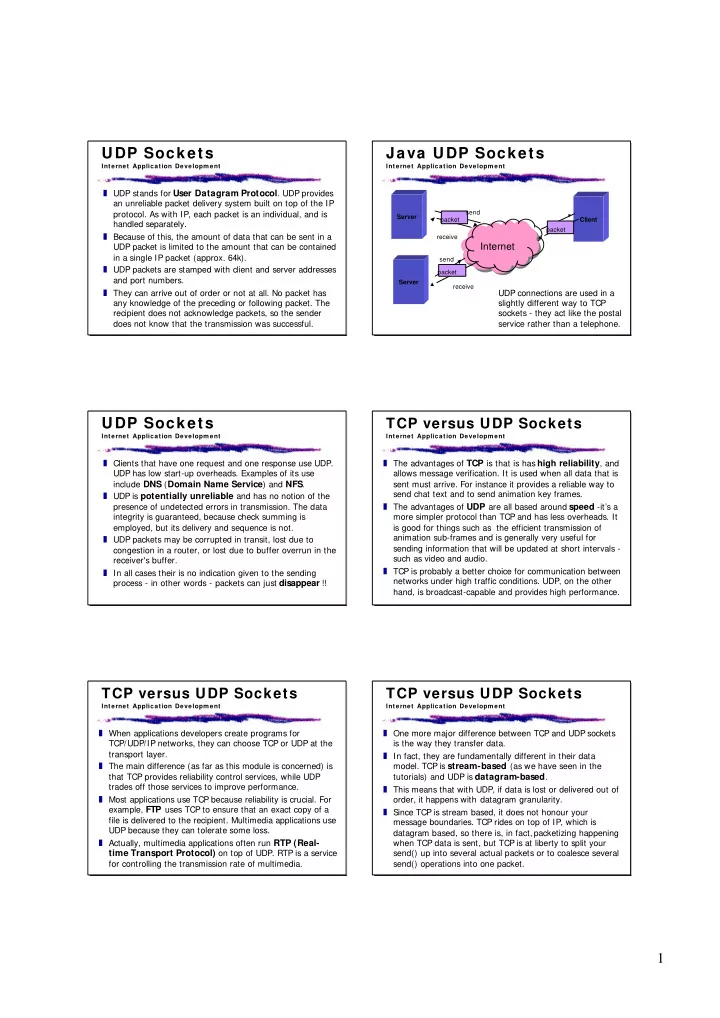
handled separately. T Because of this, the amount of data that can be sent in a UDP packet is limited to the amount that can be contained in a single IP packet (approx. 64k). T UDP packets are stamped with client and server addresses and port numbers. T They can arrive out of order or not at all. No packet has any knowledge of the preceding or following packet. The recipient does not acknowledge packets, so the sender does not know that the transmission was successful.

Java UDP Sockets

Internet Application Development Server Client

Internet Internet

packet packet send receive Server packet send receive

UDP connections are used in a slightly different way to TCP sockets - they act like the postal service rather than a telephone.

UDP Sockets

Internet Application Development

T Clients that have one request and one response use UDP. UDP has low start-up overheads. Examples of its use include DNS (Domain Name Service) and NFS. T UDP is potentially unreliable and has no notion of the presence of undetected errors in transmission. The data integrity is guaranteed, because check summing is employed, but its delivery and sequence is not. T UDP packets may be corrupted in transit, lost due to congestion in a router, or lost due to buffer overrun in the receiver's buffer. T In all cases their is no indication given to the sending process - in other words - packets can just disappear !!

TCP versus UDP Sockets

Internet Application Development

T The advantages of TCP is that is has high reliability, and allows message verification. It is used when all data that is sent must arrive. For instance it provides a reliable way to send chat text and to send animation key frames. T The advantages of UDP are all based around speed -it’s a more simpler protocol than TCP and has less overheads. It is good for things such as the efficient transmission of animation sub-frames and is generally very useful for sending information that will be updated at short intervals - such as video and audio. T TCP is probably a better choice for communication between networks under high traffic conditions. UDP, on the other hand, is broadcast-capable and provides high performance.

TCP versus UDP Sockets

Internet Application Development

T When applications developers create programs for TCP/UDP/IP networks, they can choose TCP or UDP at the transport layer. T The main difference (as far as this module is concerned) is that TCP provides reliability control services, while UDP trades off those services to improve performance. T Most applications use TCP because reliability is crucial. For example, FTP uses TCP to ensure that an exact copy of a file is delivered to the recipient. Multimedia applications use UDP because they can tolerate some loss. T Actually, multimedia applications often run RTP (Real- time Transport Protocol) on top of UDP. RTP is a service for controlling the transmission rate of multimedia.

TCP versus UDP Sockets

Internet Application Development

T One more major difference between TCP and UDP sockets is the way they transfer data. T In fact, they are fundamentally different in their data

  • model. TCP is stream-based (as we have seen in the

tutorials) and UDP is datagram-based. T This means that with UDP, if data is lost or delivered out of

  • rder, it happens with datagram granularity.

T Since TCP is stream based, it does not honour your message boundaries. TCP rides on top of IP, which is datagram based, so there is, in fact, packetizing happening when TCP data is sent, but TCP is at liberty to split your send() up into several actual packets or to coalesce several send() operations into one packet.

slide-2
SLIDE 2

2

Java UDP Sockets

Internet Application Development

T So far all the Java sockets code we have looked at has been for TCP/IP (connection oriented) sockets. T Java, as you might expect, does indeed have support for UDP/ I P (User Datagram Packet) sockets. T In fact, these are the only protocols that sit directly on IP that Java supports - there is no support for ICMP* (used for ping) for instance. Nor does Java support raw IP packet transmission. T The two classes java.net.DatagramSocket and java.net.DatagramPacket are used to implement UDP sockets transmissions using Java. Note that there is no such thing as a UDP server class.

*Internet message control protocol

A Java UDP Client

Internet Application Development //1) Create an “empty” Datagram Socket

DatagramSocket socket = new DatagramSocket(); //2) Create a Datagram Packet with server information DatagramPacket packet = new DatagramPacket(byte[] buf, int len, addr, 1026); //3) send data to server socket.send(packet); //4) get some data from server packet = new DatagramPacket(buf, buf.length); socket.receive(packet);

The steps for implementing a UDP client in Java are :-

A Java UDP Server

Internet Application Development //1) Create a Datagram Socket with a specific port

DatagramSocket socket = new DatagramSocket(1026); //2) Prepare an “empty” Datagram Packet DatagramPacket packet = new DatagramPacket(byte[] buf, int len); //3) Receive “request” data from a client socket.receive(packet); //4) get client info InetAddress address = packet.getAddress(); int port = packet.getPort(); //5) Send some data to the client packet = new DatagramPacket(buf, buf.length, address, port); socket.send(packet);

UDP for real time multimedia

Internet Application Development

T The primary objective of UDP is to deliver packets on time. T At the same time, some amount of packet drop is

  • acceptable. A single dropped packet in a video stream

may not be detectable to a viewer, but attempting to recover the packet may cause delays that are detectable. T Streamed applications often provide some form of flow control on their own. If a video application notices that packets are being dropped, it may dynamically increase the compression ratio or drop packets in a controlled way to match available bandwidth on the network, while still providing quality that it considers reasonable. T It cannot rely on UDP for this, and using TCP for flow and congestion control would be inefficient.

UDP for real time multimedia

Internet Application Development

T In fact, most real-time applications have their own special flow-control requirements that the generic control provided by IP/UDP/TCP cannot provide. T UDP-based real-time applications must be self-regulating - in other words, the responsibility for the effectiveness will migrate up to the application layer. T Keep in mind that real-time applications that use UDP will still attempt to grab network bandwidth, possibly causing congestion in the network. While real-time applications may be able to control the flow between end systems, they do nothing to prevent flows from congesting the

  • network. That is a traffic management issue, and probably
  • utside the scope of this module.

Real Time Protocol RTP

Internet Application Development

T The Real Time Protocol (RTP) is an established, standardised, protocol that provides end-to-end network transport functions for transporting real-time data such as audio and video. T RTP provides payload type identification, sequence numbering and time stamping. RTP allows for packets to be transported out of order and reassembled in correct order at the receiving end. T It relies on the underlying protocols to provide delivery

  • f RTP data and RTCP control data.

T Audio and Video are transmitted as separate RTP sessions, which gives the user the advantage of receiving either of the media if so required.

slide-3
SLIDE 3

3 Real Time Protocol RTP

Internet Application Development

T When participants are connected using various speed links, an RTP can be used to convert and resynchronize the incoming audio packets appropriately and forward them across the link. T Another type of RTP-level relay called a translator may be used in cases where the participants are behind a firewall that denies IP packets. T In this case, two translators may be used, one outside the firewall, funneling all multicast packets received through a secure connection to the translator inside the firewall, and the other translator inside the firewall which send them again as multicast packets.

RTCP and RTSP

Internet Application Development

T RTP is typically used with a companion protocol, RTCP (Real-time Control Protocol), which provides periodic control packets to an application to monitor the quality of the data distribution. T A RTCP system can be set up whereby the quality and bandwidth of the streamed data can be altered according to live network statistics. T RTSP (Real Time Streaming Protocol) is the equivalent of a TV remote control for media streams. It is an application-level protocol for control over the delivery

  • f real-time data, such as audio and video. Sources of

data can include both live feed and stored clips. You can start and stop streams on the server side (video on demand type of applications).

Java support for RT protocols

Internet Application Development

T Open RTP sessions T Receive every incoming stream on the session and create a JMF player using the stream datasource T Access receive stream statistics and monitor the session using RTCP information T Send outgoing RTP streams from a datasource T Access send stream statistics and monitor the session using RTCP information Java has inbuilt support for RT protocols via the Java Media Framework (JMF). The JMF APIs that support RTP are found in the javax .media.rtp.* packages. The JMF RTP APIs enable you to:

Java support for RT protocols

Internet Application Development

T JMF supports both transmission and reception of media over RTP and fully supports RTCP. T Sun’s GUI application, JMStudio can be used as a standalone application to transmit and receive RTP streams. T To implement custom RTP applications using JMF as a framework, check out the RTP samples on Sun Microsystems solutions page: http://java.sun.com/products/java-media/ jmf/2.1.1/solutions/index.html T JMF also supports RTSP on the client side. T There is a good FAQ about all this at: http://java.sun.com/products/java-media/ jmf/2.1.1/faq-jmf .html

Broadcast comms

Internet Application Development

T Broadcast communication (like radio or television) is where there is one sender and any number of recipients. T Broadcast communication is frowned upon by network management because they spend a huge portion of their budget trying to provide bandwidth using network switches, only to have this all defeated by broadcast traffic being delivered to every segment of their LANs. T Your own Ethernet adapter, for example, cannot determine whether you are interested in any particular broadcast packet and must therefore deliver the packet to the upper protocol layers to make the decision. T This is the reason Doom 1.1 network games were banned

  • n many LANs.

Multicast comms

Internet Application Development

T Where broadcasting is a mechanism intended to deliver data to all hosts on a network or subnetwork, multicasting is a mechanism to deliver data to a group of interested hosts on a network. T Many network adapters provide some sort of rudimentary multicast filtering. In many cases, a host not interested in a particular multicast group will not even be interrupted by its network hardware. T UDP is the underlying protocol used for broadcast and multicast (and some unicast) traffic. As a result, broadcast and multicast traffic is datagram based and non-reliable. T Implementing multicast clients and servers is a bit trickier than unicast applications.

slide-4
SLIDE 4

4

Multicasting in Java

Internet Application Development

T A MulticastSocket is a special version of the Java DatagramSocket class and is used when creating multicast applications. T A MulticastSocket socket is created in the same way as a DatagramSocket but has a few additional methods: S void joinGroup(InetAddress mcastGroup)

R Enter the specifies group so that you can send or receive datagrams

S void leaveGroup(InetAddress mcastGroup)

R Leave a group that you previously joined

S void setTimeToLive(int ttl)

R Sets how far your datagrams will travel before routers ignore them

S int getTimeToLive()

Time-to-Live

Internet Application Development

T Time-to-live, or TTL, is an 8-bit unsigned byte that is assigned to each multicast packet. T For each route, the TTL value stored in the packet is

  • decremented. When it reaches zero, the packet is
  • discarded. So setting the TTL value of a packet (via s

setTimeToLive()) controls how far it can travel. T When an application sends a message to a multicast group, all subscribing recipients to that host and port receive the message within the TTL range of the packet. T A TTL of 0 will only reach the localhost . A TTL of 1 will reach the subnet and so on. T For all this to work, routers between networks need to pass multicast datagrams - but many do not!

A Java multicast receiver

Internet Application Development //1) create an empty packet to receive data

DatagramPacket dp = new DatagramPacket(new byte[1024], 1024); //2) create a multicast socket on a local port MulticastSocket ms = new MulticastSocket( 4000 ); //3) join a multicast group and bind it to the multicast socket InetAddress ia = InetAddress.getByName( “ALL-SYSTEMS.MCAST.NET”); ms.joinGroup(ia); //4) wait for a packet and then print it ms.receive(dp); System.out.println( new String(dp.getData() )); //5) do some tidying up ms.leaveGroup(ia); ms.close();

Multicasting in Java

Internet Application Development

T Every multicast group has a group address specified in the same way as a host address or IP number. T Multicast addresses will never clash with host addresses because a portion of the IP address space is reserved for multicasting. T This reserved range consists of addresses from 224.0.0.0 through to 239.255.255.255. These are called Class D

  • addresses. Note, the multicast addresses from 224.0.0.0

to 224.0.0.255 are reserved for routing information. T Multicast group names often have a .MCAST.NET ending. T The MBONE is the range of Class D addresses beginning with 224.2 that are used for audio and video broadcasts across the net.

A Java multicast sender

Internet Application Development //1) create a message to send

String str = "Hello from: "+InetAddress.getLocalHost(); byte[] data = str.getBytes(); //2) create a multicast socket and join the group InetAddress ia = InetAddress.getByName( “ALL-SYSTEMS.MCAST.NET”); MulticastSocket ms = new MulticastSocket(); ms.joinGroup(ia); //3) send a packet containing the message with TTL= 1 DatagramPacket dp =new DatagramPacket(data, data.length, ia, 4000); ms.send(dp, (byte)1); //4) do some tidying up ms.leaveGroup(ia); ms.close();

UDP summary

Internet Application Development

T an introduction to UDP socket applications T a comparison of UDP/IP versus TCP/IP. T some simple Java UDP applications T real time protocols for multimedia delivery atop UDP T multicasting applications T sender and receiver Java multicasting applications Today, we have looked at the following :-