Ubiquitous Computing Seminar FS2014 1 - - PowerPoint PPT Presentation

ubiquitous computing seminar fs2014
SMART_READER_LITE
LIVE PREVIEW

Ubiquitous Computing Seminar FS2014 1 - - PowerPoint PPT Presentation

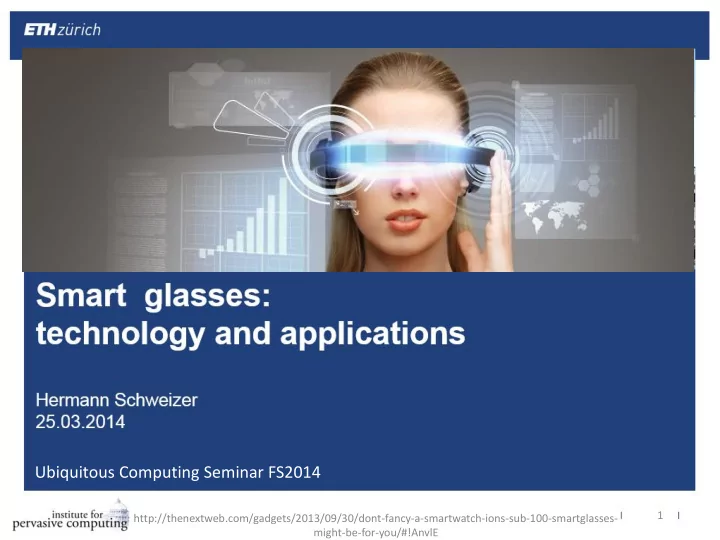
Ubiquitous Computing Seminar FS2014 1 http://thenextweb.com/gadgets/2013/09/30/dont-fancy-a-smartwatch-ions-sub-100-smartglasses- might-be-for-you/#!AnvlE How can we alter or improve what we see with digital content? 2 Augmented Reality 3


slide-1
SLIDE 1

1 http://thenextweb.com/gadgets/2013/09/30/dont-fancy-a-smartwatch-ions-sub-100-smartglasses- might-be-for-you/#!AnvlE

Ubiquitous Computing Seminar FS2014
slide-2
SLIDE 2

How can we alter or improve what we see with digital content?

2

slide-3
SLIDE 3

Augmented Reality

3

http://media.smashingmagazine.com/wp-content/uploads/2012/11/MIS_Ch05-028.jpg

slide-4
SLIDE 4

Virtual Reality

4

www.virtusphere.com/

slide-5
SLIDE 5

Diminished Reality

5

http://www.animalnewyork.com/2012/what-if-all-ads-in-times-square-were-replaced-with-art/

slide-6
SLIDE 6

Challenges

  • Create high quality virtual content
  • Aligning the virtual with the real
  • Tracking position and orientation of head
  • Size, weight and power consumption
  • Display technology
  • Latency
  • Motion sickness
  • Interaction

6

[Zhou 2008] [Azuma 1999]

slide-7
SLIDE 7

Interaction

  • Speech
  • Touch
  • Eye Tracking
  • Gestures
  • Typing?

More next week

7

http://www.handykey.com/ http://www.intomobile.com/2014/03/07/samsung-glass-rock-augmented-reality-keyboard/

slide-8
SLIDE 8

Different Smart glasses

8

slide-9
SLIDE 9

History: Steve Mann

9

[Mann 2004]

slide-10
SLIDE 10

Evolution

10

slide-11
SLIDE 11

Glasses with one display in peripheral vision

Can:

  • Display information
  • Be “smart” (sensing, processing, actuation)

Can not:

  • Produce 3D content
  • Create a virtual or diminished reality
  • Fully exhaust the possibilities of augmented reality

11

slide-12
SLIDE 12

Google Glass

  • Battery (~one day)
  • 5 MP Camera
  • 720p Video
  • Logic Board (no cellular

connectivity) comparable to IPhone 4

12

50g weight

  • Camera/Video Button
  • Touch Pad
  • Bone Conduction

Transducer for audio

[Pedersen 2013] http://www.catwig.com/google-glass-teardown/teardown/glass-clearshade-isometric.jpg

slide-13
SLIDE 13

Google Glass: The display

13

http://www.dailymail.co.uk/sciencetech/article-2306382/How-Glass-works-New-infographic-reveals-secrets-Googles-interactive- eyewear.html

slide-14
SLIDE 14

"Our goal is to reduce the time between intention and action"

Larry Page, Google CEO

14

slide-15
SLIDE 15

Vuzix M100

  • Hardware very similar to Glass
  • Available now (in USA) $1000
  • Cellular connectivity
  • 428 x 240 color-LCD

15

http://www.vuzix.com/consumer/products_m100/

slide-16
SLIDE 16

Sturdy industrial smart glasses

httpwww.brueckner.com/en/brueckner-servtec/services/remote- services/remote-service-tools

Brückner TRAVIS

  • Embedded PC worn in

a vest

  • Six hardware buttons

XOEye XOne

  • No display
  • two 5-megapixel cameras
  • 128GB memory

http://www.xoeye.com/XOEye%20Press%20Kit%20%28January%29.pdf

16

slide-17
SLIDE 17

Sport glasses: 4iiii Sportiiiis

17

Siggraph Asia 2013, Daiber Sörös Weller

slide-18
SLIDE 18

Sport glasses: Reckon MOD

18

  • 20°C to 30°C operating

temperature

  • Water resistant
  • Wrist remote

http://www.techradar.com/reviews/gadgets/recon-instruments-mod-live-hud-1141185/review

slide-19
SLIDE 19

Smart glasses with two displays

  • Can be used to create:

virtual reality augmented reality diminished reality

19

slide-20
SLIDE 20

Augmented Reality with Cast AR

20

http://technabob.com/blog/2013/10/15/castar-augmented-reality-glasses/

slide-21
SLIDE 21

Cast AR in action

21

http://www.youtube.com/watch?v=H3HGrclGkIE

slide-22
SLIDE 22

How Cast AR works

  • Projectors project video onto surface

alternating time windows (50% of a small time interval for each projector)

  • Retro-reflective sheet reflects rays back with almost

the same angle. Enables multiple users with different perspective

  • Active shutter glasses black out pictures destined

for the other eye

22

slide-23
SLIDE 23

Addition of RFID board for new way of interaction

  • RFID board below surface
  • Place RFID tags in miniature chess figures
  • Board recognizes figures and communicates

location to PC

  • 3D Visualization will be added

no need for controller or keyboard

23

slide-24
SLIDE 24

Virtual reality with Oculus Rift

Tracks head movement in 3D space using:

  • Gyroscope
  • Accelerometer
  • LED lights and

camera

  • Magnetometer

Relies on PC for calculations and rendering

24

http://www.pcworld.com/article/2096386/eyes-on-with-oculus-rifts-crystal-cove-vr-prototype-and-first-launch- game.html

slide-25
SLIDE 25

Oculus Rift in action

25

http://www.pcgames.de/Oculus-Rift-Hardware-256208/News/Oculus-Rift-Crystals-Cove-Erster-Blick-auf-neuen-Prototypen- im-Video-1104328/

slide-26
SLIDE 26

Latest Development

  • Sony announced Project Morpheus

26

http://www.extremetech.com/gaming/178867-sonys-project-morpheus-prototype-is-a-hit-bodes-well-for-the- future-of-virtual-reality

slide-27
SLIDE 27

Applications

27

slide-28
SLIDE 28

Camera

  • Video
  • Pictures
  • Hands-free
  • Personal
  • Point of view
  • No obscured sight
  • Hidden?

28

Kai Kunze - Toward a “Cognitive” Quantified Self

slide-29
SLIDE 29

Convenience

  • Navigation
  • Time
  • Notifications
  • Memory aid

29

http://www.bmwblog.com/2011/10/07/head-up-display-2-0-augmented-reality/

slide-30
SLIDE 30

Universal remote control

  • Remote control television, speakers, heating…

with virtual remote control

  • Control PC with virtual display and virtual/physical

remote control

30

[Heun 2013] [Colaco 2013]

slide-31
SLIDE 31

Medical

  • Track medicine consumption
  • Subtitles for hearing impaired (future)
  • VR to distract from pain in physical therapy
  • Software adjustable seeing aid
  • Lenses that measure

blood sugar

  • “Sighted companion” for

the visually impaired

31

[Manduchi 2012] http://www.mirror.co.uk/lifestyle/health/are-the-elderly-taking-too-much-medication-1190816

slide-32
SLIDE 32

Safety

  • Warn when in danger
  • Accident detection and reaction
  • Video & Audio stream to police
  • Possibility for surveillance by government

32

http://webpages.scu.edu/ftp/j1simmons/surveillance_home.html

slide-33
SLIDE 33

Education

  • Living history
  • Augmented professor
  • Sophisticated simulations for training
  • Virtual objects to experience physics
  • Virtual classroom?

33

http://www.geekexchange.com/digging-digital-history-34949.html

slide-34
SLIDE 34

Military - AR binoculars

34

Creates Augmented

  • bjects for military

training Visual odometry with two cameras :

  • wide FOV always used
  • Low FOV when slow

movement and enough content

[Oskiper 2013]

slide-35
SLIDE 35

Entertainment

  • 3D Virtual Reality Cinema
  • Individual subtitles
  • Virtual reality games
  • Augmented reality games (i.e. augmented chess)
  • Gamification
  • The entertainment industry (and military) play an

important role in funding research

35

http://smarterplanet.tumblr.com/post/85006075/this-kind-of-augmented-reality-tech-has-been-seen

slide-36
SLIDE 36

Commerce

  • Enhance billboards with Video
  • Navigate users through stores while tracking eyes

for customer understanding

  • Help employees recognize customers
  • Diminish commerce?

36

http://thenextweb.com/google/2014/02/10/google-glass-worn-virgin-atlantic-staff-help-passengers-check-londons- heathrow-airport/#!A6zsp

slide-37
SLIDE 37

Productivity

  • Stream Video to coworker, instructor, expert or

trainee

  • Watch instructions during work
  • Real time translation
  • Guide warehouse employees
  • Augment construction sites with model
  • Monitor employees eye movement?

37

slide-38
SLIDE 38

Sports

  • Performance measurement
  • Performance comparison
  • Communication
  • In combination with other hands free features

38

[Sörös 2013] Siggraph Asia 2013, Daiber Sörös Weller

slide-39
SLIDE 39

Conclusion

  • Promising hardware

Will probably need a few iterations to get it right

  • Many unique and useful applications possible

Often easy to implement

  • Interesting for business and entertainment industry

 funding for research and development

39

slide-40
SLIDE 40

Thank you for listening

40

slide-41
SLIDE 41

References

  • [Mann 2004]: S. Mann - Continuous Lifelong Capture of Personal Experience with EyeTap - CARPE
  • [Pedersen 2013]: I. Pedersen et al - “Sergey Brin is Batman”: Google’s Project Glass & the Instigation of Computer

Adoption in Popular Culture – CHI

  • [Oskiper 2013]: T. Oskiper et al - Augmented Reality Binoculars - ISMAR 2013
  • [Zhou 2008]: F. Zhou et al - Trends in Augmented Reality Tracking, Interaction and Display: A Review of Ten Years of ISMAR
  • [Heun 2013]: V. Heun et al - Smarter Objects: Using AR technology to Program Physical Objects and their Interactions – CHI
  • [Colaco 2013]: A. Colaco et al - Mime: Compact, Low-Power 3D Gesture Sensing for Interaction with Head-Mounted

Displays - UIST’13

  • [Manduchi 2012]: R. Manduchi and J. Coughlan - (Computer) Vision Without Sight
  • [Azuma 1999]: R. Azuma - The Challenge of Making Augmented Reality Work Outdoors
  • [Sörös 2013]: G. Sörös et al - Cyclo – A Personal Bike Coach Through the Glass

41

slide-42
SLIDE 42

Backup Slides

42

slide-43
SLIDE 43

Two cameras for Visual odometry

  • Wide field of view camera always used
  • Low FOV camera when movement slow (precise)

43

slide-44
SLIDE 44

Glass Hardware

Image from http://andrewhy.de/what-is-inside-google-glass/

slide-45
SLIDE 45

Glass Hardware

  • Processing

roughly equivalent to iPhone 4 or Samsung Galaxy Nexus

Texas Instruments OMAP 4430 SoC: 1.2 GHz Dual-core ARM Cortex-A9 CPU, PowerVR SGX540 GPU, 16GB storage, 682MB RAM, Android 4.0.4 OS (API 15)

  • Camera

cell-phone equivalent, 5MP still (2528x1856 pixels) or 720p video, no flash

  • Display

upright, color, prisma projector, 640×360 pixels, focused at a distance

  • Sensors

touchpad (long and narrow, 1366x187pixels), microphone, accelerometer, gyroscope, compass, GPS via phone

  • Communication

Bluetooth tethering through mobile phone, direct WLAN 802.11b/g, no cellular modem

Slide contents from Mark Levoy and from Wikipedia