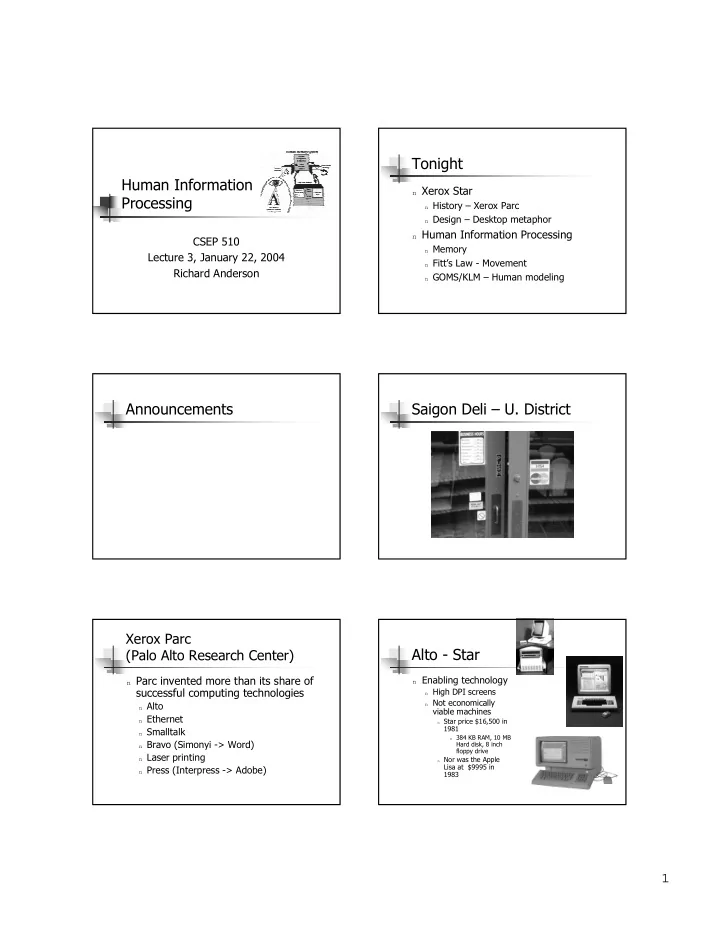
Tonight Human Information n Xerox Star Processing n History Xerox - - PDF document

tonight human information
SMART_READER_LITE
LIVE PREVIEW

Tonight Human Information n Xerox Star Processing n History Xerox - - PDF document

Tonight Human Information n Xerox Star Processing n History Xerox Parc n Design Desktop metaphor n Human Information Processing CSEP 510 n Memory Lecture 3, January 22, 2004 n Fitts Law - Movement Richard Anderson n GOMS/KLM


slide-1
SLIDE 1

1

Human Information Processing

CSEP 510 Lecture 3, January 22, 2004 Richard Anderson

Tonight

n Xerox Star

n History – Xerox Parc n Design – Desktop metaphor

n Human Information Processing

n Memory n Fitt’s Law - Movement n GOMS/KLM – Human modeling

Announcements Saigon Deli – U. District

Xerox Parc (Palo Alto Research Center)

n Parc invented more than its share of

successful computing technologies

n Alto n Ethernet n Smalltalk n Bravo (Simonyi -> Word) n Laser printing n Press (Interpress -> Adobe)

Alto - Star

n Enabling technology

n High DPI screens n Not economically

viable machines

n Star price $16,500 in

1981

n 384 KB RAM, 10 MB

Hard disk, 8 inch floppy drive

n Nor was the Apple

Lisa at $9995 in 1983

slide-2
SLIDE 2

2

Xerox Star

n Single user computer n Document Centered Computing n Desktop Metaphor n Direct manipulation n Modeless

Document centered computing

n Other types of computing

n Developer Centered Computing n Computation Centered Computing

“Star, in contrast, assumes that the primary use of the system is to create and maintain documents. The document editor is thus the primary application. All

  • ther applications exist mainly to provide or

manipulate information whose ultimate destination is the document.”

Desktop Metaphor

n Documents and tools available on desktop

n Waste basket, floppy drive, printer, calendar, clock, files, in

basket, out basket

n Document organization on desktop (grouping, piling) n Windows compromises on desktop metaphor

n Task bar

“Every user’s initial view of Star is the Desktop, which resembles the top of an office desk, together with the surrounding furniture and equipment.”

Desktop Organization Metaphorically speaking

n Why use metaphors? n Why build UI around a metaphor? n What are the pitfalls about metaphors?

Direct manipulation

n Physical / continuous actions

n Drag file to move (or delete) n Resize windows by dragging

n Direct vs. Command not completely

distinct

n Window resize by pointing to source /

target

slide-3
SLIDE 3

3

Direct manipulation

n What primitives are available for

direction manipulation?

n When is direct manipulation superior? n When is command superior? n Is direct manipulation easier to learn? n Is command more powerful? n Is one form less risky than the other?

Modes

n Recognized as a key UI problem by Parc

Researchers

n Modeless editor

n Evil modes

n Insert / Overwrite / Delete n Copy vs. Move

n Good modes (?)

n Color and other ink effects n Text formatting

n What about cruise control?

Noun-Verb vs. Verb-Noun

n Noun-Verb

n Choose object,

choose operation

n Verb-Noun

n Choose operation,

choose object

Human Information Processor

n Model how a human work to

understand how to design interface

n Attempt to make HCI more rigorous n Predictive and explanatory

Simple interaction model Basic operations

n Vision n Memory n Physical movement n Mental processing

slide-4
SLIDE 4

4

Memory

n Working memory (short term)

n small capacity (7 ± 2 “chunks”)

n 6174591765 vs. (617) 459-1765 n DECIBMGMC vs. DEC IBM GMC

n rapid access (~ 70ms) & decay (~200 ms)

n pass to LTM after a few seconds

n Long-term memory

n huge (if not “unlimited”) n slower access time (~100 ms) w/ little decay

Simple experiment

n Volunteer n Start saying colors you see in the list of

words

n When the slide comes up n As fast as you can

n Say “done” when finished n Everyone else time it

Paper Home Back Schedule Page Change

Simple experiment

n Do it again n Say “done” when finished

Yellow Green Red White Orange Brown

Memory

n Interference

n Two strong cues in working memory n Link to different chunks in long term

memory

slide-5
SLIDE 5

5

Memory and application design

n Novice vs. expert use

n Difficulty for user in navigating application n Ability for expert users to thrive on obscure

systems

n Control navigation techniques

n Grouping, Icons, Conventions, Shortcuts

n Limit short term memory usage

Physical Input Devices Modeling human action

n Speed – key strokes per second n Precision – how large a target is needed n Task complexity

n Difficulty of specific tasks n Trade offs (distance, speed, accuracy)

Physical Movement Target selection

n Fitts’ law

ID = log2(2A / W) Where: ID is the index of difficulty A is distance moved (amplitude) W is the target width

History

n Information Theory

(1940s)

n Shannon, Wiener

n Human Performance

modeling (1950s)

n Miller, Hick, Hyman,

Fitts

n Application to HCI

n Card, English, Burr

(1978)

Fitts’ Law

n ID = log2(2A / W) n MT = a + b ID n Basic predictions

n Difficulty is the ratio distance and target

size

n Operation time increases logarithmically in

distance and precision

slide-6
SLIDE 6

6

Why do we believe this?

n Substantial experimental support

n Very high correlations observed n Results for wide range of devices /

scenarios

Implications of Fitts’ Law

n Radial Menus

n Uniform difficulty

n Standard Menus

n Increasing difficulty

from current selection

n Increase item size to

keep difficulty constant

Homework assignment

n Write a program to test Fitts’ law n Bring to class next week (?) n Suggested platform – Tablet PC

n Development for Tablet PC can be done on

a windows desktop machine

Systems level modeling of humans

n How should a computer think about the

user?

Model Human Processor

n Card, Moran,

Newel, 1983

n 3 processors n 4 memories n 19 parameters n 10 principles of

  • peration

The Model Human Processor

Long-term Memory Working Memory

Visual Image Store Auditory Image Store

Perceptual Processor Cognitive Processor Motor Processor Eyes Ears Fingers, etc.

sensory buffers

slide-7
SLIDE 7

7

MHP Basics

n Based on empirical data n Three interacting systems

n perceptual, motor, cognitive

n Serial and Parallel n Parameters

n processors have cycle time (T) ~ 100-200 ms n memories have capacity, decay time, & type

Modeling human activity

n Text editing by expert users n Users relied on repertoire of patterns

n Search / problem solving behavior not observed n Cognitive skill

n Key stroke model

n Engineering level model to predict behavior on

specific task

n GOMS Model

n Model behavior in a domain where users have a

set of patterns to use

Keystroke level model

n Analyze task by summing individual

  • peration times

Moving hand to mouse 360 ms Pointing to a new line with mouse 1500 ms Clicking the mouse 230 ms Moving hand to keyboard 360 ms Total 2450 ms

User study

n 28 users, 10 systems, 14 tasks n 12 users on editors, 4 tasks

n 4 on each of 3 editors

n 12 users on drawing programs, 5 tasks

n 4 on each of 3 drawing programs

n 4 users on systems utilities, 5 tasks

Editing systems

n 12 users, 3 systems, 4 users per system

n Users only worked on one system

n Users given 10 instances each of 4 tasks (40

total) in randomized order

n Data logged and user video taped

n Training

n Typing test for calibration n Operations specified for tasks n Practiced on typical instances of the tasks

Editing tasks

n T1. Replace one 5-letter word with

another

n T2. Add a 5th character to a 4-letter

word

n T3. Delete a line, all on one line n T4. Move a 50-character sentence,

spread over two lines, to the end of its paragraph
slide-8
SLIDE 8

8

Methodology / Results

n Unsuccessful tasks discarded (31 %) n Compute / derive operation times n Predicted execution times within about

20%

Discussion

n Experiment n Participants n Methodology n Analysis

GOMS

n Modeling behavior where users have

patterns of use

GOMS

n Goals

n Goals available for solving the task

n Operators

n Primitive operations

n Methods

n Compiled collection of sub-goals and operators

n Selection rules

n Rules to choose amongst methods

GOMS Example Room cleaning Room Cleaning: Goals

n Goal: Clean room

n Goal: Put away item n Goal: Pick up toy set

n Goal: Put set item in box

n Goal: Make bed

slide-9
SLIDE 9

9

Room Cleaning: Operators

n Pickup Object n Carry Object n Drop Object n Push Object n Throw Object n Place Object n Open Drawer n Close Drawer

Room Cleaning: Methods

n Method: Pickup dirty clothes

n While dirty clothes on floor

n Pickup clothing item, place in laundry basket

n Method: Push stuff under the bed n Method: Pickup multiple toy sets (A)

n While pieces on the floor

n Put piece in the appropriate box

n Method: Pickup multiple to sets (B)

n Make pile for each set n Dump each set in appropriate box

Room Cleaning: Selection rules

n Multiple Sets – greedy algorithm n Multiple Sets – partition algorithm

Class Exercise

n Design a GOMS for the task of

processing email

What is the value of GOMS? Short comings of GOMS/KLM

n Skilled users n Ignored learning n Errorless

performance

n Did not differentiate

cognitive processes

n Serial tasks n Does not address

mental workload

n Ignores user fatigue n Does not account

for individual differences

n Does not consider

broader issues of application

slide-10
SLIDE 10

10

User variation

n Extent of knowledge of tasks n Knowledge of other systems n Motor skills n Technical ability n Experience with system

n Novice, Casual, Expert

Skilled vs. Unskilled users

n What is the difference between

modeling skilled and unskilled users

Modeling Errors

n How would you model a KLM with

errors?

Parallel vs. Serial execution

n Instruction scheduling analogy

n Summing individual instruction times on a

pipeline processor is a poor predictor

n Does this analogy apply for KLM? n How does GOMS apply to email when

user is working on many messages simultaneously?

Lecture summary

n Xerox Star

n History - commercial realization of a radical

vision

n Design – introduced new computing

metaphor

n Human side

n Understand basic human operations n Model humans to support rigorous analysis

  • f applications