Tomorrows service is mobile www.coresystems.net Agenda 1. - - PowerPoint PPT Presentation

tomorrow s service is mobile
SMART_READER_LITE
LIVE PREVIEW

Tomorrows service is mobile www.coresystems.net Agenda 1. - - PowerPoint PPT Presentation

Tomorrows service is mobile www.coresystems.net Agenda 1. Coresystems Field Service Software 2. Functional scope 3. Service process 4. Service dashboard 5. Architecture and technology 6. References 7. ROI calculation 2 Coresystems


slide-1
SLIDE 1

www.coresystems.net
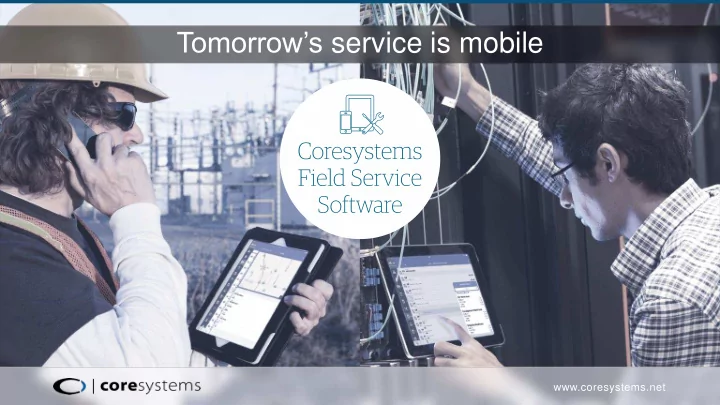
Tomorrow’s service is mobile

slide-2
SLIDE 2
  • 1. Coresystems Field Service Software
  • 2. Functional scope
  • 3. Service process
  • 4. Service dashboard
  • 5. Architecture and technology
  • 6. References
  • 7. ROI calculation

2

Agenda

slide-3
SLIDE 3

Business case

Efficient processing of service and maintenance orders and interruptions as well as their registration with mobile end devices.

Target group

Service organization

» Service manager » Dispatcher » Service technicians

3

Coresystems Field Service Software

slide-4
SLIDE 4

Primary benefits

» Faster invoicing » Increased customer satisfaction » Elimination of duplications (less office

work)

» Less monitoring needed in the office

(only inspection of the complaints required)

» Greater transparency and more

effective planning thanks to the Resource Planner (planning table including route planner)

» Optimized communication between

  • ffice and field service

» Simpler reporting and data analyses » Plausibilized data entry (no incorrect

  • rders due to poor data entry)

» Standardized service procedures

thanks to the Checklist Designer (software tool for generating service checklists for mobile devices)

4

slide-5
SLIDE 5

Functional Scope

Time tracking

» Non-productive hours » Absences » Project-based time tracking

Expenses

» Mobile expense tracking

Materials management

» Materials reserved / ordered and Inventory

Enquiries / Assessments

» Stock » Material sales prices » Service orders (PDF documents for customers,

after completion of the service order)

5

Resource Planner

» Based on SAP B1 » Drag and drop planning for

service orders

» Route planning for service calls » Customer and equipment overview

Work reports / Feedback

» Service report / Service order » Time and material confirmation » Materials reserved (order and stock) » Positions, problems and causes Feedback, error

code tracking Checklists

» Generation and management of checklists for the

service process

slide-6
SLIDE 6

Service process – Field Solution

6

slide-7
SLIDE 7

Service process – back office

7

slide-8
SLIDE 8

» Process service notifications

8

Back office service (1)

With Coresuite Enterprise Search, you can search directly by company name or contact and display all service-relevant data, such as open service orders or contracts.

slide-9
SLIDE 9

» Process service notifications

9

Back office service (2)

With a simple right click you can directly generate a service order for the selected person. Define the title, notes and activities for the generated service order.

slide-10
SLIDE 10

» Process service notifications

10

Back office service (3)

Location of the equipment for deviations from the customer‘s standard address. When selecting the relevant equipment you will have a direct

  • verview of the service contract

with the current guarantees.

slide-11
SLIDE 11

» Service order

11

Back office service (4)

You can define a date for executing a service order while it is still being generated.

slide-12
SLIDE 12

Service process – Field Service

12

slide-13
SLIDE 13

» Planning table orders

13

Scheduling

slide-14
SLIDE 14

Service process – Field Service

14

slide-15
SLIDE 15

15

Wow! I have all my service notifications for my current work day on my mobile device.

slide-16
SLIDE 16

16

Mobile service solution

slide-17
SLIDE 17

17

Detailed view: Service order

slide-18
SLIDE 18

18

Map view

slide-19
SLIDE 19

Service process – Field Service

19

slide-20
SLIDE 20

20

Time tracking

slide-21
SLIDE 21

21

Material tracking

slide-22
SLIDE 22

22

Checklists

With Coresuite Checklist Designer you can easily and efficiently create checklists which you can then immediately send to your service technicians on their mobile devices.

slide-23
SLIDE 23

Service process – Field Service

23

slide-24
SLIDE 24

24

Order finalization (1)

Automated check-out process for service orders.

slide-25
SLIDE 25

25

Order finalization (2)

slide-26
SLIDE 26

26

Service report

Integrated generation of service reports for your back

  • ffice staff and your

customers.

slide-27
SLIDE 27

Service process – Field Service

27

slide-28
SLIDE 28

28

It is now easy to close service orders and send out the invoice.

slide-29
SLIDE 29

Service process – Field Service

29

slide-30
SLIDE 30

30

Administrative approval (1)

Closeout notification with signature. Notice of materials used and expenses.

slide-31
SLIDE 31

31

Administrative approval (2)

Time and expenses are automatically synchronized to the service order. With a double click, the final changes can be made before the invoice is issued.

slide-32
SLIDE 32

32

Administrative approval (3)

Additional materials and expenses may also be recorded.

slide-33
SLIDE 33

After completing all the time entries and open activities you may start the standard SAP B1 billing process.

Starting the process manually » Invoice generation based on recorded services, materials and expenses » Print invoice » Close all activities » Close service order and link invoice to it

33

Billing Process (1)

slide-34
SLIDE 34

Use of the Coresuite Time Billing Wizard » Our wizard will support you in all of the points mentioned above » It enables efficient, automated billing of all open service orders in a single

step

34

Billing Process (2)

slide-35
SLIDE 35

» Sales A/R

35

Coresuite Time Billing Wizard (1)

slide-36
SLIDE 36

» Approval of materials and time including billing

36

Coresuite Time Billing Wizard (2)

Our billing wizard can automatically print out all invoices or send them to customers via pdf/e-mail.

slide-37
SLIDE 37

37

Print invoice and history

slide-38
SLIDE 38

38

Service dashboard

ERP modules for Accounting and Sales Map with open service orders and service technicians General ERP functions Reports & dashboards in real time Alerts & activity

  • verview

Search & CRM

slide-39
SLIDE 39

Architecture and technology

  • 1. Coresystems Field Service Software

provides standard modules such as sales and services in the cloud.

  • 2. The Service Cloud Connector

synchronises ERP data for mobile usage securely using the Coresystems Service Cloud.

  • 3. The data may be opened, edited and

synchronised online or offline at any time via a mobile device.

Available for Compatible with

39

slide-40
SLIDE 40

Almost 150’000 users throughout the world trust Coresystems every day.

40

Our Customers

slide-41
SLIDE 41

Reference 1

41

«The affordable and innovative solution won over all our executives from the very start and is our first step towards mobilization and acceleration of additional SAP processes.»

Andreas Berg, CIO WOLFFKRAN AG

slide-42
SLIDE 42

Reference 2

42

«We have already successfully reduced the time between servicing and invoicing from several weeks to an average of six days on more than 50%

  • f our customer service calls.»

Andreas Heinz, Head of IT KARDEX REMSTAR

slide-43
SLIDE 43

Reference 3

43

«We are convinced that we made the right decision in choosing to work with Coresystems as a partner, using SAP Business One as central ERP system as well as the innovative coresuite

  • solutions. New projects confirm this

view again and again.»

Lukas Sramek, CFO/COO M-WAY

slide-44
SLIDE 44

Reference 4

44

«We chose Coresystems Field Service Software because we didn’t want to buy any systems with “teething problems”, as is generally the case with pure prototypes. Everything is running smoothly and the data synchronization via the cloud is also functioning perfectly. Coresystems is innovative, flexible and extremely reliable.»

Gert-Jan den Boer, IT Manager Global Projects ALSTOM

slide-45
SLIDE 45

Our vision (1)

Tomorrow’s internet will no longer only be used by people, but by things as well: by machines, work devices, independent e-tools, or whatever you want to call them. Think it’s a pipe dream? Not at all. With Coresuite Cloud, a device placed at your customer‘s location and integrated into the service workflow can independently send error reports to your ERP system. Thanks to this smart machine, you can speed up your service process enormously. It‘s so easy – and so efficient.

45

slide-46
SLIDE 46

Our vision (2)

46

slide-47
SLIDE 47

The strong benefits

Being a better customer service company

47

Increase field force productivity & quality Instantly ready to capture value Improve customer satisfaction

slide-48
SLIDE 48

Your Contact

48

Coresystems

Sales Team

sales@coresystems.ch +41 56 500 22 22