The FEniCS Project Anders Logg Simula Research Laboratory - - PowerPoint PPT Presentation

the fenics project
SMART_READER_LITE
LIVE PREVIEW

The FEniCS Project Anders Logg Simula Research Laboratory - - PowerPoint PPT Presentation

The FEniCS Project Anders Logg Simula Research Laboratory University of Oslo NOTUR 2011 20110523 1 / 34 What is FEniCS? 2 / 34 FEniCS is an automated programming environment for differential equations C++/Python library


slide-1
SLIDE 1

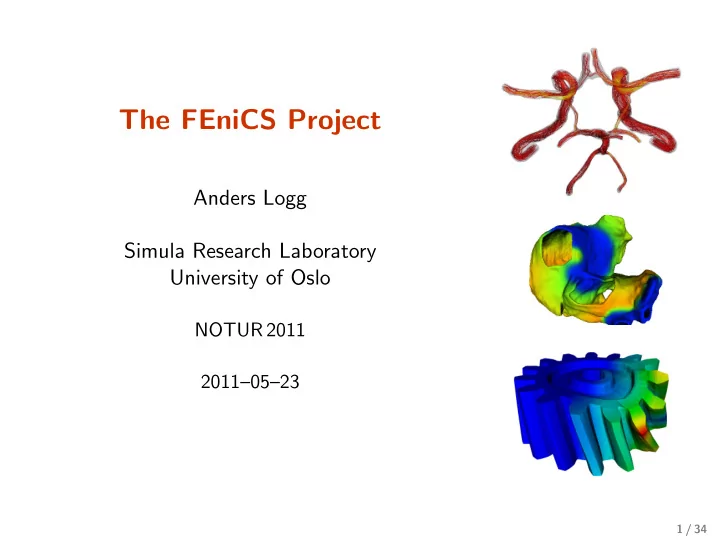
The FEniCS Project

Anders Logg Simula Research Laboratory University of Oslo

NOTUR 2011 2011–05–23

1 / 34
slide-2
SLIDE 2

What is FEniCS?

2 / 34

slide-3
SLIDE 3

FEniCS is an automated programming environment for differential equations

  • C++/Python library
  • Initiated 2003 in Chicago
  • 1000–2000 monthly downloads
  • Part of Debian/Ubuntu GNU/Linux
  • Licensed under the GNU LGPL

http://www.fenicsproject.org/ Collaborators University of Chicago, Argonne National Laboratory, Delft University of Technology, Royal Institute of Technology KTH, Simula Research Laboratory, Texas Tech University, University

  • f Cambridge, . . .

3 / 34

slide-4
SLIDE 4

FEniCS is new technology combining generality, efficiency, simplicity and reliability

Generality Efficiency Code Generation

  • Generality through abstraction
  • Efficiency through code generation, adaptivity, parallelism
  • Simplicity through high level scripting
  • Reliability through adaptive error control

4 / 34

slide-5
SLIDE 5

FEniCS is automated FEM

  • Automated generation of basis functions
  • Automated evaluation of variational forms
  • Automated finite element assembly
  • Automated adaptive error control

5 / 34

slide-6
SLIDE 6

What has FEniCS been used for?

6 / 34

slide-7
SLIDE 7

Computational hemodynamics

  • Low wall shear stress may trigger aneurysm growth
  • Solve the incompressible Navier–Stokes equations on

patient-specific geometries ˙ u + ∇u · u − ∇ · σ(u, p) = f ∇ · u = 0

Valen-Sendstad, Mardal, Logg, Computational hemodynamics (2011) 7 / 34

slide-8
SLIDE 8

Computational hemodynamics (contd.)

# Define Cauchy stress tensor def sigma(v,w): return 2.0*mu*0.5*(grad(v) + grad(v).T)

  • w*Identity(v.cell ().d)

# Define symmetric gradient def epsilon(v): return 0.5*(grad(v) + grad(v).T) # Tentative velocity step (sigma formulation) U = 0.5*(u0 + u) F1 = rho*(1/k)*inner(v, u - u0)*dx + rho*inner(v, grad(u0)*(u0 - w))*dx \ + inner(epsilon(v), sigma(U, p0))*dx \ + inner(v, p0*n)*ds - mu*inner(grad(U).T*n, v)*ds \

  • inner(v, f)*dx

a1 = lhs(F1) L1 = rhs(F1) # Pressure correction a2 = inner(grad(q), k*grad(p))*dx L2 = inner(grad(q), k*grad(p0))*dx - q*div(u1)*dx # Velocity correction a3 = inner(v, u)*dx L3 = inner(v, u1)*dx + inner(v, k*grad(p0 - p1))*dx

  • The Navier–Stokes solver is implemented in Python/FEniCS
  • FEniCS allows the solver to be implemented in a minimal amount of code

Valen-Sendstad, Mardal, Logg, Computational hemodynamics (2011) 8 / 34

slide-9
SLIDE 9

Hyperelasticity

class Twist( StaticHyperelasticity ): def mesh(self): n = 8 return UnitCube(n, n, n) def dirichlet_conditions (self): clamp = Expression (("0.0", "0.0", "0.0")) twist = Expression (("0.0", "y0 + (x[1]-y0)*cos(theta)

  • (x[2]-z0)*sin(theta) - x[1]",

"z0 + (x[1]-y0)*sin(theta) + (x[2]-z0)*cos(theta) - x[2]")) twist.y0 = 0.5 twist.z0 = 0.5 twist.theta = pi/3 return [clamp , twist] def dirichlet_boundaries (self): return ["x[0] == 0.0", "x[0] == 1.0"] def material_model (self): mu = 3.8461 lmbda = Expression("x[0]*5.8+(1-x[0])*5.7") material = StVenantKirchhoff ([mu , lmbda]) return material def __str__(self): return "A cube twisted by 60 degrees"

  • CBC.Solve is a collection of FEniCS-based solvers developed at the CBC
  • CBC.Twist, CBC.Flow, CBC.Swing, CBC.Beat, . . .
  • H. Narayanan, A computational framework for nonlinear elasticity (2011)

9 / 34

slide-10
SLIDE 10

Fluid–structure interaction

  • The FSI problem is a computationally

very expensive coupled multiphysics problem

  • The FSI problem has many important

applications in engineering and biomedicine

Images courtesy of the Internet 10 / 34

slide-11
SLIDE 11

Fluid–structure interaction (contd.)

  • Fluid governed by the incompressible Navier–Stokes equations
  • Structure modeled by the St. Venant–Kirchhoff model
  • Adaptive refinement in space and time

Selim, Logg, Narayanan, Larson, An Adaptive Finite Element Method for FSI (2011) 11 / 34

slide-12
SLIDE 12

Computational geodynamics

− div σ′ − ∇ p = (Rb φ − Ra T) e div u = 0 ∂T ∂t + u · ∇ T = ∆T ∂φ ∂t + u · ∇ φ = kc∆φ σ′ = 2η ˙ ε(u) ˙ ε(u) = 1 2

  • ∇ u + ∇ uT

η = η0 exp (−bT/∆T + c(h − x2)/h)

Image courtesy of the Internet 12 / 34

slide-13
SLIDE 13

Computational geodynamics (contd.)

  • The mantle convection simulator is implemented in

Python/FEniCS

  • Images show a sequence of snapshots of the temperature

distribution

Vynnytska, Clark, Rognes, Dynamic simulations of convection in the Earth’s mantle (2011) 13 / 34

slide-14
SLIDE 14

How to use FEniCS?

14 / 34

slide-15
SLIDE 15

Installation

Official packages for Debian and Ubuntu Drag and drop installation on Mac OS X Binary installer for Windows

  • Automated building from source for a multitude of platforms
  • VirtualBox / VMWare + Ubuntu!

15 / 34

slide-16
SLIDE 16

Hello World in FEniCS: problem formulation

Poisson’s equation −∆u = f in Ω u = 0

  • n ∂Ω

Finite element formulation Find u ∈ V such that

∇u · ∇v dx =

f v dx ∀ v ∈ ˆ V

16 / 34

slide-17
SLIDE 17

Hello World in FEniCS: problem formulation

Poisson’s equation −∆u = f in Ω u = 0

  • n ∂Ω

Variational formulation Find u ∈ V such that

∇u · ∇v dx

  • a(u,v)

=

f v dx

  • L(v)

∀ v ∈ ˆ V

16 / 34

slide-18
SLIDE 18

Hello World in FEniCS: implementation

from dolfin import * mesh = UnitSquare(32, 32) V = FunctionSpace(mesh, "Lagrange", 1) u = TrialFunction(V) v = TestFunction(V) f = Expression("x[0]*x[1]") a = dot(grad(u), grad(v))*dx L = f*v*dx bc = DirichletBC(V, 0.0, DomainBoundary()) problem = VariationalProblem(a, L, bc) u = problem.solve() plot(u)

17 / 34

slide-19
SLIDE 19

Implementation of advanced solvers in FEniCS

FSISolver

PrimalSolver DualSolver

CBC.Flow CBC.Twist MeshSolver Residuals

  • K. Selim, An adaptive finite element solver for fluid–structure interaction problems (2011)

18 / 34

slide-20
SLIDE 20

Implementation of advanced solvers in FEniCS

# Tentative velocity step (sigma formulation) U = 0.5*(u0 + u) F1 = rho*(1/k)*inner(v, u - u0)*dx + rho*inner(v, grad(u0)*(u0 - w))*dx \ + inner(epsilon(v), sigma(U, p0))*dx \ + inner(v, p0*n)*ds - mu*inner(grad(U).T*n, v)*ds \

  • inner(v, f)*dx

a1 = lhs(F1) L1 = rhs(F1) class StVenantKirchhoff (MaterialModel): def model_info(self): self.num_parameters = 2

  • self. kinematic_measure = \

" GreenLagrangeStrain " def strain_energy(self , parameters): E = self.E [mu , lmbda] = parameters return lmbda/2*(tr(E)**2) + mu*tr(E*E) class GentThomas(MaterialModel): def model_info(self): self.num_parameters = 2

  • self. kinematic_measure = \

" CauchyGreenInvariants " def strain_energy(self , parameters): I1 = self.I1 I2 = self.I2 [C1 , C2] = parameters return C1*(I1 - 3) + C2*ln(I2/3) # Time -stepping loop while True: # Fixed point iteration on FSI problem for iter in range(maxiter): # Solve fluid subproblem F.step(dt) # Transfer fluid stresses to structure Sigma_F = F. compute_fluid_stress (u_F0 , u_F1 , p_F0 , p_F1 , U_M0 , U_M1)

  • S. update_fluid_stress (Sigma_F)

# Solve structure subproblem U_S1 , P_S1 = S.step(dt) # Transfer structure displacement to fluidmesh

  • M. update_structure_displacement (U_S1)

# Solve mesh equation M.step(dt) # Transfer mesh displacement to fluid

  • F. update_mesh_displacement (U_M1 , dt)

# Fluid residual contributions R_F0 = w*inner(EZ_F - Z_F , Dt_U_F - div(Sigma_F ))*dx_F R_F1 = avg(w)*inner(EZ_F(’+’) - Z_F(’+’), jump(Sigma_F , N_F))*dS_F R_F2 = w*inner(EZ_F - Z_F , dot(Sigma_F , N_F))*ds R_F3 = w*inner(EY_F - Y_F , div(J(U_M)*dot(inv(F(U_M)), U_F )))*dx_F

19 / 34

slide-21
SLIDE 21

Key features

  • Simple and intuitive object-oriented API, C++ or Python
  • Automatic and efficient evaluation of variational forms
  • Automatic and efficient assembly of linear systems
  • Distributed (clusters) and shared memory (multicore)

parallelism

  • General families of finite elements, including arbitrary order

continuous and discontinuous Lagrange elements, BDM, RT, N´ ed´ elec, . . .

  • Arbitrary mixed elements
  • High-performance parallel linear algebra
  • General meshes, adaptive mesh refinement
  • mcG(q)/mdG(q) and cG(q)/dG(q) ODE solvers
  • Support for a range of input/output formats
  • Built-in plotting

20 / 34

slide-22
SLIDE 22

Basic API

  • Mesh, MeshEntity, Vertex, Edge, Face, Facet, Cell
  • FiniteElement, FunctionSpace
  • TrialFunction, TestFunction, Function
  • grad(), curl(), div(), . . .
  • Matrix, Vector, KrylovSolver
  • assemble(), solve(), plot()
  • Python interface generated semi-automatically by SWIG
  • C++ and Python interfaces almost identical

21 / 34

slide-23
SLIDE 23

DOLFIN class diagram

22 / 34

slide-24
SLIDE 24

FEniCS under the hood

23 / 34

slide-25
SLIDE 25

Automated Scientific Computing

Input

  • A(u) = f
  • ǫ > 0

Output u − uh ≤ ǫ

24 / 34

slide-26
SLIDE 26

Automated Scientific Computing: a blueprint

25 / 34

slide-27
SLIDE 27

Automatic code generation

Input Equation (variational problem) Output Efficient application-specific code

26 / 34

slide-28
SLIDE 28

Assembler interfaces

27 / 34

slide-29
SLIDE 29

Linear algebra in DOLFIN

  • Generic linear algebra interface to
  • PETSc
  • Trilinos/Epetra
  • uBLAS
  • MTL4
  • Eigenvalue problems solved by SLEPc for PETSc matrix types
  • Matrix-free solvers (“virtual matrices”)

Linear algebra backends >>> from dolfin import * >>> parameters["linear_algebra_backend"] = "PETSc" >>> A = Matrix() >>> parameters["linear_algebra_backend"] = "Epetra" >>> B = Matrix()

28 / 34

slide-30
SLIDE 30

Code generation system

from dolfin import * mesh = UnitSquare(32, 32) V = FunctionSpace(mesh, "CG", 1) u = TrialFunction(V) v = TestFunction(V) f = Expression("sin(x[0])*sin(x[1])") a = (grad(u), grad(v)) + (u, v) L = (f, v) A = assemble(a, mesh) b = assemble(L, mesh) u = Function(V) solve(A, u.vector(), b) plot(u)

(Python, C++ – SWIG – Python, Python – JIT – C++ – GCC – SWIG – Python)

29 / 34

slide-31
SLIDE 31

Code generation system

from dolfin import * mesh = UnitSquare(32, 32) V = FunctionSpace(mesh, "CG", 1) u = TrialFunction(V) v = TestFunction(V) f = Expression("sin(x[0])*sin(x[1])") a = (grad(u), grad(v)) + (u, v) L = (f, v) A = assemble(a, mesh) b = assemble(L, mesh) u = Function(V) solve(A, u.vector(), b) plot(u)

(Python, C++ – SWIG – Python, Python – JIT – C++ – GCC – SWIG – Python)

29 / 34

slide-32
SLIDE 32

FEniCS software components

DOLFIN FIAT FErari Instant FEniCS Apps UFC Viper SyFi

PETSc uBLAS UMFPACK SCOTCH NumPy VTK

UFL Puffin

Application Application

Applications Interfaces Core components External libraries

Trilinos GMP ParMETIS CGAL MPI SLEPc

FFC

30 / 34

slide-33
SLIDE 33

Quality assurance by continuous testing

31 / 34

slide-34
SLIDE 34

Closing remarks

32 / 34

slide-35
SLIDE 35

The state of FEniCS

  • Parallelization (2009)
  • Automated error control (2010)
  • Debian/Ubuntu (2010)
  • Documentation (2010)
  • Latest release: 0.9.11 (May 2011)
  • Release of 1.0 (2011)
  • Book (2011)
  • New web page (2011)

33 / 34

slide-36
SLIDE 36

Summary

  • Automated solution of differential equations
  • Simple installation
  • Simple scripting in Python
  • Efficiency by automated code generation
  • Free/open-source (LGPL)

Upcoming events

  • Release of 1.0 (2011)
  • Book (2011)
  • New web page (2011)
  • Mini courses / seminars (2011)

http://www.fenicsproject.org/ http://www.simula.no/research/acdc/

34 / 34