
SLIDE 1
Text and Document Visualization
Hendrik Strobelt - hstrobelt@seas.harvard.edu housing day 2015
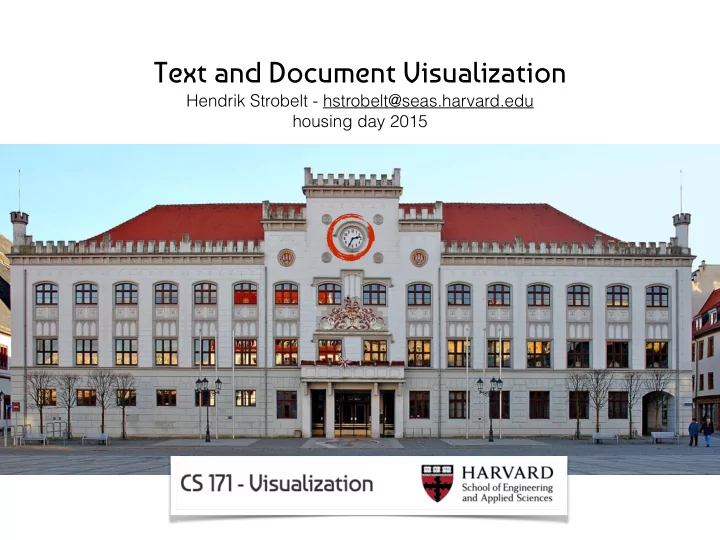
Text and Document Visualization Hendrik Strobelt - - - PowerPoint PPT Presentation
Text and Document Visualization Hendrik Strobelt - hstrobelt@seas.harvard.edu housing day 2015 /Users/hen> whoami Dipl. (TU Dresden) Dr. (Uni Konstanz) PostDoc (Harvard SEAS) PostDoc (NYU Poly) Text Visualization Visualization for
Hendrik Strobelt - hstrobelt@seas.harvard.edu housing day 2015
/Users/hen> whoami
PostDoc (NYU Poly)
Text Visualization Visualization for Sciences
PostDoc (Harvard SEAS)
Layout
thanks to Martin Krzywinski
thanks to Martin Krzywinski
thanks to Martin Krzywinski
(western view)
~20,000 years ago Chauvet cave proto-writing ~5,000 years ago Sumerian cuneiform logographic
B G D H W Z H ’ Y K L M N S ‘ T P S Q R T Š
~3,000 years ago Phoenician abjad predecessor of alphabet ~2,500 years ago Latin letters
ABCDEF GHIJKLM NOPQRS TUVWXYZ
abstraction
(countries, accents, religions,…)
paragraphs,.. ; appearance: typography, calligraphy,..)
1.1 Text Visualization A serious introduction to text visualization has to state that it is not a complete one. Why? When starting to work in the field, researchers are already confronted with the main problem itself, a large collection of documents cover- ing many different aspects related to the subject text. Psychological research e.g. investigates perception and cognition of letters, the psychology of spoken and written language, or the psychology of reading. Linguistics describe in- ter alia models on language structure, language function, language features, etymology, and linguistic transformations. While both disciplines already fill books and would require introductions by themselves, we did so far not men- tion visual appearance (typography) or evolution of sign systems. As practical approach, we limit this introduction to key aspects in development of text and text visualizations taking the historic tour (Section 1.1.1), describing psycho- logical backgrounds (Section 1.1.2), and describe landmarks in text visualiza- tion (Section 1.1.3). As further simplification we consider written text to stem from an alphabetic system. 1.1.1 The historic trail This section relies widely on facts taken from text books of Andrew Robinson [Rob09] and Donald Jackson [Jac81]. Both references are recommendable for further reading. Early humans started representing and saving information as sequential paintings on cave walls, so called proto-writing. The paintings from Chauvet cave [CHQ+06] date at least 21,000 years back. They are considered to be "the oldest and the most elaborate ever discovered" (Sadier et al. [SDB +12]). These paintings represented pictures and written texts at the same time, the mostly abstract images already tell a story. Divergence between image and text rep- resentations started 5,000 years ago in Mesopotamia where writing systems like Sumerian’s cuneiform evolved from pictographic into logographic form. While pictograms are stylized symbols of images, logographs represented mor- phemes as smallest units of meaning (semantics) within a language. In parallel, Egyptian hieroglyphs already combined pictographic, morphemic and phone- mic elements. Their sign system included 24 signs representing consonants that could be considered as an early form of alphabet. Several circumstances, like the ease of writing on papyrus vs. writing in stone, prevented simplifi- cation to only this subset of signs. While intermediate steps of development from hieroglyphs to an alphabet are subject of discussion, it is common sense that the Phoenician alphabet is one of the earliest developed 3,000 years
the first known only-mapping of one symbol to one phoneme, replacing the one symbol to one syllable association. Successively, the Greek named their ordered set of letters alphabet as reference to the first entries α and β. In Europe, Romans became dominant, and the Latin (big-)letters where invented, as well as there Italic form. During the times of Charlemagne (8th century) and the medieval times, writing and copying remained a manual pro cess creating sheets of image-text art. While printing was already developed during the 8th century in China, the printing method with moveable letters from Gutenberg (15th century) allowed fast reproduction. The impact on page style was a clearer functional separation of text and image content, although for a long time, initials or Schnörkel remained as
computers with word-processor applications (1970/80s) and popularization of the world wide web (1990s) lowered costs of document production and document distribution to a minimum. 1.1.2 The psychological approach We already discovered that text is nowadays as rapidly produceable and dis- tributable as never before, but we did not throw light on how humans "consume" text. Schönpflug & Schönpflug [SS95] and Rayner & Pollatsek [RP94] provide extensive details on the psychological processes involved in reading which we summarize in this Section. The consumption of text can be mainly split into reading as the perceptual part and understanding as the cognitive part. For reading, the human visual system performs saccadic eye movement processing lines of text. Each saccade1 takes on average 20 to 35 ms to bridge a range of 7 to 9
(focused on alphabetical languages)
profound design knowledge
Scientists have developed a way to carve shapes from DNA canvases, including all the letters of the Roman alphabet, emoticons and an eagle’s head. Bryan Wei, a postdoctoral scholar at Harvard Medical School in Boston, Massachusetts, and his colleagues make these shapes out of single strands of DNA just 42 letters long. Each strand is unique, and folds to form a rectangular tile. When mixed, neighbouring tiles stick to each other in a brick-wall pattern, and shorter boundary tiles lock the edges in place. […]
http://www.nature.com/news/dna-drawing-with-an-old-twist-1.10742
a few typefaces !!
when appropriate
web projects are google fonts
enriched text - hypertext linking (graph navigation)
Document Thumbnails with Variable Text Scaling
Computer Graphics Forum, volume 31 issue 3 pp.
Figure 3: Document Lens with lens pulled toward the user. The resulting truncated pyramid makes text near the lens’ edges readable. to render text in 3D perspective. We use two meth-SUMMARY
The Document Lens is a promising solution to the prob- lemNovember 3-5, 1993 UIST’93 105
Robertson, George G., and Jock D. Mackinlay The document lens Proceedings of the 6th annual ACM symposium on User interface software and technology. ACM, 1993.
Stephen G. Eick. Graphically displaying text. Journal of Computational and Graphical Statistics, 3(2):127-142, June 1994. TileBars: Visualization of Term Distribution Information in Full Text Marti Hearst Information Access, Proceedings of the ACM SIGCHI Conference on Human Factors in Computing Systems (CHI), Denver, CO, 1995
SeeSoft
Visualizing text (features) requires a transformation step: discretization, aggregation,normalization,..
unstructured text 4 x ’t' 3 x ‘u’ 2 x ‘r’ 2 x ‘e’ … structured data
princess dragon castle doc1 1 1 1 doc2 1
Typical steps are:
KIEV, Ukraine — Struggling to reach a deal to form a new majority coalition in Parliament, and under excruciating pressure because of a looming economic disaster, the Ukrainian lawmakers temporarily running the country on Tuesday delayed until Thursday the naming of an acting prime minister and a provisional government. The delay underscored the extreme difficulty that lawmakers now face in rebuilding the collapsed government left behind when President Viktor F. Yanukovych fled Kiev on Saturday and was removed from power in a vote supported by some members of his own party. The three main opposition parties, which share little in common politically, have been in fierce negotiations, not just among themselves, but also with civic activists and other groups representing the many constituencies involved in Ukraine’s three months of civic uprising. Arseniy P. Yatsenyuk, the leader in Parliament of the Fatherland Party and a leading contender to serve as acting prime minister, pleaded with colleagues to swiftly reach an agreement on the designation of an interim government, which is needed to formally request emergency economic assistance from the International Monetary Fund.
Sample Text
How he got in my pajamas, I don't know.”
carpenter who picked up his hammer and saw?
http://en.wikipedia.org/wiki/List_of_linguistic_example_sentences
Profanity sucks. (14) Be more or less specific. (15) Analogies in writing are like feathers on a snake. (19) excerpt from Rules of Writing by Frank L. Visco (June 1986 in Writers’ digest)
princess dragon castle doc1 1 1 1 doc2 1
letter word word group sentence paragraph section chapter document document cluster corpus corpus of corpora linguistic visualization single document visualization document collection visualization
The word tree, an interactive visual concordance M Wattenberg, FB Viégas Visualization and Computer Graphics, IEEE Transactions on 14 (6), 1221-1228
http://www.bobdylan.com/us/songs/blowin-wind
Frank van Ham, Martin Wattenberg, and Fernanda B. Viegas. Mapping Text with Phrase Nets. IEEE Transactions on Visualization and Computer Graphics 15, 6 (November 2009)
Visual Readability Analysis: How to Make Your Writings Easier to Read. IEEE Transactions on Visualization and Computer Graphics, 18(5):662-674, 2012.
(a) Function words (First Dimension after PCA) (b) Function words (Second Dimension after PCA) (c) Average sentence length (d) Simpson’s Index (e) Hapax Legomena (f) Hapax Dislegomena
“ Fingerprints of books of Mark Twain and Jack London. Different measures for authorship attribution are tested. If a measure is able to discriminate between the two authors, the visualizations of the books that are written by the same author will equal each other more than the visualizations of books written by different authors. It can easily be seen that this is not true for every measure (e.g. Hapax Dislegomena*). Furthermore, it is interesting to observe that the book Huckleberry Finn sticks out in a number of measures as if it is not written by Mark Twain.”
*method to measure the vocabulary richness
Daniel A. Keim and Daniela Oelke. Literature Fingerprinting: A New Method for Visual Literary Analysis. Proceedings of the 2007 IEEE Symposium on Visual Analytics Science and Technology (VAST '07)
documents w.r.t. text similarity into a landscape
Figure 5: A user can interactively draw a region (polygon) containing a subset of documents of interest (top figure). Keywords are extracted from the selected document and their corresponding word could is built inside the user-defined re- gion (bottom figure).
Fernando V. Paulovich, Franklina M. B. Toledo, Guilherme P. Telles, Rosane Minghim, and Luis Gustavo Nonato. Semantic Wordification of Document Collections.
comments.doc labTests.ppt Estimate.xls silhouette_algorithms.ppt party.html
Figure 1: Semanticons generated by our system for various filenames.
Semanticons: Visual Metaphors as File Icons Vidya Setlur, Conrad Albrecht-Buehler, Amy A. Gooch, Sam Rossoff, Bruce Gooch
Alice Thudt, Uta Hinrichs and Sheelagh Carpendale. The Bohemian Bookshelf: Supporting Serendipitous Book Discoveries through Information Visualization. CHI '12: Proceedings of the SIGCHI Conference on Human Factors in Computing Systems, 2012
webpage with video
important terms and important figures
explanatory
high recognizability
39
http://documentcards.hs8.de Document Cards: A Top Trumps Visualization for Documents
IEEE Transactions on Visualization and Computer Graphics (TVCG - InfoVis), 2009
40
...
41
PDF full-text extraction image extraction image packing term placement key term extraction image filtering § A.2 § 2.2.1 § 2.2.3 § A.2 § 2.2.2
42
>>>>
Interaction:
PDF full-text extraction image extraction image packing term placement key term extraction image filtering § A.2 § 2.2.1 § 2.2.3 § A.2 § 2.2.2
43
letter word word group sentence paragraph section chapter document document cluster corpus corpus of corpora
DiTop
letter word word group sentence paragraph section chapter document document cluster corpus corpus of corpora
time
letter word word group sentence paragraph section chapter document document cluster corpus corpus of corpora
Figure 1: Comparison of 495 papers of InfoVis, SciVis, and Siggraph (discrimination threshold = 6, number of topics = 30)
Comparative Exploration of Document Collections: a Visual Analytics Approach (http://ditop.hs8.de)
Marian Dörk, Daniel Gruen, Carey Williamson, and Sheelagh Carpendale. A Visual Backchannel for Large-Scale Events. TVCG: Transactions on Visualization and Computer Graphics (Proceedings Information Visualization 2010
Chevalier, F., Dragicevic, P., Bezerianos, A., and Fekete, J. Using text animated transitions to support navigation in document histories. Proceedings of the 28th international Conference on Human Factors in Computing Systems CHI '10
“This article examines the benefits of using text animated transitions for navigating in the revision history of textual
smoothly transitioning between different text revisions, then present the Diffamation system. Diffamation supports rapid explo- ration of revision histories by combining text animated tran- sitions with simple navigation and visualization tools. We finally describe a user study showing that smooth text anima- tion allows users to track changes in the evolution of textual documents more effectively than flipping pages.”
Video on the webpage
sun shines warm
Narrative Visualization: Telling Stories with Data Edward Segel, Jeffrey Heer IEEE Trans. Visualization & Comp. Graphics (Proc. InfoVis), 2010
Figure 6: Translation lattice for the German sentence, “Hallo, ich bin gerade auf einer Konferenz im Nationalpark in Banff.” The statistically-identified best path (along the bottom) was incorrect and has been repaired. Photo nodes provide an alternative representation for words not in the translation vocabulary. Mouse over expands the node and reveals four photos, while other nodes move away to avoid occlusion.
Visualization of Uncertainty in Lattices to Support Decision-Making
https://xkcd.com/657/
Figure 1: John uses the crossbow. He rides the horse by the store. The store is under the large willow. The small allosaurus is in front
mushroom is in the teacup. The castle is to the right of the store.
Bob Coyne and Richard Sproat. 2001. WordsEye: an automatic text-to-scene conversion system Proceedings of the 28th annual conference on Computer graphics and interactive techniques (SIGGRAPH '01)
“Natural language is an easy and effective medium for describing visual ideas and mental images. Thus, we foresee the emergence of language-based 3D scene generation systems to let ordinary users quickly create 3D scenes without having to learn special software, acquire artistic skills, or even touch a desktop window-oriented
convert- ing text into representative 3D scenes. WordsEye relies on a large database of 3D models and poses to depict entities and actions. Every 3D model can have associated shape displacements, spatial tags, and functional properties to be used in the depiction process.”