Table of contents 1. Introduction: You are already an - - PowerPoint PPT Presentation

table of contents
SMART_READER_LITE
LIVE PREVIEW

Table of contents 1. Introduction: You are already an - - PowerPoint PPT Presentation

Table of contents 1. Introduction: You are already an experimentalist 2. Conditions 3. Items Section 1: 4. Ordering items for presentation Design 5. Judgment Tasks 6. Recruiting participants 7. Pre-processing data (if necessary) 8.


slide-1
SLIDE 1

Table of contents

98
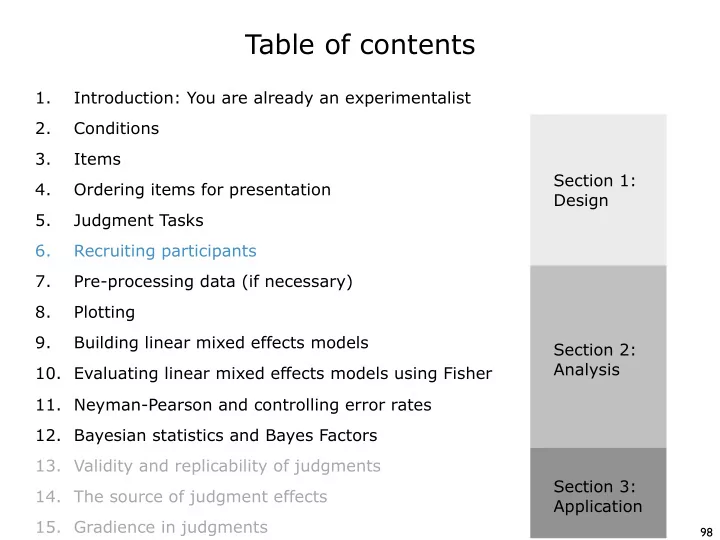
Conditions Items Ordering items for presentation Judgment Tasks Recruiting participants Pre-processing data (if necessary) Introduction: You are already an experimentalist 1. 2. 3. 4. 5. 6. 7. Plotting 8. Building linear mixed effects models 9. Evaluating linear mixed effects models using Fisher 10. Bayesian statistics and Bayes Factors 12. Validity and replicability of judgments 13. The source of judgment effects 14. Gradience in judgments 15. Section 1: Design Section 2: Analysis Section 3: Application Neyman-Pearson and controlling error rates 11.

slide-2
SLIDE 2

Institutional Review Board (IRB) Approval

99

In the US, before you recruit human participants, you will need approval from your university’s Institutional Review Board (the IRB). This is generally a painless process, but it can take a month or more, so you should start planning early. The process varies from institution to institution, so I can’t give you detailed

  • instructions. But I do have some general recommendations:

If possible, I would suggest requesting approval for all four possible tasks, both online and offline, and for all possible languages you might study in

  • ne application. I would also request approval to test several thousand
  • participants. This will save you time down the road.

1. Acceptability judgments generally fall under survey procedures, which means that they are exempt (category 2). This means that they are exempt from full board review, and instead only require review by the chair

  • f the board. This generally means that the review process will be a bit
  • faster. (The other levels of review are “expedited”, which also doesn’t

require full board review, and “full”, which is full board review) 2. Most IRBs require some sort of training before you can submit a proposal for review. So be sure to complete that before you submit your proposal. 3.

slide-3
SLIDE 3

Amazon Mechanical Turk

100

If you are going to be working on US English, Amazon Mechanical Turk can be a great resource for recruiting participants. Pros: Fast! You can collect a hundred participants in an hour. More diverse than a university participant pool. Cons: Not free. You must pay participants (and Amazon). Less control over the properties of the participants.

slide-4
SLIDE 4

AMT Sandbox

101

The first step is to create a requester account. (AMT divides users into requesters, who post tasks, and workers, who complete them). If you want to practice using AMT without having to put up a real survey, you can use the requester’s sandbox. This is a simulated AMT environment where you can test your experiments without any risk (and without paying anything).

slide-5
SLIDE 5

Two stages: create and manage

102

I am going to use my real account to show you what creating an experiment looks like. There are basically two stages: the create stage, where you create your experiment, and the manage stage, where you deploy your experiment and watch the results come in.

slide-6
SLIDE 6

Creating an experiment

103

When you click on Create, you will see a list of all of the experiments that you’ve run in the past. This lets you easily re-use them (or edit them) if you need to. Your list will be empty (or have demos in it). But you can easily create a new

  • ne using one of the AMT HTML templates I have made available.
slide-7
SLIDE 7

Create: Enter Properties

104

There are three parts to creating an experiment: entering its properties, designing the layout, and then looking for errors. We start with entering the properties. The first box is where you enter information that the workers will see. I like to tell them how long I think it will take, how much I am going to pay, and any requirements that I have (that aren’t enforced by AMT - more on this soon.)

slide-8
SLIDE 8

Create: Enter Properties

105

The second box in “enter properties” is where you set the specific properties of this HIT (Human Intelligence Task — this is what AMT calls a task). The first box is how much you will the participant. The second is the number of participants you want to recruit per

  • HIT. Each ordered list

you have is a HIT, so you have to do some math here. If you have 8 ordered lists, and want 24 participants in your sample, then you need 3 participants per list. Since each list is a HIT, you need 3 assignments per HIT. More generally: Number of assignments per HIT = total sample size / number of ordered lists

slide-9
SLIDE 9

Quick aside - How many participants?

106

The number of participants that you need is a complex function of, at least, (i) the size of the effect you want to detect, (ii) sensitivity/noise of the task, and (iii) the statistical power you want to achieve (the probability of detecting the effect if it is present).

Forced−Choice Likert Scale Magnitude Est. Yes−No

  • 20

40 60 80 100 20 40 60 80 100 20 40 60 80 100 20 40 60 80 100 small medium large extra large 25 50 75 100 25 50 75 100 25 50 75 100 25 50 75 100

sample size mean power (%)

We can use the graph I showed you before to estimate this relationship. This graph is based on 50 phenomena from LI, and 1 observation per participant per condition. There is also a general rule of thumb in statistics that says that you need at least 25 participants (or 24 if your lists are based on multiples of 4). So I suggest using the graph above to calculate a number, and treating 24 as the absolute minimum.

slide-10
SLIDE 10

Create: Enter Properties

107

The final box is where you can enter restrictions on your HIT. Technically, AMT allows you to set very strict requirements — you simply have to create a qualifying task, and then only allow participants who pass your qualifying task to participate in your experiment. The problem is that there is a trade-off between restricting access and recruiting (diverse) participants. So I try to use a minimum of qualifications. I set IP location to US to try to limit the number of non- native speakers (more on this later). I set HIT approval rates and number of HITs approved to numbers that will weed out very bad participants and very new participants.

slide-11
SLIDE 11

Design Layout

108

The next step is to design the layout of the HIT itself. The basic AMT interface uses HTML. Amazon has tried to make this easy by using a WYSIWYG editor for the HTML. But I find that the only way to really use this for an experiment is to have some familiarity with HTML.

slide-12
SLIDE 12

Design Layout: Parts of the experiments

109

Color coding: Amazon isn’t made for experiments. It treats each HIT (each

  • rdered list) separately, so workers can take more than one if they want. But

we want workers to take only one ordered list per experiment. So I use color coding to link separate HITs (ordered lists) that are related. I tell participants that they can only take a survey of this color once per day. This also lets me post more than one experiment per day if I want.

slide-13
SLIDE 13

Design Layout: Parts of the experiments

110

IRB Approval: In the second paragraph, I provide a link to my IRB approval document (called a study information sheet). This is a requirement of my IRB. Yours may be different (but most likely it will be the same). Basic Info: In the third paragraph, I collect information that may be useful during data analysis (approved by the IRB). Crucially, I ask two questions that help me to screen out non-native speakers. Note that I don’t reject them for answering no, they are still paid, that way there is no incentive to lie.

slide-14
SLIDE 14

Design Layout: Parts of the experiments

111

Instructions: The next section is the instructions, along with the three instruction/anchor items, which are pre-filled with ratings.

slide-15
SLIDE 15

Design Layout: Parts of the experiments

112

The main experiment: The next section is the experiment itself. Notice that there are symbols on the left: ${1}. These are variables used by AMT. They will look for sentences in an input file that match these variables (more soon).

slide-16
SLIDE 16

Design Layout: HTML source

113

While it is technically possible to create this experiment using the WYSIWYG editor that amazon provides, it is easier to use the HTML source directly. In fact, you can copy in the HTML templates I’ve provided directly into the source window:

slide-17
SLIDE 17

Preview and Finish

114

The final preview step shows you what the experiment will look like to workers. It doesn’t (yet) contain the sentences for your experiment, so those are missing, but this is very close to the final format of the experiment.

slide-18
SLIDE 18

Publish Batch

115

The next step is to “publish” your “batch”

  • f HITs. You do that

by going back to the main “create” page, and clicking the

  • range button.

When you do that, it is going to ask you to choose a file to upload your HITs. We haven’t talked about this input file yet…

slide-19
SLIDE 19

The input file

116

The input file must be a CSV file. It must contain a column for every variable in your HIT. There should be one variable in your HIT that tells you which ordered list it is. I call this variable surveycode. Then, there should be one variable for every item in your list. In this experiment there are 31 items, so there are 32 total variables, and therefore 32 columns in the input file. Each column is named after the variable. Then, you simply need to paste- transpose each ordered list into a row: You don’t need to construct this file from scratch. AMT will generate a template for your input file that you can download.

slide-20
SLIDE 20

Publish Batch

117

When you upload your input file, AMT will check it to make sure that there are no errors in the coding (that all of the variables match, and that it can read the file.)

slide-21
SLIDE 21

Publish Batch

118

AMT will then show you a new preview of your HITs, this time with the real sentences included.

slide-22
SLIDE 22

Publish Batch

119

Finally, it will show you a summary page that includes all

  • f the

information about the HIT, including how much money it will cost you. You need a credit card to fund your account to actually run the experiment.

slide-23
SLIDE 23

Manage: While the experiment is running

120

While the experiment is running, you can watch its progress under the Manage

  • tab. You will see a progress bar like this:

You must associate your AMT account with an email address. While the experiment is running, you should be actively monitoring that email address. Workers who run into problems (e.g., accidentally submitting the survey before it is complete) will email you. If you don’t respond, they will leave you negative feedback on sites like Turkopticon (a website where workers leave reviews for requesters). Pro Tip:

slide-24
SLIDE 24

Another tip: incomplete surveys

121

Workers are very protective of their approval rates - the proportion of HITs that are approved. They need to maintain high approval rates to qualify for the best paying HITs. The problem is that the only way to not pay a worker is to reject their HIT. So, if they accidentally submit an unfinished survey, you either have to pay them for the unfinished work, or reject them. Nobody is happy about either option. That is why they email you when this happens. They want to find a solution. If you are feeling nice, you can do the following. Look at the incoming results by clicking the results button at the top right of the progress bar. Find the worker’s incomplete HIT (usually it is the only one with empty responses, but you can also use their worker ID number). Then send them the ordered list in an excel spreadsheet, and tell them that if they finish it in the excel spreadsheet, and send it back to you, then you will approve their HIT. It takes work on your end, but it gets you the data, and saves them a rejection.

slide-25
SLIDE 25

The results view

122

If you want to see the results as they are coming in, you can, by clicking the results button: This generates a (super wide) table of the results. If you want, you can approve results from this view, you can reject results from this view, you an sort by various properties (workerID, completion time, etc), etc. Remember to approve the results for all workers after the experiment is finished. There is also a button to generate a CSV of the results. Ultimately, when the experiment is finished, this is what you are going to want to do.

slide-26
SLIDE 26

Exercise 5

123

Part 1: Complete the CITI training for working with human subjects. This is required by UConn for you to run experiments using human

  • participants. You only need to do this once. If you’ve already completed it,

move on to part 2. https://www.citiprogram.org/ You must complete the course called Human Subjects Research Course, Social/ Behavioral Research. Part 2: Put our experiment up on the mechanical turk sandbox. You have everything you need to put the experiment up online. https://requestersandbox.mturk.com/ Submit the following to me: (i) a mechanical turk input file (csv) for our materials, (ii) a screenshot of the batch summary page that they give you right before you publish, and (iii) a screenshot of the list of available experiments that shows your experiment available.