SUMMARY Nutrition Service Plan Screen Breastfeeding Screen Changes - - PDF document

summary
SMART_READER_LITE
LIVE PREVIEW

SUMMARY Nutrition Service Plan Screen Breastfeeding Screen Changes - - PDF document

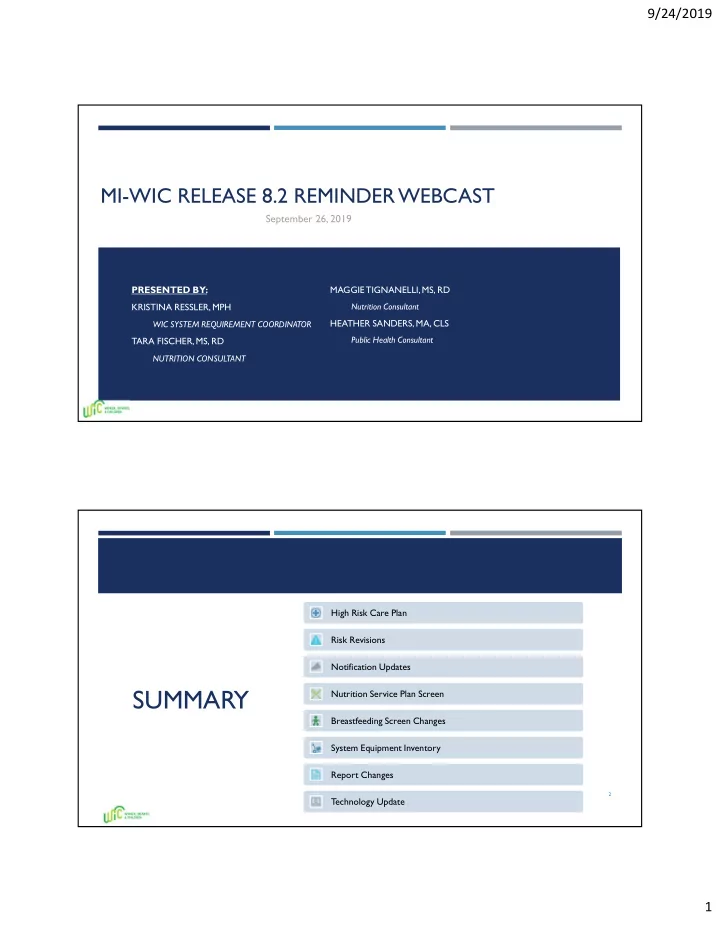
9/24/2019 MI-WIC RELEASE 8.2 REMINDER WEBCAST September 26, 2019 PRESENTED BY: MAGGIE TIGNANELLI, MS, RD KRISTINA RESSLER, MPH Nutrition Consultant HEATHER SANDERS, MA, CLS WIC SYSTEM REQUIREMENT COORDINATOR Public Health Consultant TARA


slide-1
SLIDE 1

9/24/2019 1

MI-WIC RELEASE 8.2 REMINDER WEBCAST

PRESENTED BY: KRISTINA RESSLER, MPH WIC SYSTEM REQUIREMENT COORDINATOR TARA FISCHER, MS, RD NUTRITION CONSULTANT MAGGIE TIGNANELLI, MS, RD Nutrition Consultant HEATHER SANDERS, MA, CLS Public Health Consultant

September 26, 2019

SUMMARY

High Risk Care Plan Risk Revisions Notification Updates Nutrition Service Plan Screen Breastfeeding Screen Changes System Equipment Inventory Report Changes T echnology Update

2

slide-2
SLIDE 2

9/24/2019 2

High Risk Documentation Care Plan Documentation

slide-3
SLIDE 3

9/24/2019 3

Assessment

Captures RD interpretation of client status based

  • n information provided during the

conversation/discussion

  • Must include, at a minimum, client concerns/

nutrition issue.

  • May include, though not limited to, subjective

data, objective data, key information, client’s readiness/motivation for change, etc.

Intervention

Captures identified behavior change/goal(s)

  • Must include Date, Topic, Method, Behavior

Change/Goal to indicate client identified behavior change/goal.

  • May include desired outcomes, additional

goals, handouts provided, etc.

slide-4
SLIDE 4

9/24/2019 4

NE (entered on CP tab) auto-populates to NE Pop-up Grid

Monitoring/Evaluation

Captures the plan/next steps

  • Must include next appt type, how to

check progress with goal, f/u info

  • May include ways to

monitor/evaluate progress, future NE, changes in condition, add’l referrals, other info incl anthro, lab,

  • r formula needs
slide-5
SLIDE 5

9/24/2019 5

Continuity of Care

ICP Follow-up:

  • CPA must review and assess open care

plans at next scheduled appointment.

  • Documentation of relevant follow up information by

the CPA or RD is required in the Care Plan Follow-Up tab.

  • If CPA assessment indicates care plan resolved, CPA

must discuss care plan closure with RD.

Declining RD Counseling:

  • Check “RD Counseling with Non-WIC”
  • Document relevant information client provides
  • Check “RD Counseling Declined”
  • Document reason for declining RD services.
slide-6
SLIDE 6

9/24/2019 6

Reminder: ICP Closure

  • RD closes care plan by clicking Care Plan Closed

and documenting rationale on the Care Plan Follow-Up tab when:

  • The client’s desired outcomes have been

satisfactorily met, and/or;

  • The client’s planned behavior changes are
  • bsolete or no longer applicable.

Care Plan History

slide-7
SLIDE 7

9/24/2019 7 New! Appointment Pop-up Validation Message

Daily Schedule, Quick Scheduler, Schedule Appt Screens

Care Plan Report

slide-8
SLIDE 8

9/24/2019 8

Policy 5.03: The WIC Program Explanation must be verbally provided to clients as part

  • f a client centered assessment process.
  • The WIC Program Explanation is

summarized on the printed NE Plan. Policy 2.01: Local agencies must provide a verbal explanation of the WIC Program purpose, key functions, and benefits to clients and/or their caregivers.

  • The Program Explanation must be

documented in MIWIC.

Behavior Change/Goal Dropdown Order

slide-9
SLIDE 9

9/24/2019 9

NOTIFICATION UPDATES

PAST & FUTURE APPOINTMENTS GRIDS

A ‘System Note’ column has been added to the Past and Future Appointment Grids.

T

  • better track appointments that have been moved, the system will automatically add a note to

this column if an appointment has been moved. The note will say: “Appointment has been moved from {Appointment Date} by {username}.” 

The ‘Appointment Cancellation’ Notice will only be generated when the cancel Appt. pop- up selection is yes, the appointment is greater then 7 days in the future, client ID is not

  • n the wait list and there is no future appointment scheduled.
slide-10
SLIDE 10

9/24/2019 10

AUTO DIALER SCREENS NOTIFICATION REPORTS

slide-11
SLIDE 11

9/24/2019 11

LETTER MESSAGE RESULT REPORT

slide-12
SLIDE 12

9/24/2019 12

TEXT MESSAGE RESULTS REPORT

slide-13
SLIDE 13

9/24/2019 13

VOICE CALL RESULTS REPORT

slide-14
SLIDE 14

9/24/2019 14

ADDITIONAL NOTIFICATION CHANGES

New Notifications have been added:

‘End of Certification for Request/not interested’:

 Conditions that generate: client terms with ‘term reason’ ‘Request/Not interested’.  This notice will be sent the following END of DAY processing of term date.

‘End of Certification for Failure to Recertify’:

 Conditions that generate: client with term reason ‘Failure to Recertify’ and no future appointment scheduled.  This notice will be sent the following END of DAY processing of term date.

Changes to EDUO & EDUT notifications

EDUO & EDUT APPOINTMENT NOTIFICATIONS

EDUO appointment will now generate by appointment:

EDUO notification is no longer correlated with BVT Date.

Letter will be sent 7 days before scheduled appointment, text and voice call will generate 1 day before scheduled appointment. 

EDUT appointment will not generate by appointment:

EDUT notification is no longer correlated with BVT Date.

Letter will be sent 7 days before scheduled appointment, text and voice call will generate 1 day before scheduled appointment.
slide-15
SLIDE 15

9/24/2019 15

DUAL ENROLLMENT/CSFP SCREEN

CSFP has been removed from the dual enrollment filters.

The screens and reports from ‘Resolved CSFP Dual Enrollment’ in the Miscellaneous dropdown menu have been removed.

The notification for WIC/CSFP Dual Enrollment has been removed.

RISK REVISIONS

slide-16
SLIDE 16

9/24/2019 16

USDA MANDATED NUTRITION RISK CRITERIA REVISIONS

slide-17
SLIDE 17

9/24/2019 17

QUESTIONS THAT SYSTEM ASSIGN RISK 902 FOR WOMAN CATEGORIES

BE/BP/NPP Medical Information Tab Pregnant Medical Information Tab

QUESTION THAT SYSTEM ASSIGNS RISK 902 FOR CHILD CATEGORIES

New Question #15 in Nutrition History Old Question #15 in Nutrition History

slide-18
SLIDE 18

9/24/2019 18

QUESTION THAT SYSTEM ASSIGNS RISK 902 FOR INFANT CATEGORIES

Old Questions in Nutrition History New Questions in Nutrition History

NUTRITION SERVICES PLANS IN MI-WIC

slide-19
SLIDE 19

9/24/2019 19

NUTRITION SERVICES PLAN

The ‘Outreach NSP Management’ screen in the Admin Module will now be referred to as the ‘Nutrition Services Plan’ screen.

The screen will contain 3 tabs to track Nutrition Service Plans:

Nutrition Education Plan

Breastfeeding Plan

Outreach Plan

37

NUTRITION SERVICES PLAN

OUTREACH PLAN

The ‘Outreach Plan’ tab will keep the same format and functionality as the previous ‘Outreach NSP Management’ screen.

A ‘Planning and Tracking Report’ button has been added to the screen to view the PDF

  • f the Planning and Tracking Log Report for

current tab.

38

slide-20
SLIDE 20

9/24/2019 20

NUTRITION SERVICES PLAN

OUTREACH PLAN

The ‘Outreach Activity Log’ pop-up will have the following changes:

‘Activity Code’ renamed to ‘Activity’

‘Where Referral’ renamed to ‘Activity Site’ –Will be a free type field

Remove ‘Planned Activity Date’

Rename ‘Actual Activity Date’ to ‘Activity Date’

39

NUTRITION SERVICES PLAN

NUTRITION EDUCATION PLAN

The Nutrition Education Plan will be formatted similarly to the Outreach Plan. It will consist of:

Objective – Free type field

Person Responsible – Free Type Field

Projected Completion Date – Free Type Field

Evaluation Method – Free Type Field 

A ‘Planning and Tracking Report’ button has been added to the screen to view the PDF of the Planning and Tracking Log Report for current tab.

40

slide-21
SLIDE 21

9/24/2019 21

NUTRITION SERVICES PLAN

NUTRITION EDUCATION PLAN

The ‘Nutrition Education Plan Activity Log’ screen will contain:

Activity – Free Type Field

Activity Date

Evaluation – Free Type Field

Post Activity Notes – Free Type Field

41

NUTRITION SERVICES PLAN

BREASTFEEDING PLAN

The Breastfeeding Plan will be formatted similarly to the Nutrition Education Plan. It will consist of:

Objective – Free Type Field

Person Responsible – Free Type Field

Projected Completion Date – Free Type Field

Evaluation Method – Free Type Field 

A ‘Planning and Tracking Report’ button has been added to the screen to view the PDF of the Planning and Tracking Log Report for current tab.

42

slide-22
SLIDE 22

9/24/2019 22

NUTRITION SERVICES PLAN

BREASTFEEDING PLAN

The ‘Breastfeeding Plan Activity Log’ screen will contain:

Activity – Free Type Field

Activity Date

Evaluation – Free Type Field

Post Activity Notes – Free Type Field

43

NUTRITION SERVICES PLAN

PLANNING AND TRACKING LOG REPORTS

Reports for all Nutrition Service Plans will be available in the Admin Module, in the Reports dropdown menu, under the submenu ‘NSP Planning and Tracking Logs’.

Reports will include:

Breastfeeding Planning and Tracking Log

Nutrition Education Planning and Tracking Log

Outreach Planning and Tracking Log

44

slide-23
SLIDE 23

9/24/2019 23

NUTRITION SERVICES PLAN

OUTREACH PLANNING AND TRACKING LOG REPORTS

45

NUTRITION SERVICES PLAN

NUTRITION EDUCATION PLANNING AND TRACKING LOG REPORTS

46

slide-24
SLIDE 24

9/24/2019 24

NUTRITION SERVICES PLAN

BREASTFEEDING PLANNING AND TRACKING LOG REPORTS

47

BREASTFEEDING SCREEN CHANGES

slide-25
SLIDE 25

9/24/2019 25

BREASTFEEDING SCREEN CHANGES

The ‘BF Assessment’ screen will now follow the ‘Medical’ screen on the Guided Script.

49

BREASTFEEDING SCREEN CHANGES

The system will no longer stop staff from tracking breastfeeding statistics for IFF children.

i.e. An IFF client can say ‘yes’ to the question ‘Is this child currently breastfed?’ and still be able to be assigned an IFF Package. 

Breastfeeding Assessment screens will be required when ‘Is this child currently breastfed?’ is yes (regardless of client category).

50

slide-26
SLIDE 26

9/24/2019 26

BREASTFEEDING SCREEN CHANGES

If the client category is ‘IFF’ and staff answer ‘Is this child currently breastfed?’ as ’yes’, they will receive a pop-up message upon selecting ‘Save’ or ‘Next’ to confirm.

51

SYSTEM EQUIPMENT INVENTORY

  • PLEASE PLAN TO WATCH THE

ARCHIVED SYSTEM EQUIPMENT INVENTORY WEBCAST FROM JUNE 6 AT 9:30AM FOR SPECIFICS REGARDING THE REVIEW PROCESS, UPDATED SCREENS AND UPDATED POLICY.

slide-27
SLIDE 27

9/24/2019 27

SYSTEM EQUIPMENT INVENTORY

53

SYSTEM EQUIPMENT INVENTORY

The ‘Print List’ button on the ‘LA Equipment Inventory’ screen will now export an Excel Spreadsheet containing all columns from the Details Pop-up and All the Rows from grid for easier review.

54

slide-28
SLIDE 28

9/24/2019 28

SYSTEM EQUIPMENT INVENTORY

The ‘Equipment Details’ pop-up has been added to show all information for the equipment.

An ‘I’ icon is available next to each field to help provide a definition as well as helpful guidance on where to find the information.

55

SYSTEM EQUIPMENT INVENTORY

Staff will now be able to transfer equipment between clinics using the ‘Transfer Equipment’ button.

T

  • transfer:

User to select equipment on main grid using the select column and then click the ‘Transfer Equipment’ button.

User to select clinic to transfer equipment to, from dropdown at bottom of screen and click ‘Save’.

56

slide-29
SLIDE 29

9/24/2019 29

SYSTEM EQUIPMENT INVENTORY

The ‘LA Equipment Inventory Review Report’ will now have the option to select the ‘year’ when running the report. This will allow the user to see the Equipment Inventory Review for previous years.

57

SYSTEM EQUIPMENT INVENTORY

The annual System Equipment Inventory Review will be conducted after MI-WIC Release 8.2 has been implemented in production. Please watch for your email for an E-Notice with specific dates and instructions.

slide-30
SLIDE 30

9/24/2019 30

REPORT CHANGES

REPORT CHANGES

COMPLETE ALPHABETICAL LISTING

The report ‘Complete Alphabetical Listing of WIC Authorized Persons and Enrollees’ title will now read on two lines: Complete Alphabetical Listing Of WIC Authorized Persons and Enrollees

In order for all screens to match, the report dropdown menu and the report parameter screen will now read as “Complete Alphabetical Listing”.

60

slide-31
SLIDE 31

9/24/2019 31

REPORT CHANGES

USER ROLE HISTORY BY STAFF MEMBER REPORT

The report ‘User Role History by Staff Member’ will now be able to run based

  • n the date the roles were effective. This

will allow supervisors to see what roles staff had on any given date.

61

REPORT CHANGES

USER ROLE HISTORY BY STAFF MEMBER REPORT

The report ‘User Role History by Staff Member’ will now have additional fields, including:

‘Clinic’: to display the clinic in which the role is assigned

‘Requested By’: to display the user ID of the staff who requested the role (Applicable for State Level Roles)

‘Expiration Date’: to display the role expiration date

62

slide-32
SLIDE 32

9/24/2019 32

REPORT CHANGES

USER ROLE REPORT

The report ‘User Role Report’ will now have the option to be run for active or inactive staff members.

Inactive staff will display on the menu as greyed out but can still be selected.

63

TECHNOLOGY UPDATE E-FORMS MODULE

THE E-FORMS MODULE WILL BE UPDATED WITH NEW TECHNOLOGIES. THIS UPDATE WILL BE INTRODUCED INTO THE CLINIC AND ADMIN MODULESWITH THE FEBRUARY 2020 RELEASE.

slide-33
SLIDE 33

9/24/2019 33

TECHNOLOGY UPDATE – E-FORMS

SCREEN MAXIMIZE AND ZOOM

Staff will now be able to maximize the MI-WIC window for the E-Forms module to fill the entire screen.

Staff will now be able to zoom in and out

  • n the E-Forms module, with text

enlarging as you zoom in.

65

TECHNOLOGY UPDATE – E-FORMS

SORTING

Click on any column to sort by that column.

Click once to sort in ascending order.

Click twice to sort in descending order.

66

slide-34
SLIDE 34

9/24/2019 34

TECHNOLOGY UPDATE – E-FORMS

FILTERING

Filter options are now available at the top of many column to allow the user to filter the grid based on the entered criteria.

67

TECHNOLOGY UPDATE – E-FORMS

PAGING TECHNOLOGY

Paging Technology

The Agency Orders Screen will now load by pages of 15.

This will decrease the amount of time needed to load the screen.

Navigate to the next page using the options at the bottom of the screen.

68

slide-35
SLIDE 35

9/24/2019 35

TECHNOLOGY UPDATE – E-FORMS

UPDATED BUTTONS

Buttons across the E-Forms module have been updated:

Buttons are now able to be read by screen readers for visually impaired.

Buttons now have ‘Alt Tags’ to facilitate key board shortcuts.

 Press the Alt button and the letter underlined on the button to select without clicking.

69

RELEASE 8.2 REMINDERS

70

Release 8.2 – Saturday October 12, 2019

Release will be available to clinics starting Monday October 14

MI-WIC will not be available after 10am on October 12th

Do Not Schedule appointments on October 12th Do Not plan to access MI-WIC until Monday October 14

slide-36
SLIDE 36

9/24/2019 36

INTEGRATED SERVICE DELIVERY

  • Reminder to contact all incoming referrals from ISD/MI- Bridges within 2 business days
  • Policy 3.01 Processing Timeframes and Appointment Scheduling

1. Local agencies must schedule applicants/clients within the following timeframes, with consideration of client needs:

  • a. Pregnant women, breastfeeding women, infants and homeless individuals, migrant farmworkers

and their families must be notified of their eligibility or ineligibility within 10 calendar days of the date of first request for Program benefits.

  • b. All other applicants must be notified of their eligibility or ineligibility within 20 calendar days of the

date of the first request for program benefits.

INTEGRATED SERVICE DELIVERY

 If your agency is struggling to

contact Incoming Referrals within 2 business days, please contact your Local Agency Consultant.

slide-37
SLIDE 37

9/24/2019 37

QUESTIONS?

PLEASE SUBMIT YOUR QUESTIONS USING THE LINKS BELOW.

This presentation is on a brief 10 minute break. We will resume momentarily.

THANK YOU!

For further questions, please contact:

74

Kristina Ressler, MPH System Requirement Coordinator ResslerK@Michigan.gov 517-335-5633 Heather Sanders, MA, CLS Public Health Consultant SandersH@Michigan.gov 517-335-9156 Maggie Tignanelli, MS, RD Nutrition Consultant TignanelliS@Michigan.gov 517-335-8914 Tara Fischer, MS, RD Nutrition Consultant FischerT1@Michigan.gov 517-335-4286