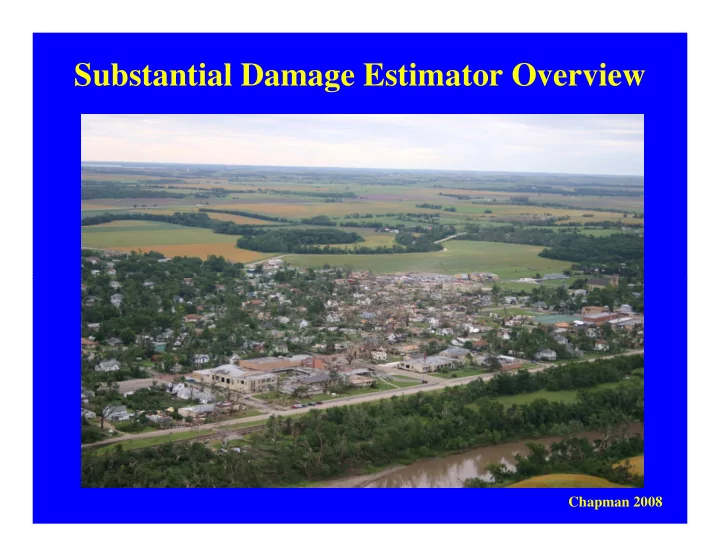
SLIDE 1 Substantial Damage Estimator Overview
Chapman 2008
SLIDE 2
Introductions And Housekeeping
My name is _________________ . I work for __________________ . My experience with floodplain management, building inspection or appraisal includes _________________________________. And I know more about computers than Steve does.
SLIDE 3 Discussion Topics
- Background about the SDE software
- When to perform damage estimations
- Where to perform damage estimations
- Using the SDE software for damage
- Using the SDE software for damage
estimations
- Resolution of conflicts with damage
estimation
SLIDE 4 Time For The movie!
Rossville 2005
SLIDE 5
FEMA Building Science Service
http://www.fema.gov/building-science#1 If you need additional information contact the Building Science Helpline at (866) 927-2104 or email FEMA-Buildingsciencehelp@fema.dhs.gov. Please allow up to 5 business days for a response.
SLIDE 6
Substantial Damage Estimation Only In The 1% Annual Chance Flood Zones
SLIDE 7
1 2
SLIDE 8
When To Do Damage Estimations?
Local officials that participate in the NFIP must determine whether proposed work qualifies as substantial improvement or qualifies as substantial improvement or repair of substantial damage.
SLIDE 9 Definitions
- "Substantial-Damage" means damage of any origin sustained by a
structure whereby the cost of restoring the structure to pre-damaged condition would equal or exceed 50 percent of the market value of the structure before the damage occurred.
- "Substantial-Improvement" means any reconstruction, rehabilitation,
addition, or other improvement of a structure, the cost of which equals or addition, or other improvement of a structure, the cost of which equals or exceeds 50 percent of the market value of the structure before "start of construction" of the improvement. This term includes structures, which have incurred "substantial-damage," regardless of the actual repair work
- performed. The term does not, however, include either (1) any project for
improvement of a structure to correct existing violations of state or local health, sanitary, or safety code specifications that have been identified by the local code enforcement official and which are the minimum necessary to assure safe living conditions, or (2) any alteration of a "historic structure," provided that the alteration will not preclude the structure's continued designation as a "historic structure."
SLIDE 10
Substantial Damage Can Be Done For Only One Structure
SLIDE 11 Or Multiple Structures
Coffeyville 2007
SLIDE 12 Value/Repairs = Percentage Of Damage
- Fair Market Value prior to the damage.
- Compared with Cost of Repairs to return
structure to the same condition prior to the damage. damage.
- Percentage of Damage Equal or Greater
than 50% is Substantial Damage.
SLIDE 13 Structure’s Pre-Damaged Value
The structure’s value is the fair market value
- f the structure only, excluding the land
- Tax Assessment Records
- Bill of Sale
- Bill of Sale
- Insurance Settlement
- Appraisal
SLIDE 14 Cost of Repairs
- Materials Used
- Must Use Fair Market Value
- Also Applies to Materials Donated
- Includes Repairs People Choose Not To Make
Cost of Labor
- Marshall & Swift Book
- Also Applies to Volunteer Labor
- Exclusions
- Debris Removal
- Clean-up
- Building Plans
- Permit Fees
SLIDE 15 Dispute Resolution
- Alternatives that can be accepted.
– Licensed General Contractor Estimate – Professional Estimator – Insurance Adjustment – Insurance Adjustment – Disaster Damage Estimate Groups – Licensed Appraiser
Written Administrative Procedures
SLIDE 16 Substantial Damage Estimator
FEMA P-784 the SDE CD contains
- Read Me-Installation Guide
- SDE User’s Manual and Workbook
- SDE User’s Manual and Workbook
- SDE and Your Community (Video)
- Substantial Improvement/Substantial
Damage Desk Reference FEMA P-758.
SLIDE 17 Windows VISTA and 7
- If you are having problems it is suggested that you read SDE Software
Installation Guide that is on the CD. If you are using Windows 7 or Vista please read the special note on page 4.
- Note to Vista and Windows 7 users: Replace the default installation
path with C:\Users\<user name>\Substantial Damage Estimator 1.0, where <user name> is your user name on the computer. where <user name> is your user name on the computer.
- Even if the software appears to be installed correctly it won’t save data
properly for you. If you are unable to save data go the installation
- instructions. You’ll need to tell your computer a new path to save to as
the administrator. If you do not have administrative authority for your computer you may have to do the exercises in class without saving. There will be some things you can’t do today until you return to your
- ffice and get with your IT administrator.
SLIDE 18 Old version software, called RSDE, was only for damage estimations
- f residential structures. The new SDE now works for many types of
non-residential structures. See the instructions for list of approved types of non-residential structures.
SLIDE 19 Click on the SDE icon. Select “Stand Alone” and Save
be on the desk top
saving
Import
SLIDE 20
Create/Add a Record. Select Residential for Class Today.
SLIDE 21
New Screen Opens Begin With Address Tab
SLIDE 22
Where does information come from?
Suggest you enter as much data as you can in the office before going to a property. Here are some potential sources of information.
– Elevation Certificates – Elevation Certificates – Permit Files – County Appraiser – Nationally Recognized Cost Estimation Guides – Flood Maps – Field Inspections
SLIDE 23
Photo Of House From Parcel Search
SLIDE 24
FIRMette of Flood Map
SLIDE 25
Lat and Long from GIS Dept.
SLIDE 26
Important Clarification
Substantial Damage Estimation is only done on a property in the special flood hazard area. The house in the previous photo is close to, but not actually in, the floodplain. We had information about this house because a LOMA was recently about this house because a LOMA was recently submitted for it. This house also belongs to a person on staff at DWR. That person has agreed to allow information about his house to be used in the class. For purpose of this class we will pretend the structure is inside of the floodplain.
SLIDE 27 Field Inspections Provide Water Depth and Element Percentages.
Water Line
SLIDE 28
- Year Built
- Square Footage
- Grade Factor
- Building Value
Information From Appraiser Website
SLIDE 29
Use Information To Fill Out This Page From Address Tab.
SLIDE 30
What if You Make a Mistake?
Help Tab Will Open the Users Manual.
SLIDE 31
Completed Page Should Look Like This.
SLIDE 32
Structure Damage/NFIP Info Tab
SLIDE 33
Cost Tab Next
Calculate Square Footage Start With the Rectangle Rectangle
SLIDE 34
Have you tried turning it off and turning it on again?
SLIDE 35
Enter Square Footage Manually is Simplest
SLIDE 36
Calculate Square Feet
Don’t Forget Save
SLIDE 37
Click the Rectangle a second time to add the Wing
Save the Total Square Footage and Close
SLIDE 38 Geographic Adjustment Factor
Notice this is not 1.0 any
industry standard guide to determine your geographic adjustment factor.
Depreciation Rating
No longer based on age
SLIDE 39 Where did $101.72 come from?
- Land -BaseFin -sqft grade &above-sale price -sqft sp w/o lnd
- 8240
1120 134500 $ 112.73
884 100500 $ 104.47
1512 167000 $ 100.08
1375 170000 $ 110.88
Table of 13 new home sales from County Appraiser.
1375 170000 $ 110.88
1683 199900 $ 106.21
1365 111000 $ 77.79
1697 195000 $ 105.72
1586 202500 $ 117.84
1751 208000 $ 109.42
1484 176000 $ 109.62
1460 170000 $ 101.51
1270 70000 $ 52.35
1972 245000 $ 113.79
$ 101.72 Avg $ 106.21 Median
SLIDE 40
Cost Estimation Guides
RS Means Marshall Swift
SLIDE 41 Element Percentages
Based on actual damages and may not include costs to bring up to current code when there is a citation or letter for the code violation. Open User Manual and go to Table 4-5. Central Air unit is
Would it be included in damage assessment?
SLIDE 42 Element Percentage Costs
Must Include:
- Labor
- Materials
- Demolition
May Include:
- Trash Removal
- Permit Fees
- Plug-in
Appliances
Appliances
Go to page 4-5 of the Substantial Improvement Substantial Damage Desk Reference FEMA P-758.
SLIDE 43 Output Summary
Try entering a value for Professional Market
the button for Professional Market Appraisal can be clicked
Building. Building. File save.
SLIDE 44
Tab For Files and Photos
Select Photo/File to add photo.
SLIDE 45
Back To Output Summary
Save first with “File” at top. Then click on “Print Summary Report” This one page summary has a place for signatures and is easy to send in a letter to the property owner.
SLIDE 46 Special for Field Trip
Field Trip Classes. Class will break and reconvene at a field trip property. The entire class will do a walk through with a questions and answers
- session. We will then break up into groups. Each group must have one
working lap top. Open the SDE software on the laptop. Use file to select “Recent Assessments” and look for your property. If that doesn’t select “Recent Assessments” and look for your property. If that doesn’t work then try this method. In the search add residential as structure
- type. “Submit” the search. Double click on the gray area where you see
your name as the inspector. That will open the record on the “Address”
- tab. Open the “Element Percentages” tab. During the field trip enter
the new percentages that your group feels are appropriate. Save your new entries. Go to the “Output Summary” tab. We will compare over all percentages between the groups.
SLIDE 47
- Connie Wisniewski, FEMA VII, 816-283-7013
- Tom Morey, State NFIP Coordinator, 785-296-
5440.
- Dane Bailey, Flood Hazard Identification Manager,
785-296-7769
Contact Information
- Erika Stanley, Mapping Specialist, 785-296-2513
- Robert Butler, FEMA VII, 816-283-7980
- Ally Bishop, NFIP Bureau and Statistics Agent,
913-837-5220
- Steve Samuelson, NFIP Specialist, 785-296-4622