SQL Overview Query capabilities SELECT-FROM-WHERE blocks, Basic - - PowerPoint PPT Presentation

sql overview
SMART_READER_LITE
LIVE PREVIEW

SQL Overview Query capabilities SELECT-FROM-WHERE blocks, Basic - - PowerPoint PPT Presentation

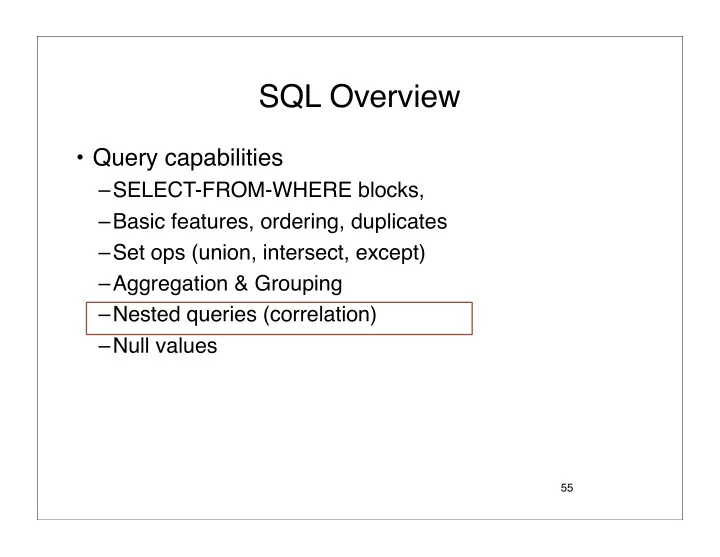
SQL Overview Query capabilities SELECT-FROM-WHERE blocks, Basic features, ordering, duplicates Set ops (union, intersect, except) Aggregation & Grouping Nested queries (correlation) Null values 55 Nested queries


slide-1
SLIDE 1

SQL Overview

  • Query capabilities

–SELECT-FROM-WHERE blocks, –Basic features, ordering, duplicates –Set ops (union, intersect, except) –Aggregation & Grouping –Nested queries (correlation) –Null values

55

slide-2
SLIDE 2

Nested queries

  • A nested query is a query with another query

embedded within it.

  • The embedded query is called the subquery.
  • The subquery usually appears in the WHERE

clause:

SELECT S.sname FROM Sailors S WHERE S.sid IN ( SELECT R.sid FROM Reserves R WHERE R.bid = 103 ) (Subqueries also possible in FROM or HAVING clause.)

slide-3
SLIDE 3

Conceptual evaluation, extended

SELECT S.sname FROM Sailors S WHERE S.sid IN ( SELECT R.sid FROM Reserves R WHERE R.bid = 103 )

  • For each row in cross product of outer query,

evaluate the WHERE clause conditions, (re)computing the subquery.

SELECT S.sname FROM Sailors S, Reserves R WHERE S.sid=R.sid AND R.bid=103

equivalent to:

slide-4
SLIDE 4

Correlated subquery

SELECT S.sname FROM Sailors S WHERE EXISTS ( SELECT * FROM Reserves R WHERE R.bid = 103 AND R.sid = S.sid )

  • If the inner subquery depends on tables

mentioned in the outer query then it is a correlated subquery.

  • In terms of conceptual evaluation, we must

recompute subquery for each row of outer query.

Correlation

slide-5
SLIDE 5

Set-comparison operators

  • Optional NOT may precede these:

–EXISTS R -- true if R is non-empty –attr IN R -- true if R contains attr –UNIQUE R -- true if no duplicates in R

  • For arithmetic operator op {<,<=,=,< >, >=,>}

–op ALL -- all elements of R satisfy condition –attr op ANY R -- some element of R satisfies condition

59

IN equivalent to = ANY NOT IN equivalent to < > ALL

slide-6
SLIDE 6

Example

  • Find the sailors with the highest rating

60

SELECT S.sid FROM Sailors S WHERE S.rating >= ALL (SELECT S2.rating FROM Sailors S2 )

slide-7
SLIDE 7

Please write SQL

  • Find sailors whose rating is higher than some

sailor named Horatio.

  • Find sailors whose rating is higher than all

sailors named Horatio.

SELECT S.sid FROM Sailors S WHERE S.rating > ANY (SELECT S2.rating FROM Sailors S2 S2.name = ʻHoratioʼ) SELECT S.sid FROM Sailors S WHERE S.rating > ALL (SELECT S2.rating FROM Sailors S2 S2.name = ʻHoratioʼ)

slide-8
SLIDE 8

Simulating INTERSECT

  • Suppose we have tables R(a,b) and S(a,b)
  • The following computes R ∩ S:

SELECT DISTINCT * FROM R WHERE (R.a, R.b) IN (SELECT * FROM S ); SELECT DISTINCT R.a, R.b FROM R, S WHERE R.a = S.a AND R.b = S.b;

  • Given R(a,b), S(a,b),

what is R S ?

Intersection!

This can be expressed without nesting:

slide-9
SLIDE 9

Find the names of sailors who reserved a red and a green boat.

SELECT sname FROM Sailors S, Reserves R, Boats B WHERE S.sid = R.sid AND R.bid = B.bid AND B.color = ʻredʼ INTERSECT SELECT sname FROM Sailors S, Reserves R, Boats B WHERE S.sid = R.sid AND R.bid = B.bid AND B.color = ʻgreenʼ

using INTERSECT

SELECT sname FROM Sailors S, Reserves R, Boats B WHERE S.sid = R.sid AND R.bid = B.bid AND B.color = ʻredʼ AND S.sid IN (SELECT S2.sid FROM Sailors S2, Reserves R2, Boats B2 WHERE S2.sid = R2.sid AND R2.bid = B2.bid AND B2.color = ʻgreenʼ )

without INTERSECT

“Find all sailors who have reserved a red boat and, further, have sids that are included in the set of sids of sailors who have reserved a green boat.”
slide-10
SLIDE 10

Simulating EXCEPT (set difference)

  • What does this query compute?

64

SELECT DISTINCT * FROM R WHERE (R.a, R.b) NOT IN (SELECT * FROM S );

Can this be expressed without a nested query? No.

(But this fact is not obvious)

slide-11
SLIDE 11

Find boats not reserved by sailor with sid = 100.

  • R: all boats
  • S: boats reserved by sailor with sid=100
  • R − S is what we want.

65

SELECT B.bid FROM Boats B WHERE B.bid NOT IN (SELECT R.bid FROM Reserves R WHERE R.sid = 100 );

Please write SQL query

slide-12
SLIDE 12

SQL Overview

  • Query capabilities

–SELECT-FROM-WHERE blocks, –Basic features, ordering, duplicates –Set operations (union, intersect, except) –Aggregation & Grouping –Nested queries (correlation) –Null values

66

slide-13
SLIDE 13

NULLS in SQL

  • Whenever we don’t have a value, we can put a NULL
  • Can mean many things:

– Value does not exists – Value exists but is unknown – Value not applicable – Etc.

  • The schema specifies for each attribute whether it can be

null (nullable attribute)

  • How does SQL cope with tables that have NULLs ?
slide-14
SLIDE 14

Null Values

  • If x= NULL then 4*(3-x)/7 is still NULL
  • If x= NULL then x=“Joe” is UNKNOWN
  • In SQL there are three boolean values:

FALSE = UNKNOWN = 0.5 TRUE = 1

slide-15
SLIDE 15

Null Values

  • C1 AND C2 = min(C1, C2)
  • C1 OR C2 = max(C1, C2)
  • NOT C1 = 1 – C1

Rule in SQL: include only tuples that yield TRUE

SELECT * FROM Person WHERE (age < 25) AND (height > 6 OR weight > 190)

E.g. age=20 heigth=NULL weight=200

slide-16
SLIDE 16

Null Values

Unexpected behavior: Some Persons are not included !

SELECT * FROM Person WHERE age < 25 OR age >= 25

slide-17
SLIDE 17

Null Values

Can test for NULL explicitly:

–x IS NULL –x IS NOT NULL

Now it includes all Persons SELECT * FROM Person WHERE age < 25 OR age >= 25 OR age IS NULL

slide-18
SLIDE 18

SQL Overview

  • SQL Preliminaries
  • Integrity constraints
  • Query capabilities

–SELECT-FROM- WHERE blocks, –Basic features, ordering, duplicates –Set ops (union, intersect, except) –Aggregation & Grouping –Nested queries (correlation) –Null values

  • Modifying the

database

  • Views

Review in the textbook, Ch 5

slide-19
SLIDE 19

Modifying the Database

Three kinds of modifications

  • Insertion - creates new tuple(s)
  • Deletion - remove existing tuple(s)
  • Updates - modify existing tuple(s)

Sometimes they are all called “updates”

slide-20
SLIDE 20

Insertions

General form: Missing attribute → NULL. May drop attribute names if give them in order.

INSERT INTO R(A1,…., An) VALUES (v1,…., vn)

INSERT INTO Sailor(sid, sname, rating, age) VALUES (3212, ʻFredʼ, 9, 44) Example: Insert a new sailor to the database:

slide-21
SLIDE 21

Insertions

INSERT INTO Sailor(sname) SELECT DISTINCT B.name FROM Boaters B WHERE Boaters.rank = “captain” The query replaces the VALUES keyword. Here we insert many tuples into PRODUCT

slide-22
SLIDE 22

Deletions

DELETE FROM Sailor WHERE S.sname = ʻHoratioʼ

Factoid about SQL: there is no way to delete only a single

  • ccurrence of a tuple that appears twice in a relation.

Example:

slide-23
SLIDE 23

Updates

UPDATE Sailor S SET rating = rating + 1 WHERE Sailor.sid IN (SELECT sid FROM Reserves R WHERE R.date =ʻOct, 25ʼ); Example: