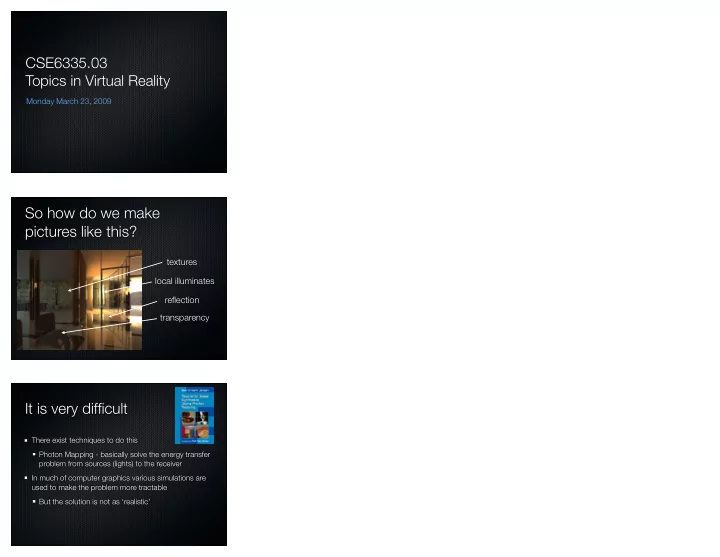
SLIDE 1
CSE6335.03 Topics in Virtual Reality
Monday March 23, 2009
So how do we make pictures like this?
textures transparency local illuminates reflection
It is very difficult
There exist techniques to do this Photon Mapping - basically solve the energy transfer problem from sources (lights) to the receiver In much of computer graphics various simulations are used to make the problem more tractable But the solution is not as ‘realistic’
SLIDE 2 Mathematic requirements
Need to model the camera Need to model objects Need to model how light interacts with objects
Modeling the camera
Man drawing a lute, Albrecht Durer, 1525
Perspective Model
Project objects in a scene
camera centre ‘C’, and an image plane R a distance f from C
X/Z=x/f and Y/Z=y/f
SLIDE 3 Modelling
Simplest model is to assume that objects are represented by collections of polygons (often triangles). Triangles are defined by 3 vertices, are planar. Can be coloured in different ways (deal with that later). Need to have ways of transforming objects (collections
- f triangles, defined by vertices)
Transformations on 2d points
If we write points as column vectors p=[x y]T then can implement many geometric transformations as matrix multiplications on p
Rotate p by theta around
Scale p by (a,b)
Transformations on 2d points
But this does not work for translations
You cannot express p’=[a b]T+[x y]T using p’=Mp
SLIDE 4
Homogeneous Coordinates
Represent coordinates in 3 dimensions rather than 2
Composing transformations
Translate p by [3 0], then rotate by 45 degrees then translate by [-3 0] Note that this entire process can be represented by a single matrix (the Transformation Matrix)
In 3D Homogeneos coordinates a 4x1 vectors
Rx(a), Ry(a), Rz(a), T(dx,dy,dz), S(sx,sy,sz) Remember rotations do not commute.
SLIDE 5
Lights and Objects
Phong Shading Model N - surface normal L - lighting vector R - light reflectance vector V- viewer vector
Lights and Objects
Now we have to shade polygons (here triangles) Flat shading (colour entire polygon the same colour) Goraud shading (compute colour at each vertex, interpolate over polygon) Phong shading (compute normal at each vertex, interpolate over polygon)
Hidden Surface Removal
Backface culling (don’t paint surface pointing away from the camera) Painters algorithm (paint back surfaces first) z-buffer algorithm (keep r,g,b,d) only paint with d<dcurrent and update dcurrent There are many other algorithms too
SLIDE 6 So an example
This has
- lights
- textures
- shading model
- hidden surfaces
Observe though
No shadows, caustics, transparencies, reflections, .... Need to Define objects Define lights Define surface properties
VE
We will use VE as the programming environment There are others (e.g., Cave Juggler) VE is a library that supports the development on a wide range of hardware infrastructures. Extracts many of the details associated with dealing with displays and input devices. It is NOT a rendering environment
SLIDE 7
Basic Concepts
VE programs may run in a distribute mode (over many computers). Code must be written with this in mind. If not, it will appear to run well on one machine and die horribly when run elsewhere.
Lets walk through an example
This is the ‘driver’ example found in the wingman directory of the course web page. It provides a very simple display and talks to the wingman steering wheel device (usb)
Key elements of the code
This builds towards an opengl renderer. So it has to do all the things that an opengl program does (like include the necessary headers).
SLIDE 8
Initialize ve Override some default options. Here to require a depth buffer. Define a function that will initialize the graphical state for the display
SLIDE 9 This just does OpenGL magic to define how rendering will take place. Define a function that will redraw a display when needed OpenGL program that draws a red and white checkerboard
SLIDE 10 Tell ve to automatically synchronize state information across machines NB: globalState cannot be large Only information in here will be synchronized across the displays (and master). Set on master, copied to displays. do some things
node
SLIDE 11
define how certain input events will be handled by your code
ve input model
Input devices fall into one of a small number of classes switch, valuator, ... When a specific input device has input, the appropriate callback is executed on the master
SLIDE 12
Input devices
Defined by the devices file No file --- no input Can do some very complex things. Or not...
‘wingman’ is a joystick Rename default axis names to something more readable we wish to be awoken periodically to do things
SLIDE 13
Remember to call vePostRedisplay() if you want displays redrawn... Executed on master initialize the texture manager pass control to ve
SLIDE 14
Building the application
make -f Makefile.linux
Running the application
Must set two environment variables VEROOT ~ivy/ve-2.2 LD_LIBRARY_PATH ~ivy/ve-2.2/lib csh setenv VEROOT ~ivy/ve-2.2
So on my mac...
Makefile.osx VEROOT ~/Documents/Hacking/ve DYLD_LIBRARY_PATH ~/Documents/Hacking/ve/lib
SLIDE 15
Simulating a wingman...
Map certain keys into ‘wingman’ events
Playing with a GamePad
Docs in /cs/home/ivy/ve
Now vesample...
x/X/y/Y/z/Z - translate p/P/q/Q/r/R - rotate s/S - scale