Sliding Window Protocol Sliding window protocol: Stop & Wait: - - PowerPoint PPT Presentation

sliding window protocol
SMART_READER_LITE
LIVE PREVIEW

Sliding Window Protocol Sliding window protocol: Stop & Wait: - - PowerPoint PPT Presentation

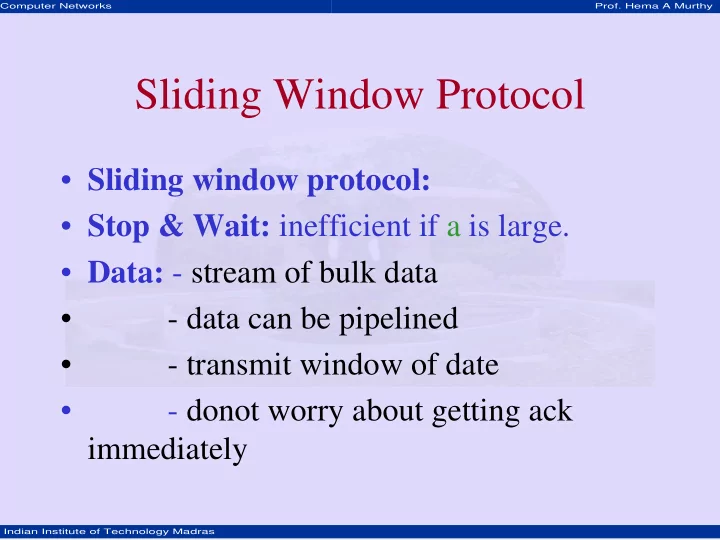
Computer Networks Prof. Hema A Murthy Sliding Window Protocol Sliding window protocol: Stop & Wait: inefficient if a is large. Data: - stream of bulk data - data can be pipelined - transmit window of date - donot


slide-1
SLIDE 1

Computer Networks

  • Prof. Hema A Murthy

Indian Institute of Technology Madras

Sliding Window Protocol

  • Sliding window protocol:
  • Stop & Wait: inefficient if a is large.
  • Data: - stream of bulk data
  • data can be pipelined
  • transmit window of date
  • donot worry about getting ack

immediately

slide-2
SLIDE 2

Computer Networks

  • Prof. Hema A Murthy

Indian Institute of Technology Madras

Sliding Window Protocol

  • What should be the size of pipeline?
  • How do we handle errors:

– Sender and receiver maintain – buffer space – Receiver window = 1, – Sender window = n

slide-3
SLIDE 3

Computer Networks

  • Prof. Hema A Murthy

Indian Institute of Technology Madras

2 E D E

S R Timeout

Timing Diagram: Go back-N

3 4 5 3 4 5 1

slide-4
SLIDE 4

Computer Networks

  • Prof. Hema A Murthy

Indian Institute of Technology Madras

Go-Back N

  • Discard if correct frame not received
  • Use same circuit for both directions

– Intermix data frames from both S R with ack frames from R S

  • Use kind field in header:

– decide whether data or ack – piggy back ack on outgoing frame for R S – Ack field in frame – If frame not available for piggybacking Timeout

slide-5
SLIDE 5

Computer Networks

  • Prof. Hema A Murthy

Indian Institute of Technology Madras

Sliding Window Protocol

  • Outbound frame sequence number
  • Range - 0 – 2n-1
  • n bit field
  • Stop & Wait is Sliding window with n = 1
  • Sender – maintain sequence number of frames it

is permitted to send

– sending window

  • Receiver – maintain sequence number of frames

it is expected to accept

– Receiver window

slide-6
SLIDE 6

Computer Networks

  • Prof. Hema A Murthy

Indian Institute of Technology Madras

1 2 3 4 7 5 6 1 2 3 4 7 5 6 Sender Example: SWP: sequence number: Sender 0 - 7 seqno – 3 bit

Sliding Window Protocol – An example (Tanenbaum)

slide-7
SLIDE 7

Computer Networks

  • Prof. Hema A Murthy

Indian Institute of Technology Madras

1 2 3 4 7 5 6 1 2 3 4 7 5 6 1 2 3 4 7 5 6 1 2 3 4 7 5 6 1 2 3 4 7 5 6 1 2 3 4 7 5 6 Receiver Sender Receiver

slide-8
SLIDE 8

Computer Networks

  • Prof. Hema A Murthy

Indian Institute of Technology Madras

SWP -- Example

  • Larger Sender Window Size

1 2 3 4 7 5 6

slide-9
SLIDE 9

Computer Networks

  • Prof. Hema A Murthy

Indian Institute of Technology Madras

If Sender Window is n How large can the Receiver Window be? LAR LFS

Sender window size Last Acked Frame Last Frame Sent Number of unacked frames

LFS – LAR SWS ≤

Different Window Sizes: Receiver, Sender (Peterson et al.)

slide-10
SLIDE 10

Computer Networks

  • Prof. Hema A Murthy

Indian Institute of Technology Madras

Receive Window Size (RWS)

  • number of out order frames receiver is

willing accept

– LAF – Last acceptable frame (sequence number) – LFR – Last frame received – LAF – LFR RWS – When SeqNumber frame arrives: – If SeqNumber LFR or Sequence Number > LAF – discard – If LFR < Sequence Number LAF – accept frame.

≤ ≤

slide-11
SLIDE 11

Computer Networks

  • Prof. Hema A Murthy

Indian Institute of Technology Madras

Example: Larger RWS

  • Example: LFS = 5, RWS = 4, LAF = 9
  • If frame 7 & 8 arrive

– buffered – but ack not sent since 6 not arrived. – 7 & 8 out of order.

  • If frame 6 delayed –

– Retransmitted, received later

  • - Notice no NAK for 6.
  • primarily timeout on 6 – retransmit 6.
slide-12
SLIDE 12

Computer Networks

  • Prof. Hema A Murthy

Indian Institute of Technology Madras

SWP – Go back-N – a variation

  • largest Sequence Number not yet acked.
  • receiver only acks SequenceNumberAck

even if higher numbered frames are received.

  • set LFR = SequenceNumberToAck
  • LAF = LFR + RWS
slide-13
SLIDE 13

Computer Networks

  • Prof. Hema A Murthy

Indian Institute of Technology Madras

Selective Repeat Protocol

  • Variation SWP:

– selective ack for frame – sender knows what to send – problem – complicated – can RWS > SWS ?