Sliding window detection January 29, 2009 Kristen Grauman - - PDF document

sliding window detection
SMART_READER_LITE
LIVE PREVIEW

Sliding window detection January 29, 2009 Kristen Grauman - - PDF document

1/29/2009 Sliding window detection January 29, 2009 Kristen Grauman UT-Austin Schedule http://www.cs.utexas.edu/~grauman/cours es/spring2009/schedule.htm / i 2009/ h d l ht http://www.cs.utexas.edu/~grauman/cours


slide-1
SLIDE 1

1/29/2009 1

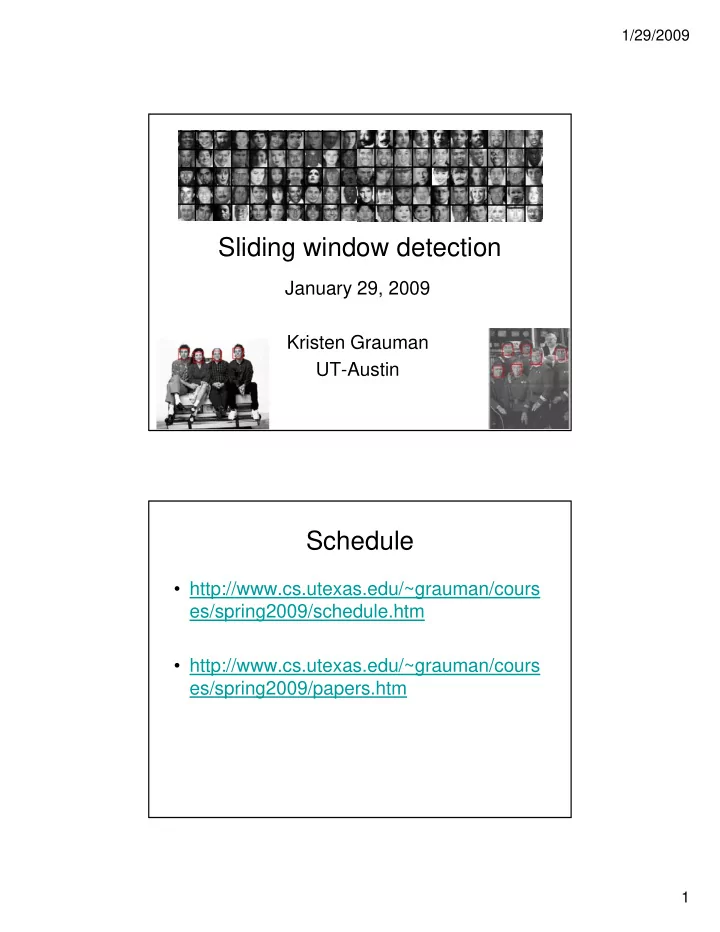
Sliding window detection

January 29, 2009 Kristen Grauman UT-Austin

Schedule

  • http://www.cs.utexas.edu/~grauman/cours

/ i 2009/ h d l ht es/spring2009/schedule.htm

  • http://www.cs.utexas.edu/~grauman/cours

es/spring2009/papers.htm

slide-2
SLIDE 2

1/29/2009 2

Plan for today

  • Lecture

Slidi i d d i – Sliding window detection – Contrast-based representations – Face and pedestrian detection via sliding window classification

  • Papers: HoG and Viola-Jones
  • Demo

– Viola-Jones detection algorithm

Tasks

  • Detection: Find an object (or instance of object

category) in the image category) in the image.

  • Recognition: Name the particular object (or

category) for a given image/subimage.

  • How is the object (class) going to be modeled or

l d? learned?

  • Given a new image, how to make a decision?
slide-3
SLIDE 3

1/29/2009 3

Earlier: Knowledge-rich models for objects

Irving Biederman, Recognition-by-Components: A Theory of Human Image

  • Understanding. Psychological Review, 1987.

Earlier: Knowledge-rich models for objects

Alan L. Yuille, David S. Cohen, Peter W. Hallinan. Feature extraction from faces using deformable templates,1989.

slide-4
SLIDE 4

1/29/2009 4

Later: Statistical models of appearance

  • Objects as appearance patches

– E.g., a list of pixel intensities

  • Learning patterns directly from image features

Learning patterns directly from image features

Eigenfaces (Turk & Pentland, 1991)

Later: Statistical models of appearance

  • Objects as appearance patches

– E.g., a list of pixel intensities

  • Learning patterns directly from image features

Learning patterns directly from image features

Eigenfaces (Turk & Pentland, 1991)

slide-5
SLIDE 5

1/29/2009 5

For what kinds of recognition tasks is a holistic description of appearance suitable? Appearance-based descriptions

  • Appropriate for classes with more rigid structure, and

when good training examples available

slide-6
SLIDE 6

1/29/2009 6

Appearance-based descriptions

Scene recognition based on global texture pattern. [Oliva & Torralba (2001)]

What if the object of interest may be embedded in “clutter”?

slide-7
SLIDE 7

1/29/2009 7

Sliding window object detection

Car/non-car Classifier Yes, car. No, not a car.

Sliding window object detection

If object may be in a cluttered scene, slide a window around looking for it. Car/non-car Classifier

slide-8
SLIDE 8

1/29/2009 8

Detection via classification

  • Consider all subwindows in an image

– Sample at multiple scales and positions – Sample at multiple scales and positions

  • Make a decision per window:

– “Does this contain object category X or not?”

Detection via classification

Fleshing out this pipeline a bit more, we need to: Training examples 1. Obtain training data 2. Define features 3. Define classifier Car/non-car Classifier Feature extraction

slide-9
SLIDE 9

1/29/2009 9

Detector evaluation

When do we have a correct detection?

How to evaluate a detector?

detection? Is this correct? Area intersection Area intersection Area union > 0.5

Slide credit: Antonio Torralba

Detector evaluation

How to evaluate a detector?

Summarize results with an ROC curve: show how the number of correctly classified positive examples varies relative to the number of incorrectly

  • Image: gim.unmc.edu/dxtests/ROC3.htm

y classified negative examples.

slide-10
SLIDE 10

1/29/2009 10

Feature extraction: global appearance

Feature extraction

Simple holistic descriptions of image content

grayscale / color histogram vector of pixel intensities

Eigenfaces: global appearance description

Generate low-

An early appearance-based approach to face recognition

Training images Mean Eigenvectors computed from covariance matrix

Project new images Generate low- dimensional representation of appearance with a linear subspace.

Turk & Pentland, 1991

j g to “face space”. Recognition via nearest neighbors in face space

+ +

Mean

+ +

...

slide-11
SLIDE 11

1/29/2009 11

Feature extraction: global appearance

  • Pixel-based representations sensitive to small shifts
  • Color or grayscale-based appearance description can be

sensitive to illumination and intra-class appearance pp variation

Cartoon example: an albino koala

Gradient-based representations

  • Consider edges, contours, and (oriented)

intensity gradients y g

slide-12
SLIDE 12

1/29/2009 12

Gradient-based representations

  • Consider edges, contours, and (oriented)

intensity gradients y g

  • Summarize local distribution of gradients with

histogram

– Locally orderless: offers invariance to small shifts and rotations – Contrast-normalization: try to correct for variable illumination

Gradient-based representations: Histograms of oriented gradients

Dalal & Triggs, CVPR 2005

Map each grid cell in the input window to a histogram counting the gradients per orientation.

slide-13
SLIDE 13

1/29/2009 13

Gradient-based representations: SIFT descriptor

Lowe, ICCV 1999

Local patch descriptor Rotate according to dominant gradient direction

Gradient-based representations: biologically inspired features

Convolve with Gabor filters at multiple

  • rientations

Serre, Wolf, Poggio, CVPR 2005 Mutch & Lowe, CVPR 2006

Pool nearby units (max) Intermediate layers compare input to prototype patches

slide-14
SLIDE 14

1/29/2009 14

Gradient-based representations: Rectangular features

Compute differences between sums of pixels in rectangles Captures contrast in adjacent spatial regions Similar to Haar wavelets, efficient to compute

Viola & Jones, CVPR 2001

Gradient-based representations: shape context descriptor

Count the number of points inside each bin, e.g.: Count = 4 Count = 10 ... Log-polar binning: more precision for nearby points, more flexibility for farther points.

Belongie, Malik & Puzicha, ICCV 2001

Local descriptor

slide-15
SLIDE 15

1/29/2009 15

ng

  • How to compute a decision for each

subwindow?

Classifier construction

  • ry Augmented Computi

gnition Tutorial gnition Tutorial

subwindow?

Image feature

Perceptual and Sens

Visual Object Recog Visual Object Recog

  • K. Grauman, B. Leibe

g

  • K. Grauman, B. Leibe

ng

Discriminative vs. generative models

0.1

) , Pr( car image ) , Pr( car image ¬

Generative: separately model class-conditional

  • ry Augmented Computi

gnition Tutorial gnition Tutorial

10 20 30 40 50 60 70 0.05 1

x = data

) | Pr( image car ) | Pr( image car ¬

image feature

model class-conditional and prior densities Discriminative: directly model posterior

Perceptual and Sens

Visual Object Recog Visual Object Recog

  • K. Grauman, B. Leibe

10 20 30 40 50 60 70 0.5

x = data Plots from Antonio Torralba 2007

image feature

p

  • K. Grauman, B. Leibe
slide-16
SLIDE 16

1/29/2009 16

ng

Discriminative vs. generative models

  • Generative:

+ possibly interpretable + can draw samples

  • ry Augmented Computi

gnition Tutorial gnition Tutorial

  • can draw samples
  • models variability unimportant to classification task
  • often hard to build good model with few parameters
  • Discriminative:

+ appealing when infeasible to model data itself + excel in practice

Perceptual and Sens

Visual Object Recog Visual Object Recog

  • K. Grauman, B. Leibe

e cel p act ce

  • often can’t provide uncertainty in predictions
  • non-interpretable

31

  • K. Grauman, B. Leibe

ng

Discriminative methods

Nearest neighbor Neural networks

  • ry Augmented Computi

gnition Tutorial gnition Tutorial

106 examples

Shakhnarovich, Viola, Darrell 2003 Berg, Berg, Malik 2005... LeCun, Bottou, Bengio, Haffner 1998 Rowley, Baluja, Kanade 1998 … Support Vector Machines Conditional Random Fields Boosting

Perceptual and Sens

Visual Object Recog Visual Object Recog

  • K. Grauman, B. Leibe

McCallum, Freitag, Pereira 2000; Kumar, Hebert 2003 … Guyon, Vapnik Heisele, Serre, Poggio, 2001,…

S lide adapted from Antonio Torralba

  • K. Grauman, B. Leibe

Viola, Jones 2001, Torralba et al. 2004, Opelt et al. 2006,…

slide-17
SLIDE 17

1/29/2009 17

ng

Boosting

  • Build a strong classifier by combining number of “weak

classifiers”, which need only be better than chance

  • Sequential learning process: at each iteration add a
  • ry Augmented Computi

gnition Tutorial gnition Tutorial

  • Sequential learning process: at each iteration, add a

weak classifier

  • Flexible to choice of weak learner

including fast simple classifiers that alone may be inaccurate

  • We’ll look at Freund & Schapire’s AdaBoost algorithm

Perceptual and Sens

Visual Object Recog Visual Object Recog

  • K. Grauman, B. Leibe

Easy to implement Base learning algorithm for Viola-Jones face detector

33

  • K. Grauman, B. Leibe

ng

AdaBoost: Intuition

Consider a 2-d feature space with positive and i l

  • ry Augmented Computi

gnition Tutorial gnition Tutorial

negative examples. Each weak classifier splits the training examples with at least 50% accuracy. Examples misclassified by i k l

Perceptual and Sens

Visual Object Recog Visual Object Recog

  • K. Grauman, B. Leibe

34

  • K. Grauman, B. Leibe

Figure adapted from Freund and S chapire

a previous weak learner are given more emphasis at future rounds.

slide-18
SLIDE 18

1/29/2009 18

ng

AdaBoost: Intuition

  • ry Augmented Computi

gnition Tutorial gnition Tutorial

Perceptual and Sens

Visual Object Recog Visual Object Recog

  • K. Grauman, B. Leibe

35

  • K. Grauman, B. Leibe

ng

AdaBoost: Intuition

  • ry Augmented Computi

gnition Tutorial gnition Tutorial

Perceptual and Sens

Visual Object Recog Visual Object Recog

  • K. Grauman, B. Leibe

36

  • K. Grauman, B. Leibe

Final classifier is combination of the weak classifiers

slide-19
SLIDE 19

1/29/2009 19

ng

AdaBoost Algorithm

Start with uniform weights on training examples {x1,…xn}

  • ry Augmented Computi

gnition Tutorial gnition Tutorial

Evaluate weighted error for each feature, pick best. Re-weight the examples: For T rounds

Perceptual and Sens

Visual Object Recog Visual Object Recog

incorrectly classified ⇒ more weight Correctly classified ⇒ less weight Final classifier is combination of the weak ones, weighted according to the error they had.

[Freund & Schapire 1995] ng

Example: Face detection

  • Frontal faces are a good example of a class where

global appearance models + a sliding window detection approach fit well:

  • ry Augmented Computi

gnition Tutorial gnition Tutorial

detection approach fit well:

Regular 2D structure Center of face almost shaped like a “patch”/window

Perceptual and Sens

Visual Object Recog Visual Object Recog

  • K. Grauman, B. Leibe

38

  • K. Grauman, B. Leibe
slide-20
SLIDE 20

1/29/2009 20

ng

Feature extraction

Feature output is difference between adjacent regions “Rectangular” filters

  • ry Augmented Computi

gnition Tutorial gnition Tutorial

Efficiently computable with integral image: any sum can be computed

Value at (x,y) is sum of pixels above and to the left of (x,y) Perceptual and Sens

Visual Object Recog Visual Object Recog

  • K. Grauman, B. Leibe

39

  • K. Grauman, B. Leibe

Viola & Jones, CVPR 2001

in constant time Avoid scaling images scale features directly for same cost

Integral image

ng

Large library of filters

Considering all possible filter parameters:

  • ry Augmented Computi

gnition Tutorial gnition Tutorial

p position, scale, and type: 180,000+ possible features associated with each 24 x 24 window

Perceptual and Sens

Visual Object Recog Visual Object Recog

  • K. Grauman, B. Leibe

window Use AdaBoost both to select the informative features and to form the classifier

Viola & Jones, CVPR 2001

slide-21
SLIDE 21

1/29/2009 21

ng

AdaBoost for Efficient Feature Selection

  • Image features = weak classifiers
  • For each round of boosting:

Evaluate each rectangle filter on each example

  • ry Augmented Computi

gnition Tutorial gnition Tutorial

Evaluate each rectangle filter on each example Sort examples by filter values Select best threshold for each filter (min error)

– Sorted list can be quickly scanned for the optimal threshold

Select best filter/threshold combination Weight on this features is a simple function of error rate Reweight examples

Perceptual and Sens

Visual Object Recog Visual Object Recog

g p

  • P. Viola, M. Jones, Robust Real-Time Face Detection, IJCV, Vol. 57(2), 2004.

(first version appeared at CVPR 2001)

ng

AdaBoost for feature+classifier selection

  • Want to select the single rectangle feature and threshold

that best separates positive (faces) and negative (non- faces) training examples, in terms of weighted error.

  • ry Augmented Computi

gnition Tutorial gnition Tutorial

Resulting weak classifier:

Perceptual and Sens

Visual Object Recog Visual Object Recog

  • K. Grauman, B. Leibe

Outputs of a possible rectangle feature on faces and non-faces.

… For next round, reweight the examples according to errors, choose another filter/threshold combo.

Viola & Jones, CVPR 2001

slide-22
SLIDE 22

1/29/2009 22

ng

Cascading classifiers for detection

For efficiency, apply less accurate but faster classifiers first to immediately discard windows that clearly appear to be negative; e.g.,

  • ry Augmented Computi

gnition Tutorial gnition Tutorial

appear to be negative; e.g.,

  • Filter for promising regions with an initial inexpensive

classifier

  • Build a chain of classifiers, choosing cheap ones with low

false negative rates early in the chain

Perceptual and Sens

Visual Object Recog Visual Object Recog

  • K. Grauman, B. Leibe

43

  • K. Grauman, B. Leibe

Fleuret & Geman, IJCV 2001 Rowley et al., P AMI 1998 Viola & Jones, CVPR 2001

Figure from Viola & Jones CVPR 2001

  • Given a nested set of classifier

hypothesis classes

vsfalse negdetermined by

% False Pos 50

Cascading classifiers for detection

vsfalse neg determined by

% Detection 50 100

Viola 2003

FACE

IMAGE SUB-WINDOW

Classifier 1 F T NON-FACE Classifier 3 T F NON-FACE F T NON-FACE Classifier 2 T F NON-FACE

Slide credit: Paul Viola

slide-23
SLIDE 23

1/29/2009 23

1 Feature 5 Features F 50% 20 Features 20% 2%

FACE

F F

IMAGE SUB-WINDOW

Cascading classifiers for detection

F NON-FACE F NON-FACE F NON-FACE

  • A 1 feature classifier achieves 100% detection

rate and about 50% false positive rate.

  • A 5 feature classifier achieves 100% detection

rate and 40% false positive rate (20%

Viola 2003

p ( cumulative)

– using data from previous stage.

  • A 20 feature classifier achieve 100% detection

rate with 10% false positive rate (2% cumulative)

Slide credit: Paul Viola ng

Viola-Jones Face Detector: Summary

Train cascade of classifiers with Ad B t

  • ry Augmented Computi

gnition Tutorial gnition Tutorial

Faces Non-faces

AdaBoost

Selected features, thresholds, and weights New image

Perceptual and Sens

Visual Object Recog Visual Object Recog

  • K. Grauman, B. Leibe
  • Train with 5K positives, 350M negatives
  • Real-time detector using 38 layer cascade
  • 6061 features in final layer
  • [Implementation available in OpenCV:

http:/ / www.intel.com/ technology/ computing/ opencv/ ]

46

  • K. Grauman, B. Leibe
slide-24
SLIDE 24

1/29/2009 24

ng

Viola-Jones Face Detector: Results

First two features

  • ry Augmented Computi

gnition Tutorial gnition Tutorial

First two features selected

Perceptual and Sens

Visual Object Recog Visual Object Recog

  • K. Grauman, B. Leibe

47

  • K. Grauman, B. Leibe

ng

Viola-Jones Face Detector: Results

  • ry Augmented Computi

gnition Tutorial gnition Tutorial

Perceptual and Sens

Visual Object Recog Visual Object Recog

  • K. Grauman, B. Leibe
slide-25
SLIDE 25

1/29/2009 25

ng

Viola-Jones Face Detector: Results

  • ry Augmented Computi

gnition Tutorial gnition Tutorial

Perceptual and Sens

Visual Object Recog Visual Object Recog

  • K. Grauman, B. Leibe

ng

Viola-Jones Face Detector: Results

  • ry Augmented Computi

gnition Tutorial gnition Tutorial

Perceptual and Sens

Visual Object Recog Visual Object Recog

  • K. Grauman, B. Leibe
slide-26
SLIDE 26

1/29/2009 26

ng

Profile Features

Detecting profile faces requires training separate detector with profile examples.

  • ry Augmented Computi

gnition Tutorial gnition Tutorial

Perceptual and Sens

Visual Object Recog Visual Object Recog

  • K. Grauman, B. Leibe

ng

Viola-Jones Face Detector: Results

  • ry Augmented Computi

gnition Tutorial gnition Tutorial

Perceptual and Sens

Visual Object Recog Visual Object Recog

  • K. Grauman, B. Leibe

Paul Viola, ICCV tutorial

Postprocess: suppress non- maxima

slide-27
SLIDE 27

1/29/2009 27

ng

Example application

Frontal faces detected and

  • ry Augmented Computi

gnition Tutorial gnition Tutorial

detected and then tracked, character names inferred with alignment

  • f script and

subtitles.

Perceptual and Sens

Visual Object Recog Visual Object Recog

  • K. Grauman, B. Leibe

53

  • K. Grauman, B. Leibe

Everingham, M., Sivic, J. and Zisserman, A. "Hello! My name is... Buffy" - Automatic naming of characters in TV video, BMVC 2006.

http:/ / www.robots.ox.ac.uk/ ~vgg/ research/ nface/ index.html

Fast face detection: Viola & Jones

Key points: H ge librar of feat res

  • Huge library of features
  • Integral image – efficiently computed
  • AdaBoost to find best combo of features
  • Cascade architecture for fast detection
slide-28
SLIDE 28

1/29/2009 28

ng

Discriminative methods

Nearest neighbor Neural networks

  • ry Augmented Computi

gnition Tutorial gnition Tutorial

106 examples

Shakhnarovich, Viola, Darrell 2003 Berg, Berg, Malik 2005... LeCun, Bottou, Bengio, Haffner 1998 Rowley, Baluja, Kanade 1998 … Support Vector Machines Conditional Random Fields Boosting

Perceptual and Sens

Visual Object Recog Visual Object Recog

McCallum, Freitag, Pereira 2000; Kumar, Hebert 2003 … Guyon, Vapnik Heisele, Serre, Poggio, 2001,…

S lide adapted from Antonio Torralba

Viola, Jones 2001, Torralba et al. 2004, Opelt et al. 2006,…
Linear classifiers

  • Find linear function to separate positive and

negative examples

: negative : positive < + ⋅ ≥ + ⋅ b b

i i i i

w x x w x x

slide-29
SLIDE 29

1/29/2009 29

Support Vector Machines (SVMs)

  • Discriminative

Discriminative classifier based on

  • ptimal separating

hyperplane

  • Maximize the margin

Maximize the margin between the positive and negative training examples

Support vector machines

  • Want line that maximizes the margin.

1 : 1) ( positive ≥ + ⋅ = b y w x x 1 : 1) ( negative 1 : 1) ( positive − ≤ + ⋅ − = ≥ + = b y b y

i i i i i i

w x x w x x

For support, vectors,

1 ± = + ⋅ b

i w

x

Margin Support vectors

  • C. Burges, A Tutorial on Support Vector Machines for Pattern Recognition, Data Mining

and Knowledge Discovery, 1998

slide-30
SLIDE 30

1/29/2009 30

Support vector machines

  • Want line that maximizes the margin.

1 : 1) ( positive ≥ + ⋅ = b y w x x 1 : 1) ( negative 1 : 1) ( positive − ≤ + ⋅ − = ≥ + = b y b y

i i i i i i

w x x w x x

For support, vectors,

1 ± = + ⋅ b

i w

x

Distance between point and line:

|| || | | w w x b

i

+ ⋅

Margin M Support vectors

|| || w w w 2 1 1 = − − = M

w w x w 1 ± = + b

Τ

For support vectors:

Support vector machines

  • Want line that maximizes the margin.

1 : 1) ( positive ≥ + ⋅ = b y w x x 1 : 1) ( negative 1 : 1) ( positive − ≤ + ⋅ − = ≥ + = b y b y

i i i i i i

w x x w x x

For support, vectors,

1 ± = + ⋅ b

i w

x

Distance between point and line:

|| || | | w w x b

i

+ ⋅

Margin Support vectors

|| ||

Therefore, the margin is 2 / ||w||

slide-31
SLIDE 31

1/29/2009 31

Finding the maximum margin line

  • 1. Maximize margin 2/||w||
  • 2. Correctly classify all training data points:

1 : 1) ( positive ≥ + ⋅ = b y w x x

Quadratic optimization problem: Minimize

w wT 1

1 : 1) ( negative 1 : 1) ( positive − ≤ + ⋅ − = ≥ + ⋅ = b y b y

i i i i i i

w x x w x x

Minimize Subject to yi(w·xi+b) ≥ 1

  • C. Burges, A Tutorial on Support Vector Machines for Pattern Recognition, Data Mining and Knowledge Discovery, 1

w w 2

Finding the maximum margin line

  • Solution:

=

i i i i y x

w α

Support vector learned weight

  • C. Burges, A Tutorial on Support Vector Machines for Pattern Recognition, Data Mining and Knowledge Discovery, 1
slide-32
SLIDE 32

1/29/2009 32

Finding the maximum margin line

  • Solution:

b = yi – w·xi (for any support vector)

=

i i i i y x

w α

b y b + +

x x x w α

  • Classification function:

N ti th t it li i d t b t th t t

b y b

i i i i

+ ⋅ = + ⋅

x x x w α

( )

b x f

i

+ ⋅ = + ⋅ =

x x x w

i i

sign b) ( sign ) ( α

If f(x) < 0, classify as negative, if f(x) > 0, classify as positive

  • Notice that it relies on an inner product between the test

point x and the support vectors xi

  • (Solving the optimization problem also involves

computing the inner products xi · xj between all pairs of training points)

  • C. Burges, A Tutorial on Support Vector Machines for Pattern Recognition, Data Mining and Knowledge Discovery, 1

Non-linear SVMs

Datasets that are linearly separable with some noise

work out great:

x

But what are we going to do if the dataset is just too hard? How about… mapping data to a higher-dimensional

space:

x x2 x

Slide from Andrew Moore’s tutorial: http://www.autonlab.org/tutorials/svm.html

slide-33
SLIDE 33

1/29/2009 33

Non-linear SVMs: Feature spaces

General idea: the original input space can be mapped

to some higher-dimensional feature space where the training set is separable:

Φ: x → φ(x)

Slide from Andrew Moore’s tutorial: http://www.autonlab.org/tutorials/svm.html

Nonlinear SVMs

  • The kernel trick: instead of explicitly computing

the lifting transformation φ(x), define a kernel function K such that K(xi,xj

j) = φ(xi ) · φ(xj)

  • This gives a nonlinear decision boundary in the
  • riginal feature space:

b K y

i i i i

+

) , ( x x α

  • C. Burges, A Tutorial on Support Vector Machines for Pattern Recognition, Data Mining

and Knowledge Discovery, 1998

slide-34
SLIDE 34

1/29/2009 34

Examples of General Purpose Kernel Functions

Linear: K(xi,xj)= xi Txj Polynomial of power p: K(xi,xj)= (1+ xi Txj)p Gaussian (radial-basis function network):

) exp( ) (

2 j i

x x x x − K ) 2 exp( ) , (

2

σ

j i x

x − = K

Slide from Andrew Moore’s tutorial: http://www.autonlab.org/tutorials/svm.html

More on specialized image kernels -- next class.

SVMs for recognition

  • 1. Define your representation for each

example. 2 Select a kernel function

  • 2. Select a kernel function.
  • 3. Compute pairwise kernel values

between labeled examples

  • 4. Given this “kernel matrix” to SVM
  • ptimization software to identify

support vectors & weights. pp g

  • 5. To classify a new example: compute

kernel values between new input and support vectors, apply weights, check sign of output.

slide-35
SLIDE 35

1/29/2009 35

Pedestrian detection

  • Detecting upright, walking humans also possible

using sliding window’s appearance/texture; e.g.,

SVM with Haar wavelets [Papageorgiou & Poggio, IJCV 2000] SVM with HoGs [Dalal & Triggs, CVPR 2005]

Pedestrian detection

  • Navneet Dalal, Bill Triggs, Histograms of Oriented Gradients for Human Detection,

CVPR 2005

slide-36
SLIDE 36

1/29/2009 36

Moving pedestrians

  • What about video? Is pedestrian motion a

useful feature? useful feature? Detecting Pedestrians Using Patterns of Motion and Appearance, P. Viola, M. Jones, and D. Snow, ICCV 2003.

U ti d t d t t d t i – Use motion and appearance to detect pedestrians – Generalize rectangle features for sequence data – Training examples = pairs of images.

.

  • Detecting Pedestrians Using Patterns of Motion and

Appearance, P. Viola, M. Jones, and D. Snow, ICCV 2003.

slide-37
SLIDE 37

1/29/2009 37

Dynamic Dynamic detector Static detector Dynamic detector detector Static Static detector

slide-38
SLIDE 38

1/29/2009 38

ng

Global appearance, windowed detectors: The good things

Some classes well-captured by 2d appearance pattern Simple detection protocol to implement

  • ry Augmented Computi

gnition Tutorial gnition Tutorial

Good feature choices critical Past successes for certain classes

Perceptual and Sens

Visual Object Recog Visual Object Recog

75

  • K. Grauman, B. Leibe

ng

Limitations

  • High computational complexity

For example: 250,000 locations x 30 orientations x 4 scales =

30,000,000 evaluations!

  • ry Augmented Computi

gnition Tutorial gnition Tutorial

With so many windows, false positive rate better be low If training binary detectors independently, means cost increases

linearly with number of classes

Perceptual and Sens

Visual Object Recog Visual Object Recog

76

  • K. Grauman, B. Leibe
slide-39
SLIDE 39

1/29/2009 39

ng

Limitations (continued)

  • Not all objects are “box” shaped
  • ry Augmented Computi

gnition Tutorial gnition Tutorial

Perceptual and Sens

Visual Object Recog Visual Object Recog

77

  • K. Grauman, B. Leibe

ng

Limitations (continued)

  • Non-rigid, deformable objects not captured well with

representations assuming a fixed 2d structure; or must assume fixed viewpoint

  • ry Augmented Computi

gnition Tutorial gnition Tutorial

assume fixed viewpoint

  • Objects with less-regular textures not captured well

with holistic appearance-based descriptions

Perceptual and Sens

Visual Object Recog Visual Object Recog

78

  • K. Grauman, B. Leibe
slide-40
SLIDE 40

1/29/2009 40

ng

Limitations (continued)

  • If considering windows in isolation, context is lost
  • ry Augmented Computi

gnition Tutorial gnition Tutorial

Sliding window Detector’s view

Perceptual and Sens

Visual Object Recog Visual Object Recog

79

  • K. Grauman, B. Leibe

Figure credit: Derek Hoiem

ng

Limitations (continued)

  • In practice, often entails large, cropped training set

(expensive)

  • Requiring good match to a global appearance description
  • ry Augmented Computi

gnition Tutorial gnition Tutorial

  • Requiring good match to a global appearance description

can lead to sensitivity to partial occlusions

Perceptual and Sens

Visual Object Recog Visual Object Recog

80

  • K. Grauman, B. Leibe

Image credit: Adam, Rivlin, & S himshoni

slide-41
SLIDE 41

1/29/2009 41

Tools: A simple object detector with Boosting

Download

  • Toolbox for manipulating dataset
  • Code and dataset

Matlab code

  • Gentle boosting
  • Object detector using a part based model

Dataset with cars and computer monitors

http://people.csail.mit.edu/torralba/iccv2005/ From : Antonio Torralba

Tools: OpenCV

  • http://pr.willowgarage.com/wiki/OpenCV
slide-42
SLIDE 42

1/29/2009 42

Tools: LibSVM

  • http://www.csie.ntu.edu.tw/~cjlin/libsvm/
  • C++, Java
  • Matlab interface