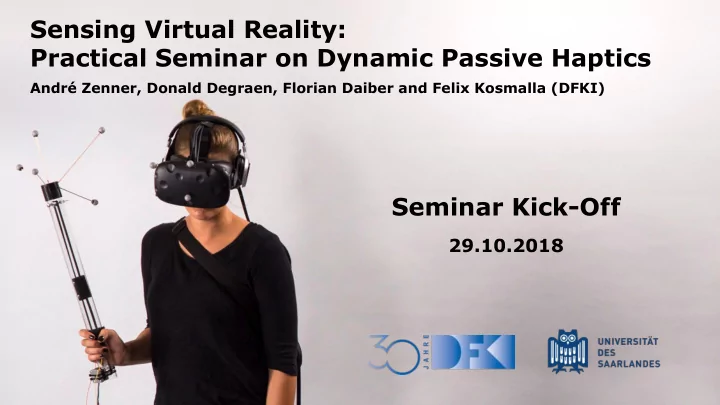
SLIDE 1 Sensing Virtual Reality: Practical Seminar on Dynamic Passive Haptics
André Zenner, Donald Degraen, Florian Daiber and Felix Kosmalla (DFKI)
Seminar Kick-Off
29.10.2018
SLIDE 2
Breaking down a Virtual Reality experience ...
Visuals Audio Haptics
SLIDE 3
Virtual Reality Interaction Today
SLIDE 4
Build your own haptic VR controller!
... using dynamic passive haptics; … in groups; … from initial concept to working prototype!
SLIDE 5 Learning Objectives
- understanding the design process of
dynamic passive haptic devices
- gain hands-on experience in
○ creating a haptic VR controller ○ embedded systems development (Arduino, sensors, actuators, …) ○ digital fabrication (3D printing, laser cutting, ...)
- integration of low-level (Arduino)
with high-level (Unity 3D engine) systems
SLIDE 6 Seminar Structure
○ André Zenner Andre.Zenner@dfki.de ○ Donald Degraen Donald.Degraen@dfki.de ○ Felix Kosmalla Felix.Kosmalla@dfki.de ○
Florian.Daiber@dfki.de
- Schedule & details online:
http://umtl.cs.uni-saarland.de/teaching/winter-2018-2019/ sensing-virtual-reality-practical-seminar-on-dynamic-passive-haptics.html
we’ll enroll you → please check your emails!
SLIDE 7 Seminar Schedule
Kick-Off & Intro to DPHF 1 week
Pitch of Ideas & Tech Background 1 week
Announcement of Topics … @ 23:59 Deadline: Vote for Preferences
Announcement of Group Assignments
SLIDE 8 Seminar Schedule
1 week
Concept Presentations 2 weeks (meet with advisor & finalize idea)
Start Work 2 weeks
Deadline: Progress Report #1
SLIDE 9 Seminar Schedule
4 weeks
Deadline: Progress Report #2 2 weeks
Mid-Term Presentations 2 weeks
Deadline: Progress Report #3
SLIDE 10 Seminar Schedule
2 weeks
Final Presentations 1 week
Deadline: Final Report
Any organizational questions so far?
SLIDE 11 Grading
Progress Report #1 10%
Progress Report #2 10%
Progress Report #3 10%
Final Presentations 40%
Final Report 30% Total 100% → All deadlines are hard deadlines and mandatory! → The attendance to all scheduled meetings is mandatory! → Pitch of Ideas & Mid-term Presentations are not graded
SLIDE 12
Dynamic Passive Haptic Feedback for Virtual Reality
SLIDE 13 Haptic Feedback
tactile
surface and touch details receptors in the skin e.g. pressure, vibration, texture, ...
kinesthetic
greater forces, body angles receptors in joints, tendons, muscles e.g. size, weight, shape, ...
SLIDE 14
The Haptic Feedback Continuum
Passive Haptics Active Haptics Mixed Haptics Dynamic Passive Haptics
SLIDE 15
Passive Haptics Significantly Enhances Virtual Environments [Insko – 2001 – PhD Dissertation]
SLIDE 16
Substitutional Reality [Simeone et al. - CHI 2015]
SLIDE 17
[The VOID - 2015 - https://youtu.be/cML814JD09g] see 0:49 and 1:37
SLIDE 18 The Haptic Feedback Continuum
- physical objects represent virtual objects
- users feel the real object when interacting
with the virtual object in VR
- physical object called prop or proxy
- Pros: realistic haptics & low-complexity
- Cons: inflexible (user needs to switch props)
Passive Haptics Active Haptics Mixed Haptics Dynamic Passive Haptics
SLIDE 19
The Haptic Feedback Continuum
Passive Haptics Active Haptics Passive Haptics Mixed Haptics Dynamic Passive Haptics
SLIDE 20
standard VR controllers offer vibrotactile feedback (here: HTC Vive)
SLIDE 21
Grounded Active Haptic Interface [Massie et al., 1994, PHANTOM]
SLIDE 22 Human-Scale Bimanual Haptic Interface [Hulin et al., Enactive ’08, HUG] https://www.dlr.de/rm/en/desktopdefault.aspx/tabid-11704
SLIDE 23 The Haptic Feedback Continuum
Passive Haptics Active Haptics
- virtual forces are simulated
- actuators (e.g. vibration motors, robots, …)
actively exert forces/stimuli on the user
- users feel stimuli/forces exerted by actuators
- Pros: realistic haptics & flexibility
- Cons: high-complexity, expensive & limited workspace
Passive Haptics Mixed Haptics Dynamic Passive Haptics
SLIDE 24
The Haptic Feedback Continuum
Passive Haptics Active Haptics Mixed Haptics Passive Haptics Active Haptics Dynamic Passive Haptics
SLIDE 25 Encountered-type Haptics [Araujo et al., TEI’16, SnakeCharmer] https://www.youtube.com/watch?v=I3ue35F3CSg
SLIDE 26 Actuation Based on People [Cheng et al., UIST’15, TurkDeck] https://www.youtube.com/watch?v=8ZaC_kyF6wo
SLIDE 27 Dynamic Passive Haptics (DPHF)
Passive Proxy Dynamic Proxy Actuator
SLIDE 28 Dynamic Passive Haptic Feedback [Zenner et al., TVCG’17, Shifty] https://www.youtube.com/watch?v=1l0wKk6q_ss
SLIDE 29 Fabricated Mixed Haptic Feedback [Whitmire et al., CHI’18, Haptic Revolver] https://www.youtube.com/watch?v=5sRKh3rPzyA
SLIDE 30 Shape Changing Prop [McClelland et al., SUI’17, Haptobend] https://www.youtube.com/watch?v=-avsW_0wY7Q
SLIDE 31 The Haptic Feedback Continuum
- combines passive and active feedback
- uses props
- uses actuators
- stimuli can be more passive or active (continuum)
- aims to combine the Pros of both worlds
Passive Haptics Active Haptics Mixed Haptics Passive Haptics Active Haptics Dynamic Passive Haptics
SLIDE 32
Next Steps ...
Brainstorm your own Haptic Device for VR Getting started... → Explore the related work → Brainstorm interesting properties to simulate → Think about what is missing in VR → Think about what you (or others) find useful Don’t restrict yourself! → Focus on creativity and novelty → Basis for further discussion
SLIDE 33
Next Steps ...
Brainstorm your own Haptic Device for VR Requirements: 1. What virtual property to communicate? 2. How to communicate the feedback? 3. Initial set of requirements a. Hardware b. Software c. Implementation
SLIDE 34
Next Steps ...
Brainstorm your own Haptic Device for VR Task 1: Prepare 1 slide showcasing your idea → Send via email (in PDF Format!) to all advisors! Deadline: 04.11.2018, 23:59 Task 2: Prepare 3 min elevator pitch → Present during next session → Monday 05.11.2018, 12:15
SLIDE 35
Questions?
Ask now to get “feedback”
SLIDE 36