Semantics with Failures Practical Considerations If map and reduce - - PDF document

semantics with failures practical considerations
SMART_READER_LITE
LIVE PREVIEW

Semantics with Failures Practical Considerations If map and reduce - - PDF document

9/29/2011 Semantics with Failures Practical Considerations If map and reduce are deterministic, then output Conserve network bandwidth (Locality optimization) Schedule map task on machine that already has a copy of the identical


slide-1
SLIDE 1

9/29/2011 1

Semantics with Failures

  • If map and reduce are deterministic, then output

identical to non-faulting sequential execution

– For non-deterministic operators, different reduce tasks might see output of different map executions

  • Relies on atomic commit of map and reduce
  • utputs

– In-progress task writes output to private temp file – Mapper: on completion, send names of all temp files to master (master ignores if task already complete) – Reducer: on completion, atomically rename temp file to final output file (needs to be supported by distributed file system)

99

Practical Considerations

  • Conserve network bandwidth (“Locality optimization”)

– Schedule map task on machine that already has a copy of the split, or one “nearby”

  • How to choose M (#map tasks) and R (#reduce tasks)

– Larger M, R: smaller tasks, enabling easier load balancing and faster recovery (many small tasks from failed machine) – Limitation: O(M+R) scheduling decisions and O(MR) in-memory state at master; too small tasks not worth the startup cost – Recommendation: choose M so that split size is approx. 64 MB – Choose R a small multiple of number of workers; alternatively choose R a little smaller than #workers to finish reduce phase in

  • ne “wave”
  • Create backup tasks to deal with machines that take

unusually long for the last in-progress tasks (“stragglers”)

100 101

Refinements

  • User-defined partitioning functions for reduce tasks

– Use this for partitioning sort – Default: assign key K to reduce task hash(K) mod R – Use hash(Hostname(urlkey)) mod R to have URLs from same host in same output file – We will see others in future lectures

  • Combiner function to reduce mapper output size

– Pre-aggregation at mapper for reduce functions that are commutative and associative – Often (almost) same code as for reduce function

Careful With Combiners

  • Consider Word Count, but assume we only want

words with count > 10

– Reducer computes total word count, only outputs if greater than 10 – Combiner = Reducer? No. Combiner should not filter based on its local count!

  • Consider computing average of a set of numbers

– Reducer should output average – Combiner has to output (sum, count) pairs to allow correct computation in reducer

102 103

Experiments

  • 1800 machine cluster

– 2 GHz Xeon, 4 GB memory, two 160 GB IDE disks, gigabit Ethernet link – Less than 1 msec roundtrip time

  • Grep workload

– Scan 1010 100-byte records, search for rare 3- character pattern, occurring in 92,337 records – M=15,000 (64 MB splits), R=1

104

Grep Progress Over Time

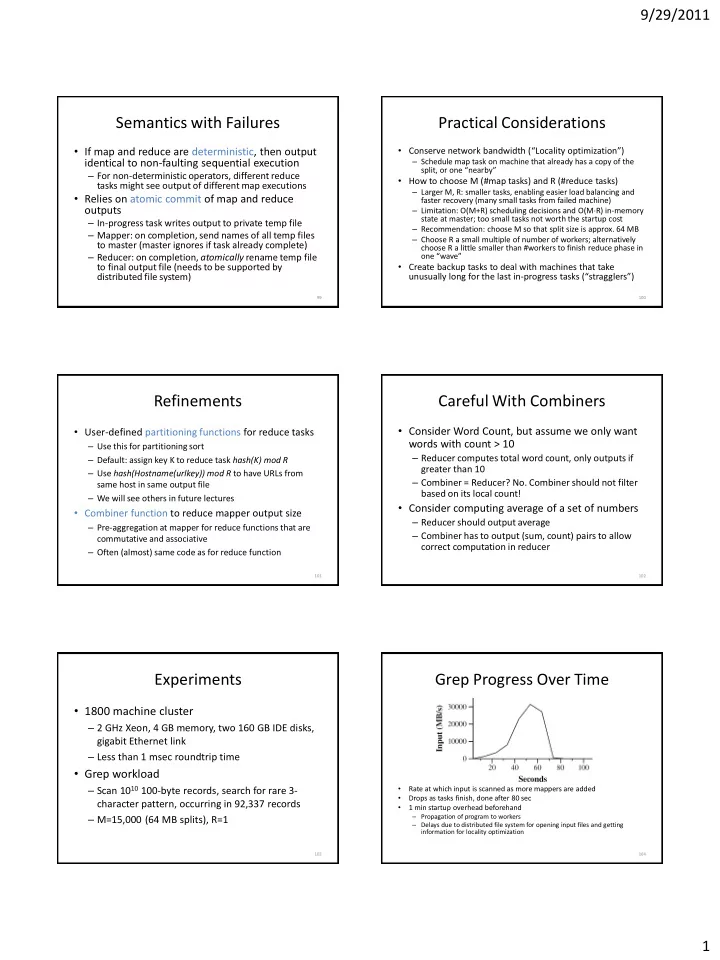
  • Rate at which input is scanned as more mappers are added
  • Drops as tasks finish, done after 80 sec
  • 1 min startup overhead beforehand

– Propagation of program to workers – Delays due to distributed file system for opening input files and getting information for locality optimization

slide-2
SLIDE 2

9/29/2011 2

105

Sort

  • Sort 1010 100-byte records (~1 TB of data)
  • Less than 50 lines user code
  • M=15,000 (64 MB splits), R=4000
  • Use key distribution information for intelligent

partitioning

  • Entire computation takes 891 sec

– 1283 sec without backup task optimization (few slow machines delay completion) – 933 sec if 200 out of 1746 workers are killed several minutes into computation

MapReduce at Google (2004)

  • Machine learning algorithms, clustering
  • Data extraction for reports of popular queries
  • Extraction of page properties, e.g., geographical location
  • Graph computations
  • Google indexing system for Web search (>20 TB of data)

– Sequence of 5-10 MapReduce operations – Smaller simpler code: from 3800 LOC to 700 LOC for one computation phase – Easier to change code – Easier to operate, because MapReduce library takes care of failures – Easy to improve performance by adding more machines

106

Summary

  • Programming model that hides details of

parallelization, fault tolerance, locality

  • ptimization, and load balancing
  • Simple model, but fits many common problems

– User writes Map and Reduce function – Can also provide combine and partition functions

  • Implementation on cluster scales to 1000s of

machines

  • Open source implementation, Hadoop, is

available

107 108

MapReduce relies heavily on the underlying distributed file system. Let’s take a closer look to see how it works.

The Distributed File System

  • Sanjay Ghemawat, Howard Gobioff, and Shun-

Tak Leung. The Google File System. 19th ACM Symposium on Operating Systems Principles, Lake George, NY, October, 2003

109

Motivation

  • Abstraction of a single global file system greatly

simplifies programming in MapReduce

  • MapReduce job just reads from a file and writes
  • utput back to a file (or multiple files)
  • Frees programmer from worrying about messy

details

– How many chunks to create and where to store them – Replicating chunks and dealing with failures – Coordinating concurrent file access at low level – Keeping track of the chunks

110

slide-3
SLIDE 3

9/29/2011 3

Google File System (GFS)

  • GFS in 2003: 1000s of storage nodes, 300 TB

disk space, heavily accessed by 100s of clients

  • Goals: performance, scalability, reliability,

availability

  • Differences compared to other file systems

– Frequent component failures – Huge files (multi-GB or even TB common) – Workload properties

  • Design system to make important operations efficient

111

Data and Workload Properties

  • Modest number of large files

– Few million files, most 100 MB+ – Manage multi-GB files efficiently

  • Reads: large streaming (1 MB+) or small random (few

KBs)

  • Many large sequential append writes, few small writes

at arbitrary positions

  • Concurrent append operations

– E.g., Producer-consumer queues or many-way merging

  • High sustained bandwidth more important than low

latency

– Bulk data processing

112

File System Interface

  • Like typical file system interface

– Files organized in directories – Operations: create, delete, open, close, read, write

  • Special operations

– Snapshot: creates copy of file or directory tree at low cost – Record append: concurrent append guaranteeing atomicity of each individual client’s append

113

Architecture Overview

  • 1 master, multiple chunkservers, many clients

– All are commodity Linux machines

  • Files divided into fixed-size chunks

– Stored on chunkservers’ local disks as Linux files – Replicated on multiple chunkservers

  • Master maintains all file system metadata:

namespace, access control info, mapping from files to chunks, chunk locations

114

Why a Single Master?

  • Simplifies design
  • Master can make decisions with global

knowledge

  • Potential problems:

– Can become bottleneck

  • Avoid file reads and writes through master

– Single point of failure

  • Ensure quick recovery

115

High-Level Functionality

  • Master controls system-wide activities like chunk lease

management, garbage collection, chunk migration

  • Master communicates with chunkservers through

HeartBeat messages to give instructions and collect state

  • Clients get metadata from master, but access files

directly through chunkservers

  • No GFS-level file caching

– Little benefit for streaming access or large working set – No cache coherence issues – On chunkserver, standard Linux file caching is sufficient

116

slide-4
SLIDE 4

9/29/2011 4

Read Operation

  • Client: from (file, offset), compute chunk index, then get chunk locations

from master

– Client buffers location info for some time

  • Client requests data from nearby chunkserver

– Future requests use cached location info

  • Optimization: batch requests for multiple chunks into single request

117

Chunk Size

  • 64 MB, stored as Linux file on a chunkserver
  • Advantages of large chunk size

– Fewer interactions with master (recall: large sequential reads and writes) – Smaller chunk location information

  • Smaller metadata at master, might even fit in main memory
  • Can be cached at client even for TB-size working sets

– Many accesses to same chunk, hence client can keep persistent TCP connection to chunkserver

  • Disadvantage: fewer chunks => fewer options for load

balancing

– Fixable with higher replication factor – Address hotspots by letting clients read from other clients

118

Practical Considerations

  • Number of chunks is limited by master’s memory

size

– Only 64 bytes metadata per 64 MB chunk; most chunks full – Less than 64 bytes namespace data per file

  • Chunk location information at master is not

persistent

– Master polls chunkservers at startup, then updates info because it controls chunk placement – Eliminates problem of keeping master and chunkservers in sync (frequent chunkserver failures, restarts)

119

Consistency Model

  • GFS uses a relaxed consistency model
  • File namespace updates are atomic (e.g., file

creation)

– Only handled by master, using locking – Operations log defines global total order

  • State of file region after update

– Consistent: all clients will always see the same data, regardless which chunk replica they access – Defined: consistent and reflecting the entire update

120

Relaxed Consistency

  • GFS guarantees that after a sequence of successful

updates, the updated file region is defined and contains the data of the last update

– Applies updates to all chunk replica in same order – Uses chunk version numbers to detect stale replica (when chunk server was down during update)

  • Stale replica are never involved in an update or given

to clients asking the master for chunk locations

  • But, client might read from stale replica when it uses

cached chunk location data

– Not all clients read the same data – Can address this problem for append-only updates

121

Leases, Update Order

  • Leases used for consistent update order across

replicas

– Master grants lease to one replica (primary) – Primary picks serial update order – Other replicas follow this order

  • Lease has initial timeout of 60 sec, but primary

can request extensions from master

– Piggybacked on HeartBeat messages – Master can revoke lease (e.g., to rename file) – If no communication with primary, then master grants new lease after old one expires

122

slide-5
SLIDE 5

9/29/2011 5

123

Updating a Chunk

1. Who has lease? 2. Identity of primary and secondary replicas 3. Push data to all replicas 4. After receiving all acks, send write request to primary who assigns it a serial number 5. Primary forwards write request to all other replicas 6. Secondaries ack update success 7. Primary replies to client

1. Also reports errors 2. Client retries steps 3-7 on error

  • Large writes broken down into

chunks

Data Flow

  • Decoupled from control flow for efficient network use
  • Data pipelined linearly along chain of chunkservers

– Full outbound bandwidth for fastest transfer (instead of dividing it in non-linear topology) – Avoids network bottlenecks by forwarding to “next closest” destination machine – Minimizes latency: once chunkserver receives data, it starts forwarding immediately

  • Switched network with full-duplex links
  • Sending does not reduce receive rate
  • 1 MB distributable in 80 msec

124

Namespace Management

  • Want to support concurrent master operations
  • Solution: locks on regions of namespace for proper

serialization

– Read-write lock for each node in namespace tree

  • Operations lock all nodes on path to accessed node

– For operation on /d1/d2/leaf, acquire read locks on /d1 and /d1/d2, and appropriate read or write lock on /d1/d2/leaf

  • File creation: read-lock on parent directory

– Concurrent updates in same directory possible, e.g., multiple file creations – Locks acquired in consistent total order to prevent deadlocks

  • First ordered by level in namespace tree, then lexicographically

within same level

125

Replica Placement

  • Goals: scalability, reliability, availability
  • Difficult problem

– 100s of chunkservers spread across many machine racks, accessed from 100s of clients from the same or different racks – Communication may cross network switch(es) – Bandwidth into or out of a rack may be less than aggregate bandwidth of all the machines within the rack

  • Spread replicas across racks

– Good: fault tolerance, reads benefit from aggregate bandwidth

  • f multiple racks

– Bad: writes flow through multiple racks

  • Master can move replicas or create/delete them to react to

system changes and failures

126

Lazy Garbage Collection

  • File deletion immediately logged by master, but file only renamed

to hidden name

– Removed later during regular scan of file system namespace – Batch-style process amortizes cost and is run when master load is low

  • Orphaned chunks identified during regular scan of chunk

namespace

  • Chunkservers report their chunks to master in HeartBeat messages
  • Master replies with identities of chunks it does not know

– Chunkserver can delete them

  • Simple and reliable: lost deletion messages (from master) and

failures during chunk creation no problem

  • Disadvantage: difficult to finetune space usage when storage is

tight, e.g., after frequent creation/deletion of temp files

– Solution: use different policies in different parts of namespace

127

Stale Replicas

  • Occur when chunkserver misses updates while it is down
  • Master maintains chunk version number

– Before granting new lease on chunk, master increases its version number – Informs all up-to-date replicas of new number

  • Master and replicas keep version number in persistent state

– This happens before client is notified and hence before it can start updating the chunk

  • When chunkservers report their chunks, they include version

numbers

– Older than on master: garbage collect it – Newer than on master: master must have failed after granting lease; master takes higher version to be up-to-date

  • Master also includes version number in reply to client and

chunkserver during update-process related communication

128

slide-6
SLIDE 6

9/29/2011 6

Achieving High Availability

  • Master and chunkservers can restore state and start in

seconds

  • Chunk replication
  • Master replication, i.e., operation log and checkpoints
  • But: only one master process

– Can restart almost immediately – Permanent failure: monitoring infrastructure outside GFS starts new master with replicated operation log (clients use DNS alias)

  • Shadow masters for read-only access

– May lag behind primary by fraction of a sec

129

Experiments

  • Chunkserver metadata mostly checksums for 64

KB blocks

– Individual servers have 50-100 MB of metadata – Reading this from disk during recovery is fast

130

Results

  • Clusters had been up for 1 week at time of measurement
  • A’s network configuration has max read rate of 750 MB/s

– Actually reached sustained rate of 580 MB/s

  • B’s peak rate is 1300 MB/s, but applications never used more than

380 MB/s

  • Master not a bottleneck, despite large number of ops sent to it

131

Summary

  • GFS supports large-scale data processing workloads on

commodity hardware

  • Component failures treated as norm, not exception

– Constant monitoring, replicating of crucial data – Relaxed consistency model – Fast, automatic recovery

  • Optimized for huge files, appends, large sequential

reads

  • High aggregate throughput for concurrent readers and

writers

– Separation of file system control (through master) from data transfer (between chunkservers and clients)

132 133

Now that we covered the basics of MapReduce, let’s look at some Hadoop specifics.

Working With Hadoop

  • Mostly based on Tom White’s book “Hadoop:

The Definitive Guide”, 2nd edition

  • Note: We will use the old
  • rg.apache.hadoop.mapred API

– New API, org.apache.hadoop.mapreduce, seems to be incomplete and less tested at this time – Cluster has Hadoop 0.20.2 installed

134

slide-7
SLIDE 7

9/29/2011 7

Important Terminology

  • NameNode daemon

– Corresponds to GFS Master – Runs on master node of the Hadoop Distributed File System (HDFS) – Directs DataNodes to perform their low-level I/O tasks

  • DataNode daemon

– Corresponds to GFS chunkserver – Runs on each slave machine in the HDFS – Does the low-level I/O work

135

Important Terminology

  • Secondary NameNode daemon

– One per cluster to monitor status of HDFS – Takes snapshots of HDFS metadata to facilitate recovery from NameNode failure

  • JobTracker daemon

– MapReduce master in Google paper – One per cluster, usually running on master node – Communicates with client application and controls MapReduce execution in TaskTrackers

136

Important Terminology

  • TaskTracker daemon

– MapReduce worker in Google paper – One TaskTracker per slave node – Performs actual Map and Reduce execution – Can spawn multiple JVMs to do the work

  • Typical setup

– NameNode and JobTracker run on cluster head node – DataNode and TaskTracker run on all other nodes – Secondary NameNode runs on dedicated machine or

  • n cluster head node (usually not a good idea, but ok

for small clusters)

137

Anatomy of MapReduce Job Run

138 MapReduce program JobClient 1: run job Client JVM

Client node

HDFS 3: copy job resources (job JAR, config file, input split info) JobTracker 5: initialize job

JobTracker node

2: get new job ID 4: submit job TaskTracker 6: retrieve input split info 7.1: heartbeat (slots free) 7.2: task 8: retrieve job resources Child Map or Reduce task 9: launch Child JVM 10: run

TaskTracker node

Illustration based on White’s book

Job Submission

  • Client submits MapReduce job through

JobClient.runJob() call

– runJob() polls JobTracker about progress every sec,

  • utputs to console if changed
  • Job submission process

– Get new job ID from JobTracker – Determine input splits for job – Copy job resources (job JAR file, configuration file, computed input splits) to HDFS into directory named after the job ID – Informs JobTracker that job is ready for execution

139

Job Initialization

  • JobTracker puts ready job into internal queue
  • Job scheduler picks job from queue

– Initializes it by creating job object – Creates list of tasks

  • One map task for each input split
  • Number of reduce tasks determined by

mapred.reduce.tasks property in JobConf

  • Each task has unique ID
  • Tasks need to be assigned to worker nodes

140

slide-8
SLIDE 8

9/29/2011 8

Task Assignment

  • TaskTrackers send heartbeat to JobTracker

– Indicate if ready to run new tasks – Number of “slots” for tasks depends on number of cores and memory size

  • JobTracker replies with new task

– Chooses task from first job in priority-queue

  • Chooses map tasks before reduce tasks
  • Chooses map task whose input split location is closest to

machine running the TaskTracker instance

– Ideal case: data-local task

– Could also use other scheduling policy

141

Task Execution

  • TaskTracker copies job JAR and other

configuration data (e.g., distributed cache) from HDFS to local disk

  • Creates local working directory
  • Creates TaskRunner instance
  • TaskRunner launches new JVM (or reuses one

from another task) to execute the JAR

142

Monitoring Job Progress

  • Tasks report progress to TaskTracker
  • TaskTracker includes task progress in

heartbeat message to JobTracker

  • JobTracker computes global status of job

progress

  • JobClient polls JobTracker regularly for status
  • Visible on console and Web UI

143

Handling Failures: Task

  • Error reported to TaskTracker and logged
  • Hanging task detected through timeout
  • JobTracker will automatically re-schedule

failed tasks

– Tries up to mapred.map.max.attempts many times (similar for reduce) – Job is aborted when task failure rate exceeds mapred.max.map.failures.percent (similar for reduce)

144

Handling Failures: TaskTracker and JobTracker

  • TaskTracker failure detected by JobTracker

from missing heartbeat messages

– JobTracker re-schedules map tasks and not completed reduce tasks from that TaskTracker

  • Hadoop cannot deal with JobTracker failure

– Could use Google’s proposed JobTracker take-over idea, using ZooKeeper to make sure there is at most one JobTracker

145

HDFS Coherency Model

  • After creating a file, it is visible in the filesystem namespace
  • Content written to file might not be visible, even if write

stream is flushed

– In general: current block being written is not visible to other readers

  • Use FSDataOutputStream.sync() to force all buffers to be

synced to the DataNodes

– Data written up to successful sync is persisted and visible to new readers (closing file performs implicit sync)

  • Application design implication: without calling sync, might

lose up to a block of data in event of client or system failure

  • Note: new API uses hflush() and hsync() with different

guarantees

146

slide-9
SLIDE 9

9/29/2011 9 Moving Data From Mappers to Reducers

  • Shuffle and sort phase = synchronization barrier

between map and reduce phase

  • Often one of the most expensive parts of a

MapReduce execution

  • Mappers need to separate output intended for

different reducers

  • Reducers need to collect their data from all

mappers and group it by key

  • Keys at each reducer are processed in order

147

Shuffle and Sort Overview

148 Input split M a p Buffer in memory R e d u c e From other Maps To other Reduces merge merge merge Output

Map task Reduce task

Spill files on disk: partitioned by reducer, each partition sorted by key Spilled to a new disk file when almost full Spill files merged into single output file Fetch over HTTP Reduce task starts copying data from map task as soon as it completes. Reduce cannot start working on the data until all mappers have finished and their data has arrived. Merge happens in memory if data fits,

  • therwise also on disk

There are tuning parameters to control the performance

  • f this crucial phase.

Illustration based on White’s book

NCDC Weather Data Example

  • Raw data has lines like these (year, temperature in

bold)

– 0067011990999991950051507004+68750+023550FM- 12+038299999V0203301N00671220001CN9999999N9+00 001+99999999999 – 0043011990999991950051512004+68750+023550FM- 12+038299999V0203201N00671220001CN9999999N9+00 221+99999999999

  • Goal: find max temperature for each year

– Map: emit (year, temp) for each year – Reduce: compute max over temp from (year, (temp, temp,…)) list

149

Map

  • Implements Hadoop’s Mapper interface

– Org.apache.hadoop.mapred.Mapper

  • Parameters: input key type, input value type, output

key type, and output value type

– Input key: line’s offset in file (irrelevant) – Input value: line from NCDC file – Output key: year – Output value: temperature

  • Data types are optimized for network serialization

– Found in org.apache.hadoop.io package

  • Work is done by the map() method

150

Map() Method

  • Input: input key type, input value type

– Line of text from NCDC file – Converted to Java String type, then parsed to get year and temperature

  • Output: OutputCollector instance

– Uses output key and value types

  • Only write (year, temp) pair if the temperature

is present and quality indicator reading is OK

151 152 import java.io.IOException; import org.apache.hadoop.io.IntWritable; import org.apache.hadoop.io.LongWritable; import org.apache.hadoop.io.Text; import org.apache.hadoop.mapred.MapReduceBase; import org.apache.hadoop.mapred.Mapper; import org.apache.hadoop.mapred.OutputCollector; import org.apache.hadoop.mapred.Reporter; public class MaxTemperatureMapper extends MapReduceBase implements Mapper<LongWritable, Text, Text, IntWritable> { private static final int MISSING = 9999; public void map(LongWritable key, Text value, OutputCollector<Text, IntWritable> output, Reporter reporter) throws IOException { String line = value.toString(); String year = line.substring(15, 19); int airTemperature; if (line.charAt(87) == '+') { // parseInt doesn't like leading plus signs airTemperature = Integer.parseInt(line.substring(88, 92)); } else { airTemperature = Integer.parseInt(line.substring(87, 92)); } String quality = line.substring(92, 93); if (airTemperature != MISSING && quality.matches("[01459]")) {

  • utput.collect(new Text(year), new IntWritable(airTemperature));

} } }

slide-10
SLIDE 10

9/29/2011 10

Reduce

  • Implements
  • rg.apache.hadoop.mapred.Reducer
  • Input key and value types must match Mapper
  • utput key and value types
  • Work is done by reduce() method

– Input values passed as Iterator – Goes over all temperatures to find the max – Result pair is passed to OutputCollector instance

  • Writes result to HDFS, Hadoop’s distributed file system

153 154

import java.io.IOException; import java.util.Iterator; import org.apache.hadoop.io.IntWritable; import org.apache.hadoop.io.Text; import org.apache.hadoop.mapred.MapReduceBase; import org.apache.hadoop.mapred.OutputCollector; import org.apache.hadoop.mapred.Reducer; import org.apache.hadoop.mapred.Reporter; public class MaxTemperatureReducer extends MapReduceBase implements Reducer<Text, IntWritable, Text, IntWritable> { public void reduce(Text key, Iterator<IntWritable> values, OutputCollector<Text, IntWritable> output, Reporter reporter) throws IOException { int maxValue = Integer.MIN_VALUE; while (values.hasNext()) { maxValue = Math.max(maxValue, values.next().get()); }

  • utput.collect(key, new IntWritable(maxValue));

} }

Job Configuration

  • Create JobConf object to set options to control how job is run
  • Specify data input path with addInputPath()

– Can be single file, directory (to use all files there), or file pattern – Can be called multiple times to add multiple paths

  • Specify output path

– Single output path, which is a directory for all output files – Directory should not exist before running the job!

  • Set mapper and reducer class to be used
  • Set output key and value classes for map and reduce functions

– For reducer: setOutputKeyClass(), setOutputValueClass() – For mapper (omit if same as reducer): setMapOutputKeyClass(), setMapOutputValueClass()

  • Can set input types similarly (default is TextInputFormat)
  • JobClient.runJob() submits job and waits for it to finish

155 156 import java.io.IOException; import org.apache.hadoop.fs.Path; import org.apache.hadoop.io.IntWritable; import org.apache.hadoop.io.Text; import org.apache.hadoop.mapred.FileInputFormat; import org.apache.hadoop.mapred.FileOutputFormat; import org.apache.hadoop.mapred.JobClient; import org.apache.hadoop.mapred.JobConf; public class MaxTemperature { public static void main(String[] args) throws IOException { if (args.length != 2) { System.err.println("Usage: MaxTemperature <input path> <output path>"); System.exit(-1); } JobConf conf = new JobConf(MaxTemperature.class); conf.setJobName("Max temperature"); FileInputFormat.addInputPath(conf, new Path(args[0])); FileOutputFormat.setOutputPath(conf, new Path(args[1])); conf.setMapperClass(MaxTemperatureMapper.class); conf.setReducerClass(MaxTemperatureReducer.class); conf.setOutputKeyClass(Text.class); conf.setOutputValueClass(IntWritable.class); JobClient.runJob(conf); } }

MapReduce Development Steps

  • 1. Write Map and Reduce functions

– Create unit tests

  • 2. Write driver program to run a job

– Can run from IDE with small data subset for testing – If test fails, use IDE for debugging – Update unit tests and Map/Reduce if necessary

  • 3. Once program works on small test set, run it on full

data set

– If there are problems, update tests and code accordingly – IsolationRunner helps debugging cluster implementation

  • 4. Fine-tune code, do some profiling

157

Local (Standalone) Mode

  • Runs same MapReduce user program as cluster

version, but does it sequentially

  • Does not use any of the Hadoop daemons
  • Works directly with local file system

– No HDFS, hence no need to copy data to/from HDFS

  • Great for development, testing, initial debugging
  • Get Hadoop 0.20.2 and Java 1.6 to match the

current cluster installation

158

slide-11
SLIDE 11

9/29/2011 11

Example Setup

  • Use Eclipse without Hadoop plugin
  • Create Java project and make sure Hadoop

core jar and all jars from lib directory are added

  • Run in local Hadoop mode from Eclipse

– Can also debug as usual

  • Export jar file and run using hadoop jar

command outside Eclipse

  • Copy jar file to cluster to run it there

159

Pseudo-Distributed Mode

  • Still runs on single machine, but now

simulates a real Hadoop cluster

– Simulates multiple nodes – Runs all daemons – Uses HDFS

  • Main purpose: more advanced testing and

debugging

  • You can also set this up on your laptop

160

Fully Distributed Mode

  • Already set up for you on a cluster
  • Connect to head node at 129.10.112.225

– Copy files from/to other machines using scp – Copy file to HDFS using hadoop fs commands – Run job jar file

  • Can view HDFS status though Web UI

– Go to 129.10.112.225:50070 (only works from inside CCIS)

161

More Details About The Cluster

  • Make sure hadoop command is found

– Can add /usr/local/hadoop/bin to PATH

  • Typical commandline call on cluster

– hadoop jar myJar.jar myPackagePath.WordCount

  • D mapred.reduce.tasks=10 InputDir OutputDir

– Make sure JAR file is in path found by Java

  • View MapReduce stats at

129.10.112.225:50030 (only works from inside CCIS)

162