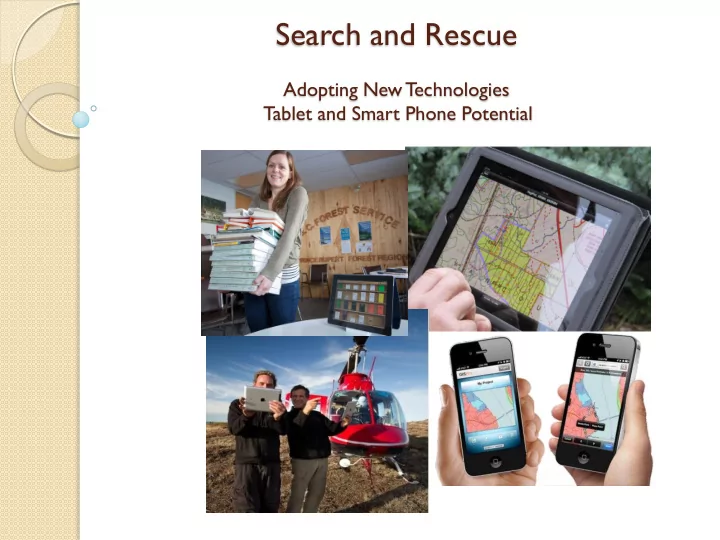
SLIDE 1 Search and Rescue
Adopting New Technologies Tablet and Smart Phone Potential
SLIDE 2 Why all the Attention?
Computer – 800 000 apps, word processing, spreadsheet,
email, etc.
Portable – can go anywhere GPS – similar performance to commonly used Garmin Camera – takes decent pictures, geo-referenced pictures Video recording Audio recording Gyroscope Magnetic Compass Cell connectivity
SLIDE 3 iPad / iPhone Potential
Field Uses
- GPS, Replaces Ozi software and Garmin
- Collect detailed spatial and attribute field data
- Navigation
- Measurements, calculator, conversions
- Camera (all photos are geo-referenced)
- Audio and Video recording, investigations
- Field notes
- Create custom forms
- Safety – 2 way satellite communication capability
-
Office Uses
- Phone, Email, Communicator, Face-to-face video
- Review and Edit Documents, Spreadsheets and Presentations from anywhere
- Review and markup PDF
- PC or Laptop for some staff
- Replaces Paper (Plotters and Printers)
- Library and reference material storage (legislation, policy, manuals, etc)
- Scanner
One Tool for Multiple Applications !!
SLIDE 4 GPS Capability Defined
GPS – US based Global Positioning System GLONASS – Russian base global positioning system, Stands
for Globalnaya Navigatsionnaya Sputnikovaya Sistema
A-GPS – assisted GPS, uses a combination of cell towers
and GPS system to acquire a location. A phone described as having A-GPS only, usually means it will not work without cell
Hybrid Systems –uses a combination of A-GPS as well as
standalone or autonomous GPS and GLONASS systems for
- navigation. Works anywhere independent of cell or networks.
SLIDE 5 Phone Manufactures make GPS Capability Confusing
iPad 4 or Mini iPad 2 Blackberry Z10 Key words to look for are: GPS, Glonass, Hybrid, or Autonomous iPod Touch Nexus 7 Tablet
SLIDE 6
Field Application
SLIDE 7
Time and Cost Saver!
SLIDE 8
Diverse Applications
SLIDE 9
All Weather
SLIDE 10
Field Data Collection
SLIDE 11
Collect Point, Lines and Polygons and Associated Photos in the field in One Step!
SLIDE 12 Carry an Inventory of Geo-Referenced Detailed Maps Everywhere you go.
LM Forest Resource Solutions Ltd.
E.G. Access free provincial wide geo-referenced 1-20,000 PDF Topographic Maps and maintain and inventory on your device at all times http://pub.data.gov.bc.ca/datasets/177864/pdf/
SLIDE 13
Share, Compile and Analyse Search Spatial Data while in the Field. Often in real time!
SLIDE 14
Safety!! Link iPad or iPhone to Delorme Systems for Two way Satellite Communication
SLIDE 15 Take Subject Information into the Field with you or collect interview information
SLIDE 16
Custom Forms
SLIDE 17
Carry all Your Reference Material in the Field With You for Training or Actual Search
SLIDE 18
Navigate On Site without Paper, Printers, Ink or Photocopiers
SLIDE 19 Clue and Evidence Collection with Camera
(all photo’s are geo-referenced)
SLIDE 20
Demo iPad Apps
PDF Maps GIS Kit Theodolite Field notes Pro FormConnect
SLIDE 21
Office and Data Documentation Application
SLIDE 22
Scanner / Photocopier / Markup
SLIDE 23
Compiling Data and Finalizing Reports all with one Device!
SLIDE 24
Taking Notes!
SLIDE 25
Word and Spreadsheet Editing
SLIDE 26
Questions and Information
Andy Muma Land Information Coordinator Smithers BC 250 – 877-3622 (cell) Andy.Muma@gov.bc.ca