Safety, money saving and time saving technology for drivers Pre - - PowerPoint PPT Presentation

safety money saving and time saving technology for drivers
SMART_READER_LITE
LIVE PREVIEW

Safety, money saving and time saving technology for drivers Pre - - PowerPoint PPT Presentation

Safety, money saving and time saving technology for drivers Pre Submission Meeting May 25, 2011 1 DriveSmart RFEI Welcome and Introductions Welcome and Introductions Planning and Sustainability g y Bruce Schaller , Deputy


slide-1
SLIDE 1

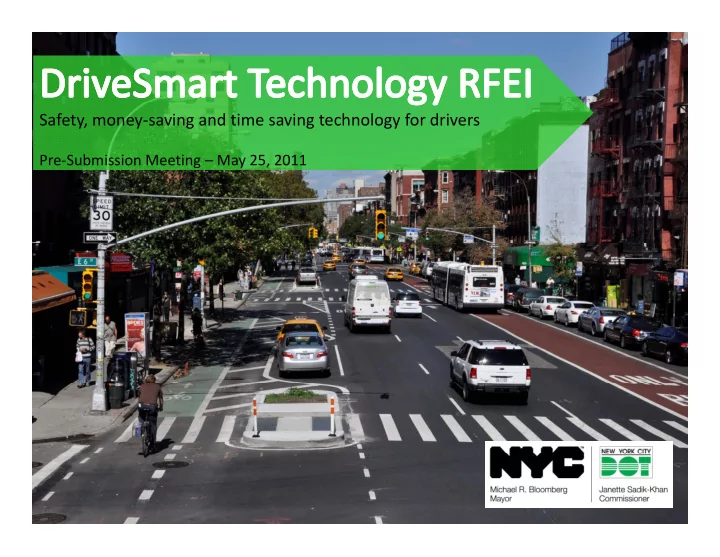
Safety, money‐saving and time saving technology for drivers

Pre‐Submission Meeting – May 25, 2011

1
slide-2
SLIDE 2

DriveSmart RFEI

Welcome and Introductions Welcome and Introductions

Planning and Sustainability g y

  • Bruce Schaller, Deputy Commissioner
  • Tom Maguire, Assistant Commissioner
  • David Stein Director
  • David Stein, Director
  • Heather Richardson, Senior Project Manager

IT & Telecom

  • Cordell Schachter, Chief Technology Officer

Agency Chief Contracting Officer(ACCO)

Nanc Carolan Chi f ACCO

  • Nancy Carolan, Chief ACCO
  • Junaid Syed, Executive Deputy ACCO

2

slide-3
SLIDE 3

DriveSmart RFEI

Program Concept Program Concept

DOT street management

  • Street Design

Street Design

  • Signs & Markings
  • Signalization

3

slide-4
SLIDE 4

DriveSmart RFEI

Program Concept Program Concept

System management System management

  • Traffic Management Center
  • TRANSCOM
  • 911 Emergency response

511

  • 511
  • AAA, On-Star, Sync

DOT street management

  • Street Design

Street Design

  • Signs & Markings
  • Signalization

4

slide-5
SLIDE 5

DriveSmart RFEI

Program Concept Program Concept

System management System management

  • Traffic Management Center
  • TRANSCOM
  • 911 Emergency response

511 I hi l & d i

  • 511
  • AAA, On-Star, Sync

In-vehicle & driver- facing techn./apps

  • Traffic and navigation
  • PAYDI

DOT street management

  • Street Design

Street Design

  • Signs & Markings
  • Signalization

5

slide-6
SLIDE 6

DriveSmart RFEI

Program Concept Program Concept

System management System management

  • Traffic Management Center
  • TRANSCOM
  • 911 Emergency response

511 I hi l & d i

  • 511
  • AAA, On-Star, Sync

In-vehicle & driver- facing techn./apps

  • Traffic and navigation
  • PAYDI

DOT street management

  • Street Design
  • Personalized trip planning
  • Personalized feedback
  • Eco-driving
  • Enhanced mobility

Street Design

  • Signs & Markings
  • Signalization

6

Enhanced mobility

  • Platform for MBUF
slide-7
SLIDE 7

DriveSmart RFEI

What is DriveSmart? What is DriveSmart?

  • Delivers tangible benefits to drivers individually and

g y transportation system users collectively. Key benefits are:

  • Cost savings
  • Time savings
  • Time savings
  • Improved travel time reliability
  • Congestion reduction

S f

  • Safety
  • Enhanced means of system funding
  • Builds beneficial connections between currently disconnected

y facets of the transportation system, using:

  • Vehicle and communications technology
  • Public private partnerships

7

  • Public‐private partnerships
  • Crowd‐sourcing and social media
slide-8
SLIDE 8

DriveSmart RFEI

What is DriveSmart? What is DriveSmart?

S i i S i Saving time

  • Navigation:
  • Real‐time traffic

P t i l t

Saving money

  • Pay‐as‐you‐drive insurance
  • Fuel efficiency
  • Transit/walk/bike alternatives
  • Pre‐trip alerts
  • Better system management
  • Transit/walk/bike alternatives
  • Cost of driving vs. alternatives
  • Lower costs for off‐peak travel
  • Dynamic ride‐sharing

Dynamic ride sharing

Safety

  • Safe driving feedback

Social media and crowd‐sourcing

  • Brake wear/driving style feedback
  • Vehicle diagnostics
  • Eco‐driving

crowd sourcing

8

slide-9
SLIDE 9

DriveSmart RFEI

What is DriveSmart? What is DriveSmart?

Next steps toward achieving our vision Next steps toward achieving our vision

  • Prove benefits in the real world:

Prove benefits in the real world:

  • “Early wins” for drivers
  • Meet NYC’s mobility needs
  • Meet NYC s mobility needs
  • Integrate emerging and mature technology
  • Move the City and industry up the learning curve
  • Move the City and industry up the learning curve
  • Use New York City as a unique test bed opportunity

9

slide-10
SLIDE 10

DriveSmart RFEI

Responding to the RFEI Responding to the RFEI

  • RFEI will allow us to engage with technology firms in an open

g g gy p and structured way, providing the City with insight into current industry best practices R d h ld i i h RFEI h b

  • Respondents should answer questions in the RFEI to the best
  • f their ability
  • Encourage innovation and integration
  • Identify roles for City and private sector stakeholders
  • NYCDOT has the understanding that certain vendors may not have the

knowledge or knowhow in all aspects of the proposed program but knowledge or knowhow in all aspects of the proposed program but encourage their participation in the RFEI

10

slide-11
SLIDE 11

DriveSmart RFEI

Key Questions in RFEI Key Questions in RFEI

  • 1. Improving the City’s understanding of technology components
  • What travel decisions lend themselves to value‐added information services? What

information needs to be given to travelers to enable the benefits described in this document?

  • How can the information be aggregated and delivered to travelers in a way that is useful for

How can the information be aggregated and delivered to travelers in a way that is useful for making travel decisions?

  • How can applications be designed and integrated to encourage ongoing engagement of

participants? What is the role of social media and crowd sourcing?

  • How can benefits be developed through a near‐term field trial? What technologies are

available now to provide these benefits, and what can be learned through field trials?

  • How can still‐emerging technologies be integrated into a larger system of benefits in the long

term? What technologies are still emerging? How can lessons learned from near‐term trials inform the development and integration of technologies that are not ready today?

  • How can the initial rollout of program elements be structured in an open way to avoid path

dependence, and to preserve the ability of new stakeholders to integrate components into the program?

11

the program?

  • 2. Concept Level Diagram
slide-12
SLIDE 12

DriveSmart RFEI

Key Questions in RFEI Key Questions in RFEI

  • 3. Determining the role for the City

g y

  • How can strategic decisions about technology (platform type, communications, privacy

strategies) be sequenced properly? What decisions need to be made now, and what decisions can be deferred until more is learned from trials and other near‐term activities?

  • How can public and private stakeholders be coordinated to deliver a cohesive system?

How can integration of key components be handled?

  • How can field tests, using the unique test bed offered by the City’s 8.4 million residents,

be used strategically to address concerns about functionality, integration, and user g y y, g , acceptance and participant engagement of the benefits package described in this RFEI?

  • What role can city government play in fostering effective trials?
  • 4. Roadmap of key decisions and actions for public and private

partners

12

  • 5. Willingness to participate in a no‐cost field test
slide-13
SLIDE 13

DriveSmart RFEI

Timeline Timeline

RFEI Released

May 11, 2011

Pre‐Submission Conference

May 25, 2011

Deadline for Submission of Clarification Questions

June 2, 2011

NYCDOT Response to Requests for Clarification

No later than June 15, 2011 FINAL SUBMISSIONS DUE JUNE 30 2011

13

FINAL SUBMISSIONS DUE JUNE 30, 2011

slide-14
SLIDE 14

DriveSmart RFEI

Contact Information Contact Information

All Questions regarding topics of discussion today or pertaining to Q g g p y p g the RFEI should be submitted to:

TechnologyRFEI@dot.nyc.gov

14

slide-15
SLIDE 15

Questions

15