Rules to Follow 1. No plagiarizing. Which means that you do not - - PDF document

rules to follow
SMART_READER_LITE
LIVE PREVIEW

Rules to Follow 1. No plagiarizing. Which means that you do not - - PDF document

career power point.notebook August 18, 2010 Power Point Presentation for Career Slide 1. Identify career with a picture. Websites to use: www.bls.gov/oco Slide 2. Describe the career www.bls.gov/k12/index.html Slide 3. How do you get


slide-1
SLIDE 1

career power point.notebook 1 August 18, 2010

Aug 11­7:19 AM

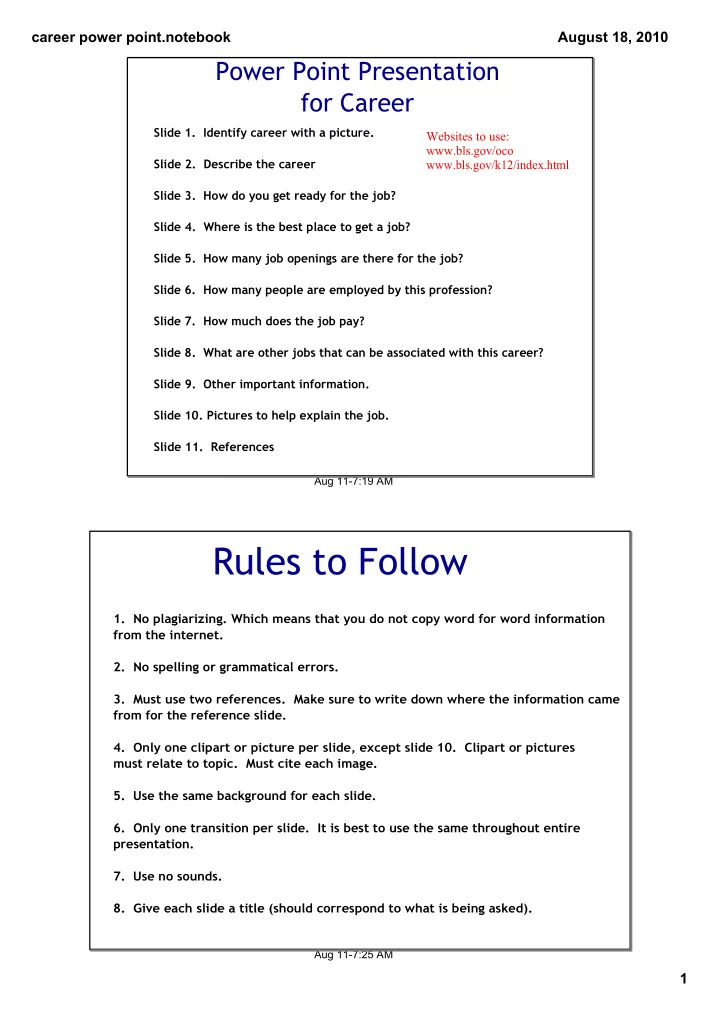
Power Point Presentation for Career

Slide 1. Identify career with a picture. Slide 2. Describe the career Slide 3. How do you get ready for the job? Slide 4. Where is the best place to get a job? Slide 5. How many job openings are there for the job? Slide 6. How many people are employed by this profession? Slide 7. How much does the job pay? Slide 8. What are other jobs that can be associated with this career? Slide 9. Other important information. Slide 10. Pictures to help explain the job. Slide 11. References

Websites to use: www.bls.gov/oco www.bls.gov/k12/index.html

Aug 11­7:25 AM

Rules to Follow

  • 1. No plagiarizing. Which means that you do not copy word for word information

from the internet.

  • 2. No spelling or grammatical errors.
  • 3. Must use two references. Make sure to write down where the information came

from for the reference slide.

  • 4. Only one clipart or picture per slide, except slide 10. Clipart or pictures

must relate to topic. Must cite each image.

  • 5. Use the same background for each slide.
  • 6. Only one transition per slide. It is best to use the same throughout entire

presentation.

  • 7. Use no sounds.
  • 8. Give each slide a title (should correspond to what is being asked).
slide-2
SLIDE 2

career power point.notebook 2 August 18, 2010

Aug 11­7:38 AM

For Presentation

  • 1. Know subject. Do not read directly from slide.
  • 2. Speak at a good rate, volume, and good

grammar.

  • 3. Maintain eye contact with audience.

Aug 11­7:43 AM

To Reference Sources

Use these websites for examples: *www.aresearchguide.com/12biblio.html *secondary.oslis.org/resources/cm/mlacitationss *citationmachine.net

Example of Citation from Internet source using "A Research Guide for Students" United States. Bureau of Labor and Statistics. Exploring Career Information. 17 Aug. 2010. <http://www.bls.gov/k12/index.htm>.

slide-3
SLIDE 3

career power point.notebook 3 August 18, 2010

Aug 11­8:05 AM

Interested in Extra Credit

  • 1. Create a poster about your career.
  • 2. Interview someone with the career. Provide a list of questions

and answers.

  • 3. Dress the part during the presentation.

Aug 17­12:14 PM

How to Cite Your Clipart

Clipart from: h t t p : / / w w w . m c k e

  • w

n .

  • r

g / t e a c h e r % 2 l

  • g
  • .

j p g Clipart from: http://www.theimprovegroup.com/weblog/reading­teacher­color.gif

slide-4
SLIDE 4

career power point.notebook 4 August 18, 2010

Aug 17­3:01 PM

CATEGORY 5 3 1 Total Information Accurate and complete information is presented in a concise, logical sequence. Information gaps and lengthy text are evident. Information is incomplete: logical sequence is not evident. Background and Text Background and text compliment each other; easy to read, consistent throughout presentation Background is not consistent throughout the presentation; text size and color change with each slide Text cannot be read on selected background; text size and color make it difficult to focu on information Graphics and Transitions Graphics are appropriate and relate to content; transitions are consistent throughout the presentation Few graphics are utilized throughout the presentation, they do not relate to the topic; transitions are not consistent

  • r effective

Little or no attempt was made to utilize References References have been cited accurately for each image used in the presentation References are cited, but mistakes are evident No references are included Spelling, Punctuation, and Grammar Spell check has been utilized throughout the presentation; correct grammar is evident Several spelling mistakes occur throughout the presentation; a few grammar mistakes are present Spelling mistakes

  • ccur throughout

the entire presentation, standard grammar usage is not evident