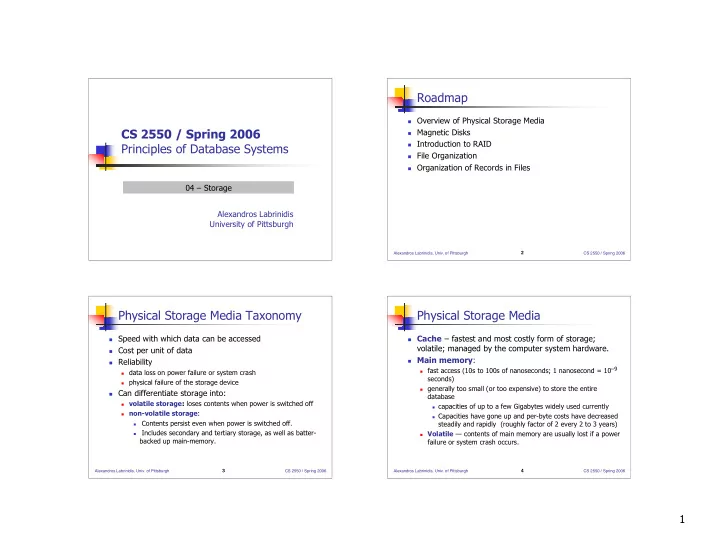
Roadmap Overview of Physical Storage Media CS 2550 / Spring 2006 - - PowerPoint PPT Presentation

roadmap
SMART_READER_LITE
LIVE PREVIEW

Roadmap Overview of Physical Storage Media CS 2550 / Spring 2006 - - PowerPoint PPT Presentation

Roadmap Overview of Physical Storage Media CS 2550 / Spring 2006 Magnetic Disks Introduction to RAID Principles of Database Systems File Organization Organization of Records in Files 04 Storage Alexandros Labrinidis


slide-1
SLIDE 1

1

CS 2550 / Spring 2006 Principles of Database Systems

Alexandros Labrinidis University of Pittsburgh 04 – Storage

Alexandros Labrinidis, Univ. of Pittsburgh

2

CS 2550 / Spring 2006

Roadmap

 Overview of Physical Storage Media  Magnetic Disks  Introduction to RAID  File Organization  Organization of Records in Files

Alexandros Labrinidis, Univ. of Pittsburgh

3

CS 2550 / Spring 2006

Physical Storage Media Taxonomy

 Speed with which data can be accessed  Cost per unit of data  Reliability

 data loss on power failure or system crash  physical failure of the storage device

 Can differentiate storage into:

 volatile storage: loses contents when power is switched off  non-volatile storage:  Contents persist even when power is switched off.  Includes secondary and tertiary storage, as well as batter-

backed up main-memory.

Alexandros Labrinidis, Univ. of Pittsburgh

4

CS 2550 / Spring 2006

Physical Storage Media

 Cache – fastest and most costly form of storage;

volatile; managed by the computer system hardware.

 Main memory:

 fast access (10s to 100s of nanoseconds; 1 nanosecond = 10–9

seconds)

 generally too small (or too expensive) to store the entire

database

 capacities of up to a few Gigabytes widely used currently  Capacities have gone up and per-byte costs have decreased

steadily and rapidly (roughly factor of 2 every 2 to 3 years)

 Volatile — contents of main memory are usually lost if a power

failure or system crash occurs.

slide-2
SLIDE 2

2

Alexandros Labrinidis, Univ. of Pittsburgh

5

CS 2550 / Spring 2006

Physical Storage Media (Cont.)

 Flash memory

 Data survives power failure  Data can be written at a location only once, but location can be

erased and written to again

 Can support only a limited number of write/erase cycles.  Erasing of memory has to be done to an entire bank of

memory

 Reads are roughly as fast as main memory  But writes are slow (few microseconds), erase is slower  Cost per unit of storage roughly similar to main memory  Widely used in embedded devices such as digital cameras  also known as EEPROM (Electrically Erasable Programmable

Read-Only Memory)

Alexandros Labrinidis, Univ. of Pittsburgh

6

CS 2550 / Spring 2006

Magnetic Disks

Data is stored on spinning disk, and read/written magnetically

Primary medium for the long-term storage of data; typically stores entire database.

Data must be moved from disk to main memory for access, and written back for storage

 Much slower access than main memory (more on this later) 

direct-access – possible to read data on disk in any order, unlike magnetic tape

Hard disks vs floppy disks

Capacities range up to roughly 100 GB currently

 Much larger capacity and cost/byte than main memory/flash

memory

 Growing constantly and rapidly with technology improvements

(factor of 2 to 3 every 2 years)

Survives power failures and system crashes

 disk failure can destroy data, but is very rare

Alexandros Labrinidis, Univ. of Pittsburgh

7

CS 2550 / Spring 2006

Physical Storage Media (Cont.)

 Optical storage

 non-volatile, data is read optically from a spinning disk using

a laser

 CD-ROM (640 MB) and DVD (4.7 to 17 GB) most popular

forms

 Write-one, read-many (WORM) optical disks used for archival

storage (CD-R and DVD-R)

 Multiple write versions also available (CD-RW, DVD-RW, and

DVD-RAM)

 Reads and writes are slower than with magnetic disk  Juke-box systems, with large numbers of removable disks,

a few drives, and a mechanism for automatic loading/unloading of disks available for storing large volumes

  • f data

Alexandros Labrinidis, Univ. of Pittsburgh

8

CS 2550 / Spring 2006

Physical Storage Media (Cont.)

 Tape storage

 non-volatile, used primarily for backup (to recover from disk

failure), and for archival data

 sequential-access – much slower than disk  very high capacity (40 to 300 GB tapes available)  tape can be removed from drive ⇒ storage costs much cheaper

than disk, but drives are expensive

 Tape jukeboxes available for storing massive amounts of data  hundreds of terabytes (1 terabyte = 109 bytes) to even a

petabyte (1 petabyte = 1012 bytes)

slide-3
SLIDE 3

3

Alexandros Labrinidis, Univ. of Pittsburgh

9

CS 2550 / Spring 2006

Storage Hierarchy

Alexandros Labrinidis, Univ. of Pittsburgh

10

CS 2550 / Spring 2006

Storage Hierarchy (Cont.)

 primary storage: Fastest media but volatile (cache,

main memory).

 secondary storage: next level in hierarchy, non-

volatile, moderately fast access time

 also called on-line storage  E.g. flash memory, magnetic disks

 tertiary storage: lowest level in hierarchy, non-volatile,

slow access time

 also called off-line storage  E.g. magnetic tape, optical storage Alexandros Labrinidis, Univ. of Pittsburgh

11

CS 2550 / Spring 2006

Magnetic Hard Disk Mechanism

Alexandros Labrinidis, Univ. of Pittsburgh

12

CS 2550 / Spring 2006

Magnetic Disks

Read-write head

Positioned very close to the platter surface (almost touching it)

Reads or writes magnetically encoded information.

Surface of platter divided into circular tracks

Over 16,000 tracks per platter on typical hard disks

Each track is divided into sectors.

A sector is the smallest unit of data that can be read or written.

Sector size typically 512 bytes

Typical sectors per track: 200 (on inner tracks) to 400 (on outer tracks)

To read/write a sector

disk arm swings to position head on right track

platter spins continually; data is read/written as sector passes under head

slide-4
SLIDE 4

4

Alexandros Labrinidis, Univ. of Pittsburgh

13

CS 2550 / Spring 2006

Magnetic Disks (Cont.)

Earlier generation disks were susceptible to head-crashes

Surface of earlier generation disks had metal-oxide coatings which would disintegrate on head crash and damage all data on disk

Current generation disks are less susceptible to such disastrous failures, although individual sectors may get corrupted

Disk controller – interfaces between the computer system and the disk drive hardware.

accepts high-level commands to read or write a sector

initiates actions such as moving the disk arm to the right track and actually reading or writing the data

Computes and attaches checksums to each sector to verify that data is read back correctly

 If data is corrupted, with very high probability stored checksum won’t

match recomputed checksum

Alexandros Labrinidis, Univ. of Pittsburgh

14

CS 2550 / Spring 2006

Performance Measures of Disks

 Cost  Size  Access Time  Data Transfer Rate  Mean time to failure

Alexandros Labrinidis, Univ. of Pittsburgh

15

CS 2550 / Spring 2006

Performance Measures of Disks

 Access time – the time it takes from when a read or

write request is issued to when data transfer begins. Consists of:

 Seek time – time it takes to reposition the arm over the correct

track.

 Average seek time is 1/2 the worst case seek time.  Would be 1/3 if all tracks had the same number of sectors, and

we ignore the time to start and stop arm movement

 4 to 10 milliseconds on typical disks  Rotational latency – time it takes for the sector to be accessed

to appear under the head.

 Average latency is 1/2 of the worst case latency.  4 to 11 milliseconds on typical disks (5400 to 15000 r.p.m.)

Alexandros Labrinidis, Univ. of Pittsburgh

16

CS 2550 / Spring 2006

Performance Measures of Disks (II)

 Data-transfer rate – the rate at which data can be

retrieved from or stored to the disk.

 4 to 8 MB per second is typical  Multiple disks may share a controller, so rate that controller can

handle is also important

 E.g. ATA-5: 66 MB/second, SCSI-3: 40 MB/s  Fiber Channel: 256 MB/s

slide-5
SLIDE 5

5

Alexandros Labrinidis, Univ. of Pittsburgh

17

CS 2550 / Spring 2006

Performance Measures of Disks (III)

 Mean time to failure (MTTF) – the average time the

disk is expected to run continuously without any failure.

 Typically 3 to 5 years  Probability of failure of new disks is quite low, corresponding to a

“theoretical MTTF” of 30,000 to 1,200,000 hours for a new disk

 E.g., an MTTF of 1,200,000 hours for a new disk means that

given 1000 relatively new disks, on an average one will fail every 1200 hours

 MTTF decreases as disk ages Alexandros Labrinidis, Univ. of Pittsburgh

18

CS 2550 / Spring 2006

Roadmap

 Overview of Physical Storage Media  Magnetic Disks  Introduction to RAID  File Organization  Organization of Records in Files

Alexandros Labrinidis, Univ. of Pittsburgh

19

CS 2550 / Spring 2006

RAID

RAID: Redundant Arrays of Independent Disks

disk organization techniques that manage a large numbers of disks, providing a view of a single disk of

 high capacity and high speed by using multiple disks in parallel, and  high reliability by storing data redundantly, so that data can be recovered

even if a disk fails

The chance that some disk out of a set of N disks will fail is much higher than the chance that a specific single disk will fail.

E.g., a system with 100 disks, each with MTTF of 100,000 hours (approx. 11 years), will have a system MTTF of 1000 hours (approx. 41 days)

Techniques for using redundancy to avoid data loss are critical with large numbers of disks

Alexandros Labrinidis, Univ. of Pittsburgh

20

CS 2550 / Spring 2006

Reliability through Redundancy

 Redundancy – store extra information that can be used

to rebuild information lost in a disk failure

 E.g., Mirroring (or shadowing)

 Duplicate every disk. Logical disk consists of two physical disks.  Every write is carried out on both disks  Reads can take place from either disk  If one disk in a pair fails, data still available in the other  Data loss would occur only if a disk fails, and its mirror disk

also fails before the system is repaired

 Probability of combined event is very small  Except for dependent failure modes such as fire or building

collapse or electrical power surges

slide-6
SLIDE 6

6

Alexandros Labrinidis, Univ. of Pittsburgh

21

CS 2550 / Spring 2006

Performance through Parallelism

Two main goals of parallelism in a disk system:

  • 1. Load balance multiple small accesses to increase throughput
  • 2. Parallelize large accesses to reduce response time.

Improve transfer rate by striping data across multiple disks.

Bit-level striping – split the bits of each byte across multiple disks

In an array of eight disks, write bit i of each byte to disk i.

Each access can read data at eight times the rate of a single disk.

But seek/access time worse than for a single disk

 Bit level striping is not used much any more

Block-level striping – with n disks, block i of a file goes to disk (i mod n) + 1

Requests for different blocks can run in parallel if the blocks reside on different disks

A request for a long sequence of blocks can utilize all disks in parallel

Alexandros Labrinidis, Univ. of Pittsburgh

22

CS 2550 / Spring 2006

Roadmap

 Overview of Physical Storage Media  Magnetic Disks  Introduction to RAID  File Organization  Organization of Records in Files

Alexandros Labrinidis, Univ. of Pittsburgh

23

CS 2550 / Spring 2006

Data Elements

 Field: a database attribute (sequence of bytes)  Record: sequence of fields (that describe an entity)  Block: sequence of records

 Unspanned (no record can span two blocks)  Spanned

 File: sequence of blocks

block header record1 record2 … record3

unspanned

block header record1 record2 … record3 block header record4

record4

spanned

Alexandros Labrinidis, Univ. of Pittsburgh

24

CS 2550 / Spring 2006

Fixed-Length Records

Fields are stored in sequence as the corresponding attributes are declared

DATE: 10-char string YYYY-MM-DD Fixed-length character string char(10)

example: 2002-09-15

CREATE TABLE MovieStar ( name CHAR(30), address CHAR(120), gender CHAR(1), birthdate DATE )

150 name address birthdate gender 30 151

slide-7
SLIDE 7

7

Alexandros Labrinidis, Univ. of Pittsburgh

25

CS 2550 / Spring 2006

Fixed-Length Records - Alignment

Each record within a block starts at a byte that is multiple of 4

Each field within a record starts at a byte

  • ff-set from the beginning of the record

that is multiple of 4 CREATE TABLE MovieStar ( name CHAR(30), address CHAR(120), gender CHAR(1), birthdate DATE )

152 name address birthdate gender 32 156

Alexandros Labrinidis, Univ. of Pittsburgh

26

CS 2550 / Spring 2006

File Organization

 Fixed-length records  10 + 22 + 8 = 40 bytes

CREATE TABLE deposit ( account_number CHAR(10), branch_name CHAR(22), balance REAL )

250 Downtown A-403 Record 7 600 Oakland A-257 Record 6 340 Waterfront A-110 Record 5 900 Shadyside A-217 Record 4 500 Squirrel Hill A-222 Record 3 700 Downtown A-101 Record 2 350 Shadyside A-305 Record 1 400 Oakland A-102 Record 0

Alexandros Labrinidis, Univ. of Pittsburgh

27

CS 2550 / Spring 2006

move records up

File Organization – Updates I

250 Downtown A-403 Record 7 600 Oakland A-257 Record 6 340 Waterfront A-110 Record 5 900 Shadyside A-217 Record 4 500 Squirrel Hill A-222 Record 3 350 Shadyside A-305 Record 1 400 Oakland A-102 Record 0

remove Record 2 add Record 8

420 Oakland A-354 Record 8 250 Downtown A-403 Record 7 600 Oakland A-257 Record 6 340 Waterfront A-110 Record 5 900 Shadyside A-217 Record 4 500 Squirrel Hill A-222 Record 3 350 Shadyside A-305 Record 1 400 Oakland A-102 Record 0 250 Downtown A-403 Record 7 600 Oakland A-257 Record 6 340 Waterfront A-110 Record 5 900 Shadyside A-217 Record 4 500 Squirrel Hill A-222 Record 3 350 Shadyside A-305 Record 1 400 Oakland A-102 Record 0

Alexandros Labrinidis, Univ. of Pittsburgh

28

CS 2550 / Spring 2006

File Organization – Updates II

250 Downtown A-403 Record 7 600 Oakland A-257 Record 6 340 Waterfront A-110 Record 5 900 Shadyside A-217 Record 4 500 Squirrel Hill A-222 Record 3 420 Oakland A-354 Record 8 350 Shadyside A-305 Record 1 400 Oakland A-102 Record 0 250 Downtown A-403 Record 7 600 Oakland A-257 Record 6 340 Waterfront A-110 Record 5 900 Shadyside A-217 Record 4 500 Squirrel Hill A-222 Record 3 350 Shadyside A-305 Record 1 400 Oakland A-102 Record 0

remove Record 2 add Record 8

slide-8
SLIDE 8

8

Alexandros Labrinidis, Univ. of Pittsburgh

29

CS 2550 / Spring 2006

File Organization – Free List

header 420 Oakland A-354 Record 8 250 Downtown A-403 Record 7 600 Oakland A-257 Record 6 340 Waterfront A-110 Record 5 900 Shadyside A-217 Record 4 350 Shadyside A-305 Record 1 400 Oakland A-102 Record 0

Alexandros Labrinidis, Univ. of Pittsburgh

30

CS 2550 / Spring 2006

Variable-Length Attributes

 example: type VARCHAR(18)

 length + data:  null-terminated:  maximum length:

10 S I D I N I R B A L S  I D I N I R B A L S I D I N I R B A L

Alexandros Labrinidis, Univ. of Pittsburgh

31

CS 2550 / Spring 2006

Fixed-length Records

Fixed-length records cannot span separate blocks

Variable-length fields are allocated their maximum length

Pros:

fixed field length simplifies insertion, deletion etc

no space is needed for storing extra administrative info for the fields within record

equally fast access to all fields

every offset is pre-compiled and stored in DB Catalog

Cons:

block internal fragmentation due to unspanned organization

record internal fragmentation (max specified length for every field)

more disk accesses for reading a given number of records

Alexandros Labrinidis, Univ. of Pittsburgh

32

CS 2550 / Spring 2006

Variable-Length Records

 Typical in database systems because of:

 Storage of multiple record types in a file  Variable-length attributes  Record types that allow repeating fields

slide-9
SLIDE 9

9

Alexandros Labrinidis, Univ. of Pittsburgh

33

CS 2550 / Spring 2006

Variable-Length Records

Byte-String Implementation

 Attach a special end-of-record symbol () to the

end of each record

 Alternatively, store record length at beginning of

each record

 Disadvantages:

 Not easy to reuse space which was occupied

by a deleted record

 No space for record to grow longer (must move

record that needs to grow)

Alexandros Labrinidis, Univ. of Pittsburgh

34

CS 2550 / Spring 2006

Variable-Length Records

Byte-String Implementation Example

 320   A-104 A-217 A-222 A-101 A-305 A-102 A-406 A-323   A-205 200 450 300 900 Shadyside Record 4 500 Squirrel Hill Record 3 700 Downtown Record 2 350 Shadyside Record 1 400 Oakland Record 0

Alexandros Labrinidis, Univ. of Pittsburgh

35

CS 2550 / Spring 2006

Variable-Length Records

Preceding length field Implementation

Variable-length field store their length at the beginning

Trade-off between extra space and internal fragmentation

Fields are stored in the order in which they are declared

 

For fixed-length the offset is stored in the catalog

 

For variable-length, the offset is computed from the heading

Pros:

No record internal fragmentation

Cons:

Access cost for a field is proportional to the distance from the beginning of the record

Null field (headers) must be there

Records cannot be fragmented over separate blocks – small tuples

Optimization: pre-compile and store the offset of all preceding fixed-

length fields in each variable-length field

Alexandros Labrinidis, Univ. of Pittsburgh

36

CS 2550 / Spring 2006

Variable-Length Records

Fixed-length Implementation

 Use one or more fixed-length records to represent

  • ne variable-length record

 Reserved space – padding  Linked list method  Chained blocks via pointers

 Anchor block: first records of a chain  Overflow block: subsequent records of a chain

slide-10
SLIDE 10

10

Alexandros Labrinidis, Univ. of Pittsburgh

37

CS 2550 / Spring 2006

Variable-Length Records

Fixed-length Implementation Example – 1

 Reserved-space Method

    320     A-104 A-217 A-222 A-101 A-305 A-102 A-406 A-323   A-205 200 450   300 900 Shadyside Record 4 500 Squirrel Hill Record 3 700 Downtown Record 2 350 Shadyside Record 1 400 Oakland Record 0

Alexandros Labrinidis, Univ. of Pittsburgh

38

CS 2550 / Spring 2006

Variable-Length Records

Fixed-length Implementation Example – 2

 Linked-List Method

200 A-406 300 A-205 320 A-104 450 A-323 A-217 A-222 A-101 A-305 A-102 900 Shadyside Record 4 500 Squirrel Hill Record 3 700 Downtown Record 2 350 Shadyside Record 1 400 Oakland Record 0

Alexandros Labrinidis, Univ. of Pittsburgh

39

CS 2550 / Spring 2006

Variable-Length Records

Fixed-length Implementation Example – 3

 Chained-Blocks Method

A-217 A-222 A-101 A-305 A-102 900 Shadyside Record 4 500 Squirrel Hill Record 3 700 Downtown Record 2 350 Shadyside Record 1 400 Oakland Record 0 200 A-406 300 A-205 320 A-104 450 A-323

Anchor block Overflow block

Alexandros Labrinidis, Univ. of Pittsburgh

40

CS 2550 / Spring 2006 

Each field is fully equipped with length indicator and internal id

Pros:

Simple and most flexible of all mechanisms

 no distinction between fixed and variable length fields.  no assumption on the attribute ordering in the catalog. 

no need to store null.

easy extension.

no problem spanning records across blocks.

supports vertical fragmentation for load balancing.

Cons:

No pre-compilation. Access to all fields is not equal.

access cost for a field is proportional to its distance from the beginning of the record.

null-values require the whole record to be scanned

Variable-Length Records

Sequence of Self-Identifying Fields Implementation

slide-11
SLIDE 11

11

Alexandros Labrinidis, Univ. of Pittsburgh

41

CS 2550 / Spring 2006

Variable-Length Records

Prefix Pointers to the Fields Implementation

The pointer array serves as a rudimentary catalog for the record.

it works like the fixed-length field/fixed-length record scheme but with computation

  • f the offset difference (no-precompilation).

Cons: increase the size of records.

gender

sid name address birthdate

header index length

 A prefix array after the record heading, contains one pointer per field.

  • the difference between two successive pointers is the length of the field in the

second one belongs to.  Optimization: pointers are only kept for variable-length fields

Alexandros Labrinidis, Univ. of Pittsburgh

42

CS 2550 / Spring 2006

Variable-Length Records

Slotted-Page Implementation

 Slotted-page structure is industry standard  records can move within the page  records are allocated contiguously,

starting at the beginning of the block (or starting at the beginning of the block)

 End of page: has pointers to records

(or start of page: has pointers to records)

 external pointers point only to the header

Alexandros Labrinidis, Univ. of Pittsburgh

43

CS 2550 / Spring 2006

1237 RH1 PAGE HEADER 30 Jane RH2 4322 John 45 RH3 Jim 20

  • RH4

7658 Susan 52

  • 1563

37 Dan 8791 6 43 Leon 2534 5 52 Susan 7658 4 20 Jim 1563 3 45 John 4322 2 30 Jane 1237 1

Age Name SSN RID

R

 Records are stored sequentially  Offsets to start of each record at end of page

Slotted Pages Example

Alexandros Labrinidis, Univ. of Pittsburgh

44

CS 2550 / Spring 2006

CACHE

MAIN MEMORY

1237 RH1 PAGE HEADER 30 Jane RH2 4322 John 45 RH3 Jim 20

  • RH4

7658 52

  • 1563

block 1 30 Jane RH 52 2534 Leon block 4 Jim 20 RH4 block 3 45 RH3 1563 block 2

select name from R where age > 50

S-P push non-referenced data to the cache

2534 Leon Susan

Predicate Evaluation using S-P

slide-12
SLIDE 12

12

Alexandros Labrinidis, Univ. of Pittsburgh

45

CS 2550 / Spring 2006

1237 RH1 PAGE HEADER 30 Jane RH2 4322 John 45 1563 RH3 Jim 20

  • RH4

7658 Susan 52

  • PAGE HEADER

1237 4322 1563 7658 Jane John Jim Susan 30 45 20 52

  • S-P PAGE

PAX PAGE

Partition data within the page for spatial locality

Partition Attributes Across (PAX)

(by Natassa Ailamaki, CMU)

Alexandros Labrinidis, Univ. of Pittsburgh

46

CS 2550 / Spring 2006

CACHE 1563

PAGE HEADER

1237 4322 7658 Jane John Jim Suzan

30 45 20 52

  • block 1

30 45 20 52

MAIN MEMORY select name from R where age > 50

Fewer cache misses, low reconstruction cost

Predicate Evaluation using PAX

(by Natassa Ailamaki, CMU)

Alexandros Labrinidis, Univ. of Pittsburgh

47

CS 2550 / Spring 2006

Roadmap

 Overview of Physical Storage Media  Magnetic Disks  Introduction to RAID  File Organization  Organization of Records in Files

Alexandros Labrinidis, Univ. of Pittsburgh

48

CS 2550 / Spring 2006

Organization of Records in Files

 Heap – a record can be placed anywhere in the file

where there is space

 Sequential – store records in sequential order, based

  • n the value of the search key of each record

 Hashing – a hash function computed on some attribute

  • f each record; the result specifies in which block of the

file the record should be placed

 Records of each relation may be stored in a separate file.

In a clustering file organization records of several different relations can be stored in the same file

 Why: store related records on the same block to minimize I/O

slide-13
SLIDE 13

13

Alexandros Labrinidis, Univ. of Pittsburgh

49

CS 2550 / Spring 2006

Sequential File Organization

Suitable for applications that require sequential processing of the entire file

The records in the file are ordered by a search-key

Alexandros Labrinidis, Univ. of Pittsburgh

50

CS 2550 / Spring 2006

Sequential File Organization (Cont.)

 Deletion – use pointer chains  Insertion – locate the position where the record is to be

inserted

 if there is free space insert there  if no free space, insert record

in an overflow block

 In either case, pointer chain

must be updated

 Need to reorganize the file

from time to time to restore sequential order

Alexandros Labrinidis, Univ. of Pittsburgh

51

CS 2550 / Spring 2006

Clustering File Organization

Simple file structure stores each relation in a separate file

Can instead store several relations in one file using a clustering file organization

E.g., clustering organization of customer and depositor:

 good for queries involving depositor customer, and for

queries involving one single customer and his accounts

 bad for queries involving only customer  results in variable size records

Alexandros Labrinidis, Univ. of Pittsburgh

52

CS 2550 / Spring 2006

Roadmap

 Overview of Physical Storage Media  Magnetic Disks  Introduction to RAID  File Organization  Organization of Records in Files  Buffer Management

slide-14
SLIDE 14

14

Alexandros Labrinidis, Univ. of Pittsburgh

53

CS 2550 / Spring 2006

Storage Access

 A database file is partitioned into fixed-length storage

units called blocks.

 Blocks are units of both storage allocation and data transfer.

 Database system seeks to minimize the number of

block transfers between the disk and memory.

 We can reduce the number of disk accesses by keeping

as many blocks as possible in main memory.

 Buffer – portion of main memory available to store copies of

disk blocks.

 Buffer manager – subsystem responsible for allocating buffer

space in main memory.

Alexandros Labrinidis, Univ. of Pittsburgh

54

CS 2550 / Spring 2006

Buffer Manager

 Programs call on the buffer manager when they need a

block from disk.

  If the block is already in the buffer, the requesting program is

given the address of the block in main memory

  If the block is not in the buffer,   the buffer manager allocates space in the buffer for the

block, replacing (throwing out) some other block, if required, to make space for the new block.

  The block that is thrown out is written back to disk only if it

was modified since the most recent time that it was written to/fetched from the disk.

  Once space is allocated in the buffer, the buffer manager

reads the block from the disk to the buffer, and passes the address of the block in main memory to requester

Alexandros Labrinidis, Univ. of Pittsburgh

55

CS 2550 / Spring 2006

Buffer-Replacement Policies

Most operating systems replace the block least recently used (LRU strategy)

Idea behind LRU – use past pattern of block references as a predictor of future references

Queries have well-defined access patterns (such as sequential scans), and a database system can use the information in a user’s query to predict future references

LRU can be a bad strategy for certain access patterns involving repeated scans of data

 e.g. when computing the join of 2 relations r and s by a nested loops

for each tuple tr of r do for each tuple ts of s do if the tuples tr and ts match …

Mixed strategy with hints on replacement strategy provided by the query optimizer is preferable

Alexandros Labrinidis, Univ. of Pittsburgh

56

CS 2550 / Spring 2006

Buffer-Replacement Policies (II)

Pinned block – memory block that is not allowed to be written back to disk.

Toss-immediate strategy – frees the space occupied by a block as soon as the final tuple of that block has been processed

Most recently used (MRU) strategy – system must pin the block currently being processed. After the final tuple of that block has been processed, the block is unpinned, and it becomes the most recently used block.

Buffer manager can use statistical information regarding the probability that a request will reference a particular relation

E.g., the data dictionary is frequently accessed. Heuristic: keep data- dictionary blocks in main memory buffer