Raspberry Pi October 1, 2019 Laboratory for Perceptual Robotics - - PDF document

raspberry pi
SMART_READER_LITE
LIVE PREVIEW

Raspberry Pi October 1, 2019 Laboratory for Perceptual Robotics - - PDF document

10/3/19 Raspberry Pi October 1, 2019 Laboratory for Perceptual Robotics College of Information and Computer Sciences Raspberry Pi 3 Model B+ IMPORTANT USE & CARE INFO - Interact with your Pi via ssh Requires direct connection to


slide-1
SLIDE 1

10/3/19 1

Laboratory for Perceptual Robotics – College of Information and Computer Sciences

Raspberry Pi

October 1, 2019

Laboratory for Perceptual Robotics – College of Information and Computer Sciences

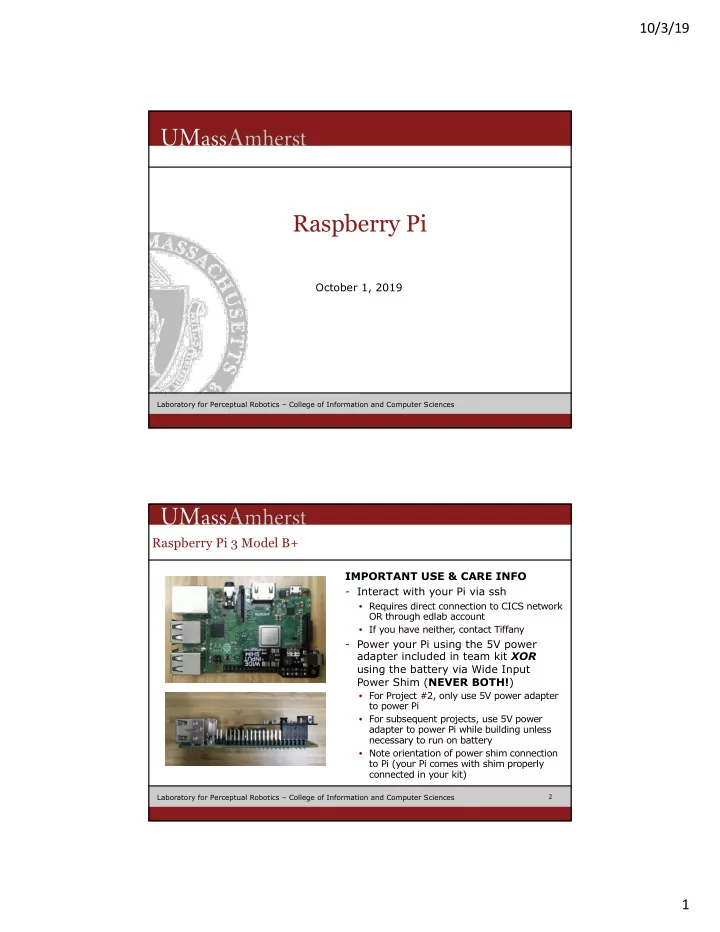
Raspberry Pi 3 Model B+

IMPORTANT USE & CARE INFO

  • Interact with your Pi via ssh
  • Requires direct connection to CICS network

OR through edlab account

  • If you have neither

, contact Tiffany

  • Power your Pi using the 5V power

adapter included in team kit XOR using the battery via Wide Input Power Shim (NEVER BOTH!)

  • For Project #2, only use 5V power adapter

to power Pi

  • For subsequent projects, use 5V power

adapter to power Pi while building unless necessary to run on battery

  • Note orientation of power shim connection

to Pi (your Pi comes with shim properly connected in your kit)

2

slide-2
SLIDE 2

10/3/19 2

Laboratory for Perceptual Robotics – College of Information and Computer Sciences

Raspberry Pi 3 Model B+

IMPORTANT USE & CARE INFO

  • Always do graceful shutdowns to

avoid SD card corruption

  • sudo shutdown 0
  • Unplug power source (5V adapter or

battery) only after Pi shows signs of successful shutdown

  • Do not leave Pi connected to power
  • vernight/not in use
  • Only install necessary libraries

(8GB SD card)

  • Never place your Pi on conductive

surfaces

3

Laboratory for Perceptual Robotics – College of Information and Computer Sciences

Raspberry Pi Camera v2

  • Only connect/disconnect camera

module to/from Pi when Pi is powered down

  • As with Pi, camera should never

come in contact with conductive surfaces

  • Follow online tutorial/Project #2

handout to learn how to properly connect/disconnect camera module to/from Pi

4

slide-3
SLIDE 3

10/3/19 3

Laboratory for Perceptual Robotics – College of Information and Computer Sciences

Project #2 Schematic

5

Motors Motor Shield Arduino Pi Camera Battery Power Shim 5V Adapter IR Sensor Ping Sensor

USB

be aware of the jumper config

  • r