
SLIDE 1
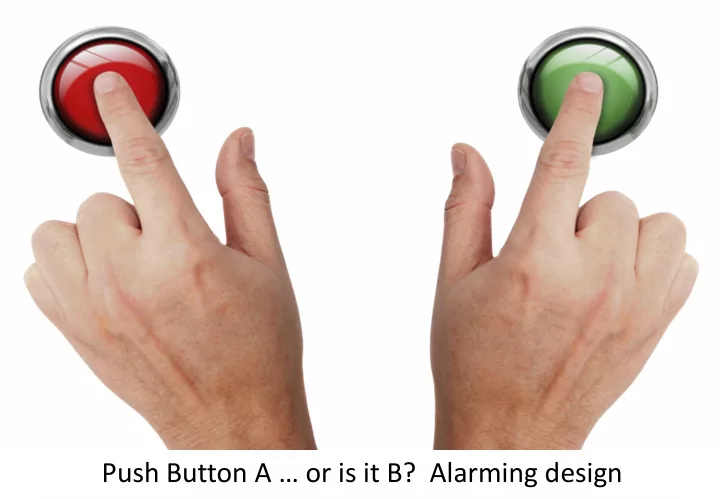
Push Button A … or is it B? Alarming design
Push Button A or is it B? Alarming design Real consequences for - - PowerPoint PPT Presentation
Push Button A or is it B? Alarming design Real consequences for real people If you are delivering a system or product, you should set up a register of hazards containing information about each hazard. 16.2.2 a Can we find some hazards?
Push Button A … or is it B? Alarming design
If you are delivering a system or product, you should set up a register of hazards containing information about each hazard. 16.2.2 a
Broadcast emergency call not made
Driver didn’t log on Train had not been registered for this trip New train controller registered trailing loco No communication with driver to confirm Train controller didn’t use backup system Train controller didn’t have phone numbers Incident was not given priority Repeat of similar incidents.
Broadcast emergency call not made Driver didn’t log on Trailing loco logged on from previous day Trailing loco shown on screen as leading No communication with driver to confirm Train controller didn’t use backup system Train controller didn’t have phone numbers Incident was not given priority Repeat of similar incidents.
Broadcast emergency call not made Driver didn’t log on Trailing loco logged on from previous day Trailing loco shown on screen as leading No communication with driver to register Train controller didn’t make broadcast call Train controller didn’t have phone numbers Incident was not given priority Repeat of similar incidents.
Broadcast emergency call not made Driver didn’t log on Trailing loco logged on from previous day Trailing loco shown on screen as leading No communication with driver to confirm Train controller didn’t make broadcast call Train controller didn’t have phone numbers Incident was not given priority Repeat of similar incidents.
Broadcast emergency call not made Driver didn’t log on Trailing loco logged on from previous day Trailing loco shown on screen as leading No communication with driver to confirm Train controller didn’t use backup system Train controller didn’t have phone numbers Incident was not given priority Repeat of similar incidents.
Broadcast emergency call not made Driver didn’t log on Trailing loco logged on from previous day Trailing loco shown on screen as leading No communication with driver to confirm Train controller didn’t use backup system Train controller didn’t have phone numbers Incident was not given priority Repeat of similar incidents.
Radio active in trailing locomotive Driver didn’t log on Train controller didn’t register train New train controller registered trailing loco No communication with driver to confirm Train controller didn’t use backup system Train controller didn’t have phone numbers Incident was not given priority Repeat of similar incidents.
Broadcast emergency call not made Driver didn’t log on Trailing loco logged on from previous day Trailing loco shown on screen as leading No communication with driver to confirm Train controller didn’t use backup system Train controller didn’t have phone numbers Incident was not given priority by controller Repeat of similar incidents.
Radio active in trailing locomotive Driver didn’t log on Trailing loco logged on from previous day Trailing loco shown on screen as leading No communication with driver to confirm Train controller didn’t use backup system Train controller didn’t have phone numbers Incident was not given priority Repeat of similar incidents at same centre
Radio active in trailing locomotive Driver didn’t log on Trailing loco logged on from previous day Trailing loco shown on screen as leading No communication with driver to confirm Train controller didn’t use backup system Train controller didn’t have phone numbers Incident was not given priority Repeat of similar incidents at same centre
Radio active in trailing locomotive Driver didn’t log on Train controller didn’t register train New train controller registered trailing loco No communication with driver to register Train controller didn’t make broadcast call Train controller didn’t have phone numbers Incident was not given priority Repeat of similar incidents.
If you are delivering a system or product, you should actively manage the hazards to closure. 16.2.2 b
If you have set up a register of hazards, you should keep it up-to-date as new information becomes available. 16.2.2 c
Incident Investigation Reports
Packenham Radio emergency call failed. Cellular only available medium. Situation noted but no comment from investigator.
North Strathfield No response to radio call. No broadcast call. Signallers vigorously wave flags and flash lights from balcony.
Homebush
Lewes
Lewes
Lewes
Hexham
“training in the application of every documented procedure that may be required.” Hexham
“the capacity to think effectively in emergencies e.g. recognising hazards other than those explicitly identified.” Hexham
A great convenience,
except if convenient for the railway.
We have changed.
Traditional Radio Mobile Phone Formal Informal Structured Spontaneous Open Channel Closed Channel Situation awareness Just the two of us
Independent check Credibility Monitored, recorded May not be recorded Press to talk Find number, dial, wait Anyone can answer Correct connection? Static configuration Numbers change
This could be dangerous!
New Hamburg Cellular privacy used to cover error, created hazard. Grawlin Plains Incident report by phone, phone numbers not given. Asta Imminent collision, phone numbers not
Understand the system
Ensure documentation is accurate
Train and rehearse
Make it second nature
Recommendations for Success
Recommendations for Success
Recommendations for Success
Recommendations for Success
Recommendations for Success
training simulations to verify that the system is what they think they designed.
Recommendations for Success
simulations to verify that the system is what they think they designed.
Recommendations for Success
procedures are relevant and accurate.
Recommendations for Success
procedures are relevant and accurate.
Recommendations for Success
procedures are relevant and accurate.
Recommendations for Success