Programs that Respond to Input C++ Review, Programming Process C++ - - PowerPoint PPT Presentation

programs that respond to input c review programming
SMART_READER_LITE
LIVE PREVIEW

Programs that Respond to Input C++ Review, Programming Process C++ - - PowerPoint PPT Presentation

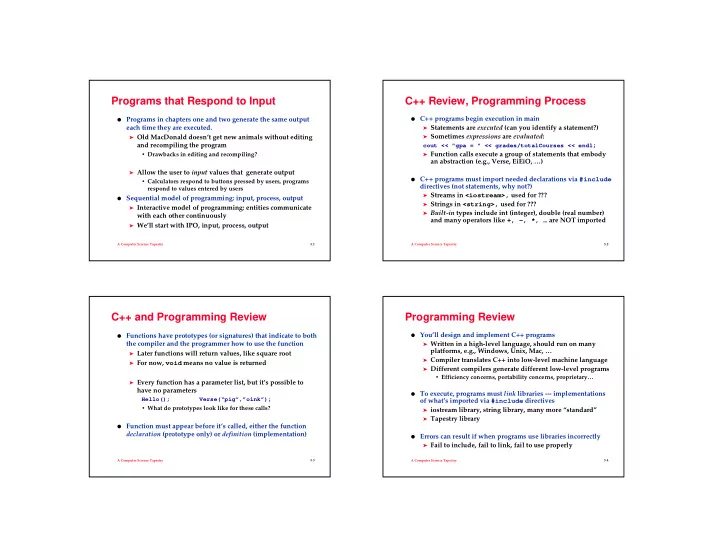
Programs that Respond to Input C++ Review, Programming Process C++ programs begin execution in main Programs in chapters one and two generate the same output each time they are executed. Statements are executed (can you identify a


slide-1
SLIDE 1

A Computer Science Tapestry 3.1

Programs that Respond to Input

  • Programs in chapters one and two generate the same output

each time they are executed.

➤ Old MacDonald doesn’t get new animals without editing

and recompiling the program

  • Drawbacks in editing and recompiling?

➤ Allow the user to input values that generate output

  • Calculators respond to buttons pressed by users, programs

respond to values entered by users

  • Sequential model of programming: input, process, output

➤ Interactive model of programming: entities communicate

with each other continuously

➤ We’ll start with IPO, input, process, output

A Computer Science Tapestry 3.2

C++ Review, Programming Process

  • C++ programs begin execution in main

➤ Statements are executed (can you identify a statement?) ➤ Sometimes expressions are evaluated:

cout << "gpa = " << grades/totalCourses << endl;

➤ Function calls execute a group of statements that embody

an abstraction (e.g., Verse, EiEiO, …)

  • C++ programs must import needed declarations via #include

directives (not statements, why not?)

➤ Streams in <iostream>, used for ??? ➤ Strings in <string>, used for ??? ➤ Built-in types include int (integer), double (real number)

and many operators like +, -, *, … are NOT imported

A Computer Science Tapestry 3.3

C++ and Programming Review

  • Functions have prototypes (or signatures) that indicate to both

the compiler and the programmer how to use the function

➤ Later functions will return values, like square root ➤ For now, void means no value is returned ➤ Every function has a parameter list, but it’s possible to

have no parameters

Hello(); Verse(“pig”,”oink”);

  • What do prototypes look like for these calls?
  • Function must appear before it’s called, either the function

declaration (prototype only) or definition (implementation)

A Computer Science Tapestry 3.4

Programming Review

  • You’ll design and implement C++ programs

➤ Written in a high-level language, should run on many

platforms, e.g., Windows, Unix, Mac, …

➤ Compiler translates C++ into low-level machine language ➤ Different compilers generate different low-level programs

  • Efficiency concerns, portability concerns, proprietary…
  • To execute, programs must link libraries --- implementations
  • f what’s imported via #include directives

➤ iostream library, string library, many more “standard” ➤ Tapestry library

  • Errors can result if when programs use libraries incorrectly

➤ Fail to include, fail to link, fail to use properly

slide-2
SLIDE 2

A Computer Science Tapestry 3.5

Toward a User-controlled Barnyard

#include <iostream> #include <string> using namespace std; void Verse(string animal, string noise) { … cout << "on his farm he had a " << animal << endl; } int main() { Verse("pig","oink"); Verse("elephant","hrruyaahungh"); return 0; }

  • What can we do to allow user to enter animal and noise?

A Computer Science Tapestry 3.6

Desired Program Behavior

  • We want the user to enter/input values

Enter animal name: sheep Enter noise: baah Old MacDonald had a farm, Ee-igh, Ee-igh, oh! And on his farm he had a sheep, Ee-igh, ee-igh, oh! With a baah baah here And a baah baah there Here a baah, there a baah, everywhere a baah baah Old MacDonald had a farm, Ee-igh, Ee-igh, oh!

  • We’ll pass the user-entered values to the Verse function

➤ The input stream cin takes input from the keyboard using

  • perator <<

➤ Values that are input are stored in variables (aka objects)

A Computer Science Tapestry 3.7

Input values are stored in variables

void Verse(string animal, string noise) { // this function doesn’t change } int main() { string animal; // variable for name of animal string noise; // variable for noise it makes cout << "enter animal "; cin >> animal; // what goes here?? Verse(animal,noise); return 0; }

  • Each variable has a type, a name/identifier, and a value

A Computer Science Tapestry 3.8

John Kemeny, (1926-1992)

  • Invented BASIC, assistant to

Einstein, Professor and President of Dartmouth

➤ Popularized computers

being ubiquitous on campus/at home

➤ BASIC ported to early

personal computers by Gates and Allen

  • Initially BASIC was free, but

many different dialects arose. In 1985 Kemeny and Kurtz shipped TRUE BASIC, to challenge Pascal in academia

➤ What’s used today?

slide-3
SLIDE 3

A Computer Science Tapestry 3.9

Variables and Parameters

  • Both are placeholders for values. Each has a type and a name

➤ Parameters are given values when arguments passed in a

function call:

void Verse(string animal, string noise){…} Verse("duck", "quack");

➤ Variables are given values when initially defined, or as a

result of executing a statement

string animal; // defined, no value supplied cout << "enter animal "; cin >> animal; // user-entered value stored

A Computer Science Tapestry 3.10

Define variables anywhere, but …

  • Two common conventions for where to define variables.

➤ At the beginning of the function in which they’re used:

{ string animal,noise; cout << "enter animal "; cin >> animal; cout << "enter noise a " << animal << " makes "; cin >> noise; }

➤ Just before the first place they’re used:

string animal; cout << "enter animal "; cin >> animal; string noise; cout << "enter noise a " << animal << " makes "; cin >> noise;

A Computer Science Tapestry 3.11

Using numbers in a program

#include <iostream> using namespace std; int main() { double degrees; cin << "enter temperature in degrees F. "; cin >> degrees; cout << degrees << " F = " << (degrees-32) * 5 / 9 << endl; return 0; }

  • User can enter 80 or 80.5

➤ There are two types for numbers, double and int, why? ➤ Are parentheses needed in (degrees-32)? Why?

A Computer Science Tapestry 3.12

Variables and Parameters for Numbers

  • The type string is not a built-in type, technically it’s a class

➤ What must you do to use strings in your programs? ➤ What alternatives are there if strings not supported?

  • There are many numerical types in C++. We’ll use two

➤ int, represents integers: {…-3,-2,-1,0,1,2,3,…}

  • Conceptually there are an infinite number of integers, but the

range is limited to [-231, 231-1](on most systems) Alternatives? Why is range limited?

➤ double, represents real numbers like π, √2

  • Not represented exactly, so expressions like 100*0.1 may

yield unexpected results

  • Double precision floating point numbers, another type float

exists, but it’s a terrible choice (generates poor results)

slide-4
SLIDE 4

A Computer Science Tapestry 3.13

GIGO: program as good as its data?

  • In calculations involving floating point numbers it’s easy to

generate errors because of accumulated approximations:

➤ What is 1023 + 1? ➤ When is (x + y) + z different from x + (y + z) ?

  • The type int is severely constrained on 16-bit computers, e.g.,

running DOS, largest value is 32,767 (215-1)

➤ Even on 32-bit machines, how many seconds in a

millennium? 60*60*24*365*1000, problems?

➤ On UNIX machines time is measure in seconds since 1970,

problems?

➤ What’s Y2K all about?

A Computer Science Tapestry 3.14

What arithmetic operations exist?

  • Syntax and semantics for arithmetic operations

➤ Addition, subtraction: + and –, int and double

23 + 4 x + y d – 14.0 + 23

➤ Multiplication: *, int and double

23 * 4 y * 3.0 d * 23.1 * 4

➤ Division: /, different for int and double

21 / 4 21 / 4.0 x / y

➤ Modulus: %, only for int

21 % 4 17 % 2 x % y

  • Mixed type expressions are converted to “higher” type

➤ Associativity of operators determines left-to-right behavior

  • Use parentheses liberally

➤ Without () use operator precedence, *,/, % before +,-

A Computer Science Tapestry 3.15

Preview: other operators/types

  • Later we’ll study functions like sqrt, cos, sin, pow, …

➤ Accessible using #include <cmath> (or <math.h>) ➤ No way to calculate xy with an operator, need <cmath> ➤ If these functions are accessible via a header file are they

built-in functions?

➤ Do other languages include different operators?

  • For integers unlimited in range use #include "bigint.h"

for the type BigInt

➤ Why is this "bigint.h" instead of <bigint>? ➤ Which is more efficient, BigInt or int?

A Computer Science Tapestry 3.16

Comparing Dominos to Pizza Hut to …

void SlicePrice(int radius, double price) // compute pizza statistics { // assume all pizzas have 8 slices cout << "sq in/slice = "; cout << 3.14159*radius*radius/8 << endl; cout << "one slice: $" << price/8 << endl; cout << "$" << price/(3.14159*radius*radius); cout << " per sq. inch" << endl; }

  • How can we call this several times to compare values?
  • Are there alternatives to the 8 slices/pie convention?
  • What about thickness?