presented by Dr Matt Brandt Connecting to Audio: 1. Open the Audio - - PowerPoint PPT Presentation

presented by dr matt brandt
SMART_READER_LITE
LIVE PREVIEW

presented by Dr Matt Brandt Connecting to Audio: 1. Open the Audio - - PowerPoint PPT Presentation

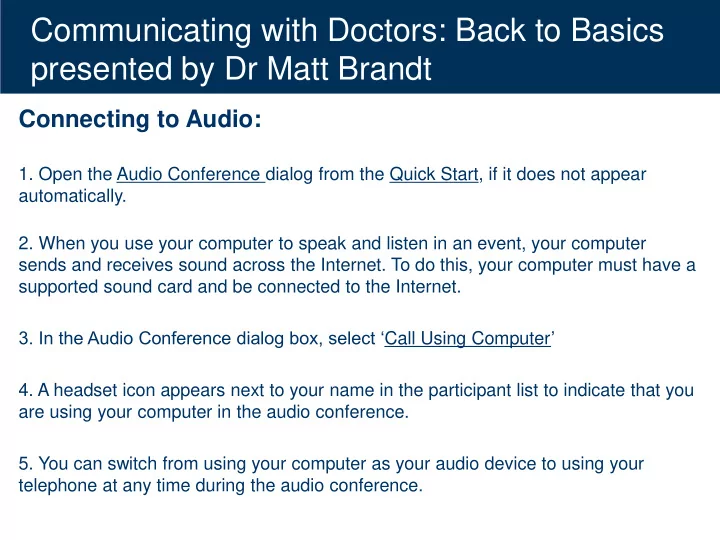
Communicating with Doctors: Back to Basics presented by Dr Matt Brandt Connecting to Audio: 1. Open the Audio Conference dialog from the Quick Start, if it does not appear automatically. 2. When you use your computer to speak and listen in an


slide-1
SLIDE 1

Communicating with Doctors: Back to Basics presented by Dr Matt Brandt

Connecting to Audio:

  • 1. Open the Audio Conference dialog from the Quick Start, if it does not appear

automatically.

  • 2. When you use your computer to speak and listen in an event, your computer

sends and receives sound across the Internet. To do this, your computer must have a supported sound card and be connected to the Internet.

  • 3. In the Audio Conference dialog box, select ‘Call Using Computer’
  • 4. A headset icon appears next to your name in the participant list to indicate that you

are using your computer in the audio conference.

  • 5. You can switch from using your computer as your audio device to using your

telephone at any time during the audio conference.

slide-2
SLIDE 2

Dr Matt Brandt 1 April 2015

Workers’ Compensation Regulator

Communicating with Doctors:

Back to Basics

slide-3
SLIDE 3

How to make the most of your webinar

  • Actively participate in polling questions

– on right of screen when presenter activates

  • Ask questions using the Q&A section

– on right of screen throughout the presentation

  • Complete the Webinar evaluation survey at

the end to ensure the Workers’ Compensation Regulator delivers topics to support you and your workplace.

3

slide-4
SLIDE 4

Webinar help

4

Connecting to Audio:

  • 1. Open the Audio Conference dialog from the Quick Start, if it does not appear

automatically.

  • 2. When you use your computer to speak and listen in an event, your computer

sends and receives sound across the Internet. To do this, your computer must have a supported sound card and be connected to the Internet.

  • 3. In the Audio Conference dialog box, select ‘Call Using Computer’
  • 4. A headset icon appears next to your name in the participant list to indicate that you

are using your computer in the audio conference.

  • 5. You can switch from using your computer as your audio device to using your

telephone at any time during the audio conference.

slide-5
SLIDE 5

Webinar Presenter: Dr Matt Brandt

5 Dr Brandt will discuss the communication process between the worker, workplace and the treating doctor. He will focus on potential difficulties, and strategies and solutions to enhance the effectiveness of communication in promoting and sustaining an early and safe return to

  • work. Dr Brandt has worked in occupational and

environmental medicine for over a decade. He has experience in:

  • medical risk assessment
  • evidence-based rehabilitation advice and analysis of causation
  • f worker’s compensation claims
  • medico-legal reporting
  • workplace assessment
  • toxicology
  • health education.

He has a strong interest in promoting health, wellbeing, workforce participation and optimum performance for

  • rganisations.
slide-6
SLIDE 6

Webinar Overview

6

  • Context
  • Treating doctor roles
  • Benefits of early communication
  • Tips
  • Potential barriers and solutions
slide-7
SLIDE 7

Communication

A ‘core’ competency of the treating medical practitioner

  • Primarily with patient +/- family, other health practitioners,

and to lesser extent third parties (e.g. Medicare, Centrelink, Department of Veterans’ Affair)

  • Workers’ compensation process introduces multiple

stakeholders: workers’ compensation insurer, employer, +/-regulatory authority +/- legal profession.

7

slide-8
SLIDE 8

Context

“Rehabilitation Team”

  • Worker
  • Nominated treating doctor+/- other treatment providers
  • Employer: supervisor, Rehabilitation and Return to

Work Coordintaor (RRTWC)

  • Workers’ compensation claim manager / officer

(insurer/ self insurer)

8

slide-9
SLIDE 9

Roles & Responsibilities of Treating Doctor

  • Early intervention and evidence-based treatment
  • Facilitate rehabilitation focused on the worker

returning to work

  • Communicate regularly with insurer and

employer

  • worker’s capacity for work (focus on ability not

disability)

  • updates on the worker's progress and/or

amendments to treatment plan etc.

9

slide-10
SLIDE 10

Benefits of early communication

Strong evidence that committed and coordinated communication and early action from key stakeholders is crucial in maximising a successful

  • utcome

Treating health professionals exert a significant influence on work absence and work disability, particularly in relation to medical certification practices

10

slide-11
SLIDE 11

Benefits of early communication

Doctors who communicate with the worker, employer and insurer can have a positive impact

  • n the rehabilitation process

When early return to work is recommended by the treating doctor, it is significantly more likely that the individual will return to work

11

slide-12
SLIDE 12

Benefits of early communication

Strong evidence 1 that contact between the health care provider and the employer is associated with a significant reduction in disability duration and associated costs

  • 1. R Franche et al. 2004. Workplace-based Return-to-Work Interventions: A

Systematic Review of the Quantitative and Qualitative Literature. Institute for Work & Health. 12

slide-13
SLIDE 13

Objective of Communication

The establishment of an effective channel of communication involving key stakeholders, in

  • rder to facilitate recovery and a return to work as

early as is safe and practicable

13

slide-14
SLIDE 14

Poll Question 1

Q: What difficulties do you encounter when communicating with a treating medical practitioner (TMP) in order to facilitate rehabilitation and return to work? (please use Poll

  • n your right)

a) Treating medical practitioner not returning phone call b) Treating medical practitioner has a limited knowledge of workers’ compensation c) Reception staff at practice d) Time restraints e) Geographical factors

14

slide-15
SLIDE 15

Tips

  • Organisational culture and management system

facilitates early reporting

  • If possible, early contact with injured worker

before worker attends treating medical practitioner (TMP)

  • Discuss with worker the possible options for

suitable duties to be discussed with treating doctor

15

slide-16
SLIDE 16

Tips continued

  • Worker phones from home reporting that they

are not coming in because they are ill or injured

– Enquire in an empathetic manner, what the problem is – If the worker reports that they have sustained an injury, ask how it

  • ccurred

– So if it could be a work-related injury, there is a need to intervene early and proactively

16

slide-17
SLIDE 17

Tips continued

  • Injured worker attends TMP as soon as possible following

the event or reporting of symptoms

  • If the employer is aligned with a medical clinic, can

recommend that worker attends that practice

  • This cannot be enforced and the worker can choose

which doctor they wish to see

17

slide-18
SLIDE 18

Tips continued

  • Injured worker pack for worker and treating

medical practitioner

  • Employer contact details
  • List of modified / suitable duties and task demand
  • Authority to release and obtain information signed by

the injured worker

  • Company policy of commitment to provide suitable

duties to injured worker

  • Information on the workers’ compensation process

including worker’s and employer’s’ rights and responsibilities

18

slide-19
SLIDE 19

Tips continued

  • Establish contact with the TMP as early as

possible

  • Don't wait for the TMP to call you!
  • Face-to-face would be the preferred mode of

contact with the TMP

  • If you can’t attend the appointment, arrange to

visit the clinic at a later time or arrange a telephone discussion with the TMP and fax an injured worker pack to the TMP.

19

slide-20
SLIDE 20

Tips continued

  • Offer to attend appointment with worker to advise

TMP of accommodations and duties available to support return to work

  • Employer should not expect to be present during

the treatment consultation, but quite reasonable to ask to speak with the TMP upon completion of the treatment consultation

20

slide-21
SLIDE 21

Tips to maximise the outcome from first contact with the TMP

  • Be prepared
  • Inform TMP of your role to support a valuable

member of your workforce to remain at / return to work, by ensuring that duties are supplied within the medical restrictions provided by the TMP.

  • Suitable / modified duties available as soon as

worker is considered to be medically able to return to work.

  • Regular review of worker’s recovery and

progress

21

slide-22
SLIDE 22

Tips continued

  • Attend review appointments / follow up with

telephone calls / videoconferencing with doctor to discuss worker’s recovery and work capacity

  • Be available to participate in case conference

with worker, treating doctor and insurer

  • Invite the TMP to the workplace to view the tasks

and assist in identifying suitable duties for your worker.

22

slide-23
SLIDE 23

POLL QUESTION 2

Q: What do you find useful when communicating with the treating medical practitioner (TMP)? (please use Poll on your right)

a) Attending the review appointments/ case conferences b) Following up with a phone call c) TMP Understanding the requirements for Workers’ Compensation medical certificate d) Inviting the treating medical practitioner to the workplace e) Following up with an email f) TMP Understanding the requirements for a suitable duties plan

23

slide-24
SLIDE 24

Potential barriers and solutions

Potential barriers and solutions re: communication with the TMP

  • Geographical factors
  • Consider alternative modes of communication e.g. telemedicine

videoconferencing, skype

  • ‘Gatekeeper’ (clinic reception staff)
  • Call the clinic and ask to speak to the doctor; if doctor is

unavailable ask receptionist for the most convenient time to call back or whether you can leave your contact details so the doctor can return your call

24

slide-25
SLIDE 25

Potential barriers and solutions continued

  • The ‘Gatekeeper’ continued
  • Let receptionist know that you will forward an injured

worker information pack by fax or email, if the information hasn’t already been provided

  • Let TMP / receptionist know that TMP can charge for

any phone calls (item number) for the time spent on the phone discussing the injured worker’s return to work

  • Align with a medical practice with interest / expertise in

Occupational Health

  • Build a relationship with the clinic manager

25

slide-26
SLIDE 26

Potential barriers and solutions continued

  • TMP not returning phone call
  • Find out which method of communication suits the

doctor best

  • Endeavour to build a relationship with the clinic

reception staff and doctor

  • Let doctor or receptionist know that the doctor can

charge for any phone calls (item number) for the time spent on the phone discussing the injured worker’s return to work

  • Inform the workers’ compensation insurer

26

slide-27
SLIDE 27

Potential barriers and solutions continued

  • TMP may have limited appreciation /

knowledge of workers’ compensation process, ‘Health benefits of work,’ workplace /duties etc.

  • Be prepared to educate them!

27

slide-28
SLIDE 28

Potential barriers and solutions continued

  • Treating doctor advocacy
  • Reassure the doctor
  • Inform the treating doctor of your role in supporting

the worker to remain at / return to work within medical restrictions

  • Their patient is a vital part of your workplace and you

want to assist in any way you can with their recovery.

  • Suitable / modified duties are available as soon as

their patient is considered to be medically able to return to work.

  • It is safe for their patient to return to work.
  • RTW is supported and regularly reviewed.

28

slide-29
SLIDE 29

Workers’ Compensation Medical Certificate

  • An entry point to the worker’s compensation

process.

  • Should be provided by TMP to the worker at the

first consultation and thereafter with any change to treatment plan, work capacity, or rehabilitation plan.

  • A time-dependent statement of fitness for work: a

basis for developing a suitable duties plan.

  • If the work capacity / restrictions are unclear,

contact TMP for clarification.

29

slide-30
SLIDE 30

Questions

slide-31
SLIDE 31

Resources

  • Visit www.worksafe.qld.gov.au
  • https://www.worksafe.qld.gov.au/forms-and-

resources/statistics/queensland-performance-against-national-strategy- targets

  • https://www.worksafe.qld.gov.au/slaws-and-compliance/workers-

compesnations-laws

  • https://www.worksafe.qld.gov.au/service-providers/working-with-us
  • www.rtwmatters.org
  • Realising the Health Benefits of Work, Position Paper (April 2010,

Australasian Faculty of Occupational and Environmental Medicine)

31

slide-32
SLIDE 32

Resources Continued…

32

  • Visit www.worksafe.qld.gov.au
  • Sign up for free eBulletin email subscription

service

slide-33
SLIDE 33

Visit the Return to Work Facebook Community www.facebook.com/RRTWCnetwork/

Return to Work Coordinator Community

33

slide-34
SLIDE 34

North Queensland Return to Work Conference and Expo

34