Presentation for NETI workshop sharing II August 18, 2020 - - PDF document

presentation for neti workshop sharing ii
SMART_READER_LITE
LIVE PREVIEW

Presentation for NETI workshop sharing II August 18, 2020 - - PDF document

8/18/2020 Presentation for NETI workshop sharing II August 18, 2020 University of Oklahoma 1 NETI workshop sharing II Marc C. Moore, Chung Hao Lee, AME SBME Sepideh Razavi, Daniel Resasco, CBME CBME 2 1 8/18/2020 What we will be


slide-1
SLIDE 1

8/18/2020 1

Presentation for NETI workshop sharing II

August 18, 2020 University of Oklahoma

NETI workshop sharing II

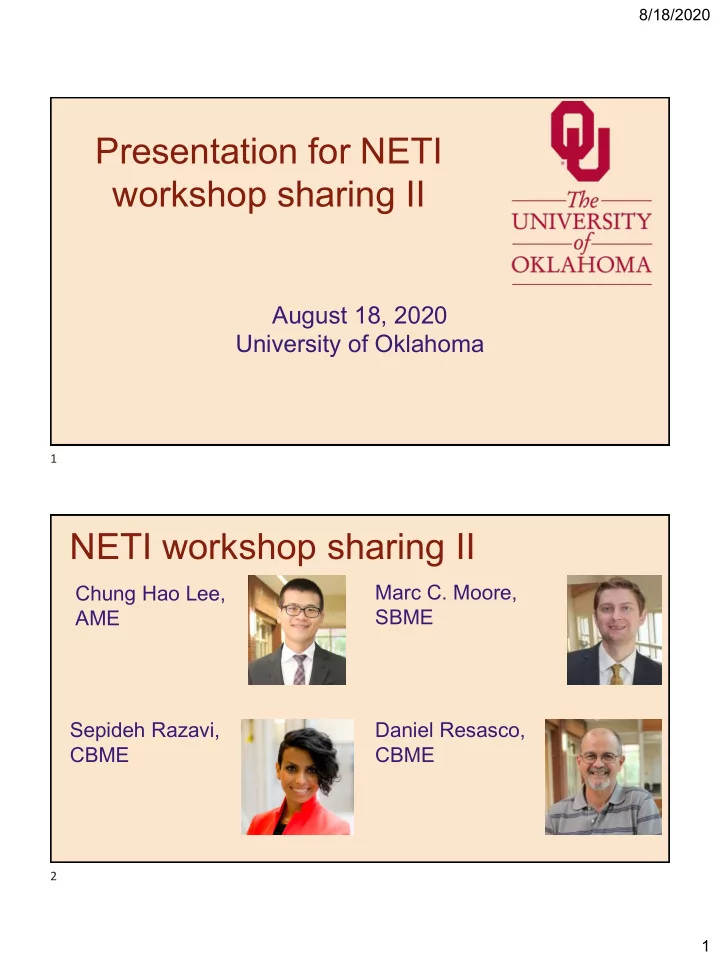
Chung Hao Lee, AME Marc C. Moore, SBME Daniel Resasco, CBME Sepideh Razavi, CBME

1 2
slide-2
SLIDE 2

8/18/2020 2

What we will be doing in the next hr?

Tools Tools

  • Brief review of each pillar by Marc,

Sepideh, and Daniel (10 min each)

  • Review of some tools that can be applied

to each pillar by Chung Hao (10 min)

  • Q&A session (20 min)
  • Feel free to submit any questions you

may have during each section to the Chat

Motivation

Shared by Marc Moore

3 4

slide-3
SLIDE 3

8/18/2020 3

Why do we need to motivate students?

  • Motivation improves learning
  • Since the start of the pandemic, students have reported feeling: bored, sad,

lonely, unmotivated, and overwhelmed.

Why is it hard to motivate students in an online environment?

  • Lack of social presence
  • Can not see visual “body” cues, only see the face
  • Less opportunity to ask short, clarifying questions

Self determination theory of facilitation of motivation: (Edward Deci and Richard Ryan, 1985)

Theory suggests that people are able to become self-motivated when their needs for the following are fulfilled:

5 6

slide-4
SLIDE 4

8/18/2020 4

Competence is having knowledge, skills, and abilities to succeed. Students must have confidence to be competent. Tools to Boost Competence

Question Boards

  • Use software to help students ask

questions and contribute to discussion

  • Give extra points for asking questions
  • n Piazza. E.g Every question

asked=0.2 points, and you can earn up to 5 class points.

  • Students can ask questions and be

anonymous to classmates, but visible to instructor

  • Question Board Software: Piazza

(piazza.com), Campuswire, Slack In Class-Polling

  • Use Zoom features like ‘raise

hand’, ‘thumbs up’, and ‘thumbs down’

  • Pollev has a competition mode
  • Polling Software: Poll

everywhere (pollev.com), Kahoot (kahoot.com), Plickers, Slido

7 8

slide-5
SLIDE 5

8/18/2020 5

Autonomy is being allowed to explicitly do something, and feel like it is implicitly okay. Ideas to Improve Student Autonomy

  • Record all lectures and post online
  • Give students a chance to provide feedback in weekly feedback documents.

Make them feel like their opinions matter. If you cannot change, then give them a reason why.

  • Let students provide one question they would like to see on an exam. Also, ask

them why they chose that question.

  • Have students teach a topic (5-10 min presentation), which can be a segway for

that day’s lecture

  • Let students work on teams with classmates that they choose
  • STOP giving long lectures where students feel trapped

9 10

slide-6
SLIDE 6

8/18/2020 6

Relatedness is helping students to connect with others, and to learn from and teach each

  • ther.

Ideas to Improve Relatedness

  • Make a slide to introduce myself to my students
  • Use breakout rooms.
  • Tell students to please keep video on if they are able
  • Create connection to the profession by linking course event to current world

topics.

  • Require weekly 1:1 or small group meetings or synchronous class at least once

per week

  • Invite professionals to visit class and spend time with students

11 12

slide-7
SLIDE 7

8/18/2020 7

Active Learning

Shared by Sepideh Razavi

What is Active Learning?

Put down something you learned from the “motivation section” into the chat box!

13 14

slide-8
SLIDE 8

8/18/2020 8

What is Active Learning?

Put down something you learned from the “motivation section” into the chat box! Learning by doing…

What is Active Learning?

Put down something you learned from the “motivation section” into the chat box! Learning by doing… Is this active learning? Instructor introduces a concept and then performs a demonstration in the class to show that concept.

15 16

slide-9
SLIDE 9

8/18/2020 9

What is Active Learning?

Active Learning has two components: ❏ Students are doing an activity ❏ The assigned activity engages the students in the learning

  • bjective of the course

What flavor of active learning is effective for different environments?

F2F vs. online synchronous vs. online asynchronous

Anything Course-related + the 2 elements!

Student-Student (SS) interactions:

  • Discussion boards
  • Team assignments
  • Breakout rooms

Student-Instructor (SI) interactions:

  • Online quizzes with instructor feedback (Canvas)
  • Ask students to summarize the main ideas from last X-minutes or lecture

Student-Content (SC) interactions:

  • Interactive tutorial/online simulation
  • Reflection/minute paper

17 18

slide-10
SLIDE 10

8/18/2020 10

The ICAP Framework

Proposes that engagement behaviors can be categorized and differentiated into one of four modes: Interactive, Constructive, Active, and Passive.

I>C>A>P (Chi and Wylie, 2014)

Students watching the professor do a demonstration: Passive Students highlighting text while studying: Active Students summarize, self-explain, or generate questions about presented materials: Constructive Think-pair-share—individual activity, pair to reach consensus, report results: Interactive Thinking-aloud pair problem solving: Interactive

Lessons I learned from the NETI workshop

  • Focus on your objectives
  • Not being able to cover the syllabus? Maybe only do 2 activities, 90 second each
  • More student-focused, more complicated technique is NOT necessarily better.

We can do some easy basic activities to be effective.

  • Do not let perfection be the enemy of the good (no instructional plan engages

everyone)

  • Zoom features can be simple but effective tools for engagement (polling,

breakout rooms)

  • Be very clear about directions and what you exactly want from students
  • We can exploit positives of online teaching

USE what you have learned: Pick 3 engagement strategies you would use in your class in the Fall...

19 20

slide-11
SLIDE 11

8/18/2020 11

Assessment

Shared by Daniel Resasco

Types of Assessment

diagnostic formative summative

21 22

slide-12
SLIDE 12

8/18/2020 12 WHY?

  • To identify individual and class strengths and weaknesses
  • To find and correct misconceptions on crucial fundamental

concepts

  • To explain how course will address students needs to meet

goals and specific objectives

diagnostic

Before starting a course (or unit) find out strengths/ weaknesses and skills / knowledge students posses.

HOW ?

  • Not-graded / Anonymous.

  • Synchronous. Zoom polling – short questions / short answers

  • Asynchronous. Canvas. Survey.

diagnostic

  • Graded exercises ( low-stakes assignments )

○ Zoom – minute paper ○ Canvas – Quizzes function – (essay question or numerical question)

  • Advantage:

encourage participation / accountability

  • Disadvantage:

easy to cheat ? >> Canvas – Quizzes function – formula question variable numerical / automatically adjusted

Before starting a course (or unit) …

23 24

slide-13
SLIDE 13

8/18/2020 13

WHY?

  • To let students understand goals and specific objectives

(achievement target)

  • To let them know where they are
  • To let them know how to close the gap
  • Enhances student motivation and engagement.
  • One of the most important types with online teaching

formative

Throughout the course (or unit) evaluate how students are learning by collecting evidence of progress. Make necessary adjustments to reach desired goals.

HOW ?

formative

Synchronous:

  • Breakout rooms and group work, e.g. Google Document

for end-of-class “minute-paper” to identify problematic materials that day.

  • Use “Stop – think – pair – share”

Asynchronous:

  • Quizzes and HW assignments (Canvas)
  • Post your 5-min video followed by quiz questions

(Canvas)

Throughout the course (or unit) evaluate how students are learning by collecting evidence of progress. Make necessary adjustments to reach desired goals.

25 26

slide-14
SLIDE 14

8/18/2020 14

Other ideas

  • Work on semester-long preparation for individual project
  • Beginning of semester. Show students last year’s final

project (or final exam) to illustrate what capabilities they will gain.

  • Discussion board for students to get asynchronous help on

HW from both, instructor and other students.

  • Establish a “feedback committee” to collect anonymous

ideas/suggestions from the class on class material.

formative

Throughout the course (or unit) evaluate how students are learning by collecting evidence of progress. Make necessary adjustments to reach desired goals. At the end of the course or after an educational stage. Quizzes, projects and tests to evaluate what students have learned and how well can link concepts together

HOW ?

  • Project-based take home exam, rigorous quantitative, and with

enough complexity to require connecting interrelated concepts and make every project unique (Give enough time to complete).

  • Individual or in groups?

Problem for former: too much grading effort; Problem for latter: harder to test individual contributions

→ use peer evaluations, rotating groups through semester to identify consistent performers and non-performers.

summative

27 28

slide-15
SLIDE 15

8/18/2020 15

Other ideas

  • Train students during semester to build concept maps and make links
  • Group quizzes (shared Google Documents)
  • Breakout rooms during class, working together in:
  • Brainstorming, concept maps, relationships
  • Small numerical/quantitative projects (EXCEL, Matlab, etc.)

so individual students can apply in their larger project.

  • Group quizzes (shared Google Documents, Office 365)

summative

At the end of the course or after an educational stage. Quizzes, projects and tests to evaluate what students have learned and how well can link concepts together

  • Providing a fair and balanced assessment (grading) - uneven levels of

technology at home, unsuitable environment → asynchronous can help

  • Deterring cheating in online exams / quizzes / HW
  • Clearly define expectations about academic integrity policy and

communicate you are aware of cheating and will take it seriously. Sign academic integrity pledge

  • Lockdown Browsers (previous experience … technology issues, resentment)
  • Use question banks and randomize questions to prevent sharing answers.
  • Low-grade-weight quizzes. Less incentive to cheat, but still allow for

formative assessment.

  • Collaborative learning activities (peer reviews, rotating group members)

concerns

What concerns / uncertainties do we have about assessment in an on-line teaching situation ?

29 30

slide-16
SLIDE 16

8/18/2020 16

Using Zoom’s Useful Features for Your Online Lecturing

Shared by Chung-Hao Lee

  • Dr. Chung-Hao Lee @ OU Since Fall 2016

Education & Training

Postdoc (Heart Valve Biomech.) UT Austin PhD (Civil Eng.) UCLA MS (Structural Eng.) NTU BS (Civil Eng.) NTU

Research Areas / Interests

  • Tricuspid Valve Biomechanics
  • Shape Memory Polymers for Brain Aneurysm Treatment
  • Multiscale Modeling of Biological Tissues
  • Advanced Finite Element Modeling

Activities

  • Hiking, swimming, softball & other sports,
  • Reading novels, planting, …

Courses Taught

  • Numerical Methods
  • Solid Mechanics & Solid Mechanics Lab
  • Biomechanics
  • Dr. Lee’s BBDL: http://ou.edu/coe/ame/bbdl/

31 32

slide-17
SLIDE 17

8/18/2020 17

Zoom Settings

https://oklahoma.zoom.us/profile/setting

Exit Full Screen to See Chat & Participants Windows

If you don’t have dual screens and/or not familiar with lecturing on multiple screens…

33 34

slide-18
SLIDE 18

8/18/2020 18

Exit Full Screen to See Chat & Participants Windows

If you don’t have dual screens and/or not familiar with lecturing on multiple screens… Otherwise, you may move the Chat & Participants Windows into the 2nd display/screen My First Display (Screen) My Second Display (Screen)

Interactive Buttons - Participants

35 36

slide-19
SLIDE 19

8/18/2020 19

Useful Feature in Zoom - Chat

❑ Collect the text format feedback from students instantly ❑ TA could help monitor chat box when you are in lecturing ❑ Send documents to the class

Breakout Rooms

❑ Small size class: recommended with group of 3-4 ❑ Large size class: recommended with group of 4-6 ❑ Group of more than 10 might not give an efficient student engagement ❑ Breakout Rooms (only available to the host)

37 38

slide-20
SLIDE 20

8/18/2020 20

Breakout Rooms Breakout Rooms – Tip

Make sure you ask your audience (or students) to Leave the “Breakout Room”, rather than leave the Zoom meeting, after each breakout room discussion. Otherwise, he/she will need to ask to join the Zoom meeting session again.

39 40

slide-21
SLIDE 21

8/18/2020 21

Polls Polls

41 42

slide-22
SLIDE 22

8/18/2020 22

Polls

Google Docs (or OneDrive) for Collaborative Editing

43 44

slide-23
SLIDE 23

8/18/2020 23

Google Docs – Document Sharing & Living Editing How to Set It Up?

https://docs.google.com/document/u/0/

45 46

slide-24
SLIDE 24

8/18/2020 24

Similarly – OU’s OneDrive

https://sooners-my.sharepoint.com/

OU’s OneDrive – More Information

https://support.microsoft.com/en-us/office/collaborate-in-onedrive-d8a2a19a-e306-4ca5- 9b00-19b0e96890d6

47 48

slide-25
SLIDE 25

8/18/2020 25

Discussion Board on Canvas (Asynchronous)

Discussions Tab on the Canvas Course Left Panel

49 50

slide-26
SLIDE 26

8/18/2020 26

Discussions Tab on the Canvas Course Left Panel

Online Quizzes on Canvas

51 52

slide-27
SLIDE 27

8/18/2020 27 Creating a quiz in Canvas: https://www.youtube.com/watch?v=pGKQCGuB3NI Question Options: (https://www.youtube.com/watch?v=kWY-U1RNSf0)

  • Multiple Choice (https://www.youtube.com/watch?v=F1Fzas4wvws)
  • True/False (https://www.youtube.com/watch?v=txJIogLJuVw)
  • Fill in the Blank (https://www.youtube.com/watch?v=7pKpv2ybNBA)
  • Multiple Answers (https://www.youtube.com/watch?v=HP10sRjWKGM)
  • Formula (https://www.youtube.com/watch?v=E6pKwDGy8t4)
  • Matching (https://www.youtube.com/watch?v=JApclQt3UoU)
  • Essay Question (https://www.youtube.com/watch?v=SMF5rCN7lMQ)
  • File Upload

Creating and Using Question Groups: https://www.youtube.com/watch?v=yXpTje0SyJU

Other Teaching-Aided Tools and Apps

53 54

slide-28
SLIDE 28

8/18/2020 28

Other Tools

Gradescope: online grading platform that uses adaptive rubrics for grading; integrated with Canvas Slido: Let the audience ask questions and vote for the ones they like the most Calendly: Schedule meeting with individual student or group Flipgrid: Good for video discussion plickers: Good for formative assessment piazza: Q&A discussion platform slack: Working as a team (like Microsoft Teams) Kahoot: Game-based learning platform

Pick only a couple of technologies that would be helpful & suitable for your online lecturing!

Breakout Room Discussion

  • 5 Minutes for Discussions
  • Introduce Your Name, Your Department, and Your Research ~~~ Very Briefly
  • Discuss about Three Major Concerns Regarding Teaching in Fall 2020
  • One of You Will Serve as the Scribe that Summarizes Your Discussion Points

(Locally in Your Own Document)

  • After We Come Back to the Main Zoom Meeting Room, Scribe Will Post Your

Bullet-Itemed Thoughts into the “Chat” Window

55 56