Practice in analysis of multistate R allows you to build powerful - - PDF document

practice in analysis of multistate
SMART_READER_LITE
LIVE PREVIEW

Practice in analysis of multistate R allows you to build powerful - - PDF document

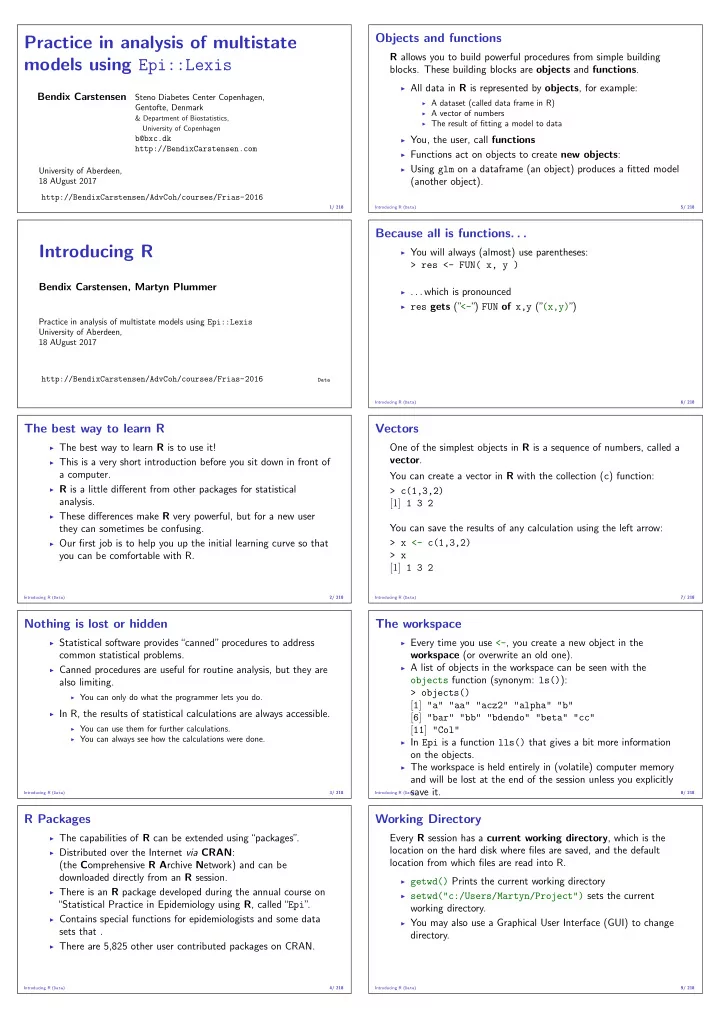
Objects and functions Practice in analysis of multistate R allows you to build powerful procedures from simple building models using Epi::Lexis blocks. These building blocks are objects and functions . All data in R is represented by objects ,


slide-1
SLIDE 1

Practice in analysis of multistate models using Epi::Lexis

Bendix Carstensen

Steno Diabetes Center Copenhagen, Gentofte, Denmark

& Department of Biostatistics, University of Copenhagen

b@bxc.dk http://BendixCarstensen.com University of Aberdeen, 18 AUgust 2017 http://BendixCarstensen/AdvCoh/courses/Frias-2016

1/ 218

Introducing R

Bendix Carstensen, Martyn Plummer

Practice in analysis of multistate models using Epi::Lexis University of Aberdeen, 18 AUgust 2017 http://BendixCarstensen/AdvCoh/courses/Frias-2016

Data

The best way to learn R

◮ The best way to learn R is to use it! ◮ This is a very short introduction before you sit down in front of

a computer.

◮ R is a little different from other packages for statistical

analysis.

◮ These differences make R very powerful, but for a new user

they can sometimes be confusing.

◮ Our first job is to help you up the initial learning curve so that

you can be comfortable with R.

Introducing R (Data) 2/ 218

Nothing is lost or hidden

◮ Statistical software provides“canned”procedures to address

common statistical problems.

◮ Canned procedures are useful for routine analysis, but they are

also limiting.

◮ You can only do what the programmer lets you do.

◮ In R, the results of statistical calculations are always accessible.

◮ You can use them for further calculations. ◮ You can always see how the calculations were done. Introducing R (Data) 3/ 218

R Packages

◮ The capabilities of R can be extended using“packages”

.

◮ Distributed over the Internet via CRAN:

(the Comprehensive R Archive Network) and can be downloaded directly from an R session.

◮ There is an R package developed during the annual course on

“Statistical Practice in Epidemiology using R, called“Epi” .

◮ Contains special functions for epidemiologists and some data

sets that .

◮ There are 5,825 other user contributed packages on CRAN.

Introducing R (Data) 4/ 218

Objects and functions

R allows you to build powerful procedures from simple building

  • blocks. These building blocks are objects and functions.

◮ All data in R is represented by objects, for example:

◮ A dataset (called data frame in R) ◮ A vector of numbers ◮ The result of fitting a model to data

◮ You, the user, call functions ◮ Functions act on objects to create new objects: ◮ Using glm on a dataframe (an object) produces a fitted model

(another object).

Introducing R (Data) 5/ 218

Because all is functions. . .

◮ You will always (almost) use parentheses:

> res <- FUN( x, y )

◮ . . . which is pronounced ◮ res gets (”

<-” ) FUN of x,y (” (x,y)” )

Introducing R (Data) 6/ 218

Vectors

One of the simplest objects in R is a sequence of numbers, called a vector. You can create a vector in R with the collection (c) function: > c(1,3,2) [1] 1 3 2 You can save the results of any calculation using the left arrow: > x <- c(1,3,2) > x [1] 1 3 2

Introducing R (Data) 7/ 218

The workspace

◮ Every time you use <-, you create a new object in the

workspace (or overwrite an old one).

◮ A list of objects in the workspace can be seen with the

  • bjects function (synonym: ls()):

> objects() [1] "a" "aa" "acz2" "alpha" "b" [6] "bar" "bb" "bdendo" "beta" "cc" [11] "Col"

◮ In Epi is a function lls() that gives a bit more information

  • n the objects.

◮ The workspace is held entirely in (volatile) computer memory

and will be lost at the end of the session unless you explicitly save it.

Introducing R (Data) 8/ 218

Working Directory

Every R session has a current working directory, which is the location on the hard disk where files are saved, and the default location from which files are read into R.

◮ getwd() Prints the current working directory ◮ setwd("c:/Users/Martyn/Project") sets the current

working directory.

◮ You may also use a Graphical User Interface (GUI) to change

directory.

Introducing R (Data) 9/ 218

slide-2
SLIDE 2

Ending an R session

◮ To end an R session, call the quit() function

◮ Every time you want to do something in R, you call a function.

◮ You will be asked“Save workspace image?”

Yes saves the workspace to the file“.RData”in your current working directory. It will be automatically loaded into R the next time you start an R session. No does not save the workspace. Cancel continues the current R session without saving anything.

◮ It is recommended you just say“No”

.

Introducing R (Data) 10/ 218

Always start with a clean workspace

Keeping objects in your workspace from one session to another can be dangerous:

◮ You forget how they were made. ◮ You cannot easily recreate them if your data changes. ◮ They may not even be from the same project

It is almost always best to start with an empty workspace and use a script file to create the objects you need from scratch.

Introducing R (Data) 11/ 218

Rectangular Data

Rectangular data sets are common to most statistical packages ” id” ” visit” ” time” ” status” 1 1 0.0 1 2 1.5 2 1 0.0 2 2 1.1 2 3 2.3 1 Columns represent variables. Rows represent individual records.

Introducing R (Data) 12/ 218

The world is not a rectangle!

◮ Most statistical packages used by epidemiologists assume that

all data can be represented as a rectangular data set.

◮ R allows a much richer set of data structures, represented by

  • bjects of different classes.

◮ Rectangular data sets are just one type of object that may be

in your workspace. This class of object is called a data frame.

Introducing R (Data) 13/ 218

Data Frames

Each column of a data frame is a variable. Variables may be of different types:

◮ vectors:

◮ numeric: c(1,2,3) ◮ character: c("John","Paul","George","Ringo") ◮ logical: c(FALSE,FALSE,TRUE)

◮ factors: factor(c("low","medium","high","low",

"low"))

Introducing R (Data) 14/ 218

Building your own data frame

Data frames can be constructed from a list of vectors

> mydata <- data.frame(x=c(3,6,7),f=c("a","b","a")) > mydata x f 1 3 a 2 6 b 3 7 a

Character vectors are automatically converted to factors.

Introducing R (Data) 15/ 218

Inspecting data frames

Most data frames are too large to inspect by printing them to the screen, so use:

◮ names returns a vector of variable names.

◮ You can use sort(names(x)) to get them in alphabetical order.

◮ head prints the first few lines, and tail. . . ◮ str prints a brief overview of the structure of the data frame.

Can be used on any object.

◮ summary prints a more comprehensive summary

◮ Quantiles for numeric variables ◮ Tables for factors Introducing R (Data) 16/ 218

Extracting values from a data frame

Use square brackets to take subsets of a data frame

◮ mydata[1,2]. The value in row 1, column 2. ◮ mydata[1,]. The whole of the first row. ◮ mydata[,2]. The whole of the second column.

You can also extract a column from a data frame by name:

◮ mydata$age. The column, or variable, named“age” ◮ mydata[,"age"]. The same.

Introducing R (Data) 17/ 218

Importing data

◮ R has good facilities for importing data from other

applications:

◮ read.dta for reading Stata datasets. ◮ read.spss for reading SPSS datasets. ◮ read.xport and read.ssd for reading SAS-datasets. Introducing R (Data) 18/ 218

Reading Text Files

The function read.table reads data from a text file and returns a data frame.

◮ mydata <- read.table("myfile") ◮ myfile could be

◮ A file in the current working directory: fem.dat ◮ A path to a file: c:/rex/fem.dat ◮ A URL: http://BendixCarstensen.com/AdvCoh/Scot-

2014/data/bogus.txt

◮ Note: myfile must be enclosed in quotes.

write.table does the opposite. R uses a forward slash / for file paths. If you want to use backslash, you have to double it: c:\\rex\\fem.dat

Introducing R (Data) 19/ 218

slide-3
SLIDE 3

Some useful arguments to read.table

◮ header = TRUE if first line contains variable names ◮ sep="," if values are comma-separated instead of being

space-delimited.

◮ as.is = TRUE to stop strings being converted to factors ◮ na.strings = "99" to denote that 99 means“missing”

. Default values are:

◮ NA“Not Available” ◮ NaN“Not a Number”

◮ For comma-separated files there is coderead.csv

Introducing R (Data) 20/ 218

Reading Binary Data

◮ R can read in data in binary (non-text) format from other

statistical systems using the foreign extension package.

◮ R is an open source project, and relies on the format for binary

files to be well-documented.

◮ Example: SAS XPORT format has been adopted as a data

exchange standard by the US Food and Drug Administration. SAS CPORT format remains a proprietary format.

Introducing R (Data) 21/ 218

Some functions in the foreign package

◮ read.dta for Stata (also write.dta) ◮ read.xport for SAS XPORT format (not CPORT) ◮ read.epiinfo for EPIINFO ◮ read.mtp for MiniTab Portable Worksheet ◮ read.spss for SPSS

See the“R Data Import/Export manual”for more details. RShowDoc("R-data")

Introducing R (Data) 22/ 218

Accessing databases systems

Microsoft Access:

> library(RODBC) > ch <- odbcConnectAccess("../data/theData.mdb") > bd <- sqlFetch(ch, "aTable" )

Microsoft Excel:

> library( RODBC ) > cnc <- odbcConnectExcel(paste("../theXel.xls",sep="")) > sht <- sqlFetch( cnc, "theSheet" ) > close( cnc )

Other databases

> ?odbcConnect

Introducing R (Data) 23/ 218

Summary - data

◮ You can use a data frame to organize your variables ◮ You can extract variables from a data frame using $. ◮ You can extract variables and observation using indecing [,] ◮ You can read in data using

◮ read.table ◮ tailored function from the foreign package ◮ database interface from the RODBC package Introducing R (Data) 24/ 218

Summary - when it goes wrong

When somthing is fishy with an object obj, try to find out what you (accidentally) got, by using: > lls() > str( obj ) > dim( obj ) > length( obj ) > names( obj ) > head( obj ) > class( obj ) > mode( obj )

Introducing R (Data) 25/ 218

R language

Bendix Carstensen, Martyn Plummer, Krista Fischer

Practice in analysis of multistate models using Epi::Lexis University of Aberdeen, 18 AUgust 2017 http://BendixCarstensen/AdvCoh/courses/Frias-2016

lang

Language

◮ R is a programming language – also on the command line ◮ (This means that there are syntax rules) ◮ Print an object by typing its name ◮ Evaluate an expression by entering it on the command line ◮ Call a function, giving the arguments in parentheses – possibly

empty

◮ Notice ls vs. ls()

R language (lang) 26/ 218

Objects

◮ The simplest object type is vector ◮ Modes: numeric, integer, character, generic (list) ◮ Operations are vectorized: you can add entire vectors with a +

b

◮ Recycling of objects: If the lengths don’t match, the shorter

vector is reused

R language (lang) 27/ 218

R expressions

x <- rnorm(10, mean=20, sd=5) m <- mean(x) sum((x - m)^2)

◮ Object names ◮ Explicit constants ◮ Arithmetic operators ◮ Function calls ◮ Assignment of results to names

R language (lang) 28/ 218

slide-4
SLIDE 4

Function calls

Lots of things you do with R involve calling functions. For instance mean(x, na.rm=TRUE) The important parts of this are

◮ The name of the function ◮ Arguments: input to the function ◮ Sometimes, we have named arguments

R language (lang) 29/ 218

Function arguments

rnorm(10, mean=m, sd=s) hist(x, main="My histogram") mean(log(x + 1))

Items which may appear as arguments:

◮ Names of an R objects ◮ Explicit constants ◮ Return values from another function call or expression ◮ Some arguments have their default values. ◮ Use help(function ) or args(function ) to see the

arguments (and their order and default values) that can be given to any function.

R language (lang) 30/ 218

Creating simple functions

logit <- function(p) log(p/(1-p)) logit(0.5) simpsum <- function(x, dec=5) { # produces mean and SD of a variable # default value for dec is 5 round(c(mean=mean(x),sd=sd(x)),dec) } x <- rnorm(100) simpsum(x) simpsum(x,2)

R language (lang) 31/ 218

Indexing

◮ R has several useful indexing mechanisms: ◮ a[5] single element ◮ a[5:7] several elements ◮ a[-6] all except the 6th ◮ a[c(1,1,2,1,2)] some elements repeated ◮ a[b>200] logical index ◮ a[ well ] indexing by name

R language (lang) 32/ 218

Lists

◮ Lists are vectors where the elements can have different types ◮ Functions often return lists ◮ lst <- list(A=rnorm(5),B="hello",K=12) ◮ Special indexing: ◮ lst$A ◮ lst[1:2] a list with first two first elements (A and B — NB:

single brackets)

◮ lst[1] a list of length 1 which is the first element (codeA —

NB: single brackets)

◮ lst[[1]] first element (NB: double brackets) — a vector of

length 5.

R language (lang) 33/ 218

Classes, generic functions

◮ R objects have classes ◮ Functions can behave differently depending on the class of an

  • bject

◮ E.g. summary(x) or print(x) does different things if x is

numeric, a factor, or a linear model fit

R language (lang) 34/ 218

The workspace

◮ The global environment contains R objects created on the

command line.

◮ There is an additional search path of loaded packages and

attached data frames.

◮ When you request an object by name, R looks first in the

global environment, and if it doesn’t find it there, it continues along the search path.

◮ The search path is maintained by library(), attach(), and

detach()

◮ List the search path by search() ◮ Notice that objects in the global environment may mask

  • bjects in packages and attached data frames

R language (lang) 35/ 218

Data manipulation and with

bmi <- with(stud, weight/(height/100)^2)

uses variables weight and height in the data frame stud (not the variables with the same name in the workspace), but creates the variable bmi in the global environment (not in the data frame). To create a new variable in the data frame, you can use:

stud$bmi <- with( stud, weight/(height/100)^2 )

R language (lang) 36/ 218

Constructors

◮ Matrices and arrays, constructed by the (surprise) matrix and

array functions.

◮ You can extract and set names with names(x); for matrices

and data frames also colnames(x) and rownames(x)

◮ You can also construct a matrix from its columns using cbind,

whereas joining two matrices with equal no of columns (with the same column names) can be done using rbind.

R language (lang) 37/ 218

Factors (class variables)

◮ Factors are used to describe groupings. ◮ Basically, these are just integer codes plus a set of names for

the levels

◮ They have class "factor" making them (a) print nicely and

(b) maintain consistency

◮ A factor can also be ordered (class "ordered"), signifying

that there is a natural sort order on the levels

◮ In model specifications, factors play a fundamental role by

indicating that a variable should be treated as a classification rather than as a quantitative variable (similar to a CLASS statement in SAS)

R language (lang) 38/ 218

slide-5
SLIDE 5

The factor function

◮ This is typically used when read.table gets it wrong, ◮ e.g. group codes read as numeric ◮ or read as factors, but with levels in the wrong order (e.g.

c("rare", "medium", "well-done") sorted alphabetically.)

◮ Notice that there is a slightly confusing use of levels and

labels arguments:

◮ levels are the value codes on input ◮ labels are the value codes on output (and becomes the levels of the

resulting factor)

◮ The levels of a factor is shown by the levels() function. R language (lang) 39/ 218

Working with Dates

◮ Dates are usually read as character or factor variables ◮ Use the as.Date function to convert them to objects of class

"Date"

◮ If data are not in the default format (yyyy-mm-dd) you need

to supply a format specification

> as.Date("11/3-1959",format="%d/%m-%Y") [1] "1959-03-11"

R language (lang) 39/ 218

Working with Dates

◮ Computing the differences between Date objects gives an

  • bject of class "difftime", which is number of days between

the two dates:

> as.numeric(as.Date("2007-5-25")- as.Date("1959-3-11"),"days") [1] 17607

◮ In the Epi package is a function that converts dates to

calendar years with decimals:

> as.Date("1952-07-14") [1] "1952-07-14" > cal.yr( as.Date("1952-07-14") ) [1] 1952.533 attr(,"class") [1] "cal.yr" "numeric"

R language (lang) 40/ 218

Basic graphics

The plot() function is a generic function, producing different plots for different types of arguments. For instance, plot(x) produces:

◮ a plot of observation index against the observations, when x is

a numeric variable

◮ a bar plot of category frequencies, when x is a factor variable ◮ a time series plot (interconnected observations) when x is a

time series

◮ a set of diagnostic plots, when x is a fitted regression model ◮ . . .

R language (lang) 41/ 218

Basic graphics

Similarly, the plot(x,y) produces:

◮ a scatter plot of x is a numeric variable ◮ a bar plot of category frequencies, when x is a factor variable

R language (lang) 42/ 218

Basic graphics

Examples:

x <- c(0,1,2,1,2,2,1,1,3,3) plot(x) plot(factor(x)) plot(ts(x)) # ts() defines x as time series y <- c(0,1,3,1,2,1,0,1,4,3) plot(x,y) plot(factor(x),y)

R language (lang) 43/ 218

Basic graphics

More simple plots:

◮ hist(x) produces a histogram ◮ barplot(x) produces a bar plot (useful when x contains

counts – often one uses barplot(table(x)))

◮ boxplot(y x) produces a box plot of y by levels of a (factor)

variable x.

R language (lang) 44/ 218

Rates and Survival

Bendix Carstensen

Senior Statistician, Steno Diabetes Center Practice in analysis of multistate models using Epi::Lexis University of Aberdeen, 18 AUgust 2017 http://BendixCarstensen/AdvCoh/courses/Frias-2016

surv-rate

Survival data

Persons enter the study at some date. Persons exit at a later date, either dead or alive. Observation: Actual time span to death ( “event” )

  • r

Some time alive ( “at least this long” )

Rates and Survival (surv-rate) 45/ 218

Examples of time-to-event measurements

◮ Time from diagnosis of cancer to death. ◮ Time from randomisation to death in a cancer clinical trial ◮ Time from HIV infection to AIDS. ◮ Time from marriage to 1st child birth. ◮ Time from marriage to divorce. ◮ Time to re-offending after being released from jail

Rates and Survival (surv-rate) 46/ 218

slide-6
SLIDE 6

Each line a person Each blob a death Study ended at 31 Dec. 2003

Calendar time

  • 1993

1995 1997 1999 2001 2003

Rates and Survival (surv-rate) 47/ 218

Ordered by date

  • f entry

Most likely the

  • rder in your

database.

Calendar time

  • 1993

1995 1997 1999 2001 2003

Rates and Survival (surv-rate) 48/ 218

Timescale changed to “Time since diagnosis” .

Time since diagnosis

  • 2

4 6 8 10

Rates and Survival (surv-rate) 49/ 218

Patients ordered by survival time.

Time since diagnosis

  • 2

4 6 8 10

Rates and Survival (surv-rate) 50/ 218

Survival times grouped into bands of survival.

Year of follow−up

  • 1

2 3 4 5 6 7 8 9 10

Rates and Survival (surv-rate) 51/ 218

Patients ordered by survival status within each band.

Year of follow−up

  • 1

2 3 4 5 6 7 8 9 10

Rates and Survival (surv-rate) 52/ 218

Survival after Cervix cancer

Stage I Stage II Year N D L N D L 1 110 5 5 234 24 3 2 100 7 7 207 27 11 3 86 7 7 169 31 9 4 72 3 8 129 17 7 5 61 7 105 7 13 6 54 2 10 85 6 6 7 42 3 6 73 5 6 8 33 5 62 3 10 9 28 4 49 2 13 10 24 1 8 34 4 6 Estimated risk in year 1 for Stage I women is 5/107.5 = 0.0465 Estimated 1 year survival is 1 − 0.0465 = 0.9535 Life-table estimator.

Rates and Survival (surv-rate) 53/ 218

Survival function

Persons enter at time 0: Date of birth, date of randomization, date of diagnosis. How long do they survive? Survival time T — a stochastic variable. Distribution is characterized by the survival function: S(t) = P {survival at least till t} = P {T > t} = 1 − P {T ≤ t} = 1 − F(t) F(t) is the cumulative risk of death before time t.

Rates and Survival (surv-rate) 54/ 218

Intensity or rate

P {event in (t, t + h] | alive at t} /h = F(t + h) − F(t) S(t) × h = − S(t + h) − S(t) S(t)h − →

h→0 − dlogS(t)

dt = λ(t) This is the intensity or hazard function for the distribution. Characterizes the survival distribution as does f or F. Theoretical counterpart of a rate.

Rates and Survival (surv-rate) 55/ 218

Relationships

− dlogS(t) dt = λ(t)

  • S(t) = exp

t λ(u) du

  • = exp (−Λ(t))

Λ(t) = t

0 λ(s) ds is called the integrated intensity. Not an

intensity, it is dimensionless. λ(t) = − dlog(S(t)) dt = −S ′(t) S(t) = F ′(t) 1 − F(t) = f (t) S(t)

Rates and Survival (surv-rate) 56/ 218

slide-7
SLIDE 7

Rate and survival

S(t) = exp

t λ(s) ds

  • λ(t) = S ′(t)

S(t) Survival is a cumulative measure, the rate is an instantaneous measure. Note: A cumulative measure requires an origin! . . . it is always survival since some timepoint.

Rates and Survival (surv-rate) 57/ 218

Observed survival and rate

◮ Survival studies: Observation of (right censored) survival

time: X = min(T, Z), δ = 1{X = T} — sometimes conditional on T > t0 (left truncation, delayed entry).

◮ Epidemiological studies:

Observation of (components of) a rate: D/Y D: no. events, Y no of person-years, in a prespecified time-frame.

Rates and Survival (surv-rate) 58/ 218

Empirical rates for individuals

◮ At the individual level we introduce the

empirical rate: (d, y), — number of events (d ∈ {0, 1}) during y risk time.

◮ A person contributes several observations of (d, y), with

associated covariate values.

◮ Empirical rates are responses in survival analysis. ◮ The timescale t is a covariate — varies within each individual:

t: age, time since diagnosis, calendar time.

◮ Don’t confuse with y — difference between two points on any

timescale we may choose.

Rates and Survival (surv-rate) 59/ 218

Empirical rates by calendar time.

Calendar time

  • 1993

1995 1997 1999 2001 2003

Rates and Survival (surv-rate) 60/ 218

Empirical rates by time since diagnosis.

Time since diagnosis

  • 2

4 6 8 10

Rates and Survival (surv-rate) 61/ 218

Statistical inference: Likelihood

Two things needed:

◮ Data — what did we actually observe

Follow-up for each person: Entry time, exit time, exit status, covariates

◮ Model — how was data generated

Rates as a function of time: Probability machinery that generated data Likelihood is the probability of observing the data, assuming the model is correct. Maximum likelihood estimation is choosing parameters of the model that makes the likelihood maximal.

Rates and Survival (surv-rate) 62/ 218

Likelihood from one person

The likelihood from several empirical rates from one individual is a product of conditional probabilities: P {event at t4|t0} = P {survive (t0, t1)| alive at t0} × P {survive (t1, t2)| alive at t1} × P {survive (t2, t3)| alive at t2} × P {event at t4| alive at t3} Log-likelihood from one individual is a sum of terms. Each term refers to one empirical rate (d, y) — y = ti − ti−1 and mostly d = 0. ti is the timescale (covariate).

Rates and Survival (surv-rate) 63/ 218

Poisson likelihood

The log-likelihood contributions from follow-up of one individual: dtlog

  • λ(t)
  • − λ(t)yt,

t = t1, . . . , tn is also the log-likelihood from several independent Poisson

  • bservations with mean λ(t)yt, i.e. log-mean log
  • λ(t)
  • + log(yt)

Analysis of the rates, (λ) can be based on a Poisson model with log-link applied to empirical rates where:

◮ d is the response variable. ◮ log(λ) is modelled by covariates ◮ log(y) is the offset variable.

Rates and Survival (surv-rate) 64/ 218

Likelihood for follow-up of many persons

Adding empirical rates over the follow-up of persons: D =

  • d

Y =

  • y

⇒ Dlog(λ) − λY

◮ Persons are assumed independent ◮ Contribution from the same person are conditionally

independent, hence give separate contributions to the log-likelihood.

◮ Therefore equivalent to likelihood for independent Poisson

variates

◮ No need to correct for dependent observations; the likelihood

is a product.

Rates and Survival (surv-rate) 65/ 218

Likelihood

Probability of the data and the parameter: Assuming the rate (intensity) is constant, λ, the probability of

  • bserving 7 deaths in the course of 500 person-years:

P {D = 7, Y = 500|λ} = λDeλY × K = λ7eλ500 × K = L(λ|data) Best guess of λ is where this function is as large as possible. Confidence interval is where it is not too far from the maximum

Rates and Survival (surv-rate) 66/ 218

slide-8
SLIDE 8

Likelihood function

0.00 0.01 0.02 0.03 0.04 0.05 0e+00 2e−17 4e−17 6e−17 8e−17 Likelihood

Rates and Survival (surv-rate) 67/ 218

Likelihood function

0.5 1.0 2.0 5.0 10.0 20.0 50.0 −3.0 −2.5 −2.0 −1.5 −1.0 −0.5 0.0 Log−likelihood ratio

Rates and Survival (surv-rate) 67/ 218

Confidence interval for a rate

A 95% confidence interval for the log of a rate is: ˆ θ ± 1.96/ √ D = log(λ) ± 1.96/ √ D Take the exponential to get the confidence interval for the rate: λ

× ÷ exp(1.96/

√ D)

  • error factor,erf

Rates and Survival (surv-rate) 68/ 218

Example

Suppose we have 17 deaths during 843.6 years of follow-up. The rate is computed as: ˆ λ = D/Y = 17/843.7 = 0.0201 = 20.1 per 1000 years The confidence interval is computed as: ˆ λ

× ÷ erf = 20.1 × ÷ exp(1.96/

√ D) = (12.5, 32.4) per 1000 person-years.

Rates and Survival (surv-rate) 69/ 218

Ratio of two rates

If we have observations two rates λ1 and λ0, based on (D1, Y1) and (D0, Y0), the variance of the difference of the log-rates, the log(RR), is: var(log(RR)) = var(log(λ1/λ0)) = var(log(λ1)) + var(log(λ0)) = 1/D1 + 1/D0 As before a 95% c.i. for the RR is then: RR

× ÷ exp

  • 1.96
  • 1

D1 + 1 D0

  • error factor

Rates and Survival (surv-rate) 70/ 218

Example

Suppose we in group 0 have 17 deaths during 843.6 years of follow-up in one group, and in group 1 have 28 deaths during 632.3 years. The rate-ratio is computed as: RR = ˆ λ1/ˆ λ0 = (D1/Y1)/(D0/Y0) = (28/632.3)/(17/843.7) = 0.0443/0.0201 = 2.198 The 95% confidence interval is computed as: ˆ RR

× ÷ erf = 2.198 × ÷ exp

  • 1.96
  • 1/17 + 1/28
  • = 2.198

× ÷ 1.837 = (1.20, 4.02)

Rates and Survival (surv-rate) 71/ 218

Example using R

Poisson likelihood, for one rate, based on 17 events in 843.7 PY:

library( Epi ) D <- 17 ; Y <- 843.7 m1 <- glm( D ~ 1, offset=log(Y/1000), family=poisson) ci.exp( m1 ) exp(Est.) 2.5% 97.5% (Intercept) 20.14934 12.52605 32.41213

Poisson likelihood, two rates, or one rate and RR:

D <- c(17,28) ; Y <- c(843.7,632.3) ; gg <- factor(0:1) m2 <- glm( D ~ gg, offset=log(Y/1000), family=poisson) ci.exp( m2 ) exp(Est.) 2.5% 97.5% (Intercept) 20.149342 12.526051 32.412130 gg1 2.197728 1.202971 4.015068

Rates and Survival (surv-rate) 72/ 218

Example using R

Poisson likelihood, two rates, or one rate and RR:

D <- c(17,28) ; Y <- c(843.7,632.3) ; gg <- factor(0:1) m2 <- glm( D ~ gg, offset=log(Y/1000), family=poisson) ci.exp( m2 ) exp(Est.) 2.5% 97.5% (Intercept) 20.149342 12.526051 32.412130 gg1 2.197728 1.202971 4.015068 m3 <- glm( D ~ gg - 1, offset=log(Y/1000), family=poisson) ci.exp( m3 ) exp(Est.) 2.5% 97.5% gg0 20.14934 12.52605 32.41213 gg1 44.28278 30.57545 64.13525

Rates and Survival (surv-rate) 73/ 218

Representation of follow-up data

Bendix Carstensen

Senior Statistician, Steno Diabetes Center Practice in analysis of multistate models using Epi::Lexis University of Aberdeen, 18 AUgust 2017 http://BendixCarstensen/AdvCoh/courses/Frias-2016

time-split

Follow-up and rates

◮ Follow-up studies:

◮ D — events, deaths ◮ Y — person-years ◮ λ = D/Y rates

◮ Rates differ between persons. ◮ Rates differ within persons:

◮ By age ◮ By calendar time ◮ By disease duration ◮ . . .

◮ Multiple timescales. ◮ Multiple states (little boxes — later)

Representation of follow-up data (time-split) 74/ 218

slide-9
SLIDE 9

Stratification by age

If follow-up is rather short, age at entry is OK for age-stratification. If follow-up is long, use stratification by categories of current age, both for:

  • No. of events, D, and Risk time, Y .

Age-scale 35 40 45 50 Follow-up

Two

1 5 3

One

4 3

Representation of follow-up data (time-split) 75/ 218

Representation of follow-up data

A cohort or follow-up study records: Events and Risk time. The outcome is thus bivariate: (d, y) Follow-up data for each individual must therefore have (at least) three variables: Date of entry entry date variable Date of exit exit date variable Status at exit fail indicator (0/1) Specific for each type of outcome.

Representation of follow-up data (time-split) 76/ 218

y d t0 t1 t2 tx y1 y2 y3 Probability log-Likelihood P(d at tx|entry t0) d log(λ) − λy = P(surv t0 → t1|entry t0) = 0 log(λ) − λy1 × P(surv t1 → t2|entry t1) + 0 log(λ) − λy2 × P(d at tx|entry t2) + d log(λ) − λy3

Representation of follow-up data (time-split) 77/ 218

y

d = 0 t0 t1 t2 tx y1 y2 y3

Probability log-Likelihood P(surv t0 → tx|entry t0) 0 log(λ) − λy = P(surv t0 → t1|entry t0) = 0 log(λ) − λy1 × P(surv t1 → t2|entry t1) + 0 log(λ) − λy2 × P(surv t2 → tx|entry t2) + 0 log(λ) − λy3

Representation of follow-up data (time-split) 78/ 218

y

d = 1 t0 t1 t2 tx y1 y2 y3

Probability log-Likelihood P(event at tx|entry t0) 1 log(λ) − λy = P(surv t0 → t1|entry t0) = 0 log(λ) − λy1 × P(surv t1 → t2|entry t1) + 0 log(λ) − λy2 × P(event at tx|entry t2) + 1 log(λ) − λy3

Representation of follow-up data (time-split) 79/ 218

Dividing time into bands:

If we want to put D and Y into intervals on the timescale we must know: Origin: The date where the time scale is 0:

◮ Age — 0 at date of birth ◮ Disease duration — 0 at date of diagnosis ◮ Occupation exposure — 0 at date of hire

Intervals: How should it be subdivided:

◮ 1-year classes? 5-year classes? ◮ Equal length?

Aim: Separate rate in each interval

Representation of follow-up data (time-split) 80/ 218

Example: cohort with 3 persons:

Id Bdate Entry Exit St 1 14/07/1952 04/08/1965 27/06/1997 1 2 01/04/1954 08/09/1972 23/05/1995 3 10/06/1987 23/12/1991 24/07/1998 1

◮ Age bands: 10-years intervals of current age. ◮ Split Y for every subject accordingly ◮ Treat each segment as a separate unit of observation. ◮ Keep track of exit status in each interval.

Representation of follow-up data (time-split) 81/ 218

Splitting the follow up

  • subj. 1
  • subj. 2
  • subj. 3

Age at Entry: 13.06 18.44 4.54 Age at eXit: 44.95 41.14 11.12 Status at exit: Dead Alive Dead Y 31.89 22.70 6.58 D 1 1

Representation of follow-up data (time-split) 82/ 218

  • subj. 1
  • subj. 2
  • subj. 3
  • Age

Y D Y D Y D Y D 0– 0.00 0.00 5.46 5.46 10– 6.94 1.56 1.12 1 8.62 1 20– 10.00 10.00 0.00 20.00 30– 10.00 10.00 0.00 20.00 40– 4.95 1 1.14 0.00 6.09 1

  • 31.89

1 22.70 6.58 1 60.17 2

Representation of follow-up data (time-split) 83/ 218

Splitting the follow-up

id Bdate Entry Exit St risk int 1 14/07/1952 03/08/1965 14/07/1972 6.9432 10 1 14/07/1952 14/07/1972 14/07/1982 10.0000 20 1 14/07/1952 14/07/1982 14/07/1992 10.0000 30 1 14/07/1952 14/07/1992 27/06/1997 1 4.9528 40 2 01/04/1954 08/09/1972 01/04/1974 1.5606 10 2 01/04/1954 01/04/1974 31/03/1984 10.0000 20 2 01/04/1954 31/03/1984 01/04/1994 10.0000 30 2 01/04/1954 01/04/1994 23/05/1995 1.1417 40 3 10/06/1987 23/12/1991 09/06/1997 5.4634 3 10/06/1987 09/06/1997 24/07/1998 1 1.1211 10

Keeping track of calendar time too?

Representation of follow-up data (time-split) 84/ 218

slide-10
SLIDE 10

Timescales

◮ A timescale is a variable that varies deterministically within

each person during follow-up:

◮ Age ◮ Calendar time ◮ Time since treatment ◮ Time since relapse

◮ All timescales advance at the same pace

(1 year per year . . . )

◮ Note: Cumulative exposure is not a timescale.

Representation of follow-up data (time-split) 85/ 218

Follow-up on several timescales

◮ The risk-time is the same on all timescales ◮ Only need the entry point on each time scale:

◮ Age at entry. ◮ Date of entry. ◮ Time since treatment at entry.

— if time of treatment is the entry, this is 0 for all.

◮ Response variable in analysis of rates:

(d, y) (event, duration)

◮ Covariates in analysis of rates:

◮ timescales ◮ other (fixed) measurements Representation of follow-up data (time-split) 86/ 218

Follow-up data in Epi — Lexis objects

A follow-up study:

> round( th, 2 ) id sex birthdat contrast injecdat volume exitdat exitstat 1 1 2 1916.61 1 1938.79 22 1976.79 1 2 640 2 1896.23 1 1945.77 20 1964.37 1 3 3425 1 1886.97 2 1955.18 0 1956.59 1 4 4017 2 1936.81 2 1957.61 0 1992.14 2 ...

Timescales of interest:

◮ Age ◮ Calendar time ◮ Time since injection

Representation of follow-up data (time-split) 87/ 218

Definition of Lexis object

> thL <- Lexis( entry = list( age = injecdat-birthdat, + per = injecdat, + tfi = 0 ), + exit = list( per = exitdat ), + exit.status = as.numeric(exitstat==1), + data = th )

entry is defined on three timescales, but exit is only defined on one timescale: Follow-up time is the same on all timescales:

exitdat - injecdat

Representation of follow-up data (time-split) 88/ 218

The looks of a Lexis object

> thL[,1:9] age per tfi lex.dur lex.Cst lex.Xst lex.id 1 22.18 1938.79 37.99 1 1 2 49.54 1945.77 18.59 1 2 3 68.20 1955.18 1.40 1 3 4 20.80 1957.61 34.52 4 ... > summary( thL ) Transitions: To From 0 1 Records: Events: Risk time: Persons: 0 3 20 23 20 512.59 23

Representation of follow-up data (time-split) 89/ 218

20 30 40 50 60 70 80 1940 1950 1960 1970 1980 1990 2000 age per

> plot( thL, lwd=3 )

Representation of follow-up data (time-split) 90/ 218 1940 1950 1960 1970 1980 1990 2000 20 30 40 50 60 70 80 per age

Lexis diagram

Representation of follow-up data (time-split) 91/ 218

1930 1940 1950 1960 1970 1980 1990 2000 10 20 30 40 50 60 70 80 per age

> plot( thL, 2:1, lwd=5, col=c("red","blue")[thL$contrast], + grid=TRUE, lty.grid=1, col.grid=gray(0.7), + xlim=1930+c(0,70), xaxs="i", ylim= 10+c(0,70), yaxs="i", las=1 ) > points( thL, 2:1, pch=c(NA,3)[thL$lex.Xst+1],lwd=3, cex=1.5 )

Representation of follow-up data (time-split) 92/ 218

Splitting follow-up time

> spl1 <- splitLexis( thL, breaks=seq(0,100,20), > time.scale="age" ) > round(spl1,1) age per tfi lex.dur lex.Cst lex.Xst id sex birthdat contrast injecdat vol 1 22.2 1938.8 0.0 17.8 1 2 1916.6 1 1938.8 2 40.0 1956.6 17.8 20.0 1 2 1916.6 1 1938.8 3 60.0 1976.6 37.8 0.2 1 1 2 1916.6 1 1938.8 4 49.5 1945.8 0.0 10.5 640 2 1896.2 1 1945.8 5 60.0 1956.2 10.5 8.1 1 640 2 1896.2 1 1945.8 6 68.2 1955.2 0.0 1.4 1 3425 1 1887.0 2 1955.2 7 20.8 1957.6 0.0 19.2 0 4017 2 1936.8 2 1957.6 8 40.0 1976.8 19.2 15.3 0 4017 2 1936.8 2 1957.6 ...

Representation of follow-up data (time-split) 93/ 218

Split on another timescale

> spl2 <- splitLexis( spl1, time.scale="tfi", breaks=c(0,1,5,20,100) ) > round( spl2, 1 ) lex.id age per tfi lex.dur lex.Cst lex.Xst id sex birthdat contrast inje 1 1 22.2 1938.8 0.0 1.0 1 2 1916.6 1 19 2 1 23.2 1939.8 1.0 4.0 1 2 1916.6 1 19 3 1 27.2 1943.8 5.0 12.8 1 2 1916.6 1 19 4 1 40.0 1956.6 17.8 2.2 1 2 1916.6 1 19 5 1 42.2 1958.8 20.0 17.8 1 2 1916.6 1 19 6 1 60.0 1976.6 37.8 0.2 1 1 2 1916.6 1 19 7 2 49.5 1945.8 0.0 1.0 640 2 1896.2 1 19 8 2 50.5 1946.8 1.0 4.0 640 2 1896.2 1 19 9 2 54.5 1950.8 5.0 5.5 640 2 1896.2 1 19 10 2 60.0 1956.2 10.5 8.1 1 640 2 1896.2 1 19 11 3 68.2 1955.2 0.0 1.0 0 3425 1 1887.0 2 19 12 3 69.2 1956.2 1.0 0.4 1 3425 1 1887.0 2 19 13 4 20.8 1957.6 0.0 1.0 0 4017 2 1936.8 2 19 14 4 21.8 1958.6 1.0 4.0 0 4017 2 1936.8 2 19 15 4 25.8 1962.6 5.0 14.2 0 4017 2 1936.8 2 19 16 4 40.0 1976.8 19.2 0.8 0 4017 2 1936.8 2 19 17 4 40.8 1977.6 20.0 14.5 0 4017 2 1936.8 2 19 ...

Representation of follow-up data (time-split) 94/ 218

slide-11
SLIDE 11

10 20 30 40 50 60 70 20 30 40 50 60 70 80 tfi age

age tfi lex.dur lex.Cst lex.Xst 22.2 0.0 1.0 23.2 1.0 4.0 27.2 5.0 12.8 40.0 17.8 2.2 42.2 20.0 17.8 60.0 37.8 0.2 1

Representation of follow-up data (time-split) 95/ 218

Likelihood for a piecewise constant rate

◮ This setup is for a situation where it is assumed that rates are

constant in each of the intervals.

◮ Each observation in the dataset contributes a term to a

“Poisson”likelihood.

◮ Models can include fixed covariates, as well as the timescales

(the left end-points of the intervals) as continuous variables.

◮ Rates are assumed to vary by timescales:

◮ continuously ◮ non-linearly

◮ Rates can vary along several timescales simultaneously.

Representation of follow-up data (time-split) 96/ 218

Where is (dpi, ypi) in the split data?

Likelihood is dpilog(λpi) − λpiypi

> round( spl2, 1 ) lex.id age per tfi lex.dur lex.Cst lex.Xst id sex birthdat contrast 1 1 22.2 1938.8 0.0 1.0 1 2 1916.6 1 2 1 23.2 1939.8 1.0 4.0 1 2 1916.6 1 3 1 27.2 1943.8 5.0 12.8 1 2 1916.6 1 4 1 40.0 1956.6 17.8 2.2 1 2 1916.6 1 5 1 42.2 1958.8 20.0 17.8 1 2 1916.6 1 6 1 60.0 1976.6 37.8 0.2 1 1 2 1916.6 1 7 2 49.5 1945.8 0.0 1.0 640 2 1896.2 1 8 2 50.5 1946.8 1.0 4.0 640 2 1896.2 1 9 2 54.5 1950.8 5.0 5.5 640 2 1896.2 1 10 2 60.0 1956.2 10.5 8.1 1 640 2 1896.2 1 ...

— and what are covariates for the rates?

Representation of follow-up data (time-split) 97/ 218

Analysis of results

◮ dpi — events in the variable: lex.Xst:

In the model as response: lex.Xst==1

◮ ypi — risk time: lex.dur (duration):

In the model as offset log(y), log(lex.dur).

◮ Covariates are:

◮ timescales (age, period, time in study) ◮ other variables for this person (constant or assumed constant in each

interval).

◮ Model rates using the covariates in glm:

— no difference between time-scales and other covariates.

Representation of follow-up data (time-split) 98/ 218

Classical estimators: Lifetable

Bendix Carstensen

Senior Statistician, Steno Diabetes Center Practice in analysis of multistate models using Epi::Lexis University of Aberdeen, 18 AUgust 2017 http://BendixCarstensen/AdvCoh/courses/Frias-2016

ltab

Survival analysis

◮ Response variable: Time to event, T ◮ Censoring time, Z ◮ We observe (min(T, Z), δ = 1{T < Z}). ◮ This gives time a special status, and mixes the response

variable (risk)time with the covariate time(scale).

◮ Originates from clinical trials where everyone enters at time 0,

and therefore Y = T − 0 = T

Classical estimators: Lifetable (ltab) 99/ 218

The life table method

The simplest analysis is by the“life-table method” : interval alive dead cens. i ni di li pi 1 77 5 2 5/(77 − 2/2)= 0.066 2 70 7 4 7/(70 − 4/2)= 0.103 3 59 8 1 8/(59 − 1/2)= 0.137 pi = P {death in interval i} = 1 − di/(ni − li/2) S(t) = (1 − p1) × · · · × (1 − pt)

Classical estimators: Lifetable (ltab) 100/ 218

Population life table, DK 1997–98

Men Women a S(a) λ(a) E[ℓres(a)] S(a) λ(a) E[ℓres(a)] 1.00000 567 73.68 1.00000 474 78.65 1 0.99433 67 73.10 0.99526 47 78.02 2 0.99366 38 72.15 0.99479 21 77.06 3 0.99329 25 71.18 0.99458 14 76.08 4 0.99304 25 70.19 0.99444 14 75.09 5 0.99279 21 69.21 0.99430 11 74.10 6 0.99258 17 68.23 0.99419 6 73.11 7 0.99242 14 67.24 0.99413 3 72.11 8 0.99227 15 66.25 0.99410 6 71.11 9 0.99213 14 65.26 0.99404 9 70.12 10 0.99199 17 64.26 0.99395 17 69.12 11 0.99181 19 63.28 0.99378 15 68.14 12 0.99162 16 62.29 0.99363 11 67.15 13 0.99147 18 61.30 0.99352 14 66.15 14 0.99129 25 60.31 0.99338 11 65.16 15 0.99104 45 59.32 0.99327 10 64.17 16 0.99059 50 58.35 0.99317 18 63.18 17 0.99009 52 57.38 0.99299 29 62.19 18 0.98957 85 56.41 0.99270 35 61.21 19 0.98873 79 55.46 0.99235 30 60.23 20 0.98795 70 54.50 0.99205 35 59.24 21 0.98726 71 53.54 0.99170 31 58.27

Classical estimators: Lifetable (ltab) 101/ 218

5 10 50 100 500 5000 Mortality per 100,000 person years Danish life tables 1997−1998 log2[mortality per 105 (40−85 years)] Men: −14.289 + 0.135 age Women: −14.923 + 0.135 age

Classical estimators: Lifetable (ltab) 102/ 218

Observations for the lifetable

Age 55 60 65

  • Life table is based on person-years and

deaths accumulated in a short period. Age-specific rates — cross-sectional! Survival function: S(t) = e−

t

0 λ(a) da = e− t 0 λ(a)

— assumes stability of rates to be interpretable for actual persons.

Classical estimators: Lifetable (ltab) 103/ 218

slide-12
SLIDE 12

Observations for the lifetable

Age 55 60 65

  • This is a Lexis diagram.

Classical estimators: Lifetable (ltab) 104/ 218

Observations for the lifetable

Age 55 60 65

  • This is a Lexis diagram.

Classical estimators: Lifetable (ltab) 105/ 218

Life table approach

individual.

◮ The population experience:

D: Deaths (events). Y : Person-years (risk time).

◮ The classical lifetable analysis compiles these for prespecified

intervals of age, and computes age-specific mortality rates.

◮ Data are collected crossectionally, but interpreted

longitudinally.

◮ The rates are the basic building bocks — used for

construction of:

◮ RRs ◮ cumulative measures (survival and risk) Classical estimators: Lifetable (ltab) 106/ 218

Summary

◮ Follow-up studies observe time to event ◮ — in the form of empirical rates, (d, y) for small interval ◮ each interval (empirical rate) has covariates attached ◮ each interval contribute dlog(λ) − λy ◮ — like a Poisson observation d with mean λy ◮ identical covariates: pool obervations to D = D, Y = y ◮ — like a Poisson obervation D with mean λY ◮ the result is an estimate of the rate λ ◮ from a model where rates are constant within intervals — but

varies between intervals.

Classical estimators: Lifetable (ltab) 107/ 218

Classical estimators: Kaplan-Meier

Bendix Carstensen

Senior Statistician, Steno Diabetes Center Practice in analysis of multistate models using Epi::Lexis University of Aberdeen, 18 AUgust 2017 http://BendixCarstensen/AdvCoh/courses/Frias-2016

km-na

The Kaplan-Meier Method

◮ The most common method of estimating the survival function. ◮ A non-parametric method. ◮ Divides time into small intervals where the intervals are defined

by the unique times of failure (death).

◮ Based on conditional probabilities as we are interested in the

probability a subject surviving the next time interval given that they have survived so far.

Classical estimators: Kaplan-Meier (km-na) 108/ 218

Kaplan–Meier method illustrated

(• = failure and × = censored):

Time × • × ×• 50 N = 49 46

1.0 Cumulative survival probability

◮ Steps caused by multiplying by

(1 − 1/49) and (1 − 1/46) respectively

◮ Late entry can also be dealt with

Classical estimators: Kaplan-Meier (km-na) 109/ 218

Using R: Surv()

library( survival ) data( lung ) head( lung, 3 ) inst time status age sex ph.ecog ph.karno pat.karno meal.cal wt.loss 1 3 306 2 74 1 1 90 100 1175 NA 2 3 455 2 68 1 90 90 1225 15 3 3 1010 1 56 1 90 90 NA 15 with( lung, Surv( time, status==2 ) )[1:10] [1] 306 455 1010+ 210 883 1022+ 310 361 218 166 ( s.km <- survfit( Surv( time, status==2 ) ~ 1 , data=lung ) ) Call: survfit(formula = Surv(time, status == 2) ~ 1, data = lung) n events median 0.95LCL 0.95UCL 228 165 310 285 363 plot( s.km ) abline( v=310, h=0.5, col="red" )

Classical estimators: Kaplan-Meier (km-na) 110/ 218 200 400 600 800 1000 0.0 0.2 0.4 0.6 0.8 1.0 Classical estimators: Kaplan-Meier (km-na) 111/ 218 200 400 600 800 1000 0.0 0.2 0.4 0.6 0.8 1.0 Classical estimators: Kaplan-Meier (km-na) 112/ 218

slide-13
SLIDE 13

Who needs the Cox-model anyway?

Bendix Carstensen

Senior Statistician, Steno Diabetes Center Practice in analysis of multistate models using Epi::Lexis University of Aberdeen, 18 AUgust 2017 http://BendixCarstensen/AdvCoh/courses/Frias-2016

KMCox

A look at the Cox model

λ(t, x) = λ0(t) × exp(x ′β) A model for the rate as a function of t and x. The covariate t has a special status:

◮ Computationally, because all individuals contribute to (some

  • f) the range of t.

◮ . . . the scale along which time is split (the risk sets) ◮ Conceptually t is just a covariate that varies within individual. ◮ Cox’s approach profiles λ0(t) out from the model

Who needs the Cox-model anyway? (KMCox) 113/ 218

The Cox-likelihood as profile likelihood

◮ One parameter per death time to describe the effect of time

(i.e. the chosen timescale). log

  • λ(t, xi)
  • = log
  • λ0(t)
  • + β1x1i + · · · + βpxpi = αt + ηi

◮ Profile likelihood:

◮ Derive estimates of αt as function of data and βs

— assuming constant rate between death times

◮ Insert in likelihood, now only a function of data and βs ◮ Turns out to be Cox’s partial likelihood Who needs the Cox-model anyway? (KMCox) 114/ 218

The Cox-likelihood: mechanics of computing

◮ The likelihood is computed by suming over risk-sets:

ℓ(η) =

  • t

log

  • eηdeath
  • i∈Rt eηi
  • ◮ this is essentially splitting follow-up time at event- (and

censoring) times

◮ . . . repeatedly in every cycle of the iteration ◮ . . . simplified by not keeping track of risk time ◮ . . . but only works along one time scale

Who needs the Cox-model anyway? (KMCox) 115/ 218

log

  • λ(t, xi)
  • = log
  • λ0(t)
  • + β1x1i + · · · + βpxpi = αt + ηi

◮ Suppose the time scale has been divided into small intervals

with at most one death in each:

◮ Empirical rates: (dit, yit) — each t has at most one dit = 0. ◮ Assume w.l.o.g. the ys in the empirical rates all are 1. ◮ Log-likelihood contributions that contain information on a

specific time-scale parameter αt will be from:

◮ the (only) empirical rate (1, 1) with the death at time t. ◮ all other empirical rates (0, 1) from those who were at risk at time t. Who needs the Cox-model anyway? (KMCox) 116/ 218

Note: There is one contribution from each person at risk to this part of the log-likelihood: ℓt(αt, β) =

  • i∈Rt

di log(λi(t)) − λi(t)yi =

  • i∈Rt
  • di(αt + ηi) − eαt+ηi

= αt + ηdeath − eαt

i∈Rt

eηi where ηdeath is the linear predictor for the person that died.

Who needs the Cox-model anyway? (KMCox) 117/ 218

The derivative w.r.t. αt is: Dαtℓt(αt, β) = 1 − eαt

i∈Rt

eηi = 0 ⇔ eαt = 1

  • i∈Rt eηi

If this estimate is fed back into the log-likelihood for αt, we get the profile likelihood (with αt “profiled out” ): log

  • 1
  • i∈Rt eηi
  • + ηdeath − 1 = log
  • eηdeath
  • i∈Rt eηi
  • − 1

which is the same as the contribution from time t to Cox’s partial likelihood.

Who needs the Cox-model anyway? (KMCox) 118/ 218

Splitting the dataset a priori

◮ The Poisson approach needs a dataset of empirical rates (d, y)

with suitably small values of y.

◮ — each individual contributes many empirical rates ◮ (one per risk-set contribution in Cox-modelling) ◮ From each empirical rate we get:

◮ Poisson-response d ◮ Risk time y → log(y) as offset ◮ Covariate value for the timescale

(time since entry, current age, current date, . . . )

◮ other covariates

◮ Contributions not independent, but likelihood is a product ◮ Same likelihood as for independent Poisson variates ◮ Modelling is by standard glm Poisson

Who needs the Cox-model anyway? (KMCox) 119/ 218

Example: Mayo Clinic lung cancer

◮ Survival after lung cancer ◮ Covariates:

◮ Age at diagnosis ◮ Sex ◮ Time since diagnosis

◮ Cox model ◮ Split data:

◮ Poisson model, time as factor ◮ Poisson model, time as spline Who needs the Cox-model anyway? (KMCox) 120/ 218

Mayo Clinic lung cancer 60 year old woman

200 400 600 800 0.0 0.2 0.4 0.6 0.8 1.0 Days since diagnosis Survival Who needs the Cox-model anyway? (KMCox) 121/ 218

slide-14
SLIDE 14

Example: Mayo Clinic lung cancer I

> library( survival ) > library( Epi ) > Lung <- Lexis( exit = list( tfe=time ), + exit.status = factor(status,labels=c("Alive","Dead")), + data = lung ) NOTE: entry.status has been set to "Alive" for all. NOTE: entry is assumed to be 0 on the tfe timescale.

Who needs the Cox-model anyway? (KMCox) 122/ 218

Example: Mayo Clinic lung cancer II

> mL.cox <- coxph( Surv( tfe, tfe+lex.dur, lex.Xst=="Dead" ) ~ + age + factor( sex ), + method="breslow", eps=10^-8, iter.max=25, data=Lung ) > Lung.s <- splitLexis( Lung, + breaks=c(0,sort(unique(Lung$time))), + time.scale="tfe" ) > Lung.S <- splitLexis( Lung, + breaks=c(0,sort(unique(Lung$time[Lung$lex.Xst=="Dead"]))), + time.scale="tfe" ) > summary( Lung.s ) Transitions: To From Alive Dead Records: Events: Risk time: Persons: Alive 19857 165 20022 165 69593 228 > summary( Lung.S )

Who needs the Cox-model anyway? (KMCox) 123/ 218

Example: Mayo Clinic lung cancer III

Transitions: To From Alive Dead Records: Events: Risk time: Persons: Alive 15916 165 16081 165 69593 228 > subset( Lung.s, lex.id==96 )[,1:11] lex.id tfe lex.dur lex.Cst lex.Xst inst time status age sex ph.ecog 9235 96 5 Alive Alive 12 30 2 72 1 2 9236 96 5 6 Alive Alive 12 30 2 72 1 2 9237 96 11 1 Alive Alive 12 30 2 72 1 2 9238 96 12 1 Alive Alive 12 30 2 72 1 2 9239 96 13 2 Alive Alive 12 30 2 72 1 2 9240 96 15 11 Alive Alive 12 30 2 72 1 2 9241 96 26 4 Alive Dead 12 30 2 72 1 2 > nlevels( factor( Lung.s$tfe ) ) [1] 186

Who needs the Cox-model anyway? (KMCox) 124/ 218

Example: Mayo Clinic lung cancer IV

> system.time( + mLs.pois.fc <- glm( lex.Xst=="Dead" ~ - 1 + factor( tfe ) + + age + factor( sex ), +

  • ffset = log(lex.dur),

+ family=poisson, data=Lung.s, eps=10^-8, maxit=25 ) + ) user system elapsed 10.540 0.016 10.555 > length( coef(mLs.pois.fc) ) [1] 188 > system.time( + mLS.pois.fc <- glm( lex.Xst=="Dead" ~ - 1 + factor( tfe ) + + age + factor( sex ), +

  • ffset = log(lex.dur),

+ family=poisson, data=Lung.S, eps=10^-8, maxit=25 ) + )

Who needs the Cox-model anyway? (KMCox) 125/ 218

Example: Mayo Clinic lung cancer V

user system elapsed 3.175 0.003 3.178 > length( coef(mLS.pois.fc) ) [1] 142 > t.kn <- c(0,25,100,500,1000) > dim( Ns(Lung.s$tfe,knots=t.kn) ) [1] 20022 4 > system.time( + mLs.pois.sp <- glm( lex.Xst=="Dead" ~ Ns( tfe, knots=t.kn ) + + age + factor( sex ), +

  • ffset = log(lex.dur),

+ family=poisson, data=Lung.s, eps=10^-8, maxit=25 ) + )

Who needs the Cox-model anyway? (KMCox) 126/ 218

Example: Mayo Clinic lung cancer VI

user system elapsed 0.227 0.000 0.227 > ests <- + rbind( ci.exp(mL.cox), + ci.exp(mLs.pois.fc,subset=c("age","sex")), + ci.exp(mLS.pois.fc,subset=c("age","sex")), + ci.exp(mLs.pois.sp,subset=c("age","sex")) ) > cmp <- cbind( ests[c(1,3,5,7) ,], + ests[c(1,3,5,7)+1,] ) > rownames( cmp ) <- c("Cox","Poisson-factor","Poisson-factor (D)","Poisson-spline > colnames( cmp )[c(1,4)] <- c("age","sex") > round( cmp, 7 )

Who needs the Cox-model anyway? (KMCox) 127/ 218

Example: Mayo Clinic lung cancer VII

age 2.5% 97.5% sex 2.5% 97.5% Cox 1.017158 0.9989388 1.035710 0.5989574 0.4313720 0.8316487 Poisson-factor 1.017158 0.9989388 1.035710 0.5989574 0.4313720 0.8316487 Poisson-factor (D) 1.017332 0.9991211 1.035874 0.5984794 0.4310150 0.8310094 Poisson-spline 1.016189 0.9980329 1.034676 0.5998287 0.4319932 0.8328707

Who needs the Cox-model anyway? (KMCox) 128/ 218 200 400 600 800 0.1 0.2 0.5 1.0 2.0 5.0 10.0 Days since diagnosis Mortality rate per year 200 400 600 800 0.0 0.2 0.4 0.6 0.8 1.0 Days since diagnosis Survival Who needs the Cox-model anyway? (KMCox) 129/ 218 200 400 600 800 0.1 0.2 0.5 1.0 2.0 5.0 10.0 Days since diagnosis Mortality rate per year 200 400 600 800 0.0 0.2 0.4 0.6 0.8 1.0 Days since diagnosis Survival Who needs the Cox-model anyway? (KMCox) 129/ 218

Deriving the survival function

> mLs.pois.sp <- glm( lex.Xst=="Dead" ~ Ns( tfe, knots=t.kn ) + + age + factor( sex ), +

  • ffset = log(lex.dur),

+ family=poisson, data=Lung.s, eps=10^-8, maxit=25 ) > CM <- cbind( 1, Ns( seq(10,1000,10)-5, knots=t.kn ), 60, 1 ) > lambda <- ci.exp( mLs.pois.sp, ctr.mat=CM ) > Lambda <- ci.cum( mLs.pois.sp, ctr.mat=CM, intl=10 )[,-4] > survP <- exp(-rbind(0,Lambda))

Code and output for the entire example avaiable in http://bendixcarstensen.com/AdvCoh/WNtCMa/

Who needs the Cox-model anyway? (KMCox) 130/ 218

slide-15
SLIDE 15

What the Cox-model really is

Taking the life-table approach ad absurdum by:

◮ dividing time very finely and ◮ modeling one covariate, the time-scale, with one parameter per

distinct value.

◮ the model for the time scale is really with exchangeable

time-intervals.

◮ ⇒ difficult to access the baseline hazard (which looks terrible) ◮ ⇒ uninitiated tempted to show survival curves where irrelevant

Who needs the Cox-model anyway? (KMCox) 131/ 218

Models of this world

◮ Replace the αts by a parametric function f (t) with a limited

number of parameters, for example:

◮ Piecewise constant ◮ Splines (linear, quadratic or cubic) ◮ Fractional polynomials

◮ the two latter brings model into“this world”

:

◮ smoothly varying rates ◮ parametric closed form representation of baseline hazard ◮ finite no. of parameters

◮ Makes it really easy to use rates directly in calculations of

◮ expected residual life time ◮ state occupancy probabilities in multistate models ◮ . . . Who needs the Cox-model anyway? (KMCox) 132/ 218

Multiple time scales and continuous rates

Bendix Carstensen

Senior Statistician, Steno Diabetes Center Practice in analysis of multistate models using Epi::Lexis University of Aberdeen, 18 AUgust 2017 http://BendixCarstensen/AdvCoh/courses/Frias-2016

crv-mod

Testis cancer

Testis cancer in Denmark:

> options( show.signif.stars=FALSE ) > library( Epi ) > data( testisDK ) > str( testisDK ) 'data.frame': 4860 obs. of 4 variables: $ A: num 0 1 2 3 4 5 6 7 8 9 ... $ P: num 1943 1943 1943 1943 1943 ... $ D: num 1 1 0 1 0 0 0 0 0 0 ... $ Y: num 39650 36943 34588 33267 32614 ... > head( testisDK ) A P D Y 1 0 1943 1 39649.50 2 1 1943 1 36942.83 3 2 1943 0 34588.33 4 3 1943 1 33267.00 5 4 1943 0 32614.00 6 5 1943 0 32020.33

Multiple time scales and continuous rates (crv-mod) 133/ 218

Cases, PY and rates

> stat.table( list(A=floor(A/10)*10, + P=floor(P/10)*10), + list( D=sum(D), + Y=sum(Y/1000), + rate=ratio(D,Y,10^5) ), + margins=TRUE, data=testisDK )

  • -------------------------------P--------------------------------

A 1940 1950 1960 1970 1980 1990 Total

  • 10.00

7.00 16.00 18.00 9.00 10.00 70.00 2604.66 4037.31 3884.97 3820.88 3070.87 2165.54 19584.22 0.38 0.17 0.41 0.47 0.29 0.46 0.36 10 13.00 27.00 37.00 72.00 97.00 75.00 321.00 2135.73 3505.19 4004.13 3906.08 3847.40 2260.97 19659.48 0.61 0.77 0.92 1.84 2.52 3.32 1.63 20 124.00 221.00 280.00 535.00 724.00 557.00 2441.00 2225.55 2923.22 3401.65 4028.57 3941.18 2824.58 19344.74 5.57 7.56 8.23 13.28 18.37 19.72 12.62

Multiple time scales and continuous rates (crv-mod) 134/ 218

Linear effects in glm

How do rates depend on age?

> ml <- glm( D ~ A, offset=log(Y), family=poisson, data=testisDK ) > round( ci.lin( ml ), 4 ) Estimate StdErr z P 2.5% 97.5% (Intercept)

  • 9.7755 0.0207 -472.3164 0 -9.8160 -9.7349

A 0.0055 0.0005 11.3926 0 0.0045 0.0064 > round( ci.exp( ml ), 4 ) exp(Est.) 2.5% 97.5% (Intercept) 0.0001 0.0001 0.0001 A 1.0055 1.0046 1.0064

Linear increase of log-rates by age

Multiple time scales and continuous rates (crv-mod) 135/ 218

Linear effects in glm

> nd <- data.frame( A=15:60, Y=10^5 ) > pr <- ci.pred( ml, newdata=nd ) > head( pr ) Estimate 2.5% 97.5% 1 6.170105 5.991630 6.353896 2 6.204034 6.028525 6.384652 3 6.238149 6.065547 6.415662 4 6.272452 6.102689 6.446937 5 6.306943 6.139944 6.478485 6 6.341624 6.177301 6.510319 > matplot( nd$A, pr, + type="l", lty=1, lwd=c(3,1,1), col="black", log="y" )

Multiple time scales and continuous rates (crv-mod) 136/ 218

Linear effects in glm

> round( ci.lin( ml ), 4 ) Estimate StdErr z P 2.5% 97.5% (Intercept)

  • 9.7755 0.0207 -472.3164 0 -9.8160 -9.7349

A 0.0055 0.0005 11.3926 0 0.0045 0.0064 > Cl <- cbind( 1, nd$A ) > head( Cl ) [,1] [,2] [1,] 1 15 [2,] 1 16 [3,] 1 17 [4,] 1 18 [5,] 1 19 [6,] 1 20 > matplot( nd$A, ci.exp( ml, ctr.mat=Cl ), + type="l", lty=1, lwd=c(3,1,1), col="black", log="y" )

Multiple time scales and continuous rates (crv-mod) 137/ 218

Linear effects in glm

20 30 40 50 60 6.0 6.5 7.0 7.5 8.0 nd$A pr

> matplot( nd$A, pr, + type="l", lty=1, lwd=c(3,1,1), col="black", log="y" )

Multiple time scales and continuous rates (crv-mod) 138/ 218

Linear effects in glm

20 30 40 50 60 6.0 6.5 7.0 7.5 8.0 nd$A ci.exp(ml, ctr.mat = Cl) * 10^5

> matplot( nd$A, ci.exp( ml, ctr.mat=Cl )*10^5, + type="l", lty=1, lwd=c(3,1,1), col="black", log="y" )

Multiple time scales and continuous rates (crv-mod) 139/ 218

slide-16
SLIDE 16

Quadratic effects in glm

How do rates depend on age?

> mq <- glm( D ~ A + I(A^2), +

  • ffset=log(Y), family=poisson, data=testisDK )

> round( ci.lin( mq ), 4 ) Estimate StdErr z P 2.5% 97.5% (Intercept) -12.3656 0.0596 -207.3611 0 -12.4825 -12.2487 A 0.1806 0.0033 54.8290 0 0.1741 0.1871 I(A^2)

  • 0.0023 0.0000
  • 53.7006 0
  • 0.0024
  • 0.0022

> round( ci.exp( mq ), 4 ) exp(Est.) 2.5% 97.5% (Intercept) 0.0000 0.0000 0.0000 A 1.1979 1.1902 1.2057 I(A^2) 0.9977 0.9976 0.9978

Multiple time scales and continuous rates (crv-mod) 140/ 218

Quadratic effect in glm

> round( ci.lin( mq ), 4 ) Estimate StdErr z P 2.5% 97.5% (Intercept) -12.3656 0.0596 -207.3611 0 -12.4825 -12.2487 A 0.1806 0.0033 54.8290 0 0.1741 0.1871 I(A^2)

  • 0.0023 0.0000
  • 53.7006 0
  • 0.0024
  • 0.0022

> Cq <- cbind( 1, 15:60, (15:60)^2 ) > head( Cq, 4 ) [,1] [,2] [,3] [1,] 1 15 225 [2,] 1 16 256 [3,] 1 17 289 [4,] 1 18 324 > matplot( nd$A, ci.exp( mq, ctr.mat=Cq )*10^5, + type="l", lty=1, lwd=c(3,1,1), col="black", log="y" )

Multiple time scales and continuous rates (crv-mod) 141/ 218

Quadratic effect in glm

20 30 40 50 60 4 6 8 10 12 14 nd$A ci.exp(mq, ctr.mat = Cq) * 10^5

> matplot( nd$A, ci.exp( mq, ctr.mat=Cq )*10^5, + type="l", lty=1, lwd=c(3,1,1), col="black", log="y" ) > matlines( nd$A, ci.exp( ml, ctr.mat=Cl )*10^5, + type="l", lty=1, lwd=c(3,1,1), col="blue" )

Multiple time scales and continuous rates (crv-mod) 142/ 218

Spline effects in glm

> library( splines ) > ms <- glm( D ~ Ns(A,knots=seq(15,65,10)), +

  • ffset=log(Y), family=poisson, data=testisDK )

> round( ci.exp( ms ), 3 ) exp(Est.) 2.5% 97.5% (Intercept) 0.000 0.000 0.000 Ns(A, knots = seq(15, 65, 10))1 8.548 7.650 9.551 Ns(A, knots = seq(15, 65, 10))2 5.706 4.998 6.514 Ns(A, knots = seq(15, 65, 10))3 1.002 0.890 1.128 Ns(A, knots = seq(15, 65, 10))4 14.402 11.896 17.436 Ns(A, knots = seq(15, 65, 10))5 0.466 0.429 0.505 > aa <- 15:65 > As <- Ns( aa, knots=seq(15,65,10) ) > head( As ) 1 2 3 4 5 [1,] 0.0000000000 0 0.00000000 0.00000000 0.00000000 [2,] 0.0001666667 0 -0.02527011 0.07581034 -0.05054022 [3,] 0.0013333333 0 -0.05003313 0.15009940 -0.10006626 [4,] 0.0045000000 0 -0.07378197 0.22134590 -0.14756393

Multiple time scales and continuous rates (crv-mod) 143/ 218

Spline effects in glm

20 30 40 50 60 2 5 10 20 Age Testis cancer incidence rate per 100,000 PY

> matplot( aa, ci.exp( ms, ctr.mat=cbind(1,As) )*10^5, + log="y", xlab="Age", ylab="Testis cancer incidence rate per 100,000 PY" + type="l", lty=1, lwd=c(3,1,1), col="black", ylim=c(2,20) ) > matlines( nd$A, ci.exp( mq, ctr.mat=Cq )*10^5, + type="l", lty=1, lwd=c(3,1,1), col="blue" )

Multiple time scales and continuous rates (crv-mod) 144/ 218

Adding a linear period effect

> msp <- glm( D ~ Ns(A,knots=seq(15,65,10)) + P, +

  • ffset=log(Y), family=poisson, data=testisDK )

> round( ci.lin( msp ), 3 ) Estimate StdErr z P 2.5% 97.5% (Intercept)

  • 58.105

1.444 -40.229 0.000 -60.935 -55.274 Ns(A, knots = seq(15, 65, 10))1 2.120 0.057 37.444 0.000 2.009 2.231 Ns(A, knots = seq(15, 65, 10))2 1.700 0.068 25.157 0.000 1.567 1.832 Ns(A, knots = seq(15, 65, 10))3 0.007 0.060 0.110 0.913

  • 0.112

0.125 Ns(A, knots = seq(15, 65, 10))4 2.596 0.097 26.631 0.000 2.405 2.787 Ns(A, knots = seq(15, 65, 10))5

  • 0.780

0.042 -18.748 0.000

  • 0.861
  • 0.698

P 0.024 0.001 32.761 0.000 0.023 0.025 > Ca <- cbind( 1, Ns( aa, knots=seq(15,65,10) ), 1970 ) > head( Ca ) 1 2 3 4 5 [1,] 1 0.0000000000 0 0.00000000 0.00000000 0.00000000 1970 [2,] 1 0.0001666667 0 -0.02527011 0.07581034 -0.05054022 1970 [3,] 1 0.0013333333 0 -0.05003313 0.15009940 -0.10006626 1970 [4,] 1 0.0045000000 0 -0.07378197 0.22134590 -0.14756393 1970 [5,] 1 0.0106666667 0 -0.09600952 0.28802857 -0.19201905 1970

Multiple time scales and continuous rates (crv-mod) 145/ 218

Adding a linear period effect

20 30 40 50 60 2 5 10 20 Age Testis cancer incidence rate per 100,000 PY in 1970

> matplot( aa, ci.exp( msp, ctr.mat=Ca )*10^5, + log="y", xlab="Age", + ylab="Testis cancer incidence rate per 100,000 PY in 1970", + type="l", lty=1, lwd=c(3,1,1), col="black", ylim=c(2,20) )

Multiple time scales and continuous rates (crv-mod) 146/ 218

Adding a linear period effect

20 30 40 50 60 2 5 10 20 Age Testis cancer incidence rate per 100,000 PY in 1970

> matplot( aa, ci.exp( msp, ctr.mat=Ca )*10^5, + log="y", xlab="Age", + ylab="Testis cancer incidence rate per 100,000 PY in 1970", + type="l", lty=1, lwd=c(3,1,1), col="black", ylim=c(2,20) ) > matlines( nd$A, ci.pred( ms, newdata=nd ), + type="l", lty=1, lwd=c(3,1,1), col="blue" )

Multiple time scales and continuous rates (crv-mod) 147/ 218

The period effect

> round( ci.lin( msp ), 3 ) Estimate StdErr z P 2.5% 97.5% (Intercept)

  • 58.105

1.444 -40.229 0.000 -60.935 -55.274 Ns(A, knots = seq(15, 65, 10))1 2.120 0.057 37.444 0.000 2.009 2.231 Ns(A, knots = seq(15, 65, 10))2 1.700 0.068 25.157 0.000 1.567 1.832 Ns(A, knots = seq(15, 65, 10))3 0.007 0.060 0.110 0.913

  • 0.112

0.125 Ns(A, knots = seq(15, 65, 10))4 2.596 0.097 26.631 0.000 2.405 2.787 Ns(A, knots = seq(15, 65, 10))5

  • 0.780

0.042 -18.748 0.000

  • 0.861
  • 0.698

P 0.024 0.001 32.761 0.000 0.023 0.025 > pp <- seq(1945,1995,0.2) > Cp <- cbind( pp ) - 1970 > head( Cp ) pp [1,] -25.0 [2,] -24.8 [3,] -24.6 [4,] -24.4 [5,] -24.2 [6,] -24.0

Multiple time scales and continuous rates (crv-mod) 148/ 218

Period effect

1950 1960 1970 1980 1990 0.5 1.0 1.5 2.0 Date Testis cancer incidence RR

> matplot( pp, ci.exp( msp, subset="P", ctr.mat=Cp ), + log="y", ylim=c(0.5,2), xlab="Date", + ylab="Testis cancer incidence RR", + type="l", lty=1, lwd=c(3,1,1), col="black" ) > abline( h=1, v=1970 )

Multiple time scales and continuous rates (crv-mod) 149/ 218

slide-17
SLIDE 17

A quadratic period effect

> mspq <- glm( D ~ Ns(A,knots=seq(15,65,10)) + P + I(P^2), +

  • ffset=log(Y), family=poisson, data=testisDK )

> round( ci.exp( mspq ), 3 ) exp(Est.) 2.5% 97.5% (Intercept) 0.000 0.000 0.000 Ns(A, knots = seq(15, 65, 10))1 8.356 7.478 9.337 Ns(A, knots = seq(15, 65, 10))2 5.513 4.829 6.295 Ns(A, knots = seq(15, 65, 10))3 1.006 0.894 1.133 Ns(A, knots = seq(15, 65, 10))4 13.439 11.101 16.269 Ns(A, knots = seq(15, 65, 10))5 0.458 0.422 0.497 P 2.189 1.457 3.291 I(P^2) 1.000 1.000 1.000 > Cq <- cbind( pp-1970, pp^2-1970^2 ) > head( Cq ) [,1] [,2] [1,] -25.0 -97875.00 [2,] -24.8 -97096.96 [3,] -24.6 -96318.84 [4,] -24.4 -95540.64

Multiple time scales and continuous rates (crv-mod) 150/ 218

A quadratic period effect

1950 1960 1970 1980 1990 0.5 1.0 1.5 2.0 Date Testis cancer incidence RR

> matplot( pp, ci.exp( mspq, subset="P", ctr.mat=Cq ), + log="y", ylim=c(0.5,2), xlab="Date", + ylab="Testis cancer incidence RR", + type="l", lty=1, lwd=c(3,1,1), col="black" ) > abline( h=1, v=1970 )

Multiple time scales and continuous rates (crv-mod) 151/ 218

A spline period effect

Because we have the age-effect with the rate dimension, the period effect is a RR

> msps <- glm( D ~ Ns(A,knots=seq(15,65,10)) + + Ns(P,knots=seq(1950,1990,10),ref=1970), +

  • ffset=log(Y), family=poisson, data=testisDK )

> round( ci.exp( msps ), 3 ) exp(Est.) 2.5% 97.5% (Intercept) 0.000 0.000 0.000 Ns(A, knots = seq(15, 65, 10))1 8.327 7.452 9.305 Ns(A, knots = seq(15, 65, 10))2 5.528 4.842 6.312 Ns(A, knots = seq(15, 65, 10))3 1.007 0.894 1.133 Ns(A, knots = seq(15, 65, 10))4 13.447 11.107 16.279 Ns(A, knots = seq(15, 65, 10))5 0.458 0.422 0.497 Ns(P, knots = seq(1950, 1990, 10), ref = 1970)1 1.711 1.526 1.918 Ns(P, knots = seq(1950, 1990, 10), ref = 1970)2 2.190 2.028 2.364 Ns(P, knots = seq(1950, 1990, 10), ref = 1970)3 3.222 2.835 3.661 Ns(P, knots = seq(1950, 1990, 10), ref = 1970)4 2.299 2.149 2.459

Multiple time scales and continuous rates (crv-mod) 152/ 218

A spline period effect

> Cp <- Ns( pp, knots=seq(1950,1990,10),ref=1970) > head( Cp, 4 ) 1 2 3 4 [1,] -0.6666667 0.0142689462 -0.5428068 0.3618712 [2,] -0.6666667 0.0091980207 -0.5275941 0.3517294 [3,] -0.6666667 0.0041270951 -0.5123813 0.3415875 [4,] -0.6666667 -0.0009438304 -0.4971685 0.3314457 > ci.exp( msps, subset="P" ) exp(Est.) 2.5% 97.5% Ns(P, knots = seq(1950, 1990, 10), ref = 1970)1 1.710808 1.525946 1.918065 Ns(P, knots = seq(1950, 1990, 10), ref = 1970)2 2.189650 2.027898 2.364303 Ns(P, knots = seq(1950, 1990, 10), ref = 1970)3 3.221563 2.835171 3.660614 Ns(P, knots = seq(1950, 1990, 10), ref = 1970)4 2.298946 2.149148 2.459186 > matplot( pp, ci.exp( msps, subset="P", ctr.mat=Cp ), + log="y", ylim=c(0.5,2), xlab="Date", + ylab="Testis cancer incidence RR", + type="l", lty=1, lwd=c(3,1,1), col="black" )

Multiple time scales and continuous rates (crv-mod) 153/ 218

Period effect

1950 1960 1970 1980 1990 0.5 1.0 1.5 2.0 Date Testis cancer incidence RR

> matplot( pp, ci.exp( msps, subset="P", ctr.mat=Cp ), + log="y", ylim=c(0.5,2), xlab="Date", + ylab="Testis cancer incidence RR", + type="l", lty=1, lwd=c(3,1,1), col="black" ) > abline( h=1, v=1970 )

Multiple time scales and continuous rates (crv-mod) 154/ 218

Period effect

> par( mfrow=c(1,2) ) > matplot( aa, ci.pred( msps, newdata=data.frame(A=aa,P=1970,Y=10^5) ), + log="y", xlab="Age", + ylab="Testis cancer incidence rate per 100,000 PY in 1970", + type="l", lty=1, lwd=c(3,1,1), col="black" ) > matplot( pp, ci.exp( msps, subset="P", ctr.mat=Cp ), + log="y", xlab="Date", ylab="Testis cancer incidence RR", + type="l", lty=1, lwd=c(3,1,1), col="black" ) > abline( h=1, v=1970 )

Multiple time scales and continuous rates (crv-mod) 155/ 218

Age and period effect

20 30 40 50 60 2 5 10 Age Testis cancer incidence rate per 100,000 PY in 1970 1950 1960 1970 1980 1990 0.6 0.8 1.0 1.2 1.4 1.6 1.8 Date Testis cancer incidence RR

Multiple time scales and continuous rates (crv-mod) 156/ 218

Period effect

> par( mfrow=c(1,2) ) > matplot( aa, ci.pred( msps, newdata=data.frame(A=aa,P=1970,Y=10^5) ), + log="y", xlab="Age", + ylim=c(2,20), xlim=c(15,65), + ylab="Testis cancer incidence rate per 100,000 PY in 1970", + type="l", lty=1, lwd=c(3,1,1), col="black" ) > matplot( pp, ci.exp( msps, subset="P", ctr.mat=Cp ), + log="y", xlab="Date", + ylim=c(2,20)/sqrt(2*20), xlim=c(15,65)+1930, + ylab="Testis cancer incidence RR", + type="l", lty=1, lwd=c(3,1,1), col="black" ) > abline( h=1, v=1970 )

Multiple time scales and continuous rates (crv-mod) 157/ 218

Age and period effect

20 30 40 50 60 2 5 10 20 Age Testis cancer incidence rate per 100,000 PY in 1970 1950 1960 1970 1980 1990 0.5 1.0 2.0 Date Testis cancer incidence RR

Multiple time scales and continuous rates (crv-mod) 158/ 218

Age and period effect with ci.exp

◮ In rate models there is always one term with the rate

dimension — usually age

◮ But it must refer to a specific reference value for all other

variables (P).

◮ All parameters must be used in computing rates, at some

reference value(s).

◮ For the“other”variables, report the RR relative to the

reference point.

◮ Only parameters relevant for the variable (P) used. ◮ Contrast matrix is a difference between (splines at) the

prediction points and the reference point.

Multiple time scales and continuous rates (crv-mod) 159/ 218

slide-18
SLIDE 18

Likelihood for multistate follow-up

Bendix Carstensen

Senior Statistician, Steno Diabetes Center Practice in analysis of multistate models using Epi::Lexis University of Aberdeen, 18 AUgust 2017 http://BendixCarstensen/AdvCoh/courses/Frias-2016

ms-lik

Likelihood for transition through states

A − → B − → C − →

◮ given start of observation in A at time t0 ◮ transitions at times tB and tC ◮ survival in C till (at least) time tx:

L = P{survive t0 → tB in A} × P{transition A → B at tB| alive in A} × P{survive tB → tC in B | entered B at tB} × P{transition B → C at tC| alive in B} × P{survive tC → tx in C | entered C at tC}

◮ Product of likelihood contributions for each transition

— each one as for a survival model

Likelihood for multistate follow-up (ms-lik) 160/ 218

Likelihood contributions reflected in Lexis object L = P{survive t0 → tB in A} × P{transition A → B at tB| alive in A} × P{survive tB → tC in B | entered B at tB} × P{transition B → C at tC| alive in B} × P{survive tC → tx in C | entered C at tC}

lex.id time lex.dur lex.Cst lex.Xst 1 t_0 t_B-t_0 A B 1 t_B t_C-t_B B C 1 t_C t_x-t_C C C

constant rate in interval ⇒ log-likelihood term is Poisson: dlog(λ) − λy = (lex.Xst! =lex.Cst) × log(λ) − λ × lex.dur

Likelihood for multistate follow-up (ms-lik) 161/ 218

Competing risks

But you may die from more than one cause (move to one of more possible states): Alive Cause A Cause B Cause C

✑✑✑✑✑✑ ✑ ✸ ✲ ◗◗◗◗◗◗ ◗ s

λA λB λC

Likelihood for multistate follow-up (ms-lik) 162/ 218

Cause-specific intensities

λA(t) = limh→0 P {death from cause A in (t, t + h] | alive at t} h λB(t) = limh→0 P {death from cause B in (t, t + h] | alive at t} h λC(t) = limh→0 P {death from cause C in (t, t + h] | alive at t} h Total mortality rate: λTotal(t) = limh→0 P {death from any cause in (t, t + h] | alive at t} h

Likelihood for multistate follow-up (ms-lik) 163/ 218

Cause-specific intensities

For small h, P {2 events in (t, t + h]} ≈ 0, so: P {death from any cause in (t, t + h] | alive at t} = P {death from cause A in (t, t + h] | alive at t} + P {death from cause B in (t, t + h] | alive at t} + P {death from cause C in (t, t + h] | alive at t} = ⇒ λTotal(t) = λA(t) + λB(t) + λC(t) Intensities are additive, if they all refer to the same risk set, in this case“Alive” .

Likelihood for multistate follow-up (ms-lik) 164/ 218

Likelihood for competing risks

Data: Y

  • person years in“Alive”

DA

  • deaths from cause A

DB

  • deaths from cause B

DC

  • deaths from cause C

Now, assume for a start that transition rates between states are constant.

Likelihood for multistate follow-up (ms-lik) 165/ 218

Likelihood for competing risks

A survivor contributes to the log-likelihood: log(P {Survival for a time of y}) = −(λA + λB + λC)y A death from cause A contributes an additional log(λA), from cause B an additional log(λB) etc. The total log-likelihood is then: ℓ(λA, λB, λC) =DAlog(λA) + DBlog(λB) + DClog(λC) − (λA + λB + λC)Y =[DAlog(λA) − λAY ]+ [DBlog(λB) − λBY ]+ [DClog(λC) − λCY ]

Likelihood for multistate follow-up (ms-lik) 166/ 218

Components of the likelihood

The log-likelihood is made up of three contributions:

◮ one for cause A, ◮ one for cause B and ◮ one for cause C

Deaths are the cause-specific deaths, but the person-years are the same in all contributions. The person-years appear once for each transition out of a state.

Likelihood for multistate follow-up (ms-lik) 167/ 218

Likelihood for multiple states

◮ Product of likelihoods for each transition

— each one as for a survival model

◮ conditional on being alive at (observed) entry to current state ◮ Risk time is the risk time in the current (

“From” , lex.Cst) state

◮ Events are transitions to the“To”state (lex.Xst) ◮ All other transitions out of“From”are treated as censorings

(but they are not)

◮ Fit models separately for each transition or jointly for all

Likelihood for multistate follow-up (ms-lik) 168/ 218

slide-19
SLIDE 19

Time varying rates:

◮ The same type of analysis as with a constant rates ◮ . . . but data must be split in intervals sufficiently small to

justify an assumption of constant rate (intensity),

◮ the model should allow for a separate rate for each interval, ◮ but these can be constrained to follow model with a smooth

effect of the time-scale values allocated to each interval.

Likelihood for multistate follow-up (ms-lik) 169/ 218

Practical implications

◮ Empirical rates ((d, y) from each individual) will be the same

for all analyses except for those where deaths occur.

◮ Analysis of cause A:

◮ Contributions (1, y) only for those intervals where a cause A death

  • ccurs.

◮ Intervals with cause B or C deaths (or no deaths) contribute only

(0, y) — treated as censorings.

Likelihood for multistate follow-up (ms-lik) 170/ 218

  • riginal

expanded

  • id time cause

xx d.A d.B d.C id time dd xx Tr 1 1 B 0.50 1 1 1 0.50 A 2 1 NA 1.00 2 1 1.00 A 3 8 B -1.74 1 3 8 0 -1.74 A 4 3 A -0.55 1 4 3 1 -0.55 A 5 7 NA -0.58 5 7 0 -0.58 A 6 7 C -0.04 1 6 7 0 -0.04 A 1 1 1 0.50 B 2 1 1.00 B 3 8 1 -1.74 B 4 3 0 -0.55 B 5 7 0 -0.58 B 6 7 0 -0.04 B 1 1 0.50 C 2 1 1.00 C 3 8 0 -1.74 C 4 3 0 -0.55 C 5 7 0 -0.58 C 6 7 1 -0.04 C

. . . accomplished by stack.Lexis

Likelihood for multistate follow-up (ms-lik) 171/ 218

Lexis objects (data frame)

◮ Represents the follow-up ◮ lex.dur contains the total time at risk for (any) event ◮ lex.Cst is the state in which this time is spent ◮ lex.Xst is the state to which a transition occurs

— if no transition, the same as lex.Cst. This is used for modelling of single transitions between states — and multiple transitions with no two originating in the same state.

Likelihood for multistate follow-up (ms-lik) 172/ 218

stacked.Lexis objects (data frame)

◮ Represents the likelihood contributions ◮ lex.dur contains the total time at risk for (any) event ◮ lex.Tr is the transition to which the record contributes ◮ lex.Fail is the event (failure) indicator for the transition in

question. This is used for joint modelling of all transition in a multistate set-up. Particularly with several rates originating in the same state (competing risks).

Likelihood for multistate follow-up (ms-lik) 173/ 218

Implemented in the stack.Lexis function:

> library( Epi ) > data(DMlate) > head(DMlate) sex dobth dodm dodth dooad doins dox 50185 F 1940.256 1998.917 NA NA NA 2009.997 307563 M 1939.218 2003.309 NA 2007.446 NA 2009.997 294104 F 1918.301 2004.552 NA NA NA 2009.997 336439 F 1965.225 2009.261 NA NA NA 2009.997 245651 M 1932.877 2008.653 NA NA NA 2009.997 216824 F 1927.870 2007.886 2009.923 NA NA 2009.923 > dml <- Lexis( entry = list(Per = dodm, + Age = dodm-dobth, + DMdur = 0 ), + exit = list(Per = dox ), + exit.status = factor(!is.na(dodth), + labels=c("DM","Dead")), + data = DMlate ) NOTE: entry.status has been set to "DM" for all.

Likelihood for multistate follow-up (ms-lik) 174/ 218

Implemented in the stack.Lexis function:

> dmi <- cutLexis( dml, cut = dml$doins, + new.state = "Ins", + precursor = "DM" ) > summary( dmi ) Transitions: To From DM Ins Dead Records: Events: Risk time: Persons: DM 6157 1694 2048 9899 3742 45885.49 9899 Ins 0 1340 451 1791 451 8387.77 1791 Sum 6157 3034 2499 11690 4193 54273.27 9996 > boxes( dmi, boxpos = list(x=c(20,20,80), + y=c(80,20,50)), + scale.R=1000, show.BE=TRUE, hmult=1.2, wmult=1.1 )

Likelihood for multistate follow-up (ms-lik) 175/ 218

DM 45,885.5 9,899 6,157 Ins 8,387.8 97 1,340 Dead 0 2,499 1,694 (36.9) 2,048 (44.6) 451 (53.8) DM 45,885.5 9,899 6,157 Ins 8,387.8 97 1,340 Dead 0 2,499 DM 45,885.5 9,899 6,157 Ins 8,387.8 97 1,340 Dead 0 2,499

Likelihood for multistate follow-up (ms-lik) 176/ 218

Implemented in the stack.Lexis function:

> options( digits=3, width=200 ) > st.dmi <- stack( dmi ) > print( st.dmi[1:6,], row.names=F ) Per Age DMdur lex.dur lex.Cst lex.Xst lex.Tr lex.Fail lex.id sex dobth dodm do 1999 58.7 11.080 DM DM DM->Ins FALSE 1 F 1940 1999 2003 64.1 6.689 DM DM DM->Ins FALSE 2 M 1939 2003 2005 86.3 5.446 DM DM DM->Ins FALSE 3 F 1918 2005 2009 44.0 0.736 DM DM DM->Ins FALSE 4 F 1965 2009 2009 75.8 1.344 DM DM DM->Ins FALSE 5 M 1933 2009 2008 80.0 2.037 DM Dead DM->Ins FALSE 6 F 1928 2008 2 > str( st.dmi ) Classes 'stacked.Lexis' and 'data.frame': 21589 obs. of 16 variables: $ Per : num 1999 2003 2005 2009 2009 ... $ Age : num 58.7 64.1 86.3 44 75.8 ... $ DMdur : num 0 0 0 0 0 0 0 0 0 0 ... $ lex.dur : num 11.08 6.689 5.446 0.736 1.344 ... $ lex.Cst : Factor w/ 3 levels "DM","Ins","Dead": 1 1 1 1 1 1 1 1 1 1 ... $ lex.Xst : Factor w/ 3 levels "DM","Ins","Dead": 1 1 1 1 1 3 1 1 3 1 ... $ lex.Tr : Factor w/ 3 levels "DM->Ins","DM->Dead",..: 1 1 1 1 1 1 1 1 1 1 ... $ lex.Fail: logi FALSE FALSE FALSE FALSE FALSE FALSE ...

Likelihood for multistate follow-up (ms-lik) 177/ 218

Implemented in the stack.Lexis function:

> print( subset( dmi, lex.id %in% c(13,15,28) ), row.names=FALSE ) Per Age DMdur lex.dur lex.Cst lex.Xst lex.id sex dobth dodm dodth dooad doins 1997 59.4 0.0 0.890 DM Dead 13 M 1938 1997 1998 NA NA 1 2003 58.1 0.0 2.804 DM Ins 15 M 1944 2003 NA NA 2005 2 2005 60.9 2.8 4.643 Ins Ins 15 M 1944 2003 NA NA 2005 2 1999 73.7 0.0 8.701 DM Ins 28 F 1925 1999 2008 2001 2007 2 2007 82.4 8.7 0.977 Ins Dead 28 F 1925 1999 2008 2001 2007 2 > print( subset( st.dmi, lex.id %in% c(13,15,28) ), row.names=FALSE ) Per Age DMdur lex.dur lex.Cst lex.Xst lex.Tr lex.Fail lex.id sex dobth dodm 1997 59.4 0.0 0.890 DM Dead DM->Ins FALSE 13 M 1938 1997 2003 58.1 0.0 2.804 DM Ins DM->Ins TRUE 15 M 1944 2003 1999 73.7 0.0 8.701 DM Ins DM->Ins TRUE 28 F 1925 1999 1997 59.4 0.0 0.890 DM Dead DM->Dead TRUE 13 M 1938 1997 2003 58.1 0.0 2.804 DM Ins DM->Dead FALSE 15 M 1944 2003 1999 73.7 0.0 8.701 DM Ins DM->Dead FALSE 28 F 1925 1999 2005 60.9 2.8 4.643 Ins Ins Ins->Dead FALSE 15 M 1944 2003 2007 82.4 8.7 0.977 Ins Dead Ins->Dead TRUE 28 F 1925 1999

Likelihood for multistate follow-up (ms-lik) 178/ 218

slide-20
SLIDE 20

Analysis of rates in multistate models

◮ Interactions between all covariates (including time) and state

(lex.Cst): ⇔ separate analyses of all transition rates.

◮ Only interaction between state (lex.Cst) and time(scales):

⇔ same covariate effects for all causes transitions, but separate baseline hazards —“stratified model” .

◮ Main effect of state only (lex.Cst):

⇔ proportional hazards

◮ No effect of state:

⇔ identical baseline hazards — hardly ever relevant.

Likelihood for multistate follow-up (ms-lik) 179/ 218

Analysis approaches and data representation

◮ Lexis objects represents the precise follow-up in the cohort, in

states and along timescales

◮ — used for analysis of single transition rates. ◮ stacked.Lexis objects represents contributions to the total

likelihood

◮ — used for joint analysis of (all) rates in a multistate setup ◮ . . . which is the case if you want to specify common effects

between different transitions.

Likelihood for multistate follow-up (ms-lik) 180/ 218

Assumptions in competing risks

“Classical”way of looking at survival data: description of the distribution of time to death. For competing risks that would require three variables: TA, TB and TC, representing times to death from each of the three causes. But at most one of these is observed. Often it is stated that these must be assumed independent in order to make the likelihood machinery work

  • 1. It is not necessary.
  • 2. Independence can never be assessed from data.

Likelihood for multistate follow-up (ms-lik) 181/ 218

An account of these problems is given in:

PK Andersen, SZ Abildstrøm & S Rosthøj: Competing risks as a multistate model, Statistical Methods in Medical Research; 11, 2002: pp. 203–215 Per Kragh Andersen, Ronald B Geskus, Theo de Witte & Hein Putter: Competing risks in epidemiology: possibilities and pitfalls, International Journal of Epidemiology; 2012: pp. 1–10

Contains examples where both dependent and independent“cause specific survival times”gives rise to the same set of cause specific rates.

Likelihood for multistate follow-up (ms-lik) 182/ 218

Lifetime risk

Bendix Carstensen

Senior Statistician, Steno Diabetes Center Practice in analysis of multistate models using Epi::Lexis University of Aberdeen, 18 AUgust 2017 http://BendixCarstensen/AdvCoh/courses/Frias-2016

DK-lung

Competing risk interpretation

The problems with competing risk models only comes when estimated intensities (rates) are used to produce probability statements. Classical set-up in cancer-registries: Well Lung cancer

λ Common statement: P {Lung cancer before age 75} = 1 − e−Λ(75) This is not quite right.

Lifetime risk (DK-lung) 183/ 218

How the world really looks

Well Lung cancer Dead

✑✑✑✑✑ ✑ ✸ ❄ ◗◗◗◗◗ ◗ s

λ µ ν Illness-death model, mortality of lung cancer patients (ν) not relevant here, we only want to find out how many pass through “Lung cancer”

Lifetime risk (DK-lung) 184/ 218

How many get lung cancer before age a?

P {Lung cancer before age 75} = 1 − e−Λ(75) the r.h.s. does not take the possibility of death prior to lung cancer into account.

◮ 1 − e−Λ(75) often stated as the probability of lung cancer before

age 75, assuming all other acuses of death absent.

◮ Lung cancer rates are however observed in a mortal population. ◮ If all other causes of death were absent, this would assume

that lung cancer rates remained the same.

Lifetime risk (DK-lung) 185/ 218

How it really is: P {Lung cancer diagnosis before age a} = a P {Lung cancer at age u} du = a P {Lung cancer in age (u, u + du] | alive at u} × P {alive at u without lung cancer} du = a λ(u)exp

u µ(s) + λ(s) ds

  • du

Lifetime risk (DK-lung) 186/ 218

Probability of lungcancer

The rates are easily plotted for inspection in R: matplot( age, 1000*cbind( D/Y, lung/Y ), log="y", type="l", lty=1, lwd=3, ylim=c(0.01,100), xlab="Age", ylab="Rates per 1000 person-years" )

Lifetime risk (DK-lung) 187/ 218

slide-21
SLIDE 21

Rates per 1000 person−years 0.1 1 10 100 Total population mortality Lung cancer incidence

Lifetime risk (DK-lung) 188/ 218

The probablility that a person contracts lung cancer before age a is: a λ(u) exp

u µ(s) + λ(s) ds

  • du

= a λ(u) exp

  • M(u) + Λ(u)
  • du

M(u) is the cumulative mortality rate. Λ(u) is the cumulative lung cancer incidence rate.

Lifetime risk (DK-lung) 189/ 218

R-commands needed to do the calculations:

cr.death <- cumsum( D/Y ) cr.lung <- cumsum( lung/Y ) p.simple <- 1 - exp( -cr.lung ) p.lung <- cumsum( lung/Y * exp( -(cr.death+cr.lung) ) ) matlines( age, 100*cbind( cr.lung, p.simple, p.lung ), type="l", lty=1, lwd=2*c(2,2,3), col=c("black","blue","red") )

Lifetime risk (DK-lung) 190/ 218

2 4 6 8 10 12 Probability of lung cancer (%) Cumulative rate(a) 1−exp(−Cumulative rate(a) ) P(Lung cancer < a)

Lifetime risk (DK-lung) 191/ 218

Assumptions

◮ The calculation and the statement“6% of Danish males will

get lung cancer”assumess that the lung cancer rates and the mortality rates in the file apply to a cohort of men.

◮ But they are cross-sectional rates, so the assumption is one of

steady state of:

  • 1. mortality rates (which is dubious)
  • 2. lung cancer incidence rates (which is appalling).

◮ However, the machinery can be applied to any set of rates for

competing risks, regardless of how they were estimated.

Lifetime risk (DK-lung) 192/ 218

Life expectancy and life lost

Bendix Carstensen

Senior Statistician, Steno Diabetes Center Practice in analysis of multistate models using Epi::Lexis University of Aberdeen, 18 AUgust 2017 http://BendixCarstensen/AdvCoh/courses/Frias-2016

lifelost

Life expectancy

The expected lifetime (at birth) is the variable age (a) integrated with respect to the distribution of age at death: EL = ∞ af (a) da where f is the density of the distribution of lifetimes. Simplest computed as the area under the survival curve: EL = ∞ S(a) da

Life expectancy and life lost (lifelost) 193/ 218

Life expectancy at age a

Use the conditional survival function, given alive at age a P(Survive till t|alive at a) = S(t)/S(a) Life expectancy at age a: EL(a) = ∞

a

S(t)/S(a) dt — the area under the conditional survival function.

Life expectancy and life lost (lifelost) 194/ 218

Lifetime lost

— due to a disease is the difference between the expected residual lifetime for a diseased person and a non-diseased (well) person at the same age: LL(a) = ∞

a

SWell(u)/SWell(a) − SDiseased(u)/SDiseased(a) du Note that the survival for a“well”person, SWell(a) must be defined:

◮ includes the possibility to become diseased (increase mortality) ◮ or assumes immunity to the disease

Life expectancy and life lost (lifelost) 195/ 218

Lifetime lost using rates

◮ age-specific mortality rates λ(a) ◮ survival function S(a) = exp(−

a

0 λ(u) du)

◮ residual lifetime EL(a) =

a S(u) du)

◮ do for“well”and“dis” ◮ life lost at age a: LL(a) = ELwell(a) − ELdis(a)

Life expectancy and life lost (lifelost) 196/ 218

slide-22
SLIDE 22

Lifetime lost in practice

◮ Compute mortality rates at age midpoints of small intervals

(1/10 year long, say): 0.05, 0.15, 0.25, . . . — λ(a), lambda

◮ Compute the integral by summing λ(a) × 0.1

cumsum(lambda*0.1) — Λ(a)

◮ Compute survival function as exp of minus this S <-

exp(-cumsum(lambda*0.1))

◮ Expected life time at age 40, say, is then the integral of the

conditionl survival: sum(S[400:1000]/S[400])*0.1

◮ Compute both for well and dis, and subtract. ◮ — now you do the practical. . .

Life expectancy and life lost (lifelost) 197/ 218

Reporting a multistate model

Bendix Carstensen

Senior Statistician, Steno Diabetes Center Practice in analysis of multistate models using Epi::Lexis University of Aberdeen, 18 AUgust 2017 http://BendixCarstensen/AdvCoh/courses/Frias-2016

ms-rep

Multistate models

◮ Outcomes are transitions between states, with times ◮ Covariates are measurements and timescales ◮ Models describe the single transition rates ◮ Results are:

◮ Description of rates — how do they depend time etc. ◮ Prediction of state occupancy:

What is the probability that a person is in a given state at a given time?

◮ This illustrates the latter.

Reporting a multistate model (ms-rep) 198/ 218

Diabetes patient mortality

> library(Epi) > data(DMlate) > dml <- Lexis( entry = list(Per=dodm, Age=dodm-dobth, DMdur=0 ), + exit = list(Per=dox), + exit.status = factor(!is.na(dodth),labels=c("DM","Dead")), + data = DMlate ) NOTE: entry.status has been set to "DM" for all. > summary(dml) Transitions: To From DM Dead Records: Events: Risk time: Persons: DM 7497 2499 9996 2499 54273.27 9996

Reporting a multistate model (ms-rep) 199/ 218

. . . subdivided by insulin status

Split follow-up at insulin, introduce a new timescale and split non-precursor states:

> dmi <- cutLexis( dml, cut = dml$doins, + pre = "DM", + new.state = "Ins", + new.scale = "t.Ins", + split.states = TRUE ) > summary( dmi ) Transitions: To From DM Ins Dead Dead(Ins) Records: Events: Risk time: Persons: DM 6157 1694 2048 9899 3742 45885.49 9899 Ins 0 1340 451 1791 451 8387.77 1791 Sum 6157 3034 2048 451 11690 4193 54273.27 9996 > boxes( dmi, boxpos=list(x=c(20,20,80,80),y=c(80,20,80,20)), + scale.R=1000, show.BE=TRUE, hmult=1.2, wmult=1.2 )

Reporting a multistate model (ms-rep) 200/ 218

DM 45,885.5 9,899 6,157 Ins 8,387.8 97 1,340 Dead 0 2,048 Dead(Ins) 0 451 1,694 (36.9) 2,048 (44.6) 451 (53.8) DM 45,885.5 9,899 6,157 Ins 8,387.8 97 1,340 Dead 0 2,048 Dead(Ins) 0 451 DM 45,885.5 9,899 6,157 Ins 8,387.8 97 1,340 Dead 0 2,048 Dead(Ins) 0 451

Reporting a multistate model (ms-rep) 201/ 218

Split the follow in 3-month intervals for modelling

> Si <- splitLexis( dmi, 0:60/4, "DMdur" ) > summary( Si ) Transitions: To From DM Ins Dead Dead(Ins) Records: Events: Risk time: Persons: DM 184986 1694 2048 188728 3742 45885.49 9899 Ins 0 34707 451 35158 451 8387.77 1791 Sum 184986 36401 2048 451 223886 4193 54273.27 9996 > summary( dmi ) Transitions: To From DM Ins Dead Dead(Ins) Records: Events: Risk time: Persons: DM 6157 1694 2048 9899 3742 45885.49 9899 Ins 0 1340 451 1791 451 8387.77 1791 Sum 6157 3034 2048 451 11690 4193 54273.27 9996

Reporting a multistate model (ms-rep) 202/ 218

Define knots for spline modelling of the rates:

> nk <- 4 > ( ai.kn <- with( subset(Si,lex.Xst=="Ins"), + quantile( Age+lex.dur, probs=(1:nk-0.5)/nk ) ) ) 12.5% 37.5% 62.5% 87.5% 27.68241 49.61893 61.88364 75.56211 > ( ad.kn <- with( subset(Si,lex.Xst=="Dead"), + quantile( Age+lex.dur, probs=(1:nk-0.5)/nk ) ) ) 12.5% 37.5% 62.5% 87.5% 63.61875 74.98700 81.38501 89.26831 > ( di.kn <- with( subset(Si,lex.Xst=="Ins"), + quantile( DMdur+lex.dur, probs=(1:nk-0.5)/nk ) ) ) 12.5% 37.5% 62.5% 87.5% 1.50 4.25 7.00 10.50 > ( dd.kn <- with( subset(Si,lex.Xst=="Dead"), + quantile( DMdur+lex.dur, probs=(1:nk-0.5)/nk ) ) ) 12.5% 37.5% 62.5% 87.5% 0.3778234 1.9582478 4.3370979 8.0232717

Reporting a multistate model (ms-rep) 203/ 218

Fit Poisson models to transition rates

> DM.Ins <- glm( (lex.Xst=="Ins") ~ Ns( Age , knots=ai.kn ) + + Ns( DMdur, knots=di.kn ) + + I(Per-2000) + sex, + family=poisson, offset=log(lex.dur), + data = subset(Si,lex.Cst=="DM") ) > DM.Dead <- glm( (lex.Xst=="Dead") ~ Ns( Age , knots=ad.kn ) + + Ns( DMdur, knots=dd.kn ) + + I(Per-2000) + sex, + family=poisson, offset=log(lex.dur), + data = subset(Si,lex.Cst=="DM") ) > Ins.Dead <- glm( (lex.Xst=="Dead(Ins)") ~ Ns( Age , knots=ad.kn ) + + Ns( DMdur, knots=dd.kn ) + + Ns( t.Ins, knots=td.kn ) + + I(Per-2000) + sex, + family=poisson, offset=log(lex.dur), + data = subset(Si,lex.Cst=="Ins") )

Reporting a multistate model (ms-rep) 204/ 218

Put the fitted models into an object representing the transitions

> Tr <- list( "DM" = list( "Ins" = DM.Ins, + "Dead" = DM.Dead ), + "Ins" = list( "Dead(Ins)" = Ins.Dead ) ) > lapply( Tr, names ) $DM [1] "Ins" "Dead" $Ins [1] "Dead(Ins)"

Reporting a multistate model (ms-rep) 205/ 218

slide-23
SLIDE 23

Define an initial object — note the combination of select= and NULL which ensures that the relevant attributes from the Lexis object Si are carried over to ini (using Si[NULL,1:9] will lose essential attributes )

> ini <- subset(Si,select=1:9)[NULL,] > ini[1:2,"lex.Cst"] <- "DM" > ini[1:2,"Per"] <- 1995 > ini[1:2,"Age"] <- 60 > ini[1:2,"DMdur"] <- 5 > ini[1:2,"sex"] <- c("M","F") > ini lex.id Per Age DMdur t.Ins lex.dur lex.Cst lex.Xst sex 1 NA 1995 60 5 NA NA DM <NA> M 2 NA 1995 60 5 NA NA DM <NA> F

Reporting a multistate model (ms-rep) 206/ 218

Simulate 10,000 of each sex using the estimated models in Tr:

> system.time( + simL <- simLexis( Tr, ini, time.pts=seq(0,11,0.5), N=10000 ) ) user system elapsed 24.330 0.040 24.365 > summary( simL ) Transitions: To From DM Ins Dead Dead(Ins) Records: Events: Risk time: Persons: DM 8831 6057 5112 20000 11169 149966.28 20000 Ins 4389 1668 6057 1668 33293.03 6057 Sum 8831 10446 5112 1668 26057 12837 183259.32 20000 > subset( simL, lex.id < 3 ) lex.id Per Age DMdur t.Ins lex.dur lex.Cst lex.Xst sex cens 1 1 1995.000 60.00000 5.000000 NA 10.989503 DM Dead M 2006 2 2 1995.000 60.00000 5.000000 NA 3.517961 DM Ins M 2006 3 2 1998.518 63.51796 8.517961 3.346653 Ins Dead(Ins) M 2006

Reporting a multistate model (ms-rep) 207/ 218

We now have a dataframe (Lexis object) with simulated follow-up

  • f 10,000 men and 10,000 women.

We then find the number of persons in each state at a specified set

  • f times.

> nSt <- nState( subset(simL,sex=="M"), + at=seq(0,10,0.1), from=1995, time.scale="Per" ) > nSt State when DM Ins Dead Dead(Ins) 1995 10000 1995.1 9942 24 34 1995.2 9885 39 76 1995.3 9844 52 104 1995.4 9788 69 143 1995.5 9732 91 176 1 1995.6 9674 114 208 4 1995.7 9608 144 242 6 1995.8 9537 174 281 8 1995.9 9485 194 310 11 1996 9416 231 340 13

Reporting a multistate model (ms-rep) 208/ 218

Show the cumulative prevalences in a different order than that of the state-level ordering and plot them using all defaults:

> pp <- pState( nSt, perm=c(1,2,4,3) ) > head( pp ) State when DM Ins Dead(Ins) Dead 1995 1.0000 1.0000 1.0000 1 1995.1 0.9942 0.9966 0.9966 1 1995.2 0.9885 0.9924 0.9924 1 1995.3 0.9844 0.9896 0.9896 1 1995.4 0.9788 0.9857 0.9857 1 1995.5 0.9732 0.9823 0.9824 1 > plot( pp )

Reporting a multistate model (ms-rep) 209/ 218 1996 1998 2000 2002 2004 0.0 0.2 0.4 0.6 0.8 1.0 Time Probability Reporting a multistate model (ms-rep) 210/ 218

We can show the results in an clearer way, buy choosing colors wiser:

> clr <- c("orange2","forestgreen") > par( las=1, mar=c(3,3,3,3) ) > plot( pp, col=clr[c(2,1,1,2)] ) > lines( as.numeric(rownames(pp)), pp[,2], lwd=2 ) > mtext( "60 year old male, diagnosed 1995", side=3, line=2.5, adj=0 ) > mtext( "Survival curve", side=3, line=1.5, adj=0 ) > mtext( "DM, no insulin DM, Insulin", side=3, line=0.5, adj=0, col=clr[1] ) > mtext( "DM, no insulin", side=3, line=0.5, adj=0, col=clr[2] ) > axis( side=4 )

Reporting a multistate model (ms-rep) 211/ 218 1996 1998 2000 2002 2004 0.0 0.2 0.4 0.6 0.8 1.0 Time Probability 60 year old male, diagnosed 1995 Survival curve DM, no insulin DM, Insulin DM, no insulin 0.0 0.2 0.4 0.6 0.8 1.0 Reporting a multistate model (ms-rep) 212/ 218

We could also use a Cox-model for the mortality rates assuming the two mortality rates to be proportional: When we fit a Cox-model, lex.dur must be used in the Surv() function, and the I() construction must be used when specifying intermediate states as covariates, since factors with levels not present in the data will create NAs in the parameter vector returned by coxph, which in return will crash the simulation machinery.

> library( survival ) > Cox.Dead <- coxph( Surv( DMdur, DMdur+lex.dur, + lex.Xst %in% c("Dead(Ins)","Dead")) ~ + Ns( Age-DMdur, knots=ad.kn ) + + I(lex.Cst=="Ins") + + I(Per-2000) + sex, + data = Si )

Reporting a multistate model (ms-rep) 213/ 218

> Cr <- list( "DM" = list( "Ins" = DM.Ins, + "Dead" = Cox.Dead ), + "Ins" = list( "Dead(Ins)" = Cox.Dead ) ) > simL <- simLexis( Cr, ini, time.pts=seq(0,11,0.2), N=10000 ) > nSt <- nState( subset(simL,sex=="M"), + at=seq(0,10,0.2), from=1995, time.scale="Per" ) > pp <- pState( nSt, perm=c(1,2,4,3) ) > plot( pp )

Reporting a multistate model (ms-rep) 214/ 218 1996 1998 2000 2002 2004 0.0 0.2 0.4 0.6 0.8 1.0 Time Probability Reporting a multistate model (ms-rep) 215/ 218

slide-24
SLIDE 24

1996 1998 2000 2002 2004 0.0 0.2 0.4 0.6 0.8 1.0 Time Probability Reporting a multistate model (ms-rep) 216/ 218

Now your turn. . .

Reporting a multistate model (ms-rep) 217/ 218

References