SLIDE 1
Physical Sketches CPSC 581 - Fall 2015 Motivation Experience your - - PowerPoint PPT Presentation
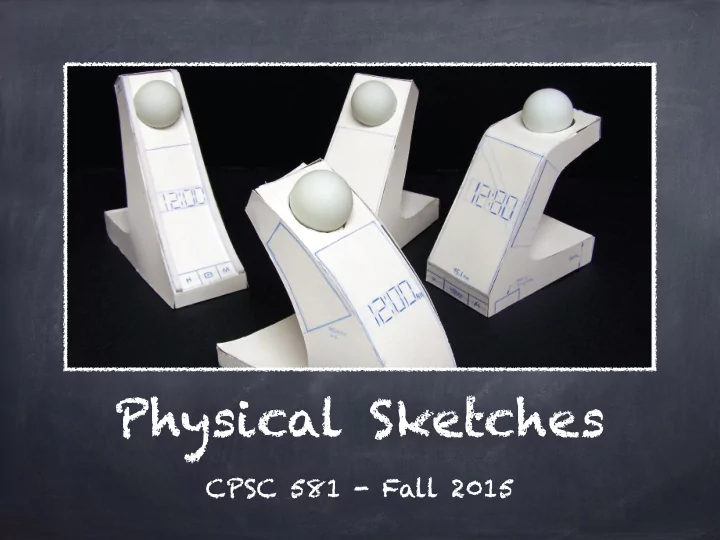
Physical Sketches CPSC 581 - Fall 2015 Motivation Experience your sketches in a more physical form Test your interaction design with potential end-users Better insights by exploring in 3D! Architecture scale model Industrial Design
SLIDE 2
SLIDE 3
Architecture
scale model
SLIDE 4
Industrial Design
physical/clay models
SLIDE 5
Interaction Design
foam core sketches
SLIDE 6
Example #1
Digital Watch Interface
SLIDE 7
- 1. Photo trace an arm.
SLIDE 8
- 2. Sketch a wristband watch. Ensure
that the display is fairly large.
SLIDE 9
- 3. Print sketch at physical scale
and glue onto foam core.
SLIDE 10
- 4. Cut out the sketch.
SLIDE 11
- 5. Cut a second sheet
and two thinner strips.
SLIDE 12
- 6. Cut out the centre
- f the display.
SLIDE 13
- 7. Create the foam core tray
by making a hollow channel.
SLIDE 14
- 8. Cut long strips of paper the
same width as the channel.
SLIDE 15
- 9. Slide the strip through
the channel and draw
- utlines of the display.
SLIDE 16
- 10. Sketch a storyboard
as a series of graphical interfaces.
SLIDE 17
- 11. Demonstrate and test the
interaction with end-users.
SLIDE 18
Example #2
Interfaces for an Existing Device
SLIDE 19
- 1. Photograph
the front face
- f your device.
SLIDE 20
- 2. Print the photograph at scale.
SLIDE 21
- 3. Glue the printout onto foam
core and cut around edges.
SLIDE 22
- 4. Cut out the
display area.
SLIDE 23
- 5. Create the back and middle layers.
SLIDE 24
- 6. Glue the foam
core pieces together.
SLIDE 25
- 7. Cut paper cards to fit
the display and sketch interfaces on them.
SLIDE 26
- 8. Demonstrate and
test the interaction with end-users.
SLIDE 27