PGP, Pretty Good Privacy General Created 1991 by Philip Zimmerman - - PDF document

pgp pretty good privacy
SMART_READER_LITE
LIVE PREVIEW

PGP, Pretty Good Privacy General Created 1991 by Philip Zimmerman - - PDF document

PGP, Pretty Good Privacy General Created 1991 by Philip Zimmerman (a former political activist irritated by restricting freedom of using encryptation) Uses IDEA, a symmetric very strong cryptoalgorithm, to encrypt data. RSA is


slide-1
SLIDE 1

PGP, Pretty Good Privacy

  • General
  • Created 1991 by Philip Zimmerman (a former political activist

irritated by restricting freedom of using encryptation)

  • Uses IDEA, a symmetric very strong cryptoalgorithm, to

encrypt data.

  • RSA is used to exchange a session key for IDEA.
  • PGP was under US export restrictions because of RSA patent

in the US. This was solved by the company Via Crypt, which got a license to sell PGP in the USA. 1996 the PGP license was purchased by PGP Inc.

  • There is also MIT free version of PGP for US citizens who had

an RSA license.

  • PGP is currently used world wide and is believed to provide

secutiry which governments cannot break.

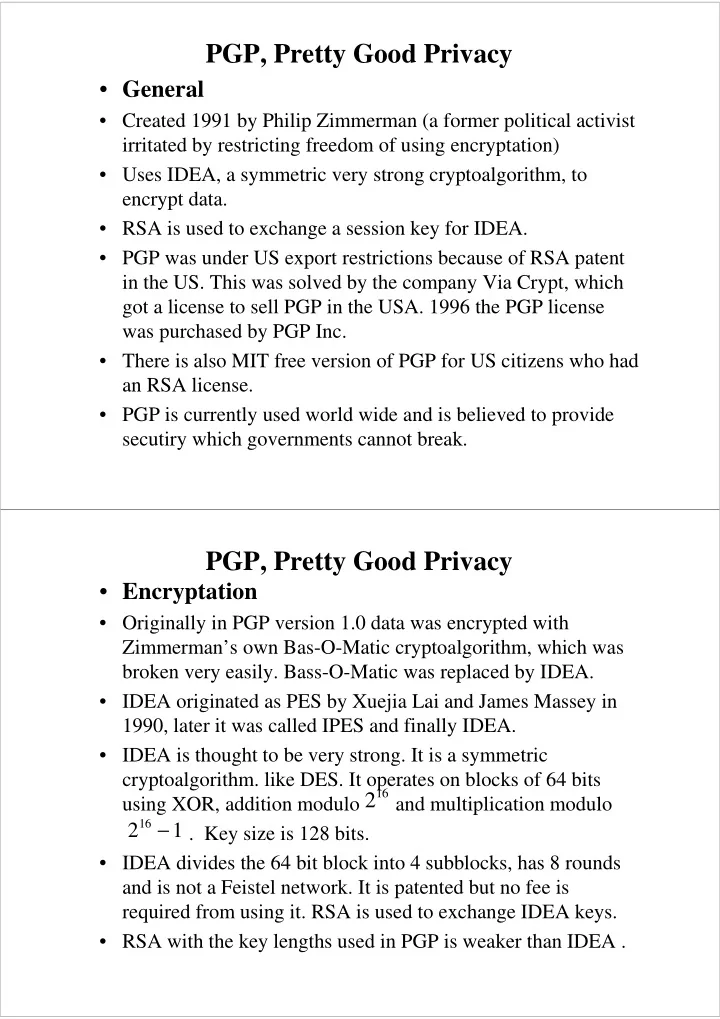
PGP, Pretty Good Privacy

  • Encryptation
  • Originally in PGP version 1.0 data was encrypted with

Zimmerman’s own Bas-O-Matic cryptoalgorithm, which was broken very easily. Bass-O-Matic was replaced by IDEA.

  • IDEA originated as PES by Xuejia Lai and James Massey in

1990, later it was called IPES and finally IDEA.

  • IDEA is thought to be very strong. It is a symmetric
  • cryptoalgorithm. like DES. It operates on blocks of 64 bits

using XOR, addition modulo and multiplication modulo . Key size is 128 bits.

  • IDEA divides the 64 bit block into 4 subblocks, has 8 rounds

and is not a Feistel network. It is patented but no fee is required from using it. RSA is used to exchange IDEA keys.

  • RSA with the key lengths used in PGP is weaker than IDEA .

216

2 1

16 −

slide-2
SLIDE 2

PGP, Pretty Good Privacy

  • PGP key rings
  • A key ring is a file used by the PGP binary where the public

keys are stored. It is possible to have several key rings, but they do not work well. It is better to have one key ring and add and remove public keys there.

  • When a user for instance sends PGP mail, the recipient’s public

key is taken form the key ring.

  • Public key rings
  • Other people’s public keys and trust levels assigned to them by
  • you. A public key is trusted only if it has sufficient trust levels.
  • Secret key rings
  • This is the secret data, it is usually only your own secret keys.

The data is encrypted and the passphrase is needed to open the encryptation.

PGP, Pretty Good Privacy

  • Web of trust
  • PGP does not assume a Public Key Infrastructure, like the

X.500 or LDAP directory with X.509-type certificates.

  • Instead, you can sign other user’s public keys. You can set

the amount of trust that you place on the user.

  • PGP asks the questions:
  • Based on your first hand knowledge do you solemnly

certify that this public key belongs to the user X? (yes/no)

  • This is a relatively easy question, if you know the user, you
  • ften can say if he is he. The next question is more tricky:
  • Do you trust this person to act as an introducer and certify
  • ther people’s public keys for you?
  • I don’t know, No, Usually, Always
slide-3
SLIDE 3

PGP, Pretty Good Privacy

  • Notice, just how unscalable this web of trust is.
  • You cannot send PGP mail with assumed security level to

a user unless you trust his public key enough.

  • If you personally know the receivers you can trust public

keys that they gave to you.

  • If you do not know personally all receivers so well that you

can solemnly certify their public keys, you must trust other people’s judgements.

  • Basically when would you trust another person to act as an

introducer, it means that you trust that never in the future he will cheat by falsifying a public key and never in the future he can be cheated to certify a false key.

  • If you could sent PGP mail to anybody, everybody is

trusted, then who are the ones to protect against?

PGP, Pretty Good Privacy

  • How to use PGP? Before using PGP:

– Get the PGP binary. You will have to trust the PGP binary, so it should be the correct one. – Create the PGPPath directory, this is the directory where you keep PGP specific files – Set the PGPPATH variable, if you set the variable to PGPPath directory, PGP will use it, else it will use the current directory in other operating systems than Unix, in Unix it will use $HOME/.pgp by default. You must create the .pgp directory. – Choose a passphrase. It should be long and complex. recommended 8-10 characters, created from a sentence with some separators and words transformed in some way. 8 characters of only letters and numbers is roughly – about 7 years by brute force (1 million/second)

62 10

8 14

slide-4
SLIDE 4

PGP, Pretty Good Privacy

  • Generating a PGP key
  • You write pgp -kg
  • PGP starts to generate RSA keys. It lest you to choose

between key length.

  • PGP asks for a user ID, it is recommended to be your name

and email address. You can give any user ID, so it is trivial to create false public keys for any users.

  • You need to give the passphrase.
  • Then PGP creates random numbers by measuring times

between keyboard hits. You have to hit the keyboard for 784 random bits. Key generation takes a long while.

  • RSA needs two prime numbers which are obtained by

starting from a random number, checking it for primality and decreasing by one until you hit a prime number.

PGP, Pretty Good Privacy

  • Distributing the public key
  • When the key has been generated. it is in the public key ring.

Give the command

  • pgp -kvc userID
  • This creates a fingerprint. Then give the command
  • pgp -kxa userID key-file
  • this extracts the public key from the public key ring.
  • Then you can send the public key to other people via any way,

like email, finger, public keyservers or any other way. A safe way is to give the key on a floppy to the person and hope nobody switches his floppy to some falsified public key floppy.

  • There is no PKI (Public Key Infrastructure), so the way to

distribute your public key is one of the weak points of PGP.

slide-5
SLIDE 5

PGP, Pretty Good Privacy

  • Signing a message
  • By signing a message you can later show that you sent the

message and it is not tampered with, i.e., integrity is not violated (since if the message is modified, the signature is no longer valid)

  • pgp -sat message (Your passphrase is needed here.)
  • Signing is also used to make messages, which cannot be

repudiated, that is, you cannot deny that you created the

  • message. There are mixed feelings about non-repudiation,

what if there is some unknown gap in the cryptosystem.

  • RSA signatures satisfy both properties, as do DSA
  • signatures. We can create cryptosystems where signatures

can be shown to be correct by the author and which guarantee integrity, but do not provide non-repudiation.

PGP, Pretty Good Privacy

  • Adding someone else’s key
  • Before you can use PGP you must add the public keys of the
  • ther parties to your key ring.
  • pgp -ka userPubKeyFile
  • Here key userPubKeyFile is a file containing the public key in
  • ASCII. The key will be added to the key ring.
  • The keys in the key ring can be signed, or unsigned. You can

sign them yourself if you trust in the public key.

  • The public key ring can be easily modified. PGP will not alarm

if the content of the key ring is changed, like by falsifying a public key or by modifying the trust settings.

  • The user of PGP will see a public key for
  • <user, email address> and will not easily notice modifications.
  • The key ring is one of the weak point of PGP.
slide-6
SLIDE 6

PGP, Pretty Good Privacy

  • Encrypting a message
  • Encrypting a message to a user means sending him a random

session key for IDEA by which the data is encrypted. The session key is sent encrypted by the user’s public key.

  • pgp -eat message userID
  • If the public key is not certified by a signature, pGP asks you

if you want still to use the public key. If you want to send it, you get message.asc, which is sent to the recipient.

  • Decrypting and verifying a message
  • pgp -m message.asc
  • This command prints the message on the screen. Assuming,

that the user wants to read the message later, he could use

  • pgp message.asc (decrypts and prints on a file)

PGP, Pretty Good Privacy

  • Clearsigning, Detached signing
  • Clearsigning means a signature which is connected with a text,

which is clear text.

pgp -sat message

  • Detached signing means a signature, which is stored separately.

pgp -sba text file

  • Basic message operations in PGP

pgp -c text file

Encrypts with IDEA only

pgp -s text file [your userID]

Signs with your secret key

pgp -e text file her_userID [other userIDs] Encrypts with

receiver’s RSA key and IDEA.

pgp -es text file her_userID [other userIDs] Signs text

with your secret key, encrypts with receiver’s public key.

pgp cipherfile [plaintext file] decrypts and checks signature

slide-7
SLIDE 7

PGP, Pretty Good Privacy

  • Key generation and management
  • Operations on public keys and key rings.
  • pgp -kg [length] [ebits] [-u userid] Generates your
  • wn RSA key pair.
  • pgp -ka keyfile [key ring] Adds a key to your public
  • r secret key ring
  • pgp -kx userid keyfile [key ring] Extracts (=copies)

a key from the key ring.

  • pgp -ks her_userid [-u your_userid] [key ring]

Signs somebody’s public key on your public key ring.

  • pgp -kv[v] [userid] [key ring] View the content of

the key ring.

  • There are more operations, the list is not complete.

PGP, Pretty Good Privacy

  • For her eyes only (pager option)
  • This option tries to stop you from storing very sensitive

messages on files. The message is encrypted only on the

  • screen. By making a screen dump, it could be stored. PGP

cannot stop you from doing this, but helps to avoid storing messages by accident.

  • Wiping files (pgp -w)
  • If you delete a file from a disc, usually only the addressing

information is deleted but the actual data stays. In MS DOS FAT (File Allocation Table) is changed, but the data can be recovered with enough work by assembling the

  • segments. PGP writes the data over with random bits

before deleting it.

  • Now, is this enough, is it not so that to really remove data

from a disc you must write it over at least eight times?

slide-8
SLIDE 8

PGP, Pretty Good Privacy

  • Security of PGP
  • There are many known attacks against PGP.
  • Attacks against cryptoalgorithms are not the main threat,

but let us discuss it first.

  • IDEA is considered strong, and while cryptoanalysis

advances, it should be strong still for some time.

  • RSA may or may not be strong. There are recent rumors of

possible fast factorization algorithms. I have not been able to verify if there are any basis in the rumors.

  • The main threats are much more simple.
  • An attacker may socially engineer himself into a web of

trust, or some trustable person may change. Then he could falsify public keys. This breaks most of the security.

  • PGP binaries can be corrupted when they are obtained.

PGP, Pretty Good Privacy

  • Security of PGP
  • The PGP binaries can be modified in the computer.
  • The passphrase can be obtained by a Trojan. Weak passphrases

can be cracked.

  • On multiuser system, access to the secret key can be obtained.
  • If PGP is used over the network, passphrase or secret key can be

sniffed, in general the connection from keyboard to PGP binary is one vulnerability.

  • The key ring is unprotected and can be tampered with. The trust

bits can be changed, public keys can be added.

  • Revoking keys is not any more secure in PGP than it usually is,

i.e., there is no way to be assured that revoked keys are removed as the other users may not see the revoked key data if an attacker arranges a suitable scenario. Obtaining a public key from a key server can lead to using a false public key.

slide-9
SLIDE 9

AAA (Authentication, Authorization , Accounting)

  • AAA is one current work item in IETF.
  • If users are charged for a service,they must be authorized

(subscribing to the service) and they must be authenticated.

  • Users of services are authenticated using various cryptographic
  • methods. Passwords, one-time password lists, public key

cryptography based authentication and so on are common

  • mechanisms. An AAA server can usually use different

authentication methods.

  • Authorization means checking access/usage rights for

services/resources. With computer networks the question is access rights, like with Kerberos. In the future it is services that are charged and whose usage should be authorized.

  • Accounting is gathering data for creation of a bill. Traditionally in

telecommunication accounting is made with pulse or ticket (CDR) metering of usage. (CDR used to mean Call Detail Record.)

AAA

  • There are existing or planned AAA solutions:
  • IETF AAA protocols:

– TACACS, Enhanced TACACS, TACACS+ (Cisco) – RADIUS (the most common AAA protocol by IETF) – DIAMETER (an upgrade of RADIUS) – COPS (a part of AAA, which is not interesting to us, it is QoS management part)

  • Implementations:
  • Merit RADIUS AAA Server
  • BillNeat (Nokia, charging mobile users of IP)
  • Ipay of HUT Dynamics (TIK’s project for Mobile IP+AAA)
  • Most of the work in AAA concentrates on dial-up users.

RADIUS is basically for dial-up users. Wireless networks and IP is currently one of the main targets.

slide-10
SLIDE 10

AAA

  • The Generic AAA Architecture Internet Draft (AAAARCH)

divides the generic AAA server into the following five components: – Authorization Rule Evaluation – Application Specific Module – Policy Repository – Event Log – Request Forwarding

  • AAA protocol stack has the OSI-reference model layers

– Application Specific Service Layer – Presentation Service Layer – Transaction and Session Management Service Layer – Reliable and Secure Transport Service Layer

AAA

  • AAA security mechanisms are quite ordinary. The main

importance of AAA for this course is to stress that services need authorization of users, control of access to the services, and that accounting records may also benefit from security mechanisms, in DIAMETER the accounting records are made non-reputable by public key cryptography.

  • Similar needs appear in all service architectures,like in the

VHE (Virtual Home Environment), which often use AAA Brokers running AAA protocols.

  • QoS architectures also commonly have AAA as a part of the

design,for instance EURESCOM QUASIMODO proposed charging users by two AAA-based systems, one from British telecom and the other from DeteBerCom (Deutch Telecom).

  • In addition to a secure lower layer, there is needed security

mechanisms to the application layer for using services.

slide-11
SLIDE 11

Course summary

  • Security problems which seem hard to remove:
  • Malicious code (viruses,worms, misbehaving mobile code like

agents, scripts etc.)

  • Bugs in software (operating systems, protocols etc.)
  • Insecure usage (poor passwords, unprotected services, old

versions etc.)

  • Denial of service of some type is usually possible
  • Public key problems of distributing keys
  • Development of cryptoanalysis
  • Too fast speed of change

Course summary

  • What one could do with the problems?
  • Bugs in software
  • Possibility: create a secure protocol development tool
  • TCP/IP applications especially in Unix seem to contain

vulnerabilities like buffer overflows. In Kerberos V5 they saw some benefit from formal languages, like ASN.1.

  • Could we make a secure protocol development tool which

guarantees that there are no holes of some type, like buffer

  • verflows? In a limited sense this should be possible.
  • Complete automatic code generation is difficult and probably not

possible, so there will be places for bugs. There are too many systems coming up, combining them creates problems.

  • Using standard interfaces, preferably APIs, standard

cryptographic protocols, modular structure etc. should improve software quality.

slide-12
SLIDE 12

Course summary

  • Filters to protect against DoS ?
  • The most common Denial of Service attacks are attacks trying to

fill some resource, like mailbox, congest the network or a server, reserve all connections to a port etc.

  • One common protection mechanism is using filters, which act as

limiters which by blocking connections or by dropping packets.

  • Usually we can create a filter which is not congested by levels of

traffic which can be offered and therefore it can protect other network elements.

  • The concept of a filter has however the problem that legal traffic

will also be filtered, so an attacker can decrease the acceptance ratio of legal traffic simply by injecting more bogus traffic. If the filter moves closer to the attacker, it will not reject so much legal

  • traffic. We get to the idea of active networks DoS defense.
  • Active networks are unsafe, but try to make something of the idea.

Course summary

  • Provably impossible cryptography
  • Making own cryptoalgorithms is not a very good idea, there are

many cryptoanalysists with a strong mathematical background and much of the work is not public, so it is unlikely to create anything very good and original.

  • It is most probably possible to devise cryptoalgorithms that

actually never can be broken, but so far many have been broken.

  • The following is just an idea, not very serious either:
  • There are provably unsolvable problems, like the word problem on

finitely presented groups/semigroups (the groups are infinite, bad).

  • One can make for instance a proof method: create a representation

1=word using the finite set of group generators and relations. Nobody but you can prove the statement, no algorithm will be ever found, only brute force calculating as far as they think you

  • calculated. Encryptation is harder to make along this idea.
slide-13
SLIDE 13

Course summary

  • Postal letter type security service, avoid PKI?
  • A registered letter is like encrypted email. You need keys and

problems come with key management. A normal letter is not safe, but if a cover is opened, you usually see it.

  • Normal letters are good enough for most and easier than registered
  • letters. How to make it in email?
  • What about a central server from which you can ask for letterID,

key pair. You obtain it and submit to the postal service. Any receiver can ask for the key for the letterID and open the letter. The central server will strike out the key as already given.

  • If an attacker asked for the key, he would get it and could read the

letter, but you would know that the letter was read by somebody

  • else. Poor service, but notice, that users do not have keys at all.
  • Of course, PKI is useful and necessary for many services.

Course summary

  • Security needs in future networks

– like always: privacy and control of access/use this has been the traditional area what security mechanisms try to solve – as a new thing, charging services (e-commerce, m-commerce) – new services made with security mechanisms – I will try to invent some new service using security mechanisms to illustrate the last point.

slide-14
SLIDE 14

Course summary

  • Security services for Intelligent URLs
  • IN had some nice thoughts with new service scripts made with

GUI (Graphical User Interface) as combination of SIBs (Service Independent Building blocks)

  • URLs in Web often are unreachable after some time,

hindering their usage as e.g. references.

  • We could define intelligent URLs which would have

properties given by some flags, like permanency (will not disappear, will not need to be updated often), security, locality (always comes form a local server, multiple copies exist), running a CGI-script, hiding real identity etc.

  • What could be the security services need and how to make
  • them. We want verifiable authenticity, or just inversely hiding

real identity, secure communication, credit card call equivalent, etc. all kind of IN type and new services.

Course summary

  • Exam, 10.5.2001, can the time be changed to 12-15 ?
  • What are the important things in the course?
  • Some security threats, one should know what a hacker does.
  • Different security mechanisms.
  • Some common security protocols.
  • The exam is somewhat more than 1 credit, so I expect that you

have studied at least 3 days full time. It is about 390 pages of text covering the Internet Security book mostly (916 pages) and some additional parts, like one book from IPSec, another book from SET, NT security from Internet Security book’s CD, some parts from WWW-material and from Maximal Security.

  • This means that the source material is quite large and the

lectures are not very detailed. There is some sense in this as by knowing a large number of solutions one can invent new solutions and apply the knowledge.

slide-15
SLIDE 15

Course summary

  • Mechanisms:
  • The systems covered have a variety of security mechanisms.

(This is not a classification, just some mechanisms mentioned).

  • Controlling/limiting access
  • Firewalls, NAT, chrooting, program access rights,
  • Behavior monitoring
  • In Java sandbox, in antivirus software, alarms/logs if changes
  • Cryptographic methods
  • Encryptation, signature, authentication, PKI, KDC, etc.
  • Stopping information gathering
  • anti-scanner tools
  • Access tickets
  • Kerberos-style, what about AAA?

Course summary

  • Exam protoform
  • In order to check if you have read the lecture notes two first

questions are

  • 1. Explain the main principles of X
  • 2. Explain the main principles of Y
  • where X, Y are any topic covered by a lecture (firewalls, viruses,

kerberos, WWW or Java security, SET, IPSEC, IKE etc., simply any main topic concisely and well summarized)

  • 3. How could a hacker attack something in some environment

and how to protect against it.

  • 4. Similar as 3. Example: how could a hacker capture a TCP

connection and how could you protect against it. See HUNT tool, explain how the attack is made and what would stop it. I will not ask of HUNT, but of material explained in the lectures.

  • 5. Design (sketch) a security solution for the following scenario.
slide-16
SLIDE 16

Course summary

  • And what could be the scenario in 5? Something that I have

encountered and which needs a security solution, like VHE

  • ffering value added services to customers, or offering QoS

classes to customers.

  • Explain what are the main threats and how they can be

solved, or will they be ignored in the solution.

  • So, what the exam tests?
  • That the material is studied (1+2). You do not need to write

directly from my notes if you know better, but do not write worse than there. It is a short summary, you can prepare to that.

  • That you understand how attacks are made and how they can

be stopped. How an attacker could proceed.

  • That you can apply the knowledge for designing security
  • solutions. The design is preliminary as there is little time.