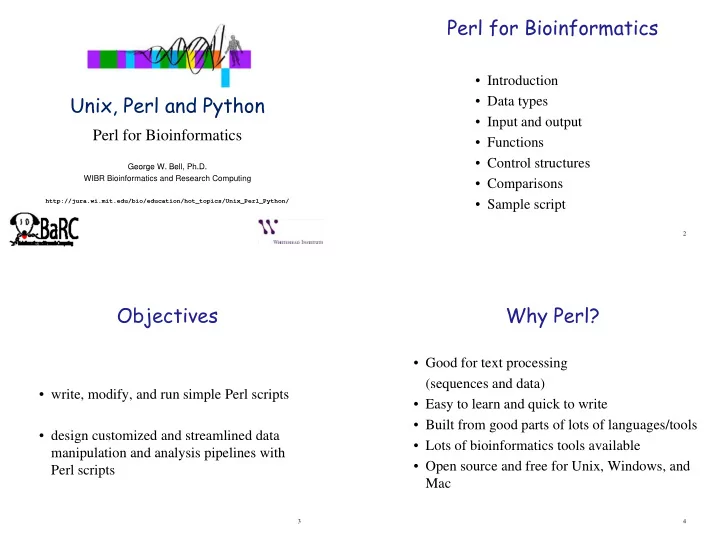
Perl for Bioinformatics Introduction Unix, Perl and Python Data - - PowerPoint PPT Presentation

perl for bioinformatics
SMART_READER_LITE
LIVE PREVIEW

Perl for Bioinformatics Introduction Unix, Perl and Python Data - - PowerPoint PPT Presentation

Perl for Bioinformatics Introduction Unix, Perl and Python Data types Input and output Perl for Bioinformatics Functions Control structures George W. Bell, Ph.D. George W. Bell, Ph.D. WIBR Bioinformatics and Research


slide-1
SLIDE 1

Unix, Perl and Python

Perl for Bioinformatics

George W. Bell, Ph.D. George W. Bell, Ph.D. WIBR Bioinformatics and Research Computing

http://jura.wi.mit.edu/bio/education/hot_topics/Unix_Perl_Python/

Perl for Bioinformatics

  • Introduction
  • Data types
  • Input and output
  • Functions
  • Control structures

2

  • Comparisons
  • Sample script

Objectives

  • write, modify, and run simple Perl scripts
  • design customized and streamlined data

manipulation and analysis pipelines with

3

manipulation and analysis pipelines with Perl scripts

Why Perl?

  • Good for text processing

(sequences and data)

  • Easy to learn and quick to write
  • Built from good parts of lots of languages/tools
  • Lots of bioinformatics tools available

4

  • Open source and free for Unix, Windows, and

Mac

slide-2
SLIDE 2

A first Perl program

  • Create this program and call it hey.pl

#!/usr/local/bin/perl –w # The Perl "Hey" program print "What is your name? "; chomp ($name = <STDIN>); print "Hey, $name, welcome to the BaRC course.\n";

5

  • To run:

perl hey.pl

  • r
  • To run:

chmod +x hey.pl ./hey.pl

Scalar data

  • Describe one thing
  • Start with $

C b b t t ( “ t i ”)

  • Can be numbers or text (a “string”)
  • Strings need single or double quotes

$numSeq = 5; # number; no quotes $seqName = "GAL4"; # “string”; use quotes $level = -3.75; # numbers can be decimals too

6

print "The level of $seqName is $level\n";

  • Perl has some strange-looking “special variables” too:

$_ default input variable $. input line number

Array

  • An ordered list of scalar variables
  • The entire list is indicated by a @

@genes = ("BMP2", "GATA-2", "Fez1"); @orfLengths = (395, 475, 431); @info = (12, "student", 5.0e-05, "comic books");

  • One item of the list is accessed like $foo[2]
  • The first item is act all the 0th item

7

  • The first item is actually the 0th item

print "The ORF of $genes[0] is $orfLengths[0] nt."; Prints out: The ORF of BMP2 is 395 nt.

Hash

  • An unordered pair (“keys” and “values”) of lists
  • Each key points to a corresponding value.

Each key points to a corresponding value.

  • The entire list is indicated by a %

%geneToLength = (); # Create an empty hash

  • An item of the hash is accessed like $foo{key}

$geneToLength{"BMP2"} = 395; $g g { } ; $gene = "BMP2"; print "The ORF of $gene is $geneToLength{$gene} nt.";

  • Prints out:

The ORF of BMP2 is 395 nt.

8

slide-3
SLIDE 3

Perl input and output

  • Types of input:

– keyboard (STDIN) – files

  • Types of output:

– screen (STDOUT)

9

– files

  • Unix redirection can be very helpful

ex: ./hey.pl > hey_output.txt

Filehandles

To read from or write to a file in Perl, it first needs to be opened. In general,

  • pen(filehandle, filename);

Filehandles can serve at least three purposes:

  • pen(IN, $inFile);

# Open for input

  • pen(OUT, ">$outFile");

# Open for output

  • pen(OUT, ">>$outFile");

# Open for appending

Then, get data all at once @lines = <IN>;

10

  • r one line at a time

while (<IN>) { $line = $_; do stuff with this line; print OUT "This line: $line"; }

Perl functions – a sample

print

  • pendir

closedir

  • pen

close chomp mkdir split join die length chdir readdir chmod sort substr push unlink rename use

11

m// s/// tr/// lc uc slides exercises Description of command:

Control Structures 1

if (condition) # note that 0, “”, and (undefined) are false { print "If statement is true"; print If statement is true ; } else # optional; ‘if’ can be used alone; elsif also possible { print "If statement is false"; }

12

if ($exp >= 2) # gene is up-regulated { print "The gene $seq is up-regulated ($exp)"; }

slide-4
SLIDE 4

Control Structures 2

while (condition) { print "condition is true"; print "condition is true"; # Do interesting things... }

  • pen(DATA, "myData.txt");

# Open a file to read while (<DATA>)

13

{ # Split by tabs and make an array @dataThisRow = split /\t/, $_; # Print first field followed by "\n" (line end) print "$dataThisRow[0]\n"; }

Control Structures 3

for ( initialize; test; increment )

{ # Do something interesting with this value

}

# Go through an array (@seqs) where # $#seqs = index of the last element in @seqs

14

for ($i = 0; $i <= $#seqs; $i++) { # Print elements of @seqs and @orf on a line print "$seqs[$i]\t"; print "$orf[$i]\n"; }

Arithmetic & numeric comparisons

  • Arithmetic operators: + -

/ * %

  • Notation:

$i = $i + 1; $i += 1; $i++; Notation: $i $i + 1; $i + 1; $i++;

  • Comparisons: > , < , <= , >= , = = , !=

if ($num1 != $num2) # If these are different { print "$num1 and $num2 are different"; }

15

}

  • Note that = = is very different from =

= = used as a test: if ($num = = 50) = used to assign a variable: $num = 50

String comparisons

  • Choices: eq (equals), ne (not equal to)

if ($gene1 ne $gene2) { print "$gene1 and $gene2 are different"; }

16

else { print "$gene1 and $gene2 are the same"; }

slide-5
SLIDE 5

Multiple comparisons

  • AND

&&

  • OR

||

if (($exp > 2) || ($exp > 1.5 && $numExp > 10)) { print "Gene $gene is up-regulated";

17

}

Embedding shell commands

  • use backquotes ( ` ) around shell command

l i EMBOSS l

  • example using EMBOSS to reverse-complement:

`revseq mySeq.fa mySeq_rc.fa`;

  • Capture stdout from shell command if desired
  • EMBOSS qualifier “-filter” prints to stdout

18

$date = `date`; $rev_comp = `revseq mySeq.fa -filter`; print $date; print "Reverse complement:\n$rev_comp\n";

Perl modules

  • "a unit of software reuse"
  • adds a collection of commands related to a specific task

p

  • see https://tak.wi.mit.edu/trac/wiki/Perl to find Perl

modules installed on tak

  • BioPerl is a collection of bioinformatics tasks
  • Example of a descriptive statistics module:

St ti ti Lit ( ll) use Statistics::Lite qw(:all); @nums = (324, 456, 876, 678, 654, 789); $mean = mean(@nums); print "The mean of my numbers is $mean\n";

19

Programming issues

  • What should the program do? What does it do?
  • Who will be using/updating your software?

– Reusability – Commenting – Error checking

  • Development vs execution time

20

  • Development vs. execution time
  • Debugging tools: printing and commenting
  • Beware of OBOBs ("off-by-one bugs")
slide-6
SLIDE 6

Example: align_pairs.pl

#!/usr/local/bin/perl –w # Automatically do lots of pairwise sequence alignments $seqs = $ARGV[0]; # Get first argument (word after command) $ q $ [ ]; # g ( ) $hs = "human"; # directory with human proteins $mm = "mouse"; # directory with mouse proteins

  • pen(SEQ_LIST, $seqs);

# Open file for reading while(<SEQ_LIST>) # Read one line at a time { $seq = chomp($_); # trim end-of-line character print STDERR "Aligning $seqFile…\n"; # Create EMBOSS command for S-W (optimal) alignment $CMD = "water $hs/$seq $mm/$seq –outfile $seq.aligned";

21

# Execute the command (needs EMBOSS package) `$CMD`; }

print "All done with alignments\n";

To run: ./align_pairs.pl SeqList.txt

BMP7 GATA4 LIN28A

Example file

Summary

  • Input/output

V i bl ( l d )

  • Variables (scalars and arrays)
  • Functions (brief look)
  • Control structures
  • Comparisons

22

  • Sample script: align_pairs.pl

Books with more information

  • O’Reilly books at http://proquest.safaribooksonline.com/search/perl

y p p q p

– Thanks to the MIT Libraries – Learning Perl (Schwartz et al.) – Programming Perl (Wall, Christiansen, and Orwant)

  • Beginning Perl for Bioinformatics – Tisdall
  • ‘Using Perl to Facilitate Biological Analysis’ (Stein) in Bioinformatics

(Baxevanis & Ouellette)

23

  • ‘Bioinformatics Programming using Perl and Perl Modules’ in

Bioinformatics: Sequence and Genome Analysis, 2nd ed. (Mount) AND several good web sites (see course page)

Demo scripts:

http://iona.wi.mit.edu/bio/bioinfo/scripts/ and /nfs/BaRC_Public/BaRC_code/

24

slide-7
SLIDE 7

Exercises

  • Parsing a SAM short read alignment file
  • Parsing a SAM short-read alignment file

into a BED file

  • Retrieving and aligning a list of human-

mouse orthologs

25

  • use o t o ogs