Outline Light Real light How humans see light How computers - - PDF document

outline light
SMART_READER_LITE
LIVE PREVIEW

Outline Light Real light How humans see light How computers - - PDF document

Outline Light Real light How humans see light How computers trick humans into thinking theyre seeing light Light Light Color Color Light On Surfaces, the (much too) Illumination Illumination simple way Faking it


slide-1
SLIDE 1

1

Light

Light Color Illumination Light Color Illumination

10/01/02

2 Computer Graphics 15-462

Outline

  • Real light
  • How humans see light
  • How computers trick humans into

thinking they’re seeing light

  • Light On Surfaces, the (much too)

simple way

  • Faking it all with OpenGL

3 Computer Graphics 15-462

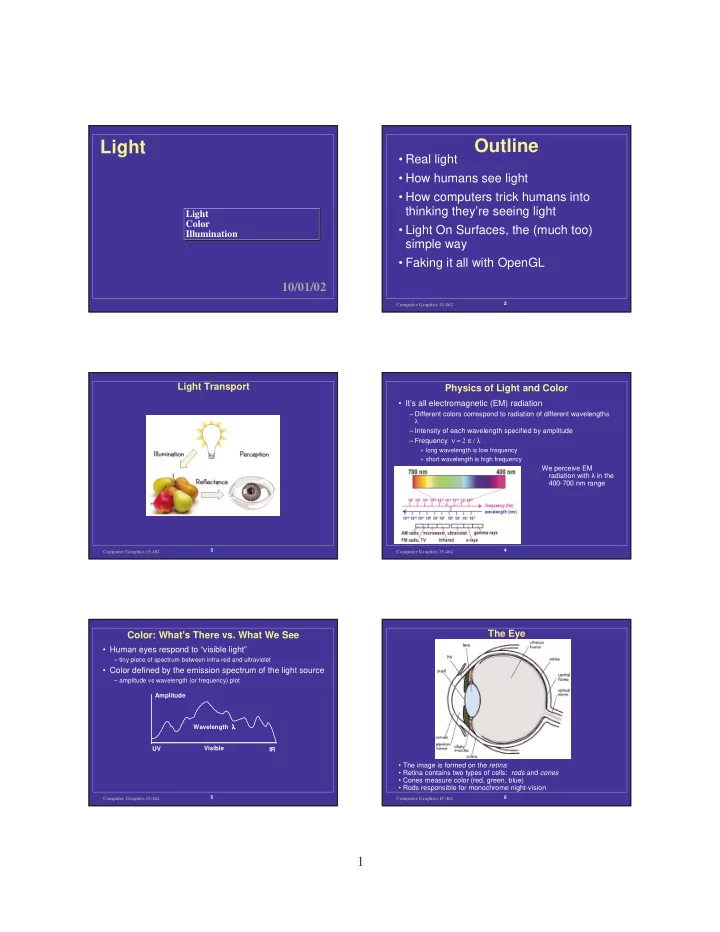
Light Transport

4 Computer Graphics 15-462

Physics of Light and Color

  • It’s all electromagnetic (EM) radiation

– Different colors correspond to radiation of different wavelengths

λ

– Intensity of each wavelength specified by amplitude – Frequency ν = 2 π / λ

» long wavelength is low frequency » short wavelength is high frequency

We perceive EM radiation with ÿ in the 400-700 nm range

5 Computer Graphics 15-462

Color: What's There vs. What We See

  • Human eyes respond to “visible light”

– tiny piece of spectrum between infra-red and ultraviolet

  • Color defined by the emission spectrum of the light source

– amplitude vs wavelength (or frequency) plot UV IR Visible Wavelength λ λ λ λ Amplitude

6 Computer Graphics 15-462

The Eye

  • The image is formed on the retina
  • Retina contains two types of cells: rods and cones
  • Cones measure color (red, green, blue)
  • Rods responsible for monochrome night-vision
slide-2
SLIDE 2

2

7 Computer Graphics 15-462

The Fovea

Cones are most densely packed within a region of the retina called the fovea

  • Three types of cones: S,M,L
  • Corresponds to 3 visual pigments
  • Roughly speaking:
  • S responds to blue
  • M responds to green
  • L responds to red
  • Note that these are not uniform
  • more sensitive to green than red
  • Colorblindness
  • deficiency of one cone/pigment type

8 Computer Graphics 15-462

Color Filters

  • Rods and cones can be thought of as filters

– Cones detect red, green or blue parts of spectrum – Rods detect average intensity across spectrum

  • To get the output of a filter

– Multiply its response curve by the spectrum, integrate over all wavelengths

  • A physical spectrum is a complex function of wavelength

– But what we see can be described by just 3 numbers—the color filter outputs – How can we encode a whole function with just 3 numbers? » A: we can’t! We can’t distinguish certain colors--metamers

B G R Wavelength Amplitude

9 Computer Graphics 15-462

Your Friend the Photon

  • We perceive EM radiation with ÿ in the 400-700 nm

range

  • That’s really an accident of nature

– The atmosphere lets through a lot of light in this region – It falls in the 1-step excitation band for outer shell electrons – It’s higher energy than thermal infrared, so heat (and your own body temperature) doesn’t swamp it

  • These are basically the same reasons why plants are

green

  • Could/can change range by changing visual pigments

– Computer graphics images probably look pretty incorrect to animals

  • There is no reason why you couldn’t do CG with radio,

gamma rays, or even sound

– Transparency and surface properties would change, of course – Diffraction depends on wavelength

10 Computer Graphics 15-462

Vision and Thought are One

  • The retina is part of the central nervous system
  • 2 million fibers from retina to LGN, 10 million from there

to brain.

  • Primary connection is Primary Visual Cortex or V1,

2 cm2 on back of brain

– Hypothesis: V1 gets used as a sort of image buffer for higher processing in the rest of the brain

  • Steps:
  • 1. Saccade ends
  • 2. Retina accumulates image
  • 3. LGN opens connections, image gets written to V1
  • 4. Rest of brain accesses that info
  • 5. Meanwhile, a point of interest is being generated for next saccade
  • 6. Next saccade happens perhaps 250ms later; go back to step 1
  • All very automatic; that’s why pointing with eyes doesn’t

work for user interfaces.

11 Computer Graphics 15-462

Color Models

  • Okay, so our visual system is quite limited
  • But maybe this is good news. . .
  • We can avoid computing and reproducing the full color

spectrum since people only have 3 color channels

– TV would be much more complex if we perceived the full spectrum

» transmission would require much higher bandwidths » display would require much more complex methods

– real-time color 3D graphics is feasible – any scheme for describing color requires only three values – lots of different color spaces--related by 3x3 matrix transformations

12 Computer Graphics 15-462

Color Spaces

  • There are many ways to describe color

– Spectrum » allows any radiation (visible or invisible) to be described » usually unnecessary and impractical – RGB » convenient for display (CRT uses red, green, and blue phosphors) » not very intuitive – HSV » an intuitive color space » H is hue - what color is it? S is saturation or purity - how non- gray is it? V is value - how bright is it? » H is cyclic therefore it is a non-linear transformation of RGB – CIE XYZ » a linear transform of RGB used by color scientists

slide-3
SLIDE 3

3

13 Computer Graphics 15-462

HSV

R R B G G B

V S H

R G B

From mathworks

14 Computer Graphics 15-462

Additive vs. Subtractive Color

  • Working with light: additive primaries

– Red, green and blue components are added by the superposition property of electromagnetism – Conceptually: start with black, primaries add light

  • Working with pigments: subtractive primaries

– Typical inks (CMYK): cyan, magenta, yellow, black – Conceptually: start with white, pigments filter out light – The pigments remove parts of the spectrum

dye color absorbs reflects cyan red blue and green magenta green blue and red yellow blue red and green black all none

– Inks interact in nonlinear ways--makes converting from monitor color to printer color a challenging problem – Black ink (K) used to ensure a high quality black can be printed

15 Computer Graphics 15-462

Surface Reflection

  • When light hits an opaque surface some is absorbed,

the rest is reflected (some can be transmitted too--but never mind for now)

  • The reflected light is what we see
  • Reflection is not simple and varies with material

– the surface’s micro structure define the details of reflection – variations produce anything from bright specular reflection (mirrors) to dull matte finish (chalk)

Incident Light Reflected Light Camera Surface

16 Computer Graphics 15-462

Units of Light and Color

quantity dimension units

solid angle solid angle [steradian]

a two-dimensional angle (proportional to area on a sphere)

power energy/time [watt]=[joule/sec]

photons per second; radiance integrated over incoming directions, over a finite area.

radiance (intensity) power/(area*solid angle) [watt/(m2*steradian)]

how bright is the light reflected by this point along this direction (reflected light)

irradiance (intensity) power/area [watt/m2]

how bright is the light hitting the surface (or image) at this point (incident light)

reflectance unitless [1]

what fraction of the light is reflected by a material? typically between 0 and 1.

17 Computer Graphics 15-462

The Meaning of “Color”

  • What’s an image?

– Irradiance: each pixel measures the incident light at a point on the film – Proportional to integral of scene radiance hitting that point

  • What’s Color?

– Refers to radiance or irradiance measured at 3 wavelengths – Scene color: radiance coming off of surface (for illumination) – Image color: irradiance (for rendering) – These quantities have different units and should not be confused

18 Computer Graphics 15-462

Where are we?

  • Next time: Shading