Optimization Profiling VisualVM Exercise Meme Credit: Randall - - PowerPoint PPT Presentation

optimization profiling visualvm exercise meme credit
SMART_READER_LITE
LIVE PREVIEW

Optimization Profiling VisualVM Exercise Meme Credit: Randall - - PowerPoint PPT Presentation

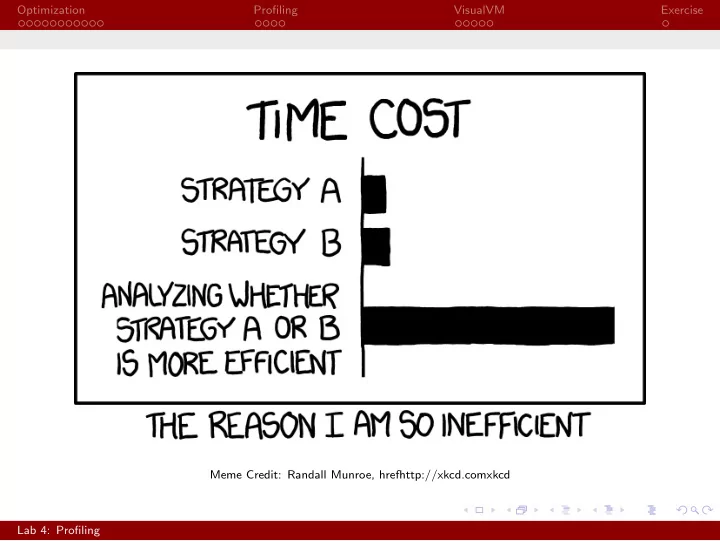
Optimization Profiling VisualVM Exercise Meme Credit: Randall Munroe, hrefhttp://xkcd.comxkcd Lab 4: Profiling Optimization Profiling VisualVM Exercise Lab 4: Profiling CS 2112 Fall 2020 September 28 / 30, 2020 Portions of todays lab


slide-1
SLIDE 1

Optimization Profiling VisualVM Exercise Meme Credit: Randall Munroe, hrefhttp://xkcd.comxkcd Lab 4: Profiling
slide-2
SLIDE 2

Optimization Profiling VisualVM Exercise

Lab 4: Profiling

CS 2112 Fall 2020 September 28 / 30, 2020

Portions of today’s lab slides are adapted from CS 4152 by Prof. Walker White Lab 4: Profiling

slide-3
SLIDE 3

Optimization Profiling VisualVM Exercise Optimization

Slow Operations

Many normal operations are actually relatively slow. For example:

◮ Instantiating Objects ◮ Calling Methods ◮ Loops

You’ll learn more about why in CS 3410 and CS 4410

Lab 4: Profiling

slide-4
SLIDE 4

Optimization Profiling VisualVM Exercise Optimization

Optimization?

A common mistake is to attempt to optimize your code by not doing these slow things. One might try to make everything public, inline methods, unroll loops, etc. This is, however, a very bad idea.

Lab 4: Profiling

slide-5
SLIDE 5

Optimization Profiling VisualVM Exercise Optimization

Premature Optimization

“Premature optimization is the root of all evil”

  • Donald Knuth

◮ Compiler automatically optimizes code ◮ Almost always better than what a human can do

Lab 4: Profiling

slide-6
SLIDE 6

Optimization Profiling VisualVM Exercise Optimization

Compiler Optimizations

Raw Code

1

int x = 8 * y;

Sample Compiler Output

1

int x = y << 3;

Lab 4: Profiling

slide-7
SLIDE 7

Optimization Profiling VisualVM Exercise Optimization

Compiler Optimizations

Raw Code

1

for (int i = 0; i < 5; i++) {

2

System.out.println(i);

3

}

Sample Compiler Output

1

System.out.println (0);

2

System.out.println (1);

3

System.out.println (2);

4

System.out.println (3);

5

System.out.println (4);

Lab 4: Profiling

slide-8
SLIDE 8

Optimization Profiling VisualVM Exercise Optimization

Compiler Optimizations

Raw Code

1

int count = 0;

2

for (int i = 0; i < x; i++) {

3

count ++;

4

doSomething ();

5

}

Sample Compiler Output

1

int count = 0;

2

if (x > 0) {

3

count = x;

4

doSomething ();

5

for (int i = 1; i < x; i++) {

6

doSomething ();

7

}

8

}

Credit: MSDN Magazine, 2/2015, “What Every Programmer Should Know About Compiler Optimizations” Lab 4: Profiling

slide-9
SLIDE 9

Optimization Profiling VisualVM Exercise Optimization

Compiler Optimizations

Raw Code

1

int sumTo(int n) {

2

int o = 0;

3

for (int i = 1; i <= n; i++) {

4

  • += i;

5

}

6

return o;

7

}

8 9

return sumTo (10);

Sample Compiler Output

1

return 55;

Credit: Matt Godbolt, CppCon 2017, “What Has My Compiler Done for Me Lately? Unbolting the Compiler’s Lid” Lab 4: Profiling

slide-10
SLIDE 10

Optimization Profiling VisualVM Exercise Optimization

Compiler Optimizations

Raw Code

1

int sumTo(int n) {

2

int o = 0;

3

for (int i = 1; i <= n; i++) {

4

  • += i;

5

}

6

return o;

7

}

8 9

return sumTo(x);

Sample Compiler Output

1

return x + x * (x - 1) / 2;

Credit: Matt Godbolt, CppCon 2017, “What Has My Compiler Done for Me Lately? Unbolting the Compiler’s Lid” Lab 4: Profiling

slide-11
SLIDE 11

Optimization Profiling VisualVM Exercise Optimization

Takeaway

Compilers are very smart, and do a better job making small

  • ptimizations than people generally do.

Take CS 4120 Compilers with Professor Myers to learn more.

Lab 4: Profiling

slide-12
SLIDE 12

Optimization Profiling VisualVM Exercise Optimization

Tuning Performance

◮ Don’t overtune some inputs at the expense of others ◮ Be very cautious of making non-modular changes ◮ Focus on overall algorithm first

Lab 4: Profiling

slide-13
SLIDE 13

Optimization Profiling VisualVM Exercise Optimization

80/20 Rule

∼ 80% of the time is spent in ∼ 20% of the code The Real Question: What’s the 20%?

Lab 4: Profiling

slide-14
SLIDE 14

Optimization Profiling VisualVM Exercise Profiling

Profiler

A profiler is a tool used to measure the performance of code

Lab 4: Profiling

slide-15
SLIDE 15

Optimization Profiling VisualVM Exercise Profiling

What Can We Measure?

Time

◮ What code takes longest ◮ What’s called most often ◮ Who’s calling what

Memory

◮ Number of objects in

memory

◮ Size of objects in memory ◮ Potential memory leaks

Lab 4: Profiling

slide-16
SLIDE 16

Optimization Profiling VisualVM Exercise Profiling

How to Measure Code

Sampling

◮ Sample at periodic intervals ◮ Low overhead ◮ May miss small things

Instrumentation

◮ Count at specified places ◮ Gives exact view of

specified slice

◮ Targeted

Lab 4: Profiling

slide-17
SLIDE 17

Optimization Profiling VisualVM Exercise Profiling

Time-Sampling

Real Sampled Modern profilers fix with random sampling

Lab 4: Profiling

slide-18
SLIDE 18

Optimization Profiling VisualVM Exercise VisualVM

VisualVM

VisualVM is a Java profiler Get started by downloading it here: https://visualvm.github.io/.

Lab 4: Profiling

slide-19
SLIDE 19

Optimization Profiling VisualVM Exercise VisualVM

VisualVM Interface

VisualVM will automatically detect all running Java processes on your computer, with no additional setup required. They will be listed on the left, under Applications.

Lab 4: Profiling

slide-20
SLIDE 20

Optimization Profiling VisualVM Exercise VisualVM

Monitor

The monitor tab provides a quick, high-level overview of the state

  • f your program. Here, you can see CPU and memory usage in real

time.

Lab 4: Profiling

slide-21
SLIDE 21

Optimization Profiling VisualVM Exercise VisualVM

Sampler / Profiler

The sampler and profiler tab provide access to a sampling profiler and an instrumentation profiler, respectively. While the instrumentation profiler can be used to collect more accurate, targeted data if examining a specific part of your code, the sampler is easier to use and good enough for our purposes. Push either the “CPU” or “Memory” button to begin collecting data on runtime or memory usage, respectively. Sampling stops when “Stop” is pushed. The collected data will be displayed for you to explore.

Lab 4: Profiling

slide-22
SLIDE 22

Optimization Profiling VisualVM Exercise VisualVM

Sampler / Profiler

Lab 4: Profiling

slide-23
SLIDE 23

Optimization Profiling VisualVM Exercise Exercise

Exercise

In the profiling folder, two files are included: StringRepeater and

  • BetterStringRepeater. One uses a StringBuilder to

concatenate Strings, and the other uses the concatenation

  • perator. In this part of the lab, you will use VisualVM to study

the performance of the code.

Lab 4: Profiling