Okta Provider The Okta provider is used to interact with the - - PDF document

okta provider
SMART_READER_LITE
LIVE PREVIEW

Okta Provider The Okta provider is used to interact with the - - PDF document

Okta Provider The Okta provider is used to interact with the resources supported by Okta. The provider needs to be congured with the proper credentials before it can be used. Use the navigation to the left to read about the available


slide-1
SLIDE 1

Okta Provider

The Okta provider is used to interact with the resources supported by Okta. The provider needs to be congured with the proper credentials before it can be used. Use the navigation to the left to read about the available resources.

Example Usage

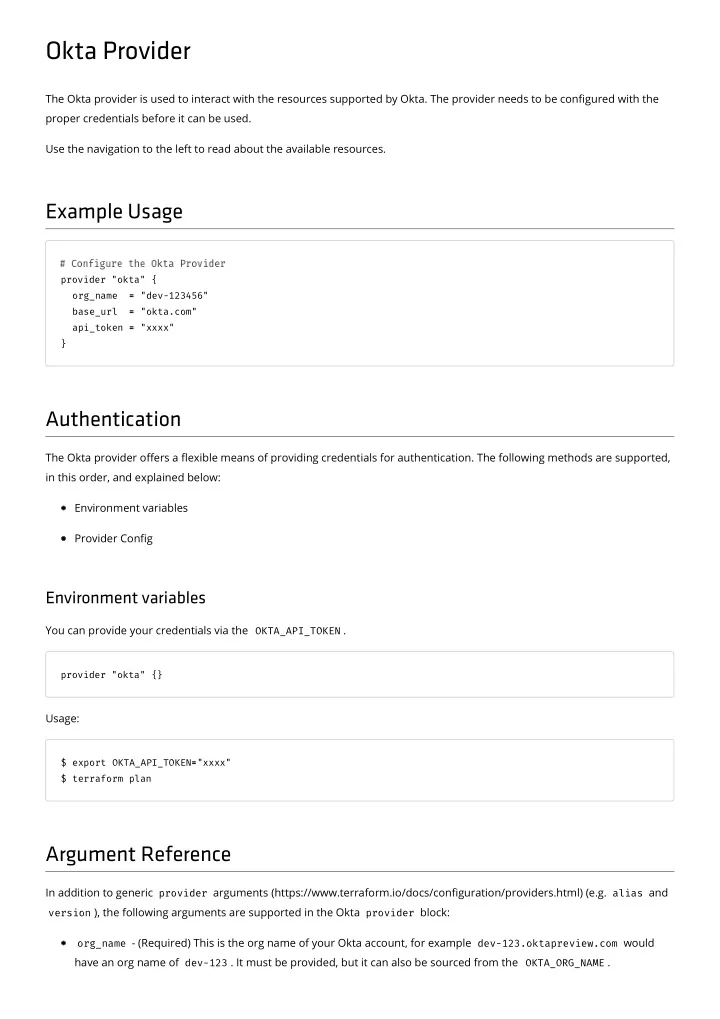
provider "okta" {

  • rg_name =

= "dev-123456" base_url = = "okta.com" api_token = = "xxxx" }

Authentication

The Okta provider oers a exible means of providing credentials for authentication. The following methods are supported, in this order, and explained below: Environment variables Provider Cong

Environment variables

You can provide your credentials via the OKTA_API_TOKEN .

provider "okta" {}

Usage:

$ export OKTA_API_TOKEN= ="xxxx" $ terraform plan

Argument Reference

In addition to generic provider arguments (https://www.terraform.io/docs/conguration/providers.html) (e.g. alias and

version ), the following arguments are supported in the Okta provider block:

  • rg_name - (Required) This is the org name of your Okta account, for example dev-123.oktapreview.com would

have an org name of dev-123 . It must be provided, but it can also be sourced from the OKTA_ORG_NAME .

slide-2
SLIDE 2

base_url - (Required) This is the domain of your Okta account, for example dev-123.oktapreview.com would have

a base url of oktapreview.com . It must be provided but it can also be sourced from the OKTA_BASE_URL .

api_token - (Required) This is the API token to interact with your Okta org. backoff - (Optional) Whether to use exponential back o strategy for rate limits, the default is true . min_wait_seconds - (Optional) Minimum seconds to wait when rate limit is hit, the default is 30 . max_wait_seconds - (Optional) Maximum seconds to wait when rate limit is hit, the default is 300 . max_retries - (Optional) Maximum number of retries to attempt before returning an error, the default is 5 .

slide-3
SLIDE 3
  • kta_app

Use this data source to retrieve the collaborators for a given repository.

Example Usage

data "okta_app" "example" { label = = "Example App" }

Arguments Reference

label - (Optional) The label of the app to retrieve, conicts with label_prefix and id . label_prefix - (Optional) Label prex of the app to retrieve, conicts with label and id . This will tell the provider

to do a starts with query as opposed to an equals query.

id - (Optional) id of application to retrieve, conicts with label and label_prefix . active_only - (Optional) tells the provider to query for only ACTIVE applications.

Attributes Reference

id - id of application. label - label of application. description - description of application. name - name of application. status - status of application.

slide-4
SLIDE 4
  • kta_app_saml

Use this data source to retrieve the collaborators for a given repository.

Example Usage

data "okta_app_saml" "example" { label = = "Example App" }

Arguments Reference

label - (Optional) The label of the app to retrieve, conicts with label_prefix and id . label_prefix - (Optional) Label prex of the app to retrieve, conicts with label and id . This will tell the provider

to do a starts with query as opposed to an equals query.

id - (Optional) id of application to retrieve, conicts with label and label_prefix . active_only - (Optional) tells the provider to query for only ACTIVE applications.

Attributes Reference

id - id of application. label - label of application. description - description of application. name - name of application. status - status of application. key_id - Certicate key ID. auto_submit_toolbar - Display auto submit toolbar. hide_ios - Do not display application icon on mobile app. hide_web - Do not display application icon to users default_relay_state - Identies a specic application resource in an IDP initiated SSO scenario. sso_url - Single Sign on Url. recipient - The location where the app may present the SAML assertion. destination - Identies the location where the SAML response is intended to be sent inside of the SAML assertion. audience - Audience restriction.

slide-5
SLIDE 5

idp_issuer - SAML issuer ID. sp_issuer - SAML service provider issuer. subject_name_id_template - Template for app user's username when a user is assigned to the app. subject_name_id_format - Identies the SAML processing rules. response_signed - Determines whether the SAML auth response message is digitally signed. request_compressed - Denotes whether the request is compressed or not. assertion_signed - Determines whether the SAML assertion is digitally signed. signature_algorithm - Signature algorithm used ot digitally sign the assertion and response. digest_algorithm - Determines the digest algorithm used to digitally sign the SAML assertion and response. honor_force_authn - Prompt user to re-authenticate if SP asks for it. authn_context_class_ref - Identies the SAML authentication context class for the assertion’s authentication

statement.

accessibility_self_service - Enable self service. accessibility_error_redirect_url - Custom error page URL. accessibility_login_redirect_url - Custom login page URL. features - features enabled. user_name_template - Username template. user_name_template_suffix - Username template sux. user_name_template_type - Username template type. app_settings_json - Application settings in JSON format. attribute_statements - SAML Attribute statements.

slide-6
SLIDE 6
  • kta_app_saml_metadata

Use this data source to retrieve the collaborators for a given repository.

Example Usage

data "okta_app_saml_metadata" "example" { app_id = = "<app id>" key_id = = "<cert key id>" }

Arguments Reference

app_id - (Required) The application ID. key_id - (Required) Certicate Key ID.

Attributes Reference

metadata - raw metadata of application. http_redirect_binding - urn:oasis:names:tc:SAML:2.0:bindings:HTTP-Redirect location from the SAML metadata. http_post_binding - urn:oasis:names:tc:SAML:2.0:bindings:HTTP-Post location from the SAML metadata. certificate - public certicate from application metadata. want_authn_requests_signed - Whether authn requests are signed. entity_id - Entity URL for instance https://www.okta.com/saml2/service-provider/sposcfdmlybtwkdcgtuf .

slide-7
SLIDE 7
  • kta_auth_server

Use this data source to retrieve an auth server from Okta.

Example Usage

data "okta_auth_server" "example" { name = = "Example Auth" }

Arguments Reference

name - (Required) The name of the auth server to retrieve.

Attributes Reference

id - Authorization server id. name - The name of the auth server. description - description of Authorization server. audiences - array of audiences, kid - auth server key id. credentials_last_rotated - last time credentials were rotated. credentials_next_rotation - next time credentials will be rotated credentials_rotation_mode - mode of credential rotation, auto or manual. status - the activation status of the authorization server.

slide-8
SLIDE 8
  • kta_default_policy

Use this data source to retrieve a "Default" policy from Okta. This same thing can be achieved using the okta_policy with

name = "Default" , this is simply a shortcut.

Example Usage

data "okta_default_policy" "example" { type = = "PASSWORD" }

Arguments Reference

type - (Required) type of policy to retrieve.

Attributes Reference

id - id of policy. type - type of policy.

slide-9
SLIDE 9
  • kta_everyone_group

Use this data source to retrieve the Everyone group from Okta. The same can be achieved with the okta_group data source with name = "Everyone" . This is simply a shortcut.

Example Usage

data "okta_everyone_group" "example" {}

Attributes Reference

id - the id of the group.

slide-10
SLIDE 10
  • kta_group

Use this data source to retrieve a group from Okta.

Example Usage

data "okta_group" "example" { label = = "Example App" }

Arguments Reference

name - (Required) name of group to retrieve. include_users - (Optional) whether or not to retrieve all member ids.

Attributes Reference

id - id of group. name - name of group. description - description of group. users - user ids that are members of this group, only included if include_users is set to true .

slide-11
SLIDE 11
  • kta_idp_saml

Use this data source to retrieve a SAML IdP from Okta.

Example Usage

data "okta_idp_saml" "example" { label = = "Example App" }

Arguments Reference

name - (Optional) The name of the idp to retrieve, conicts with id . id - (Optional) The id of the idp to retrieve, conicts with name .

Attributes Reference

id - id of idp. name - name of the idp. type - type of idp. acs_binding - HTTP binding used to receive a SAMLResponse message from the IdP. acs_type - Determines whether to publish an instance-specic (trust) or organization (shared) ACS endpoint in the

SAML metadata.

sso_url - single sign on url. sso_binding - single sign on binding. sso_destination - SSO request binding, HTTP-POST or HTTP-REDIRECT. subject_format - Expression to generate or transform a unique username for the IdP user. subject_filter - regular expression pattern used to lter untrusted IdP usernames. issuer - URI that identies the issuer (IdP). issuer_mode - indicates whether Okta uses the original Okta org domain URL, or a custom domain URL in the

request to the IdP.

audience - URI that identies the target Okta IdP instance (SP) kid - Key ID reference to the IdP's X.509 signature certicate.

slide-12
SLIDE 12
  • kta_idp_saml_metadata

Use this data source to retrieve SAML IdP metadata from Okta.

Example Usage

data "okta_idp_saml_metadata" "example" { id = = "<idp id>" }

Arguments Reference

idp_id - (Required) The id of the IdP to retrieve metadata for.

Attributes Reference

assertions_signed - whether assertions are signed. authn_request_signed - whether authn requests are signed. encryption_certificate - SAML request encryption certicate. entity_id - Entity URL for instance https://www.okta.com/saml2/service-provider/sposcfdmlybtwkdcgtuf . http_post_binding - urn:oasis:names:tc:SAML:2.0:bindings:HTTP-Post location from the SAML metadata. http_redirect_binding - urn:oasis:names:tc:SAML:2.0:bindings:HTTP-Redirect location from the SAML metadata. metadata - raw IdP metadata. signing_certificate - SAML request signing certicate.

slide-13
SLIDE 13
  • kta_policy

Use this data source to retrieve a policy from Okta.

Example Usage

data "okta_policy" "example" { name = = "Password Policy Example" type = = "PASSWORD" }

Arguments Reference

name - (Required) name of policy to retrieve. type - (Required) type of policy to retrieve.

Attributes Reference

id - id of policy. name - name of policy. type - type of policy.

slide-14
SLIDE 14
  • kta_user

Use this data source to retrieve a users from Okta.

Example Usage

data "okta_user" "example" { search { name = = "profile.firstName" value = = "John" } search { name = = "profile.lastName" value = = "Doe" } }

Arguments Reference

search - (Required) Map of search criteria. It supports the following properties. name - (Required) Name of property to search against. comparison - (Optional) Comparison to use. value - (Required) Value to compare with.

Attributes Reference

admin_roles - Administrator roles assigned to user. city - user prole property. cost_center - user prole property. country_code - user prole property. custom_profile_attributes - raw JSON containing all custom prole attributes. department - user prole property. display_name - user prole property. division - user prole property. email - user prole property. employee_number - user prole property. first_name - user prole property.

slide-15
SLIDE 15

group_memberships - user prole property. honorific_prefix - user prole property. honorific_suffix - user prole property. last_name - user prole property. locale - user prole property. login - user prole property. manager - user prole property. manager_id - user prole property. middle_name - user prole property. mobile_phone - user prole property. nick_name - user prole property.

  • rganization - user prole property.

postal_address - user prole property. preferred_language - user prole property. primary_phone - user prole property. profile_url - user prole property. second_email - user prole property. state - user prole property. status - user prole property. street_address - user prole property. timezone - user prole property. title - user prole property. user_type - user prole property. zip_code - user prole property.

slide-16
SLIDE 16
  • kta_users

Use this data source to retrieve a list of users from Okta.

Example Usage

data "okta_users" "example" { search { name = = "profile.company" value = = "Articulate" comparison = = "sw" } }

Arguments Reference

search - (Required) Map of search criteria to use to nd users. It supports the following properties. name - (Required) Name of property to search against. comparison - (Required) Comparison to use. value - (Required) Value to compare with.

Attributes Reference

users - collection of users retrieved from Okta with the following properties. admin_roles - Administrator roles assigned to user. city - user prole property. cost_center - user prole property. country_code - user prole property. custom_profile_attributes - raw JSON containing all custom prole attributes. department - user prole property. display_name - user prole property. division - user prole property. email - user prole property. employee_number - user prole property. first_name - user prole property. group_memberships - user prole property.

slide-17
SLIDE 17

honorific_prefix - user prole property. honorific_suffix - user prole property. last_name - user prole property. locale - user prole property. login - user prole property. manager - user prole property. manager_id - user prole property. middle_name - user prole property. mobile_phone - user prole property. nick_name - user prole property.

  • rganization - user prole property.

postal_address - user prole property. preferred_language - user prole property. primary_phone - user prole property. profile_url - user prole property. second_email - user prole property. state - user prole property. status - user prole property. street_address - user prole property. timezone - user prole property. title - user prole property. user_type - user prole property. zip_code - user prole property.

slide-18
SLIDE 18
  • kta_app_auto_login

Creates an Auto Login Okta Application. This resource allows you to create and congure an Auto Login Okta Application.

Example Usage

resource "okta_app_auto_login" "example" { label = = "Example App" sign_on_url = = "https://example.com/login.html" sign_on_redirect_url = = "https://example.com" reveal_password = = true true credentials_scheme = = "EDIT_USERNAME_AND_PASSWORD" }

Argument Reference

The following arguments are supported:

label - (Required) The Application's display name. status - (Optional) The status of the application, by default it is "ACTIVE" . preconfigured_app - (Optional) Tells Okta to use an existing application in their application catalog, as opposed to a

custom application.

Attributes Reference

name - Name assigned to the application by Okta. sign_on_mode - Sign on mode of application.

Import

Okta Auto Login App can be imported via the Okta ID.

$ terraform import okta_app_auto_login.example <app id>

slide-19
SLIDE 19
  • kta_app_bookmark

Creates a Bookmark Application. This resource allows you to create and congure a Bookmark Application.

Example Usage

resource "okta_app_bookmark" "example" { label = = "Example" url = = "https://example.com" }

Argument Reference

The following arguments are supported:

label - (Required) The Application's display name. url - (Optional) The URL of the bookmark. request_integration - (Optional) Would you like Okta to add an integration for this app?

Attributes Reference

id - ID of the Application. label - The Application's display name. url - The URL of the bookmark.

Import

A Bookmark App can be imported via the Okta ID.

$ terraform import okta_app_bookmark.example <app id>

slide-20
SLIDE 20
  • kta_app_group_assignment

Assigns a group to an application. This resource allows you to create an App Group assignment.

Example Usage

resource "okta_app_group_assignment" "example" { app_id = = "<app id>" group_id = = "<group id>" }

Argument Reference

The following arguments are supported:

app_id - (Required) The ID of the application to assign a group to. group_id - (Required) The ID of the group to assign the app to.

Attributes Reference

id - ID of the group assignment.

Import

An application group assignment can be imported via assignment ID.

$ terraform import okta_app_group_assignment.example <id>

slide-21
SLIDE 21
  • kta_app_oauth

Creates an OIDC Application. This resource allows you to create and congure an OIDC Application.

Example Usage

resource "okta_app_oauth" "example" { label = = "example" type = = "web" grant_types = = ["authorization_code"] redirect_uris = = ["https://example.com/"] response_types = = ["code"] }

Argument Reference

The following arguments are supported:

label - (Required) The Application's display name. status - (Optional) The status of the application, by default it is "ACTIVE" . type - (Required) The type of OAuth application. users - (Optional) The users assigned to the application. It is recommended not to use this and instead use

  • kta_app_user .

groups - (Optional) The groups assigned to the application. It is recommended not to use this and instead use

  • kta_app_group_assignment .

custom_client_id - (Optional) This property allows you to set the application's client id.

  • mit_secret - (Optional) This tells the provider not to persist the application's secret to state. If this is ever changes

from true => false your app will be recreated.

client_basic_secret - (Optional) OAuth client secret key, this can be set when token_endpoint_auth_method is

client_secret_basic.

token_endpoint_auth_method - (Optional) Requested authentication method for the token endpoint. It can be set to "none" , "client_secret_post" , "client_secret_basic" , "client_secret_jwt" . auto_key_rotation - (Optional) Requested key rotation mode. client_uri - (Optional) URI to a web page providing information about the client. logo_uri - (Optional) URI that references a logo for the client. login_uri - (Optional) URI that initiates login.

slide-22
SLIDE 22

redirect_uris - (Optional) List of URIs for use in the redirect-based ow. This is required for all application types

except service.

post_logout_redirect_uris - (Optional) List of URIs for redirection after logout. response_types - (Optional) List of OAuth 2.0 response type strings. grant_types - (Optional) List of OAuth 2.0 grant types. Conditional validation params found here

https://developer.okta.com/docs/api/resources/apps#credentials-settings-details (https://developer.okta.com/docs/api/resources/apps#credentials-settings-details). Defaults to minimum requirements per app type.

tos_uri - (Optional) URI to web page providing client tos (terms of service). policy_uri - (Optional) URI to web page providing client policy document. consent_method - (Optional) Indicates whether user consent is required or implicit. Valid values: REQUIRED,

  • TRUSTED. Default value is TRUSTED.

issuer_mode - (Optional) Indicates whether the Okta Authorization Server uses the original Okta org domain URL or a

custom domain URL as the issuer of ID token for this client.

auto_submit_toolbar - (Optional) Display auto submit toolbar. hide_ios - (Optional) Do not display application icon on mobile app. hide_web - (Optional) Do not display application icon to users. profile - (Optional) Custom JSON that represents an OAuth application's prole.

Attributes Reference

name - Name assigned to the application by Okta. sign_on_mode - Sign on mode of application. client_id - The client ID of the application. client_secret - The client secret of the application.

Import

An OIDC Application can be imported via the Okta ID.

$ terraform import okta_app_oauth.example <app id>

slide-23
SLIDE 23
  • kta_app_saml

Creates an SAML Application. This resource allows you to create and congure an SAML Application.

Example Usage

resource "okta_app_saml" "example" { label = = "example" sso_url = = "http://example.com" recipient = = "http://example.com" destination = = "http://example.com" audience = = "http://example.com/audience" subject_name_id_template = = "$${user.userName}" subject_name_id_format = = "urn:oasis:names:tc:SAML:1.1:nameid-format:emailAddress" response_signed = = true true signature_algorithm = = "RSA_SHA256" digest_algorithm = = "SHA256" honor_force_authn = = false false authn_context_class_ref = = "urn:oasis:names:tc:SAML:2.0:ac:classes:PasswordProtectedTransport" attribute_statements { type = = "GROUP" name = = "groups" filter_type = = "REGEX" filter_value = = ".*" } }

Argument Reference

The following arguments are supported:

label - (Required) label of application. preconfigured_app - (Optional) name of application from the Okta Integration Network, if not included a custom

app will be created.

description - (Optional) description of application. status - (Optional) status of application. auto_submit_toolbar - (Optional) Display auto submit toolbar. hide_ios - (Optional) Do not display application icon on mobile app. hide_web - (Optional) Do not display application icon to users default_relay_state - (Optional) Identies a specic application resource in an IDP initiated SSO scenario. sso_url - (Optional) Single Sign on Url.

slide-24
SLIDE 24

recipient - (Optional) The location where the app may present the SAML assertion. destination - (Optional) Identies the location where the SAML response is intended to be sent inside of the SAML

assertion.

audience - (Optional) Audience restriction. idp_issuer - (Optional) SAML issuer ID. sp_issuer - (Optional) SAML service provider issuer. subject_name_id_template - (Optional) Template for app user's username when a user is assigned to the app. subject_name_id_format - (Optional) Identies the SAML processing rules. response_signed - (Optional) Determines whether the SAML auth response message is digitally signed. request_compressed - (Optional) Denotes whether the request is compressed or not. assertion_signed - (Optional) Determines whether the SAML assertion is digitally signed. signature_algorithm - (Optional) Signature algorithm used ot digitally sign the assertion and response. digest_algorithm - (Optional) Determines the digest algorithm used to digitally sign the SAML assertion and

response.

honor_force_authn - (Optional) Prompt user to re-authenticate if SP asks for it. authn_context_class_ref - (Optional) Identies the SAML authentication context class for the assertion’s

authentication statement.

accessibility_self_service - (Optional) Enable self service. accessibility_error_redirect_url - (Optional) Custom error page URL. accessibility_login_redirect_url - (Optional) Custom login page URL. features - (Optional) features enabled. user_name_template - (Optional) Username template. user_name_template_suffix - (Optional) Username template sux. user_name_template_type - (Optional) Username template type. app_settings_json - (Optional) Application settings in JSON format. attribute_statements - (Optional) List of SAML Attribute statements. name - (Required) The name of the attribute statement. filter_type - (Optional) Type of group attribute lter. filter_value - (Optional) Filter value to use. namespace - (Optional) The attribute namespace. It can be set to "urn:oasis:names:tc:SAML:2.0:attrname- format:unspecified" , "urn:oasis:names:tc:SAML:2.0:attrname-format:uri" , or "urn:oasis:names:tc:SAML:2.0:attrname-format:basic" . type - (Optional) The type of attribute statement value. Can be "EXPRESSION" or "GROUP" .

slide-25
SLIDE 25

values - (Optional) Array of values to use.

Attributes Reference

id - id of application. name - Name assigned to the application by Okta. sign_on_mode - Sign on mode of application. key_id - Certicate key ID. certificate - The raw signing certicate. metadata - The raw SAML metadata in XML. http_post_binding - urn:oasis:names:tc:SAML:2.0:bindings:HTTP-Post location from the SAML metadata. http_redirect_binding - urn:oasis:names:tc:SAML:2.0:bindings:HTTP-Redirect location from the SAML

metadata.

entity_key - Entity ID, the ID portion of the entity_url . entity_url - Entity URL for instance http://www.okta.com/exk1fcia6d6EMsf331d8

(http://www.okta.com/exk1fcia6d6EMsf331d8).

Import

A SAML App can be imported via the Okta ID.

$ terraform import okta_app_saml.example <app id>

slide-26
SLIDE 26
  • kta_app_secure_password_store

Creates a Secure Password Store Application. This resource allows you to create and congure a Secure Password Store Application.

Example Usage

resource "okta_app_secure_password_store" "example" { label = = "example" username_field = = "user" password_field = = "pass" url = = "http://test.com" credentials_scheme = = "ADMIN_SETS_CREDENTIALS" }

Argument Reference

The following arguments are supported:

label - (Required) The display name of the Application. password_field - (Required) Login password eld. username_field - (Required) Login username eld. url - (Required) Login URL.

  • ptional_field1 - (Optional) Name of optional param in the login form.
  • ptional_field1_value - (Optional) Name of optional value in the login form.
  • ptional_field2 - (Optional) Name of optional param in the login form.
  • ptional_field2_value - (Optional) Name of optional value in the login form.
  • ptional_field3 - (Optional) Name of optional param in the login form.
  • ptional_field3_value - (Optional) Name of optional value in the login form.

credentials_scheme - (Optional) Application credentials scheme. Can be set to "EDIT_USERNAME_AND_PASSWORD" , "ADMIN_SETS_CREDENTIALS" , "EDIT_PASSWORD_ONLY" , "EXTERNAL_PASSWORD_SYNC" , or "SHARED_USERNAME_AND_PASSWORD" . reveal_password - (Optional) Allow user to reveal password. shared_username - (Optional) Shared username, required for certain schemes. shared_password - (Optional) Shared password, required for certain schemes. users - (Optional) The users assigned to the application. See okta_app_user for a more exible approach.

slide-27
SLIDE 27

groups - (Optional) Groups associated with the application. See okta_app_group_assignment for a more exible

approach.

status - (Optional) Status of application. By default it is "ACTIVE" . accessibility_self_service - (Optional) Enable self service. By default it is false . accessibility_error_redirect_url - (Optional) Custom error page URL. auto_submit_toolbar - (Optional) Display auto submit toolbar. hide_ios - (Optional) Do not display application icon on mobile app. hide_web - (Optional) Do not display application icon to users.

Attributes Reference

name - Name assigned to the application by Okta. sign_on_mode - Sign on mode of application. user_name_template - The default username assigned to each user. user_name_template_type - The Username template type.

Import

Secure Password Store Application can be imported via the Okta ID.

$ terraform import okta_app_secure_password_store.example <app id>

slide-28
SLIDE 28
  • kta_app_swa

Creates an SWA Application. This resource allows you to create and congure an SWA Application.

Example Usage

resource "okta_app_swa" "example" { label = = "example" button_field = = "btn-login" password_field = = "txtbox-password" username_field = = "txtbox-username" url = = "https://example.com/login.html" }

Argument Reference

The following arguments are supported:

label - (Required) The display name of the Application. button_field - (Required) Login button eld. preconfigured_app - (Optional) name of application from the Okta Integration Network, if not included a custom

app will be created.

password_field - (Optional) Login password eld. username_field - (Optional) Login username eld. url - (Optional) Login URL. url_regex - (Optional) A regex that further restricts URL to the specied regex. users - (Optional) The users assigned to the application. See okta_app_user for a more exible approach. groups - (Optional) Groups associated with the application. See okta_app_group_assignment for a more exible

approach.

status - (Optional) Status of application. By default it is "ACTIVE" . accessibility_self_service - (Optional) Enable self service. By default it is false . accessibility_error_redirect_url - (Optional) Custom error page URL. auto_submit_toolbar - (Optional) Display auto submit toolbar. hide_ios - (Optional) Do not display application icon on mobile app. hide_web - (Optional) Do not display application icon to users.

slide-29
SLIDE 29

Attributes Reference

name - Name assigned to the application by Okta. sign_on_mode - Sign on mode of application. user_name_template - The default username assigned to each user. user_name_template_type - The Username template type.

Import

Okta SWA App can be imported via the Okta ID.

$ terraform import okta_app_swa.example <app id>

slide-30
SLIDE 30
  • kta_app_three_eld

Creates an Three Field Application. This resource allows you to create and congure an Three Field Application.

Example Usage

resource "okta_app_three_field" "example" { label = = "Example App" sign_on_url = = "https://example.com/login.html" sign_on_redirect_url = = "https://example.com" reveal_password = = true true credentials_scheme = = "EDIT_USERNAME_AND_PASSWORD" }

Argument Reference

The following arguments are supported:

label - (Required) The display name of the Application. button_selector - (Required) Login button eld CSS selector. password_selector - (Required) Login password eld CSS selector. username_selector - (Required) Login username eld CSS selector. extra_field_selector - (Required) Extra eld CSS selector. extra_field_value - (Required) Value for extra form eld. url - (Required) Login URL. url_regex - (Optional) A regex that further restricts URL to the specied regex. users - (Optional) The users assigned to the application. See okta_app_user for a more exible approach. groups - (Optional) Groups associated with the application. See okta_app_group_assignment for a more exible

approach.

status - (Optional) Status of application. By default it is "ACTIVE" . accessibility_self_service - (Optional) Enable self service. By default it is false . accessibility_error_redirect_url - (Optional) Custom error page URL. auto_submit_toolbar - (Optional) Display auto submit toolbar. hide_ios - (Optional) Do not display application icon on mobile app. hide_web - (Optional) Do not display application icon to users.

slide-31
SLIDE 31

Attributes Reference

name - Name assigned to the application by Okta. sign_on_mode - Sign on mode of application. user_name_template - The default username assigned to each user. user_name_template_type - The Username template type.

Import

A Three Field App can be imported via the Okta ID.

$ terraform import okta_app_three_field.example <app id>

slide-32
SLIDE 32
  • kta_app_user_base_schema

Manages an Application User Base Schema property. This resource allows you to congure a base app user schema property.

Example Usage

resource "okta_app_user_base_schema" "example" { app_id = = "<app id>" index = = "customPropertyName" title = = "customPropertyName" type = = "string" master = = "OKTA" }

Argument Reference

The following arguments are supported:

app_id - (Required) The Application's ID the user schema property should be assigned to. index - (Required) The property name. title - (Required) The property display name. type - (Required) The type of the schema property. It can be "string" , "boolean" , "number" , "integer" , "array" , or "object" . required - (Optional) Whether the property is required for this application's users. permissions - (Optional) Access control permissions for the property. It can be set to "READ_WRITE" , "READ_ONLY" , "HIDE" . master - (Optional) Master priority for the user schema property. It can be set to "PROFILE_MASTER" or "OKTA" .

Attributes Reference

app_id - ID of the application the user property is associated with. index - ID of the user schema property.

Import

App user base schema property can be imported via the property index and app id.

slide-33
SLIDE 33

$ terraform import okta_app_user_base_schema.example <app id>/<property name>

slide-34
SLIDE 34
  • kta_app_user

Creates an Application User. This resource allows you to create and congure an Application User.

Example Usage

resource "okta_app_user" "example" { app_id = = "<app_id>" user_id = = "<user id>" username = = "example" }

Argument Reference

The following arguments are supported:

app_id - (Required) App to associate user with. user_id - (Required) User to associate the application with. username - (Required) The username to use for the app user. password - (Optional) The password to use. profile - (Optional) The JSON prole of the App User.

Attributes Reference

id - The ID of the app user.

Import

An Application User can be imported via the Okta ID.

$ terraform import okta_app_user.example <app id>/<user id>

slide-35
SLIDE 35
  • kta_app_user_schema

Creates an Application User Schema property. This resource allows you to create and congure a custom user schema property and associate it with an application.

Example Usage

resource "okta_app_user_schema" "example" { app_id = = "<app id>" index = = "customPropertyName" title = = "customPropertyName" type = = "string" description = = "My custom property name" master = = "OKTA" scope = = "SELF" }

Argument Reference

The following arguments are supported:

app_id - (Required) The Application's ID the user custom schema property should be assigned to. index - (Required) The property name. title - (Required) The display name. type - (Required) The type of the schema property. It can be "string" , "boolean" , "number" , "integer" , "array" , or "object" . enum - (Optional) Array of values a primitive property can be set to. See array_enum for arrays.

  • ne_of - (Optional) Array of maps containing a mapping for display name to enum value.

const - (Required) value mapping to member of enum . title - (Required) display name for the enum value. description - (Optional) The description of the user schema property. required - (Optional) Whether the property is required for this application's users. min_length - (Optional) The minimum length of the user property value. Only applies to type "string" . max_length - (Optional) The maximum length of the user property value. Only applies to type "string" . scope - (Optional) determines whether an app user attribute can be set at the Individual or Group Level. array_type - (Optional) The type of the array elements if type is set to "array" . array_enum - (Optional) Array of values that an array property's items can be set to.

slide-36
SLIDE 36

array_one_of - (Optional) Display name and value an enum array can be set to. const - (Required) value mapping to member of enum . title - (Required) display name for the enum value. permissions - (Optional) Access control permissions for the property. It can be set to "READ_WRITE" , "READ_ONLY" , "HIDE" . master - (Optional) Master priority for the user schema property. It can be set to "PROFILE_MASTER" or "OKTA" . external_name - (Optional) External name of the user schema property.

Attributes Reference

app_id - ID of the application the user property is associated with. index - ID of the user schema property.

Import

App user schema property can be imported via the property index and app id.

$ terraform import okta_app_user_schema.example <app id>/<property name>

slide-37
SLIDE 37
  • kta_auth_server_claim

Creates an Authorization Server Claim. This resource allows you to create and congure an Authorization Server Claim.

Example Usage

resource "okta_auth_server_claim" "example" { auth_server_id = = "<auth server id>" name = = "staff" value = = "String.substringAfter(user.email, \"@\") == \"example.com\"" scopes = = ["${okta_auth_server_scope.example.name}"] claim_type = = "IDENTITY" }

Argument Reference

The following arguments are supported:

auth_server_id - (Required) The Application's display name. name - (Required) The name of the claim. value - (Required) The value of the claim. scopes - (Optional) The list of scopes the auth server claim is tied to. status - (Optional) The status of the application. It defaults to "ACTIVE" . value_type - (Optional) The type of value of the claim. It can be set to "EXPRESSION" or "GROUPS" . It defaults to "EXPRESSION" . claim_type - (Required) Species whether the claim is for an access token "RESOURCE" or ID token "IDENTITY" . always_include_in_token - (Optional) Species whether to include claims in token, by default is is set to true . group_filter_type - (Optional) Species the type of group lter if value_type is "GROUPS" . Can be set to one of

the following "STARTS_WITH" , "EQUALS" , "CONTAINS" , "REGEX" .

Attributes Reference

id - The ID for the auth server claim. name - The name of the claim.

Import

slide-38
SLIDE 38

Authorization Server Claim can be imported via the Auth Server ID and Claim ID.

$ terraform import okta_auth_server_claim.example <auth server id>/<claim id>

slide-39
SLIDE 39
  • kta_auth_server

Creates an Authorization Server. This resource allows you to create and congure an Authorization Server.

Example Usage

resource "okta_auth_server" "example" { audiences = = ["api://example"] description = = "My Example Auth Server" name = = "example" issuer_mode = = "CUSTOM_URL" status = = "ACTIVE" }

Argument Reference

The following arguments are supported:

audiences - (Required) The recipients that the tokens are intended for. This becomes the aud claim in an access

token.

status - (Optional) The status of the auth server. It defaults to "ACTIVE" credentials_rotation_mode - (Optional) The key rotation mode for the authorization server. Can be "AUTO" or "MANUAL" . description - (Optional) The description of the authorization server. name - (Required) The name of the authorization server. issuer_mode - (Optional) Allows you to use a custom issuer URL. It can be set to "CUSTOM_URL" or "ORG_URL"

Attributes Reference

id - ID of the authorization server. kid - The ID of the JSON Web Key used for signing tokens issued by the authorization server. issuer - The complete URL for a Custom Authorization Server. This becomes the iss claim in an access token. credentials_last_rotated - The timestamp when the authorization server started to use the kid for signing

tokens.

credentials_next_rotation - The timestamp when the authorization server changes the key for signing tokens.

Only returned when credentials_rotation_mode is "AUTO" .

slide-40
SLIDE 40

Import

Authorization Server can be imported via the Okta ID.

$ terraform import okta_auth_server.example <auth server id>

slide-41
SLIDE 41
  • kta_auth_server_policy

Creates an Authorization Server Policy. This resource allows you to create and congure an Authorization Server Policy.

Example Usage

resource "okta_auth_server_policy" "example" { auth_server_id = = "<auth server id>" status = = "ACTIVE" name = = "example" description = = "example" priority = = 1 client_whitelist = = ["ALL_CLIENTS"] }

Argument Reference

The following arguments are supported:

name - (Required) The name of the Auth Server Policy. auth_server_id - (Required) The ID of the Auth Server. status - (Optional) The status of the Auth Server Policy. priority - (Required) The priority of the Auth Server Policy. description - (Optional) The description of the Auth Server Policy. client_whitelist - (Required) The clients to whitelist the policy for. ["ALL_CLIENTS"] is a special value that can be

used to whitelist for all clients. Otherwise it is a list of client ids.

Attributes Reference

id - (Required) The ID of the authorization server policy. auth_server_id - (Required) The ID of the Auth Server. type - The type of the Auth Server Policy.

Import

Authorization Server Policy can be imported via the Auth Server ID and Policy ID.

slide-42
SLIDE 42

$ terraform import okta_auth_server_policy.example <auth server id>/<policy id>

slide-43
SLIDE 43
  • kta_auth_server_policy_rule

Creates an Authorization Server Policy Rule. This resource allows you to create and congure an Authorization Server Policy Rule.

Example Usage

resource "okta_auth_server_policy_rule" "example" { auth_server_id = = "<auth server id>" policy_id = = "<auth server policy id>" status = = "ACTIVE" name = = "example" priority = = 1 group_whitelist = = ["<group ids>"] grant_type_whitelist = = ["implicit"] }

Argument Reference

The following arguments are supported:

name - (Required) Auth Server Policy Rule name. auth_server_id - (Required) Auth Server ID. policy_id - (Required) Auth Server Policy ID. status - (Optional) The status of the Auth Server Policy Rule. priority - (Required) Priority of the auth server policy rule. grant_type_whitelist - (Required) Accepted grant type values, "authorization_code" , "implicit" , "password" scope_whitelist - (Required) Scopes allowed for this policy rule. They can be whitelisted by name or all can be

whitelisted with "*" .

access_token_lifetime_minutes - (Optional) Lifetime of access token. Can be set to a value between 5 and 1440. refresh_token_lifetime_minutes - (Optional) Lifetime of refresh token. refresh_token_window_minutes" - (Optional) Window in which a refresh token can be used. It can be a value

between 10 and 2628000 (5 years).

inline_hook_id - (Optional) The ID of the inline token to trigger.

Attributes Reference

slide-44
SLIDE 44

id - (Required) The ID of the Auth Server Policy Rule. policy_id - (Required) The ID of the Auth Server Policy. auth_server_id - (Required) The ID of the Auth Server. type - The type of the Auth Server Policy Rule.

Import

Authorization Server Policy Rule can be imported via the Auth Server ID, Policy ID, and Policy Rule ID.

$ terraform import okta_auth_server_policy_rule.example <auth server id>/<policy id>/<policy rule id>

slide-45
SLIDE 45
  • kta_auth_server_scope

Creates an Authorization Server Scope. This resource allows you to create and congure an Authorization Server Scope.

Example Usage

resource "okta_auth_server_scope" "example" { auth_server_id = = "<auth server id>" metadata_publish = = "NO_CLIENTS" name = = "example" consent = = "IMPLICIT" }

Argument Reference

The following arguments are supported:

name - (Required) Auth Server scope name. auth_server_id - (Required) Auth Server ID. description - (Optional) Description of the Auth Server Scope. consent - (Optional) Indicates whether a consent dialog is needed for the scope. It can be set to "REQUIRED" or "IMPLICIT" . metadata_publish - (Optional) Whether to publish metadata or not. It can be set to "ALL_CLIENTS" or "NO_CLIENTS" . default - (Optional) A default scope will be returned in an access token when the client omits the scope parameter in

a token request, provided this scope is allowed as part of the access policy rule.

Attributes Reference

id - ID of the Auth Server Scope. auth_server_id - The ID of the Auth Server.

Import

Okta Auth Server Scope can be imported via the Auth Server ID and Scope ID.

$ terraform import okta_auth_server_scope.example <auth server id>/<scope id>

slide-46
SLIDE 46
slide-47
SLIDE 47
  • kta_factor

Allows you to manage the activation of Okta MFA methods. This resource allows you to manage Okta MFA methods.

Example Usage

resource "okta_factor" "example" { provider = = "google_otp" }

Argument Reference

The following arguments are supported:

provider - (Required) The MFA provider name. active - (Optional) Whether or not to activate the provider, by default it is set to true .

Attributes Reference

provider - MFA provider name.

slide-48
SLIDE 48
  • kta_group

Creates an Okta Group. This resource allows you to create and congure an Okta Group.

Example Usage

resource "okta_group" "example" { name = = "Example" description = = "My Example Group" }

Argument Reference

The following arguments are supported:

name - (Required) The name of the Okta Group. description - (Optional) The description of the Okta Group.

Attributes Reference

id - The ID of the Okta Group.

Import

An Okta Group can be imported via the Okta ID.

$ terraform import okta_group.example <group id>

slide-49
SLIDE 49
  • kta_group_roles

Creates Group level Admin Role Assignments. This resource allows you to create and congure Group level Admin Role Assignments.

Example Usage

resource "okta_group_roles" "example" { group_id = = "<group id>" admin_roles = = ["SUPER_ADMIN"] }

Argument Reference

The following arguments are supported:

group_id - (Required) The ID of group to attach admin roles to. admin_roles - (Required) Admin roles associated with the group. It can be any of the following values "SUPER_ADMIN" , "ORG_ADMIN" , "APP_ADMIN" , "USER_ADMIN" , "HELP_DESK_ADMIN" , "READ_ONLY_ADMIN" , "MOBILE_ADMIN" , "API_ACCESS_MANAGEMENT_ADMIN" , "REPORT_ADMIN" .

Attributes Reference

id - The ID of the Group Role Assignment.

Import

Group Role Assignment can be imported via the Okta Group ID.

$ terraform import okta_group_roles.example <group id>

slide-50
SLIDE 50
  • kta_group_rule

Creates an Okta Group Rule. This resource allows you to create and congure an Okta Group Rule.

Example Usage

resource "okta_group_rule" "example" { name = = "example" status = = "ACTIVE" group_assignments = = ["<group id>"] expression_type = = "urn:okta:expression:1.0" expression_value = = "String.startsWith(user.firstName,\"andy\")" }

Argument Reference

The following arguments are supported:

name - (Required) The name of the Group Rule. group_assignments - (Required) The list of group ids to assign the users to. expression_type - (Optional) The expression type to use to invoke the rule. The default is "urn:okta:expression:1.0" . expression_value - (Required) The expression value. status - (Optional) The status of the group rule.

Attributes Reference

id - The ID of the Group Rule.

Import

An Okta Group Rule can be imported via the Okta ID.

$ terraform import okta_group_rule.example <group rule id>

slide-51
SLIDE 51
  • kta_idp_oidc

Creates an OIDC Identity Provider. This resource allows you to create and congure an OIDC Identity Provider.

Example Usage

resource "okta_idp_oidc" "example" { name = = "example" acs_type = = "INSTANCE" acs_binding = = "HTTP-POST" authorization_url = = "https://idp.example.com/authorize" authorization_binding = = "HTTP-REDIRECT" token_url = = "https://idp.example.com/token" token_binding = = "HTTP-POST" user_info_url = = "https://idp.example.com/userinfo" user_info_binding = = "HTTP-REDIRECT" jwks_url = = "https://idp.example.com/keys" jwks_binding = = "HTTP-REDIRECT" scopes = = ["openid"] client_id = = "efg456" client_secret = = "efg456" issuer_url = = "https://id.example.com" username_template = = "idpuser.email" }

Argument Reference

The following arguments are supported:

name - (Required) The Application's display name. scopes - (Required) The scopes of the IdP. authorization_url - (Required) IdP Authorization Server (AS) endpoint to request consent from the user and obtain

an authorization code grant.

authorization_binding - (Required) The method of making an authorization request. It can be set to "HTTP-POST"

  • r "HTTP-REDIRECT" .

token_url - (Required) IdP Authorization Server (AS) endpoint to exchange the authorization code grant for an access

token.

token_binding - (Required) The method of making a token request. It can be set to "HTTP-POST" or "HTTP- REDIRECT" . jwks_url - (Required) Endpoint where the signer of the keys publishes its keys in a JWK Set. jwks_binding - (Required) The method of making a request for the OIDC JWKS. It can be set to "HTTP-POST" or "HTTP-REDIRECT" .

slide-52
SLIDE 52

acs_binding - (Required) The method of making an ACS request. It can be set to "HTTP-POST" or "HTTP- REDIRECT" . client_id - (Required) Unique identier issued by AS for the Okta IdP instance. client_secret - (Required) Client secret issued by AS for the Okta IdP instance. issuer_url - (Required) URI that identies the issuer. status - (Optional) Status of the IdP. user_info_url - (Optional) Protected resource endpoint that returns claims about the authenticated user. user_info_binding - (Optional) acs_type - (Optional) The type of ACS. Default is "INSTANCE" . protocol_type - (Optional) The type of protocol to use. It can be "OIDC" or "OAUTH2" . issuer_mode - (Optional) Indicates whether Okta uses the original Okta org domain URL, or a custom domain URL. It

can be "ORG_URL" or "CUSTOM_URL" .

max_clock_skew - (Optional) Maximum allowable clock-skew when processing messages from the IdP. account_link_action - (Optional) Species the account linking action for an IdP user. account_link_group_include - (Optional) Group memberships to determine link candidates. provisioning_action - (Optional) Provisioning action for an IdP user during authentication. deprovisioned_action - (Optional) Action for a previously deprovisioned IdP user during authentication. Can be "NONE" or "REACTIVATE" . suspended_action - (Optional) Action for a previously suspended IdP user during authentication. Can be set to "NONE" or "UNSUSPEND" groups_action - (Optional) Provisioning action for IdP user's group memberships. It can be "NONE" , "SYNC" , "APPEND" , or "ASSIGN" . groups_attribute - (Optional) IdP user prole attribute name (case-insensitive) for an array value that contains

group memberships.

groups_assignment - (Optional) List of Okta Group IDs to add an IdP user as a member with the "ASSIGN" groups_action . groups_filter - (Optional) Whitelist of Okta Group identiers that are allowed for the "APPEND" or "SYNC" groups_action . username_template - (Optional) Okta EL Expression to generate or transform a unique username for the IdP user. subject_match_type - (Optional) Determines the Okta user prole attribute match conditions for account linking

and authentication of the transformed IdP username. By default it is set to "USERNAME" . It can be set to "USERNAME" ,

"EMAIL" , "USERNAME_OR_EMAIL" or "CUSTOM_ATTRIBUTE" . subject_match_attribute - (Optional) Okta user prole attribute for matching transformed IdP username. Only for

matchType "CUSTOM_ATTRIBUTE" .

profile_master - (Optional) Determines if the IdP should act as a source of truth for user prole attributes.

slide-53
SLIDE 53

Attributes Reference

id - ID of the IdP. type - Type of OIDC IdP.

Import

An OIDC IdP can be imported via the Okta ID.

$ terraform import okta_idp_oidc.example <idp id>

slide-54
SLIDE 54
  • kta_idp_saml

Creates a SAML Identity Provider. This resource allows you to create and congure a SAML Identity Provider.

Example Usage

resource "okta_idp_saml" "example" { name = = "testAcc_replace_with_uuid" acs_binding = = "HTTP-POST" acs_type = = "INSTANCE" sso_url = = "https://idp.example.com" sso_destination = = "https://idp.example.com" sso_binding = = "HTTP-POST" username_template = = "idpuser.email" kid = = "${okta_idp_saml_key.test.id}" issuer = = "https://idp.example.com" request_signature_scope = = "REQUEST" response_signature_scope = = "ANY" }

Argument Reference

The following arguments are supported:

name - (Required) The Application's display name. kid - (Required) The ID of the signing key. acs_binding - (Required) The method of making an ACS request. It can be set to "HTTP-POST" or "HTTP- REDIRECT" . sso_url - (Required) URL of binding-specic endpoint to send an AuthnRequest message to IdP. issuer - (Required) URI that identies the issuer. acs_type - (Optional) The type of ACS. It can be "INSTANCE" or "ORG" . sso_binding - (Optional) The method of making an SSO request. It can be set to "HTTP-POST" or "HTTP- REDIRECT" . sso_destination - (Optional) URI reference indicating the address to which the AuthnRequest message is sent. name_format - (Optional) The name identier format to use. By default "urn:oasis:names:tc:SAML:1.1:nameid- format:unspecified" . subject_format - (Optional) The name formate. By default "urn:oasis:names:tc:SAML:1.1:nameid- format:unspecified" . subject_filter - (Optional) Optional regular expression pattern used to lter untrusted IdP usernames.

slide-55
SLIDE 55

issuer_mode - (Optional) Indicates whether Okta uses the original Okta org domain URL, or a custom domain URL. It

can be "ORG_URL" or "CUSTOM_URL" .

status - (Optional) Status of the IdP. account_link_action - (Optional) Species the account linking action for an IdP user. account_link_group_include - (Optional) Group memberships to determine link candidates. provisioning_action - (Optional) Provisioning action for an IdP user during authentication. deprovisioned_action - (Optional) Action for a previously deprovisioned IdP user during authentication. Can be "NONE" or "REACTIVATE" . suspended_action - (Optional) Action for a previously suspended IdP user during authentication. Can be set to "NONE" or "UNSUSPEND" groups_action - (Optional) Provisioning action for IdP user's group memberships. It can be "NONE" , "SYNC" , "APPEND" , or "ASSIGN" . groups_attribute - (Optional) IdP user prole attribute name (case-insensitive) for an array value that contains

group memberships.

groups_assignment - (Optional) List of Okta Group IDs to add an IdP user as a member with the "ASSIGN" groups_action . groups_filter - (Optional) Whitelist of Okta Group identiers that are allowed for the "APPEND" or "SYNC" groups_action . username_template - (Optional) Okta EL Expression to generate or transform a unique username for the IdP user. subject_match_type - (Optional) Determines the Okta user prole attribute match conditions for account linking

and authentication of the transformed IdP username. By default it is set to "USERNAME" . It can be set to "USERNAME" ,

"EMAIL" , "USERNAME_OR_EMAIL" or "CUSTOM_ATTRIBUTE" . subject_match_attribute - (Optional) Okta user prole attribute for matching transformed IdP username. Only for

matchType "CUSTOM_ATTRIBUTE" .

profile_master - (Optional) Determines if the IdP should act as a source of truth for user prole attributes. request_signature_algorithm - (Optional) The XML digital signature algorithm used when signing an AuthnRequest

message.

request_signature_scope - (Optional) Species whether or not to digitally sign an AuthnRequest messages to the

  • IdP. It can be "REQUEST" or "NONE" .

response_signature_algorithm - (Optional) The minimum XML digital signature algorithm allowed when verifying a

SAMLResponse message or Assertion element.

response_signature_scope - (Optional) Species whether to verify a SAMLResponse message or Assertion element

XML digital signature. It can be "RESPONSE" , "ASSERTION" , or "ANY" .
Attributes Reference

id - ID of the IdP.

slide-56
SLIDE 56

type - Type of the IdP. audience - The audience restriction for the IdP.

Import

An SAML IdP can be imported via the Okta ID.

$ terraform import okta_idp_saml.example <idp id>

slide-57
SLIDE 57
  • kta_idp_saml_signing_key

Creates a SAML Identity Provider Signing Key. This resource allows you to create and congure a SAML Identity Provider Signing Key.

Example Usage

resource "okta_idp_saml_key" "example" { x5c = = ["${okta_app_saml.example.certificate}"] }

Argument Reference

The following arguments are supported:

x5c - (Required) base64-encoded X.509 certicate chain with DER encoding.

Attributes Reference

id - Key ID. kid - Key ID. created - Date created. expires_at - Date the cert expires. kty - Identies the cryptographic algorithm family used with the key. use - Intended use of the public key. x5t_s256 - base64url-encoded SHA-256 thumbprint of the DER encoding of an X.509 certicate.

Import

A SAML IdP Signing Key can be imported via the key id.

$ terraform import okta_idp_saml_signing_key.example <key id>

slide-58
SLIDE 58
  • kta_idp_social

Creates an Social Identity Provider. This resource allows you to create and congure an Social Identity Provider.

Example Usage

resource "okta_idp_social" "example" { type = = "FACEBOOK" protocol_type = = "OAUTH2" name = = "testAcc_facebook_replace_with_uuid" scopes = = [ "public_profile", "email", ] client_id = = "abcd123" client_secret = = "abcd123" username_template = = "idpuser.email" match_type = = "CUSTOM_ATTRIBUTE" match_attribute = = "customfieldId" }

Argument Reference

The following arguments are supported:

name - (Required) The Application's display name. type - (Required) The type of Social IdP. It can be "FACEBOOK" , "LINKEDIN" , "MICROSOFT" , or "GOOGLE" . scopes - (Required) The scopes of the IdP. authorization_url - (Optional) IdP Authorization Server (AS) endpoint to request consent from the user and obtain

an authorization code grant.

authorization_binding - (Optional) The method of making an authorization request. It can be set to "HTTP-POST"

  • r "HTTP-REDIRECT" .

token_url - (Optional) IdP Authorization Server (AS) endpoint to exchange the authorization code grant for an access

token.

token_binding - (Optional) The method of making a token request. It can be set to "HTTP-POST" or "HTTP- REDIRECT" . status - (Optional) Status of the IdP. client_id - (Optional) Unique identier issued by AS for the Okta IdP instance.

slide-59
SLIDE 59

client_secret - (Optional) Client secret issued by AS for the Okta IdP instance. protocol_type - (Optional) The type of protocol to use. It can be "OIDC" or "OAUTH2" . issuer_mode - (Optional) Indicates whether Okta uses the original Okta org domain URL, or a custom domain URL. It

can be "ORG_URL" or "CUSTOM_URL" .

max_clock_skew - (Optional) Maximum allowable clock-skew when processing messages from the IdP. account_link_action - (Optional) Species the account linking action for an IdP user. account_link_group_include - (Optional) Group memberships to determine link candidates. provisioning_action - (Optional) Provisioning action for an IdP user during authentication. deprovisioned_action - (Optional) Action for a previously deprovisioned IdP user during authentication. Can be "NONE" or "REACTIVATE" . suspended_action - (Optional) Action for a previously suspended IdP user during authentication. Can be set to "NONE" or "UNSUSPEND" groups_action - (Optional) Provisioning action for IdP user's group memberships. It can be "NONE" , "SYNC" , "APPEND" , or "ASSIGN" . groups_attribute - (Optional) IdP user prole attribute name (case-insensitive) for an array value that contains

group memberships.

groups_assignment - (Optional) List of Okta Group IDs to add an IdP user as a member with the "ASSIGN" groups_action . groups_filter - (Optional) Whitelist of Okta Group identiers that are allowed for the "APPEND" or "SYNC" groups_action . username_template - (Optional) Okta EL Expression to generate or transform a unique username for the IdP user. subject_match_type - (Optional) Determines the Okta user prole attribute match conditions for account linking

and authentication of the transformed IdP username. By default it is set to "USERNAME" . It can be set to "USERNAME" ,

"EMAIL" , "USERNAME_OR_EMAIL" or "CUSTOM_ATTRIBUTE" . subject_match_attribute - (Optional) Okta user prole attribute for matching transformed IdP username. Only for

matchType "CUSTOM_ATTRIBUTE" .

profile_master - (Optional) Determines if the IdP should act as a source of truth for user prole attributes. request_signature_algorithm - (Optional) The XML digital signature algorithm used when signing an AuthnRequest

message.

request_signature_scope - (Optional) Species whether or not to digitally sign an AuthnRequest messages to the

  • IdP. It can be "REQUEST" or "NONE" .

response_signature_algorithm - (Optional) The minimum XML digital signature algorithm allowed when verifying a

SAMLResponse message or Assertion element.

response_signature_scope - (Optional) Species whether to verify a SAMLResponse message or Assertion element

XML digital signature. It can be "RESPONSE" , "ASSERTION" , or "ANY" .

slide-60
SLIDE 60

Attributes Reference

id - ID of the IdP.

Import

A Social IdP can be imported via the Okta ID.

$ terraform import okta_idp_social.example <idp id>

slide-61
SLIDE 61
  • kta_inline_hook

Creates an inline hook. This resource allows you to create and congure an inline hook.

Example Usage

resource "okta_inline_hook" "example" { name = = "example" version = = "1.0.1" type = = "com.okta.oauth2.tokens.transform" channel = = { version = = "1.0.0" uri = = "https://example.com/test" method = = "POST" } auth = = { key = = "Authorization" type = = "HEADER" value = = "secret" } }

Argument Reference

The following arguments are supported:

name - (Required) The inline hook display name. version - (Required) The version of the hook. type - (Required) The type of hook to create. See here for supported types

(https://developer.okta.com/docs/reference/api/inline-hooks/#supported-inline-hook-types).

headers - (Optional) Map of headers to send along in inline hook request. key - (Required) Header name. value - (Required) Header value. auth - (Optional) Authentication required for inline hook request. key - (Required) Key to use for authentication, usually the header name, for example "Authorization" . value - (Required) Authentication secret. type - (Optional) Auth type, default is "HEADER" . channel - (Optional) Details of the endpoint the inline hook will hit.

slide-62
SLIDE 62

version - (Required) The version of the endpoint. uri - (Required) The URI the hook will hit. type - (Optional) The type of hook to trigger. Currently only "HTTP" is supported. method - (Optional) The request method to use. Default is "POST" .

Attributes Reference

id - The ID of the inline hooks.

Import

An inline hook can be imported via the Okta ID.

$ terraform import okta_inline_hook.example <hook id>

slide-63
SLIDE 63
  • kta_network_zone

Creates an Okta Network Zone. This resource allows you to create and congure an Okta Network Zone.

Example Usage

resource "okta_network_zone" "example" { name = = "example" type = = "IP" gateways = = ["1.2.3.4/24", "2.3.4.5-2.3.4.15"] proxies = = ["2.2.3.4/24", "3.3.4.5-3.3.4.15"] }

Argument Reference

The following arguments are supported:

name - (Required) Name of the Network Zone Resource. type - (Required) Type of the Network Zone - can either be IP or DYNAMIC only. dynamic_locations - (Optional) Array of locations ISO-3166-1(2). Format code: countryCode OR countryCode-

regionCode.

gateways - (Optional) Array of values in CIDR/range form. proxies - (Optional) Array of values in CIDR/range form.

Attributes Reference

id - Network Zone ID.

Import

Okta Network Zone can be imported via the Okta ID.

$ terraform import okta_network_zone.example <zone id>

slide-64
SLIDE 64
  • kta_policy_mfa

Creates an MFA Policy. This resource allows you to create and congure an MFA Policy.

Example Usage

resource "okta_policy_mfa" "example" { name = = "example" status = = "ACTIVE" description = = "Example"

  • kta_otp =

= { enroll = = "REQUIRED" } groups_included = = ["${data.okta_group.everyone.id}"] }

Argument Reference

The following arguments are supported:

name - (Required) Policy Name. description - (Optional) Policy Description. priority - (Optional) Priority of the policy. status - (Optional) Policy Status: "ACTIVE" or "INACTIVE" . groups_included - (Optional) List of Group IDs to Include. duo - (Optional) DUO MFA policy settings. fido_u2f - (Optional) Fido U2F MFA policy settings. fido_webauthn - (Optional) Fido Web Authn MFA policy settings. google_otp - (Optional) Google OTP MFA policy settings.

  • kta_call - (Optional) Okta Call MFA policy settings.
  • kta_otp - (Optional) Okta OTP MFA policy settings.
  • kta_password - (Optional) Okta Password MFA policy settings.
  • kta_push - (Optional) Okta Push MFA policy settings.
  • kta_question - (Optional) Okta Question MFA policy settings.
  • kta_sms - (Optional) Okta SMS MFA policy settings.
slide-65
SLIDE 65

rsa_token - (Optional) RSA Token MFA policy settings. symantec_vip - (Optional) Symantec VIP MFA policy settings. yubikey_token - (Optional) Yubikey Token MFA policy settings.

MFA Settings

All MFA settings above have the following structure.

enroll - (Optional) Requirements for user initiated enrollment. Can be "NOT_ALLOWED" , "OPTIONAL" , or "REQUIRED" . By default it is "OPTIONAL" . consent_type - (Optional) User consent type required before enrolling in the factor: "NONE" or "TERMS_OF_SERVICE" . By default it is "NONE" .

Attributes Reference

id - ID of the Policy.

Import

An MFA Policy can be imported via the Okta ID.

$ terraform import okta_policy_mfa.example <app id>

slide-66
SLIDE 66
  • kta_policy_password

Creates a Password Policy. This resource allows you to create and congure a Password Policy.

Example Usage

resource "okta_policy_password" "example" { name = = "example" status = = "ACTIVE" description = = "Example" password_history_count = = 4 groups_included = = ["${data.okta_group.everyone.id}"] }

Argument Reference

The following arguments are supported:

name - (Required) Policy Name. description - (Optional) Policy Description. priority - (Optional) Priority of the policy. status - (Optional) Policy Status: "ACTIVE" or "INACTIVE" . groups_included - (Optional) List of Group IDs to Include. auth_provider - (Optional) Authentication Provider: "OKTA" or "ACTIVE_DIRECTORY" . Default is "OKTA" . password_min_length - (Optional) Minimum password length. Default is 8. password_min_lowercase - (Optional) Minimum number of lower case characters in password. password_min_uppercase - (Optional) Minimum number of upper case characters in password. password_min_number - (Optional) Minimum number of numbers in password. password_min_symbol - (Optional) Minimum number of symbols in password. password_exclude_username - (Optional) If the user name must be excluded from the password. password_exclude_first_name - (Optional) User rstName attribute must be excluded from the password. password_exclude_last_name - (Optional) User lastName attribute must be excluded from the password. password_dictionary_lookup - (Optional) Check Passwords Against Common Password Dictionary. password_max_age_days - (Optional) Length in days a password is valid before expiry: 0 = no limit.",

slide-67
SLIDE 67

password_expire_warn_days - (Optional) Length in days a user will be warned before password expiry: 0 = no

warning.

password_min_age_minutes - (Optional) Minimum time interval in minutes between password changes: 0 = no limit. password_history_count - (Optional) Number of distinct passwords that must be created before they can be

reused: 0 = none.

password_max_lockout_attempts - (Optional) Number of unsuccessful login attempts allowed before lockout: 0 = no

limit.

password_auto_unlock_minutes - (Optional) Number of minutes before a locked account is unlocked: 0 = no limit. password_show_lockout_failures - (Optional) If a user should be informed when their account is locked. question_min_length - (Optional) Min length of the password recovery question answer. email_recovery - (Optional) Enable or disable email password recovery: ACTIVE or INACTIVE. recovery_email_token - (Optional) Lifetime in minutes of the recovery email token. sms_recovery - (Optional) Enable or disable SMS password recovery: ACTIVE or INACTIVE. question_recovery - (Optional) Enable or disable security question password recovery: ACTIVE or INACTIVE. skip_unlock - (Optional) When an Active Directory user is locked out of Okta, the Okta unlock operation should also

attempt to unlock the user's Windows account.

Attributes Reference

id - ID of the Policy.

Import

A Password Policy can be imported via the Okta ID.

$ terraform import okta_policy_password.example <policy id>

slide-68
SLIDE 68
  • kta_policy_rule_idp_discovery

Creates an IdP Discovery Policy Rule. This resource allows you to create and congure an IdP Discovery Policy Rule.

Example Usage

resource "okta_policy_rule_idp_discovery" "example" { policyid = = "<policy id>" priority = = 1 name = = "example" idp_type = = "SAML2" idp_id = = "<idp id>" user_identifier_type = = "ATTRIBUTE" user_identifier_attribute = = "company" user_identifier_patterns { match_type = = "EQUALS" value = = "Articulate" } }

Argument Reference

The following arguments are supported:

policyid - (Required) Policy ID. name - (Required) Policy Rule Name. priority - (Optional) Policy Rule Priority, this attribute can be set to a valid priority. To avoid endless di situation we

error if an invalid priority is provided. API defaults it to the last/lowest if not there.

status - (Optional) Policy Rule Status: "ACTIVE" or "INACTIVE" . network_connection - (Optional) Network selection mode: "ANYWHERE" , "ZONE" , "ON_NETWORK" , or "OFF_NETWORK" . network_includes - (Optional) The network zones to include. Conicts with network_excludes . network_excludes - (Optional) The network zones to exclude. Conicts with network_includes .

Attributes Reference

id - ID of the Rule. policyid - Policy ID.

slide-69
SLIDE 69

Import

A Policy Rule can be imported via the Policy and Rule ID.

$ terraform import okta_policy_rule_idp_discovery.example <policy id>/<rule id>

slide-70
SLIDE 70
  • kta_policy_rule_mfa

Creates an MFA Policy Rule. This resource allows you to create and congure an MFA Policy Rule.

Argument Reference

The following arguments are supported:

policyid - (Required) Policy ID. name - (Required) Policy Rule Name. priority - (Optional) Policy Rule Priority, this attribute can be set to a valid priority. To avoid endless di situation we

error if an invalid priority is provided. API defaults it to the last/lowest if not there.

status - (Optional) Policy Rule Status: "ACTIVE" or "INACTIVE" . enroll - (Optional) When a user should be prompted for MFA. It can be "CHALLENGE" , "LOGIN" , or "NEVER" . network_connection - (Optional) Network selection mode: "ANYWHERE" , "ZONE" , "ON_NETWORK" , or "OFF_NETWORK" . network_includes - (Optional) The network zones to include. Conicts with network_excludes . network_excludes - (Optional) The network zones to exclude. Conicts with network_includes .

Attributes Reference

id - ID of the Rule. policyid - Policy ID.

Import

A Policy Rule can be imported via the Policy and Rule ID.

$ terraform import okta_policy_rule_mfa.example <policy id>/<rule id>

slide-71
SLIDE 71
  • kta_policy_rule_password

Creates a Password Policy Rule. This resource allows you to create and congure a Password Policy Rule.

Argument Reference

The following arguments are supported:

policyid - (Required) Policy ID. name - (Required) Policy Rule Name. priority - (Optional) Policy Rule Priority, this attribute can be set to a valid priority. To avoid endless di situation we

error if an invalid priority is provided. API defaults it to the last/lowest if not there.

status - (Optional) Policy Rule Status: "ACTIVE" or "INACTIVE" . password_change - (Optional) Allow or deny a user to change their password: "ALLOW" or "DENY" . By default it is "ALLOW" . password_reset - (Optional) Allow or deny a user to reset their password: "ALLOW" or "DENY" . By default it is "ALLOW" . password_unlock - (Optional) Allow or deny a user to unlock: "ALLOW" or "DENY" . By default it is "DENY" , network_connection - (Optional) Network selection mode: "ANYWHERE" , "ZONE" , "ON_NETWORK" , or "OFF_NETWORK" . network_includes - (Optional) The network zones to include. Conicts with network_excludes . network_excludes - (Optional) The network zones to exclude. Conicts with network_includes .

Attributes Reference

id - ID of the Rule. policyid - Policy ID.

Import

A Policy Rule can be imported via the Policy and Rule ID.

$ terraform import okta_policy_rule_password.example <policy id>/<rule id>

slide-72
SLIDE 72
  • kta_policy_rule_signon

Creates a Sign On Policy Rule.

Argument Reference

The following arguments are supported:

policyid - (Required) Policy ID. name - (Required) Policy Rule Name. priority - (Optional) Policy Rule Priority, this attribute can be set to a valid priority. To avoid endless di situation we

error if an invalid priority is provided. API defaults it to the last/lowest if not there.

status - (Optional) Policy Rule Status: "ACTIVE" or "INACTIVE" . authtype - (Optional) Authentication entrypoint: "ANY" or "RADIUS" . access - (Optional) Allow or deny access based on the rule conditions: "ALLOW" or "DENY" . The default is "ALLOW" . mfa_required - (Optional) Require MFA. By default is false . mfa_prompt - (Optional) Prompt for MFA based on the device used, a factor session lifetime, or every sign on attempt: "DEVICE" , "SESSION" or "ALWAYS" . mfa_remember_device - (Optional) Remember MFA device. The default false . mfa_lifetime - (Optional) Elapsed time before the next MFA challenge. session_idle - (Optional) Max minutes a session can be idle.", session_lifetime - (Optional) Max minutes a session is active: Disable = 0. session_persistent - (Optional) Whether session cookies will last across browser sessions. Okta Administrators can

never have persistent session cookies.

network_connection - (Optional) Network selection mode: "ANYWHERE" , "ZONE" , "ON_NETWORK" , or "OFF_NETWORK" . network_includes - (Optional) The network zones to include. Conicts with network_excludes . network_excludes - (Optional) The network zones to exclude. Conicts with network_includes .

Attributes Reference

id - ID of the Rule. policyid - Policy ID.

Import

slide-73
SLIDE 73

A Policy Rule can be imported via the Policy and Rule ID.

$ terraform import okta_policy_rule_signon.example <policy id>/<rule id>

slide-74
SLIDE 74
  • kta_policy_signon

Creates a Sign On Policy. This resource allows you to create and congure a Sign On Policy.

Example Usage

resource "okta_policy_signon" "example" { name = = "example" status = = "ACTIVE" description = = "Example" groups_included = = ["${data.okta_group.everyone.id}"] }

Argument Reference

The following arguments are supported:

name - (Required) Policy Name. description - (Optional) Policy Description. priority - (Optional) Priority of the policy. status - (Optional) Policy Status: "ACTIVE" or "INACTIVE" . groups_included - List of Group IDs to Include.

Attributes Reference

id - ID of the Policy.

Import

A Sign On Policy can be imported via the Okta ID.

$ terraform import okta_policy_signon.example <policy id>

slide-75
SLIDE 75
  • kta_template_email

Creates an Okta Email Template. This resource allows you to create and congure an Okta Email Template.

Example Usage

resource "okta_template_email" "example" { type = = "email.forgotPassword" translations { language = = "en" subject = = "Stuff" template = = "Hi $${user.firstName},<br/><br/>Blah blah $${resetPasswordLink}" } translations { language = = "es" subject = = "Cosas" template = = "Hola $${user.firstName},<br/><br/>Puedo ir al bano $${resetPasswordLink}" } }

Argument Reference

The following arguments are supported:

type - (Required) Email template type translations - (Required) Set of translations for particular template. language - (Required) The language to map tthe template to. subject - (Required) The email subject line. template - (Required) The email body. default_language - (Optional) The default language, by default is set to "en" .

Attributes Reference

id - ID of the Email Template.

Import

An Okta Email Template can be imported via the Okta ID.

slide-76
SLIDE 76

$ terraform import okta_template_email.example <template id>

slide-77
SLIDE 77
  • kta_trusted_origin

Creates a Trusted Origin. This resource allows you to create and congure an Trusted Origin.

Example Usage

resource "okta_trusted_origin" "example" { name = = "example"

  • rigin =

= "https://example.com" scopes = = ["CORS"] }

Argument Reference

The following arguments are supported:

active - (Optional) Whether the Trusted Origin is active or not - can only be issued post-creation. name - (Required) Name of the Trusted Origin Resource.

  • rigin - (Required) The origin to trust.

scopes - (Required) Scopes of the Trusted Origin - can be "CORS" and/or "REDIRECT" .

Attributes Reference

id - The ID of the Trusted Origin.

Import

A Trusted Origin can be imported via the Okta ID.

$ terraform import okta_trusted_origin.example <trusted origin id>

slide-78
SLIDE 78
  • kta_user_base_schema

Manages a User Base Schema property. This resource allows you to congure a base user schema property.

Example Usage

resource "okta_user_base_schema" "example" { index = = "customPropertyName" title = = "customPropertyName" type = = "string" master = = "OKTA" }

Argument Reference

The following arguments are supported:

index - (Required) The property name. title - (Required) The property display name. type - (Required) The type of the schema property. It can be "string" , "boolean" , "number" , "integer" , "array" , or "object" . required - (Optional) Whether the property is required for this application's users. permissions - (Optional) Access control permissions for the property. It can be set to "READ_WRITE" , "READ_ONLY" , "HIDE" . master - (Optional) Master priority for the user schema property. It can be set to "PROFILE_MASTER" or "OKTA" .

Attributes Reference

index - ID of the user schema property.

Import

User base schema property can be imported via the property index.

$ terraform import okta_user_base_schema.example <property name>

slide-79
SLIDE 79
  • kta_user

Creates an Okta User. This resource allows you to create and congure an Okta User.

Example Usage

resource "okta_user" "example" { index = = "customPropertyName" title = = "customPropertyName" type = = "string" description = = "My custom property name" master = = "OKTA" scope = = "SELF" }

Argument Reference

The following arguments are supported:

email - (Required) User prole property. login - (Required) User prole property. first_name - (Required) User's First Name, required by default. last_name - (Required) User's Last Name, required by default. custom_profile_attributes - (Optional) raw JSON containing all custom prole attributes. admin_roles - (Optional) Administrator roles assigned to User. city - (Optional) User prole property. cost_center - (Optional) User prole property. country_code - (Optional) User prole property. department - (Optional) User prole property. display_name - (Optional) User prole property. division - (Optional) User prole property. employee_number - (Optional) User prole property. group_memberships - (Optional) User prole property. honorific_prefix - (Optional) User prole property. honorific_suffix - (Optional) User prole property.

slide-80
SLIDE 80

locale - (Optional) User prole property. manager - (Optional) User prole property. manager_id - (Optional) User prole property. middle_name - (Optional) User prole property. mobile_phone - (Optional) User prole property. nick_name - (Optional) User prole property.

  • rganization - (Optional) User prole property.

postal_address - (Optional) User prole property. preferred_language - (Optional) User prole property. primary_phone - (Optional) User prole property. profile_url - (Optional) User prole property. second_email - (Optional) User prole property. state - (Optional) User prole property. status - (Optional) User prole property. street_address - (Optional) User prole property. timezone - (Optional) User prole property. title - (Optional) User prole property. user_type - (Optional) User prole property. zip_code - (Optional) User prole property.

Attributes Reference

index - (Optional) ID of the User schema property.

Import

An Okta User can be imported via the ID.

$ terraform import okta_user.example <user id>

slide-81
SLIDE 81
  • kta_user_schema

Creates a User Schema property. This resource allows you to create and congure a custom user schema property.

Example Usage

resource "okta_user_schema" "example" { index = = "customPropertyName" title = = "customPropertyName" type = = "string" description = = "My custom property name" master = = "OKTA" scope = = "SELF" }

Argument Reference

The following arguments are supported:

index - (Required) The property name. title - (Required) The display name. type - (Required) The type of the schema property. It can be "string" , "boolean" , "number" , "integer" , "array" , or "object" . enum - (Optional) Array of values a primitive property can be set to. See array_enum for arrays.

  • ne_of - (Optional) Array of maps containing a mapping for display name to enum value.

const - (Required) value mapping to member of enum . title - (Required) display name for the enum value. description - (Optional) The description of the user schema property. required - (Optional) Whether the property is required for this application's users. min_length - (Optional) The minimum length of the user property value. Only applies to type "string" . max_length - (Optional) The maximum length of the user property value. Only applies to type "string" . scope - (Optional) determines whether an app user attribute can be set at the Individual or Group Level. array_type - (Optional) The type of the array elements if type is set to "array" . array_enum - (Optional) Array of values that an array property's items can be set to. array_one_of - (Optional) Display name and value an enum array can be set to.

slide-82
SLIDE 82

const - (Required) value mapping to member of enum . title - (Required) display name for the enum value. permissions - (Optional) Access control permissions for the property. It can be set to "READ_WRITE" , "READ_ONLY" , "HIDE" . master - (Optional) Master priority for the user schema property. It can be set to "PROFILE_MASTER" or "OKTA" . external_name - (Optional) External name of the user schema property.

Attributes Reference

index - ID of the user schema property.

Import

User schema property can be imported via the property index.

$ terraform import okta_user_schema.example <index>