Objectives Review: JavaScript Quality Attributes of Web Software - - PDF document

objectives
SMART_READER_LITE
LIVE PREVIEW

Objectives Review: JavaScript Quality Attributes of Web Software - - PDF document

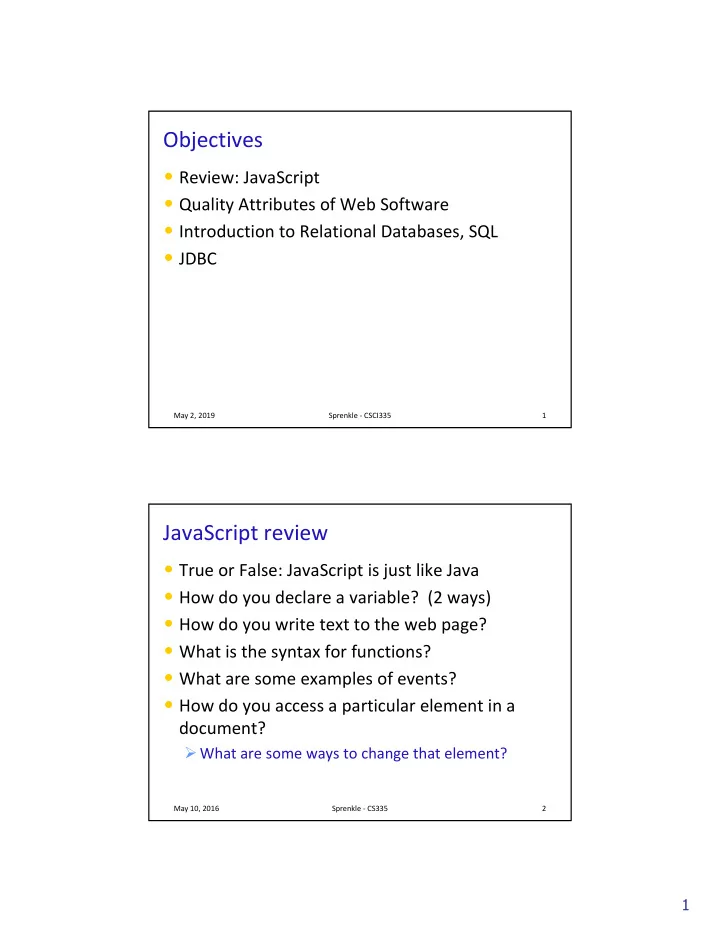
Objectives Review: JavaScript Quality Attributes of Web Software Introduction to Relational Databases, SQL JDBC May 2, 2019 Sprenkle - CSCI335 1 JavaScript review True or False: JavaScript is just like Java How do you


slide-1
SLIDE 1

1

Objectives

  • Review: JavaScript
  • Quality Attributes of Web Software
  • Introduction to Relational Databases, SQL
  • JDBC

May 2, 2019 Sprenkle - CSCI335 1

JavaScript review

  • True or False: JavaScript is just like Java
  • How do you declare a variable? (2 ways)
  • How do you write text to the web page?
  • What is the syntax for functions?
  • What are some examples of events?
  • How do you access a particular element in a

document?

Ø What are some ways to change that element?

May 10, 2016 Sprenkle - CS335 2

slide-2
SLIDE 2

2

DISCUSSION OF “QUALITY ATTRIBUTES”

Most important points?

May 2, 2019 Sprenkle - CSCI335 3

Quality Attributes

  • How are web applications different from

“traditional”/desktop applications?

Ø Leads to differences in quality attributes

  • React to “For most application types, commercial

developers have traditionally had little motivation to produce high-quality software.”

  • What are differences between 2002 (when article

was originally published) and now?

  • Let’s add another point in the comparison: mobile

apps

Ø Compare mobile apps with web and desktop

May 2, 2019 Sprenkle - CSCI335 4

slide-3
SLIDE 3

3

Comparison of Applications

May 2, 2019 Sprenkle - CSCI335 5

Attribute Traditional Web Applications

Location On clients Client, Server (& more) Languages Java, C, C++, etc. Traditional languages and Scripting languages, HTML, Other languages Technologies Network, DB Development Team Programmers Programmers, graphics designers, usability engineers, Network, DB Economics Time to market Returning customers; later but better Releases Infrequent (~monthly), expensive Frequent (~days), inexpensive

Quality Attributes

May 2, 2019 Sprenkle - CSCI335 6

Attribute Web Applications

Reliability

Must work, or go to another site

Usability

Must be usable, or go to another site

Security

Protect user data, information

Availability

24/7/365

Scalability

Thousands of requests per second, more?

Maintainability

Short maintenance cycle, frequent updates

Time-to-market

Later but better is okay

slide-4
SLIDE 4

4

Discussion

  • What are examples of sites that you used to use

but you switched because something better came along?

Ø How easy is it to switch now?

May 2, 2019 Sprenkle - CSCI335 7

DATABASES AND SQL

May 2, 2019 Sprenkle - CSCI335 8

slide-5
SLIDE 5

5

Web Application Server

Web Application Architecture Overview

May 2, 2019 Sprenkle - CSCI335 9

DB or XML

  • r text files

Servlets, JSPs Automatically generate UI (HTML), Handle user requests Data structures, helper classes Datastore User Interface (HTML, CSS, JavaScript)

Application State

Java Model/ Backend

Database Overview

  • Store data in such a way to allow efficient

storage, search, and update

  • Relational Data Model - currently most popular

type of database

Ø Many vendors: PostgreSQL, Oracle, MySQL, DB2, MSSQL Ø Data is stored in tables Ø Attributes: column names (one word) Ø Often contain primary key: a set of columns that uniquely identify a row

May 2, 2019 Sprenkle - CSCI335 10

slide-6
SLIDE 6

6

DB Popularity

May 2, 2019 Sprenkle - CSCI335 11

Ranking based on web site mentions, searches, questions, job offers, professional profiles, social network mentions https://db-engines.com/en/ranking

Example Students Table

  • id is the primary key
  • What are the attributes?

May 2, 2019 Sprenkle - CSCI335 12

id lastName firstName gradYear major 10011 Aaronson Aaron 2021 CSCI 43123 Brown Allison 2020 ENGL

slide-7
SLIDE 7

7

Example Students Table

  • id is the primary key
  • What are the attributes?

May 2, 2019 Sprenkle - CSCI335 13

id lastName firstName gradYear major 10011 Aaronson Aaron 2021 CSCI 43123 Brown Allison 2020 ENGL

Attributes

Courses Table

  • Primary key is ( Department, Number )

Ø As a group, these uniquely identify a row

May 2, 2019 Sprenkle - CSCI335 14

department number name description CSCI 101 Survey of Computer Science A survey of … CSCI 111 Fundamentals of Programming I An introduction to …

slide-8
SLIDE 8

8

SQL: STRUCTURED QUERY LANGUAGE

May 2, 2019 Sprenkle - CSCI335 15

SQL: Structured Query Language

  • Standardized language for manipulating and

querying relational databases

Ø May be slightly different depending on DB vendor

  • Pronounced “S-Q-L” or “Sequel”

May 2, 2019 Sprenkle - CSCI335 16

slide-9
SLIDE 9

9

SQL: Structured Query Language

  • Reserved words are not case-sensitive

Ø I will tend to write them in all-caps and bold to distinguish them in the slides Ø Tables, column names - may be case sensitive

  • Commands end in ;

Ø Can have extra white space, new lines in commands Ø End when see ;

  • Represent string literals with single quotes ''

''

May 2, 2019 Sprenkle - CSCI335 17

SELECT SELECT Command

  • Queries the database
  • Returns a result—a virtual table
  • Syntax:

Ø Columns, tables separated by commas Ø Can select all columns with * Ø Where clause specifies constraints on what to select from the table

May 2, 2019 Sprenkle - CSCI335 18

SELECT SELECT column_names FROM FROM table_names [WHERE condition];

Optional

slide-10
SLIDE 10

10

SELECT SELECT Examples

  • SELECT

SELECT * FROM FROM Students;

  • SELECT

SELECT lastName, major FROM FROM Students;

May 2, 2019 Sprenkle - CSCI335 19

id lastName firstName gradYear major 10011 Aaronson Aaron 2021 CSCI 43123 Brown Allison 2020 ENGL lastName major Aaronson CSCI Brown ENGL Virtual Tables

WHERE WHERE Conditions

  • Limits which rows you get back
  • Comparison operators: >, >=, <, <=, <>
  • Can contain AND

AND for compound conditions

  • LIKE

LIKE matches a string against a pattern

Ø Wildcard: % , matches any sequence of 0 or more characters

  • IN

IN : match any

  • BETWEEN

BETWEEN: Like comparison using AND AND, inclusive

May 2, 2019 Sprenkle - CSCI335 20

slide-11
SLIDE 11

11

SELECT SELECT Examples

  • What do these select statements mean?

Ø SELECT SELECT * FROM FROM students WHERE WHERE major='CSCI'; Ø SELECT SELECT firstName, lastName FROM FROM students WHERE WHERE major='CSCI' AND AND gradYear=2019; Ø SELECT SELECT lastName FROM FROM students WHERE WHERE firstName LIKE LIKE 'Eli%';

May 2, 2019 Sprenkle - CSCI335 21

SELECT SELECT Examples

  • What do these select statements mean?

Ø SELECT SELECT lastName FROM FROM students WHERE WHERE major IN IN ('CSCI', 'PHYS', 'MATH'); Ø SELECT SELECT lastName FROM FROM students WHERE WHERE major NOT NOT IN IN ('CSCI', 'PHYS', 'MATH'); Ø SELECT SELECT firstName FROM FROM students WHERE WHERE gradYear BETWEEN BETWEEN 2019 AND AND 2021;

May 2, 2019 Sprenkle - CSCI335 22

slide-12
SLIDE 12

12

Set vs Bag Semantics

  • Data structures review

May 2, 2019 Sprenkle - CSCI335 23

Set vs Bag Semantics

  • Bag

Ø Duplicates allowed Ø Number of duplicates is significant Ø Used by SQL by default

  • Set

Ø No duplicates Ø Use keyword DISTINCT DISTINCT

May 2, 2019 Sprenkle - CSCI335 24

slide-13
SLIDE 13

13

Set vs Bag

May 2, 2019 Sprenkle - CSCI335 25

SELECT SELECT lastName FROM FROM Students; SELECT SELECT DISTINCT DISTINCT lastName FROM FROM Students;

lastName Smith … Smith Jones Jones lastName Smith Jones

Aggregates

  • Standard SQL aggregate functions: COUNT,

COUNT, SUM, AVG, MIN, MAX SUM, AVG, MIN, MAX

  • Can only used in the SELECT

SELECT part of query

  • Example

Ø SELECT SELECT COUNT(*), AVG(GPA) FROM FROM students WHERE WHERE gradYear=2019;

May 2, 2019 Sprenkle - CSCI335 26

slide-14
SLIDE 14

14

ORDER BY ORDER BY

  • Last operation performed, last in query
  • Orders:

Ø ASC ASC = ascending Ø DESC DESC = descending

  • Example

Ø SELECT SELECT firstName, lastName FROM FROM Students WHERE WHERE gradYear=2019 ORDER ORDER BY BY GPA DESC DESC;

May 2, 2019 Sprenkle - CSCI335 27

Majors Majors Table

  • Another table to keep track of majors
  • Primary Key: id

May 2, 2019 Sprenkle - CSCI335 28

id name department 1 ART-BA ART 2 ARTH-BA ART

slide-15
SLIDE 15

15

Changes Students Students Table

  • Use an id to identify major (primary key)

May 2, 2019 Sprenkle - CSCI335 29

id name department 1 ART-BA ART 2 ARTH-BA ART id last Name first Name gradYear majorID 10011 Aaronson Aaron 2021 123 43123 Brown Allison 2020 157

Majors: Majors: Students: Students:

Foreign Key

Join Queries

  • Do a cross product of the joined tables
  • Example:

Ø Performing a select on 3 tables, each with two rows Ø Results in

May 2, 2019 Sprenkle - CSCI335 30

A1 A2 B1 B2 C1 C2 A1 B1 C1 A1 B1 C2 A1 B2 C1 A1 B2 C2 A2 B1 C1 A2 B1 C2 A2 B2 C1 … … …

slide-16
SLIDE 16

16

JOIN Queries

  • Join two tables on an attribute

May 2, 2019 Sprenkle - CSCI335 31

SELECT SELECT lastName, name FROM FROM Students, Majors WHERE WHERE Students.majorID=Majors.id;

id name department 1 ART-BA ART 2 ARTH-BA ART id last Name first Name gradYear majorID 10011 Aaronson Aaron 2021 123 43123 Brown Allison 2020 157

Majors: Majors: Students: Students:

JOIN Queries

  • Join two tables on an attribute

May 2, 2019 Sprenkle - CSCI335 32

SELECT SELECT lastName, name FROM FROM Students, Majors WHERE WHERE Students.majorID=Majors.id;

lastName name Aaronson CSCI Brown ENGL From Students Students From Majors Majors

slide-17
SLIDE 17

17

JOIN Queries

  • What if two tables have the same column name?

Ø Add the table name and a . to the beginning of the column, i.e., TableName.columnName TableName.columnName

May 2, 2019 Sprenkle - CSCI335 33

SELECT SELECT Students.lastName, Majors.name FROM FROM Students, Majors WHERE WHERE Students.majorID=Majors.id;

What if Students Have Multiple Majors?

  • We don’t necessarily want to add another

column to Students table

Ø What if student has 3 majors?

  • Example of Many to Many Relationship
  • Solution: Create StudentsToMajors

StudentsToMajors table:

May 2, 2019 Sprenkle - CSCI335 34

studentID majorID 435 243 435 232 Primary Key: (studentID, majorID) Foreign Keys from Students, Majors Tables

slide-18
SLIDE 18

18

JOIN Queries

  • Therefore, to find the students’ majors with this

new StudentsToMajors table, we would do

May 2, 2019 Sprenkle - CSCI335 35

SELECT SELECT Students.lastName, Majors.name FROM FROM Students, Majors, StudentsToMajors WHERE WHERE Students.majorID=StudentsToMajors.studentID AND AND Majors.id = StudentsToMajors.majorID;

INSERT INSERT Statements

  • You can add rows to a table
  • Preferred Method: include column names

Ø Don’t depend on order

May 2, 2019 Sprenkle - CSCI335 36

INSERT INSERT INTO INTO Majors VALUES VALUES ( 354, 'BioInformatics-BS', 'CSCI'); INSERT INSERT INTO INTO Majors (id, name, department) VALUES VALUES ( 354, 'BioInformatics-BS', 'CSCI');

Assumes filling in all values, in column order

slide-19
SLIDE 19

19

INSERT INSERT Statements

  • Automatically create ids
  • If table is set up appropriately, let the DB handle

creating unique ids:

May 2, 2019 Sprenkle - CSCI335 37

INSERT INSERT INTO INTO Majors (id, name, department) VALUES VALUES ( nextval('majors_sequence'), 'Bio-Informatics-BS', 'CSCI' ); INSERT INSERT INTO INTO Majors (name, department) VALUES VALUES ( 'Bio-Informatics-BS', 'CSCI' );

UPDATE UPDATE Statement

  • You can modify rows of a table
  • Use WHERE

WHERE condition to specify which rows to update

  • Example: Update a student’s married name
  • Example: Update all first years to undeclared

May 2, 2019 Sprenkle - CSCI335 38

UPDATE UPDATE Students SET SET LastName='Smith-Jones' WHERE WHERE id=12; UPDATE UPDATE Students SET SET majorID=345 WHERE WHERE gradYear=2022;

slide-20
SLIDE 20

20

DELETE DELETE Statement

  • You can delete rows from a table
  • Example

May 2, 2019 Sprenkle - CSCI335 39

DELETE FROM DELETE FROM table [ WHERE WHERE condition ];

DELETE FROM DELETE FROM EnrolledStudents WHERE WHERE hasPrerequisites=False AND course_id=456;

Using a Database

  • DBMS: Database management system
  • Using PostgreSQL in this class

Ø Free, open source

  • Slight differences in syntax between DBMSs
  • DBMS can contain multiple databases

Ø Need to say which DB you want to use

May 2, 2019 Sprenkle - CSCI335 40

slide-21
SLIDE 21

21

Designing a DB

  • Design tables to hold your data

Ø Data’s name and types

  • Similar to OO design

Ø No duplication of data Ø Have pointers to info in other tables

  • Main difference: no lists

Ø If you think “list”, think of a OneToMany or a ManyToMany table that contains the relationships between the data

May 2, 2019 Sprenkle - CSCI335 41

Standard Data Types

  • Standard to SQL

Ø CHAR - fixed-length character Ø VARCHAR - variable-length character

  • Requires more processing than CHAR

Ø INTEGER - whole numbers Ø NUMERIC Ø Names for types in specific DB may vary

  • More data types available in each DB

May 2, 2019 Sprenkle - CSCI335 42

slide-22
SLIDE 22

22

PostgreSQL Data Types

  • Names for standard data types

Ø Numeric: int, smallint, real, double precision Ø Strings

  • char(N) - fixed length (padded)
  • varchar(N) - variable length, with a max
  • text - variable unlimited length
  • Additional useful data types

Ø date, time, timestamp, and interval Ø Timestamp includes both date and time

May 2, 2019 Sprenkle - CSCI335 43

Constraints

  • PRIMARY KEY

PRIMARY KEY may not have null values

  • UNIQUE

UNIQUE may have null values

Ø Example: username when have a separate id

  • FOREIGN KEY

FOREIGN KEY

Ø Use key from another (“foreign”) table Ø Example: shopping cart has its own id; references the user’s id as owner

  • CHECK

CHECK

Ø value in a certain column must satisfy a Boolean (truth-value) expression Ø Example: GPA >= 0

May 2, 2019 Sprenkle - CSCI335 44

slide-23
SLIDE 23

23

Creating a Table

  • Example:

May 2, 2019 Sprenkle - CSCI335 45

CREATE CREATE TABLE TABLE weather ( city varchar(80), temp_lo int, -- low temperature temp_hi int, -- high temperature prcp real, -- precipitation date date );

Join Queries

  • Joining two tables: creates a cross-product
  • Where clauses restrict the number of results

produced

May 2, 2019 Sprenkle - CSCI335 46

slide-24
SLIDE 24

24

“The Hack”

  • Notified by W&L News Director
  • President’s Day
  • Actual link:

https://gist.github.com/anonymous/4971936

Ø Target : http://www.cs.wlu.edu/ Ø Only some of the data, not all in database

  • Figured out they just found my posted SQL file

May 2, 2019 Sprenkle - CSCI335 47

Second Washington University hacked data base! Washington and Lee University full unedited database! gist.github.com/anonymous/4971… <https://t.co/3fqGJwXC>#SweetInfoOp <http://twitter.com/search?q=%23SweetInfoOp>

ChemTutor Database

  • What tables will you need?
  • What data?
  • What constraints?

May 2, 2019 Sprenkle - CSCI335 48

slide-25
SLIDE 25

25

JDBC

May 2, 2019 Sprenkle - CSCI335 49

JDBC: Java Database Connectivity

  • Database-independent connectivity

Ø JDBC converts generalized JDBC calls into vendor- specific SQL calls

  • Classes in java.sql.* and javax.sql.*

packages

May 2, 2019 Sprenkle - CSCI335 50

slide-26
SLIDE 26

26

Using JDBC in a Java Program

  • 1. Load the database driver
  • 2. Obtain a connection
  • 3. Create and execute statements (SQL queries)
  • 4. Use result sets (tables) to navigate through the

results

  • 5. Close the connection

May 2, 2019 Sprenkle - CSCI335 51

Elaborate in following slides…

java.sql.DriverManager java.sql.DriverManager

  • Provides a common access layer for different

database drivers

  • Requires that each driver used by the application

be registered before use

  • Load the database driver by its name using

ClassLoader:

May 2, 2019 Sprenkle - CSCI335 52

Class.forName("org.postgresql.Driver");

slide-27
SLIDE 27

27

Creating a Connection

  • After loading the DB driver, create the connection (see

API for all ways)

  • Close connection when done

Ø Release resources

May 2, 2019 Sprenkle - CSCI335 53

Type of DB Location of DB, port optional DB name

String url = "jdbc:postgresql://hopper:5432/cs335"; Connection con = DriverManager.getConnection(url, username, password); con.close();

Where should these code fragments go in a servlet?

Statements

  • executeQuery(String sql)

Ø Returns a ResultSet ResultSet, which is like a virtual table

  • f results

Ø Iterate through ResultSet, row by row

  • executeUpdate(String sql) to update

table

Ø Returns an integer representing the number of affected rows

May 2, 2019 Sprenkle - CSCI335 54

rs = stmt.executeQuery("SELECT * FROM table");

Statement stmt = con.createStatement();

slide-28
SLIDE 28

28

Iterating Through ResultSets

ResultSets

  • Example:
  • Can access column values by name or which

column (count starts at 1, left to right)

May 2, 2019 Sprenkle - CSCI335 55

ResultSet rs = stmt.executeQuery("SELECT * " + "FROM majors"); while while( rs.next() ) { String name= rs.getString("name"); String dept = rs.getString(2); // column 2 System.out.println(name + "\t" + dept); }

Useful ResultSet

ResultSet Methods

  • rs.next() – moves cursor one row forward

Ø Returns true if the new current row is valid; false if there are no more rows

  • Number of rows in the result:
  • Information about the table, such as number,

types, and properties of columns:

Ø ResultSetMetaData getMetaData()

May 2, 2019 Sprenkle - CSCI335 56

rs.last(); int int numberOfRows = rs.getRow();

slide-29
SLIDE 29

29

Prepared Statements

  • con.prepareStatement(String template)

Ø Compile SQL statement “templates”

  • Allows reusing statement, passing in parameters

Ø Java handles formatting of Strings, etc. as parameters Ø More secure (more later)

  • Set parameters

Ø updateSales.setInt(1, 100); Ø updateSales.setString(2, "French Roast"); Ø Columns start at 1

May 2, 2019 Sprenkle - CSCI335 57

? = Parameter updateSales = con.prepareStatement("INSERT" + "INTO Sales (quantity, name) VALUES"+ "(?, ?)"); Preferred approach to make SQL statements

JDBC

  • API Documentation: java.sql.*

Ø Statements, Connections, ResultSets, etc. are all Interfaces

  • Driver/Library implements interfaces for its database
  • Limitations

Ø Java doesn’t compile the SQL statements

  • Exact syntax depends on DB
  • Compile, run, verify queries outside of Java for your

database

  • Then copy and use in Java code

May 2, 2019 Sprenkle - CSCI335 58

slide-30
SLIDE 30

30

Using PostgreSQL on Command-Line

  • In a terminal, ssh into hopper

Ø ssh -XY hopper

  • Run the PostgreSQL client: psql , connecting to

the appropriate database

Ø psql cs335

  • At the prompt, type in SQL statements, ending in

;

May 2, 2019 Sprenkle - CSCI335 59

Examples Using JDBC

May 2, 2019 Sprenkle - CSCI335 60

slide-31
SLIDE 31

31

Transactions in JDBC

  • By default, a connection is in auto-commit mode

Ø Each statement is a transaction Ø Automatically committed as soon as executed

May 2, 2019 Sprenkle - CSCI335 61

Transactions in JDBC

  • You can turn off auto-commit and execute

multiple statements as a transaction

Ø Database can keep handling others’ reads Ø Others won’t see updates until you commit

  • Can call rollback

rollback to abort updates

May 2, 2019 Sprenkle - CSCI335 62

con.setAutoCommit(false false); // execute SQL statements … con.commit(); // commit those statements con.setAutoCommit(true true);

slide-32
SLIDE 32

32

Storing Passwords

  • Use md5

md5 function on passwords

Ø md5('password')

  • Compare user’s input password md5’d with

password in database

Ø SELECT COUNT(id) FROM Users WHERE username=? AND password=md5(?); Ø What are the possible outputs from this query?

  • Example: username and password = ‘test’

May 2, 2019 Sprenkle - CSCI335 63

There are stronger ways to encrypt passwords, but for this practice exercise, this is fine.

Connection Pool

  • Want to reuse DB connections

Ø Reduce overhead of creating and closing connections to database

  • Could write our own connection pool class

Ø Many examples online

  • Apache wrote the one that we’ll use

Ø http://commons.apache.org/dbcp/

May 2, 2019 Sprenkle - CSCI335 64

slide-33
SLIDE 33

33

Using the Connection Pool

  • Create a DBManager

DBManager that contains a DataSource DataSource object in the ServletContext ServletContext

Ø All the servlets can see the ServletContext Ø Shared resource, given name, value

  • When implementing a servlet that requires a DB

connection

Ø init init method gets the DBManager DBManager object from the ServletContext

Ø When need a connection, call getConnection

getConnection on DBManager DBManager object

May 2, 2019 Sprenkle - CSCI335 65 May 2, 2019 Sprenkle - CSCI335 66

Servlets and JDBC

  • In general, we want to minimize the use of JDBC in

the servlets

  • Same queries in multiple servlets

Ø Don’t want to duplicate code Ø If DB tables or queries change, only change in one place

  • Instead, we want to have Java classes (model) that

communicate with the DB

Ø Convert ResultSets to objects that servlets/JSPs can use

  • Suggestion: add methods to DBManager

DBManager that

execute queries and return Java objects, as appropriate

slide-34
SLIDE 34

34

TODO

  • Lab 6 – by tonight at 11:59 p.m.
  • Lab 7 – by Sunday at 11:59 p.m.

Ø Must be done on Linux machines Ø Restrictions on DB access

May 2, 2019 Sprenkle - CSCI335 67