Objectives Review Servlets Deployment Configuration Sessions, - - PDF document

objectives
SMART_READER_LITE
LIVE PREVIEW

Objectives Review Servlets Deployment Configuration Sessions, - - PDF document

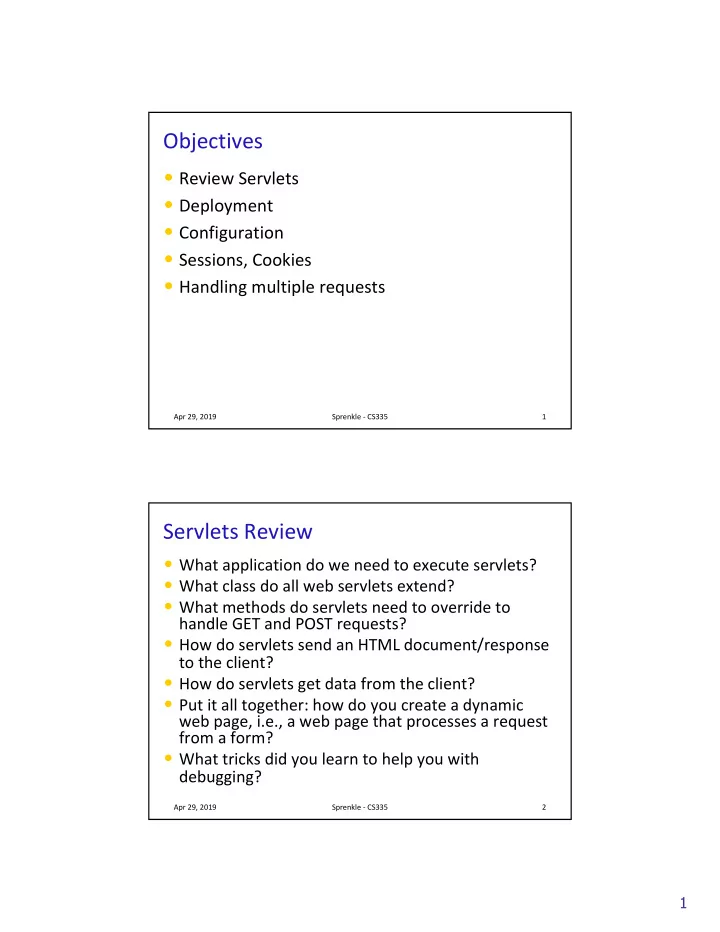
Objectives Review Servlets Deployment Configuration Sessions, Cookies Handling multiple requests Apr 29, 2019 Sprenkle - CS335 1 Servlets Review What application do we need to execute servlets? What class do all web


slide-1
SLIDE 1

1

Objectives

  • Review Servlets
  • Deployment
  • Configuration
  • Sessions, Cookies
  • Handling multiple requests

Apr 29, 2019 Sprenkle - CS335 1

Servlets Review

  • What application do we need to execute servlets?
  • What class do all web servlets extend?
  • What methods do servlets need to override to

handle GET and POST requests?

  • How do servlets send an HTML document/response

to the client?

  • How do servlets get data from the client?
  • Put it all together: how do you create a dynamic

web page, i.e., a web page that processes a request from a form?

  • What tricks did you learn to help you with

debugging?

Apr 29, 2019 Sprenkle - CS335 2

slide-2
SLIDE 2

2

Example Servlet Flow

Apr 29, 2019 Sprenkle - CS335 3

Server Web Application Server Client HTTP Request, data Response HTML Form HTML Document Web Browser s u b m i t doGet

Servlet Development Discussion

  • Distributed applications are difficult to debug

and test

Ø Multiple components: Client code? Server code?

  • Suggestions

Ø Use Eclipse to help you find errors in HTML Ø Check response’s HTML source code

  • Shows you what was written to output
  • Location of error

Ø Use Eclipse’s debugger

Apr 29, 2019 Sprenkle - CS335 4

Client Web App Server

slide-3
SLIDE 3

3

More on Java-based Web Applications

  • Structure
  • Other classes
  • Initialization, customization
  • Synchronization

Apr 29, 2019 Sprenkle - CS335 5

Web App Directory Structure

  • projectname

projectname/

Ø HTML, CSS, and JSP files

  • projectname

projectname/WEB /WEB-INF INF

Ø Other resources, e.g., web.xml web.xml

  • projectname

projectname/WEB /WEB-INF/classes INF/classes

Ø Servlet and utility (data structures, etc) Ø Why we put our servlets in servlets package

  • projectname

projectname/WEB /WEB-INF/lib INF/lib

Ø Jar files that application depends on

Apr 29, 2019 Sprenkle - CS335 6

  • Different from

Eclipse code organization

  • When Eclipse deploys

the web application, it

  • rganizes it this way.
slide-4
SLIDE 4

4

Servlet Interface Methods

  • init(ServletConfig

init(ServletConfig config config) ØWeb app server calls once to initialize the servlet ØTypically opening DB connection, files

  • ServletConfig

ServletConfig getServletConfig getServletConfig() () ØReturns a reference to a ServletConfig ServletConfig

  • void

void service(ServletRequest service(ServletRequest, , ServletResponse ServletResponse) ØCalled to respond to a client request

  • String

String getServletInfo getServletInfo() () ØReturns a String that describes the servlet (name, version, etc.)

  • void destroy()

void destroy() ØCalled by the server to terminate a servlet ØShould close open files, close DB connections, etc.

Apr 29, 2019 Sprenkle - CS335 7

Servlet Life Cycle in Web Application Server

  • Web application server creates one instance of

servlet

Ø Calls init

init method of servlet created

  • As requests come in, WAS calls service

service method

  • f appropriate servlet

Ø In turn, servlet calls appropriate doMethod

doMethod

  • When web application server shuts down, calls

destroy destroy method of each servlet

Apr 29, 2019 Sprenkle - CS335 8

Web Application Server

SurveyServlet Parameter Servlet

slide-5
SLIDE 5

5

Lab 4: Refactoring SurveyServlet

  • Currently: Inefficient implementation

Ø Read, write survey data file every time request is executed

  • In init

init Ø Automatically called by server on start up Ø Open file, read/initialize votes

  • In destroy

destroy Ø Automatically called by server Ø Write file

Apr 29, 2019 Sprenkle - CS335 9

Servlet Servlet Data

  • ServletConfig

ServletConfig – initialization and startup

parameters for this servlet

Ø Example methods:

  • String getInitParameter

String getInitParameter(String name)

  • String

String getServletName getServletName() ()

  • ServletContext

ServletContext – servlet container

information

ØExample methods:

  • Object getAttribute

getAttribute(String name)

  • String getInitParameter

getInitParameter(String name)

Apr 29, 2019 Sprenkle - CS335 10

Same method name, different context

slide-6
SLIDE 6

6

ServletContext ServletContext

  • One ServletContext per

web application per JVM

Ø If you have both Lab3 and FirstServlets running on Tomcat, they will each have their own ServletContext

  • Share state among multiple clients

Ø Allow multiple users to interact in, e.g., chat rooms,

  • nline meeting, reservation systems
  • Info about servlet’s environment

Ø E.g., server’s name

  • log(): method to write to a log file
  • Context attributes

Ø getAttribute, setAttribute, removeAttribute

Apr 29, 2019 Sprenkle - CS335 11

web.xml web.xml File

  • Describes how to deploy the web application
  • XML file

Ø Used for data Ø Marked up with elements Ø Same rules as XHTML: close most recently opened tag, attributes in quotes

  • DTD: Document Type Definition

Ø Define elements that can be in a particular XML document Ø Includes specification of attributes, nesting

Apr 29, 2019 Sprenkle - CS335 12

<tag attr="value"> Content </tag>

slide-7
SLIDE 7

7

Annotations

  • In Servlets 3.x, we can easily configure a web

application using annotations

Ø Don’t need to directly update web.xml Ø Provide defaults, can be overridden in web.xml

  • Example:

Ø Means the URL pattern “/SurveyServlet” maps to this servlet (servlets.SurveyServlet)

Apr 29, 2019 Sprenkle - CS335 13

@WebServlet("/SurveyServlet") public class SurveyServlet extends HttpServlet {

Apr 29, 2019 Sprenkle - CS335 14

Add init parameters

slide-8
SLIDE 8

8

Another Annotation Example

Apr 29, 2019 Sprenkle - CS335 15

@WebServlet( urlPatterns = { "/SurveyServlet" }, initParams = { @WebInitParam(name = "surveyFile", value = "survey.dat") }) public class SurveyServlet extends HttpServlet {

Default values Can override these in the web.xml

Why would we want to be able to

  • verride these values in a separate (text) file?

Why web.xml overriding?

  • Can modify behavior of application without

modifying the Java code and recompiling

Ø May not have access to source code

Apr 29, 2019 Sprenkle - CS335 16

slide-9
SLIDE 9

9

web.xml web.xml File

  • Top-level: <webapp

webapp>

  • <servlet

servlet> element describes a servlet

  • <servlet

<servlet-mapping> mapping> element maps URLs to servlets

Ø May want to have shorthands, aliases Ø Restrict users’ direct access to servlets

Apr 29, 2019 Sprenkle - CS335 17

web.xml web.xml File: Subelements of <servlet> <servlet>

Apr 29, 2019 Sprenkle - CS335 18

<servlet servlet-name> name>

canonical name of the deployed servlet

<servlet servlet-class> class>

fully qualified class name of the servlet

<init <init-param param>

  • ptional parameter containing a name-value

pair that is passed to the servlet on initialization. Contains elements, <param-name> and <param-value>, which contain the name and value, respectively, to be passed to the servlet.

slide-10
SLIDE 10

10

Example of Configuring web.xml

  • Configure SurveyServlet to use a given file
  • Add the following to web.xml file:
  • Note that <init-param> is a child of

<servlet>, which means your web.xml file

would look like what?

Apr 29, 2019 Sprenkle - CS335 19

<init-param> <param-name>surveyFile</paramname> <param-value>survey.dat</param-value> </init-param>

Note about init-params in web.xml

  • If you set init-param in web.xml, you need to

annotate the servlet with its name

  • You can have multiple configurations for the

same [servlet] class

Ø Using the name lets the application server know that the annotations and the web.xml configurations are both part of the same configuration

Apr 29, 2019 Sprenkle - CS335 21

slide-11
SLIDE 11

11

Using Init Parameter

  • Configure SurveyServlet to use a given file

Ø Either in annotation or web.xml

  • Modify init method to call HttpServlet

HttpServlet’s getInitParameter getInitParameter method

Apr 29, 2019 Sprenkle - CS335 22

// calls HttpServlet method, i.e., this’s method filename = getInitParameter("surveyFile"); // open file …

MAINTAINING STATE ACROSS REQUESTS

Apr 29, 2019 Sprenkle - CS335 23

slide-12
SLIDE 12

12

Maintaining State

  • If you have multiple pages, how can you save or

accumulate data?

Ø Example scenario: buying a book

Apr 29, 2019 Sprenkle - CS335 24

Login Form Which Book Credit Card Verify Server Server Server Server

D1 D1 D1, D2 D1, D2 D1, D2, D3 D1, D2, D3 D1, D2, D3, D4

Maintaining State

  • If you have multiple pages, how can you save or

accumulate data?

Ø Hidden fields (type=hidden type=hidden) Ø Cookies Ø Sessions

Apr 29, 2019 Sprenkle - CS335 25

Login Form Which Book Credit Card Verify Server Server Server Server

D1 D1 D1, D2 D1, D2 D1, D2, D3 D1, D2, D3 D1, D2, D3, D4

slide-13
SLIDE 13

13

Hidden Fields

  • Data is coming from client
  • Users can see the hidden fields

Ø View HTML Source

  • Users can change the data

➨ Useful in limited situations

Apr 29, 2019 Sprenkle - CS335 26

<input type="hidden" name="userid" value="superfly"/>

COOKIES

Apr 29, 2019 Sprenkle - CS335 27

slide-14
SLIDE 14

14

Cookies

  • Cookies are initially sent from the webapp to the

client to store application-specific information on the client

  • Part of an HTTP header in response to a client

Ø Every HTTP transaction includes HTTP headers Ø Not part of the HTML content

  • Client includes cookies in HTTP headers in

subsequent requests

Ø Provides way to do behavior tracking

Apr 29, 2019 Sprenkle - CS335 28

Process with Cookies

  • Cookies

Ø Associated with server name Ø Part of HTTP Headers

  • Example: Amazon.com

Ø Cookie stores your name, login information Ø Example: Not Sara?

Apr 29, 2019 Sprenkle - CS335 29

Client Web App Server Web Browser HTTP Request, Cookies Response: Cookies HTML Document

Cookies

slide-15
SLIDE 15

15

Cookies in Java

  • Cookies have a name and value
  • Create a Cookie object using its constructor

ØPart of javax.servlet.http.Cookie javax.servlet.http.Cookie

  • Example: store a user’s preferred language on

the client

ØApp only has to ask for this information once

Apr 29, 2019 Sprenkle - CS335 30

String cookie_name = "pref_language"; String cookie_value = "English"; Cookie new_cookie = new Cookie(cookie_name, cookie_value);

Sending the Cookie to the Client

  • HTTP header is sent first
  • Cookie(s) must be added to the response object

before you start writing to the client

  • Call addCookie

addCookie() on HttpServletResponse HttpServletResponse

  • bject before you call the getWriter

getWriter() method

  • Inside of doGet

doGet or doPost doPost method:

Apr 29, 2019 Sprenkle - CS335 31

Cookie c = new Cookie( "pref_language", "English" ); c.setMaxAge(60*60*24*365); // max age of cookie response.addCookie(c); …

  • utput = response.getWriter();
slide-16
SLIDE 16

16

HttpServletResponse HttpServletResponse Method

  • void

void addCookie(Cookie addCookie(Cookie)

ØAdd a Cookie to the header in the response to the client ØThe cookie will be stored on the client, depending on the max-life and if the client allows cookies

Apr 29, 2019 Sprenkle - CS335 32

Cookies: Maximum Ages

  • The maximum age of the cookie is how long the

cookie can live on the client, in seconds

  • When a cookie reaches its maximum age, client

deletes it

  • -1 means persists until browser exits

Apr 29, 2019 Sprenkle - CS335 33

c.setMaxAge(60*60*24*365); // max age of cookie

slide-17
SLIDE 17

17

Retrieving Cookies

  • Call getCookies

getCookies on HttpServletRequest HttpServletRequest

  • bject

ØReturns an array of Cookie objects ØRepresents all cookies that server previously sent to the client

  • For example, inside of doPost

doPost

Apr 29, 2019 Sprenkle - CS335 34

Cookie[] cookies = request.getCookies();

Voiding Cookies

  • May want to delete cookies when user logs out

Ø Especially for sensitive information

Apr 29, 2019 Sprenkle - CS335 35

// void cookie and send back to the user userid_cookie.setMaxAge(0); response.addCookie(userid_cookie);

slide-18
SLIDE 18

18

Why Are They “Cookies”?

  • Http Cookie, Source: Wikipedia

Ø The term "cookie" derives from "magic cookie", which is a packet of data a program receives and sends out again unchanged.

  • Magic Cookie, Source: Wikipedia

Ø The name "cookie" comes from a comparison to an unopened fortune cookie, because of the hidden information inside.

Apr 29, 2019 Sprenkle - CS335 36

What are challenges with using cookies?

Apr 29, 2019 Sprenkle - CS335 37

slide-19
SLIDE 19

19

What are challenges with using cookies?

  • They are saved on the client machine

Ø Clients can delete or modify them

  • Increase the sizes of your network packets

Ø Send cookies on each request

Apr 29, 2019 Sprenkle - CS335 38

Client Web App Server Web Browser HTTP Request, Cookies Response: Cookies HTML Document

Cookies

SESSION STATE

Apr 29, 2019 Sprenkle - CS335 39

slide-20
SLIDE 20

20

Session

  • One user’s visit to an application
  • Can be made up of many requests
  • Server maintains a session with a particular

client

Ø Can maintain state within that session

  • Duration of a session:

Ø If no requests from client for specified period of time (the timeout), user’s session ends Ø Timeout: typically 30 minutes

Apr 29, 2019 Sprenkle - CS335 40

Web Application Server

Benefits of Using Session State

  • Simpler for developer
  • Reduces network traffic

Ø Don’t need to keep passing data between client and server

Apr 29, 2019 Sprenkle - CS335 41

Server Web Application Server

User A’s Session State User B’s Session State User C’s Session State

slide-21
SLIDE 21

21

Session State in Java

  • HttpSession stores session data
  • Data is known as session attributes

Ø Have names and values

  • Store, access, and remove attributes:

Ø Like a HashMap Ø void setAttribute(String name, Object value)

  • Values no longer need to be strings
  • Cookies and Parameters had to be strings

Ø Object getAttribute(String name) Ø void removeAttribute(String name)

Apr 29, 2019 Sprenkle - CS335 42

Example Session Variables

  • User gives application data
  • Application stores data in session variable

Ø session.setAttribute("username", username);

  • Application can use later in session, without user having

to give information again

Ø String username = (String) session.getAttribute("username");

  • More examples:

Ø Server computes information once, caches in session Ø Shopping carts

Apr 29, 2019 Sprenkle - CS335 43

name value

slide-22
SLIDE 22

22

Getting a Session

  • HttpServletRequest

HttpServletRequest’s getSession getSession(boolean boolean create) create) method

Ø Returns the current HttpSession HttpSession object Ø Boolean parameter specifies if a new session should be created if one does not already exist

Apr 29, 2019 Sprenkle - CS335 44

Other Useful Session Methods

  • setMaxInactiveInterval(),

getCreationTime(), getLastAccessedTime() Ø If want shorter than server’s timeout

  • invalidate()

Ø Invalidates session, unbinds objects bound to it

Apr 29, 2019 Sprenkle - CS335 45

slide-23
SLIDE 23

23

Lab 4: Add Session Variable

  • LoginServlet will add a session variable with

name “authenticated”

Apr 29, 2019 Sprenkle - CS335 46

Eclipse Development Hints

  • Safe bet: restart server whenever change to a

servlet

Ø Can modify Server’s configuration

  • Under Publishing
  • Typical programming

Ø Write a few lines of code/make small changes Ø Run, test Ø Repeat

Apr 29, 2019 Sprenkle - CS335 47

slide-24
SLIDE 24

24

HANDLING MULTIPLE REQUESTS

Apr 29, 2019 Sprenkle - CS335 48

Multiple Clients

  • Web server handles multiple requests at a time

by executing multiple threads

  • Approximately 1 thread/request

⇒Need to make sure that threads overlap in

ways that do not break the application

Apr 29, 2019 Sprenkle - CS335 49

slide-25
SLIDE 25

25

Example Scenario

  • Original SurveyServlet

SurveyServlet stores the results

  • f the survey in a file on the server
  • When >1 client connects to the server at one

time, server handles both clients concurrently

Ø >1 can execute SurveyServlet SurveyServlet Ø >1 thread can read/modify file at one time Ø Can lead to inconsistent data!

Apr 29, 2019 Sprenkle - CS335 50

SurveyServlet Implementation

  • Operations can overlap

Apr 29, 2019 Sprenkle - CS335 51

SurveyServlet?animal=dog SurveyServlet?animal=cat Web Application Server file // read file // update local array // write file // print results // read file // update local array // write file // print results

slide-26
SLIDE 26

26

Bad Interleaving

Apr 29, 2019 Sprenkle - CS335 52

// read file // update local array // read file // update local array // write file // print results // write file // print results What happens in this case? Loses blue’s vote SurveyServlet?animal=dog SurveyServlet?animal=cat Web Application Server file

Critical Section

  • Sections of code that have to happen

uninterrupted or atomically

Ø Only one thread can execute at a time

  • What is the critical section in this code?

Apr 29, 2019 Sprenkle - CS335 53

// read file // update local array // write file // print results

slide-27
SLIDE 27

27

Critical Section

  • Sections of code that have to happen

uninterrupted or atomically

Ø Only one thread can execute at a time

  • What is the critical section in this code?

Ø The shared file must be read and written atomically

  • Writes cause trouble

Apr 29, 2019 Sprenkle - CS335 54

// read file // update local array // write file // print results

210 in 335

  • Even if only one Java statement in critical

section, synchronize it!

  • One high-level Programming Language

statement probably translates into multiple VM language statements

Ø Prevent interruption at low level

Apr 29, 2019 Sprenkle - CS335 55

count++; Retrieve count Add 1 to count Store count High-level: Virtual Machine level:

slide-28
SLIDE 28

28

Synchronization Mechanisms

  • Synchronized classes
  • Synchronized methods
  • Synchronized statements
  • Expense associated with each of these

Ø But without it, get wrong or inconsistent answers!

  • Alternative: database can handle synchronization
  • n data for you

Apr 29, 2019 Sprenkle - CS335 56

Project Next Steps

  • Deadline: Tuesday at midnight
  • Static Mockups

Ø Discuss use cases Ø Discuss any issues that aren’t clear/different visions

  • Revise Requirements

Ø Based on feedback

  • Set up project source code

Apr 29, 2019 Sprenkle - CS335 57

slide-29
SLIDE 29

29

TODO

  • Lab 4: Servlet Configuration and Session State

Ø Create a GitHub account and email to me Ø Init, destroy methods Ø Configuration parameters Ø Session state

  • Tomorrow: Static Mockups
  • Read/Summarize Quality Attributes paper by

Wed, midnight

Ø See Sakai description for details about contents

Apr 29, 2019 Sprenkle - CS335 58