Notes On Requirements Development Requirements specification should - - PowerPoint PPT Presentation

notes on requirements development requirements
SMART_READER_LITE
LIVE PREVIEW

Notes On Requirements Development Requirements specification should - - PowerPoint PPT Presentation

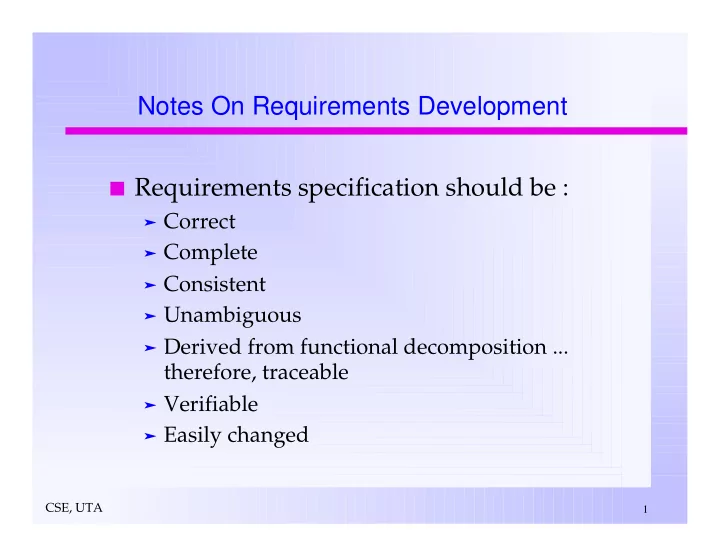
Notes On Requirements Development Requirements specification should be : Correct Complete Consistent Unambiguous Derived from functional decomposition ... therefore, traceable Verifiable Easily changed CSE, UTA 1 Notes On Requirements


slide-1
SLIDE 1

CSE, UTA

1

Notes On Requirements Development Requirements specification should be :

Correct Complete Consistent Unambiguous Derived from functional decomposition ... therefore, traceable Verifiable Easily changed

slide-2
SLIDE 2

CSE, UTA

2

System Level

Steps necessary :

– Identify problem(s) from a study of the customer/user requirements - Develop and analyze scenarios. – Define the problems in terms of what operational requirements must be satisfied or what objectives must be accomplished. – It is often necessary to study many areas before the problem is well understood and practical solutions can be examined. This system analysis, then results in, and supports the alternate solution strategies. – Select and justify a solution approach strategy. – Conceptually define system which solves the problem

Operational functions Technical requirements Hardware-software system architecture

– Generate the system requirements specification.

Notes On Requirements Development

slide-3
SLIDE 3

CSE, UTA

3

Notes On Requirements Development

System Level

Typical Considerations :

– Application/ problem statement – External interfaces and dataflows – Product feature – User environment – Acceptance criteria – Scenarios – Use of rapid prototyping – Project plans

Requirements Description

– A natural language (e.g. English) – Formal languages

slide-4
SLIDE 4

CSE, UTA

4

Software Requirement

Translate system into software requirements

– Scenarios can permit requirement clustering and meaningful incremental development.

Specify functional requirements :

– Implicit equations – Recurrence relations – Algebraic axioms – Regular expressions – Decision tables – Petri Nets – Flowcharts – Dataflow graphs

Notes On Requirements Development

slide-5
SLIDE 5

CSE, UTA

5

Hardware Requirements

Translate system into hardware requirements

– Scenario driven decomposition of hardware functions support development.

Typical types of requirements :

– Reliability, performance, electrical, thermal, physical.

Requirements Specification Languages And Systems

Hardware -oriented : CDL, DD, PMS, ISPS, AHPL, VHDL Software-oriented : PSL/PSA, RSL/REVS

Notes On Requirements Development

slide-6
SLIDE 6

CSE, UTA

6

System Requirements Specification Report

System Level Requirements

Product Definition

– Problem statement – Functions to be performed – External interfaces – Summary of operating environment – User characteristics

Project Solution Strategy

– Criteria to compare solution merit – Selected approach – Evaluation of Alternate approaches considered

Risk assessment

– Design feasibility areas of concern – Implementation feasibility areas of concern

Product Features Evolution

– Rapid prototype – Pilot model – Final version

slide-7
SLIDE 7

CSE, UTA

7

Qualification Test Criteria

Rapid prototype Pilot model Final Version Acceptance Criteria

Software Requirement

Environment Definition

– Development – Operating – Maintenance

External Interfaces and Dataflow Functional Requirements Performance Requirements Exception Conditions And Exception Handling Implementation Priorities Acceptance Criteria

– Functional Tests – Performance tests – Documentation standards

Design Guidelines

System Requirements Specification Report

slide-8
SLIDE 8

CSE, UTA

8

Hardware Requirement

Environment Definition

– (Temperature, humidity, acceleration, shock, dust, electromagnetic interference, electrical power line noise/harmonics, etc. ) – Development – Operating – Maintenance – Storage and Shipping

External Interfaces

– Digital – Analog – I/O Devices (special connectors, subsystems, etc. )

Functional Requirements Performance Requirements Electrical Requirements

– Power limits – EMI generation limit

System Requirements Specification Report

slide-9
SLIDE 9

CSE, UTA

9

Physical Requirements

– Maximum weight – Maximum volume – Maximum envelope

Implementation Priorities Acceptance Criteria

– Functional tests – Performance tests – Electrical tests – Physical tests – Test environment – Documentation standards

Design Guidelines

– (use of special components, commercial or military versions, component details, etc.)

Information Sources And References Glossary Of Terms

System Requirements Specification Report

slide-10
SLIDE 10
slide-11
SLIDE 11
slide-12
SLIDE 12

CSE, UTA

12

TECHNICAL REPORTS

Preparation

Who will be reading it ? What do they need to know ? What organization of the report will best present the material ? Synthetic or analytic (for main body)?

Outline

Use a TOP-DOWN development approach.

Introduce The Report

Prior to the main body. Orient the reader thoroughly! Explain the purpose and basic nature of the report. Provide an easily read summary / overview - Details to come later.

Use Headings and Subheadings Use Appendices

Put detailed material in them that may obscure important ideas or data.

Concentrate on Results More Than Methods Provide A Table Of Contents

slide-13
SLIDE 13

CSE, UTA

13

  • As an engineer you will write :

– Lab reports – Letters – Memos – Proposals – Progress reports – Formal Reports

  • You need to be able to write Clearly and Concisely.
  • Professional advancement depends Heavily On Your Writing Ability.
  • Preparation For Writing :

– Determine your objectives – Determine the reader's objectives – Select the proper format – Identify any constraints – Set the proper tone » Tutoring and explanations » Proposing » Presenting results » "For the record" .....

Written Communication

slide-14
SLIDE 14

CSE, UTA

14

Internal Communications

Notes

– Brief unstructured communications between two persons where file copies are NOT needed – One page max – Less than 50 words – Can be hand written – E- Mail and phone calls

Memos

– More formal than a note, but less formal than a letter or report. – Communications between members of the same

  • rganization.

– When a file copy is necessary.

The method depends on the importance of communication!

Written Communication

slide-15
SLIDE 15

CSE, UTA

15

GRAMMAR AND PUNCTUATION - A SHORT GUIDE

Abbreviations:

Abbreviations are widely used in technical writing. Be sure, however, that they will be understood by your readers. When in doubt spell the complete word. Avoid using etc. in formal writing since readers may not know what you are including.

Agreement:

Make your verb agree with its subject. This problem occurs most often when a subject and verb have intervening words.

– Wrong : A list of absent members are attached. – Right : A list of absent members is attached.

Make your pronouns agree with their antecedents. In the above sentence their correctly agrees with the word pronouns.

– Wrong : Everyone in the class raise their hand. – Right : Everyone in the class raise his hand.

slide-16
SLIDE 16

CSE, UTA

16

Agreement

Use the nominative case for subjects, the objective for

  • bjects.

– Wrong : Dr. Thompson enjoys teaching the computer to whomever wants to learn. – Right : Dr. Thompson enjoys teaching the computer to whoever wants to learn. – In this sentence whoever is the subject of the verb, not the object of the preposition to. – Wrong : The task was divided between he and Greg. – Right : The task was divided between him and Greg. – In this sentence, both him and Greg are objects of the preposition between.

Ambiguity:

This word refers to double meaning or vagueness.

– Wrong : John told James that Bill didn't like him. – Right : John said to Jim, "Bill doesn't like me."

GRAMMAR AND PUNCTUATION - A SHORT GUIDE (Cont.)

slide-17
SLIDE 17

CSE, UTA

17

Capitalization:

Capitalize the proper nouns, the first word of every sentence, the first word of each item in the outline, the first and every important word in titles of books, magazines, newspapers. Do not capitalize points of the compass, the seasons, the names of academic studies unless they are specific courses: Philosophy 306, psychology, engineering, mathematics.

Choppy Sentences:

Too many short sentences can cause problems because they are monotonous to read and because the writer makes the reader determine how many choppy sentences are related. The tendency to write a choppy style is sometimes referred to as the Dick and Jane syndrome or the Jack Webb (Dragnet)

  • syndrome. Use an occasional short sentence for emphasis.

Coherence:

Make your ideas stick together by logical development and by using transitional words carefully. These words can come within sentences as well between them. However, moreover, consequently, as a result, nevertheless, first, seconds are examples.

GRAMMAR AND PUNCTUATION - A SHORT GUIDE (Cont.)

slide-18
SLIDE 18

CSE, UTA

18

Dangling Modifiers:

Opening verbal or prepositional phrases will appear to modify the first noun

  • r pronoun following them. Be sure it is the right word.

– Wrong : Having rear end trouble, I was driving slowly down the highway. – Right : Because my 1978 Plymouth was having rear end trouble, I was driving slowly down the highway.

Fragments:

Do not punctuate subordinate clauses or phrases as if they were sentences. – Wrong : While the machine was out order. – Right : While the machine was out order, production was down by six percent.

Paragraphs:

Every paragraph should have a topic sentence, usually the first one. The other sentences should stick to the topic and develop the main idea by details, examples, logical argument, comparison and contrast. Paragraph unity means that all sentences help develop one idea.

GRAMMAR AND PUNCTUATION - A SHORT GUIDE (Cont.)

slide-19
SLIDE 19

CSE, UTA

19

Passive Voice:

Use the passive voice when the doer of action is unknown, unimportant, or not to be mentioned for some reason. Laboratory reports are correctly written in the passive voice.

– Active : I heated the liquid to 100 degrees centigrade. – Passive : The liquid was heated to 100 degrees centigrade.

Use the active voice to emphasize the doer of the action.

– Passive : It is recommended by the architect that steel be reinforced concrete be used. – Active : The architect recommends that steel reinforced concrete be used.

Punctuation:

Punctuation properly used helps you say what you mean to

  • say. Improperly used, it slows down communication and, at

times, stops it. Learn to punctuate by rule, not by intuition. Do not over punctuate. Overuse of comma is a big offender.

GRAMMAR AND PUNCTUATION - A SHORT GUIDE (Cont.)

slide-20
SLIDE 20

CSE, UTA

20

The comma :

The comma is used in the following ways : – Between two independent clauses (complete sentences) when they are joined by a coordinating conjunction - and, but, or, nor, for, yet.

Right : James ran the movie projector, but he did not know how to splice film. Wrong : James ran the movie projector, and spliced film.

– After long introductory phrases and clauses.

Right : Even though we had bought the television set used and had it for three years, the company repaired it for their cost. Wrong : When Mary left, he cried for two hours.

– With words, phrases, and clauses in series.

Right : The letter asked the students to send name, address, sex, and housing requirements. Wrong : The letter asked the students to send name, address, sex and housing requirements.

– To set off nonrestrictive elements (clauses, phrases, appositives).

Right : Mr. James McCrimmon, who just took his place on the jury, teaches Latin at the academy. Right : Mr. James McCrimmon who just took his place on the jury teaches Latin at the academy.

GRAMMAR AND PUNCTUATION - A SHORT GUIDE (Cont.)

slide-21
SLIDE 21

CSE, UTA

21

The Semicolon:

The semicolon is used as follows : – Between two independent clauses not joined by and, but, or, nor, for, yet.

Right : James graduated from high school; he attended college in Charleston. Wrong : James graduated from high school, he attended college in Charleston.

– Between two independent clauses joined by a conjunctive adverb - however, moreover, consequently, nevertheless, and such words.

Right : Mistakes were made in calculations; nevertheless, we were given the contract. Wrong : Mistakes were made in calculations, nevertheless, we were given the contract.

GRAMMAR AND PUNCTUATION - A SHORT GUIDE (Cont.)

slide-22
SLIDE 22

CSE, UTA

22

The Colon:

The colon is used as follows : – It is used to introduce a long formal list. Be sure to use a complete sentence before the colon.

Right : The following men will report to the headquarters as soon as possible : Wrong : Our reasons for refusing the contract are :

The Apostrophe:

The apostrophe is used to form possessives and to indicate contractions.

– Right : It's all right with me if you change your plans. – Wrong : The cat caught it's tail in the trap. – Right : The cat caught its tail in the trap.

The possessive of personal pronouns has no apostrophe.

GRAMMAR AND PUNCTUATION - A SHORT GUIDE (Cont.)

slide-23
SLIDE 23

CSE, UTA

23

TECHNICAL DOCUMENTATION STANDARDS Software Documentation :

Internal Documentation

– Compilation unit prologues – Source code – Embedded comments

Program Unit Notebooks Supporting Documentation

– Requirements specification – Design Specifications – Test Plans – User's Manuals – Installation Instructions – Maintenance Reports

slide-24
SLIDE 24

CSE, UTA

24

Subprogram And Compilation Unit Prologues

Date of compilation Name of the Author Function(s) performed Algorithms used Author / date / purpose of modifications Parameters and modes Input assertions Output assertions Global variables Side effects Major data structures Calling routines Called routines Timing constraints Exception handling Assumptions

TECHNICAL DOCUMENTATION STANDARDS

slide-25
SLIDE 25

CSE, UTA

25

Commenting Conventions

Minimize the need for embedded comments by using the standard prologues, structured programming, good style, descriptive names, etc. Attach comments to block of code. Use problem domain terminology. Place to far right. Do not use long, involved comments. Be sure that comments, code, and specifications agree.

Hardware Documentation

Internal Documentation

– Labels on packages, PC boards, connectors, chassis, etc. – Color coded wires, parts, etc.

TECHNICAL DOCUMENTATION STANDARDS

slide-26
SLIDE 26

CSE, UTA

26

Laboratory notebooks Supporting Documentation

– Requirements specification – Design specifications – Test plans – Wiring lists – Pin outs – Schematics – PC board artwork – Physical Layouts – Mechanical details (Packaging design) – User's manual – Installation instructions – Maintenance reports

TECHNICAL DOCUMENTATION STANDARDS

slide-27
SLIDE 27

CSE, UTA

27

Laboratory Notebook

Date Engineer's name Technician's name Diagrams - circuit, logic, system, mechanical, etc. Explanation of circuits, etc. Test plans Test results - printouts, photos, plots, tables, etc. Instruments used during test

Contractual Documents

Statement of work Budget Deliverables Schedule

TECHNICAL DOCUMENTATION STANDARDS