
SLIDE 1
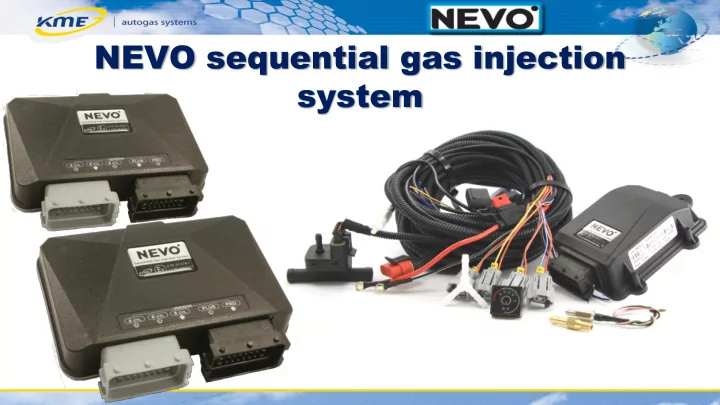
NEVO sequential gas injection system New sequential gas injection - - PowerPoint PPT Presentation
NEVO sequential gas injection system New sequential gas injection system NEVO Answer for market expectations Modern cars Demanding users Workshop time saving KME trademark Major assumptions of NEVO system Simple Quick to
Simple Quick to assemble Simple to
With many functions Automated
Operating with 3- to 8-cylinder engines Small ECU dimensions 4 easy to configure analog inputs (Lambda sensors, temperature sensors) and 2 analog outputs Configurable +12V output
Operating with 3- to 8-cylinder engines Small ECU dimensions 4 easy to configurate analog inputs (Lambda sensors, temperature sensors) and 2 analog outputs Configurable +12V output Integrated OBD module
Standar tandard d NEVO functions unctions Maximum aximum number of number of cylinder linders Ad Additional ditional analog analog inputs inputs Analog Analog outputs
Contr Controlla
ble output
Inte ntegrated O ted OBD BD Co Coope
tion with ith OBD BD v2 2 Ada Adapter pter NEVO- PLUS
8
NEVO-PRO
8
NEVO
4
Reminder of forthcoming inspection of gas instalation Function of automatic switching to gas supply Function of automatic switching to petrol in case of lack of gas Function of automatic reading of the level of gas in the tank Function of automatic adjustment of brightness of the panel diodes Displaying the time to switching (during enigne heating) Emergency start on gas function
Legible look of the interface Easy to operate Always visible major values of the system Special „FUNC” panel informing of active functions Maximal ergonomy of work and quick system configuration Separate readings window helpful during calibration process
Legible ble actual ual readings ngs Topical al tabs tabs Major r functi tions
Visual ualisat ation
injec ector tors efficienc ency Automat
ulated ated correc ecti tions
ectors
Addi ding ng petrol
Indicat ator
ty of
particul ular ar mechani hanisms ms Sw Switc itching hing s sys ystem tem to to pe petr trol
ith au automa tomatic tic retur eturn to n to gas gas fun functions ctions.
maps – in the whole range of RPM
+ Adapter OBD v2 NEVO NEVO PLUS
Cooperation with NEVO and DiegoG3 family Can operate without gas system as OBD scaner OBD Live Data (with registration possibility) Trouble codes clearing Modifies gas dose on the basis of information gathered from the OBD interface of the petrol controller
Opportunity of choosing the type of temperature sensor of the reducer Sequential return to petrol Configurable switching delay Advanced self-diagnosis system Registration of working time on petrol and on gas
program
settings (F6)
„Start Auto-Setup”
adjustments
adjustment, colect map points on petrol and gas and choose „Set model” function The end of the calibration process