N328 Visualizing Information Week 5: Color Perception Khairi Reda | - - PowerPoint PPT Presentation

n328 visualizing information
SMART_READER_LITE
LIVE PREVIEW

N328 Visualizing Information Week 5: Color Perception Khairi Reda | - - PowerPoint PPT Presentation

N328 Visualizing Information Week 5: Color Perception Khairi Reda | redak@iu.edu School of Informa5cs & Compu5ng, IUPUI Last week Marks & Channels The visualization alphabet magnitude channels iden+ty channels good for ordered


slide-1
SLIDE 1

N328 Visualizing Information

Khairi Reda | redak@iu.edu School of Informa5cs & Compu5ng, IUPUI
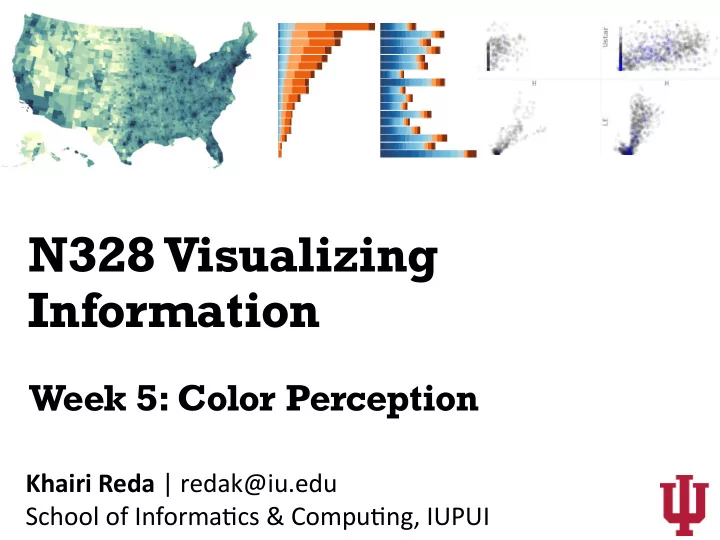
Week 5: Color Perception

slide-2
SLIDE 2

Last week…

slide-3
SLIDE 3

Marks & Channels

The visualization alphabet

slide-4
SLIDE 4

iden+ty channels magnitude channels

Tamara Munzner

good for ordered attributes good for categorical attributes

slide-5
SLIDE 5

Tamara Munzner

slide-6
SLIDE 6

color

The Huffington Post

slide-7
SLIDE 7

color

the property possessed by an object of producing different sensa5ons on the eye as a result of the way the

  • bject reflects or emits light
  • Oxford dictionary
slide-8
SLIDE 8

Electromagne5c radia5on within a certain range [400nm

  • 700nm] of the electromagne5c spectrum

more energy

light

slide-9
SLIDE 9

Mariah Meyer

light

slide-10
SLIDE 10

Trichromacy

slide-11
SLIDE 11

Trichromacy

Normal human color vision is 3 dimensional Derived from three cone types (short, medium, and long wave-length sensi5vity) Each type of cone contains a specific photosensi5ve pigment that reacts to a certain wavelength of light

Based on a slide by Mariah Meyer

slide-12
SLIDE 12

Trichromacy

difficult to read easy to read difficult to read easy to read

slide-13
SLIDE 13

Explains how signals are processed

Opponent-process theory

Visual perceptual system detects differences in the response of cones

+

luminance

  • red-green
  • pponent channel

+

yellow-blue

  • pponent channel
slide-14
SLIDE 14

“Important” colors

These colors have a name in virtually every human language Their seman5cs and connota5ons are culture- specific

slide-15
SLIDE 15
  • C. Ware, Visual Thinking for Design

Sensitivity to spatial detail

The luminance channel has greater ability to resolve smaller detail

slide-16
SLIDE 16

Color deficiencies

slide-17
SLIDE 17

Color deficiencies

Some5mes caused by faculty cones, some5mes by faulty pathways red-green weakness is the most common type 8% of (North American) males, 0.5% of female

Based on a slide by Miriah Meyer

normal re5na Protanopic

slide-18
SLIDE 18

Via Miriah Meyer

lacking green cones lacking red cones lacking blue cones

slide-19
SLIDE 19
slide-20
SLIDE 20

difficult to dis5nguish for people with Deuteranopia

slide-21
SLIDE 21

Color spaces

Representing color with numbers

slide-22
SLIDE 22

light

  • 1. pure yellow: 580 nm
  • 2. color matching

yellow

slide-23
SLIDE 23

red green blue

Tristimulus color matching

test color

slide-24
SLIDE 24

red green blue

Tristimulus color matching

test color 580nm

slide-25
SLIDE 25

Tristimulus color matching

red green blue

0.17 0.17

test color 580nm

slide-26
SLIDE 26

Tristimulus color matching

red green blue test color 580nm

slide-27
SLIDE 27

Tristimulus color matching

red green blue test color 580nm

slide-28
SLIDE 28
slide-29
SLIDE 29
slide-30
SLIDE 30
slide-31
SLIDE 31

RGB color space

Each point within the cube is defined by a 3D vector (r, g,b) and represents a unique color The r, g, b coordinates of the vector reflect a combina5on of red, green, and blue primaries needed to reproduce the color

1.0 1.0 1.0

Each point within the cube is defined by a 3D vector (r, g,b) and represents a unique color The r, g, b coordinates of the vector reflect a combina5on of red, green, and blue primaries needed to reproduce the color G B R

slide-32
SLIDE 32

1.0 1.0 1.0

yellow (1.0, 1.0, 0.0)

RGB color space

Each point within the cube is defined by a 3D vector (r, g,b) and represents a unique color The r, g, b coordinates of the vector reflect a combina5on of red, green, and blue primaries needed to reproduce the color

slide-33
SLIDE 33

RGB color space

1.0 1.0 1.0

Each point within the cube is defined by a 3D vector (r, g,b) and represents a unique color The r, g, b coordinates of the vector reflect a combina5on of red, green, and blue primaries needed to reproduce the color

(1.0, 0.6, 0.4)

slide-34
SLIDE 34

1.0 1.0 1.0

white (1.0, 1.0, 1.0)

RGB color space

1.0 1.0 1.0

Each point within the cube is defined by a 3D vector (r, g,b) and represents a unique color The r, g, b coordinates of the vector reflect a combina5on of red, green, and blue primaries needed to reproduce the color

slide-35
SLIDE 35

1.0 1.0 1.0

black (0.0, 0.0, 0.0)

RGB color space

1.0 1.0 1.0

Each point within the cube is defined by a 3D vector (r, g,b) and represents a unique color The r, g, b coordinates of the vector reflect a combina5on of red, green, and blue primaries needed to reproduce the color

slide-36
SLIDE 36

what colors combina+on can be used to re- producing the visible light spectrum by mixing?

  • red, yellow, blue
  • red, green, blue
  • range, green, violet
  • cyan, magenta, yellow
  • all of the above

Miriah Meyer

slide-37
SLIDE 37

Light mixing (RGB)

Addi5ve mixing of colored lights

slide-38
SLIDE 38

Light mixing (RGB)

LCD display closeup

Wikipedia

slide-39
SLIDE 39

Ink mixing (CMY / CMYK)

Subtrac5ve mixing of inks printed on white paper

slide-40
SLIDE 40

Color picture CMY composite

Wikipedia

CMYK composite

slide-41
SLIDE 41

Other color spaces

slide-42
SLIDE 42

HSL

  • hue: what people think of as

color

  • saturation: the vividness of

the color

  • luminance: amount of black

mixed in

slide-43
SLIDE 43

hue saturation luminance

slide-44
SLIDE 44

Guidelines for using color in visualization

slide-45
SLIDE 45

Colormap

Specifies a mapping between color and values

[0, 8]

slide-46
SLIDE 46

Order these colors…

Miriah Meyer

slide-47
SLIDE 47

Order these colors…

Miriah Meyer

slide-48
SLIDE 48

Order these colors…

Miriah Meyer

slide-49
SLIDE 49

colormaps for ordered data should Increase gradually in luminance Hue alone is good for categorical data Categorical colors are easier to remember if they are nameable

guidelines

Colin Ware

slide-50
SLIDE 50

the rainbow colormap

temperature

slide-51
SLIDE 51

the rainbow colormap

  • rder?
slide-52
SLIDE 52

the rainbow colormap

sharp boundary

slide-53
SLIDE 53

the rainbow colormap

not color blind safe

slide-54
SLIDE 54

the rainbow colormap

Rainbow colormaps should be avoided as a default op5on for ordered data A safer, more effec5ve op5on is a colormap that varies in luminance. Ideally luminance and hue.

slide-55
SLIDE 55

Color Brewer Color Oracle

http://colororacle.org colorbrewer2.org/

Color design tools

slide-56
SLIDE 56

D3 Lab

slide-57
SLIDE 57

Last week…

slide-58
SLIDE 58

SVG

X Y (200,100)

slide-59
SLIDE 59

SVG

slide-60
SLIDE 60

SVG: a bar chart

slide-61
SLIDE 61

Chrome Web Server

https://tinyurl.com/y9k9hc44

1) Download extension from: 2) Create folder (e.g., on Desktop) 3) Choose folder from extension 4) Open URL

slide-62
SLIDE 62

Exercise:

Create a bar chart in SVG to visualize the following dataset:

Use the following SVG elements:

<rect x=“” y=“” width=“” height=“”/> <line x1=“” x2=“” y1=“” y2=“” /> <text x=“” y=“”>Label here</text>

cats 45 dogs 21 iguanas 102

Pets animals from a neighborhood survey:

slide-63
SLIDE 63

Today…

slide-64
SLIDE 64

Exercise 2:

Repeat the previous exercise. Instead of “hardcoding” the anributes of SVG elements, adjust them programma5cally using JavaScript

For loop to iterate through dataset Pets dataset as an array Adjust “height” attribute Get a reference to a “rect” element

slide-65
SLIDE 65

Exercise 3:

Repeat the previous exercise. Instead of using pure JavaScript, use D3 selec5ons

selection and data binding selection and data binding

slide-66
SLIDE 66

D3 lab

http://vis.ninja/teaching/2020/N328/d3-excercises