Multimedia Systems - Colour Video Colour is a visual Presence and - - PowerPoint PPT Presentation

multimedia systems
SMART_READER_LITE
LIVE PREVIEW

Multimedia Systems - Colour Video Colour is a visual Presence and - - PowerPoint PPT Presentation

Multimedia Systems - Colour Video Colour is a visual Presence and distributions of colours induce feature which is sensations and conveys immediately perceived meanings in the observer according to specific rules Joemon Jose


slide-1
SLIDE 1

DEMS4 2004 14/01/04 Video

1

Multimedia Systems - Video

Joemon Jose

www.dcs.gla.ac.uk/~ jj/teaching/demms4/

Tuesday, 15th January 2008

DEMS4 2004 14/01/04 Video

2

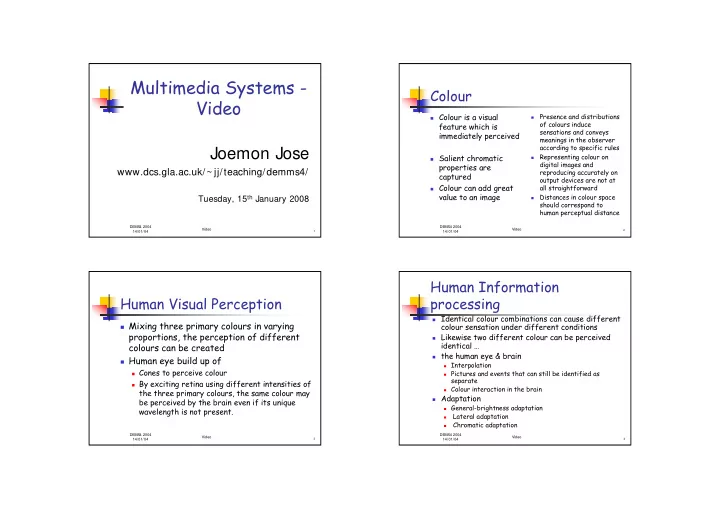
Colour

Colour is a visual

feature which is immediately perceived

Salient chromatic

properties are captured

Colour can add great

value to an image

  • Presence and distributions
  • f colours induce

sensations and conveys meanings in the observer according to specific rules

  • Representing colour on

digital images and reproducing accurately on

  • utput devices are not at

all straightforward

  • Distances in colour space

should correspond to human perceptual distance

DEMS4 2004 14/01/04 Video

3

Human Visual Perception

Mixing three primary colours in varying

proportions, the perception of different colours can be created

Human eye build up of

Cones to perceive colour By exciting retina using different intensities of

the three primary colours, the same colour may be perceived by the brain even if its unique wavelength is not present.

DEMS4 2004 14/01/04 Video

4

Human Information processing

Identical colour combinations can cause different

colour sensation under different conditions

Likewise two different colour can be perceived

identical …

the human eye & brain

Interpolation Pictures and events that can still be identified as

separate

Colour interaction in the brain

Adaptation

General-brightness adaptation

  • Lateral adaptation
  • Chromatic adaptation
slide-2
SLIDE 2

DEMS4 2004 14/01/04 Video

5

Colour Space

To deal with colour we need to quantify it

in some way

gives us the notion of colour space or domain

Hierarchy of colour sets

Perceivable by human beings Displayed on a monitor screen Calculated and stored in a frame memory

DEMS4 2004 14/01/04 Video

6

CIE Chromaticity Diagram

DEMS4 2004 14/01/04 Video

7

Representation of Colour Stimuli

Points in three

dimensional space

Calorimetric models

CIE Chromaticity

diagram

Physiologically inspired

models

CIE XYZ, RGB

Psychological models

HSV,

Hardware-oriented

models

RGB, CMY, YIQ

User-oriented models

HLS, HSV, HSB DEMS4 2004 14/01/04 Video

8

Video Technology:

representing colour

  • monochrome

bilevel

  • ne bit/pixel: 0 = black, 1 = white

grey-scale e.g., 8 bits/pixel = 256 intensities

  • colour

value for each colour gun no of bits gives colour range e.g., 24 bits = 8 bits for red, 8 bits for green, 8 bits

for blue

colour depth

slide-3
SLIDE 3

DEMS4 2004 14/01/04 Video

9

Video Technology:

generating a colour

<128, 128, 255>

red green blue

colour guns phosphor dots

  • n display

What you see

frame buffer (2 D array of 24 bit values)

RGB value 8 bits per colour

DEMS4 2004 14/01/04 Video

10

Video Technology: Colour Models: RGB

RGB = Red Green Blue directly modelled in device (i.e., corresponds to

colour guns in display)

easy to implement not based on visual (perceived) colours not perceptually uniform

DEMS4 2004 14/01/04 Video

11

Video Technology: Colour Models: RGB Colour Space

Cyan White Black Red Magenta Blue Green Yellow

DEMS4 2004 14/01/04 Video

12

Video Technology: Colour Models: RGB Colour Space

Blue (0,0,1) Cyan (0,1,1) Red (1,0,0) Yellow (1,1,0) Green (0,1,0) Black (0,0,0) Magenta (1,0,1) White (1,1,1) X,-,-

  • ,-,z
  • ,y,-
slide-4
SLIDE 4

DEMS4 2004 14/01/04 Video

13

Video Technology: Colour Models: RGB

Colour is labeled as a relative weights of three

primary colours, in an additive system using the primaries Red, Green, Blue

It is perceptually non-linear space

Equal distances in the space do not necessarily

correspond to perceptually equal sensation

Non-linear relationship between RGB values & the

intensity produced in each phosphor dot, low intensity values produce small changes in response to screen

It is not a good colour description system

DEMS4 2004 14/01/04 Video

14

Video Technology: Colour Models: HSV

HSV = hue, saturation, value (intensity) “painter’s model” better model for representing colours as we see

them (“I want a bright highly saturated apple green.”)

desaturation = adding white can be converted to/from RGB like RGB, axes not perceptually uniform variant: HLS (hue, lightness, saturation)

DEMS4 2004 14/01/04 Video

15

Video Technology: Colour Models: HSV Colour Space

Green

Yellow Red Cyan Blue Magenta V h s

DEMS4 2004 14/01/04 Video

16

Video Technology: Colour Models: HSV

  • Non-linear transformation of RGB cube
  • Hue : quality by which we distinguish one family from others
  • Chroma: quality by which we distinguish a strong colour from

weak ones

  • Value: It is that quality by which we distinguish a light colour

from a dark one

  • H corresponds to selecting a colour; S corresponds to

selecting the amount of white; selecting V corresponds to adding black

  • Perceptually non-linear
  • Perceptual in the sense that we are using attributes that we

normally think of

  • Attributes are not independent
  • variant: HLS (hue, lightness, saturation)
slide-5
SLIDE 5

DEMS4 2004 14/01/04 Video

17

Video Technology: Colour Models: YUV

colour model used for TV signal transmission Y represents luminance (intensity of monochrome

signal)

U,V carry separate colour information (colour

difference values)

Y = 0.2125R + 0.7154G + 0.0721B U = B-Y, V = R-Y typically, Y contributes most to signal bandwidth

DEMS4 2004 14/01/04 Video

18

Video Technology: CIE Colour Specification System

Commission Internationale d’Éclairage colour labelling system “XYZ” space international standard (1931) based on colour matching functions determined by

experiments with human subjects

gives uniform colour spaces needs transformation into one of the other models

DEMS4 2004 14/01/04 Video

19

Video Technology: Colour Models: CMYK

CMYK = cyan, magenta, yellow, black “printer’s model” a subtractive model set of practically available CMYK colours

(“process colours”) are not equivalent to RGB set

DEMS4 2004 14/01/04 Video

20

Pushing the hardware

Consumers expectations are based on

broadcast television

Consumer equipment plays back at reduced

frame rate resulting in jittery- dropped frames

In order to accommodate low-end PCs

considerable compromises over quality must be made

slide-6
SLIDE 6

DEMS4 2004 14/01/04 Video

21

Persistence of vision

If a sequence of still images is presented to our

eyes at sufficiently high rate (frame rate~40 fps), we experience a continuous visual sensation rather than perceiving individual images

A lag in the eye’s response to visual stimuli which results

in after images

If the consecutive images only differ by a small

amount, any changes from one to next will be perceived as movement of elements within images

Film projector displays an image twice (24 fps

becomes 48 fps)

DEMS4 2004 14/01/04 Video

22

Human Perception

What frame rate perceived as smooth?

No identification of single frames if refresh

frequency is high enough

Perception of 16 frames/s as continuous sequence

Depends on material More sensitive to low frequencies More sensitive to changes in luminance

and blue-orange axis

Vision emphasizes edge detection

DEMS4 2004 14/01/04 Video

23

Video Sequence

  • Consists of number of frames

Images produced by digitising time-varying signal

generated by the sensors in a camera

Bit-mapped images

  • Camera

Circuitry Inside a Camera Purely digital signal (data stream) is fed into a computer

via a high speed interface

IEEE 1394 (FireWire)

  • Computer

Broadcast video is fed into a video capture card attached

to the computer

Video capture card- analogue signal is converted into a

digital form

DEMS4 2004 14/01/04 Video

24

Digitization: camera vs computer

  • Advantage

Analogue signal

transmitted on a cable get corrupted by noise

Noise will creep in if

analogue data is stored on a magnetic tape

Camera is resistant

to corruption by noise and interference

disadvantage

User has no control

  • ver digitization

Most conform to an

appropriate standard

slide-7
SLIDE 7

DEMS4 2004 14/01/04 Video

25

Video Bit Rate Calculation

width ~ pixels

(160, 320, 640, 720, 1280, 1920, …)

height ~ pixels

(120, 240, 480, 485, 720, 1080, …)

depth ~ bits

(1, 4, 8, 15, 16, 24, …)

fps ~ frames per second (5, 15, 20, 24, 30, …) compression factor

(1, 6, 24, …) width * height * depth * fps compression factor = bits/sec

DEMS4 2004 14/01/04 Video

26

Examples

Width Height Depth fps Comp Kb/sec Notes

160 120 8 15 25 92 Basic Rate ISDN 160 120 16 20 20 307 320 240 8 15 25 369 320 240 16 24 24 1,229 MPEG1 (Primary Rate ISDN) 640 480 16 30 24 6,144 MPEG2 640 480 24 30 6 36,864 MJPEG 640 480 24 30 1 221,184 Uncompressed DEMS4 2004 14/01/04 Video

27

Video Data Size

1920x1080 1280x720 640x480 320x240 160x120 1 sec 0.19 0.08 0.03 0.01 0.00 1 min 11.20 4.98 1.66 0.41 0.10 1 hour 671.85 298.60 99.53 24.88 6.22 1000 hours 671,846.40 298,598.40 99,532.80 24,883.20 6,220.80

size of uncompressed video in gigabytes image size of video

1280x720 (1.77)

640x480 (1.33)

320x240

160x120

DEMS4 2004 14/01/04 Video

28

Effects of Compression

storage for 1 hour of compressed video in megabytes

1920x1080 1280x720 640x480 320x240 160x120 1:1 671,846 298,598 99,533 24,883 6,221 3:1 223,949 99,533 33,178 8,294 2,074 6:1 111,974 49,766 16,589 4,147 1,037 25:1 26,874 11,944 3,981 995 249 100:1 6,718 2,986 995 249 62

3 bytes/pixel, 30 frames/sec

slide-8
SLIDE 8

DEMS4 2004 14/01/04 Video

29

Video codecs

  • Video capture boards

Digitization and compression Decompression and digital to analogue transformation Devices compressor/decompressor (codecs)

  • Hardware codecs

Store them on a computer Then play them back to an external video monitor (TV

set) attached to the VCC

Most hardware codecs can not provide full motion video

to monitor

We can not know our audience will have any hardware

codec available

  • Software codec

Program that performs the same operation