Motivations Chapter 12 Exceptions and File Input/Output When a - - PDF document

motivations chapter 12 exceptions and file input output
SMART_READER_LITE
LIVE PREVIEW

Motivations Chapter 12 Exceptions and File Input/Output When a - - PDF document

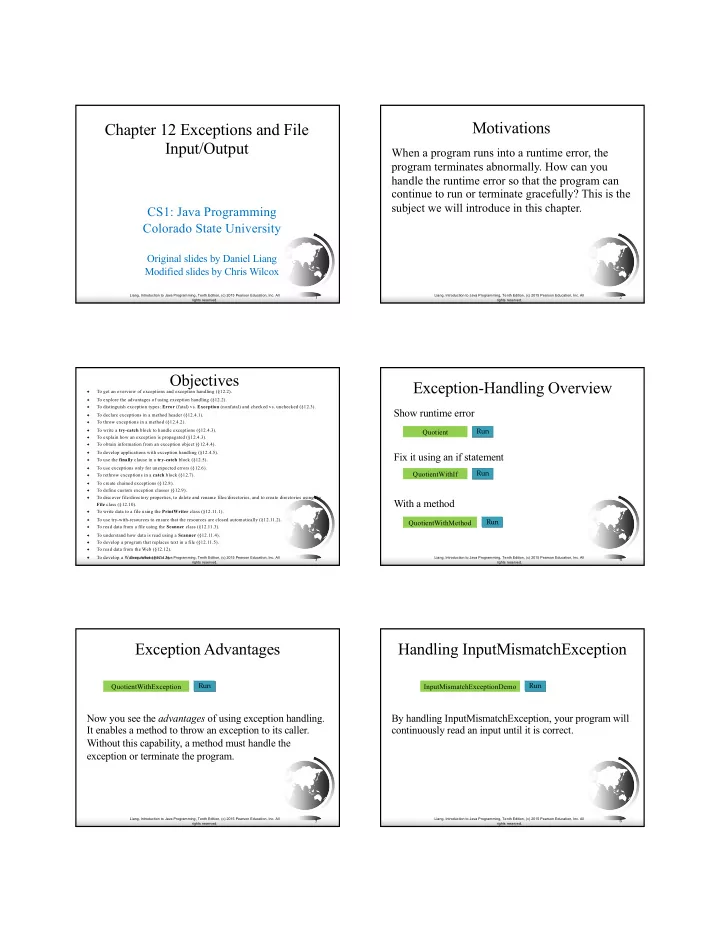
Motivations Chapter 12 Exceptions and File Input/Output When a program runs into a runtime error, the program terminates abnormally. How can you handle the runtime error so that the program can continue to run or terminate gracefully? This is


slide-1
SLIDE 1

Liang, Introduction to Java Programming, Tenth Edition, (c) 2015 Pearson Education, Inc. All rights reserved.

1

Chapter 12 Exceptions and File Input/Output

CS1: Java Programming Colorado State University

Original slides by Daniel Liang Modified slides by Chris Wilcox

Liang, Introduction to Java Programming, Tenth Edition, (c) 2015 Pearson Education, Inc. All rights reserved.

2

Motivations

When a program runs into a runtime error, the program terminates abnormally. How can you handle the runtime error so that the program can continue to run or terminate gracefully? This is the subject we will introduce in this chapter.

Liang, Introduction to Java Programming, Tenth Edition, (c) 2015 Pearson Education, Inc. All rights reserved.

3

Objectives

To get an overview of exceptions and exception handling (§12.2).

To explore the advantages of using exception handling (§12.2).

To distinguish exception types: Error (fatal) vs. Exception (nonfatal) and checked vs. unchecked (§12.3).

To declare exceptions in a method header (§12.4.1).

To throw exceptions in a method (§12.4.2).

To write a try-catch block to handle exceptions (§12.4.3).

To explain how an exception is propagated (§12.4.3).

To obtain information from an exception object (§12.4.4).

To develop applications with exception handling (§12.4.5).

To use the finally clause in a try-catch block (§12.5).

To use exceptions only for unexpected errors (§12.6).

To rethrow exceptions in a catch block (§12.7).

To create chained exceptions (§12.8).

To define custom exception classes (§12.9).

To discover file/directory properties, to delete and rename files/directories, and to create directories using the File class (§12.10).

To write data to a file using the PrintWriter class (§12.11.1).

To use try-with-resources to ensure that the resources are closed automatically (§12.11.2).

To read data from a file using the Scanner class (§12.11.3).

To understand how data is read using a Scanner (§12.11.4).

To develop a program that replaces text in a file (§12.11.5).

To read data from the Web (§12.12).

To develop a Web crawler (§12.13).

Liang, Introduction to Java Programming, Tenth Edition, (c) 2015 Pearson Education, Inc. All rights reserved.

4

Exception-Handling Overview

Show runtime error Fix it using an if statement With a method

Run Quotient Run QuotientWithIf Run QuotientWithMethod

Liang, Introduction to Java Programming, Tenth Edition, (c) 2015 Pearson Education, Inc. All rights reserved.

5

Exception Advantages

Now you see the advantages of using exception handling. It enables a method to throw an exception to its caller. Without this capability, a method must handle the exception or terminate the program.

Run QuotientWithException

Liang, Introduction to Java Programming, Tenth Edition, (c) 2015 Pearson Education, Inc. All rights reserved.

6

Handling InputMismatchException

By handling InputMismatchException, your program will continuously read an input until it is correct.

Run InputMismatchExceptionDemo

slide-2
SLIDE 2

Liang, Introduction to Java Programming, Tenth Edition, (c) 2015 Pearson Education, Inc. All rights reserved.

7

Exception Types

LinkageError Error Throwable ClassNotFoundException VirtualMachineError IOException Exception RuntimeException Object ArithmeticException NullPointerException IndexOutOfBoundsException Many more classes Many more classes Many more classes IllegalArgumentException

Liang, Introduction to Java Programming, Tenth Edition, (c) 2015 Pearson Education, Inc. All rights reserved.

8

System Errors

LinkageError Error Throwable ClassNotFoundException VirtualMachineError IOException Exception RuntimeException Object ArithmeticException NullPointerException IndexOutOfBoundsException Many more classes Many more classes Many more classes IllegalArgumentException

System errors are thrown by JVM and represented in the Error class. The Error class describes internal system errors. Such errors rarely

  • ccur. If one does, there is little

you can do beyond notifying the user and trying to terminate the program gracefully.

Liang, Introduction to Java Programming, Tenth Edition, (c) 2015 Pearson Education, Inc. All rights reserved.

9

Exceptions

LinkageError Error Throwable ClassNotFoundException VirtualMachineError IOException Exception RuntimeException Object ArithmeticException NullPointerException IndexOutOfBoundsException Many more classes Many more classes Many more classes IllegalArgumentException

Exception describes errors caused by your program and external

  • circumstances. These

errors can be caught and handled by your program.

Liang, Introduction to Java Programming, Tenth Edition, (c) 2015 Pearson Education, Inc. All rights reserved.

10

Runtime Exceptions

LinkageError Error Throwable ClassNotFoundException VirtualMachineError IOException Exception RuntimeException Object ArithmeticException NullPointerException IndexOutOfBoundsException Many more classes Many more classes Many more classes IllegalArgumentException RuntimeException is caused by programming errors, such as bad casting, accessing an out-of-bounds array, and numeric errors.

Liang, Introduction to Java Programming, Tenth Edition, (c) 2015 Pearson Education, Inc. All rights reserved.

11

Checked Exceptions vs. Unchecked Exceptions

RuntimeException, Error and their subclasses are known as unchecked exceptions. All other exceptions are known as checked exceptions, meaning that the compiler forces the programmer to check and deal with the exceptions.

Liang, Introduction to Java Programming, Tenth Edition, (c) 2015 Pearson Education, Inc. All rights reserved.

12

Unchecked Exceptions

In most cases, unchecked exceptions reflect programming logic errors that are not recoverable. For example, a NullPointerException is thrown if you access an object through a reference variable before an object is assigned to it; an IndexOutOfBoundsException is thrown if you access an element in an array outside the bounds of the array. These are the logic errors that should be corrected in the

  • program. Unchecked exceptions can occur anywhere in the
  • program. To avoid cumbersome overuse of try-catch

blocks, Java does not mandate you to write code to catch unchecked exceptions.

slide-3
SLIDE 3

Liang, Introduction to Java Programming, Tenth Edition, (c) 2015 Pearson Education, Inc. All rights reserved.

13

Unchecked Exceptions

LinkageError Error Throwable ClassNotFoundException VirtualMachineError IOException Exception RuntimeException Object ArithmeticException NullPointerException IndexOutOfBoundsException Many more classes Many more classes Many more classes IllegalArgumentException Unchecked exception.

Liang, Introduction to Java Programming, Tenth Edition, (c) 2015 Pearson Education, Inc. All rights reserved.

14

Declaring, Throwing, and Catching Exceptions

method1() { try { invoke method2; } catch (Exception ex) { Process exception; } } method2() throws Exception { if (an error occurs) { throw new Exception(); } }

catch exception throw exception declare exception

Liang, Introduction to Java Programming, Tenth Edition, (c) 2015 Pearson Education, Inc. All rights reserved.

15

Declaring Exceptions

Every method must state the types of checked exceptions it might throw. This is known as declaring exceptions.

public void myMethod() throws IOException public void myMethod() throws IOException, OtherException

Liang, Introduction to Java Programming, Tenth Edition, (c) 2015 Pearson Education, Inc. All rights reserved.

16

Throwing Exceptions

When the program detects an error, the program can create an instance of an appropriate exception type and throw it. This is known as throwing an

  • exception. Here is an example,

throw new TheException(); TheException ex = new TheException(); throw ex;

Liang, Introduction to Java Programming, Tenth Edition, (c) 2015 Pearson Education, Inc. All rights reserved.

17

Throwing Exceptions Example

/** Set a new radius */ public void setRadius(double newRadius) throws IllegalArgumentException { if (newRadius >= 0) radius = newRadius; else throw new IllegalArgumentException( "Radius cannot be negative"); }

Liang, Introduction to Java Programming, Tenth Edition, (c) 2015 Pearson Education, Inc. All rights reserved.

18

Catching Exceptions

try { statements; // Statements that may throw exceptions } catch (Exception1 exVar1) { handler for exception1; } catch (Exception2 exVar2) { handler for exception2; } ... catch (ExceptionN exVar3) { handler for exceptionN; }

slide-4
SLIDE 4

Liang, Introduction to Java Programming, Tenth Edition, (c) 2015 Pearson Education, Inc. All rights reserved.

19

Catching Exceptions

main method { ... try { ... invoke method1; statement1; } catch (Exception1 ex1) { Process ex1; } statement2; } method1 { ... try { ... invoke method2; statement3; } catch (Exception2 ex2) { Process ex2; } statement4; } method2 { ... try { ... invoke method3; statement5; } catch (Exception3 ex3) { Process ex3; } statement6; } An exception is thrown in method3 Call Stack main method main method method1 main method method1 main method method1 method2 method2 method3 Liang, Introduction to Java Programming, Tenth Edition, (c) 2015 Pearson Education, Inc. All rights reserved.

20

Catch or Declare Checked Exceptions

Suppose p2 is defined as follows:

void p2() throws IOException { if (a file does not exist) { throw new IOException("File does not exist"); } ... }

Liang, Introduction to Java Programming, Tenth Edition, (c) 2015 Pearson Education, Inc. All rights reserved.

21

Catch or Declare Checked Exceptions

Java forces you to deal with checked exceptions. If a method declares a checked exception (i.e., an exception other than Error or RuntimeException), you must invoke it in a try-catch block or declare to throw the exception in the calling method. For example, suppose that method p1 invokes method p2 and p2 may throw a checked exception (e.g., IOException), you have to write the code as shown in (a) or (b).

void p1() { try { p2(); } catch (IOException ex) { ... } } (a) (b) void p1() throws IOException { p2(); }

Liang, Introduction to Java Programming, Tenth Edition, (c) 2015 Pearson Education, Inc. All rights reserved.

22

Example: Declaring, Throwing, and Catching Exceptions

✦ Objective: This example demonstrates

declaring, throwing, and catching exceptions by modifying the setRadius method in the Circle class defined in Chapter 9. The new setRadius method throws an exception if radius is negative.

Run TestCircleWithException CircleWithException

Liang, Introduction to Java Programming, Tenth Edition, (c) 2015 Pearson Education, Inc. All rights reserved.

23

Rethrowing Exceptions

try { statements; } catch(TheException ex) { perform operations before exits; throw ex; }

Liang, Introduction to Java Programming, Tenth Edition, (c) 2015 Pearson Education, Inc. All rights reserved.

24

The finally Clause

try { statements; } catch(TheException ex) { handling ex; } finally { finalStatements; }

slide-5
SLIDE 5

Liang, Introduction to Java Programming, Tenth Edition, (c) 2015 Pearson Education, Inc. All rights reserved.

25

Trace a Program Execution

animation

try { statements; } catch(TheException ex) { handling ex; } finally { finalStatements; } Next statement; Suppose no exceptions in the statements

Liang, Introduction to Java Programming, Tenth Edition, (c) 2015 Pearson Education, Inc. All rights reserved.

26

Trace a Program Execution

animation

try { statements; } catch(TheException ex) { handling ex; } finally { finalStatements; } Next statement; The final block is always executed

Liang, Introduction to Java Programming, Tenth Edition, (c) 2015 Pearson Education, Inc. All rights reserved.

27

Trace a Program Execution

animation

try { statements; } catch(TheException ex) { handling ex; } finally { finalStatements; } Next statement; Next statement in the method is executed

Liang, Introduction to Java Programming, Tenth Edition, (c) 2015 Pearson Education, Inc. All rights reserved.

28

Trace a Program Execution

animation try { statement1; statement2; statement3; } catch(Exception1 ex) { handling ex; } finally { finalStatements; } Next statement;

Suppose an exception

  • f type Exception1 is

thrown in statement2

Liang, Introduction to Java Programming, Tenth Edition, (c) 2015 Pearson Education, Inc. All rights reserved.

29

Trace a Program Execution

animation try { statement1; statement2; statement3; } catch(Exception1 ex) { handling ex; } finally { finalStatements; } Next statement;

The exception is handled.

Liang, Introduction to Java Programming, Tenth Edition, (c) 2015 Pearson Education, Inc. All rights reserved.

30

Trace a Program Execution

animation try { statement1; statement2; statement3; } catch(Exception1 ex) { handling ex; } finally { finalStatements; } Next statement;

The final block is always executed.

slide-6
SLIDE 6

Liang, Introduction to Java Programming, Tenth Edition, (c) 2015 Pearson Education, Inc. All rights reserved.

31

Trace a Program Execution

animation try { statement1; statement2; statement3; } catch(Exception1 ex) { handling ex; } finally { finalStatements; } Next statement;

The next statement in the method is now executed.

Liang, Introduction to Java Programming, Tenth Edition, (c) 2015 Pearson Education, Inc. All rights reserved.

32

Trace a Program Execution

animation try { statement1; statement2; statement3; } catch(Exception1 ex) { handling ex; } catch(Exception2 ex) { handling ex; throw ex; } finally { finalStatements; } Next statement;

statement2 throws an exception of type Exception2.

Liang, Introduction to Java Programming, Tenth Edition, (c) 2015 Pearson Education, Inc. All rights reserved.

33

Trace a Program Execution

animation try { statement1; statement2; statement3; } catch(Exception1 ex) { handling ex; } catch(Exception2 ex) { handling ex; throw ex; } finally { finalStatements; } Next statement;

Handling exception

Liang, Introduction to Java Programming, Tenth Edition, (c) 2015 Pearson Education, Inc. All rights reserved.

34

Trace a Program Execution

animation try { statement1; statement2; statement3; } catch(Exception1 ex) { handling ex; } catch(Exception2 ex) { handling ex; throw ex; } finally { finalStatements; } Next statement;

Execute the final block

Liang, Introduction to Java Programming, Tenth Edition, (c) 2015 Pearson Education, Inc. All rights reserved.

35

Trace a Program Execution

animation try { statement1; statement2; statement3; } catch(Exception1 ex) { handling ex; } catch(Exception2 ex) { handling ex; throw ex; } finally { finalStatements; } Next statement;

Rethrow the exception and control is transferred to the caller

Liang, Introduction to Java Programming, Tenth Edition, (c) 2015 Pearson Education, Inc. All rights reserved.

36

Cautions When Using Exceptions

✦ Exception handling separates error-handling

code from normal programming tasks, thus making programs easier to read and to modify. Be aware, however, that exception handling usually requires more time and resources because it requires instantiating a new exception

  • bject, rolling back the call stack, and

propagating the errors to the calling methods.

slide-7
SLIDE 7

Liang, Introduction to Java Programming, Tenth Edition, (c) 2015 Pearson Education, Inc. All rights reserved.

37

When to Throw Exceptions

✦ An exception occurs in a method. If you want

the exception to be processed by its caller, you should create an exception object and throw it. If you can handle the exception in the method where it occurs, there is no need to throw it.

Liang, Introduction to Java Programming, Tenth Edition, (c) 2015 Pearson Education, Inc. All rights reserved.

38

When to Use Exceptions

When should you use the try-catch block in the code? You should use it to deal with unexpected error

  • conditions. Do not use it to deal with simple, expected
  • situations. For example, the following code

try { System.out.println(refVar.toString()); } catch (NullPointerException ex) { System.out.println("refVar is null"); }

Liang, Introduction to Java Programming, Tenth Edition, (c) 2015 Pearson Education, Inc. All rights reserved.

39

When to Use Exceptions

is better to be replaced by

if (refVar != null) System.out.println(refVar.toString()); else System.out.println("refVar is null");

Liang, Introduction to Java Programming, Tenth Edition, (c) 2015 Pearson Education, Inc. All rights reserved.

40

Defining Custom Exception Classes

✦ Use the exception classes in the API whenever possible. ✦ Define custom exception classes if the predefined

classes are not sufficient.

✦ Define custom exception classes by extending

Exception or a subclass of Exception.

Liang, Introduction to Java Programming, Tenth Edition, (c) 2015 Pearson Education, Inc. All rights reserved.

41

Custom Exception Class Example

In Listing 13.8, the setRadius method throws an exception if the radius is negative. Suppose you wish to pass the radius to the handler, you have to create a custom exception class.

Run TestCircleWithRadiusException CircleWithRadiusException InvalidRadiusException

Liang, Introduction to Java Programming, Tenth Edition, (c) 2015 Pearson Education, Inc. All rights reserved.

42

Assertions

An assertion is a Java statement that enables you to assert an assumption about your

  • program. An assertion contains a Boolean

expression that should be true during program execution. Assertions can be used to assure program correctness and avoid logic errors.

Companion Website

slide-8
SLIDE 8

Liang, Introduction to Java Programming, Tenth Edition, (c) 2015 Pearson Education, Inc. All rights reserved.

43

Declaring Assertions

An assertion is declared using the new Java keyword assert in JDK 1.4 as follows: assert assertion; or assert assertion : detailMessage; where assertion is a Boolean expression and detailMessage is a primitive-type or an Object value.

Companion Website

Liang, Introduction to Java Programming, Tenth Edition, (c) 2015 Pearson Education, Inc. All rights reserved.

44

Executing Assertions

When an assertion statement is executed, Java evaluates the

  • assertion. If it is false, an AssertionError will be thrown. The

AssertionError class has a no-arg constructor and seven

  • verloaded single-argument constructors of type int, long, float,

double, boolean, char, and Object. For the first assert statement with no detail message, the no-arg constructor of AssertionError is used. For the second assert statement with a detail message, an appropriate AssertionError constructor is used to match the data type of the message. Since AssertionError is a subclass of Error, when an assertion becomes false, the program displays a message on the console and exits.

Companion Website

Liang, Introduction to Java Programming, Tenth Edition, (c) 2015 Pearson Education, Inc. All rights reserved.

45

Executing Assertions Example

public class AssertionDemo { public static void main(String[] args) { int i; int sum = 0; for (i = 0; i < 10; i++) { sum += i; } assert i == 10; assert sum > 10 && sum < 5 * 10 : "sum is " + sum; } } Companion Website

Liang, Introduction to Java Programming, Tenth Edition, (c) 2015 Pearson Education, Inc. All rights reserved.

46

Compiling Programs with Assertions

Since assert is a new Java keyword introduced in JDK 1.4, you have to compile the program using a JDK 1.4 compiler. Furthermore, you need to include the switch –source 1.4 in the compiler command as follows: javac –source 1.4 AssertionDemo.java NOTE: If you use JDK 1.5, there is no need to use the –source 1.4 option in the command.

Companion Website

Liang, Introduction to Java Programming, Tenth Edition, (c) 2015 Pearson Education, Inc. All rights reserved.

47

Running Programs with Assertions

By default, the assertions are disabled at runtime. To enable it, use the switch –enableassertions, or –ea for short, as follows: java –ea AssertionDemo Assertions can be selectively enabled or disabled at class level or package level. The disable switch is – disableassertions or –da for short. For example, the following command enables assertions in package package1 and disables assertions in class Class1. java –ea:package1 –da:Class1 AssertionDemo

Companion Website

Liang, Introduction to Java Programming, Tenth Edition, (c) 2015 Pearson Education, Inc. All rights reserved.

48

Using Exception Handling or Assertions

Assertion should not be used to replace exception

  • handling. Exception handling deals with unusual

circumstances during program execution. Assertions are to assure the correctness of the program. Exception handling addresses robustness and assertion addresses

  • correctness. Like exception handling, assertions are not

used for normal tests, but for internal consistency and validity checks. Assertions are checked at runtime and can be turned on or off at startup time.

Companion Website

slide-9
SLIDE 9

Liang, Introduction to Java Programming, Tenth Edition, (c) 2015 Pearson Education, Inc. All rights reserved.

49

Using Exception Handling or Assertions, cont.

Do not use assertions for argument checking in public

  • methods. Valid arguments that may be passed to a public

method are considered to be part of the method’s

  • contract. The contract must always be obeyed whether

assertions are enabled or disabled. For example, the following code in the Circle class should be rewritten using exception handling.

public void setRadius(double newRadius) { assert newRadius >= 0; radius = newRadius; }

Companion Website

Liang, Introduction to Java Programming, Tenth Edition, (c) 2015 Pearson Education, Inc. All rights reserved.

50

Using Exception Handling or Assertions, cont.

Use assertions to reaffirm assumptions. This gives you more confidence to assure correctness of the program. A common use of assertions is to replace assumptions with assertions in the code.

Companion Website

Liang, Introduction to Java Programming, Tenth Edition, (c) 2015 Pearson Education, Inc. All rights reserved.

51

Using Exception Handling or Assertions, cont.

Another good use of assertions is place assertions in a switch statement without a default case. For example,

switch (month) { case 1: ... ; break; case 2: ... ; break; ... case 12: ... ; break; default: assert false : "Invalid month: " + month } Companion Website

Liang, Introduction to Java Programming, Tenth Edition, (c) 2015 Pearson Education, Inc. All rights reserved.

52

The File Class

The File class is intended to provide an abstraction that deals with most of the machine-dependent complexities

  • f files and path names in a machine-independent
  • fashion. The filename is a string. The File class is a

wrapper class for the file name and its directory path.

Liang, Introduction to Java Programming, Tenth Edition, (c) 2015 Pearson Education, Inc. All rights reserved.

53

Obtaining file properties and manipulating file

Liang, Introduction to Java Programming, Tenth Edition, (c) 2015 Pearson Education, Inc. All rights reserved.

54

Problem: Explore File Properties

Objective: Write a program that demonstrates how to create files in a platform-independent way and use the methods in the File class to obtain their properties. The following figures show a sample run of the program on Windows and on Unix.

Run TestFileClass

slide-10
SLIDE 10

Liang, Introduction to Java Programming, Tenth Edition, (c) 2015 Pearson Education, Inc. All rights reserved.

55

Text I/O

A File object encapsulates the properties of a file or a path, but does not contain the methods for reading/writing data from/to a file. In order to perform I/O, you need to create

  • bjects using appropriate Java I/O classes. The objects

contain the methods for reading/writing data from/to a file. This section introduces how to read/write strings and numeric values from/to a text file using the Scanner and PrintWriter classes.

Liang, Introduction to Java Programming, Tenth Edition, (c) 2015 Pearson Education, Inc. All rights reserved.

56

Writing Data Using PrintWriter

java.io.PrintWriter +PrintWriter(filename: String) +print(s: String): void +print(c: char): void +print(cArray: char[]): void +print(i: int): void +print(l: long): void +print(f: float): void +print(d: double): void +print(b: boolean): void Also contains the overloaded println methods. Also contains the overloaded printf methods. Creates a PrintWriter for the specified file. Writes a string. Writes a character. Writes an array of character. Writes an int value. Writes a long value. Writes a float value. Writes a double value. Writes a boolean value. A println method acts like a print method; additionally it prints a line separator. The line separator string is defined by the system. It is \r\n on Windows and \n on Unix. The printf method was introduced in §4.6, “Formatting Console Output and Strings.”

Run WriteData

Liang, Introduction to Java Programming, Tenth Edition, (c) 2015 Pearson Education, Inc. All rights reserved.

57

Try-with-resources

Programmers often forget to close the file. JDK 7 provides the followings new try-with-resources syntax that automatically closes the files. try (declare and create resources) { Use the resource to process the file; }

Run WriteDataWithAutoClose

Liang, Introduction to Java Programming, Tenth Edition, (c) 2015 Pearson Education, Inc. All rights reserved.

58

Reading Data Using Scanner

java.util.Scanner +Scanner(source: File) +Scanner(source: String) +close() +hasNext(): boolean +next(): String +nextByte(): byte +nextShort(): short +nextInt(): int +nextLong(): long +nextFloat(): float +nextDouble(): double +useDelimiter(pattern: String): Scanner Creates a Scanner object to read data from the specified file. Creates a Scanner object to read data from the specified string. Closes this scanner. Returns true if this scanner has another token in its input. Returns next token as a string. Returns next token as a byte. Returns next token as a short. Returns next token as an int. Returns next token as a long. Returns next token as a float. Returns next token as a double. Sets this scanner’s delimiting pattern.

Run ReadData

Liang, Introduction to Java Programming, Tenth Edition, (c) 2015 Pearson Education, Inc. All rights reserved.

59

Problem: Replacing Text

Write a class named ReplaceText that replaces a string in a text file with a new string. The filename and strings are passed as command-line arguments as follows:

java ReplaceText sourceFile targetFile oldString newString

For example, invoking

java ReplaceText FormatString.java t.txt StringBuilder StringBuffer

replaces all the occurrences of StringBuilder by StringBuffer in FormatString.java and saves the new file in t.txt.

Run ReplaceText

Liang, Introduction to Java Programming, Tenth Edition, (c) 2015 Pearson Education, Inc. All rights reserved.

60

Reading Data from the Web

Just like you can read data from a file on your computer, you can read data from a file on the Web.

slide-11
SLIDE 11

Liang, Introduction to Java Programming, Tenth Edition, (c) 2015 Pearson Education, Inc. All rights reserved.

61

Reading Data from the Web

URL url = new URL("www.google.com/index.html"); After a URL object is created, you can use the

  • penStream() method defined in the URL class to open an

input stream and use this stream to create a Scanner object as follows: Scanner input = new Scanner(url.openStream());

Run ReadFileFromURL

Liang, Introduction to Java Programming, Tenth Edition, (c) 2015 Pearson Education, Inc. All rights reserved.

62

Case Study: Web Crawler

This case study develops a program that travels the Web by following hyperlinks.

Liang, Introduction to Java Programming, Tenth Edition, (c) 2015 Pearson Education, Inc. All rights reserved.

63

Case Study: Web Crawler

The program follows the URLs to traverse the Web. To avoid that each URL is traversed only once, the program maintains two lists of URLs. One list stores the URLs pending for traversing and the other stores the URLs that have already been traversed. The algorithm for this program can be described as follows:

Liang, Introduction to Java Programming, Tenth Edition, (c) 2015 Pearson Education, Inc. All rights reserved.

64

Case Study: Web Crawler

Add the starting URL to a list named listOfPendingURLs; while listOfPendingURLs is not empty { Remove a URL from listOfPendingURLs; if this URL is not in listOfTraversedURLs { Add it to listOfTraversedURLs; Display this URL; Exit the while loop when the size of S is equal to 100. Read the page from this URL and for each URL contained in the page { Add it to listOfPendingURLs if it is not is listOfTraversedURLs; } } } Run WebCrawler