Modeling filter configuration and introduction to data exploration - - PDF document

modeling filter configuration and introduction to data
SMART_READER_LITE
LIVE PREVIEW

Modeling filter configuration and introduction to data exploration - - PDF document

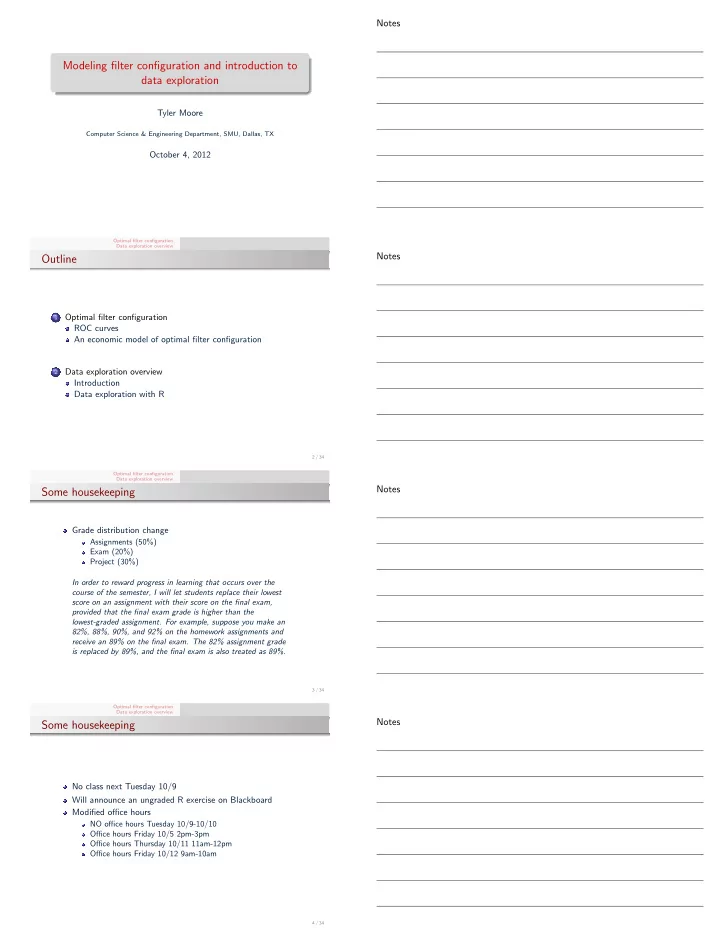
Notes Modeling filter configuration and introduction to data exploration Tyler Moore Computer Science & Engineering Department, SMU, Dallas, TX October 4, 2012 Optimal filter configuration Data exploration overview Notes Outline


slide-1
SLIDE 1

Modeling filter configuration and introduction to data exploration

Tyler Moore

Computer Science & Engineering Department, SMU, Dallas, TX

October 4, 2012

Optimal filter configuration Data exploration overview

Outline

1

Optimal filter configuration ROC curves An economic model of optimal filter configuration

2

Data exploration overview Introduction Data exploration with R

2 / 34 Optimal filter configuration Data exploration overview

Some housekeeping

Grade distribution change

Assignments (50%) Exam (20%) Project (30%) In order to reward progress in learning that occurs over the course of the semester, I will let students replace their lowest score on an assignment with their score on the final exam, provided that the final exam grade is higher than the lowest-graded assignment. For example, suppose you make an 82%, 88%, 90%, and 92% on the homework assignments and receive an 89% on the final exam. The 82% assignment grade is replaced by 89%, and the final exam is also treated as 89%.

3 / 34 Optimal filter configuration Data exploration overview

Some housekeeping

No class next Tuesday 10/9 Will announce an ungraded R exercise on Blackboard Modified office hours

NO office hours Tuesday 10/9-10/10 Office hours Friday 10/5 2pm-3pm Office hours Thursday 10/11 11am-12pm Office hours Friday 10/12 9am-10am

4 / 34

Notes Notes Notes Notes

slide-2
SLIDE 2

Optimal filter configuration Data exploration overview

Homework 2

Posted on Blackboard Download from http://lyle.smu.edu/~tylerm/courses/ econsec/assign/hw2.pdf Due next Friday Oct 12 at 5pm

5 / 34 Optimal filter configuration Data exploration overview ROC curves An economic model of optimal filter configuration

Domain-specific models

Up to now we have modeled security investment at a very high level Map costs to benefits, assume diminishing marginal returns to investment, etc. Useful for when justifying security budgets compared to non-security expenditures Not useful for deciding how best to allocate a given security budget Today, we discuss a model for a tactical security investment decision: configuring a filter to balance false positives and negatives

7 / 34 Optimal filter configuration Data exploration overview ROC curves An economic model of optimal filter configuration

Binary classification is a recurring problem in CS

Common task: distill many observations to a binary signal

{0, 1}: communications theory S = {undervalued, overvalued}: stock trading S = {reject, accept}: research hypothesis S = {benign, malicious}: security filter

Such simplification inevitably leads to errors compared to reality (aka ground truth)

8 / 34 Optimal filter configuration Data exploration overview ROC curves An economic model of optimal filter configuration

Filter defense mechanism

Reality Signal no attack attack benign 1 − α β malicious α 1 − β α: false positive rate, β: false negative rate

9 / 34

Notes Notes Notes Notes

slide-3
SLIDE 3

Optimal filter configuration Data exploration overview ROC curves An economic model of optimal filter configuration

Receiver operating characteristic

Detection rate 1 − β 1 False positive rate α 1

45◦ 10 / 34 Optimal filter configuration Data exploration overview ROC curves An economic model of optimal filter configuration

Receiver operating characteristic

Detection rate 1 − β 1 False positive rate α 1

45◦

α = β

EERsolid EERdashed

10 / 34 Optimal filter configuration Data exploration overview ROC curves An economic model of optimal filter configuration

Model for optimal filter configuration

Binary classifiers are imperfect Finding the optimal trade-off, say for an IDS or spam filter, is hard Can be framed as an economic trade-off between opportunity cost of false positives and losses incurred by false negatives

11 / 34 Optimal filter configuration Data exploration overview ROC curves An economic model of optimal filter configuration

Model for optimal filter configuration

We can see from ROCs that β can be expressed as a function

  • f α.

β : [0, 1] → [0, 1] defines the false negative rate as a function

  • f the false positive rate α

β(0) = 1, β(1) = 0 We assume β′(x) < 0 and β′′(x) ≥ 0

12 / 34

Notes Notes Notes Notes

slide-4
SLIDE 4

Optimal filter configuration Data exploration overview ROC curves An economic model of optimal filter configuration

Model for optimal filter configuration

Suppose we rely on a filter to scan incoming email attachments for malware a: cost of false positive (blocking a benign email) b: cost of false negative (delivering malicious email) p: probability of email containing malware Cost C(α) = p · β(α) · b + (1 − p) · α · a

Suppose p = 0.1, a = $250, b = $500, α = 0.1, β = .2 C(α) = 0.1 · 0.2 · 500 + 0.9 · 0.1 · 250 = $32.50

13 / 34 Optimal filter configuration Data exploration overview ROC curves An economic model of optimal filter configuration

Model for optimal filter configuration

α∗ = arg min

α p · β(α) · b + (1 − p) · α · a

which has first-order condition (FOC) 0 = δα

  • p · β(α∗) · b + (1 − p) · α∗ · a
  • after rearranging, we obtain:

β′(α∗) = −1 − p p · a b .

14 / 34 Optimal filter configuration Data exploration overview ROC curves An economic model of optimal filter configuration

Optimal filter configuration (continuous ROC curves)

Detection rate 1 − β 1 False positive rate α 1

Indifference curves

(1−p)a p·b

α∗

B

α∗

A

15 / 34 Optimal filter configuration Data exploration overview ROC curves An economic model of optimal filter configuration

Optimal filter configuration (continuous ROC curves)

Detection rate 1 − β 1 False positive rate α 1

45◦

B A α = β EERA = EERB AUCA = AUCB

15 / 34

Notes Notes Notes Notes

slide-5
SLIDE 5

Optimal filter configuration Data exploration overview ROC curves An economic model of optimal filter configuration

Optimal filter configuration (continuous ROC curves)

Detection rate 1 − β 1 False positive rate α 1

45◦

B A

(1−p)a p·b

α∗

B

α∗

A

15 / 34 Optimal filter configuration Data exploration overview ROC curves An economic model of optimal filter configuration

Optimal filter configuration (discrete ROC curves)

Detection rate 1 − β 1 False positive rate α 1

45◦

(1−p)a p·b

C F E α∗D

16 / 34 Optimal filter configuration Data exploration overview ROC curves An economic model of optimal filter configuration

Optimal filter configuration example (discrete ROC curves)

Detection rate 1 − β 1 False positive rate α 1

0.2 0.7 0.4 0.9 0.2 0.4 s l

  • p

e 2 0.5 0.5 s l

  • p

e 1 0.3 0.1 slope 1/3

(1−p)a p·b

C F E α∗D α∗ = 0.2 if 1 ≤ (1−p)a

p·b

≤ 2

17 / 34 Optimal filter configuration Data exploration overview Introduction Data exploration with R

Onto the third phase of the class

1 Introduction to economics and information security 2 Security metrics and investment models 3 Cybercrime econometrics 4 Modeling strategic interaction using game theory 19 / 34

Notes Notes Notes Notes

slide-6
SLIDE 6

Optimal filter configuration Data exploration overview Introduction Data exploration with R

Cybercrime econometrics

Cybercrime generates an empirical record of security threats We will discuss common methods of cybercrime We will learn techniques for analyzing data on cybercrime Data on security incidents can be very hard to acquire We will work with several datasets gathered by other researchers

20 / 34 Optimal filter configuration Data exploration overview Introduction Data exploration with R

Cybercrime econometrics

First step after acquiring data: exploration Goals for security data

1

More reliably estimate probabilities of attack and their costs

2

Look for relationships in the data to better understand relationship between attackers and targets

21 / 34 Optimal filter configuration Data exploration overview Introduction Data exploration with R

Our first data source

Source: http://www.privacyrights.org/data-breach 22 / 34 Optimal filter configuration Data exploration overview Introduction Data exploration with R

Introduction to data exploration with R

Download a copy of the database from http://lyle.smu.edu/~tylerm/courses/econsec/data/ databreaches-prc-2012-10-01.csv Download a copy of R code from http://lyle.smu.edu/~tylerm/courses/econsec/code/ initial_explore_PRC.R

23 / 34

Notes Notes Notes Notes

slide-7
SLIDE 7

Optimal filter configuration Data exploration overview Introduction Data exploration with R

R’s big ideas

Data frames as the key object – a cross between a table, array, and dictionary Logical vectors used to access subsets of data Categorical variables as factors Functional programming paradigm a natural fit for data aggregation Missing data has its own data type Extensive libraries available due to vibrant open-source community

24 / 34 Optimal filter configuration Data exploration overview Introduction Data exploration with R

Data frames can be accessed in many ways

> head(br,3) time numbreach numrecords firm orgtype 1 2005-01-10 32000 32000 George Mason University EDU 2 2005-01-18 3500 3500 University of California, San Diego EDU 3 2005-01-22 NA 15790 University of Northern Colorado EDU hacktype city state datasource 1 HACK Fairfax Virginia Dataloss DB 2 HACK San Diego California Dataloss DB 3 PORT Greeley Colorado Dataloss DB > br[1,3] [1] 32000 > br[1,] time numbreach numrecords firm orgtype hacktype 1 2005-01-10 32000 32000 George Mason University EDU HACK city state datasource 1 Fairfax Virginia Dataloss DB

25 / 34 Optimal filter configuration Data exploration overview Introduction Data exploration with R

Data frames can be accessed in many way

> head(br[,c(’time’)],20) [1] "2005-01-10" "2005-01-18" "2005-01-22" "2005-02-12" "2005-02-15" [6] "2005-02-18" "2005-02-25" "2005-02-25" "2005-03-08" "2005-03-10" [11] "2005-03-11" "2005-03-11" "2005-03-11" "2005-03-12" "2005-03-20" [16] "2005-03-20" "2005-03-16" "2005-03-25" "2005-05-14" "2005-04-05" ... > head$time [1] "2005-01-10" "2005-01-18" "2005-01-22" "2005-02-12" "2005-02-15" [6] "2005-02-18" "2005-02-25" "2005-02-25" "2005-03-08" "2005-03-10" [11] "2005-03-11" "2005-03-11" "2005-03-11" "2005-03-12" "2005-03-20" [16] "2005-03-20" "2005-03-16" "2005-03-25" "2005-05-14" "2005-04-05" ...

26 / 34 Optimal filter configuration Data exploration overview Introduction Data exploration with R

Logical vectors

Suppose we want to keep track of the breaches where over 100,000 records were lost. We can create a logical vector that will return True or False for each record based on a condition

> br$numbreach>100000 [1] FALSE FALSE NA NA TRUE FALSE ... > br$g100k<-br$numbreach>100000 > head(br,3) time numbreach numrecords firm orgtype 1 2005-01-10 32000 32000 George Mason University EDU 2 2005-01-18 3500 3500 University of California, San Diego EDU 3 2005-01-22 NA 15790 University of Northern Colorado EDU hacktype city state datasource g100k 1 HACK Fairfax Virginia Dataloss DB FALSE 2 HACK San Diego California Dataloss DB FALSE 3 PORT Greeley Colorado Dataloss DB NA

27 / 34

Notes Notes Notes Notes

slide-8
SLIDE 8

Optimal filter configuration Data exploration overview Introduction Data exploration with R

Logical vectors can be used to select subsets of records

> head(br[br$orgtype==’EDU’,],3) time numbreach numrecords firm orgtype 1 2005-01-10 32000 32000 George Mason University EDU 2 2005-01-18 3500 3500 University of California, San Diego EDU 3 2005-01-22 NA 15790 University of Northern Colorado EDU hacktype city state datasource g100k 1 HACK Fairfax Virginia Dataloss DB FALSE 2 HACK San Diego California Dataloss DB FALSE 3 PORT Greeley Colorado Dataloss DB NA ... > head(br$numbreach[br$orgtype==’EDU’&br$state==’Texas’]) [1] 39000 197000 4719 NA 35000 NA > median(br$numbreach[br$orgtype==’EDU’&br$state==’Texas’],na.rm=T) [1] 3000

28 / 34 Optimal filter configuration Data exploration overview Introduction Data exploration with R

Categorical variables (aka factors) are key to data exploration

“Good” data will have several categorical variables associated with each record Categorical variables can be used to group subsets of data together for comparison Example: orgtype (university, medical, NGO, government, businesses) A natural question is to compare breach size across different

  • rganizations

Generalizing here, what we are doing is computing a function

  • n a subset of a numerical variable that have the same value

for the categorical variable What if we wanted to do this for all organizations

29 / 34 Optimal filter configuration Data exploration overview Introduction Data exploration with R

We could compute it one-by-one

brEDU<-sum(br$numbreach[br$orgtype==’EDU’],na.rm=T) brGOV<-sum(br$numbreach[br$orgtype==’GOV’],na.rm=T) brMED<-sum(br$numbreach[br$orgtype==’MED’],na.rm=T)

  • rgsum<-c(brEDU,brGOV,brMED)

#BUT THERE IS A BETTER WAY!

30 / 34 Optimal filter configuration Data exploration overview Introduction Data exploration with R

Using tapply, we can get total breaches by organization in

  • ne line of code!

tapply takes 3 arguments

1 vector of numerical values 2 vector of factor values 3 a function to apply to the numerical values grouped by factor

values

> orgsum.better<-tapply(br$numbreach,br$orgtype,sum,na.rm=T) > orgsum.better BSF BSO BSR EDU GOV MED NGO 96307846 13606244 104880863 8388692 44108672 13709925 1523680

31 / 34

Notes Notes Notes Notes

slide-9
SLIDE 9

Optimal filter configuration Data exploration overview Introduction Data exploration with R

Did you notice the NAs?

R has a special value that represents missing data called NA Missing data is unavoidable in data collection Question is how to handle it Replacing with 0s usually a bad idea Most functions in R are aware of NAs and give the user control on how to handle them > vals<-c(3,4,5,2,3,4,NA,6,8,NA) > mean(vals) [1] NA > mean(vals,na.rm=TRUE) [1] 4.375

32 / 34 Optimal filter configuration Data exploration overview Introduction Data exploration with R

Why not use tapply twice?

What if we wanted to add up breaches split up by

  • rganization and state?

> tapply(br$numbreach,br$orgSt,sum,na.rm=T) BSF BSF Alabama BSF Arizona 1018 1027000 40000000 BSF Arkansas BSF California BSF Colorado 17088688 32206 BSF Connecticut BSF Delaware BSF District Of Columbia 556875 11 391000 BSF Florida BSF Georgia BSF Hawaii 8708721 12102042 BSF Illinois BSF Indiana BSF Iowa 1138804 37142 165067

33 / 34 Optimal filter configuration Data exploration overview Introduction Data exploration with R

Other functional forms

sapply applies an entire vector to a function > npv <- function(r,c0,ct,ALE0,ALEs,tmax=10) +

  • c0+sum((ALE0-ALEs-ct)/((1+r)^(1:tmax)))

> > r <- seq(0.005,.2,length=10) > x <- sapply(r,npv,c0=25,ct=25,ALE0=12,ALEs=8) > x [1] -229.3386 -207.2205 -188.4770 -172.4952 -158.7877 -146.9641 -136.7099 [8] -127.7702 -119.9376 -113.0419

34 / 34

Notes Notes Notes Notes