Microcontrollers for IOT Prototyping Part 2 V. Oree, EEE Dept, UoM - - PowerPoint PPT Presentation

microcontrollers for iot prototyping part 2
SMART_READER_LITE
LIVE PREVIEW

Microcontrollers for IOT Prototyping Part 2 V. Oree, EEE Dept, UoM - - PowerPoint PPT Presentation

Microcontrollers for IOT Prototyping Part 2 V. Oree, EEE Dept, UoM 1 Introduction The Internet of Things is considered by many to be the 4th Industrial Revolution. But unlike the first three, it is not a new technology. It is a new way


slide-1
SLIDE 1

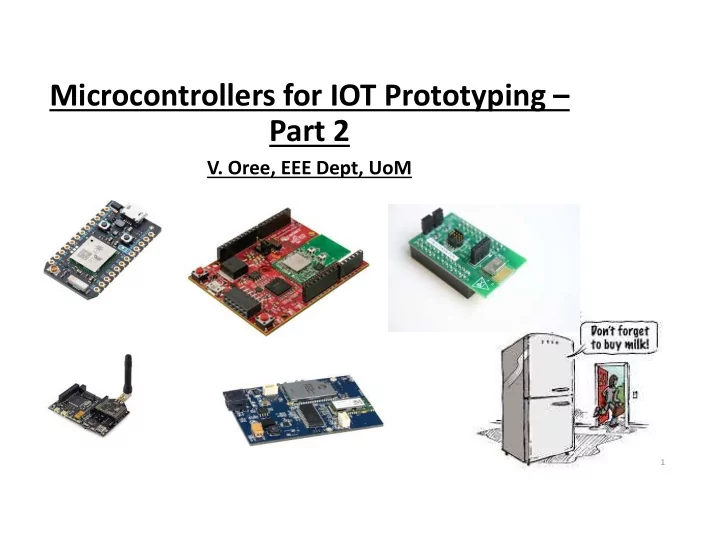
Microcontrollers for IOT Prototyping – Part 2

  • V. Oree, EEE Dept, UoM

1

slide-2
SLIDE 2

Introduction

  • The Internet of Things is considered by many to be the 4th Industrial Revolution.
  • But unlike the first three, it is not a new technology. It is a new way of integrating

existing technologies. As a result, it will not require a new kind of engineer.

  • Instead, to implement IoT, anyone hoping to embed IoT‐enabled capabilities in

applications should gain a general understanding of the technologies.

  • Our intent is not to describe every conceivable aspect of the IoT or its enabling

technologies but, rather, to provide an easy reference in your exploration of IoT solutions and plan potential implementations.

2

slide-3
SLIDE 3

Introduction

3

INTERNET OF THINGS

slide-4
SLIDE 4

Sensor Selection

Choosing a sensor (for example, a temperature sensor) for an IOT application may seem like a straightforward decision. However, selecting the right sensor involves taking many factors into account:

  • Cost
  • Supplier: How trustworthy is this seller? (Look at reviews from other buyers)
  • Accuracy & Precision
  • Availability: Some components can only be in large quantities.
  • Measurement Range: What ranges will it work for?
  • Power Consumption: Will it work with the power source I have?
slide-5
SLIDE 5

Sensor Selection

Example: Temperature Sensor

5

Texas Instruments LMT84LP Atmel AT30TSE754A‐S8M‐T Sparkfun DS18B20 Texas Instruments LM35DZ

Cost: $0.91 Accuracy: +/‐ 0.4°C Range: ‐50°C to 150°C Voltage: 1.5V – 5.5V Availability: >10 Cost: $0.53 Accuracy: +/‐ 2°C Range: ‐55°C to 125°C Voltage: 1.7V – 5.5V Availability: >4000 Cost: $9.95 Accuracy: +/‐ 0.5°C Range: ‐55°C to 125°C Voltage: 3.0V – 5.5V Availability: >5 Cost: $1.86 Accuracy: +/‐ 1.5°C Range: 0°C to 100°C Voltage: 4V – 30V Availability: >10

slide-6
SLIDE 6

IoT Development boards

  • IoT development boards enable makers to prototype their ideas. They combine

microcontrollers and processors with wireless chips and other components in a pre‐ built, ready‐to‐program package.

  • In the last 18 months, the DIY market exploded with the availability of a variety of
  • boards. Whatever the needs of your project or product, there's sure to be a board

that fits your exact requirements.

  • New developers can find it difficult to select the right IoT prototyping board.

6

slide-7
SLIDE 7

IoT Development boards ‐ Selection

  • Cost
  • Specifications: Memory, Processor, I/O capability, etc.
  • Programming support/options
  • Open design: active user community, timely enhancements, forums.
  • Reliability of supplier.
  • Compatibility with sensors and actuators

7

slide-8
SLIDE 8
  • 1. Arduino Uno
  • Arduino Uno remains the top favorite of absolute beginners

and experts.

  • Considered to be one of the first microcontroller‐based

development boards, the Arduino Uno R3 is simple, yet a very powerful prototyping environment.

  • Arduino enjoys the best community participation and
  • support. From sensors to actuators to libraries, it has a

thriving ecosystem.

  • The board layout has become almost the gold standard for
  • microcontrollers. Almost every prototyping environment

tries to be compatible with the Arduino pin breakout.

  • The open source IDE to develop programs is another reason

for its popularity. With a simple syntax based on ‘C’ language, the code is easy to learn.

8

(approx. $12)

slide-9
SLIDE 9

Arduino hardware versions

As of 2016, 17 versions of the Arduino hardware had been commercially produced.

  • Arduino Diecimila in Stoicheia
  • Arduino Duemilanove (rev 2009b)
  • Arduino UNO
  • Arduino Leonardo
  • Arduino Mega
  • Arduino MEGA 2560 R3
  • Arduino Nano
  • Arduino Due (ARM Cortex‐M3 core)
  • LilyPad Arduino (rev 2007)
  • Arduino Yun

In 2017, Arduino Primo and Otto (specifically for IoT) will be launched – Primo is the first IoT development board to feature all the traditional wireless standards, such as Wi‐Fi, Bluetooth low‐energy, near‐field communications (NFC), and infrared.

slide-10
SLIDE 10
  • 2. Raspberry Pi

10

  • The Raspberry Pi is a series of credit card‐sized single‐

board computers developed in the UK.

  • The new Raspberry Pi 3 includes built‐in WiFi and

Bluetooth making it the most compact and standalone computer, with a 1.2 GHz 64‐bit quad‐ core ARM Cortex‐A53 processor and 1GB RAM.

  • The HDMI port makes it further easy to hook up A/V

sources.

  • With four USB ports and 40 GPIO pins, you can

connect many peripherals and accessories to the Pi. There are third party breakout boards to connect various Arduino shields to the Pi.

(approx. $50)

slide-11
SLIDE 11
  • 3. Intel Edison
  • Intel Edison is a high‐performance, dual‐core CPU

with a single core micro‐controller that can support complex data collection.

  • Intel Atom™ 500MHz dual‐core x86, 1GB RAM,

Wi‐Fi 802.11n, Bluetooth 4.0

  • Edison comes with two breakout boards – one

that’s compatible with Arduino and the other board designed to be a smaller in size for easy prototyping.

11

(approx. $75)

slide-12
SLIDE 12
  • 4. Udoo Neo
  • Udoo Neo is a full‐blown computer that also has an

Arduino‐compatible microcontroller.

  • It’s positioned as the combination of Raspberry Pi and
  • Arduino. The board has the same pinout as Arduino Uno.
  • Neo embeds two cores on the same processor – a

powerful 1GHz ARM Cortex‐A9, and an ARM Cortex‐M4 I/O real‐time co‐processor.

  • Wi‐Fi + Bluetooth 4.0 module.

12

slide-13
SLIDE 13
  • 5. Particle Photon
  • Photon is one of the smallest prototyping boards

available in the market. Powered by the STM32F205 120Mhz ARM Cortex M3 processor, Photon has 1MB flash, 128KB RAM and a built‐in WIFI module.

  • Once configured, the board is accessible from the

Internet, which makes it an ideal prototyping platform to build connected applications.

  • The board comes with five analog pins and eight digital

pins for connecting various sensors and actuators.

  • Developers can also buy a variety of shields for

interfacing with relays, motors, and the broader Arduino Uno ecosystem.

13

(approx. $30)

slide-14
SLIDE 14
  • 6. ESP8266
  • The

ESP8266 is a low‐cost chip with a microcontroller supplemented with capabilities for 2.4 GHz Wi‐Fi, 16 GPIO and 1 MB built‐in flash.

  • This small module allows microcontrollers to connect

to a Wi‐Fi network and make simple TCP/IP connections.

  • ESP8266 offers a complete and self‐contained Wi‐Fi

networking solution, allowing it to either host the application or to offload all Wi‐Fi networking functions from another application processor.

14

As from $2

slide-15
SLIDE 15

Student Projects implemented at UoM

  • Smart Power Monitor

Monitors power consumption of appliances. Controls appliances remotely.

15

slide-16
SLIDE 16

Student Projects implemented at UoM

  • Smart Rainwater Harvesting System

Domestic water distribution system that automatically shifts from utility to rainwater. Monitor status (water level in tank, flow rate, volume) wirelessly Activate valves remotely

16

slide-17
SLIDE 17

17