Memory Management 1 Overview Basic memory management Address - - PDF document

memory management
SMART_READER_LITE
LIVE PREVIEW

Memory Management 1 Overview Basic memory management Address - - PDF document

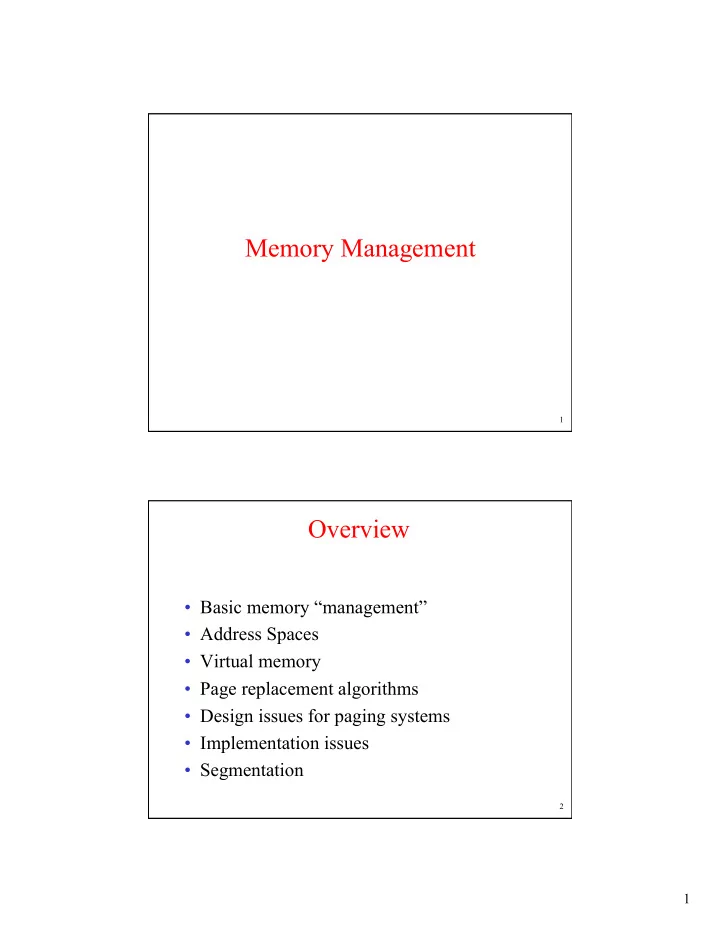
Memory Management 1 Overview Basic memory management Address Spaces Virtual memory Page replacement algorithms Design issues for paging systems Implementation issues Segmentation 2 1 Memory Management


slide-1
SLIDE 1

1

1

Memory Management

2

Overview

  • Basic memory “management”
  • Address Spaces
  • Virtual memory
  • Page replacement algorithms
  • Design issues for paging systems
  • Implementation issues
  • Segmentation
slide-2
SLIDE 2

2

3

Memory Management

  • Ideally programmers want memory that is

– large – fast – non volatile

  • Memory hierarchy

– small amount of fast, expensive memory – cache – some medium-speed, medium price main memory – gigabytes of slow, cheap disk storage

  • Memory manager

– handles the memory hierarchy – Protects processes from each other.

Approaches

  • Single Process, Contiguous Memory
  • Multiple Processes, Contiguous Memory
  • Multiple Processes, “Discontiguous” Memory
  • Multiple Processes, Only partially in memory

4

slide-3
SLIDE 3

3

5

Basic Memory Management

Single Process without Swapping or Paging

Three simple ways of organizing memory

  • an operating system with one user process

6

Binding

  • If a program has a line:

int x; When is the address of x determined?

  • What are the choices?
  • At compile time
  • At load time
  • At run time
slide-4
SLIDE 4

4

7

Base / Limit Registers

  • Binding done at run

time.

  • Addresses are added to

base value to map to physical address

  • Addresses larger than

limit value are an error

8

Swapping

Memory allocation changes as

– processes come into memory – leave memory

Shaded regions are unused memory

slide-5
SLIDE 5

5

9

Managing Free Memory

  • Assume a process being loaded can ask for

any size “chunk” of memory needed.

  • We need to be able to find a chunk the right

size.

  • How can we keep track of free chunks

efficiently?

10

Memory Management with Bit Maps

  • Part of memory with 5 processes, 3 holes

– tick marks show allocation units – shaded regions are free

  • Corresponding bit map
  • Same information as a list
slide-6
SLIDE 6

6

11

Memory Management with Linked Lists

Four neighbor combinations for the terminating process X

12

Order of Search for Free Memory

  • We can search for a large enough free block of free

memory starting from the beginning. That’s called first fit.

  • If we already skipped over the first N holes because they

were too small, maybe it’s a waste of time to look there

  • again. Try next fit.
  • Should we be more selective in our choice? After all

we’re just grabbing the first thing that works…

  • How does first (or next) fit effect fragmentation? Could

we do better?

  • Can we find a hole that fits faster? What are the

downsides?

slide-7
SLIDE 7

7

13

The Contiguous Constraint

  • So far a process’s memory has been

contiguous.

  • What if it didn’t have to be?
  • What problems would that help solve?
  • How would the hardware need to change?
  • What additional work would the OS have to

do?

14

It’s All Gotta Be in Memory (or does it?)

  • We have assumed that the entire process has

to be in memory whenever it is running.

  • What if it didn’t have to be?
  • What problems would that help solve?
  • How would the hardware need to change?
  • What additional work would the OS have to

do?

slide-8
SLIDE 8

8

15

Virtual Memory

The position and function of the MMU

16

Paging

The relation between virtual addresses and physical memory addres- ses given by page table

slide-9
SLIDE 9

9

17

Page Tables

Internal operation of MMU with 16 4 KB pages

18

Page Tables 2-level

  • 32 bit address with 2 page table fields
  • Two-level page tables

Second-level page tables Top-level page table

slide-10
SLIDE 10

10

19

Page Table Entry

  • Present/absent is also called Valid
  • Modified is also called Dirty
  • Referenced is also called Accessed
  • Why would caching be disable?

20

Pentium PTE

slide-11
SLIDE 11

11

21

TLBs – Translation Lookaside Buffers

A TLB to speed up paging

22

Inverted Page Tables

Comparison of a traditional page table with an inverted page table

slide-12
SLIDE 12

12

23

Page Replacement Algorithms

  • Page fault forces choice

– If there are no free page frames, we have to make room for incoming page – Which page should be removed?

  • Modified page frame must first be saved before

being evicted

– An unmodified page frame can just overwritten

  • Better not to choose an often used page

– Likely to be brought back in again soon

24

Optimal Page Replacement Algorithm

  • Replace page needed at the farthest point in future

– Optimal but unrealizable

  • Estimate by …

– logging page use on previous runs of process – although this is impractical

slide-13
SLIDE 13

13

25

Not Recently Used Page Replacement Algorithm

  • Each page has Reference bit, Modified bit

– bits are set when page is referenced, modified

  • Pages are classified

1.

not referenced, not modified

2.

not referenced, modified

3.

referenced, not modified

4.

referenced, modified

  • NRU removes page at random

– from lowest numbered non empty class

26

FIFO Page Replacement Algorithm

  • Maintain a linked list of all pages

– in order they came into memory

  • Page at beginning of list replaced
  • Disadvantage

– page in memory the longest may be often used

slide-14
SLIDE 14

14

27

Second Chance Page Replacement Algorithm

  • Operation of a second chance

– pages sorted in FIFO order – Page list if fault occurs at time 20, A has R bit set (numbers above pages are loading times)

28

The Clock Page Replacement Algorithm

slide-15
SLIDE 15

15

29

Least Recently Used (LRU)

  • Principle: assume a page used recently will be used again

soon

– throw out page that has been unused for longest time

  • Implementation

– Keep a linked list of pages

  • most recently used at front, least at rear
  • update this list every memory reference !!

– Or keep time stamp with each PTE

  • choose page with oldest time stamp
  • Again, this must be updated with every memory reference.

30

LRU

(Another Hardware Solution) LRU using a matrix – pages referenced in order

0,1,2,3,2,1,0,3,2,3

slide-16
SLIDE 16

16

31

LRU Approximation?

  • How could we approximate LRU?
  • We can’t track every time a page is referenced, but we can

sample the data.

  • How often? Once per clock tick, perhaps.
  • Update a counter for each page that has been referenced in

the last clock tick.

  • Take the page with the lowest count

i.e. “Not Frequently Used” (NFU)

  • How well does this work?

32

Simulating LRU in Software Aging

  • The aging algorithm simulates LRU in software
  • Note 6 pages for 5 clock ticks, (a) – (e)
slide-17
SLIDE 17

17

33

Thrashing

  • A program causing page faults every few instructions is

said to be thrashing.

  • What causes thrashing?
  • If a process keeps accessing random new pages, then it is

hard to anticipate what it will use next.

  • Most programs exhibit temporal and spatial locality.

– Temporal locality: if the process accessed a particular address, it is likely to do so again soon. – Spatial locality: if the process accessed a particular address, it is likely to access nearby addresses soon.

  • Processes that follow this principle tend not to thrash

unless they have to fight for memory.

34

Causing Thrashing within a single process

  • The first nested loop demonstrates spatial locality
  • The second thrashes.

const int ROWS = 10000; const int COLS = 1024; int arr[ROWS][COLS]; int main() { for (int row = 0; row < ROWS; ++row) for (int col = 0; col < COLS; ++col) arr[row][col] = row * col; for (int col = 0; col < COLS; ++col) for (int row = 0; row < ROWS; ++row) arr[row][col] = row * col; }

slide-18
SLIDE 18

18

35

The Working Set Page Replacement Algorithm (1)

  • The working set is the set of pages used by the k

most recent memory references

  • w(k,t) is the size of the working set at time, t

36

The Working Set Page Replacement Algorithm (2) The working set algorithm

slide-19
SLIDE 19

19

37

The WSClock Page Replacement Algorithm Operation of the WSClock algorithm

38

Review of Page Replacement Algorithms

slide-20
SLIDE 20

20

39

Modeling Page Replacement Algorithms Belady's Anomaly

  • FIFO with 3 page frames
  • FIFO with 4 page frames
  • P's show which page references show page faults

40

“Stack” Algorithms

State of memory array, M, after each item in reference string is processed

slide-21
SLIDE 21

21

41

The Distance String

Probability density functions for two hypothetical distance strings

42

The Distance String

  • Computation of page fault rate from distance string

– the C vector – the F vector

slide-22
SLIDE 22

22

43

Design Issues for Paging Systems

Local versus Global Allocation Policies

  • Original configuration
  • Local page replacement
  • Global page replacement

44

Page Fault Rate

  • Page fault rate as a function of the number of page frames assigned
  • Use to determine if a process should be granted additional pages.
slide-23
SLIDE 23

23

45

Load Control

  • Despite good designs, system may still thrash
  • When PFF algorithm indicates

– some processes need more memory – but no processes need less

  • Solution :

Reduce number of processes competing for memory

– swap one or more to disk, divide up frames they held – reconsider degree of multiprogramming

46

Page Size (1)

Small page size

  • Advantages

– less internal fragmentation – better fit for various data structures, code sections – less unused program in memory

  • Disadvantages

– programs need many pages, larger page tables

slide-24
SLIDE 24

24

47

Page Size (2)

  • Overhead due to page table and internal

fragmentation

  • Where

– s = average process size in bytes – p = page size in bytes – e = page entry page table space internal fragmentation

Optimized when

48

Separate Instruction and Data Spaces

  • One address space
  • Separate I and D spaces
slide-25
SLIDE 25

25

49

Shared Pages

Two processes sharing same program sharing its page table

50

Cleaning Policy

  • Need for a background process, paging daemon

– periodically inspects state of memory

  • When too few frames are free

– selects pages to “evict” using a replacement algorithm. – Evicted pages are kept in a pool in case they are wanted again.

  • Dirty pages are scheduled to be written out.
slide-26
SLIDE 26

26

51

Implementation Issues

Operating System vs. Hardware for Paging

1.

Process creation

  • Create and initialize page table.
  • Pre-fetch pages.

2.

Context Switch

  • Point MMU to page table for new process
  • TLB flushed

3.

Memory Reference

  • Map virtual address to physical address
  • Determine if page fault
  • If fault, determine whose fault and resolve

4.

Page Replacement

Record page access / modifies

Determine page to replace.

5.

Process termination time

  • release page table, pages

52

Instruction Backup

An instruction causing a page fault

slide-27
SLIDE 27

27

Global Flag

  • Some pages are used by every process in the

system.

  • Which?
  • What would we like to have happen special

for those pages during a context switch.

  • How can the hardware know?

53 54

Locking Pages in Memory

  • Virtual memory and I/O occasionally interact
  • Proc issues call for read from device into buffer

– while waiting for I/O, another processes starts up – has a page fault – buffer for the first proc may be chosen to be paged out

  • Need to specify some pages locked

– exempted from being target pages

slide-28
SLIDE 28

28

55

Backing Store

(a) Paging to static swap area (b) Backing up pages dynamically

56

Separation of Policy and Mechanism

Page fault handling with an external pager

slide-29
SLIDE 29

29

57

Memory Management

NT & Unix

  • Exact details not as easy as in process scheduling.
  • Attempt to keep a set of “free pages” using a “page daemon”. (e.g.

Linux: kswapd, NT: Working Set Manger)

  • Essentially “demand paging”.

– NT brings in “clusters”, typically 8 pages for code, 4 for data. – Unix’s swapper used to bring in all referenced pages, when swapping a process back in. Now uses demand paging.

  • OS present in every process’s virtual address space.

– Reduces changes needed in TLB and cache. – No changes needed for system call.

  • Load control: Swap out entire processes “as needed”. This is currently

something that one hopes to avoid, but the feature is still present.

  • Some structure to describe where pages are currently, e.g. location in

paging file. Unix: Core Map. NT: Page Frame Database.

  • A portion (e.g., 64KB) of the top/bottom of address space unmapped.

58

MM in Unix

  • Early versions totally swapping
  • Current based on paging.
  • Page Daemon ¼ sec.
  • Refill free list when less then some value.

– BSD: lotsfree = ¼ memory. – SysV: has some min/max. If less than min, fill until max. Goal is to reduce frequency of page daemon, thereby reducing thrashing.

  • Originally used Global Clock.
  • As memory sizes increased BSD went to 2-handed clock.

– Front clears referenced bit – Back hand picks victim, – Result: a referenced page is really recent.

  • SysV instead keeps frequency count of pages not referenced.

– Only boots page out if count greater than some value – Seems they had the opposite problem of the BSD folk.

slide-30
SLIDE 30

30

59

MM in Unix

  • Load Control.

– If page daemon has to work too often then swap someone out. – Every few seconds look for someone to bring back.

  • Decision based on swapped out time, size, niceness, if it was

sleeping…

  • Only bring back the “user structure” portion of PCB and the

page tables. (I’m surprised page tables are removed. Must record swapped out page for process somewhere…)

  • “Core Map” describes frames, free list, location to

swap to.

60

MM in NT

  • Demand paging of “Clusters”.

– (code: 8, data: 4). XP does some prepaging after application’s first run.

  • Maintains a “working set” per process, not thread (remember scheduling is per

thread)

– WS is based on size, not time window. – Keeps a min/max per process – If we have > max and a page fault then steal process’s page. Otherwise add.

  • ~ 1sec. Balance Set Manager, checks for sufficient free pages. Calls Working

Set Manager to free pages.

– Sort processes by “desirability”. Large idle, first. Foreground last. – If < min and “enough page faults” since last check, then leave alone. – Determine #pages to remove from process. Depends on need, size of WS relative to min/max. – Examine all pages in a process. Uses an unreferenced count, like AT&T Unix.

  • Pages with “high” unreferenced removed.

– Continue examining additional processes till sufficient pages free. More aggressive passes as needed.

slide-31
SLIDE 31

31

61

MM in NT

  • Load Control.

– Swapper runs every 4 sec. – If thread asleep for 7 sec. Mark thread’s kernel stack “in transition”. – When all threads in process marked, then swap out.

62

MM in NT

slide-32
SLIDE 32

32

63

MM in FreeBSD

  • 1GB for kernel, unless you want lots of small processes using lots of

kernel services, then configure for 2GB

  • First few virtual pages reserved to catch bad pointers.
  • Shared libraries placed by default just below default stack limit.
  • Memory Lists:

– Wired – Active – Inactive. Dirty (min: 0%, max 4.5%)

  • Pageout daemon moves pages from Inactive to “cache”

– attempts to balance i/o load by not starting too many concurrent writes. – Runs as a kernel process. This way it has access to kernel data structures, etc., but can be scheduled to run as a process so it can sleep.

– Cache. Clean. (min: 3%, max 6%) – Free. (min: 0.7%, max 3%)

  • One end is zeroed, the other is not.
  • Idle process tries to keep 75% of frames on Free list zeroed.

64

MM in FreeBSD

  • Page coloring. Attempt to avoid cache conflicts.

– Cache holds pages. A 1MB cache with 4KB pages has 256 cache pages. Each physical page on a 1MB boundary maps to the same cache page. Thus each cache page represents as many physical pages as there are MB’s of physical memory. – When allocating frames, color coding attempts to avoid such potential conflicts by making contiguous virtual pages, get frames that map to contiguous cache pages.

  • Pure demand paging when swapping back in.

– Back in BSD4.3, count of resident pages was used. DIoF says might return.

  • Page Replacement

– Least actively used algorithm. – Page has count of three when first brought in – Incremented each time reference bit found set to a max of 64 – Decremented each time referenced bit found not set.

  • At zero page moved from Active to Inactive list.
slide-33
SLIDE 33

33

65

Segmentation (1)

  • One-dimensional address space with growing tables
  • One table may bump into another

66

Segmentation (2)

Allows each table to grow or shrink, independently

slide-34
SLIDE 34

34

67

Segmentation (3)

Comparison of paging and segmentation

68

Implementation of Pure Segmentation

slide-35
SLIDE 35

35

69

Segmentation with Paging: MULTICS (1)

  • Descriptor segment points to page tables
  • Segment descriptor – numbers are field lengths

70

Segmentation with Paging: MULTICS (2)

A 34-bit MULTICS virtual address

slide-36
SLIDE 36

36

71

Segmentation with Paging: MULTICS (3)

Conversion of a 2-part MULTICS address into a main memory address

72

Segmentation with Paging: MULTICS (4)

  • Simplified version of the MULTICS TLB
  • Existence of 2 page sizes makes actual TLB more complicated
slide-37
SLIDE 37

37

73

Segmentation with Paging: Pentium (1)

A Pentium selector

74

Segmentation with Paging: Pentium (2)

  • Pentium code segment descriptor
  • Data segments differ slightly
slide-38
SLIDE 38

38

75

Segmentation with Paging: Pentium (3)

Conversion of a (selector, offset) pair to a linear address

76

Segmentation with Paging: Pentium (4)

Mapping of a linear address onto a physical address

slide-39
SLIDE 39

39

77

Segmentation with Paging: Pentium (5)

Protection on the Pentium

Level