Memory Management Different types of Memory Management Single - - PowerPoint PPT Presentation

memory management different types of memory management
SMART_READER_LITE
LIVE PREVIEW

Memory Management Different types of Memory Management Single - - PowerPoint PPT Presentation

Memory Management Different types of Memory Management Single partition allocation - One process in memory Background Logical versus Physical Address Space 1. No operating system Address Binding 2. Operating system + one process


slide-1
SLIDE 1

Memory Management

  • Background
  • Logical versus Physical Address Space
  • Address Binding
  • Dynamic Linking and Shared Libraries
  • Swapping
  • Virtual memory

1

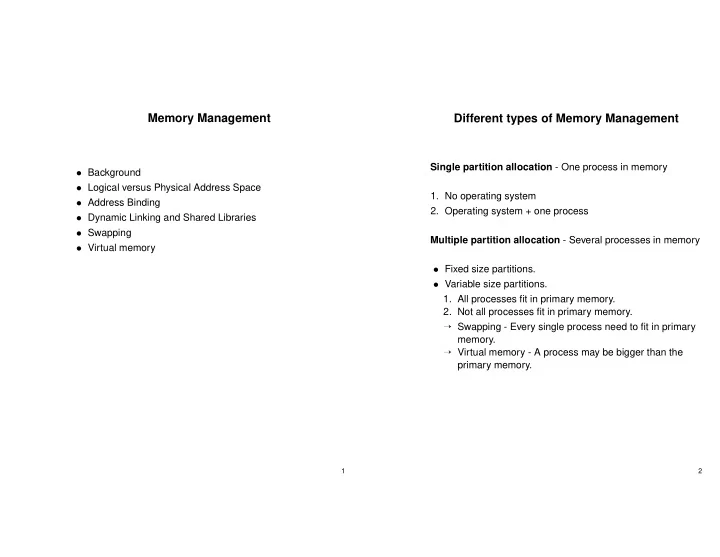
Different types of Memory Management

Single partition allocation - One process in memory

  • 1. No operating system
  • 2. Operating system + one process

Multiple partition allocation - Several processes in memory

  • Fixed size partitions.
  • Variable size partitions.
  • 1. All processes fit in primary memory.
  • 2. Not all processes fit in primary memory.

→ Swapping - Every single process need to fit in primary memory. → Virtual memory - A process may be bigger than the primary memory.

2

slide-2
SLIDE 2

Binding of Instructions and Data to Memory

Compiler usually generates assembler code. Assembler generates relocatable object module. Linker generates absolute load module. Address binding of instructions and data to memory addresses can happen at three different stages.

  • Compile time: If memory location known a priori,

absolute code can be generated; Compilation command runs compiler, assembler and linker.

  • Load time: Compilation command runs compiler and
  • assembler. Linker run at load time.
  • Execution time: Binding delayed until run time. The

process can be moved during its execution from one memory segment to another. Need hardware support for address maps, usually a MMU (Memory Management Unit).

3

Dynamic Linking - Motivation

UNIX permits code to be shared between processes. Many programs (especially X window programs) is small in themselves but references big quantities of library code. This extensive library code will be duplicated in each X-program both in the file system and in the primary memory. These problems can be solved if processes are allowed to share library code.

4

slide-3
SLIDE 3

Dynamic linking and Shared Libraries

  • Dynamic linking means that linking is divided in two parts.

A static linker is run at compile time and a dynamic linker is run at load time.

  • The static linker performs basic relocations, but does not

decide the addresses for calls to shared library procedures.

  • A call to the dynamic linker is included in the load module

by the static linker.

  • The correct addresses to the shared library routines are

filled in by the dynamic linker.

  • In order to avoid modifying the code, the shared libraries

are called via a jump table in the data segment.

  • The shared libraries are generated with position

independent code so that they can be placed at different addresses in different processes. Dynamic linking requires support from the operating system to create shared memory segments to hold the shared library code.

5

Overlays

  • Keep in memory only those instructions and data that are

needed at any given time.

  • Needed when process is larger than amount of memory

allocated to it.

  • Implemented by user, no special support needed from
  • perating system; programming design of overlay

structure is complex.

6

slide-4
SLIDE 4

Memory Management Strategies

  • Fetch strategies. When to bring data into primary

memory.

  • Placement strategies. Where in primary memory should

data be placed. → First fit. → Best fit. → Worst fit.

  • Replacement strategies. Which page should be

replaced, if primary memory is full.

7

Compaction

Compaction means moving all occupied areas of storage to

  • ne end of memory. this leaves one big hole.

Problems with compaction:

  • Only possible if dynamic relocation is used.
  • All processes have to be stopped.
  • Takes a long time.
  • If the processes are short, it will only take a short time

until another compaction is needed.

8

slide-5
SLIDE 5

Swapping

  • If the users are allowed to start more processes than fits

in primary memory, some processes have to be stored in secondary memory.

  • To move whole processes between primary memory and

secondary memory is called swapping.

  • If a process is swapped in to another address in primary

memory than it had when swapped out, Swapping is only possible if dynamic relocation is used.

9

Virtual Memory

In a virtual memory, the process may see a memory that is bigger than the physical memory. The key to virtual memory is to distinguish between the addresses used by the program and the physical addresses.

  • Virtual addresses: The addresses the a program sees

during execution.

  • Physical addresses: The addresses in the physical

primary memory. The virtual addresses have to be translated to physical addresses during execution. This translation have to be done for every memory reference - and need to be done fast.

10

slide-6
SLIDE 6

Virtual Memory

A virtual memory system consists of software (in the

  • perating system) and memory mapping hardware.

The needed hardware may be implemented as a separate IC chip, a memory management unit (MMU).

11

Uses for Memory Mapping

  • Relocation. A MMU makes it possible for all processes in

memory to start at the same address. Artificially contiguous addresses. Contiguous addresses in virtual memory may be mapped to to addresses that are not contiguous in physical memory. This simplifies memory allocation. Memory protection. Addresses in physical memory can be protected by setting up the mapping information in a way that no virtual address translates to the protected addresses. Virtual memory. The processes may see a memory that is bigger than the physical memory. This requires a secondary memory to store data that do not fit in primary memory.

12

slide-7
SLIDE 7

Memory Mapping

Let Mv denote virtual memory and Mp physical memory. Virtual addresses are denoted by z. The translation between virtual and physical addresses requires information about where in physical memory, every virtual address is located. This information is called a map. The address calculation can be written Mv[z] := Mp[f(z,map)] Every process have it’s own map that is part of the process and is loaded by the operating system then the process is brought into memory. Usually there are two maps, one for user mode and one for kernel mode.

13

Memory Mapping

If every virtual address was allowed to map to an arbitrary physical address, the map would need to be at least as big as the primary memory. To reduce the translation information to manageable size, the memory is divided into blocks. All addresses in a block are translated in the same way. Three common translation methods: Paging All blocks are of the same size. Segmentation The blocks are of different size. Paging/segmentation A combination of both methods.

14

slide-8
SLIDE 8

Fragmentation

  • Internal fragmentation Occurs in fixed size pages,

because the last allocated page is not completely filled.

  • External fragmentation Occurs with variable size

segments, because some holes in memory will be to small to use.

  • Table fragmentation Some memory is always lost to

page and segment tables.

15

Segmentation - Exceptions

Every time a segment is referenced, a check is done against the segment length and protection bits. The following exceptions are possible:

  • Segment overflow fault. An address outside the

segment is given.

  • Segment protection fault. For example writing to a read
  • nly segment.
  • Missing segment fault. The segment valid bit in the

segment table is not set.

16

slide-9
SLIDE 9

Inverted page table

The normal page table is indexed with virtual addresses. In this system, the memory size needed for page tables is proportional to the the virtual address space of all processes. With 64-bit virtual addresses the memory size needed by page tables may become very large. An alternative is to use a single inverted page table that is indexed with physical addresses. Problems with inverted page tables:

  • Because the inverted page table is indexed with physical

addresses, the whole table have to be searched to find a certain virtual address. A hash table is used to reduce the search time.

  • Sharing of memory between processes is more

complicated, as a page table entry only has room for one virtual address.

17

Memory Access Time for Paging

Notations p Probability for page fault Tma Primary memory access time Tfault Time to handle a page fault T Effective access time (average access time with paging) T = (1 − p) ∗ Tma + p ∗ Tfault Typical values: Tma = 100ns , Tfault = 10ms This gives: T = 100 + 9999900 ∗ p Thus, if 10 percent increase in memory access time due to page faults is allowed, only one memory reference of 1000000 may generate a page fault.

18