Member Call Center Network Providers Training on New Enrollment - - PDF document

member call center network providers training on new
SMART_READER_LITE
LIVE PREVIEW

Member Call Center Network Providers Training on New Enrollment - - PDF document

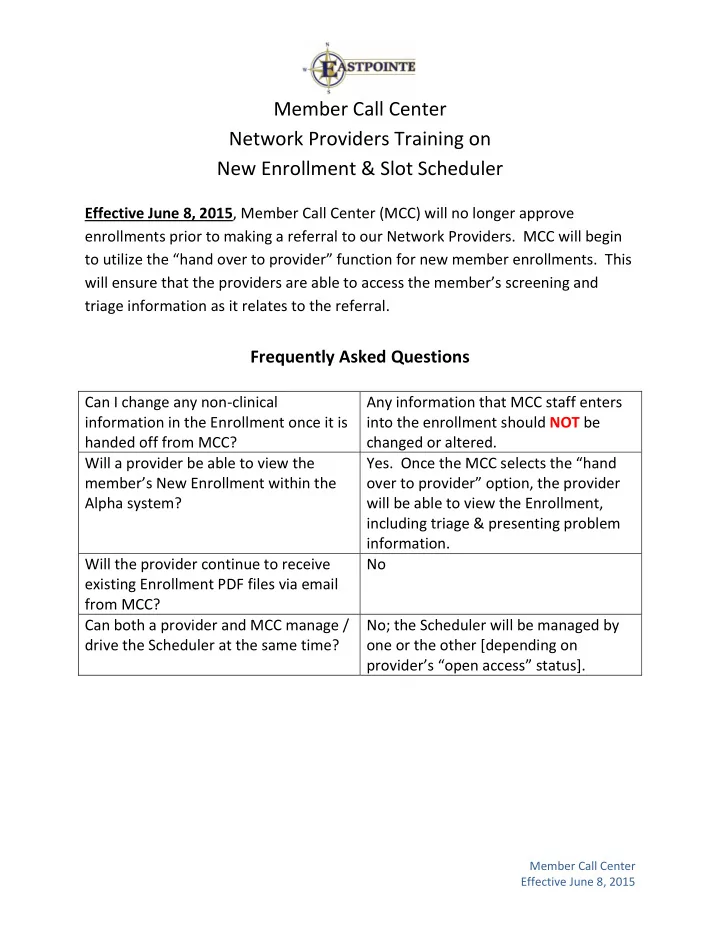
Member Call Center Network Providers Training on New Enrollment & Slot Scheduler Effective June 8, 2015 , Member Call Center (MCC) will no longer approve enrollments prior to making a referral to our Network Providers. MCC will begin to


slide-1
SLIDE 1

Member Call Center Effective June 8, 2015

Member Call Center Network Providers Training on New Enrollment & Slot Scheduler

Effective June 8, 2015, Member Call Center (MCC) will no longer approve enrollments prior to making a referral to our Network Providers. MCC will begin to utilize the “hand over to provider” function for new member enrollments. This will ensure that the providers are able to access the member’s screening and triage information as it relates to the referral.

Frequently Asked Questions

Can I change any non-clinical information in the Enrollment once it is handed off from MCC? Any information that MCC staff enters into the enrollment should NOT be changed or altered. Will a provider be able to view the member’s New Enrollment within the Alpha system?

  • Yes. Once the MCC selects the “hand
  • ver to provider” option, the provider

will be able to view the Enrollment, including triage & presenting problem information. Will the provider continue to receive existing Enrollment PDF files via email from MCC? No Can both a provider and MCC manage / drive the Scheduler at the same time? No; the Scheduler will be managed by

  • ne or the other [depending on

provider’s “open access” status].

slide-2
SLIDE 2

Member Call Center Effective June 8, 2015

How does a provider create appointments on their Scheduler? Go to Provider Scheduler Select the Site Select “Get Site Schedule” Select date/time…double click Complete required fields Save *providers can create appointment recurrences

Please refer to Network Operations webinar training titled “Eastpointe Alpha Scheduler Training”

How does a provider drive their Scheduler when they are a walk-in crisis center and manage appointments? The provider will need to create an appointment titled “Walk-in” in the subject line. This appointment episode can have multiple slots. This will allow MCC staff to connect members to a provider as a “walk-in”. How does a Crisis Walk-in Center manage their Scheduler when they do NOT manage appointments? The Crisis Walk-in Center should be in “open access” status so that MCC staff can drive the Scheduler and connect members. How should a Mobile Crisis provider manage their Scheduler? The provider will need to create an appointment titled “Mobile Crisis” in the subject line. This appointment episode can have multiple slots. This will allow MCC staff to connect members to the Mobile Crisis provider. OR The Mobile Crisis provider can be in “open access” status so that MCC staff can drive the Scheduler and connect members.

slide-3
SLIDE 3

Member Call Center Effective June 8, 2015

How does a Walk-in Clinic or Mobile Crisis provider become “open access” status? Please contact Network Operations at 1-888-977-2160 Does a provider put internal appointments on the Scheduler?

  • No. The Scheduler is only for MCC to

utilize in the referral process. Can a provider delete an appointment from the Scheduler? If it is an open/available appointment, YES. If a member is already scheduled in the appointment slot, NO. The system will not permit this action. What happens if a provider schedules an appointment internally and needs to remove the appointment from the Scheduler? If the appointment is still available within the Scheduler, the provider needs to delete the appointment slot to prevent double-booking of the appointment. If an appointment already exists within the Scheduler, the provider should not schedule internally. What happens when MCC staff schedules an appointment on the Scheduler that is not a true appointment? The MCC cannot manage a provider’s Scheduler if they are not identified as “open access” status. Therefore, if MCC schedules an appointment on the Scheduler, that means that the provider created the appointment for MCC staff to utilize. The error is not on the side of MCC. What does the provider need to do if MCC calls the provider to obtain an appointment? The provider needs to create the verbal appointment on the Scheduler in order for MCC to connect the member. The subject line needs to reflect that the appointment slot is already filled [ex. “Appt. Taken”]

slide-4
SLIDE 4

Member Call Center Effective June 8, 2015

Does a provider need to add members to the Scheduler if the member accesses the agency directly (meaning NO MCC referral)? No…again, the Scheduler is only for MCC use to make referrals to providers. When does the follow-up need to be completed? Depends on the triage level: Routine  within 24-hours of the appointment Urgent  by the end of the business day of the appointment Where will providers find the member’s triage level? New Enrollments: Triage level is identified as the “Need Severity” Existing Members: Triage level will be found within the Presenting Problem and entered within the “Notes” section in the Scheduler. Do providers need to add existing members on the Scheduler in order to report appointment follow-up information? NO…appointment follow-up information is only needed for initial access to care referrals. Providers do not need to report follow-up information on concurrent appointments. Remember: if member reschedules initial appt., this follow-up information is needed.

FAQ from Webinars June 3-4, 2015 Why are we receiving referrals from members that do not have any insurance? If MCC staff schedules an IPRS member in a Medicaid appt slot, please contact MCC so the member can be rescheduled appropriately. For appt follow-up status, please select “Referral Not Accepted” After 6/8/15, enrollments will or will not be approved? MCC staff will NO longer approve new

  • enrollments. Once it is handed over to the

provider, the provider will complete the enrollment & submit to Medical Records; this

  • dept. will review for approval.
slide-5
SLIDE 5

Member Call Center Effective June 8, 2015

How do you prove income for Medicaid recipients? I thought DSS does that? Are we to ask for check stubs, etc. for Medicaid members to verify income? DSS is responsible to gathering income information as it relates to Medicaid eligibility. This is different than the income question on the New Enrollment. Per Medical Records, “We want as accurate information as possible but we have taken the members word”. Therefore, you can enter the verbal income information given to you, or ask for proof via check stubs. This will be determined on your agency’s protocol. There are no changes if the member comes to use directly, correct?

  • Correct. If member accesses a provider

directly, MCC does not need to be involved in the enrollment process. The provider will continue to be responsible to completing the New Enrollment and submitting to Medical Records for review. Is new member enrollment only for IPRS patients or Medicaid patients as well? New Enrollment process should be completed for IPRS and Medicaid members. For the appointments that were in the old system, how do we let Call Center know if they showed or no showed? You can call MCC with this follow-up information. What do we do if the Call Center schedules an appointment and we have a conflict with an already scheduled appointment? The MCC cannot manage a provider’s Scheduler if they are not identified as “open access” status. Therefore, if MCC schedules an appointment on the Scheduler, that means that the provider created the appointment for MCC staff to utilize. The error is not on the side of MCC. Please see response to FAQ, “What happens if a provider schedules an appointment internally and needs to remove the appointment from the Scheduler?” How do you know when to do a client update

  • r the enrollment?

Please refer question to Network Operations and/or Medical Records. What will we be using in place of the STR? MCC will document STR information within the New Enrollment and/or Alpha Call Base. Please see response to FAQ, “Where will providers find the member’s triage level?”

slide-6
SLIDE 6

Member Call Center Effective June 8, 2015

For walk-in crisis, how will we report back who has come in for services? Via the Scheduler Can Call Center see the description section of the scheduler? Yes When you give providers the rights for member enrollment, will we be able to make

  • ur own changes without going through client

update? No information completed by MCC on a New Enrollment should be changed, edited, or altered. What is the best way to search if the member has an enrollment in Alpha? For New Enrollments, the enrollment ID number should be available on the Slot

  • Scheduler. It should be part of the

information that Alpha filters in from the referral process. You can also search using the member’s name, DOB, and/or SSN. For old enrollments, providers cannot access this information in Alpha. How do we select Medicaid and state funding for one appointment; it only allows us to pick

  • ne or the other?

You can select “all funding” and notate “Medicaid & IPRS only” in the description. In the past with ProviderConnect, we were able to add appointment slots for JJSAMHP referrals, how we will be able to do this now with the Scheduler? List “JJSAMHP” in the subject line.

If you have any additional questions, please contact Network Operations at 1-888-977-2160